What is GRA G0010 property tax return (individual)?
Guyana charges property tax on net property: what you own, less allowed liabilities and exemptions. GRA's guide says an individual, resident or not, who held net property of forty million dollars or more on the last day of the year before the year of assessment files form G0010. Residents include property outside Guyana.
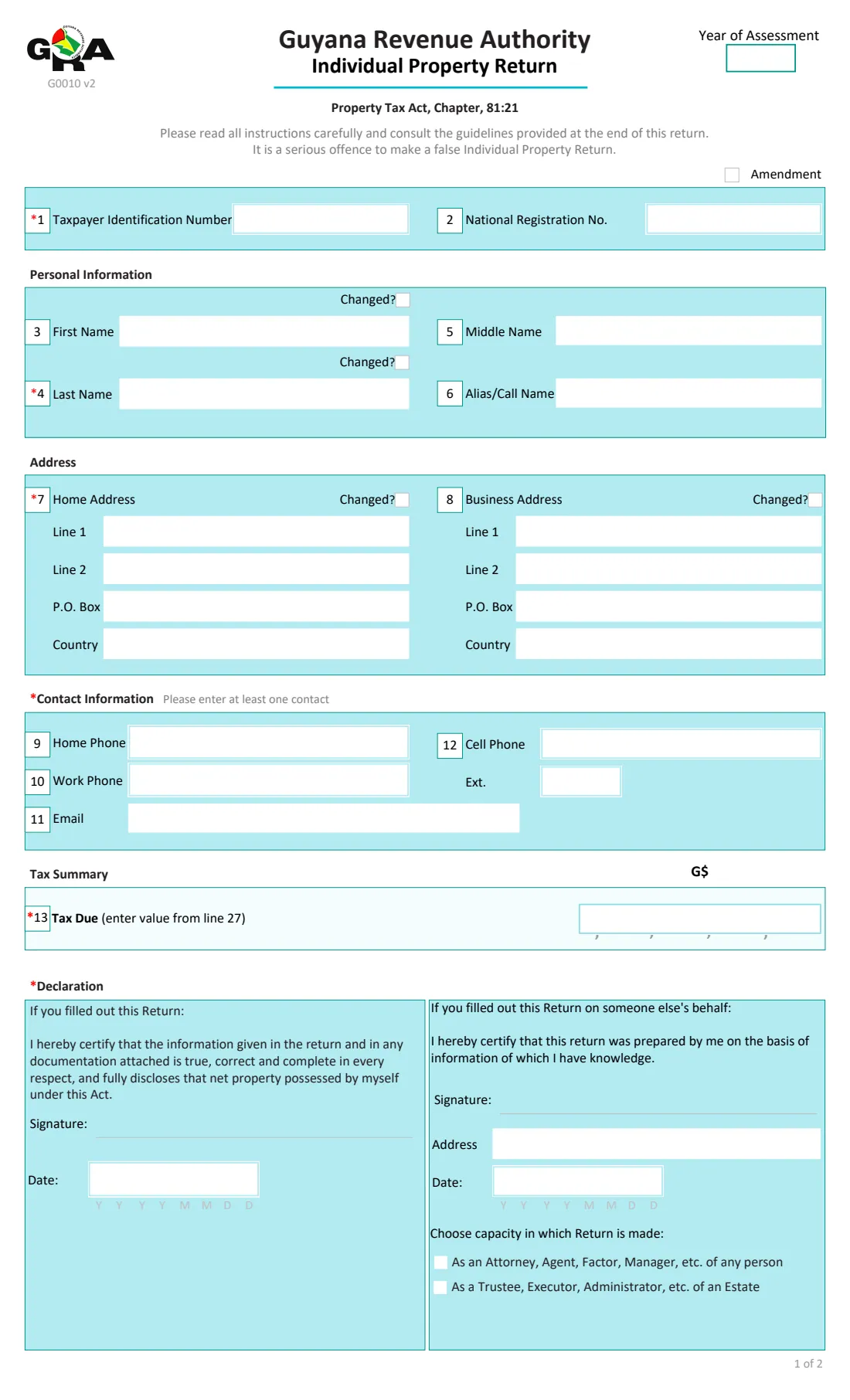
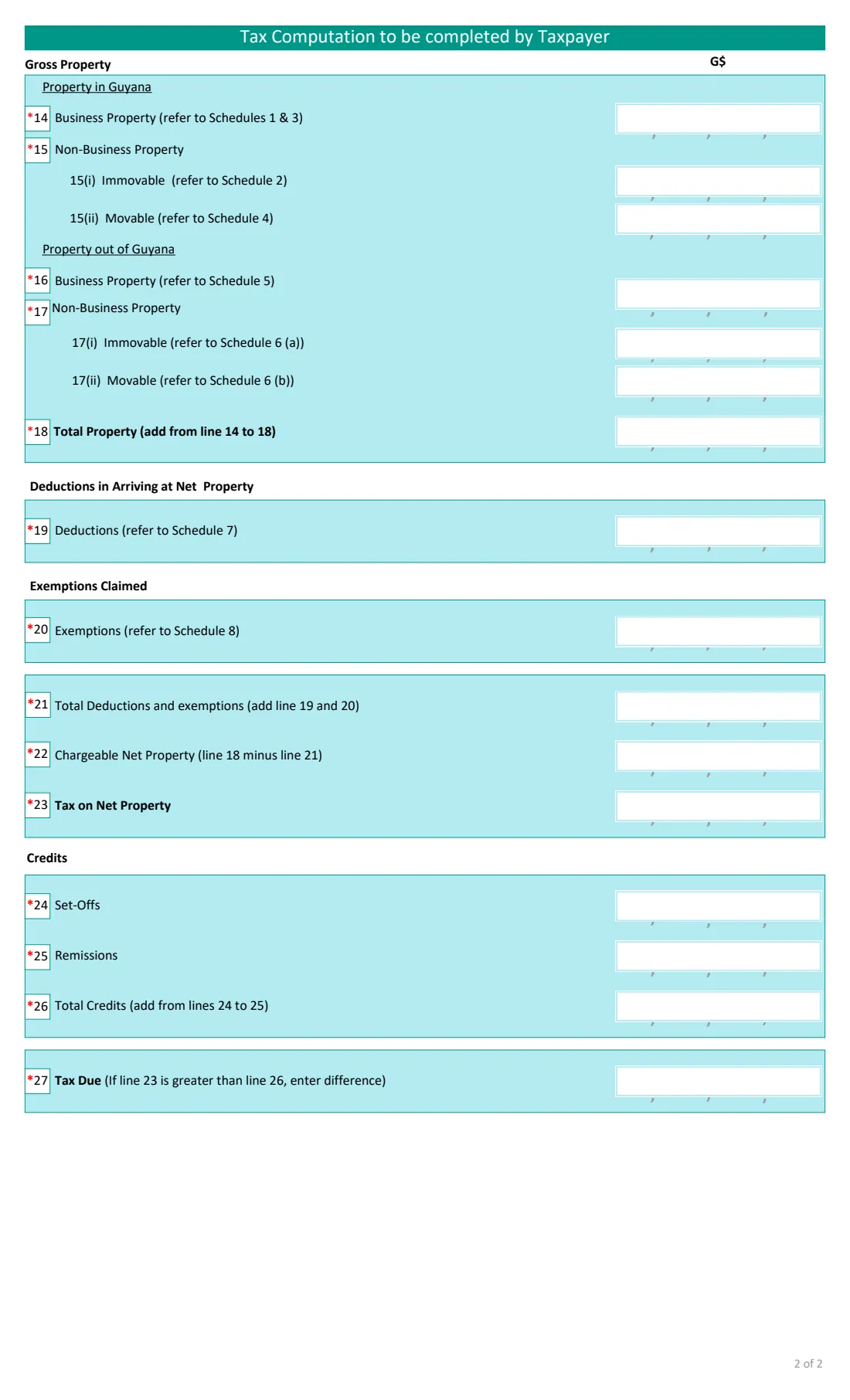
The return has your TIN, national registration number, name, addresses and contact details, then the value of your business and non-business property, movable and immovable, in Guyana and abroad, your deductions and exemptions, the tax on your chargeable net property, and any set-offs. Line 13 on page 1 repeats the tax due.
FileIt adds up the totals and fills GRA's own PDF, one digit per box. The tax on line 23 is your own figure, worked out with the rates in the Act. You sign the return by hand and hand it in yourself. FileIt never submits it.
- Who files it
- Individuals with net property of G$40 million or more at the end of the previous year (GRA's guide)
- Due
- 30 April each year, or the next business day (GRA's guide)
- Handed in to
- The Commissioner General, through GRA eServices, at a GRA office or by post to P.O. Box 10406
- Schedules
- GRA's separate schedules workbook backs up each line
- Signatures
- The taxpayer, or a preparer acting as attorney, agent, trustee or executor, by hand
- Edition
- G0010 v2, 2 pages
Who needs to fill out GRA G0010 property tax return (individual)?
- Individuals whose net property reached the G$40 million threshold in GRA's guide.
- Residents with property outside Guyana, which they must include.
- Attorneys, agents, trustees and executors filing for someone else or for an estate.
When to use GRA G0010 property tax return (individual)
- Once a year, for the year of assessment after the 31 December the property is valued at.
- Again, with Amendment ticked, to correct a return already submitted.
What you need before you start
- Your TIN and national registration number.
- The values of your property at 31 December, by type and by where it is, from GRA's schedules.
- Your deductions (liabilities) and any exemptions claimed under the Act.
- The tax on your chargeable net property and any set-offs.
What’s on GRA G0010 property tax return (individual)
The 2022 edition has 2 pages. FileIt asks for it in 7 parts:
- Year, TIN and amendmentTaxpayer
- Personal informationTaxpayer
- AddressTaxpayer
- Contact informationTaxpayer
- Gross propertyTaxpayer
- Deductions, exemptions and taxTaxpayer
- DeclarationTaxpayer
How to fill out GRA G0010 property tax return (individual), step by step
1 Year and identification
Year of assessment, TIN, national registration number, and Amendment if you are correcting an earlier return.
2 Personal details, address and contact
Names, home and business addresses and at least one contact. Tick 'Changed?' where the details differ from GRA's records.
3 Gross property
Business property, and non-business immovable and movable property, in Guyana (lines 14 and 15) and outside it (lines 16 and 17). FileIt adds line 18.
4 Deductions, exemptions and tax
Deductions and exemptions (lines 19 and 20) give chargeable net property (line 22). Enter the tax on line 23 and any set-offs; FileIt works out the tax due on line 27 and copies it to line 13.
5 Declaration
Say who filled out the return. The date prints in the taxpayer's block or the preparer's, and the preparer gives their address and capacity.
Common mistakes to avoid
- Leaving lines blank. GRA's guide asks for 0, None or a dash where a line does not apply.
- Leaving out property held outside Guyana.
- Filling in Remissions, which GRA's guide says is for internal use.
- Not attaching the schedules that back up the figures.
After you fill it out
Check the printed return, sign it and hand it in with the schedules and supporting documents.
Keep a copy in your vault with your valuations.
Fill out GRA G0010 property tax return (individual) online with FileIt
- Pick the person. Choose someone from People and FileIt fills in their name, date of birth, address and other details it already knows.
- Answer plain-language questions. One part of the form at a time, with the official help text beside each question — 47 fields in all. Your answers save as you go.
- Check the live preview. Watch your answers land on the real Guyana Revenue Authority (GRA) form, and let FileIt do any worksheet arithmetic.
- Generate the official PDF. FileIt prints your answers into the agency’s own PDF and files it in that person’s folder in your vault.
FileIt fills the form — it never files or submits anything for you. Deliver the finished form to whoever asked for it, the way the form’s instructions say.
Start GRA G0010 property tax return (individual) now — it’s freeGRA G0010 property tax return (individual): frequently asked questions
Who has to file an individual property return?
GRA's guide says any individual, resident or not, who on the last day of the year before the year of assessment held net property of forty million dollars or more.
Does FileIt work out the property tax?
No. FileIt adds up the form's own lines. The tax on line 23 is your figure, from the rates in the First Schedule to the Property Tax Act.
Where are the schedules?
GRA publishes them as a separate workbook on its forms page, next to this return. FileIt asks for the line totals.
Can someone file it for me?
Yes. An attorney, agent, factor or manager, or a trustee, executor or administrator of an estate, can fill out the return and sign the preparer's declaration.
Official sources
- Blank form (PDF), published by Guyana Revenue Authority (GRA): https://gra.gov.gy/storage/2020/10/G0010-IPT-v2.pdf
- Official instructions and guidance: https://gra.gov.gy/storage/2022/06/IPT-Return-Guide-v1.pdf
- Edition shown on this page: G0010 v2 (PDF dated 9 June 2022) (checked 2026-10-25).
FileIt is not affiliated with or endorsed by Guyana Revenue Authority (GRA) or any government. This page explains the form in general terms and is not legal, tax or immigration advice. Always read the official instructions, and check that you are using the edition the recipient accepts. Page last reviewed 2026-10-25.