What is GRA G0015 TIN registration (individual)?
In Guyana, you need a Taxpayer Identification Number (TIN) to file returns, register a business, open some accounts and deal with many government services. Individuals apply on form G0015. It is also used to amend the details of an existing registration, and to register the estate of someone who has died.
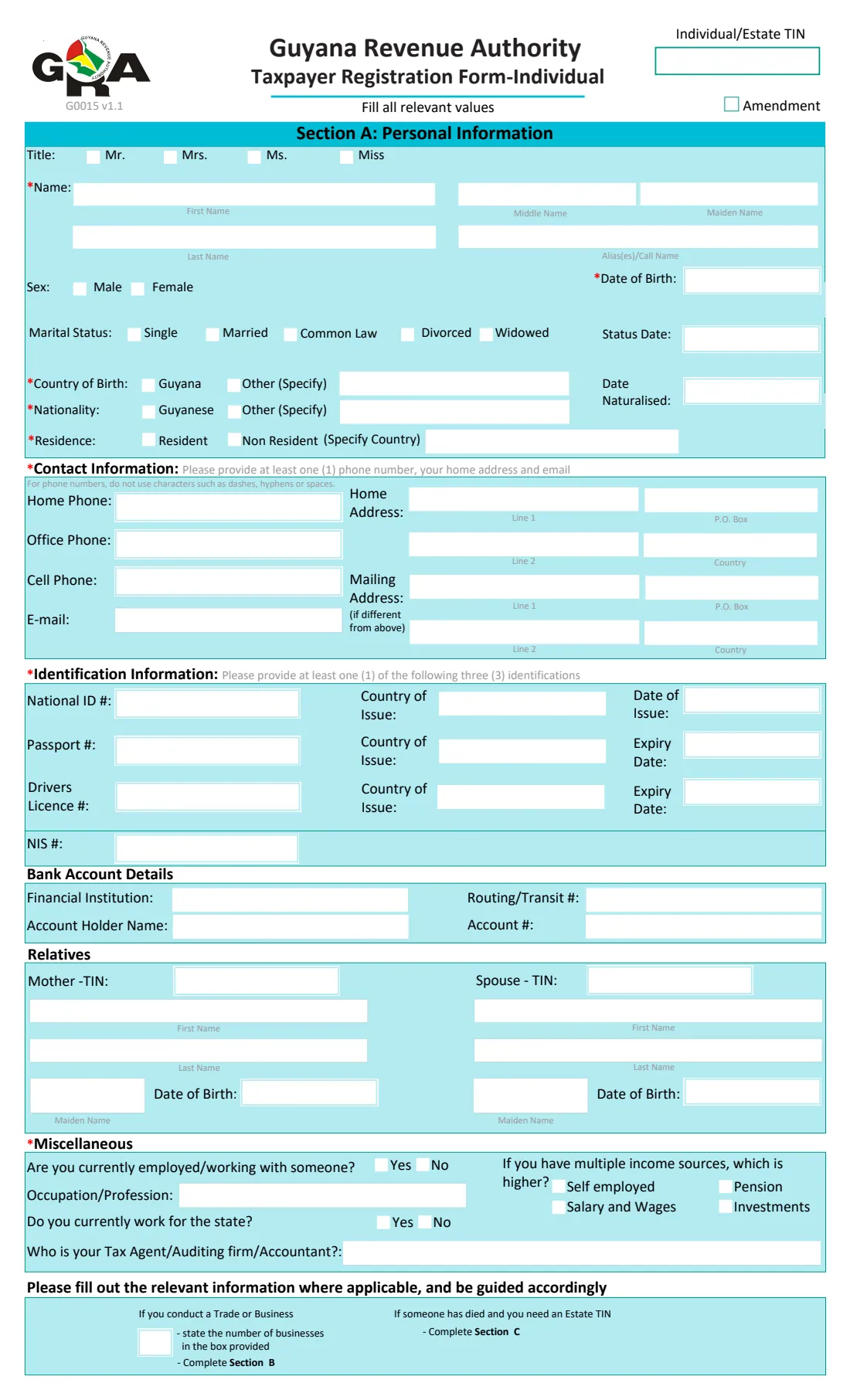
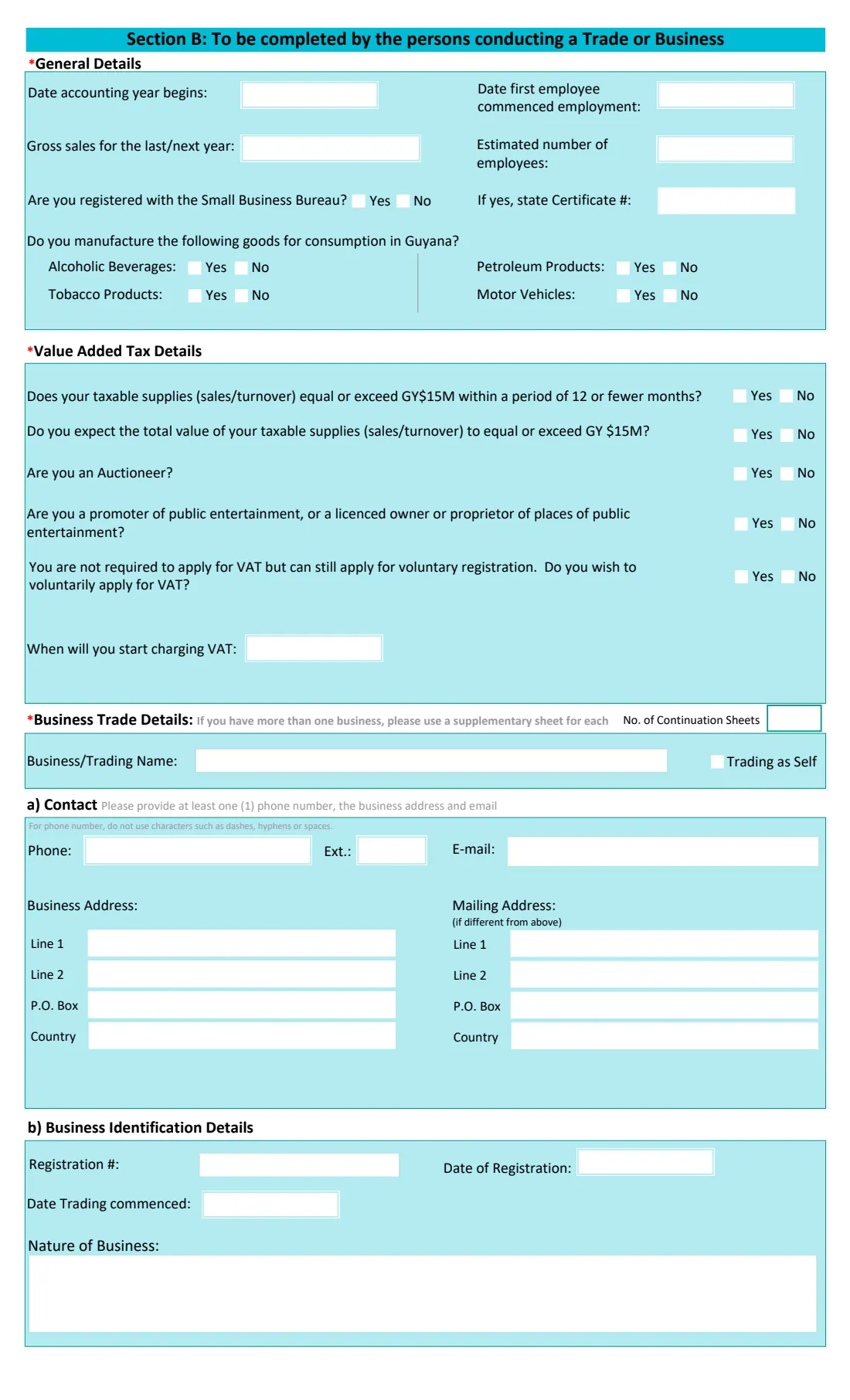
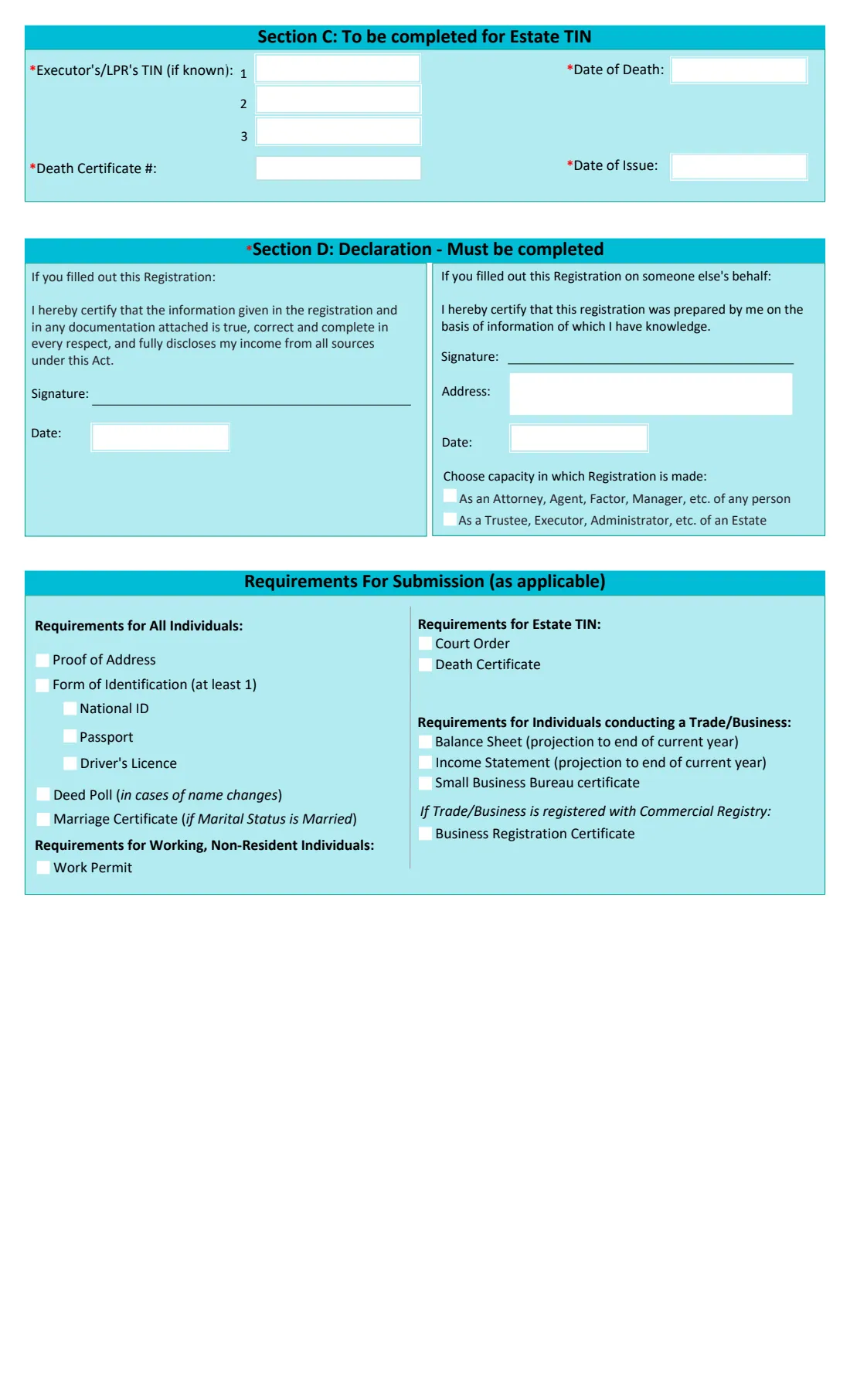
Section A has your personal details, contact information, identification (at least one of a national ID, passport or driver's licence), optional bank details and relatives, and a few questions about your work. Section B is for people conducting a trade or business, with VAT questions. Section C is for an estate TIN. Section D is the declaration, followed by a checklist of the documents to attach.
FileIt shows only the parts that apply to you, prints your answers on GRA's own PDF and keeps the finished form in your vault with your ID and proof of address. You sign it and hand it in to the GRA yourself. FileIt never submits it.
- Who fills it
- An individual registering for a TIN, or updating their registration
- Handed in to
- The Guyana Revenue Authority
- Attach
- Proof of address and at least one form of ID, plus the documents for a business or estate
- Signatures
- The applicant, or a preparer acting as attorney, agent, trustee or executor
- Edition
- G0015 v1.1
- Pages
- 3
Who needs to fill out GRA G0015 TIN registration (individual)?
- Anyone in Guyana who needs a TIN for the first time.
- People starting a business or trading in their own name.
- Someone whose details have changed, such as name, address or marital status (tick Amendment).
- Executors and legal personal representatives registering an estate.
- Non-residents working in Guyana.
When to use GRA G0015 TIN registration (individual)
- Before you start work, start a business or file your first return.
- When your registered details change.
- After a death, when the estate needs its own TIN.
What you need before you start
- A national ID card, passport or driver's licence, with its country of issue and dates.
- Proof of address.
- Your NIS number, if you have one.
- Bank details, if you want to give them.
- For a business: trading name, contact details, address, registration details, gross sales and VAT answers, plus a projected balance sheet and income statement.
- For an estate: the death certificate details, executors' TINs if known, and the court order.
What’s on GRA G0015 TIN registration (individual)
The 2025 edition has 3 pages. FileIt asks for it in 10 parts:
- Section A — Personal informationApplicant
- Contact informationApplicant
- Identification informationApplicant
- Bank account detailsApplicant
- RelativesApplicant
- MiscellaneousApplicant
- Section B — Trade or businessApplicant
- Section C — Estate TINApplicant
- Section D — DeclarationApplicant
- Requirements for submissionApplicant
How to fill out GRA G0015 TIN registration (individual), step by step
1 Section A — personal information
Title, names, sex, date of birth, marital status, country of birth, nationality and residence. Tick Amendment and give your TIN only if you are updating an existing registration.
2 Contact and identification
At least one phone number (digits only), your home address and email. Then at least one of national ID, passport or driver's licence, with the country of issue and the issue or expiry date, and your NIS number.
3 Bank, relatives and miscellaneous
Optional bank account and relatives' details, then whether you are employed or work for the state, your occupation, your main income source and your tax agent.
4 Section B — trade or business
Accounting year, gross sales, employees, Small Business Bureau registration, excise goods, the VAT questions (the G$15 million threshold, auctioneers, entertainment, voluntary registration), and the business's contact, address and registration details.
5 Section C — estate TIN
The executors' or legal personal representatives' TINs if known, the death certificate number, the date of death and the certificate's date of issue.
6 Declaration and documents
Say who filled out the form, sign by hand, and tick the documents you are attaching.
Common mistakes to avoid
- Typing dashes or spaces in phone numbers. The form asks for digits only.
- Giving no form of identification, or one that has expired.
- Filling in the business section without the projected balance sheet and income statement.
- Ticking Amendment without giving the existing TIN.
- Forgetting the marriage certificate when your marital status is married, or a deed poll after a name change.
After you fill it out
Check the printed form, sign the declaration and take it to the GRA with copies of your ID, proof of address and any other documents ticked.
Keep your TIN letter or certificate when it arrives. FileIt can store it in your vault next to the registration form.
If you run more than one business, GRA's supplementary sheet (G0015b) covers each further one.
Fill out GRA G0015 TIN registration (individual) online with FileIt
- Pick the person. Choose someone from People and FileIt fills in their name, date of birth, address and other details it already knows.
- Answer plain-language questions. One part of the form at a time, with the official help text beside each question — 122 fields in all. Your answers save as you go.
- Check the live preview. Watch your answers land on the real Guyana Revenue Authority (GRA) form, and let FileIt do any worksheet arithmetic.
- Generate the official PDF. FileIt prints your answers into the agency’s own PDF and files it in that person’s folder in your vault.
FileIt fills the form — it never files or submits anything for you. Deliver the finished form to whoever asked for it, the way the form’s instructions say.
Start GRA G0015 TIN registration (individual) now — it’s freeGRA G0015 TIN registration (individual): frequently asked questions
Can someone fill it out for me?
Yes. The declaration has a part for a person who prepared the registration on your behalf, as an attorney or agent, or as a trustee or executor of an estate. They give their address and sign.
Which ID can I use?
At least one of a national ID card, passport or driver's licence. A copy goes with the form.
Do I need Section B?
Only if you conduct a trade or business. FileIt asks first and shows Section B only when it applies.
Can I register a deceased relative's estate?
Yes. Answer yes to the estate question and complete Section C. Attach the death certificate and the court order.
Can I use this form to update my details?
Yes. Tick Amendment and give your existing TIN.
Official sources
- Blank form (PDF), published by Guyana Revenue Authority (GRA): https://www.gra.gov.gy/storage/2021/02/G0015-Taxpayer-Registration-Form-Individual-v2-4.pdf
- Official instructions and guidance: https://gra.gov.gy/storage/2020/11/Taxpayer-Registration-Form-Individual-Guide.pdf
- Edition shown on this page: G0015 v1.1 (PDF dated 3 March 2025) (checked 2026-10-19).
FileIt is not affiliated with or endorsed by Guyana Revenue Authority (GRA) or any government. This page explains the form in general terms and is not legal, tax or immigration advice. Always read the official instructions, and check that you are using the edition the recipient accepts. Page last reviewed 2026-10-19.