What is Form SIM (official search of the index map)?
HM Land Registry keeps an index map of England and Wales showing the extent of every registered title. An official search of that map tells you whether a piece of land is registered, whether there are pending applications for first registration, and the title numbers that cover it. It's handy for a strip of land next to your home, a field you'd like to buy, or a property whose title number you don't know.
Form SIM is the paper way to ask. You describe the land in panel 2, give the fee and how you're paying, say who HM Land Registry should send the result to, and, if the land has no postal address, attach a plan showing it.
FileIt asks the form's questions one panel at a time and prints your answers onto HM Land Registry's own SIM PDF, ready to sign and post. FileIt doesn't send it for you.
- Who fills it
- Anyone who wants to know if land in England or Wales is registered
- Sent to
- HM Land Registry
- Fee
- GBP 8 for up to 5 titles disclosed, per HM Land Registry's fees page (October 2026)
- Length
- 2 pages, 7 panels
- Edition
- (ref: LR/HO) 05/18
- Signatures
- The applicant signs panel 7
Who needs to fill out Form SIM (official search of the index map)?
- Homeowners checking who owns a neighbouring strip, verge or alleyway.
- Buyers and developers checking whether a site is registered before making an offer.
- People trying to find the title number of a property so they can order the register.
- Solicitors and conveyancers on behalf of a client (with their key number).
When to use Form SIM (official search of the index map)
- Before applying for an official copy of a register, when you don't know the title number.
- When land has no postal address and you need to identify it from a plan.
- When you'd rather post an application than use HM Land Registry's online services.
What you need before you start
- The local authority serving the property (the one council tax or business rates go to).
- The property's address, or a description such as 'land adjoining 2 Acacia Avenue'.
- An Ordnance Survey map reference and any known title number, if you have them.
- A plan showing the land clearly, with enough surrounding roads and features, if the address alone won't identify it.
- The fee and a cheque made payable to 'Land Registry', or a direct debit agreement and key number.
What’s on Form SIM (official search of the index map)
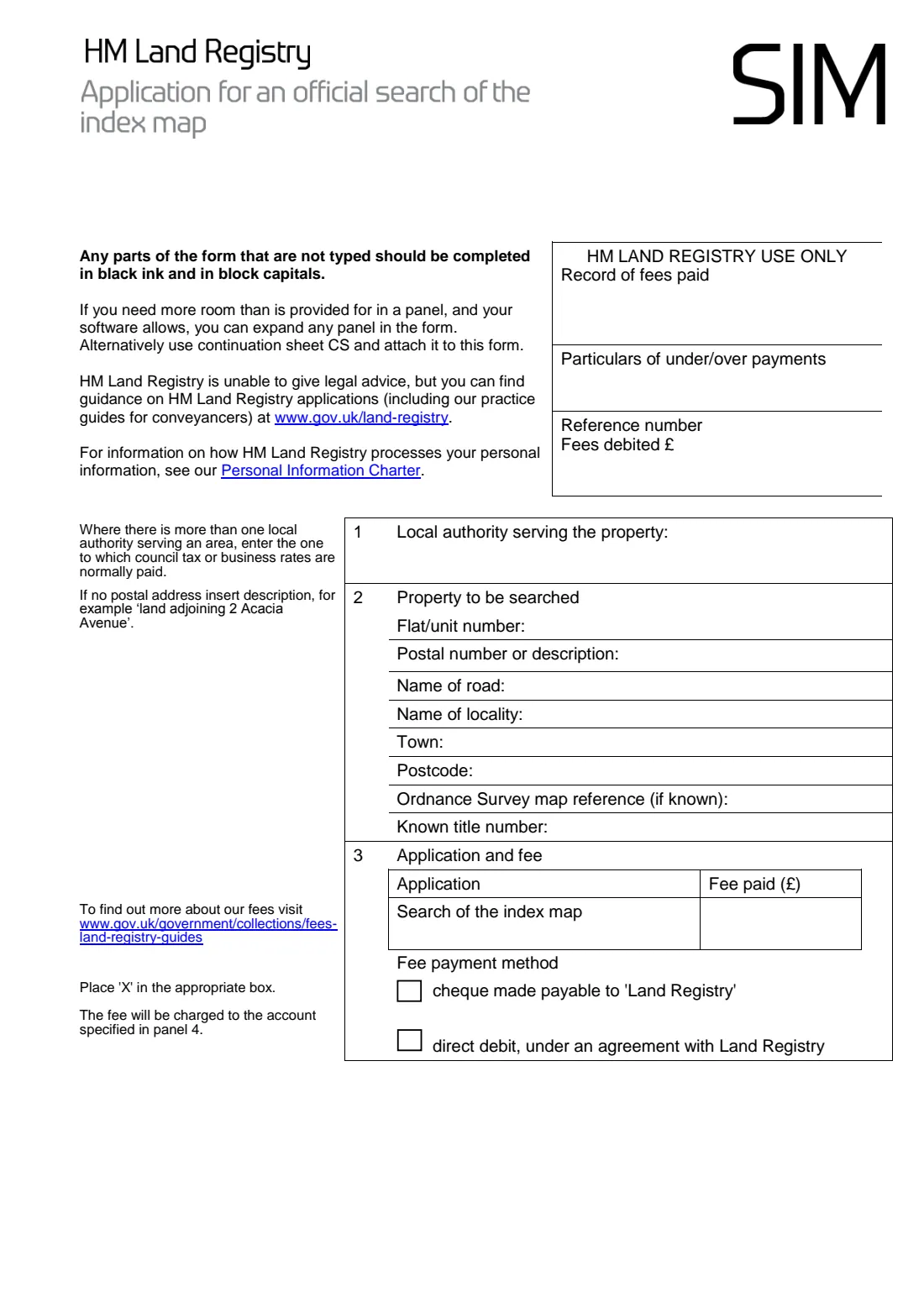
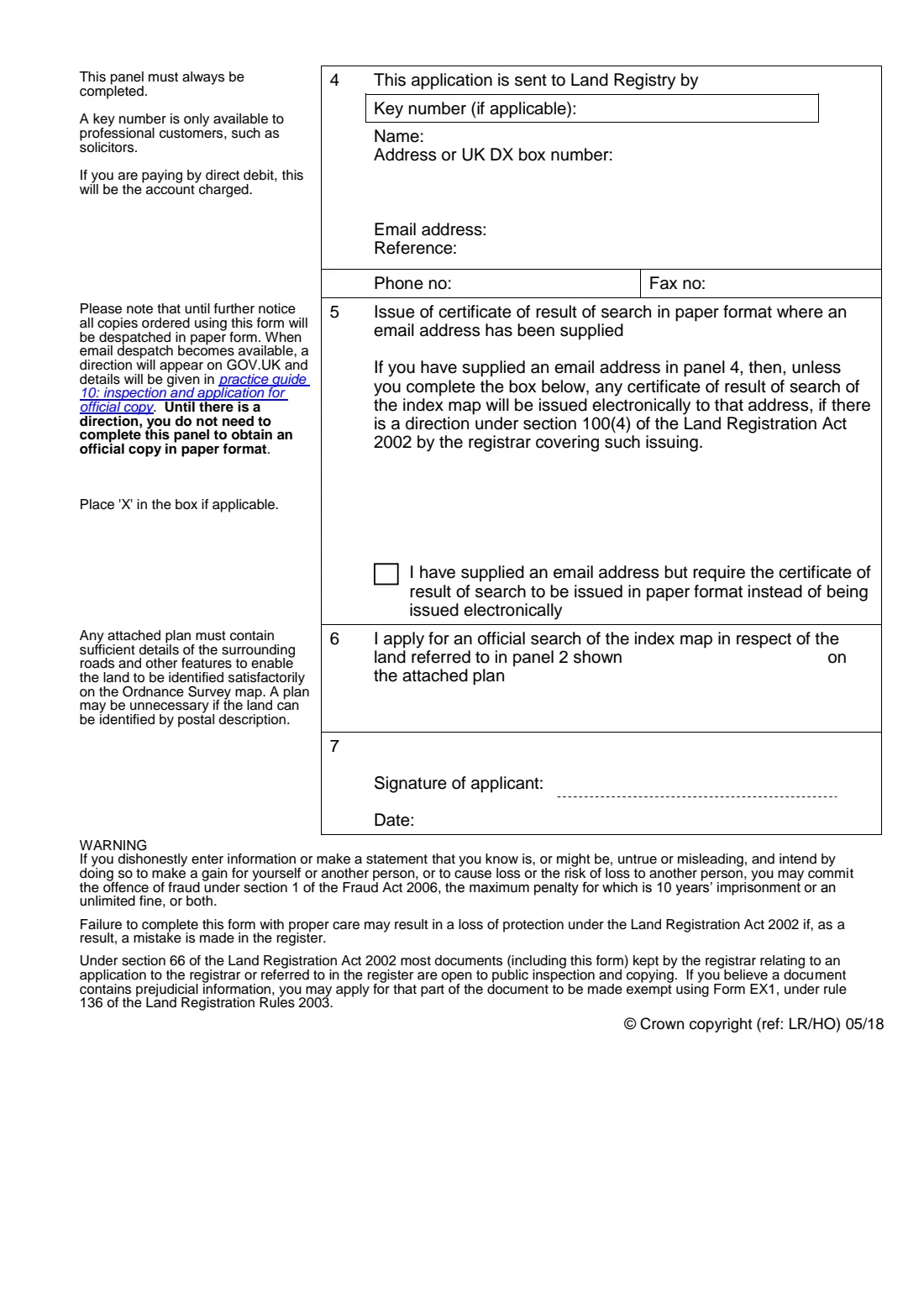
The 2018 edition has 2 pages. FileIt asks for it in 5 parts:
- Panels 1 and 2: the property to be searchedApplicant
- Panel 3: application and feeApplicant
- Panel 4: who is sending the applicationApplicant
- Panel 5: paper certificateApplicant
- Panels 6 and 7: application and signatureApplicant
How to fill out Form SIM (official search of the index map), step by step
1 Panel 1: Local authority
Name the council that serves the property.
2 Panel 2: The property
Give the flat number, postal number or a description, road, locality, town and postcode, plus an OS map reference and title number if you know them.
3 Panel 3: Fee
Enter the fee and tick cheque or direct debit.
4 Panel 4: Who's sending it
Always completed: the name, address or DX box, email, reference and phone number HM Land Registry should use. Professionals add their key number.
5 Panel 5: Paper result
Only if you give an email address but still want the result on paper. The form says results are sent on paper until HM Land Registry announces otherwise.
6 Panels 6 and 7: Plan and signature
Say how the land is marked on any plan you attach, such as 'edged red', then date the form. You sign it after printing.
Common mistakes to avoid
- Describing land with no postal address but not attaching a plan.
- A plan without enough surrounding detail for HM Land Registry to find the land on the Ordnance Survey map.
- Sending an out-of-date fee. Check HM Land Registry's Information Services fees page first.
- Leaving panel 4 blank. It must always be completed.
- Choosing direct debit without an agreement and a key number.
After you fill it out
Print the form, sign panel 7 and attach any plan.
Post it to HM Land Registry with your cheque, or with your key number for direct debit.
The official certificate of the result comes back to the person in panel 4. If a title number is disclosed, you can then apply for an official copy of the register.
Keep the filled form and the result in FileIt with your property papers.
Fill out Form SIM (official search of the index map) online with FileIt
- Pick the person. Choose someone from People and FileIt fills in their name, date of birth, address and other details it already knows.
- Answer plain-language questions. One part of the form at a time, with the official help text beside each question — 21 fields in all. Your answers save as you go.
- Check the live preview. Watch your answers land on the real HM Land Registry form, and let FileIt do any worksheet arithmetic.
- Generate the official PDF. FileIt prints your answers into the agency’s own PDF and files it in that person’s folder in your vault.
FileIt fills the form — it never files or submits anything for you. Deliver the finished form to whoever asked for it, the way the form’s instructions say.
Start Form SIM (official search of the index map) now — it’s freeForm SIM (official search of the index map): frequently asked questions
What does an index map search tell me?
Whether the land is registered and the title numbers covering it, plus whether there are pending applications for first registration. Practice guide 10 on gov.uk explains the result in detail.
How much does a SIM search cost?
HM Land Registry's Information Services fees page lists GBP 8 where no more than 5 registered titles are disclosed, with more charged when the search reveals more titles. Fees can change, so check before you post the form.
Do I need a plan?
Only if the land can't be identified by its postal description. The plan must show enough surrounding roads and features for the land to be found on the Ordnance Survey map.
Will I get the result by email?
The form says that until further notice results are sent on paper, even if you give an email address.
Can I search for land in Scotland or Northern Ireland?
No. HM Land Registry covers England and Wales only.
Official sources
- Blank form (PDF), published by HM Land Registry: https://assets.publishing.service.gov.uk/media/5b155322ed915d2cbae4aedd/SIM__2018-05-25_.pdf
- Official instructions and guidance: https://www.gov.uk/government/publications/official-searches-of-the-index-map/practice-guide-10-official-search-of-the-index-map
- Edition shown on this page: Form SIM, (ref: LR/HO) 05/18 (checked 2026-10-19).
FileIt is not affiliated with or endorsed by HM Land Registry or any government. This page explains the form in general terms and is not legal, tax or immigration advice. Always read the official instructions, and check that you are using the edition the recipient accepts. Page last reviewed 2026-10-19.