What is OPG100 register search?
The Office of the Public Guardian (OPG) keeps registers of lasting powers of attorney (LPA), enduring powers of attorney (EPA) and deputyship court orders for England and Wales. Anyone can ask for a search. OPG100 is the form you use: you give your own details, the donor's or client's details, and tick the registers to search.
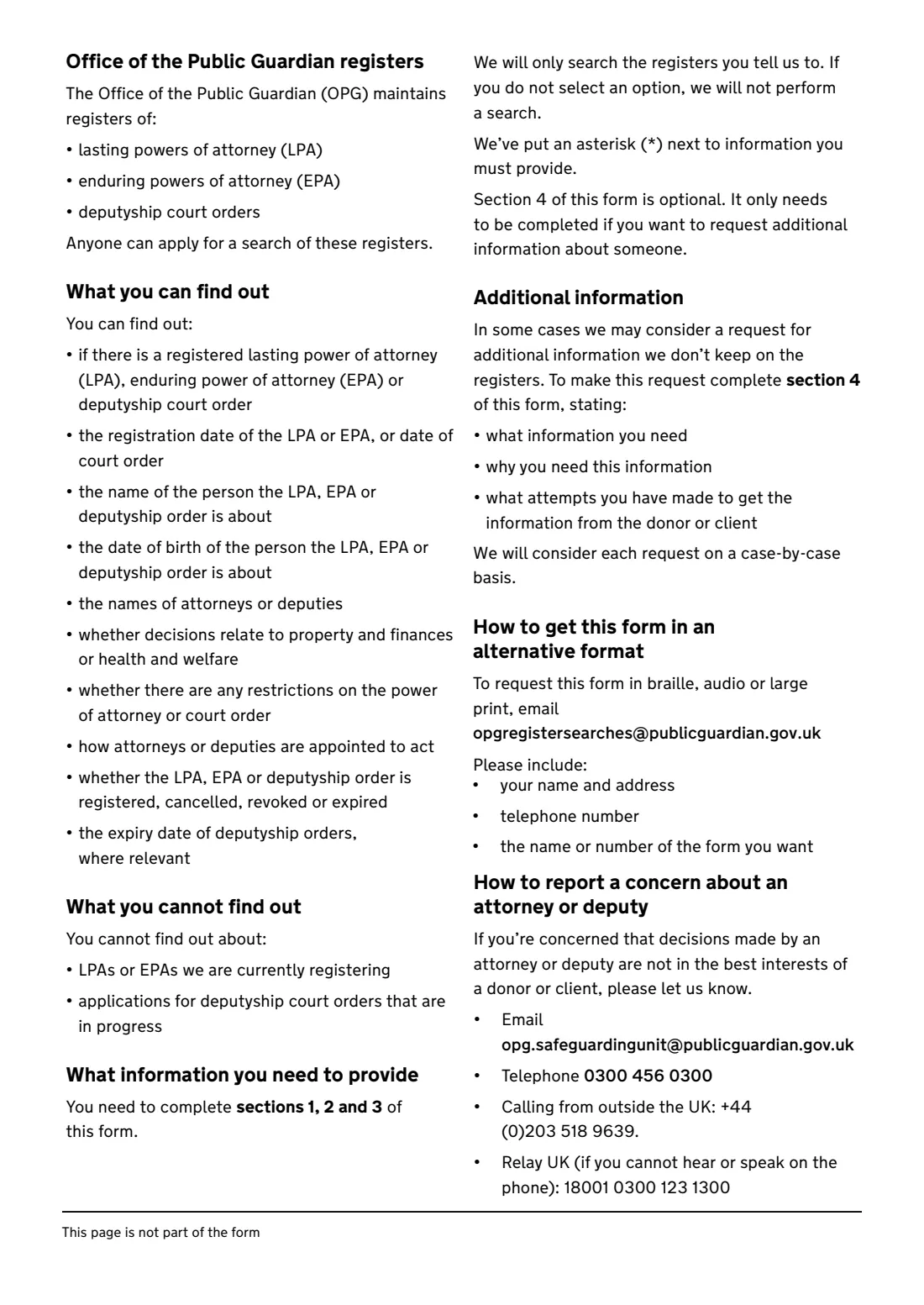
A search can tell you whether there is a registered LPA, EPA or deputyship order, its registration or court order date, the names of the attorneys or deputies, whether they deal with property and finances or health and welfare, how they are appointed to act, any restrictions, and whether it is registered, cancelled, revoked or expired. It can't tell you about LPAs or EPAs OPG is still registering, or deputyship applications in progress.
FileIt prints your answers into OPG's official PDF, with the donor's details pre-filled from the person's record in your vault. You send it to OPG yourself by email or post.
- Who fills it
- Anyone who wants to know whether a person has an attorney or deputy
- Covers
- OPG registers for England and Wales: LPAs, EPAs and deputyship orders
- Email to
- [email protected], with 'Registers' as the subject
- Post to
- Office of the Public Guardian, PO Box 16185, Birmingham B2 2WH
- Signatures
- None
- Edition
- OPG100 (05.25), published 1 September 2025
Who needs to fill out OPG100 register search?
- Family members who need to know whether a parent or relative has made an LPA or EPA, and who the attorneys are.
- Banks, care homes, doctors and professionals who need to confirm who can make decisions for someone.
- Anyone who thinks a person may have a deputy appointed by the Court of Protection.
- Someone who needs extra information not on the registers, to contact an attorney or deputy (section 4).
When to use OPG100 register search
- When you need to know whether someone has a registered attorney or deputy acting for them.
- Before applying to become someone's deputy, to check whether an attorney already exists.
- For a missing person, a person imprisoned abroad or a hostage, use form GS4 instead to find out whether a guardian has been appointed.
- Local authorities, police and NHS staff who need an urgent search should use OPG's urgent enquiry route rather than this form.
What you need before you start
- Your title, names, relationship to the donor or client, address and postcode, email and phone number.
- The donor's or client's title, full names, date of birth and address — and a previous address if they have moved.
- Which registers to search: LPAs, EPAs, deputyship orders, or all three.
- For additional information: what you need, why you need it and what you have done to get it from the donor or client.
What’s on OPG100 register search
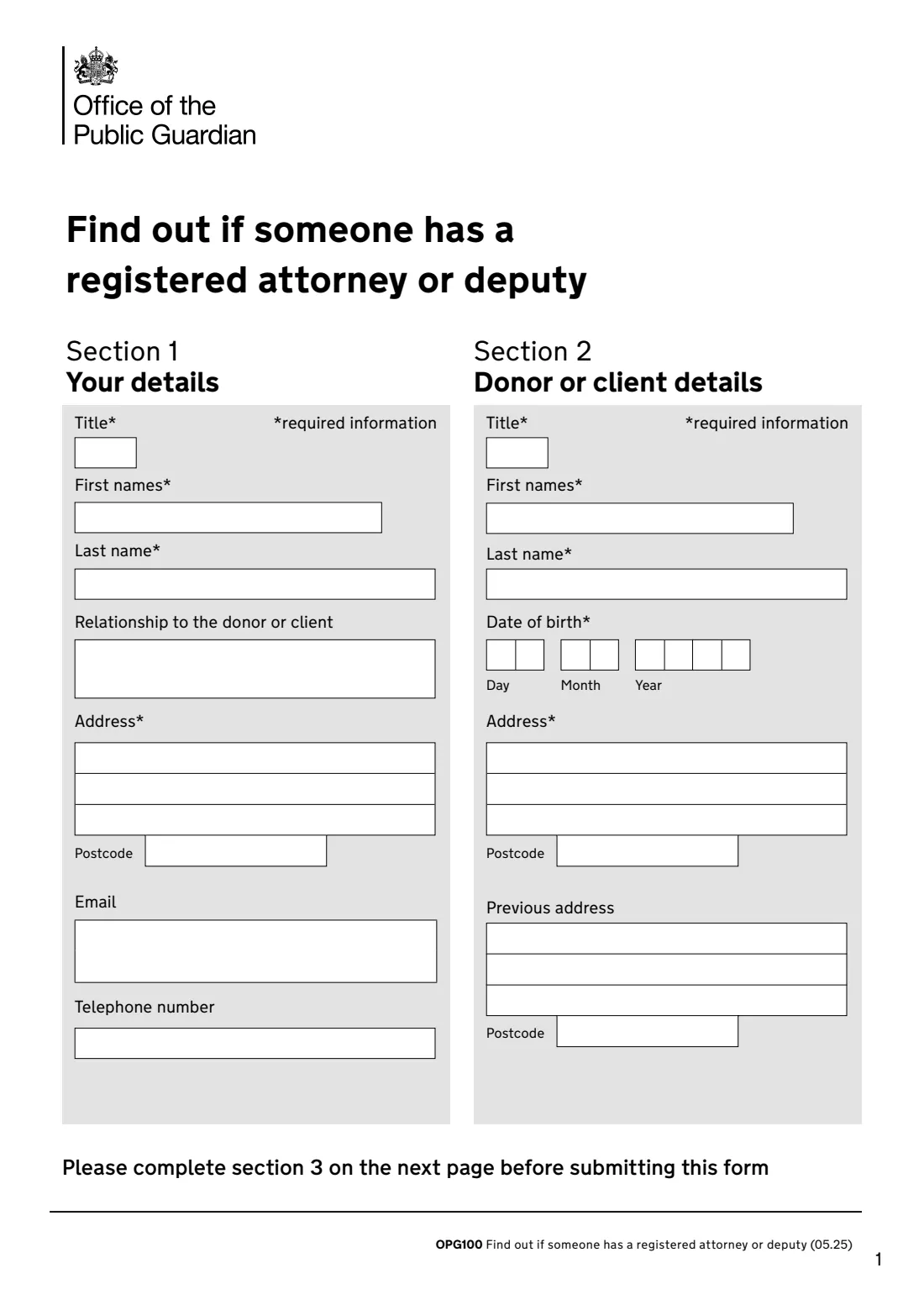
The 2025 edition has 4 pages. FileIt asks for it in 4 parts:
- Section 1 — Your detailsYou (the person asking)
- Section 2 — Donor or client detailsDonor or client
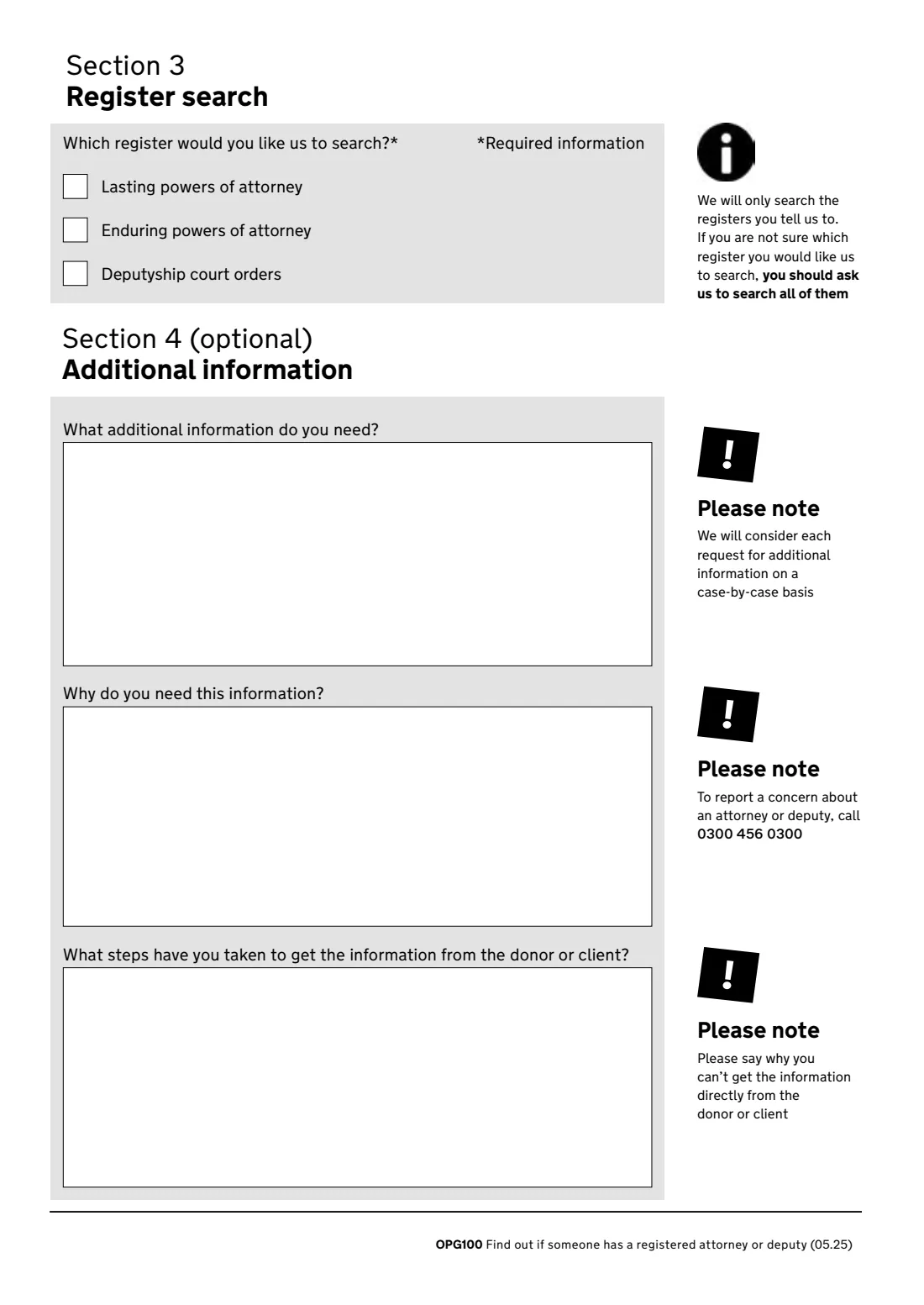
- Section 3 — Register searchYou (the person asking)
- Section 4 — Additional information (optional)You (the person asking)
How to fill out OPG100 register search, step by step
1 Section 1 — Your details
Your title, first names, last name, your relationship to the donor or client, your address and postcode, email and telephone number. Items marked with an asterisk on the form are required.
2 Section 2 — Donor or client details
The person you're asking about: their title, first names, last name, date of birth and address. A previous address helps OPG find the right record if they have moved. FileIt can pre-fill the name and date of birth from the person in your vault.
3 Section 3 — Register search
Tick the registers you want searched: lasting powers of attorney, enduring powers of attorney and deputyship court orders. OPG will only search the registers you tell it to, and if you don't select one it won't search at all. If you aren't sure, ask it to search all of them.
4 Section 4 — Additional information (optional)
Only if you need information OPG doesn't keep on the registers. Say what you need, why you need it, and what you've tried in order to get it from the donor or client directly. OPG considers each request case by case.
Common mistakes to avoid
- Not ticking any register — OPG won't search. If in doubt, tick all three.
- Missing the donor's date of birth or full names, which OPG needs to match the record.
- Using OPG100 to report a concern. To report an attorney or deputy, contact OPG's safeguarding unit (0300 456 0300) instead.
- Expecting to see applications in progress. The search doesn't cover LPAs or EPAs still being registered, or deputyship applications in progress.
- Asking for additional information without saying why you can't get it from the donor or client.
After you fill it out
Check the PDF, then email it to [email protected] with 'Registers' as the subject, or post it to Office of the Public Guardian, PO Box 16185, Birmingham B2 2WH. FileIt doesn't send it.
Keep a copy in the donor's FileIt folder, and file OPG's reply there too — with any registered LPA or court order once you have a copy.
If the search shows an attorney or deputy and you're worried about how they are acting, report it to OPG's safeguarding unit.
Fill out OPG100 register search online with FileIt
- Pick the person. Choose someone from People and FileIt fills in their name, date of birth, address and other details it already knows.
- Answer plain-language questions. One part of the form at a time, with the official help text beside each question — 28 fields in all. Your answers save as you go.
- Check the live preview. Watch your answers land on the real Office of the Public Guardian form, and let FileIt do any worksheet arithmetic.
- Generate the official PDF. FileIt prints your answers into the agency’s own PDF and files it in that person’s folder in your vault.
FileIt fills the form — it never files or submits anything for you. Deliver the finished form to whoever asked for it, the way the form’s instructions say.
Start OPG100 register search now — it’s freeOPG100 register search: frequently asked questions
What does an OPG register search tell me?
Whether there is a registered LPA, EPA or deputyship order, the registration or order date, the donor's or client's name and date of birth, the names of the attorneys or deputies, the type of decisions, any restrictions, how they're appointed to act, whether it's registered, cancelled, revoked or expired, and the expiry date of deputyship orders where relevant.
Who can ask for a search?
Anyone. The form's guidance says anyone can apply for a search of the registers.
How do I send OPG100?
By email to [email protected] (write 'Registers' as the subject) or by post to Office of the Public Guardian, PO Box 16185, Birmingham B2 2WH.
Will the search show an LPA that's still being registered?
No. You can't find out about LPAs or EPAs OPG is currently registering, or deputyship applications in progress.
What about someone who is missing or held abroad?
Use form GS4 to find out whether the High Court has appointed a guardian to look after their financial affairs.
Does it cover Scotland or Northern Ireland?
No. The Office of the Public Guardian keeps the registers for England and Wales.
Official sources
- Blank form (PDF), published by Office of the Public Guardian: https://assets.publishing.service.gov.uk/media/68b5a6fc536d629f9c82a966/20250901.1-OPG100-find-out-if-registered-attorney-or-deputy.pdf
- Official instructions and guidance: https://www.gov.uk/government/publications/search-public-guardian-registers
- Edition shown on this page: OPG100 (05.25), published 1 Sep 2025 (checked 2026-09-28).
FileIt is not affiliated with or endorsed by Office of the Public Guardian or any government. This page explains the form in general terms and is not legal, tax or immigration advice. Always read the official instructions, and check that you are using the edition the recipient accepts. Page last reviewed 2026-09-28.