What is CH04 Change a corporate secretary's details?
Form CH04 tells Companies House that the registered details of a company's corporate secretary have changed. A corporate secretary is a company or firm acting as secretary; an individual secretary's changes go on form CH03, and a corporate director's on CH02.
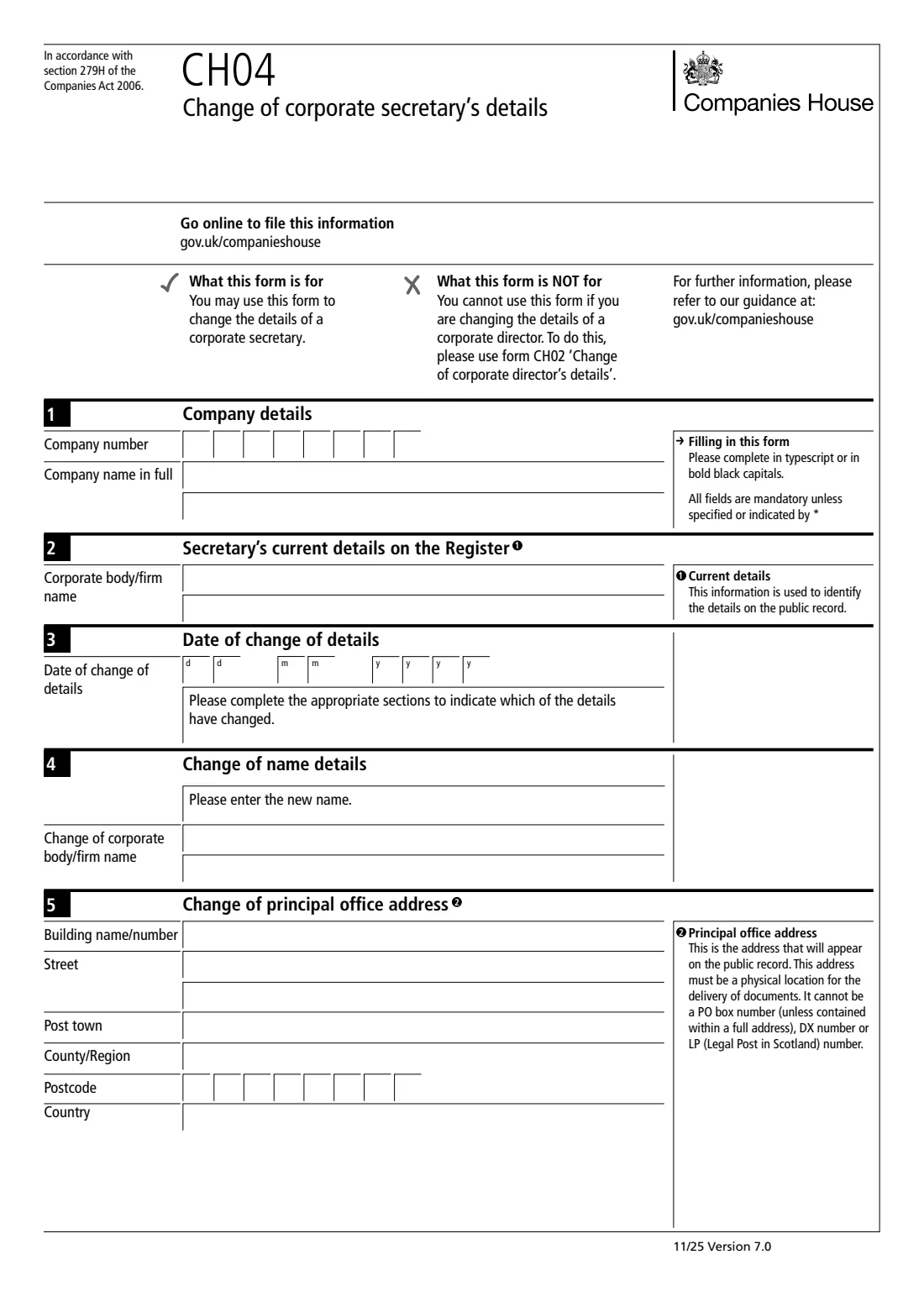
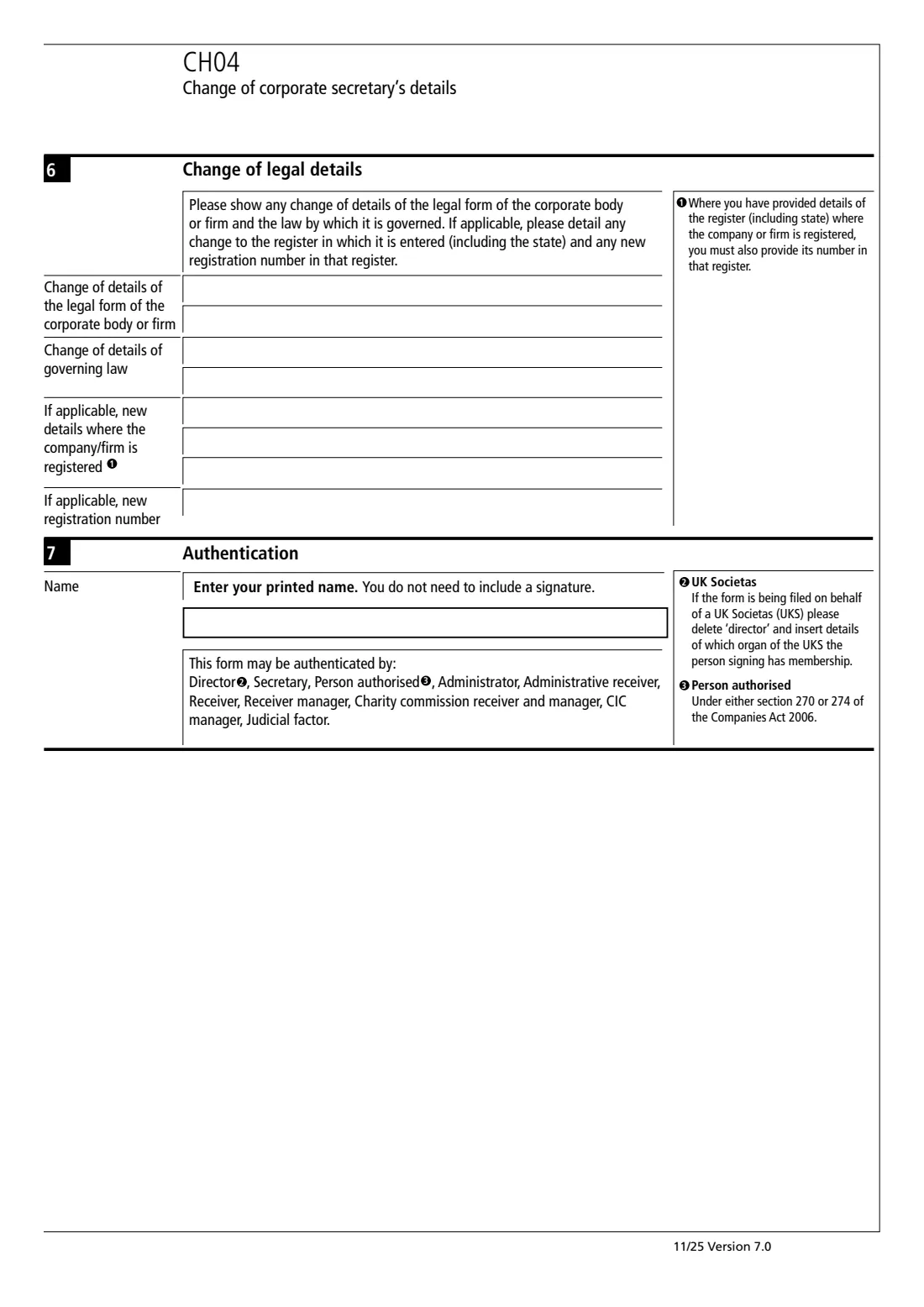
The form starts with the corporate secretary's name as it is on the register now and the date of the change. You then complete only what changed: the new name (section 4), the new principal office address (section 5), or the new legal form, governing law, register or registration number (section 6). Someone with authority prints their name to authenticate it. No signature is needed on this edition.
FileIt shows each change as its own part you can switch on, fills the company number, date and postcodes into their single-character boxes, and prints everything onto Companies House's own CH04 PDF (Version 7.0, 11/25). GOV.UK points you to the online service as the quicker route. FileIt never files the form for you.
- Who fills it
- The company: usually a director, the secretary or an authorised agent
- Given to
- Companies House (online filing is also available)
- Sections
- Current details, date of change, then name, address or legal details
- Signature
- None: a printed name authenticates it
- Not for
- Companies in the PROOF scheme (file online instead)
- Edition
- CH04 Version 7.0 (11/25)
Who needs to fill out CH04 Change a corporate secretary's details?
- A company whose corporate secretary has changed its name.
- A company whose corporate secretary has moved its principal office.
- A company whose corporate secretary has changed legal form, governing law or registration details.
- Not an individual secretary (use CH03) or a corporate director (use CH02).
When to use CH04 Change a corporate secretary's details
- After the corporate secretary's details have changed, so the public register shows them correctly.
- When you can't or would rather not use Companies House's online service.
- Not when the secretary itself is replaced: that is TM02 for the old one and AP03 or AP04 for the new one.
What you need before you start
- The company number and the company name exactly as on the register.
- The corporate secretary's name as it currently appears on the register.
- The date the details changed.
- The new name, the new principal office address, or the new legal details, whichever changed.
- The name of the person authenticating the form.
What’s on CH04 Change a corporate secretary's details
The 2025 edition has 3 pages. FileIt asks for it in 8 parts:
- 1. Company detailsCompany
- 2. Secretary's current details on the registerCorporate secretary
- 3. Date of change of detailsCompany
- 4. Change of nameCorporate secretary
- 5. Change of principal office addressCorporate secretary
- 6. Change of legal detailsCorporate secretary
- 7. AuthenticationCompany
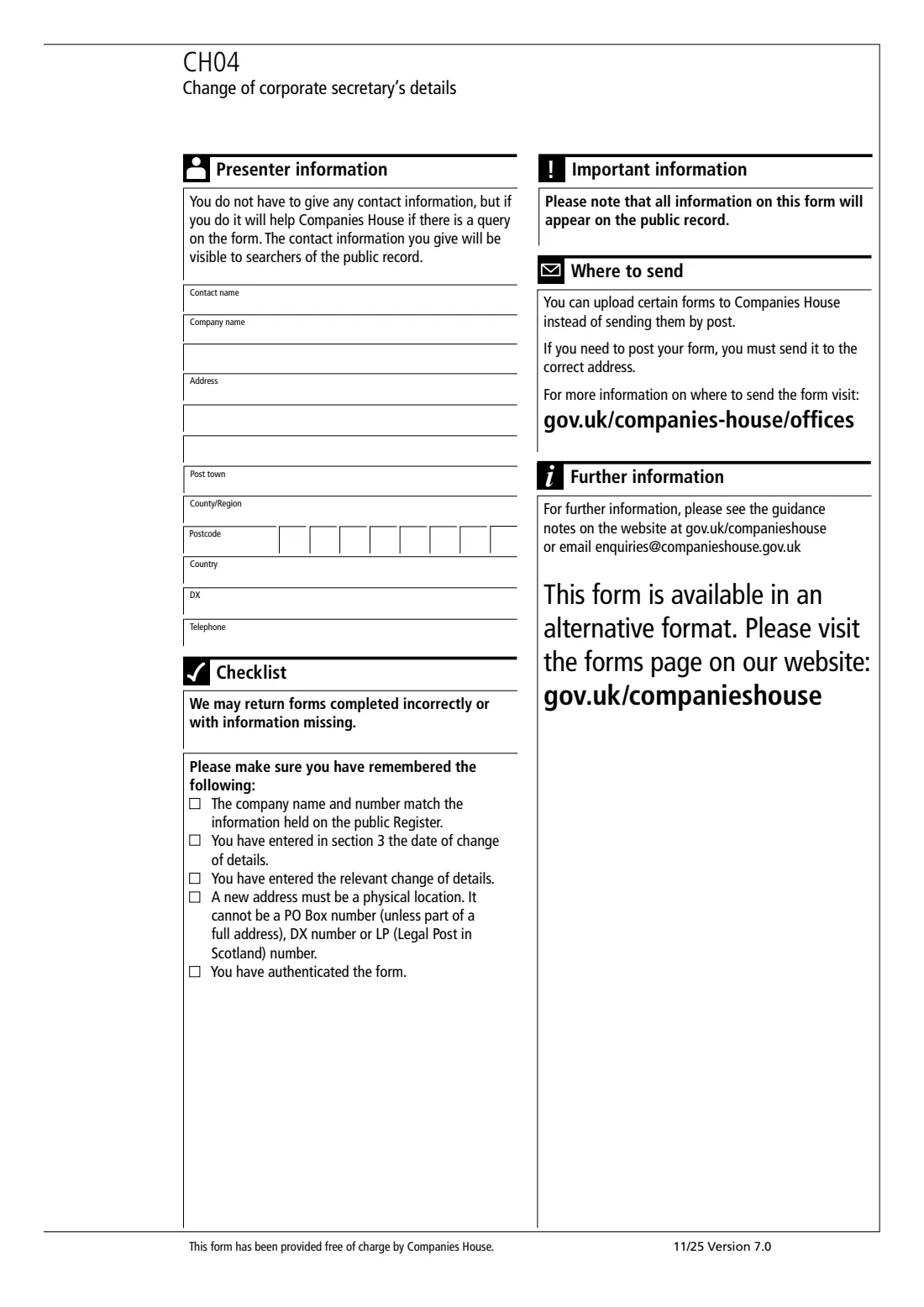
- Presenter information (optional)Presenter
How to fill out CH04 Change a corporate secretary's details, step by step
1 Company details
Enter the company number (8 characters, like 01234567 or SC123456) and the full company name.
2 Current details
The corporate secretary's name exactly as it is on the public register, so Companies House can find the right record.
3 Date of change
The date the details changed. Then switch on each part below that changed.
4 Change of name
The corporate body's or firm's new name.
5 Change of principal office address
The new address. It appears on the public record and must be a physical location, not a PO box, DX or LP number.
6 Change of legal details
Any change to the legal form, the governing law, the register (including the state) or the registration number in that register. If you name a register, give the number too.
7 Authentication
The person authenticating prints their name. No signature is needed.
Common mistakes to avoid
- Giving the new name in section 2. Section 2 is the name currently on the register; the new one goes in section 4.
- Using CH04 for an individual secretary. That's CH03.
- Naming a register in section 6 without its registration number.
- Giving a PO box, DX or LP number as the new principal office address.
After you fill it out
Print it at full size on white A4 paper and go through the checklist on its last page. Companies House says you can upload certain forms instead of posting them; if you post it, send it to the address for where the company is registered (see gov.uk/companies-house/offices). FileIt doesn't send it for you.
Keep the completed form, and the evidence of the change (a certificate of change of name, say), in the company's FileIt folder.
If the corporate secretary stops acting, file TM02 instead.
Fill out CH04 Change a corporate secretary's details online with FileIt
- Pick the person. Choose someone from People and FileIt fills in their name, date of birth, address and other details it already knows.
- Answer plain-language questions. One part of the form at a time, with the official help text beside each question — 39 fields in all. Your answers save as you go.
- Check the live preview. Watch your answers land on the real Companies House form, and let FileIt do any worksheet arithmetic.
- Generate the official PDF. FileIt prints your answers into the agency’s own PDF and files it in that person’s folder in your vault.
FileIt fills the form — it never files or submits anything for you. Deliver the finished form to whoever asked for it, the way the form’s instructions say.
Start CH04 Change a corporate secretary's details now — it’s freeCH04 Change a corporate secretary's details: frequently asked questions
Is CH04 for a person who is company secretary?
No. CH04 is for a corporate secretary, a company or firm acting as secretary. An individual secretary's details are changed on form CH03.
Do I complete every section?
No. Sections 1 to 3 and the authentication always, then only the sections for the details that changed: the name, the principal office address, or the legal details.
Does anyone have to sign CH04?
No. This edition is authenticated with a printed name and says you do not need to include a signature.
Can I file CH04 online instead?
Yes. GOV.UK offers an online service and says paper forms take longer to process. Companies in the protected online filing (PROOF) scheme should not use the paper form.
Official sources
- Blank form (PDF), published by Companies House: https://assets.publishing.service.gov.uk/media/69135a3d5dec0071ce4963d9/CH04_v7.0-FINAL.pdf
- Official instructions and guidance: https://www.gov.uk/government/publications/change-the-details-of-a-corporate-secretary-ch04
- Edition shown on this page: CH04, Version 7.0 11/25 (checked 2026-10-25).
FileIt is not affiliated with or endorsed by Companies House or any government. This page explains the form in general terms and is not legal, tax or immigration advice. Always read the official instructions, and check that you are using the edition the recipient accepts. Page last reviewed 2026-10-25.