What is BR19 State Pension forecast?
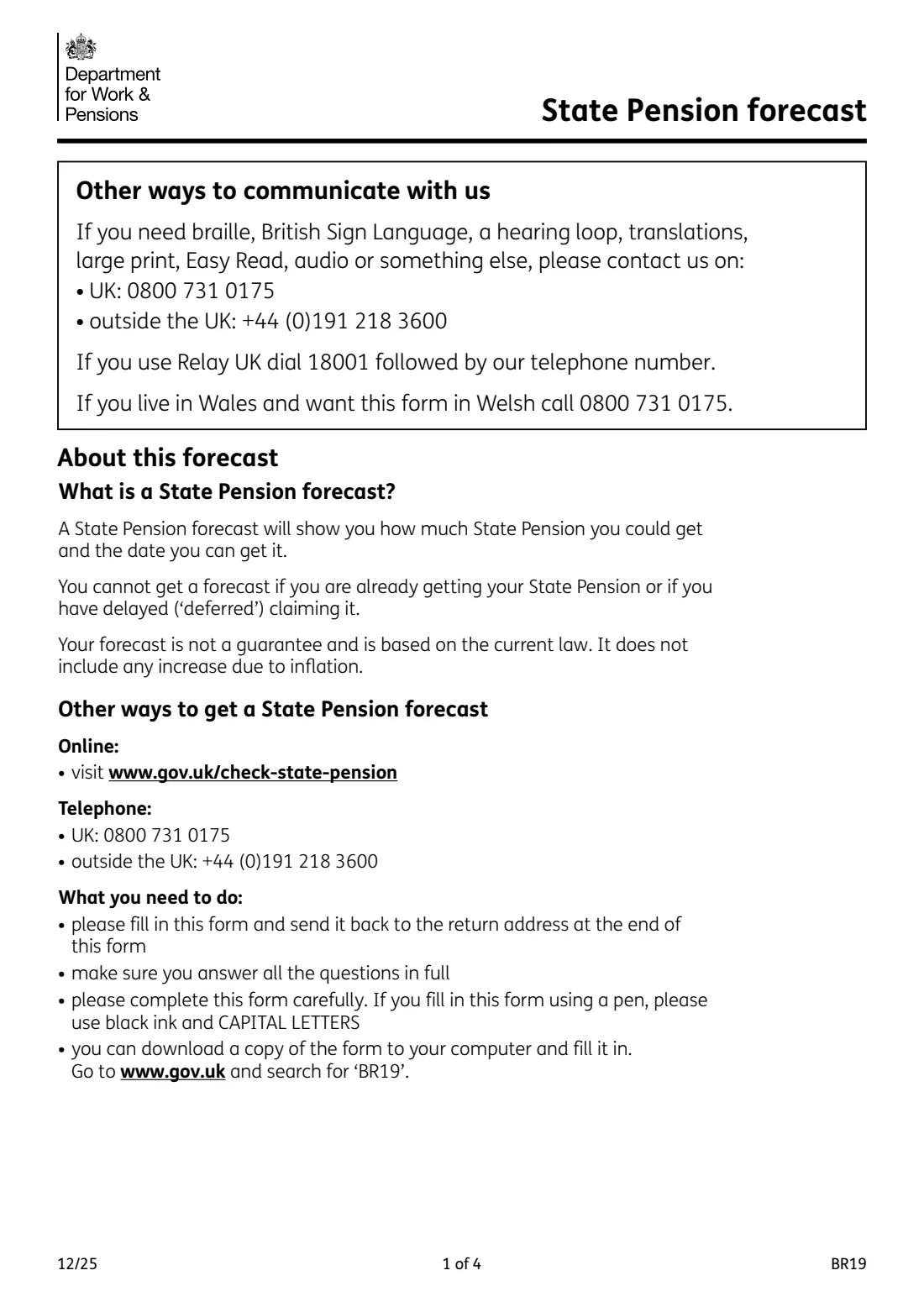
Form BR19 asks the Department for Work and Pensions (DWP) to post you a State Pension forecast. The forecast shows how much State Pension you could get and the date you can get it. It is based on the current law, isn't a guarantee, and doesn't include any increase for inflation.
Most people get a forecast online at www.gov.uk/check-state-pension or by phone. The BR19 is the paper route for people who can't: people living abroad, people who don't use online services, and appointees or attorneys asking on behalf of someone else. You can't get a forecast if you are already getting your State Pension or have put off (deferred) claiming it.
FileIt walks you through the 17 questions, skips the ones that don't apply to you, and prints your answers into the DWP's own BR19 PDF. Names and dates can come from the People records in your vault. You print it, sign it by hand and post it yourself. FileIt never sends it.
- Who fills it
- The person who wants the forecast, or their registered appointee or attorney
- Sent to
- Newcastle Pension Centre, Futures Group, The Pension Service 9, Mail Handling Site A, Wolverhampton WV98 1LU
- Who can apply
- Aged 16 or over and at least 30 days from State Pension age
- Length
- 4 pages, 17 questions (pages 2 and 3 are the form)
- Signatures
- Signed and dated by hand on page 3
- Edition
- BR19 12/25
- Other ways
- Online at www.gov.uk/check-state-pension, or by phone: UK 0800 731 0175, outside the UK +44 (0)191 218 3600
Who needs to fill out BR19 State Pension forecast?
- Anyone aged 16 or over who is at least 30 days away from their State Pension age when DWP looks at the application, and who can't use the online service.
- People living outside the UK who have a UK National Insurance record.
- An appointee or attorney who has registered their legal right to act for someone with DWP and wants a forecast for that person.
- Not for people already getting their State Pension, or who have deferred claiming it. The form says they can't get a forecast.
When to use BR19 State Pension forecast
- When you're planning for retirement and want to see what your National Insurance record gives you so far.
- Before deciding whether to fill gaps in your National Insurance record.
- When the online Check your State Pension service doesn't work for you, for example because you live abroad or can't verify your identity online.
What you need before you start
- Your National Insurance number, from payslips, a P60 or letters from HMRC or DWP.
- Your full name, any previous surnames, your address and a phone number (with the country code if you're abroad).
- Your date of birth.
- If you were born before 1962: your marital status and, if you're married or in a civil partnership, your partner's date of birth and sex.
- If you're acting for someone else: your own name, any company or organisation you act through, and your address.
What’s on BR19 State Pension forecast
The 2025 edition has 4 pages. FileIt asks for it in 3 parts, and it is signed by Applicant:
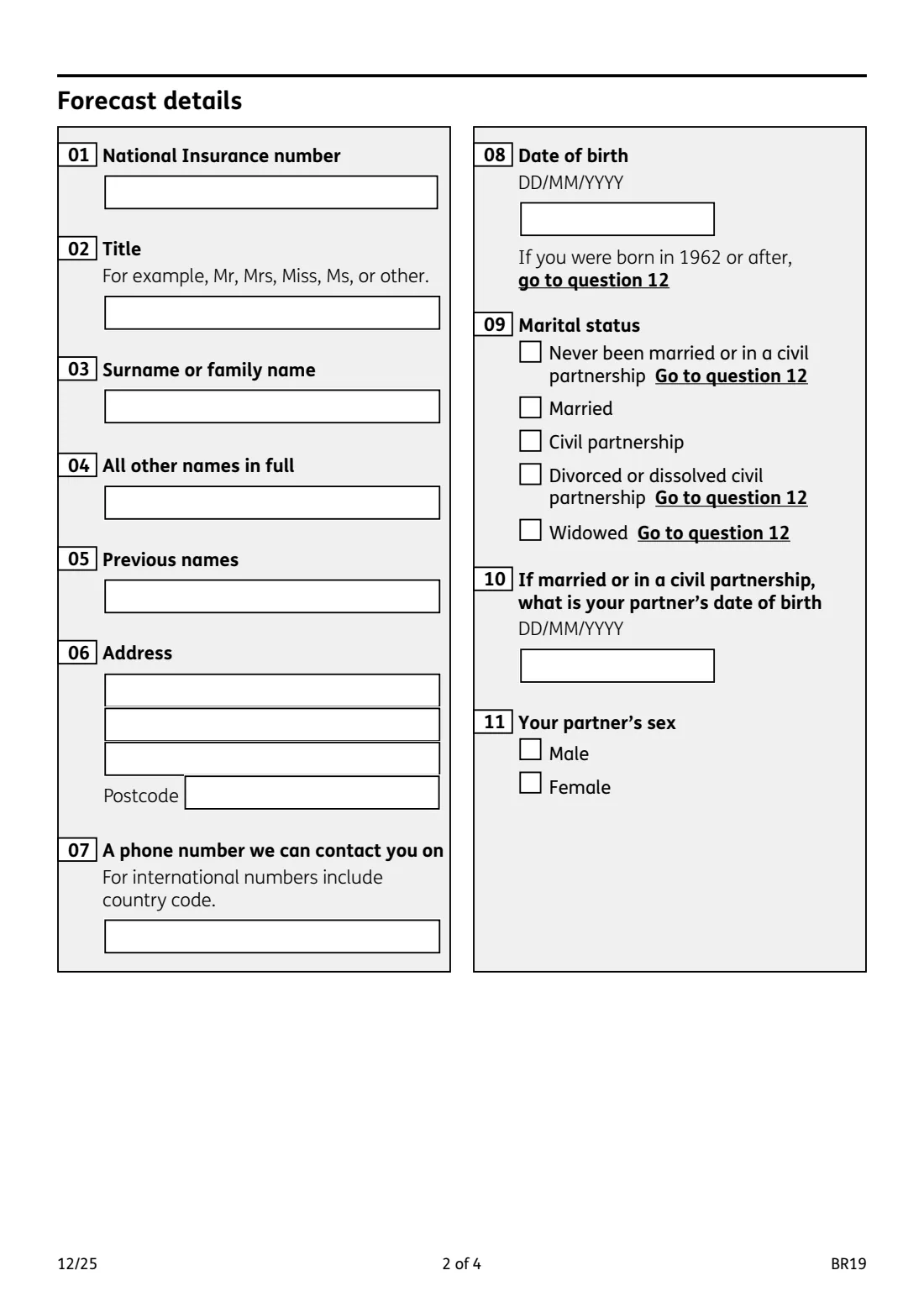
- Forecast details (questions 01-11)Applicant
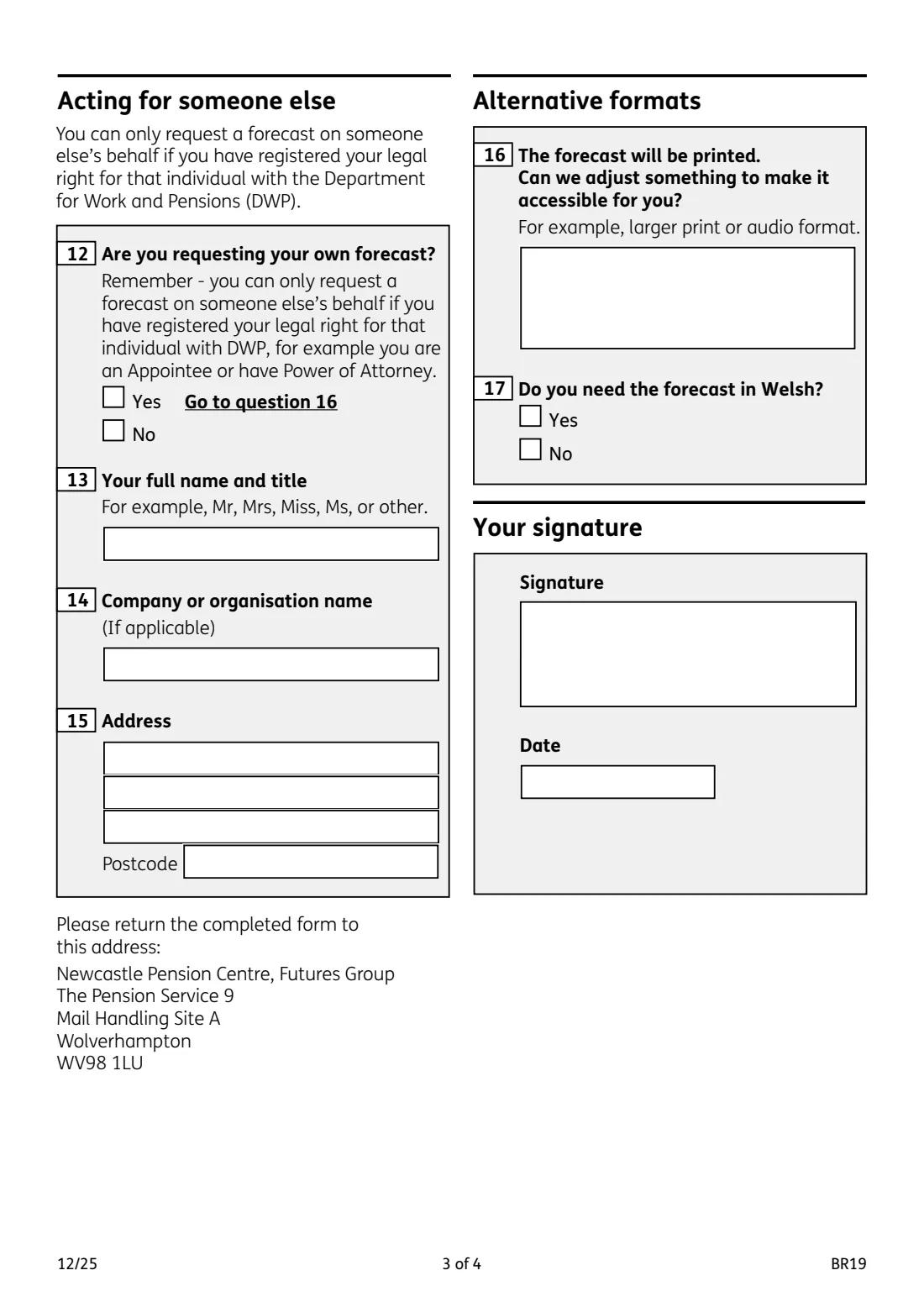
- Acting for someone else (questions 12-15)Applicant
- Alternative formats and signature (questions 16-17)Applicant
How to fill out BR19 State Pension forecast, step by step
1 Forecast details (questions 01 to 07)
Your National Insurance number, title, surname, all other names in full, any previous names, your address with postcode, and a phone number DWP can reach you on. For an international number, include the country code.
2 Date of birth and marital status (questions 08 to 11)
Give your date of birth. If you were born in 1962 or after, skip to question 12.
If you were born before 1962, tick your marital status. If you're married or in a civil partnership, give your partner's date of birth and sex. If you've never married, are divorced or dissolved, or widowed, go to question 12.
3 Acting for someone else (questions 12 to 15)
Say whether the forecast is for you. If it is, go to question 16. If you're asking for someone else, you must already have registered your legal right with DWP, for example as their appointee or under a power of attorney. Then give your full name and title, any company or organisation name, and your address.
4 Alternative formats (questions 16 and 17)
The forecast will be printed. Tell DWP if something would make it accessible for you, such as larger print or audio, and whether you need it in Welsh.
5 Your signature
Sign and date the form by hand, then post it to the Newcastle Pension Centre address printed on page 3.
Common mistakes to avoid
- Sending a BR19 when you already get your State Pension or have deferred it. You can't get a forecast then.
- Answering questions 09 to 11 when you were born in 1962 or after. The form tells you to skip them.
- Asking for someone else's forecast without first registering your appointeeship or power of attorney with DWP.
- Leaving out previous surnames, which help DWP find the right National Insurance record.
- Forgetting the country code on a phone number outside the UK.
- Forgetting to sign and date the form.
After you fill it out
Print the BR19 from FileIt, check pages 2 and 3, then sign and date it by hand.
Post it to: Newcastle Pension Centre, Futures Group, The Pension Service 9, Mail Handling Site A, Wolverhampton WV98 1LU. FileIt doesn't post it for you.
Keep a copy with the forecast when it arrives in the person's FileIt folder. The forecast is based on current law, so it's worth getting a new one if your circumstances or your National Insurance record change.
Fill out BR19 State Pension forecast online with FileIt
- Pick the person. Choose someone from People and FileIt fills in their name, date of birth, address and other details it already knows.
- Answer plain-language questions. One part of the form at a time, with the official help text beside each question — 25 fields in all. Your answers save as you go.
- Check the live preview. Watch your answers land on the real Department for Work and Pensions (DWP) — Future Pension Centre form, and let FileIt do any worksheet arithmetic.
- Generate the official PDF. FileIt prints your answers into the agency’s own PDF and files it in that person’s folder in your vault. Sign it, or send it for e-signature.
FileIt fills the form — it never files or submits anything for you. Deliver the finished form to whoever asked for it, the way the form’s instructions say.
Start BR19 State Pension forecast now — it’s freeBR19 State Pension forecast: frequently asked questions
What does a State Pension forecast tell me?
How much State Pension you could get and the date you can get it. It's based on the current law, isn't a guarantee, and doesn't include inflation increases.
Is there a faster way than the BR19?
Yes. You can check online at www.gov.uk/check-state-pension, or call 0800 731 0175 in the UK or +44 (0)191 218 3600 from abroad. The BR19 is for people who can't use those.
Who can use form BR19?
GOV.UK says you can use it if you're aged 16 or over and at least 30 days away from your State Pension age when DWP looks at your application.
Can I get a forecast if I already get my State Pension?
No. The form says you can't get a forecast if you are already getting your State Pension or have deferred claiming it.
Can I ask for a forecast for my parent?
Only if you have registered your legal right to act for them with DWP, for example as an appointee or under a power of attorney. Answer No to question 12 and fill in your details in questions 13 to 15.
I was born in 1962 or later. Do I answer the marital status questions?
No. The form tells you to go straight to question 12.
Where do I send the BR19?
To Newcastle Pension Centre, Futures Group, The Pension Service 9, Mail Handling Site A, Wolverhampton WV98 1LU, the address printed on the form.
Can I get the forecast in large print, audio or Welsh?
Yes. Question 16 asks what would make it accessible for you, and question 17 whether you need it in Welsh.
Is there a Welsh version of the form?
Yes. GOV.UK also publishes the form in Welsh as BR19W. Question 17 on the English form lets you ask for the forecast itself in Welsh.
Official sources
- Blank form (PDF), published by Department for Work and Pensions (DWP) — Future Pension Centre: https://assets.publishing.service.gov.uk/media/695f7ba2714f11cb49776587/br19.pdf
- Official instructions and guidance: https://www.gov.uk/government/publications/application-for-a-state-pension-statement
- Edition shown on this page: BR19 12/25 (checked 2026-09-28).
FileIt is not affiliated with or endorsed by Department for Work and Pensions (DWP) — Future Pension Centre or any government. This page explains the form in general terms and is not legal, tax or immigration advice. Always read the official instructions, and check that you are using the edition the recipient accepts. Page last reviewed 2026-09-28.