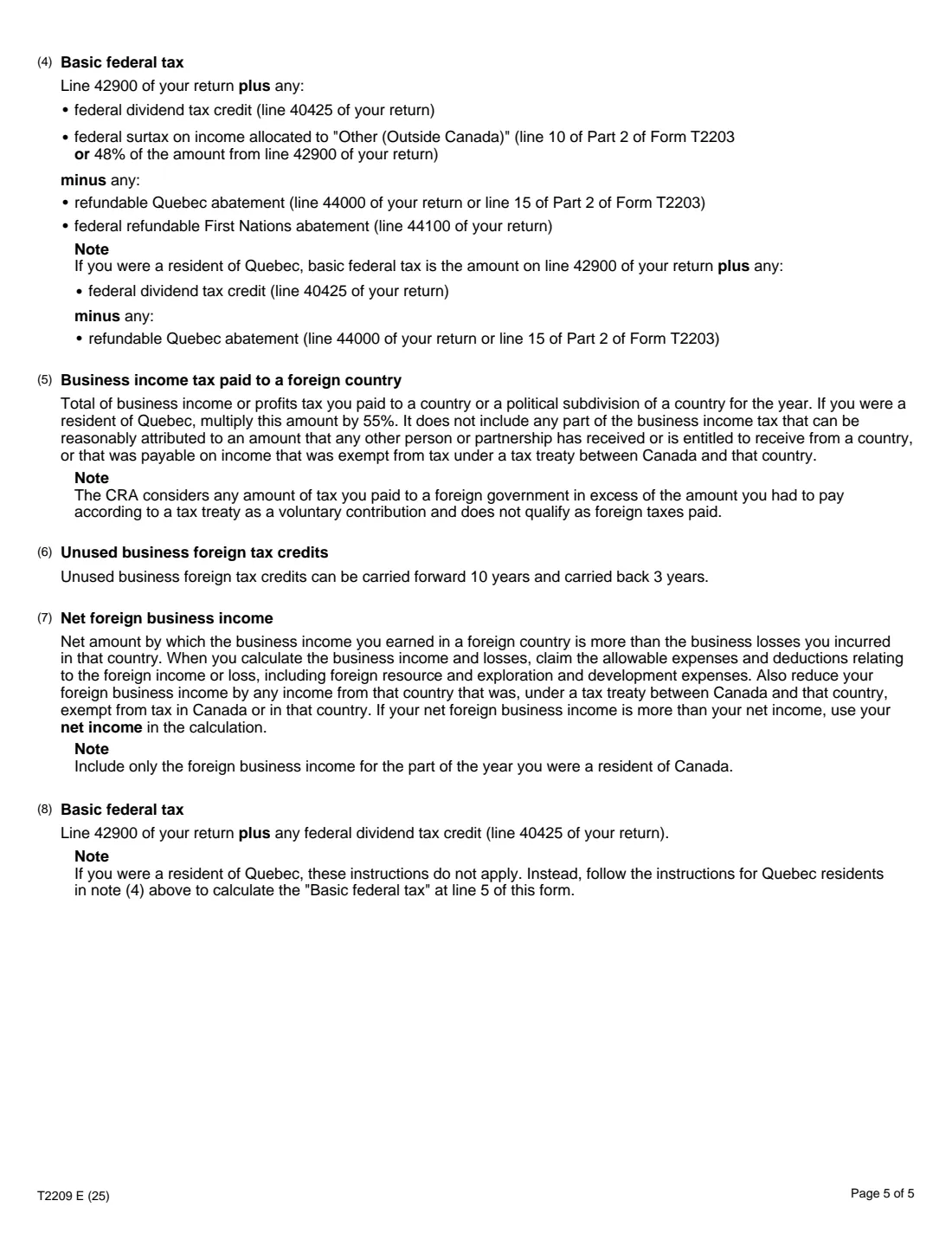
What is Form T2209?
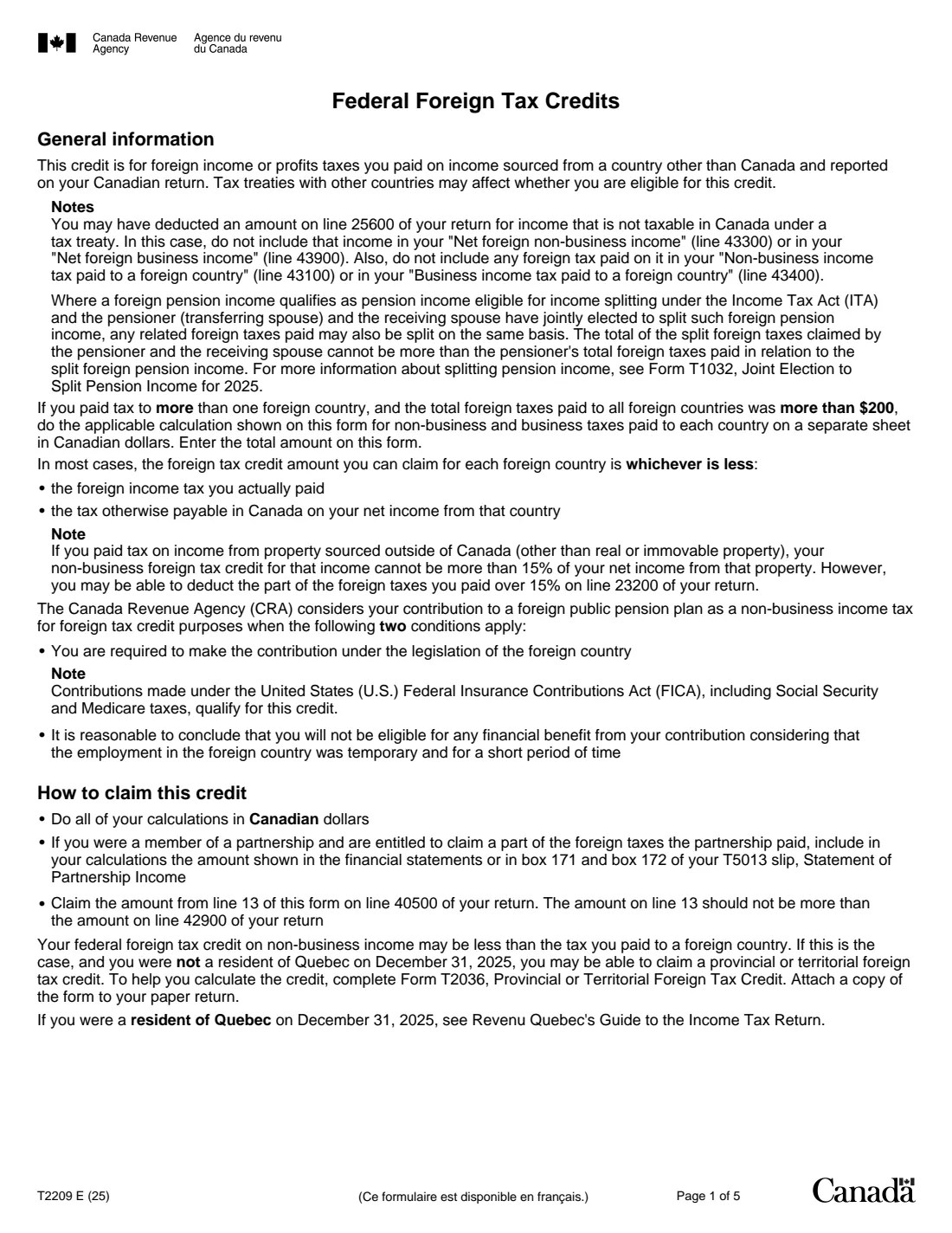
Form T2209, Federal Foreign Tax Credits, is the Canada Revenue Agency (CRA) form for Canadian residents who earned income in another country and paid income tax there on income that's also reported on their Canadian return. Typical examples are foreign dividends and interest, a foreign pension, employment income earned abroad, or a business carried on in another country.
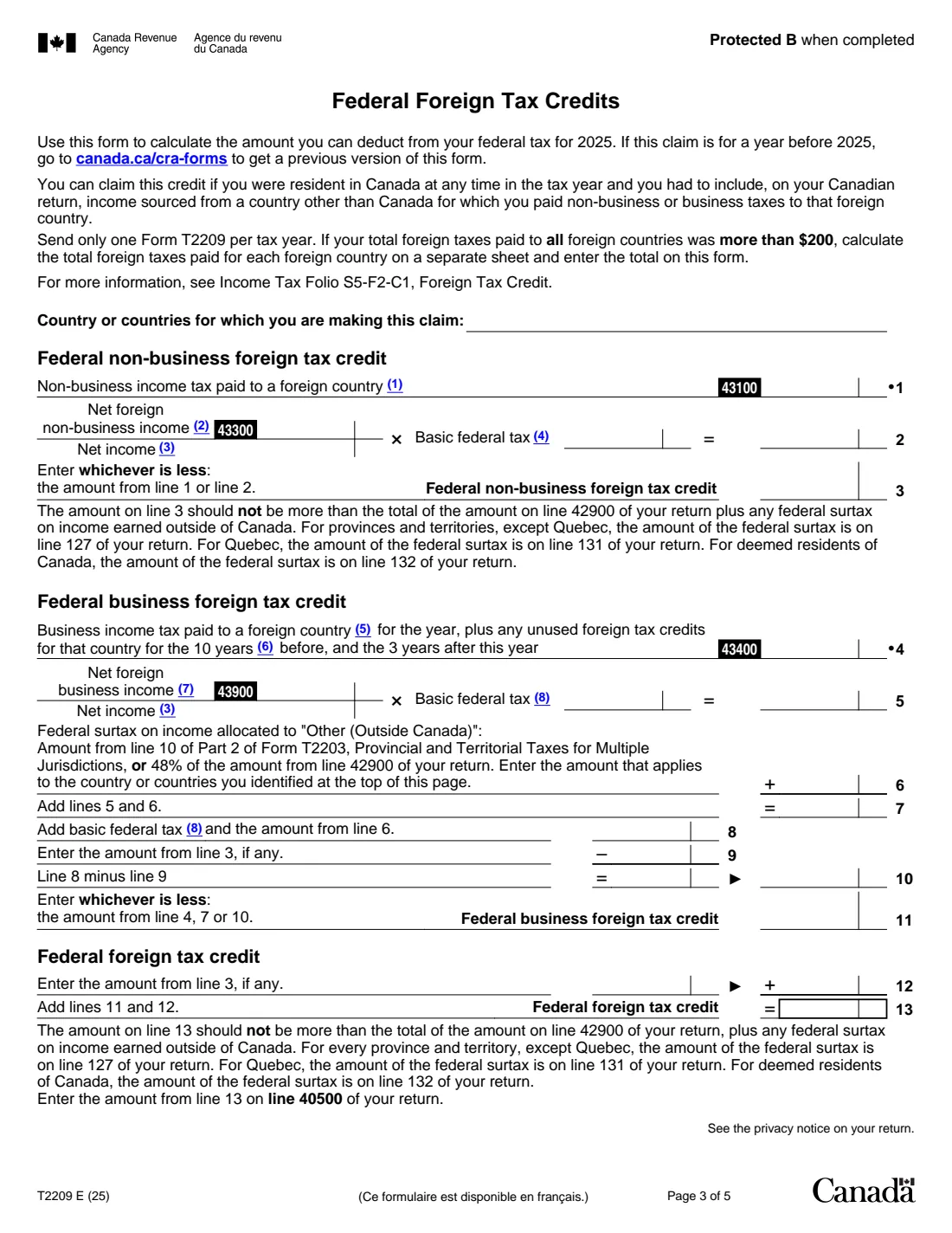
The credit is the lesser of the foreign tax you paid and the share of your Canadian basic federal tax that relates to that foreign income. The form works it out separately for non-business income (lines 1 to 3) and business income (lines 4 to 11), then adds the two on line 13, which goes on line 40500 of your return. Business credits you couldn't use can be carried back 3 years or forward 10.
FileIt asks for the tax paid, your net foreign income, your net income and basic federal tax, does the fraction and the comparisons, and prints every line into the CRA's fillable T2209 PDF (edition T2209 E (25), for 2025). The finished form goes in your vault with your slips. FileIt doesn't file anything for you.
- Who fills it
- Canadian residents who paid income tax to another country on income reported in Canada
- Result
- The federal foreign tax credit on line 40500 of your return
- One per year
- Send one T2209 per tax year; with more than $200 of foreign tax, work out each country on a separate sheet
- Signatures
- None. The form goes with your return
- Pages
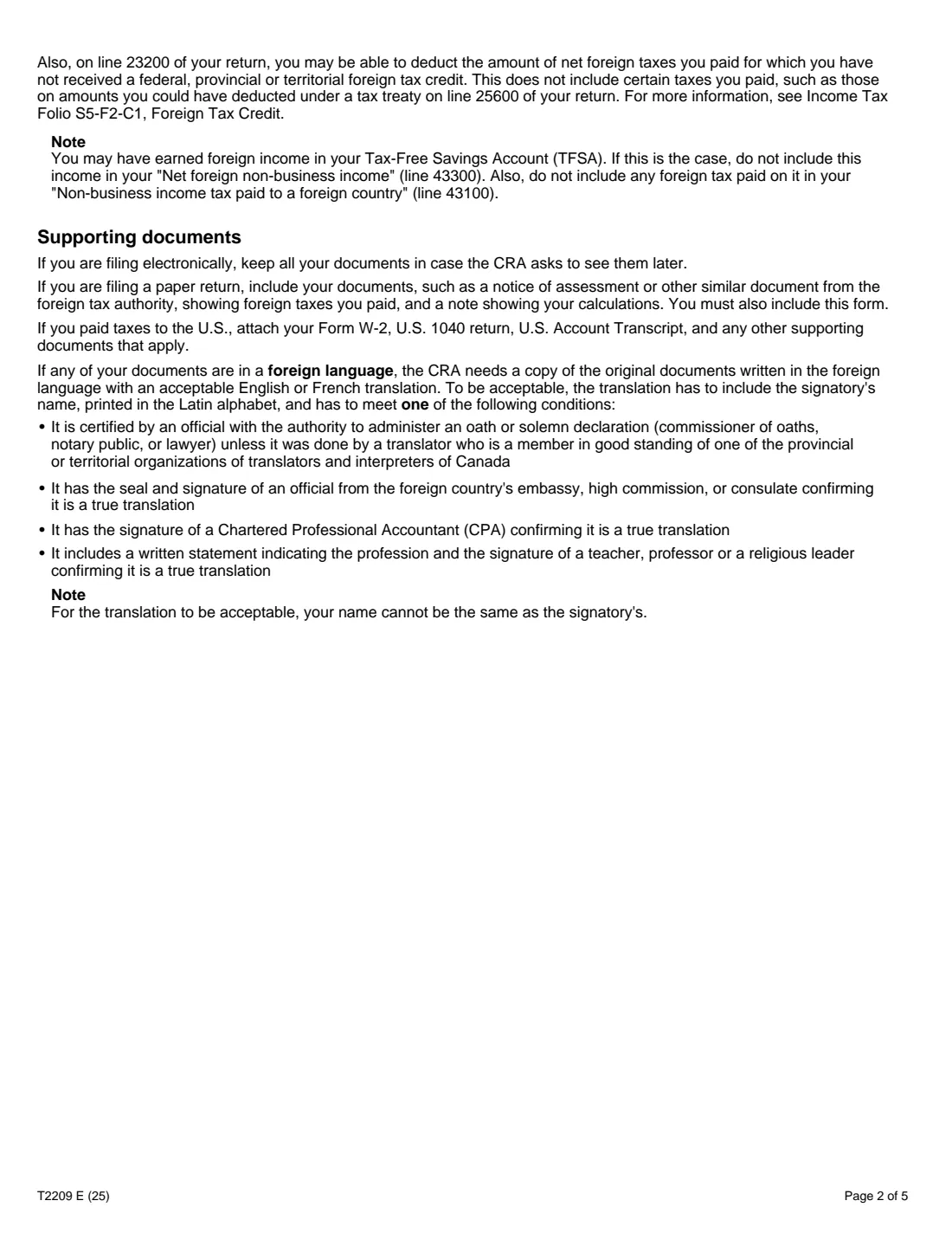
- 5 (the form is page 3; the others are information and notes)
- Edition
- T2209 E (25), 2025 tax year
Who needs to fill out Form T2209?
- Investors who had foreign tax withheld from dividends or interest, for example on US shares.
- Retirees receiving a pension from another country that taxed it.
- People who worked abroad for part of the year while resident in Canada.
- Self-employed people or partners who carried on a business in another country and paid business income tax there.
- Newcomers and people leaving Canada, for the part of the year they were resident.
When to use Form T2209
- When you prepare your 2025 return and reported foreign income on which foreign tax was paid.
- When you have unused business foreign tax credits from earlier years to carry forward.
- When a foreign tax refund or reassessment changes the foreign tax you paid for 2025.
What you need before you start
- The foreign tax you paid on non-business income, and on business income, for the year, from your slips or foreign return.
- Your net foreign non-business income and net foreign business income (after related expenses).
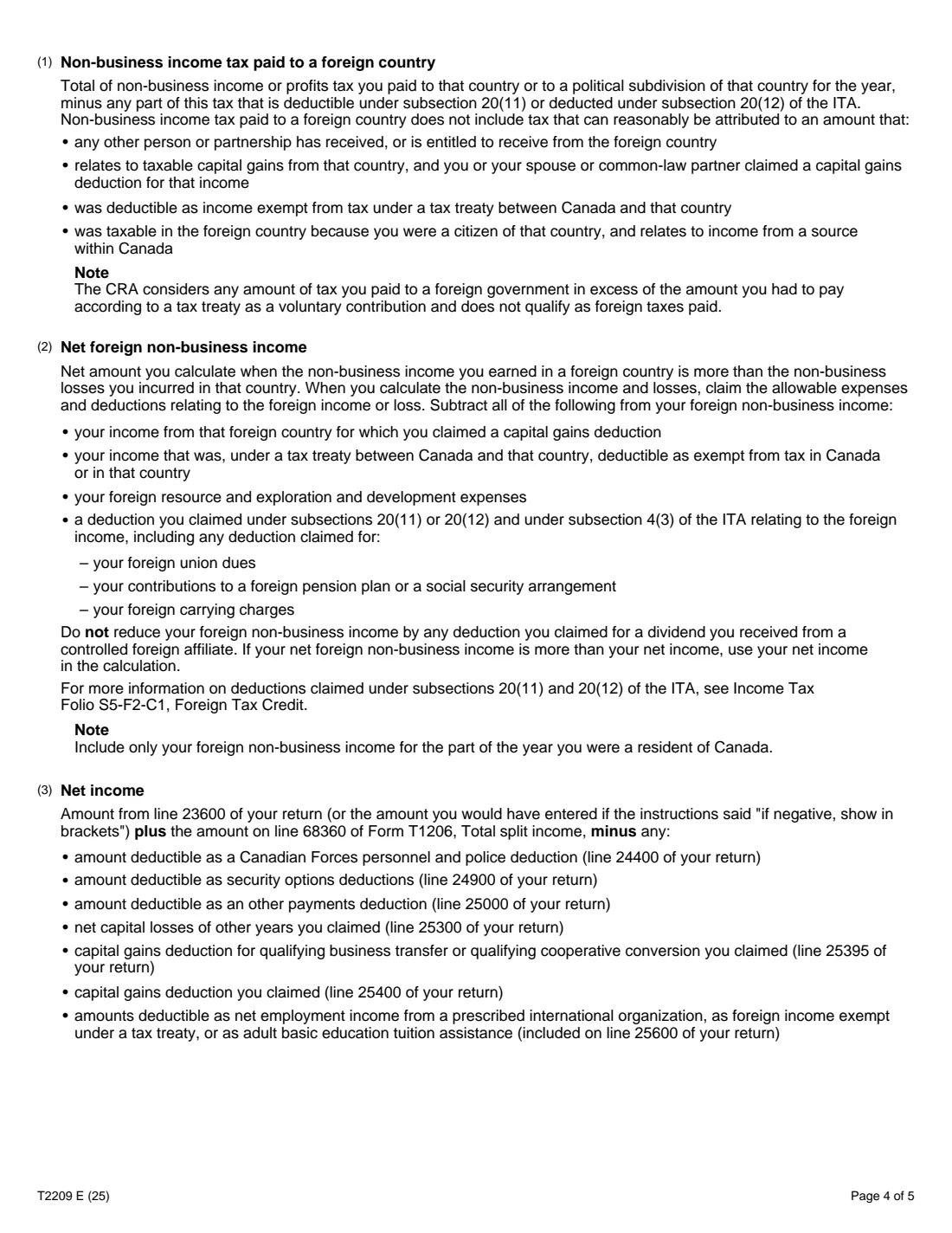
- Your net income as the form defines it in note 3 (line 23600 with the listed adjustments).
- Your basic federal tax as defined in note 4 (and note 8 for business income).
- For business income, the federal surtax on income allocated to 'Other (outside Canada)' from Form T2203, if it applies.
- Any unused business foreign tax credits for that country from earlier years.
What’s on Form T2209
The 2025 edition has 5 pages. FileIt asks for it in 4 parts:
- Your claimEmployee
- Federal non-business foreign tax creditEmployee
- Federal business foreign tax creditEmployee
- Federal foreign tax creditEmployee
How to fill out Form T2209, step by step
1 The country
Name the country or countries the claim is for. If you paid more than $200 in total foreign taxes, the form asks you to work out each country's foreign tax on a separate sheet and enter the totals.
2 Net income
Enter your net income once, as note 3 describes. FileIt uses it in both fractions on the form.
3 Non-business foreign tax credit (lines 1 to 3)
Enter the non-business tax paid (line 43100), your net foreign non-business income (line 43300) and your basic federal tax (note 4). FileIt works out line 2, your foreign income divided by your net income times your basic federal tax, and takes the lesser of lines 1 and 2.
4 Business foreign tax credit (lines 4 to 11)
Enter the business tax paid plus any unused credits (line 43400), net foreign business income (line 43900), basic federal tax under note 8 and any surtax on line 6. FileIt works out lines 5, 7, 8, 9 and 10 and takes the least of lines 4, 7 and 10.
5 Your credit (lines 12 and 13)
Line 13 adds the business credit to the non-business credit. Enter it on line 40500 of your return.
Common mistakes to avoid
- Claiming tax paid above what a tax treaty allows. The CRA treats the excess as a voluntary contribution, not foreign tax.
- Using gross foreign income instead of net foreign income after related expenses.
- Using line 42900 as basic federal tax without the adjustments in notes 4 and 8.
- Including foreign income that was exempt under a tax treaty or sheltered by the capital gains deduction.
- Counting foreign income for the part of the year you weren't resident in Canada.
After you fill it out
Enter line 13 on line 40500 of your return. Provincial or territorial foreign tax credits are worked out separately on your provincial form.
Keep proof of the foreign tax paid, such as foreign slips, returns and notices of assessment, in case the CRA asks. FileIt saves the T2209 in your vault, where those papers can go too.
If the foreign tax is later refunded or reassessed, the credit may need to be adjusted.
Fill out Form T2209 online with FileIt
- Pick the person. Choose someone from People and FileIt fills in their name, date of birth, address and other details it already knows.
- Answer plain-language questions. One part of the form at a time, with the official help text beside each question — 22 fields in all. Your answers save as you go.
- Check the live preview. Watch your answers land on the real Canada Revenue Agency (CRA) form, and let FileIt do any worksheet arithmetic.
- Generate the official PDF. FileIt prints your answers into the agency’s own PDF and files it in that person’s folder in your vault.
FileIt fills the form — it never files or submits anything for you. Deliver the finished form to whoever asked for it, the way the form’s instructions say.
Start Form T2209 now — it’s freeForm T2209: frequently asked questions
Who can claim the federal foreign tax credit?
Anyone resident in Canada at any time in the year who included foreign income on their Canadian return and paid non-business or business income tax on it to that country.
Can I fill out Form T2209 online?
Yes. FileIt walks you through each part, does the fraction and the comparisons, and prints the results into the CRA's fillable T2209.
What if I paid foreign tax to several countries?
Send one T2209 per year. If total foreign taxes were more than $200, the form asks you to work out the foreign tax for each country on a separate sheet and enter the totals.
Why is my credit less than the foreign tax I paid?
The credit is capped at the Canadian federal tax on that income. When the foreign rate is higher, part of the foreign tax isn't credited federally.
Can unused foreign tax credits be carried over?
Business foreign tax credits can be carried back 3 years and forward 10, as note 6 says. The form's carry-over note covers business credits only.
Official sources
- Blank form (PDF), published by Canada Revenue Agency (CRA): https://www.canada.ca/content/dam/cra-arc/formspubs/pbg/t2209/t2209-fill-25e.pdf
- Official instructions and guidance: https://www.canada.ca/en/revenue-agency/services/forms-publications/forms/t2209.html
- Edition shown on this page: T2209 E (25) (checked 2026-10-19).
FileIt is not affiliated with or endorsed by Canada Revenue Agency (CRA) or any government. This page explains the form in general terms and is not legal, tax or immigration advice. Always read the official instructions, and check that you are using the edition the recipient accepts. Page last reviewed 2026-10-19.