What is Form NR73?
Whether you are a resident of Canada for tax purposes depends on the ties you keep here, not on your citizenship or immigration status. When you move abroad, working out whether you've stopped being a resident can be hard: a home you still own, a spouse or children who stay behind, bank accounts or provincial health coverage can all count. Form NR73, Determination of Residency Status (Leaving Canada), lets you set out all the facts and ask the Canada Revenue Agency (CRA) for its opinion.
The form covers why and for how long you're leaving, where you usually live, your job abroad, whether a tax treaty treats you as resident elsewhere, every residential tie you'll keep in Canada, your plans to return, and the ties you're building in the other country. It's optional: the form says you don't need it for a weekend or a short trip, and you fill out one for each date you leave Canada. If something is missing, a CRA agent will write to you.
FileIt guides you through the eight pages with plain-language questions, shows only the follow-ups that apply to you, and prints your answers into the CRA's own fillable PDF (edition NR73 E (24)), with names and addresses in any European alphabet. The finished PDF is saved in the person's vault folder. You sign it by hand and send it to the CRA; FileIt never submits it. Filling forms is free on every FileIt plan.
- Who fills it
- People who have left or plan to leave Canada and want the CRA's view of their residency status
- Sent to
- The CRA — online through My Account or Represent a Client, by mail to the Sudbury Tax Centre, or by fax
- Required?
- No. You send it only if you want the CRA's opinion
- Signatures
- Your handwritten signature and date in the Certification
- Edition
- NR73 E (24), still the current edition
- Result
- An opinion from the CRA on your residency status
Who needs to fill out Form NR73?
- Canadians moving abroad for work, retirement, study or to join family, who aren't sure whether they stay tax residents.
- Families where one spouse or the children stay in Canada while the other works abroad.
- People keeping a home, investments, a driver's licence or provincial health coverage in Canada after they leave.
- Members of the Canadian Forces or overseas school staff, embassy employees, government officials, Crown corporation employees and people working on Canadian development assistance programs.
- Missionaries and employees posted abroad by their employer.
- Spouses, common-law partners and dependants leaving Canada with someone else.
When to use Form NR73
- When you have left or are about to leave Canada, temporarily or permanently, and want to know how the CRA sees your residency.
- For each date you leave Canada. The form accepts a list of dates with a letter of explanation if it gives enough information.
- Not for a weekend or short trip when you usually live in Canada.
- When your situation changes after you've sent it: the form asks you to contact the CRA.
What you need before you start
- Your SIN, individual tax number or temporary tax number, if you have one, plus your date of birth and citizenship.
- Your departure date, the country you're moving to, and your address and phone number abroad.
- How long you expect to be away, and why you're leaving.
- Details of the spouse, parent or other person you're joining, if that's why you're leaving.
- Your employer's name and address abroad, and a copy of any employment contract.
- A list of the ties you'll keep in Canada: home, family, vehicles, licences, bank accounts, investments, memberships, insurance, phone service and addresses.
- Details of your ties in the other country: your home, possessions, driver's licence, passport, health coverage, investments and memberships.
What’s on Form NR73
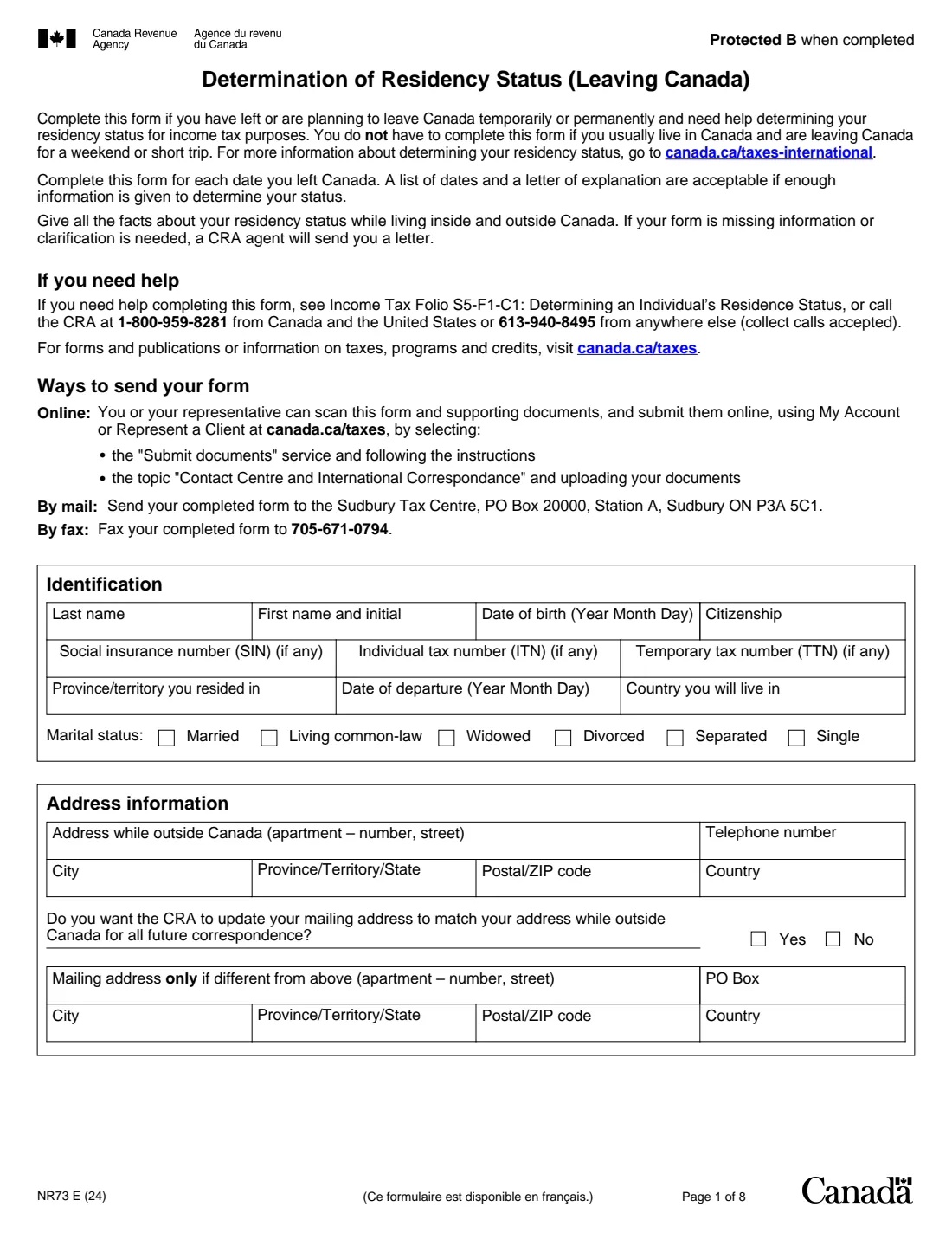
The 2024 edition has 8 pages. FileIt asks for it in 13 parts:
- IdentificationTaxpayer
- Address informationTaxpayer
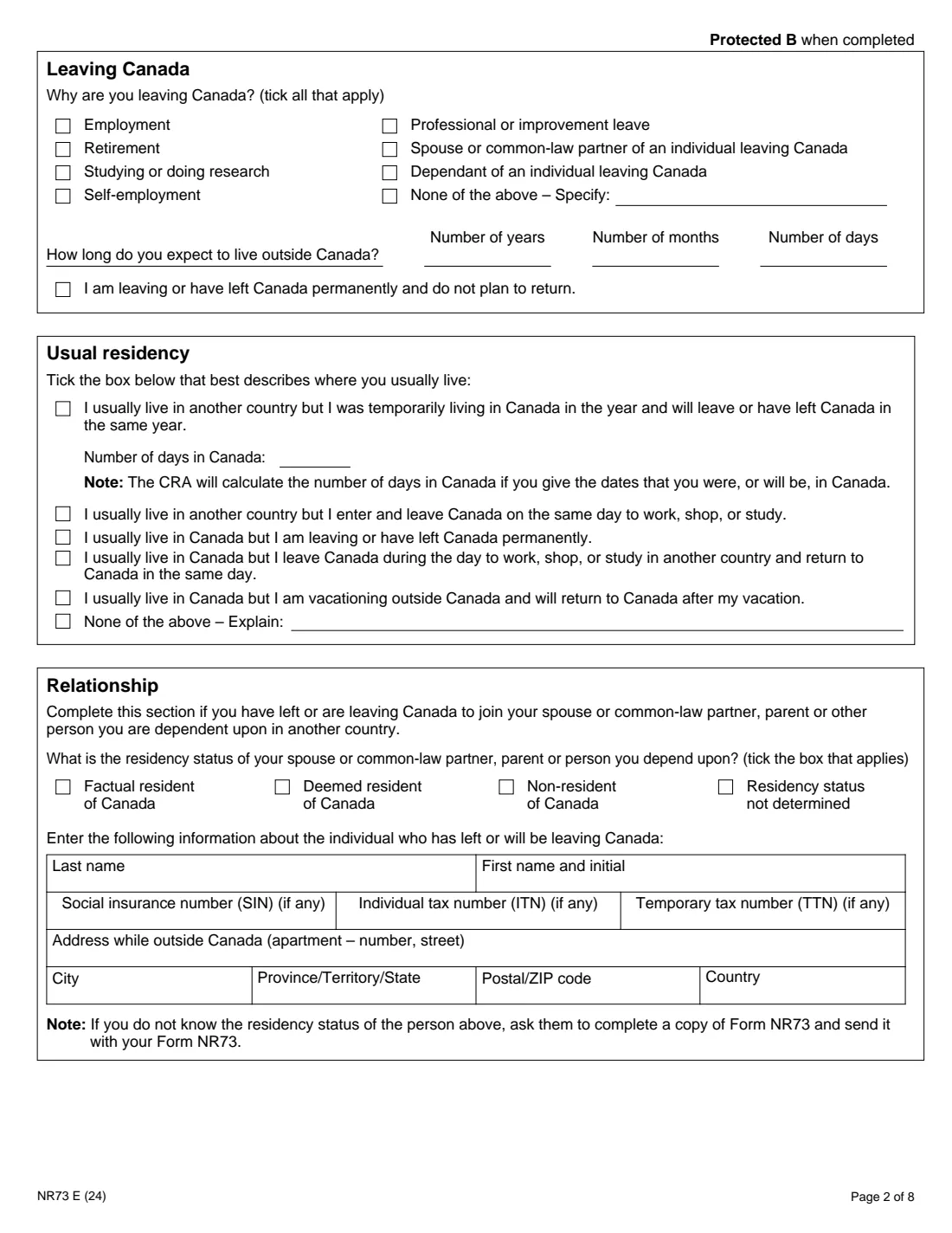
- Leaving CanadaTaxpayer
- Usual residencyTaxpayer
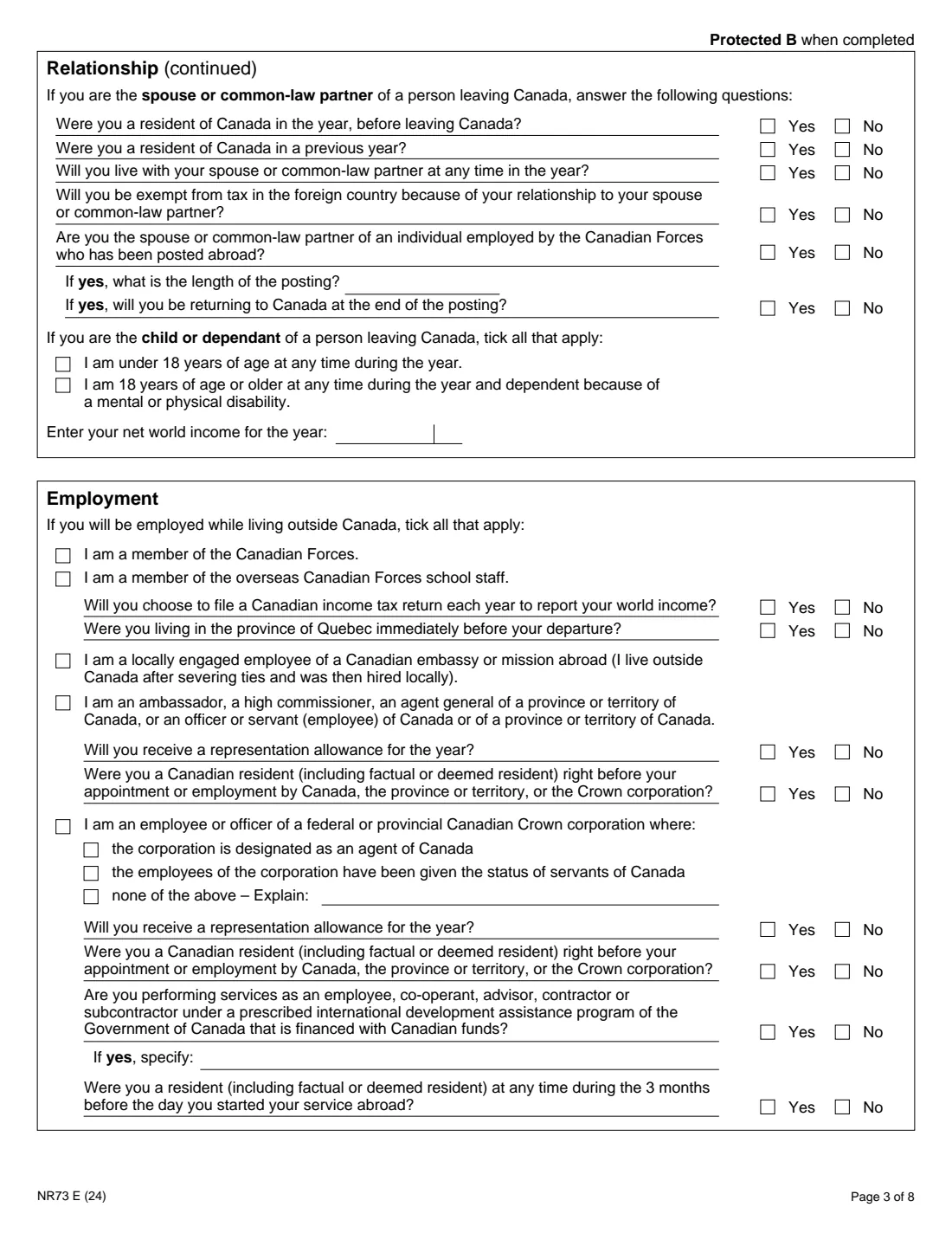
- RelationshipTaxpayer
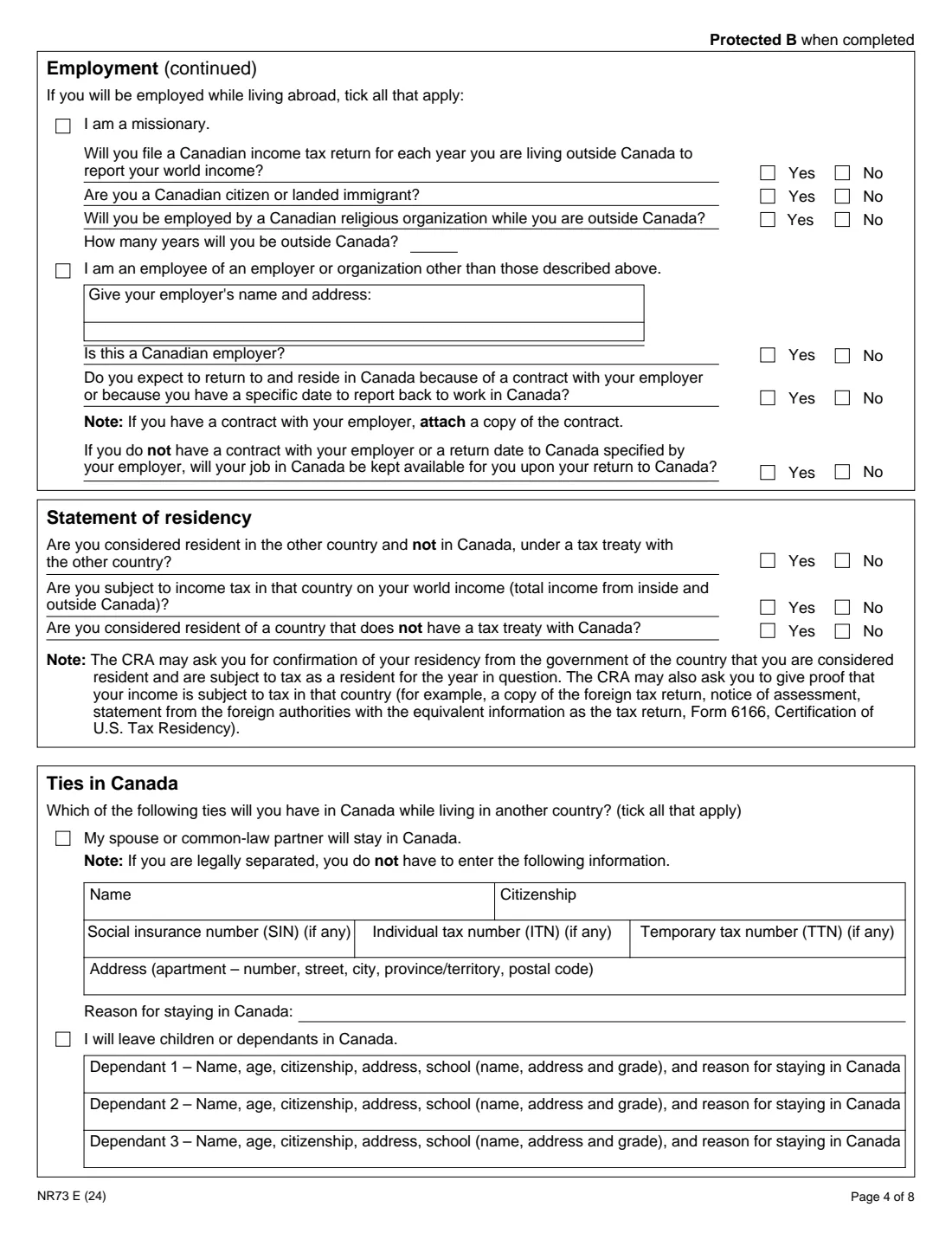
- EmploymentTaxpayer
- Statement of residencyTaxpayer
- Ties in CanadaTaxpayer
- Intention and visits to CanadaTaxpayer
- Ties in another country: your spouse or partnerTaxpayer
- Ties in another countryTaxpayer
- CertificationTaxpayer
- More informationTaxpayer
How to fill out Form NR73, step by step
1 Identification and addresses
Give your name, date of birth, citizenship, any tax number you have (SIN, ITN or TTN), the province or territory you lived in, your departure date, the country you'll live in and your marital status. Then your address and phone number outside Canada, whether the CRA should use it for all future mail, and a separate mailing address if you want letters sent somewhere else.
2 Leaving Canada and usual residency
Tick every reason you're leaving, give how long you expect to be away in years, months and days, and tick the box if you're leaving permanently. Then pick the one description that best fits where you usually live — for example, that you usually live in Canada but are leaving permanently, or that you live abroad and were only here temporarily.
3 Relationship
Fill this in only if you're leaving to join a spouse or common-law partner, parent or other person you depend on. Give their residency status and details. A spouse answers questions about their own residency and any Canadian Forces posting; a child or dependant says whether they're under 18 or dependent because of a disability, and gives their net world income. If you don't know the other person's status, the form says to ask them to fill out their own NR73 and send it with yours.
4 Employment and statement of residency
If you'll work abroad, tick the descriptions that apply — Canadian Forces, school staff, embassy, government, Crown corporation, development assistance, missionary or another employer — and answer the follow-up questions. Then say whether a tax treaty treats you as resident in the other country, whether that country taxes your world income, and whether it has no tax treaty with Canada. The CRA may ask for proof, such as a foreign tax return or a certificate of residency.
5 Ties in Canada
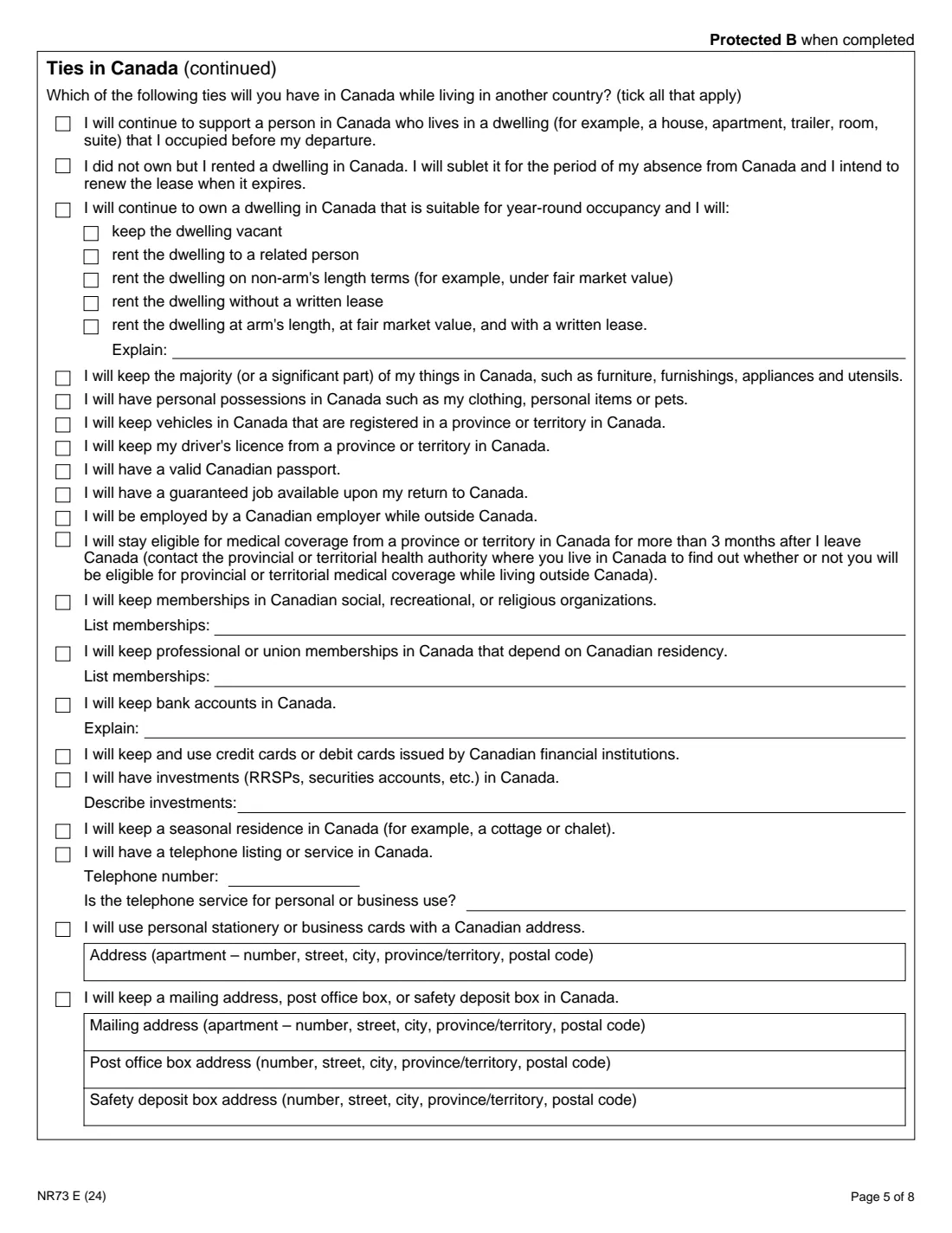
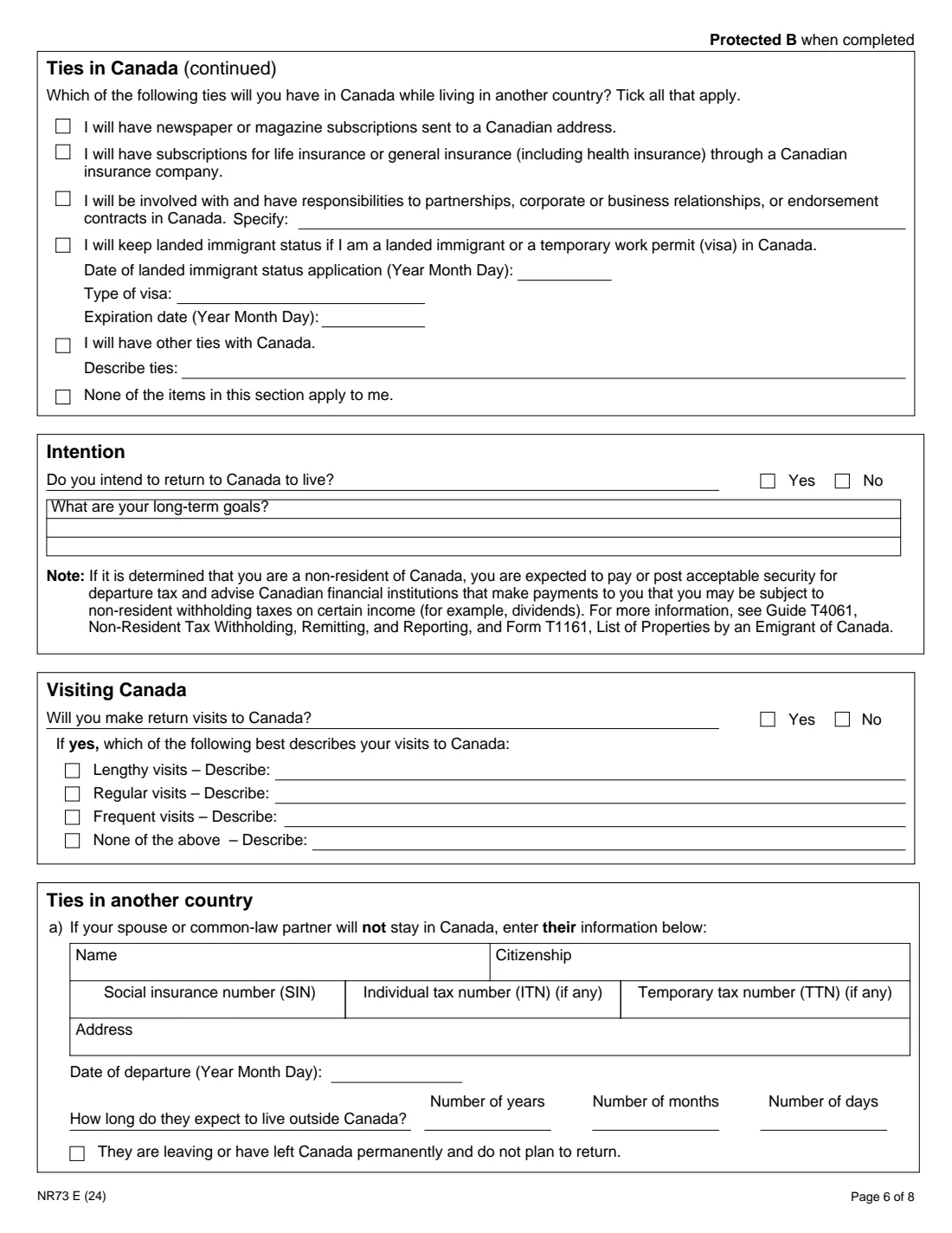
This is the heart of the form. Tick every tie you'll keep: a spouse or dependants staying here, a home you own or rent (and what you'll do with it), furniture, vehicles, a driver's licence, a Canadian passport, a job to come back to, medical coverage, memberships, bank accounts, cards, investments, a cottage, a phone line, addresses, subscriptions, insurance, business interests, immigration status or anything else. If none apply, tick the last box.
6 Intention, visits and ties abroad
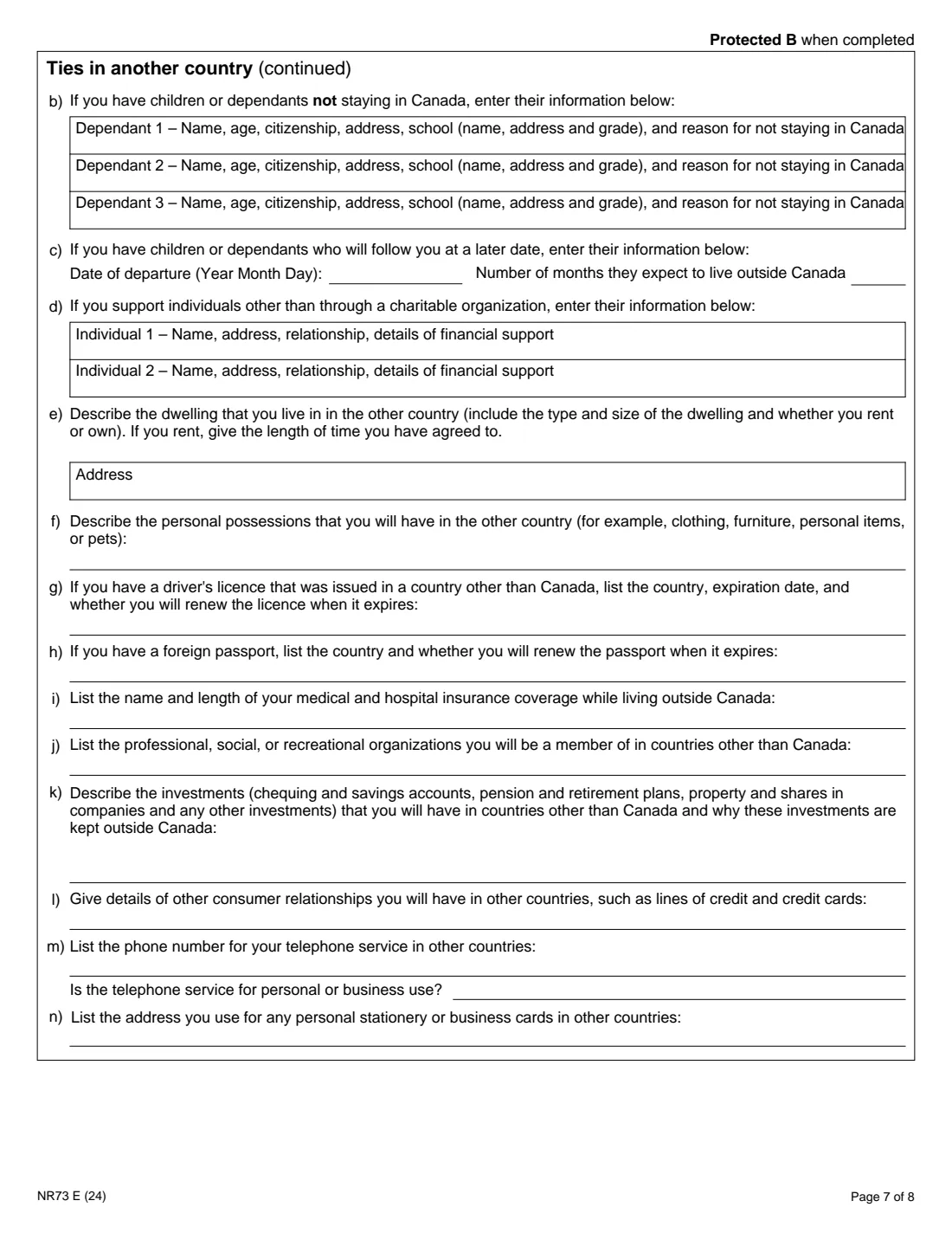
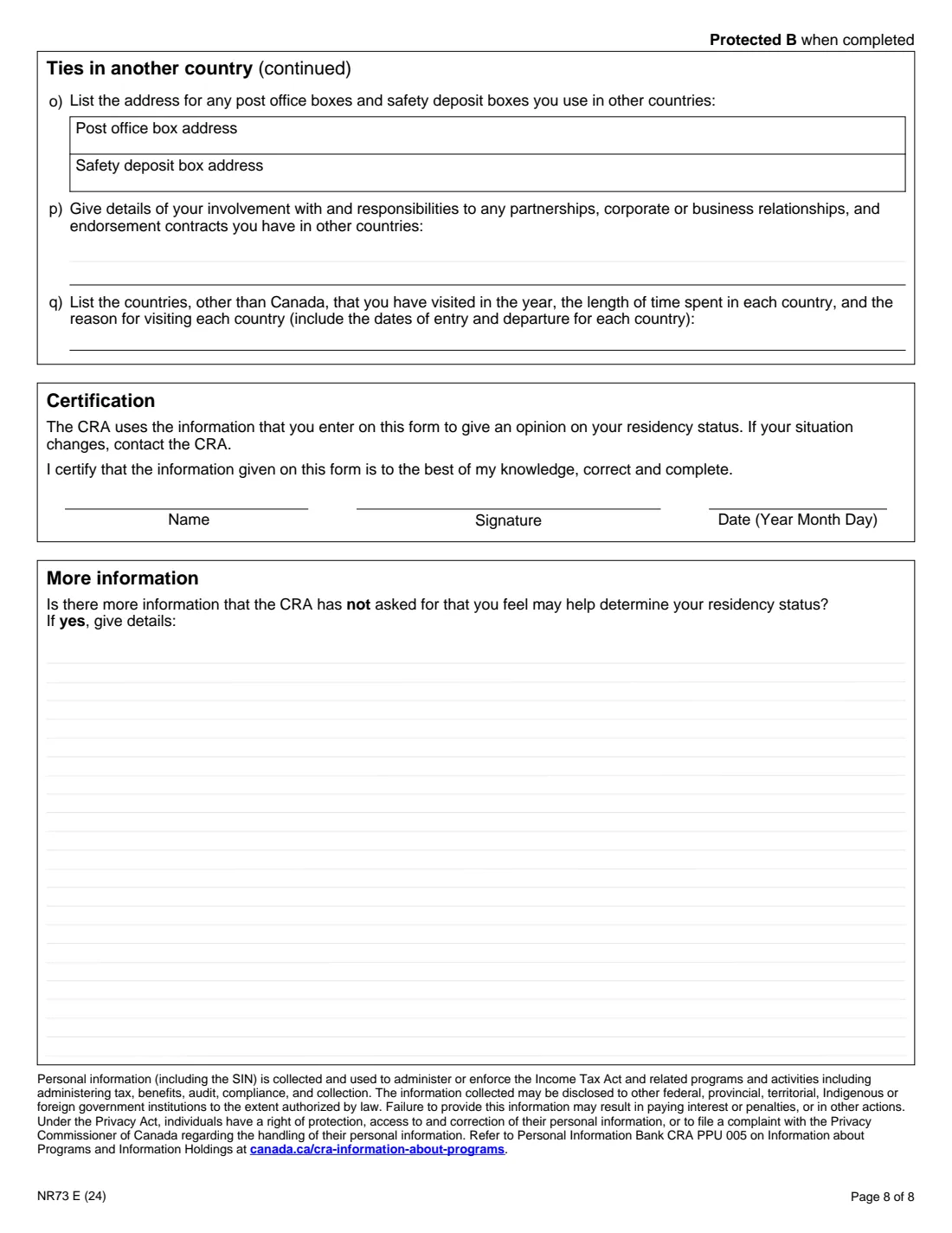
Say whether you intend to return to live in Canada and describe your long-term goals, then whether you'll visit and how often. In Ties in another country, describe your spouse and children abroad, the people you support, your home there, possessions, licences, passports, health insurance, memberships, investments, credit, phone, addresses, business involvement and the countries you visited in the year.
7 Certification and more information
Sign and date the certification by hand; FileIt prints your name and the date. Use More information for anything else that could help, such as the exact dates you were in Canada.
Common mistakes to avoid
- Leaving out ties you'll keep in Canada, such as a home you rent out, bank accounts or provincial health coverage — the CRA's opinion is only as good as the facts you give.
- Filling out one form for several departures without a list of dates and a letter of explanation.
- Forgetting to attach a copy of your employment contract when you say you'll return because of it.
- Not asking the spouse or parent you're joining to send their own NR73 when you don't know their residency status.
- Ticking "None of the items in this section apply to me" as well as some ties.
- Assuming the form is required to become a non-resident; it only asks for the CRA's opinion.
After you fill it out
Print the completed PDF from your FileIt vault and sign and date the Certification by hand. Send it online through My Account or Represent a Client (Submit documents, topic "Contact Centre and International Correspondence"), by mail to the Sudbury Tax Centre, PO Box 20000, Station A, Sudbury ON P3A 5C1, or by fax to 705-671-0794. FileIt does not send the form for you.
The CRA uses the form to give you an opinion on your residency status. If information is missing or needs clarifying, a CRA agent will send you a letter. If your situation changes later, contact the CRA.
The form notes that if you're found to be a non-resident, you're expected to pay or post acceptable security for departure tax, and to tell Canadian financial institutions that pay you that non-resident withholding tax may apply (see Guide T4061 and Form T1161). Keep the CRA's reply with your copy in the vault.
Fill out Form NR73 online with FileIt
- Pick the person. Choose someone from People and FileIt fills in their name, date of birth, address and other details it already knows.
- Answer plain-language questions. One part of the form at a time, with the official help text beside each question — 193 fields in all. Your answers save as you go.
- Check the live preview. Watch your answers land on the real Canada Revenue Agency (CRA) form, and let FileIt do any worksheet arithmetic.
- Generate the official PDF. FileIt prints your answers into the agency’s own PDF and files it in that person’s folder in your vault.
FileIt fills the form — it never files or submits anything for you. Deliver the finished form to whoever asked for it, the way the form’s instructions say.
Start Form NR73 now — it’s freeForm NR73: frequently asked questions
Can I fill out Form NR73 online?
Yes. FileIt guides you through all eight pages, prints your answers into the CRA's official fillable NR73 PDF and saves it in your vault, free on every plan. You sign it by hand and send it to the CRA yourself.
Do I have to send Form NR73 when I leave Canada?
No. The form is for when you need help determining your residency status and want the CRA's opinion. The form also says you don't need it if you usually live in Canada and are only leaving for a weekend or a short trip.
Where do I send it?
To the CRA: online through My Account or Represent a Client using Submit documents, by mail to the Sudbury Tax Centre, PO Box 20000, Station A, Sudbury ON P3A 5C1, or by fax to 705-671-0794.
Is the 2024 edition still current?
Yes. NR73 E (24) is the edition the CRA publishes on canada.ca as of September 2026.
What if I'm leaving to join my spouse?
Fill in the Relationship section with their residency status and details, and answer the spouse questions. If you don't know their status, the form asks them to complete their own NR73 to send with yours.
Where can I read how the CRA decides residency?
The form points to Income Tax Folio S5-F1-C1, Determining an Individual's Residence Status, and to canada.ca/taxes-international. You can also call the CRA at 1-800-959-8281 from Canada and the U.S. or 613-940-8495 from elsewhere (collect calls accepted).
What about someone moving to Canada?
Use Form NR74, Determination of Residency Status (Entering Canada), instead.
Official sources
- Blank form (PDF), published by Canada Revenue Agency (CRA): https://www.canada.ca/content/dam/cra-arc/formspubs/pbg/nr73/nr73-fill-24e.pdf
- Official instructions and guidance: https://www.canada.ca/en/revenue-agency/services/forms-publications/forms/nr73.html
- Edition shown on this page: NR73 E (24) (checked 2026-09-28).
FileIt is not affiliated with or endorsed by Canada Revenue Agency (CRA) or any government. This page explains the form in general terms and is not legal, tax or immigration advice. Always read the official instructions, and check that you are using the edition the recipient accepts. Page last reviewed 2026-09-28.