What is Form T2125?
Form T2125, Statement of Business or Professional Activities, is the Canada Revenue Agency (CRA) form for reporting self-employment income. Freelancers, consultants, contractors, shop owners, professionals, gig workers and partners in a partnership use it to show their gross income, their expenses and their net income or loss for the year. You fill out a separate T2125 for each business or profession.
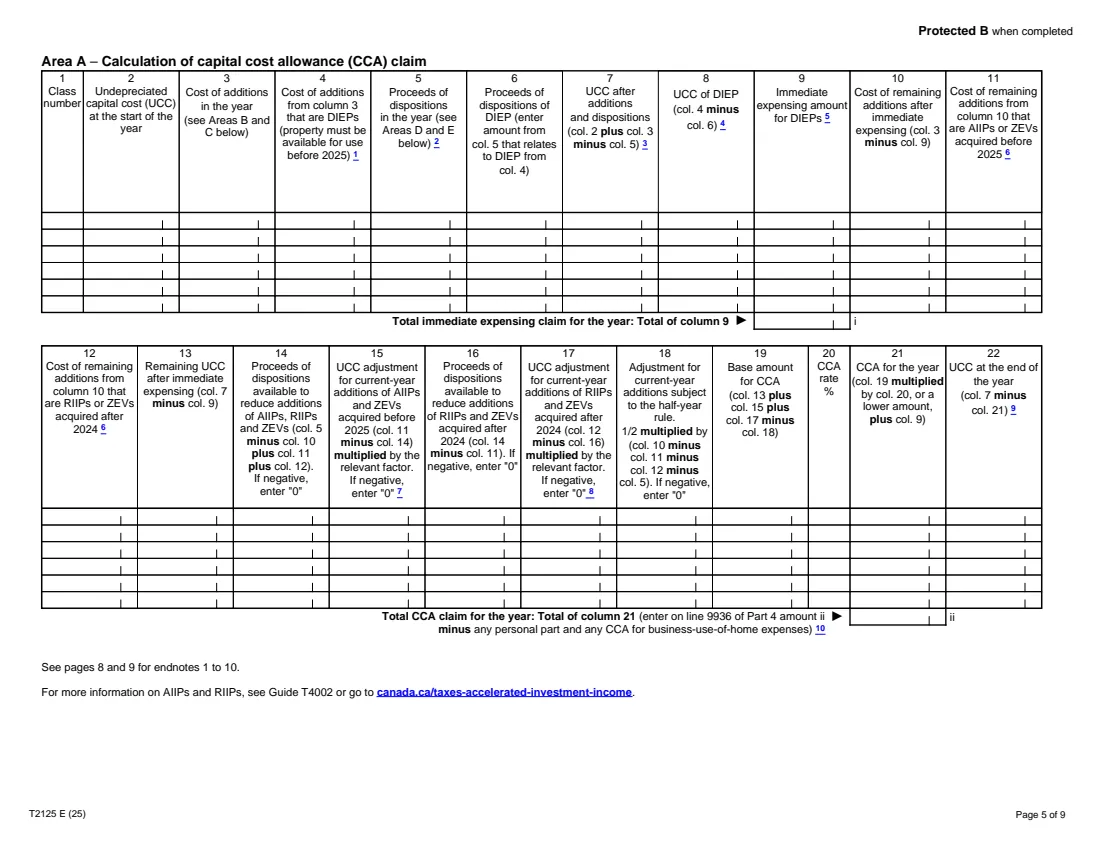
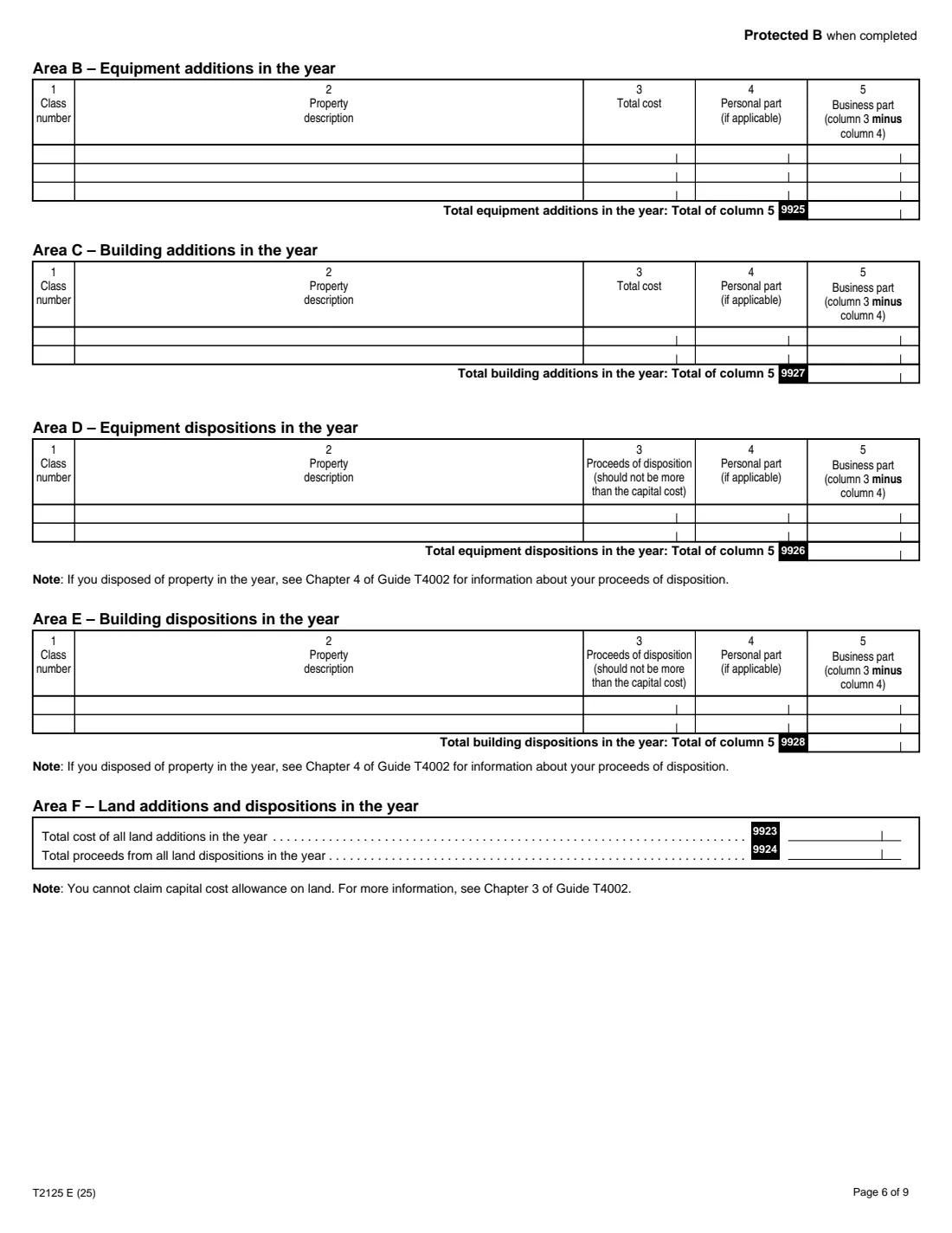
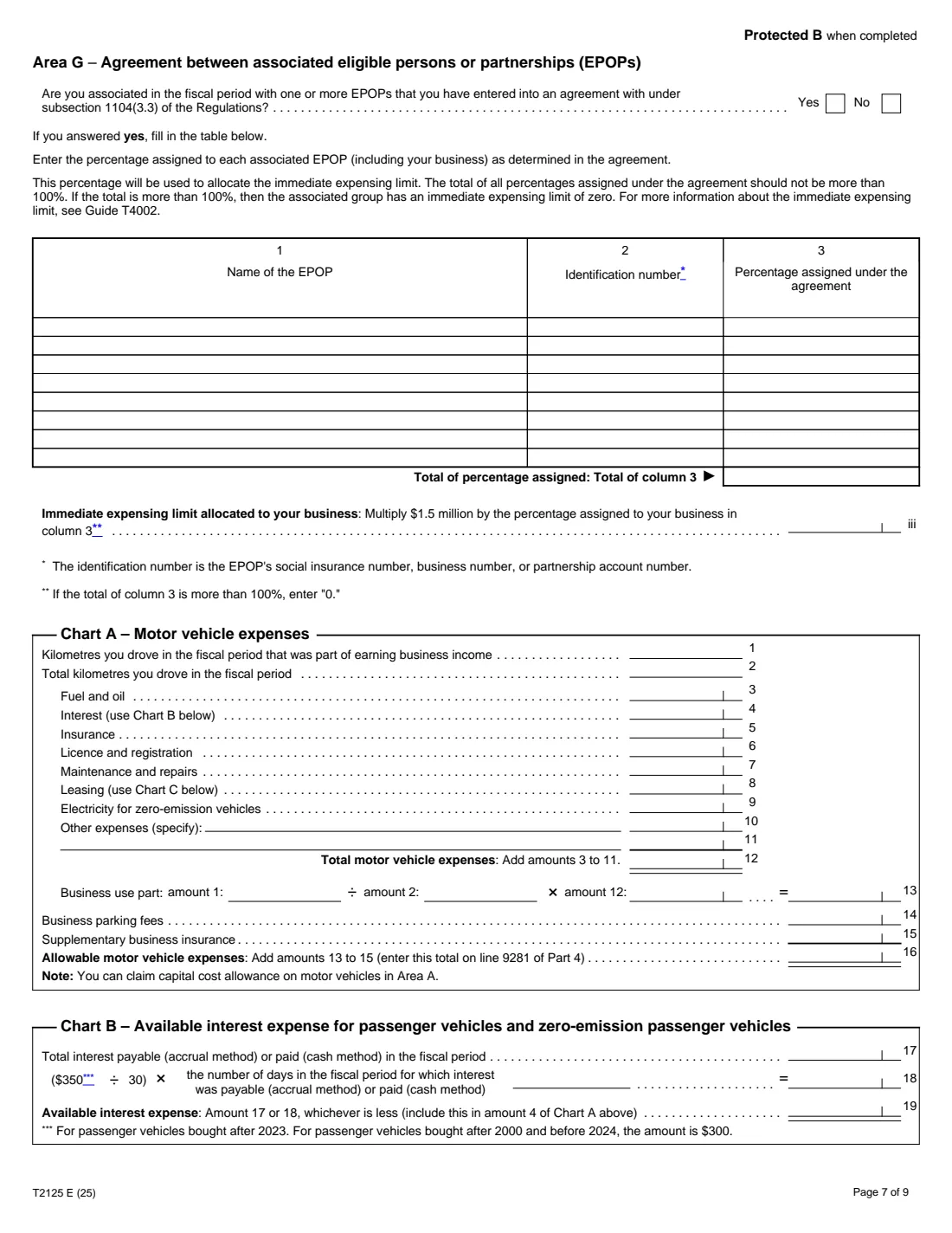
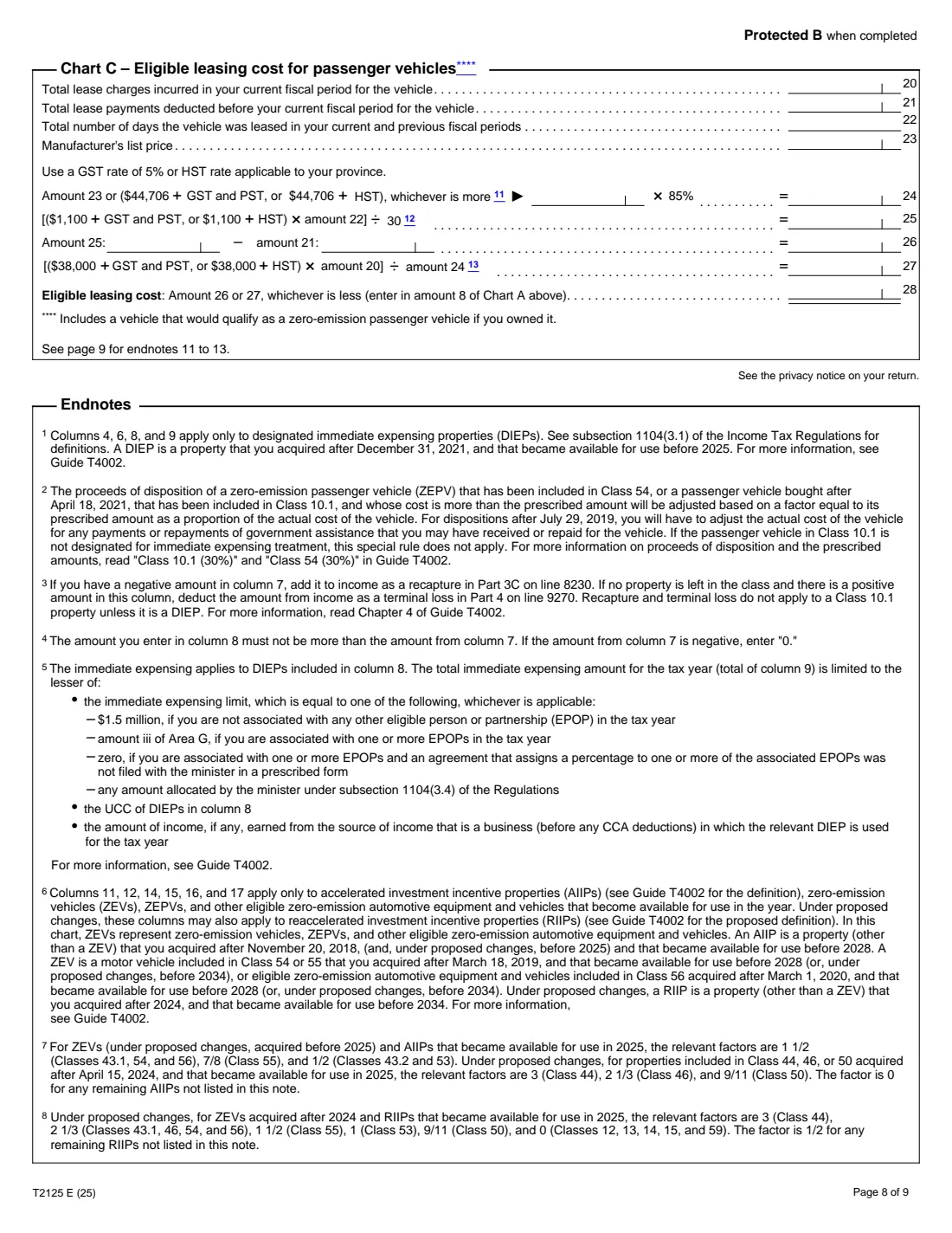
It starts with your business details and internet activity, then your sales or professional fees (with the quick method for GST/HST), cost of goods sold if you sell goods, and about twenty lines of expenses. Partners adjust their share in Parts 5 and 6, and Part 7 works out business use of your home, which can't create or increase a loss. The back pages calculate capital cost allowance (CCA) by class, list additions and dispositions, and work out motor vehicle, interest and leasing limits.
FileIt walks through each part, adds up every subtotal from 3C to line 9946, carries Chart A into line 9281 and Part 7 into line 9945, and does the CCA arithmetic in Area A. Your answers are printed into the CRA's own fillable T2125 PDF (edition T2125 E (25), for 2025) and saved in your vault. FileIt doesn't file your return: you send the T2125 with it.
- Who fills it
- Self-employed individuals and partners with business, professional or commission income
- One per business
- A separate T2125 for each business or profession
- Result
- Gross income (line 8299) and net income or loss (line 9946) for your return
- Signatures
- None. It goes with your income tax and benefit return
- Pages
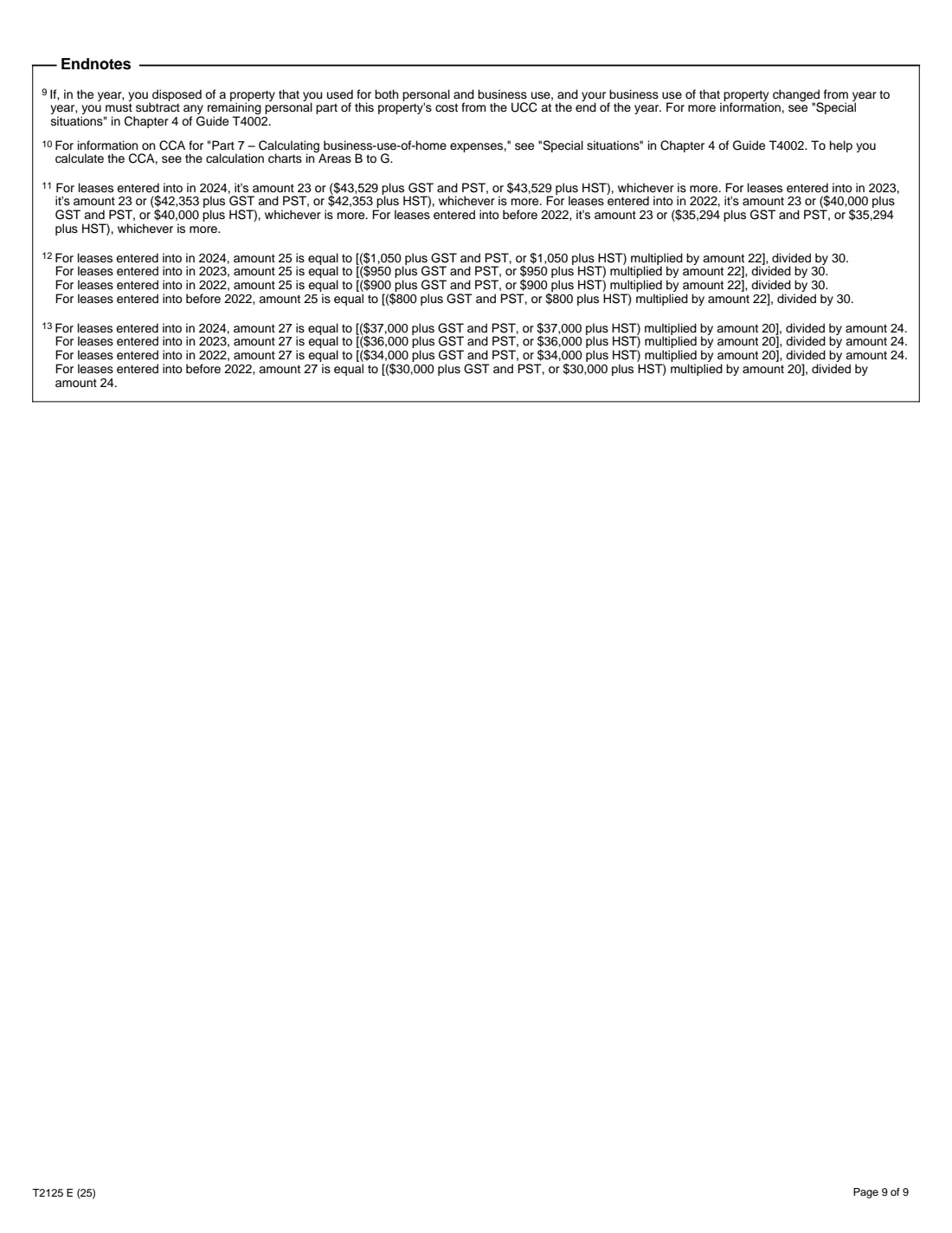
- 9, including the CCA area, vehicle charts and endnotes
- Edition
- T2125 E (25), 2025 tax year
Who needs to fill out Form T2125?
- Sole proprietors, freelancers and independent contractors.
- Professionals such as accountants, lawyers, engineers, doctors and consultants.
- Commission salespeople who are self-employed.
- People earning through online platforms or their own websites.
- Partners in a partnership that doesn't have to file a partnership information return, reporting their share.
When to use Form T2125
- When you prepare your 2025 return and had self-employment income in 2025.
- Every year the business operates, including the last year (the form asks whether it's your last).
- When you start a business part-way through the year, for the fiscal period from your start date.
What you need before you start
- Your business name, number, address, fiscal period and 6-digit industry code (Chapter 2 of Guide T4002).
- Your sales, commissions or fees for the year, and the GST/HST, returns and discounts included in them.
- Inventory and purchase figures, if you sell goods.
- Receipts and totals for each expense category, business part only.
- Home costs and your business-use share, if you work from home.
- Your vehicle logbook (business and total kilometres) and vehicle costs.
- Last year's undepreciated capital cost for each CCA class, and this year's additions and dispositions.
What’s on Form T2125
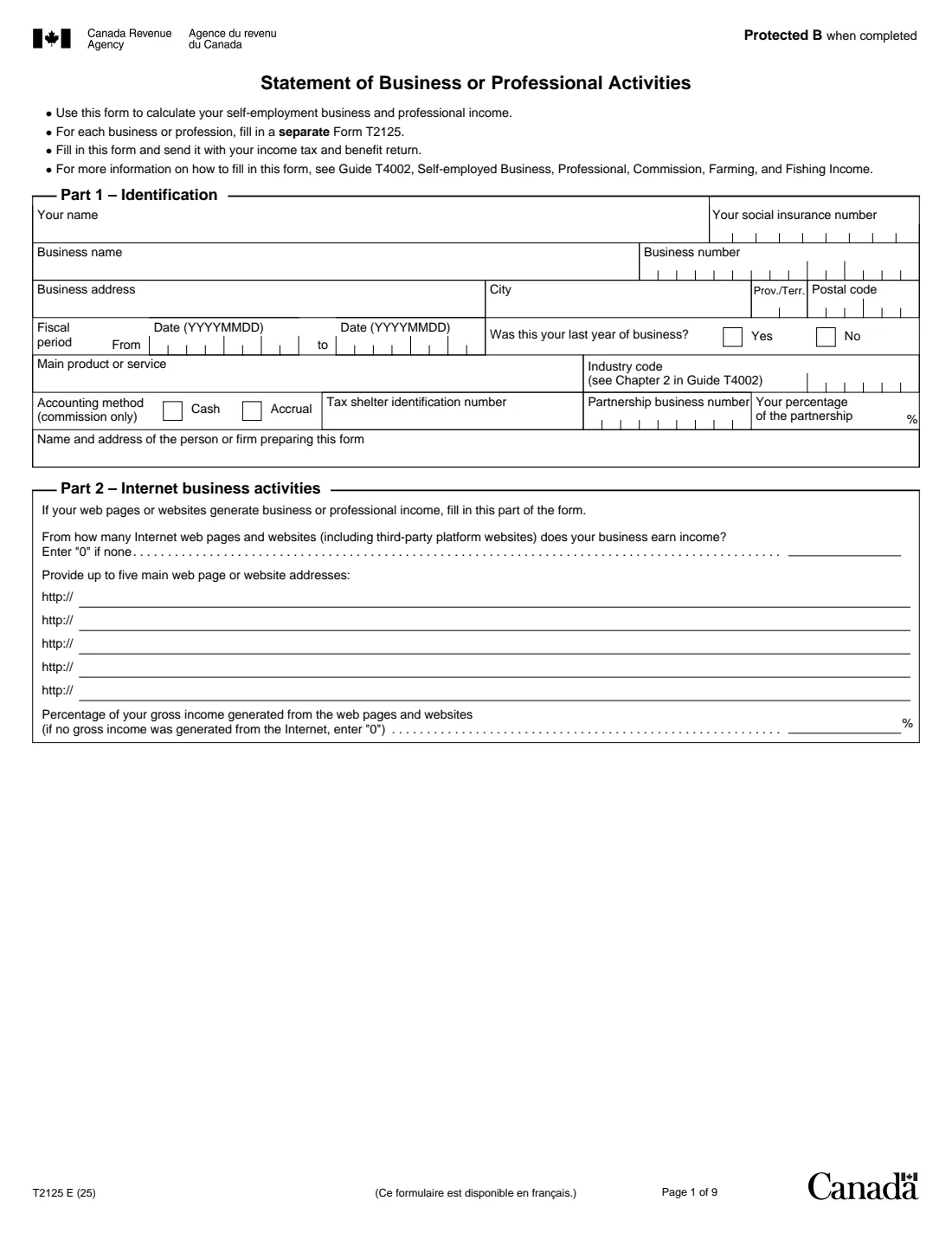
The 2025 edition has 9 pages. FileIt asks for it in 18 parts:
- Part 1 – IdentificationEmployee
- Part 2 – Internet business activitiesEmployee
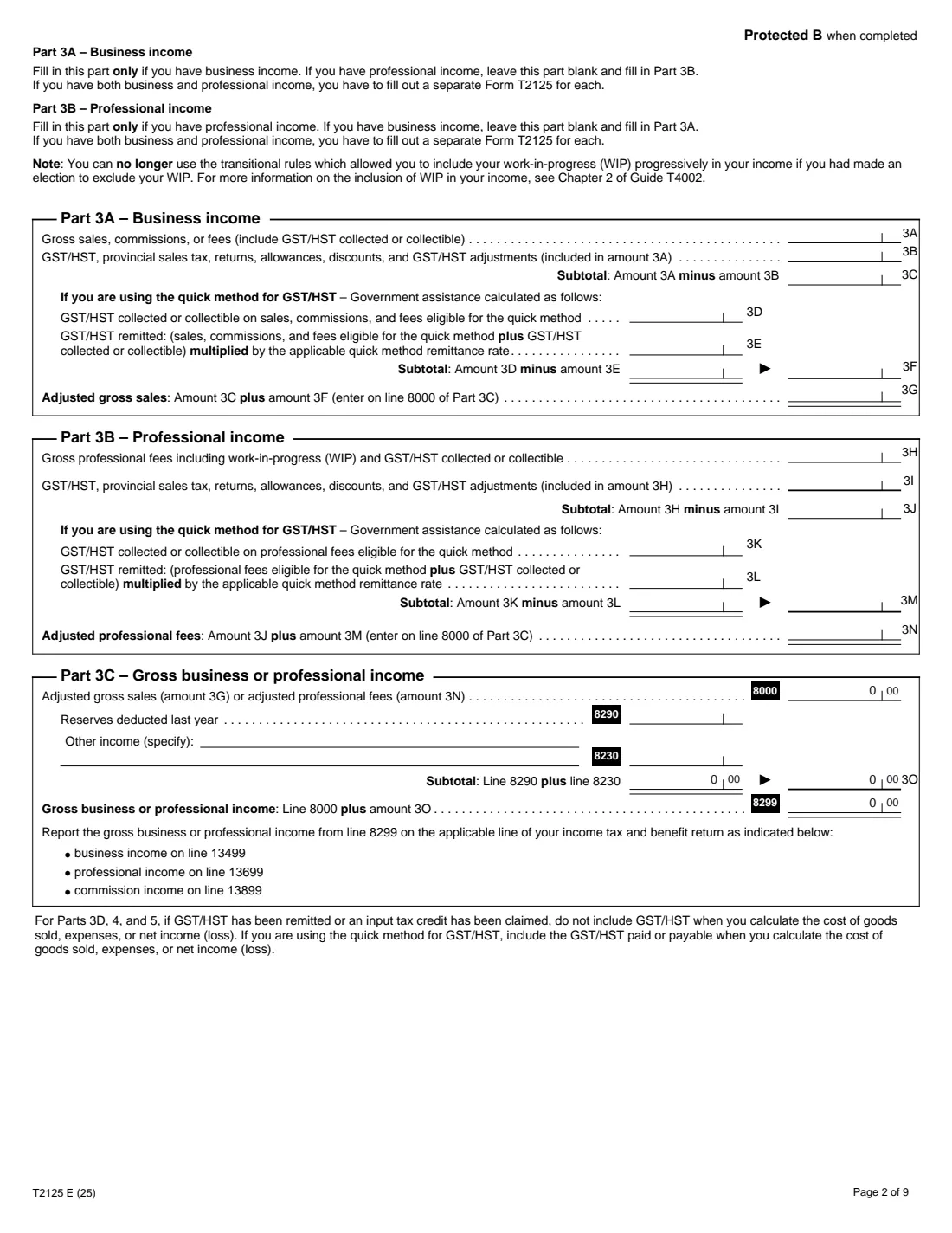
- Part 3A – Sales, commissions or feesEmployee
- Part 3B – Professional feesEmployee
- Part 3C – Gross business or professional incomeEmployee
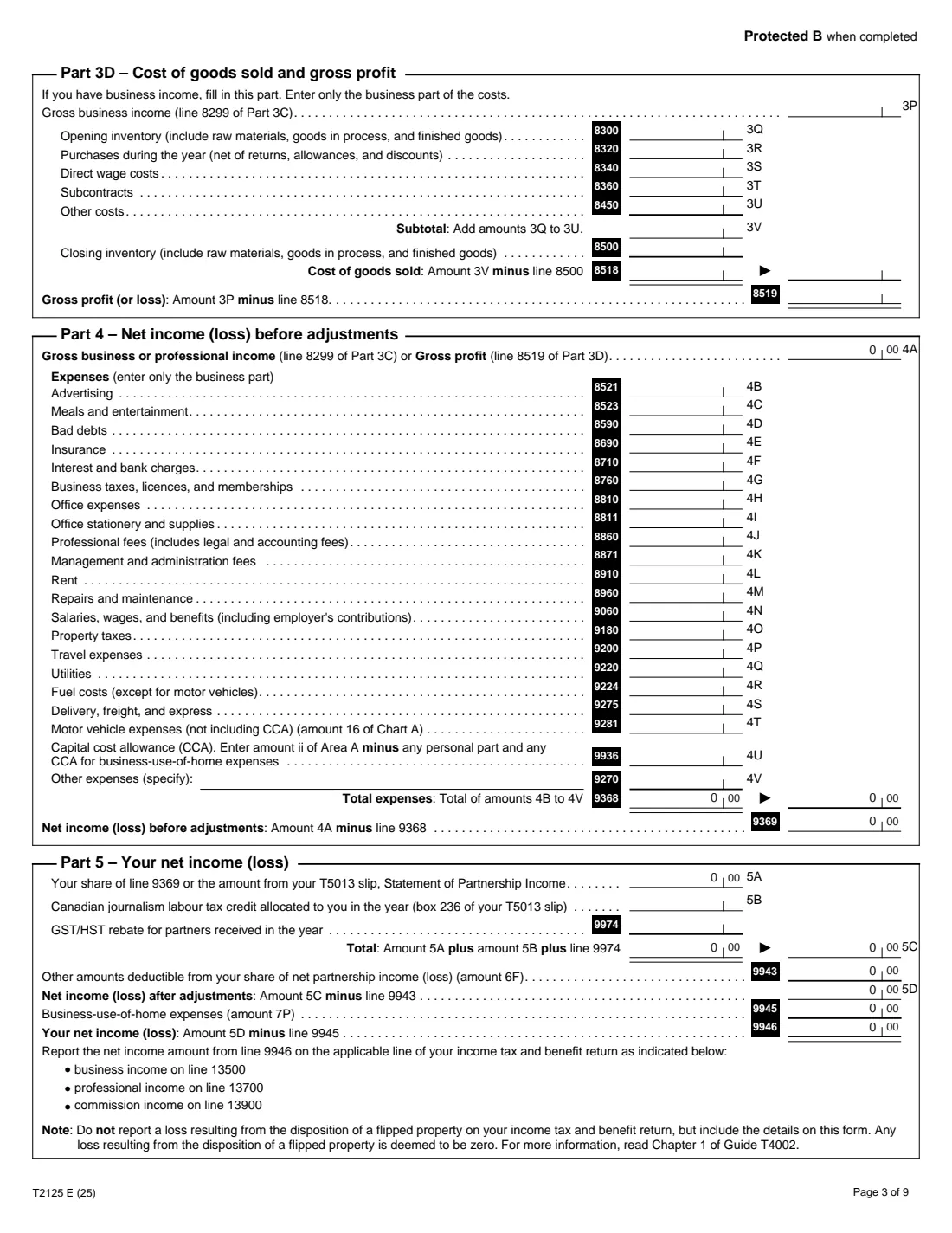
- Part 3D – Cost of goods sold and gross profitEmployee
- Part 4 – Net income (loss) before adjustmentsEmployee
- Part 5 – Your net income (loss)Employee
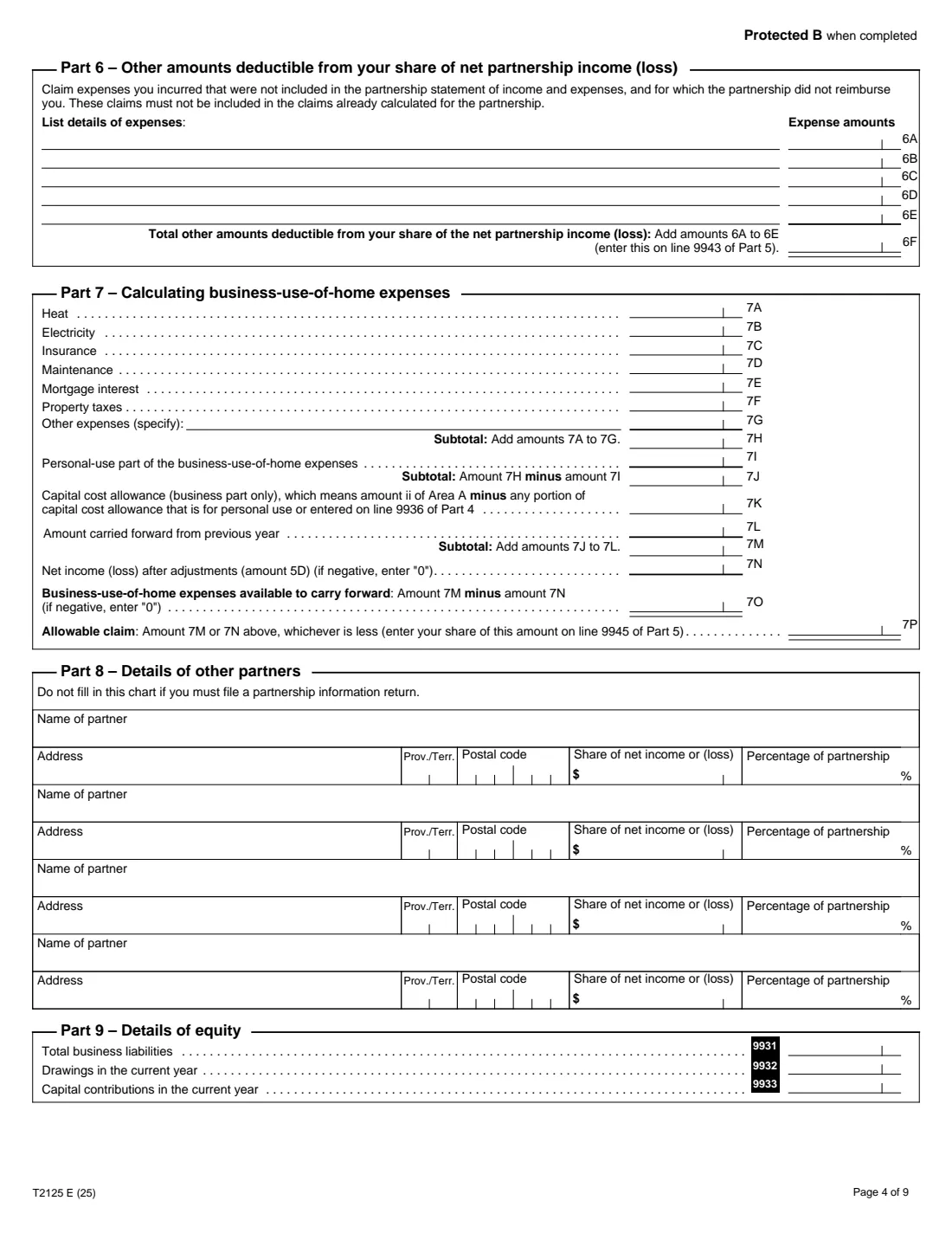
- Part 6 – Other amounts deductible from your share of net partnership income (loss)Employee
- Part 7 – Business-use-of-home expensesEmployee
- Part 8 – Details of other partnersEmployee
- Part 9 – Details of equityEmployee
- Area A – Capital cost allowance (CCA)Employee
- Areas B to F – Additions and dispositionsEmployee
- Area G – Agreement between associated EPOPsEmployee
- Chart A – Motor vehicle expensesEmployee
- Chart B – Interest on a passenger vehicleEmployee
- Chart C – Leasing a passenger vehicleEmployee
How to fill out Form T2125, step by step
1 Parts 1 and 2 – About the business
Your name and SIN, the business name, number and address, the fiscal period, whether it's the last year, the main product or service and the industry code. Partners add the partnership number and percentage. If websites or platforms earn you income, list up to five and the share of income they bring in.
2 Part 3 – Income
Fill in Part 3A (sales, commissions or fees) or Part 3B (professional fees), including the quick method lines if you use it. FileIt works out the adjusted amount for line 8000, adds reserves and other income, and gives your gross income on line 8299. If you sell goods, Part 3D works out cost of goods sold and gross profit.
3 Part 4 – Expenses
Enter the business part of each expense, from advertising to delivery. Motor vehicle expenses come from Chart A when you fill it in, and capital cost allowance (line 9936) comes from Area A less any personal part. FileIt totals the expenses and gives your net income before adjustments (line 9369).
4 Parts 5 to 7 – Adjustments and home office
For a sole proprietor, 5A is line 9369; partners enter their share. Part 6 lists partners' own unreimbursed expenses. Part 7 works out business-use-of-home expenses, limited to your income after adjustments, and carries the rest forward. Line 9946 is your net income or loss.
5 Areas A to G and Charts A to C
Area A works out CCA by class, with immediate expensing and the accelerated investment rules. Enter the class, opening UCC, additions, dispositions, rate and any relevant factor; FileIt does the rest. Areas B to F list additions and dispositions, Area G shares the immediate expensing limit, and Charts A to C work out vehicle expenses, deductible interest and eligible leasing costs.
Common mistakes to avoid
- Claiming the personal part of expenses such as phone, vehicle or home costs.
- Filling in both Part 3A and Part 3B on one form. Use a separate T2125 for a second business.
- Including GST/HST in income or expenses when you claim input tax credits.
- Using a home-office claim to create or increase a business loss.
- Claiming CCA on land, or a full year's CCA on additions subject to the half-year rule.
- Claiming vehicle costs without a log of business kilometres.
After you fill it out
Report line 8299 and line 9946 on the matching lines of your return: 13499 and 13500 for business income, 13699 and 13700 for professional income, 13899 and 13900 for commissions.
Send the T2125 with your return. FileIt saves the filled PDF in your vault, where your receipts and logbook can go too.
Keep next year's numbers handy: the closing UCC in column 22 of Area A, inventory and any home-office amount carried forward.
Fill out Form T2125 online with FileIt
- Pick the person. Choose someone from People and FileIt fills in their name, date of birth, address and other details it already knows.
- Answer plain-language questions. One part of the form at a time, with the official help text beside each question — 409 fields in all. Your answers save as you go.
- Check the live preview. Watch your answers land on the real Canada Revenue Agency (CRA) form, and let FileIt do any worksheet arithmetic.
- Generate the official PDF. FileIt prints your answers into the agency’s own PDF and files it in that person’s folder in your vault.
FileIt fills the form — it never files or submits anything for you. Deliver the finished form to whoever asked for it, the way the form’s instructions say.
Start Form T2125 now — it’s freeForm T2125: frequently asked questions
Who has to fill out Form T2125?
Anyone reporting self-employment business, professional or commission income, including partners in partnerships that don't file a partnership information return. Each business gets its own T2125.
Can I fill out Form T2125 online?
Yes. FileIt guides you through every part, works out each subtotal and the CCA, vehicle and home-office calculations, and prints the result into the CRA's fillable T2125 PDF.
Can I claim my home office?
Part 7 covers business use of your home, if it's your principal place of business or used only for the business and to meet clients regularly. The claim can't create or increase a loss; the rest carries forward.
How do I claim my car?
Fill in Chart A with your business and total kilometres and your vehicle costs. FileIt works out the business part and carries it to line 9281. Vehicle CCA goes in Area A.
What is capital cost allowance?
CCA is the yearly deduction for the cost of depreciable property such as equipment, computers and vehicles, worked out by class in Area A. Guide T4002 lists the classes and rates.
Do I need a business number?
Enter it if you have one, for example for GST/HST. The form also asks for an industry code from Guide T4002.
Official sources
- Blank form (PDF), published by Canada Revenue Agency (CRA): https://www.canada.ca/content/dam/cra-arc/formspubs/pbg/t2125/t2125-fill-25e.pdf
- Official instructions and guidance: https://www.canada.ca/en/revenue-agency/services/forms-publications/forms/t2125.html
- Edition shown on this page: T2125 E (25) (checked 2026-10-19).
FileIt is not affiliated with or endorsed by Canada Revenue Agency (CRA) or any government. This page explains the form in general terms and is not legal, tax or immigration advice. Always read the official instructions, and check that you are using the edition the recipient accepts. Page last reviewed 2026-10-19.