What is Form T2200?
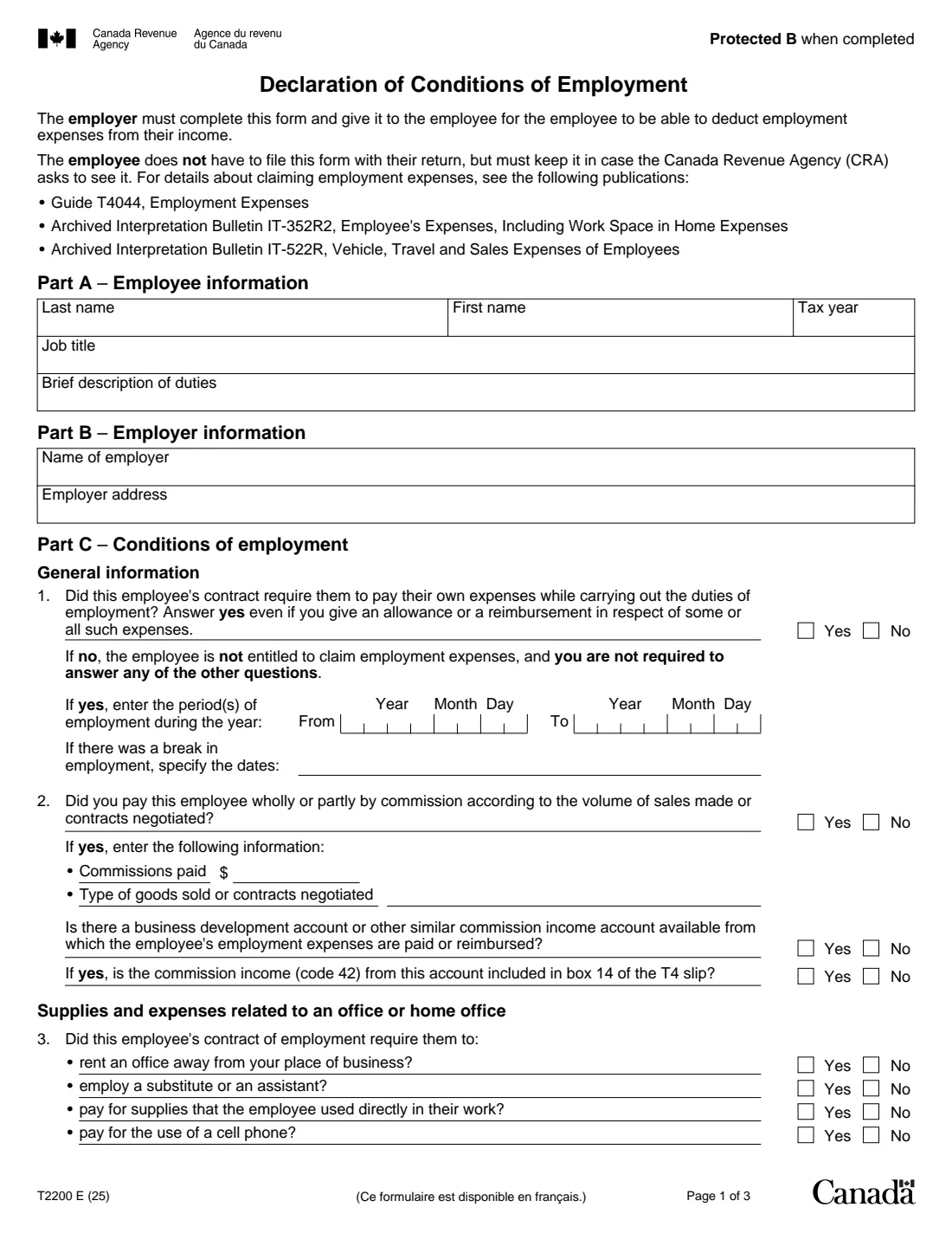
Form T2200 is the employer's statement of the conditions of a person's employment: whether the contract required the employee to pay their own expenses, and which ones. The employer must complete it and give it to the employee for the employee to be able to deduct employment expenses from their income. The employee doesn't file it with their return, but must keep it in case the Canada Revenue Agency (CRA) asks to see it.
The form covers commission employees, supplies and office rent, a cell phone, use of a part of the home for work, reimbursements and allowances, travel and motor vehicle expenses, company vehicles, tradespersons' and apprentice mechanics' tools, and power saws in forestry operations. The CRA's Guide T4044, Employment Expenses, explains the deductions.
FileIt asks the questions in plain English, shows the follow-up questions only when they apply, and prints the answers onto the CRA's own PDF (edition T2200 E (25), for the 2025 tax year). The employer's name and address can come from your vault. The finished PDF is saved to the employee's vault folder, and the authorized person can sign it with FileIt's optional e-signature; the form says the CRA accepts an electronic signature applied under its guidance. FileIt never files anything with the CRA. Filling forms is free on every plan.
- Who fills it
- The employer (an authorized person), about one employee and one tax year
- Given to
- The employee, who keeps it; it isn't filed with the return
- Signature
- The employer's authorized person signs Part D; the CRA accepts an electronic signature
- Part E
- Completed by the employee only if the CRA asks them to send in the form
- Edition
- T2200 E (25)
- Pages
- 3
Who needs to fill out Form T2200?
- Employers whose employees had to pay their own expenses to do their job and want to claim them.
- Employees who work from home under a written or verbal agreement with their employer and want to deduct work space in the home expenses.
- Commission salespeople, employees who travel for work or use their own vehicle, and employees who pay for supplies or a cell phone.
- Employed tradespersons and apprentice mechanics who had to buy tools, and forestry workers who had to provide a power saw.
When to use Form T2200
- After the end of a tax year, when an employee prepares their return and claims employment expenses for that year.
- Once for each tax year the employee claims expenses: the form asks for the tax year and the period of employment in it.
- Part E, only when the CRA asks the employee to send in the form.
What you need before you start
- The employee's name, job title and a brief description of duties, and the employer's name and address.
- The period of employment during the year, and the dates of any break.
- Commissions paid, if the employee was paid by commission.
- The amounts and types of expenses you reimbursed or will reimburse, and whether each was included on the T4 slip.
- Motor vehicle allowance amounts, the per-kilometre rate, and what was included on the T4.
- The name, title and telephone number of the person authorized to sign for the employer.
What’s on Form T2200
The 2025 edition has 3 pages. FileIt asks for it in 8 parts, and it is signed by Employer:
- Part A – Employee informationEmployer
- Part B – Employer informationEmployer
- Part C – General information (questions 1 and 2)Employer
- Part C – Supplies and expenses related to an office or home office (questions 3 to 5)Employer
- Part C – Motor vehicle, travel and other expenses (questions 6 to 11)Employer
- Part C – Tradespersons, apprentice mechanics and forestry (questions 12 to 14)Employer
- Part D – Employer declarationEmployer
- Part E – EmployeeEmployee
How to fill out Form T2200, step by step
1 Part A – Employee information
Enter the employee's last and first name, the tax year, the job title and a brief description of their duties.
2 Part B – Employer information
Enter the employer's name and address.
3 Part C – General information (questions 1 and 2)
Question 1 asks whether the employee's contract required them to pay their own expenses. Answer yes even if you give an allowance or reimbursement for some of them. If no, the employee can't claim employment expenses and you don't answer the rest. If yes, give the period of employment. Question 2 covers commission pay, the commissions paid, and any business development or similar account.
4 Questions 3 to 5 – Office and home office
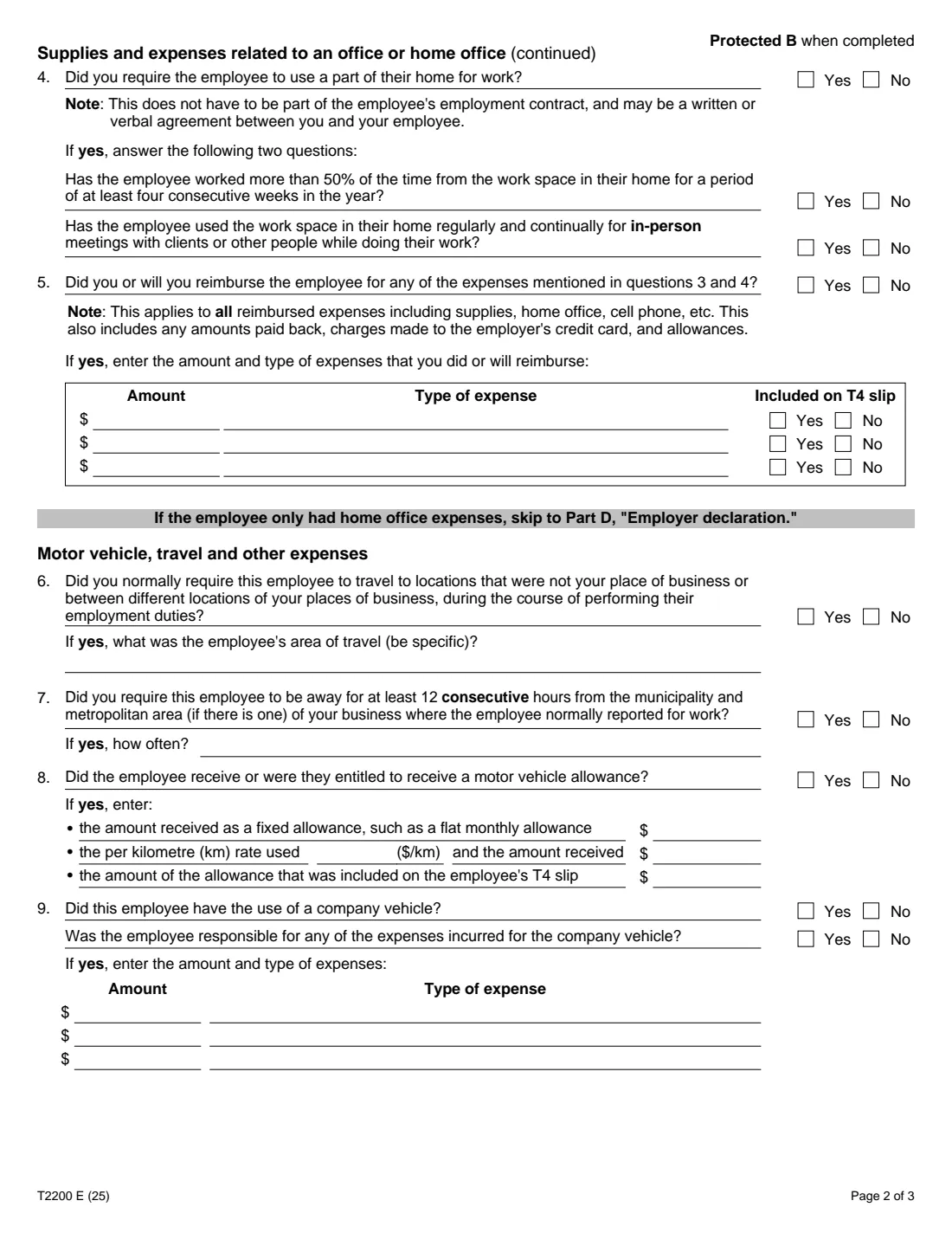
Say whether the employee had to rent an office away from your place of business, employ a substitute or assistant, pay for supplies or pay for a cell phone. Question 4 asks whether you required them to use part of their home for work (this can be a written or verbal agreement), whether they worked there more than 50% of the time for at least four consecutive weeks, and whether they used it regularly for in-person meetings. Question 5 lists what you reimbursed and whether it was on the T4 slip. If the employee only had home office expenses, the form says to skip to Part D.
5 Questions 6 to 11 – Motor vehicle, travel and other expenses
Travel away from your place of business and the area of travel, being away at least 12 consecutive hours, motor vehicle allowances, use of a company vehicle and the expenses the employee paid for it, reimbursed expenses, and other expenses paid without any allowance or reimbursement.
6 Questions 12 to 14 – Tradespersons, apprentice mechanics and forestry
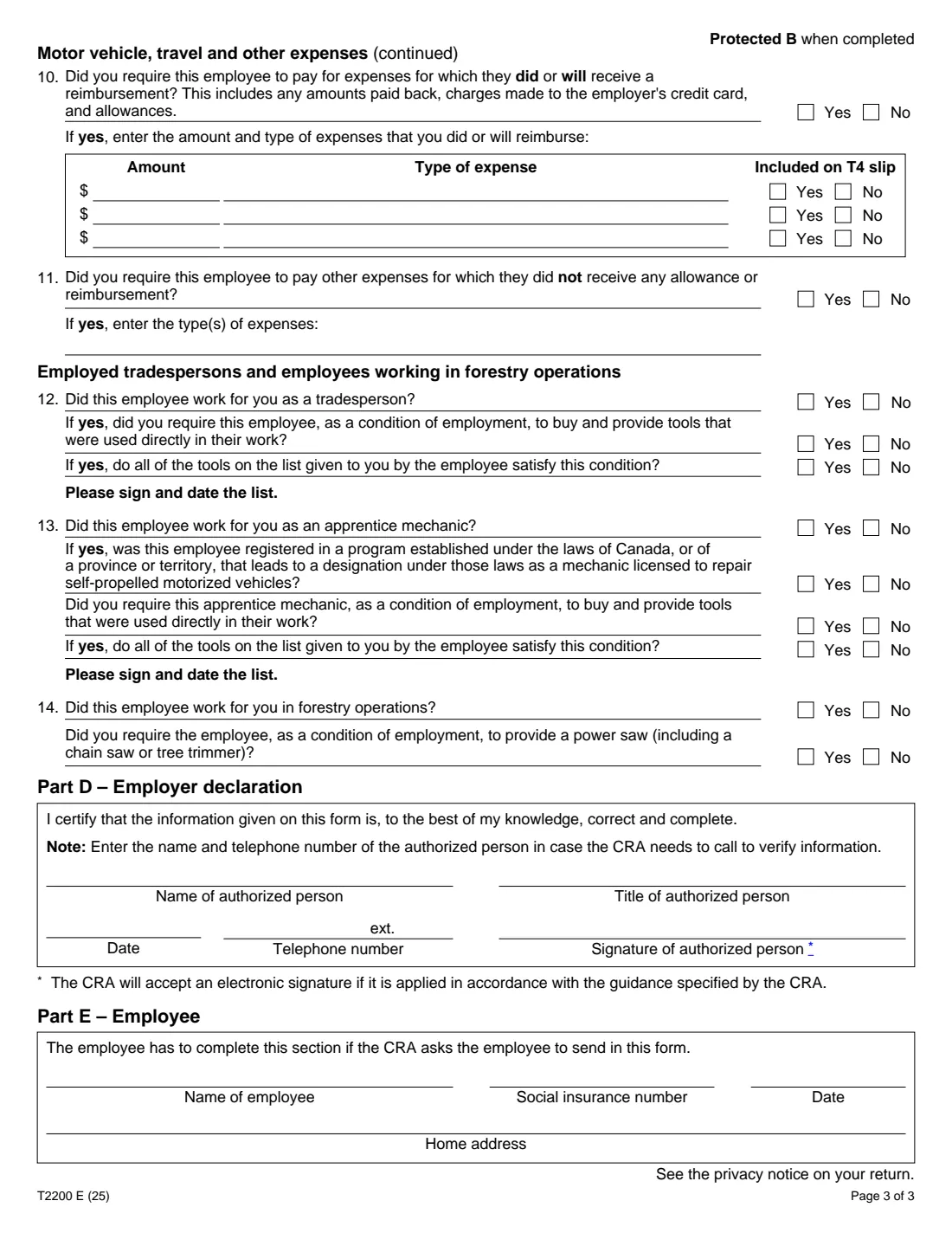
Whether the employee worked as a tradesperson or an apprentice mechanic and had to buy and provide tools as a condition of employment, and whether the tools on their list meet that condition (the form asks you to sign and date the list). Question 14 covers a power saw in forestry operations.
7 Part D – Employer declaration
The authorized person certifies the form is correct and complete and gives their name, title and telephone number so the CRA can call to verify the information, then signs and dates it.
8 Part E – Employee
Only if the CRA asks the employee to send in the form: the employee's name, social insurance number, date and home address.
Common mistakes to avoid
- Answering no to question 1 when the contract did require the employee to pay expenses that were partly reimbursed: the form says to answer yes.
- Leaving the period of employment blank when the employee worked only part of the year.
- Not saying whether reimbursements and allowances were included on the T4 slip.
- The employee filing the form with the return instead of keeping it.
- Using one T2200 for several years: it asks for one tax year.
After you fill it out
Review the PDF, then the authorized person signs and dates Part D, by FileIt's optional e-signature or by hand.
Give the signed form to the employee. They keep it with their records and use Form T777, Statement of Employment Expenses, on their return to claim the expenses.
If the CRA later asks for it, the employee completes Part E and sends it in.
A copy stays in the employee's FileIt vault folder.
Fill out Form T2200 online with FileIt
- Pick the person. Choose someone from People and FileIt fills in their name, date of birth, address and other details it already knows.
- Answer plain-language questions. One part of the form at a time, with the official help text beside each question — 79 fields in all. Your answers save as you go.
- Check the live preview. Watch your answers land on the real Canada Revenue Agency (CRA) form, and let FileIt do any worksheet arithmetic.
- Generate the official PDF. FileIt prints your answers into the agency’s own PDF and files it in that person’s folder in your vault. Sign it, or send it for e-signature.
FileIt fills the form — it never files or submits anything for you. Deliver the finished form to whoever asked for it, the way the form’s instructions say.
Start Form T2200 now — it’s freeForm T2200: frequently asked questions
Can I fill out the T2200 online?
Yes. FileIt guides the employer through Parts A to D and prints the answers onto the CRA's official PDF, saved to the vault. It is free on every FileIt plan.
Who fills out Form T2200?
The employer. The employee only fills out Part E, and only if the CRA asks them to send in the form.
Does the employee send the T2200 to the CRA?
No. The employee doesn't file it with their return but must keep it in case the CRA asks to see it.
Can the T2200 be signed electronically?
Yes. The form's footnote says the CRA will accept an electronic signature applied in accordance with its guidance.
Does working from home need to be in the employment contract?
No. The note on question 4 says it doesn't have to be part of the contract and may be a written or verbal agreement between the employer and employee.
Which year is this edition for?
Edition T2200 E (25) is for the 2025 tax year. The form asks you to enter the tax year it covers.
Where can the employee learn what they can deduct?
Guide T4044, Employment Expenses, and the archived bulletins IT-352R2 and IT-522R that the form lists.
Official sources
- Blank form (PDF), published by Canada Revenue Agency (CRA): https://www.canada.ca/content/dam/cra-arc/formspubs/pbg/t2200/t2200-fill-25e.pdf
- Official instructions and guidance: https://www.canada.ca/en/revenue-agency/services/forms-publications/forms/t2200.html
- Edition shown on this page: T2200 E (25) (checked 2026-09-28).
FileIt is not affiliated with or endorsed by Canada Revenue Agency (CRA) or any government. This page explains the form in general terms and is not legal, tax or immigration advice. Always read the official instructions, and check that you are using the edition the recipient accepts. Page last reviewed 2026-09-28.