What is Form RC151?
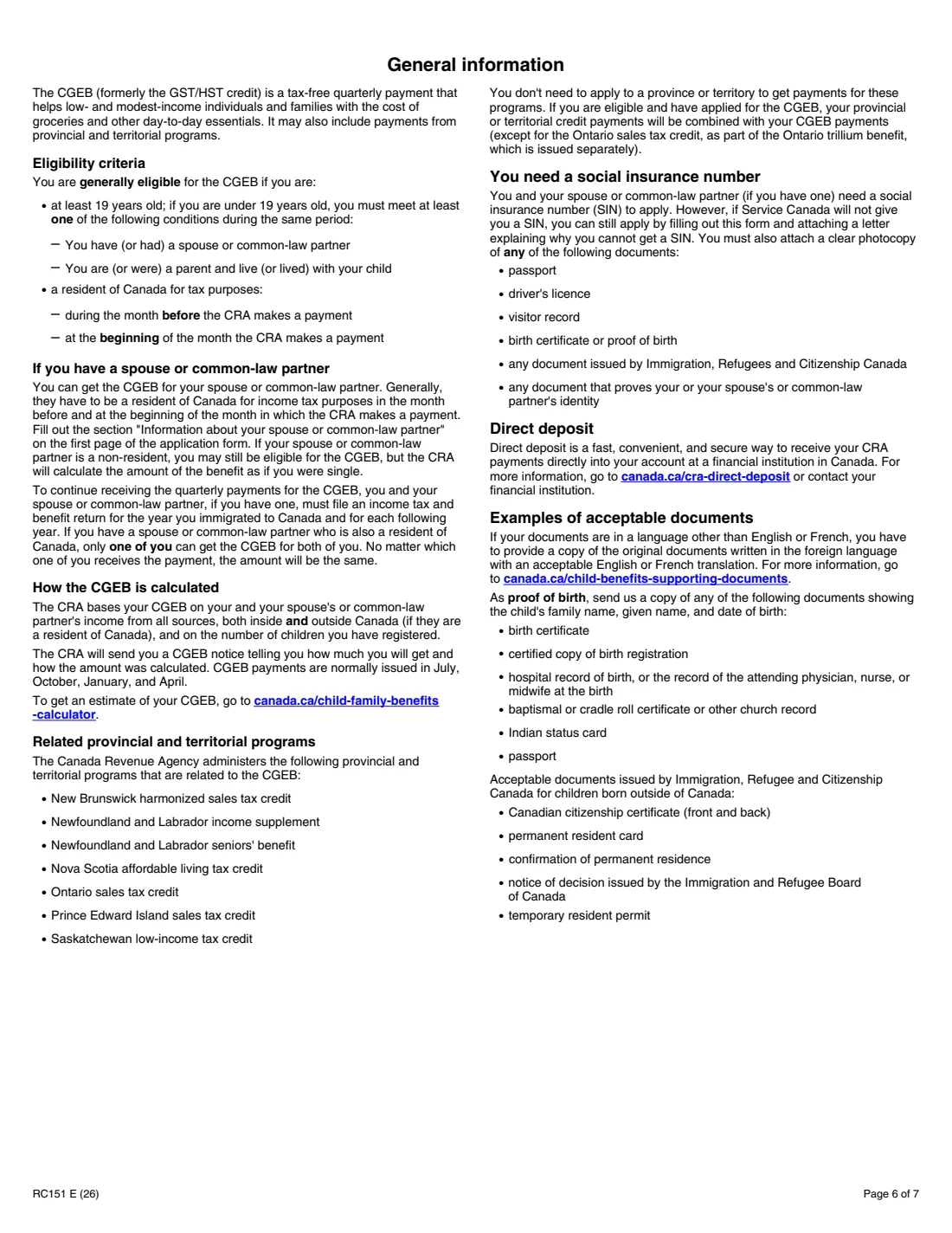
Form RC151 is the Canada Revenue Agency (CRA) application for the Canada Groceries and Essentials Benefit (CGEB) for individuals who become residents of Canada. The form explains that the CGEB replaces the goods and services tax/harmonized sales tax (GST/HST) credit: it's a tax-free quarterly payment that helps low- and modest-income individuals and families with the cost of groceries and other day-to-day essentials, and it can include payments from related provincial and territorial programs. The same form registers your children under 19 who are also residents of Canada.
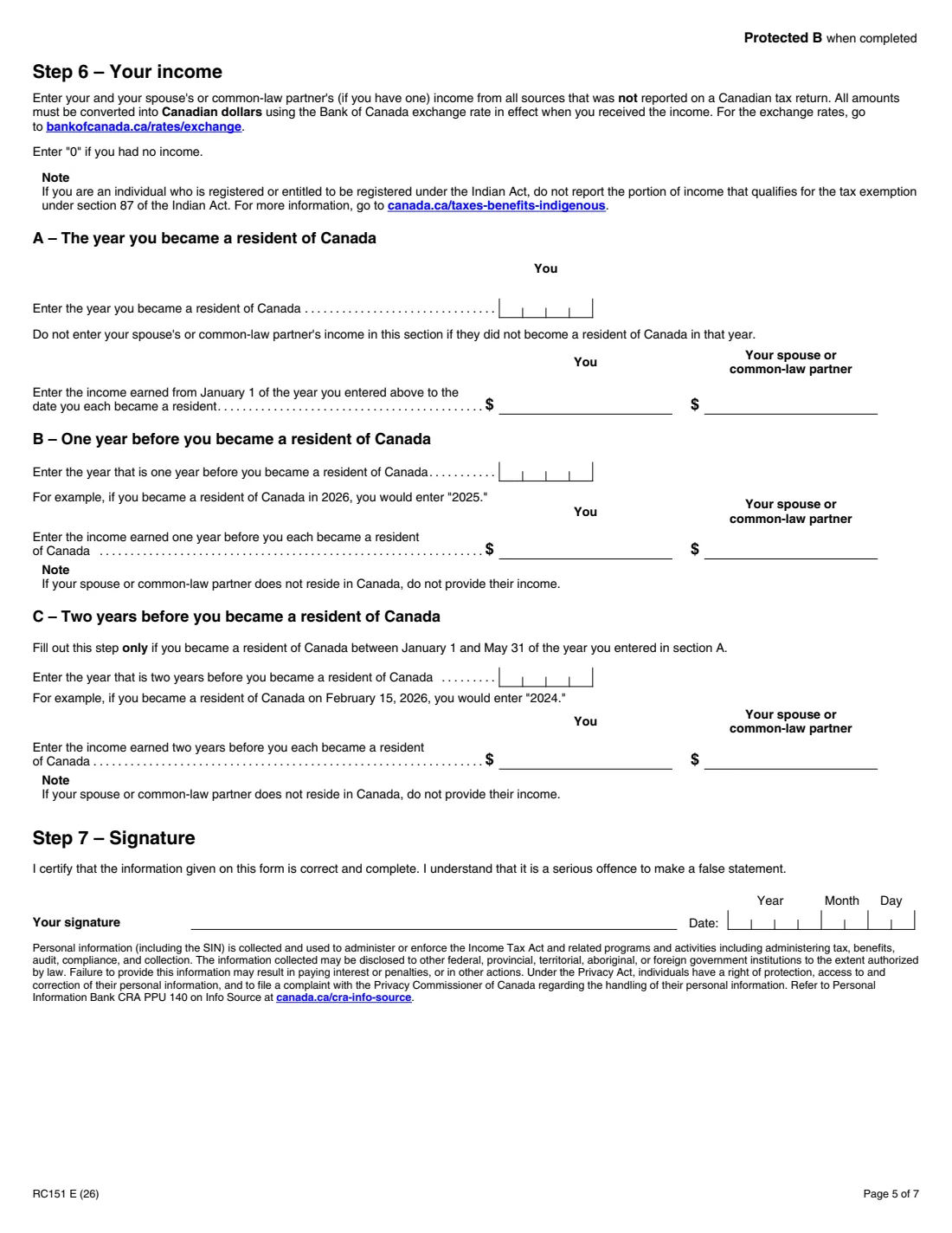
Because you haven't filed a Canadian return for the years before you arrived, the CRA asks for your (and your spouse's or common-law partner's) world income that wasn't reported on a Canadian return: for the part of the year before you became a resident, the year before, and in some cases the year before that. It also asks for your marital status on the date you became a resident, and the date you became (or became again) a resident of Canada.
FileIt walks you through all seven steps, works out the years Step 6 asks about from your arrival date, and prints your answers into the CRA's own fillable PDF (edition RC151 E (26)), including names with accents. The completed form is saved in your vault. The RC151 isn't on the CRA's list of forms that accept electronic signatures, so you print it, sign it by hand and mail it to your tax centre yourself; FileIt never sends it. Filling forms is free on every FileIt plan.
- Who fills it
- Newcomers to Canada and returning residents
- Sent to
- Your CRA tax centre (Winnipeg, Sudbury or Jonquière), by mail
- Benefit
- Canada Groceries and Essentials Benefit (formerly the GST/HST credit)
- Payments
- Normally July, October, January and April
- Children per form
- Two; use Form RC66-1 or a separate sheet for more
- Edition
- RC151 E (26)
Who needs to fill out Form RC151?
- People who have just moved to Canada and become residents for income tax purposes.
- Former residents who have come back and re-established their residential ties with Canada.
- Newcomers under 19 who have (or had) a spouse or common-law partner, or are (or were) a parent living with their child.
- Newcomer families registering their children under 19 who are also residents of Canada.
When to use Form RC151
- In the year you become a resident of Canada, or return and re-establish your residential ties.
- Once you have a social insurance number, or with a letter explaining why Service Canada won't give you one and a copy of an identity document.
- Before your first payment: you must be a resident for tax purposes in the month before and at the beginning of the month the CRA makes a payment.
- Keep the benefit going by filing an income tax and benefit return, you and your spouse or common-law partner, for the year you immigrated and every year after.
What you need before you start
- Your social insurance number (or temporary tax number or individual tax number), date of birth and phone numbers.
- Your mailing and home addresses, and your previous province or territory if you moved within the last 12 months.
- Your marital status on the date you became a resident, when it began, and any change since.
- Your spouse's or common-law partner's SIN, name, date of birth and address.
- The date you became a resident of Canada, or for returning residents the dates you left and came back and the province you lived in before.
- Each child's name, date of birth, place of birth and living arrangement, and proof of birth if the CRA hasn't paid benefits for the child before.
- Your and your spouse's world income not reported on a Canadian return, converted to Canadian dollars at the Bank of Canada exchange rate.
What’s on Form RC151
The 2026 edition has 7 pages. FileIt asks for it in 8 parts:
- Step 1 – Your informationApplicant
- Step 2 – Your addressApplicant
- Step 3 – Your marital statusApplicant
- Step 4 – Your residency statusApplicant
- Step 5 – Child 1Applicant
- Step 5 – Child 2Applicant
- Step 6 – Your incomeApplicant
- Step 7 – SignatureApplicant
How to fill out Form RC151, step by step
1 Steps 1 and 2 – You and your address
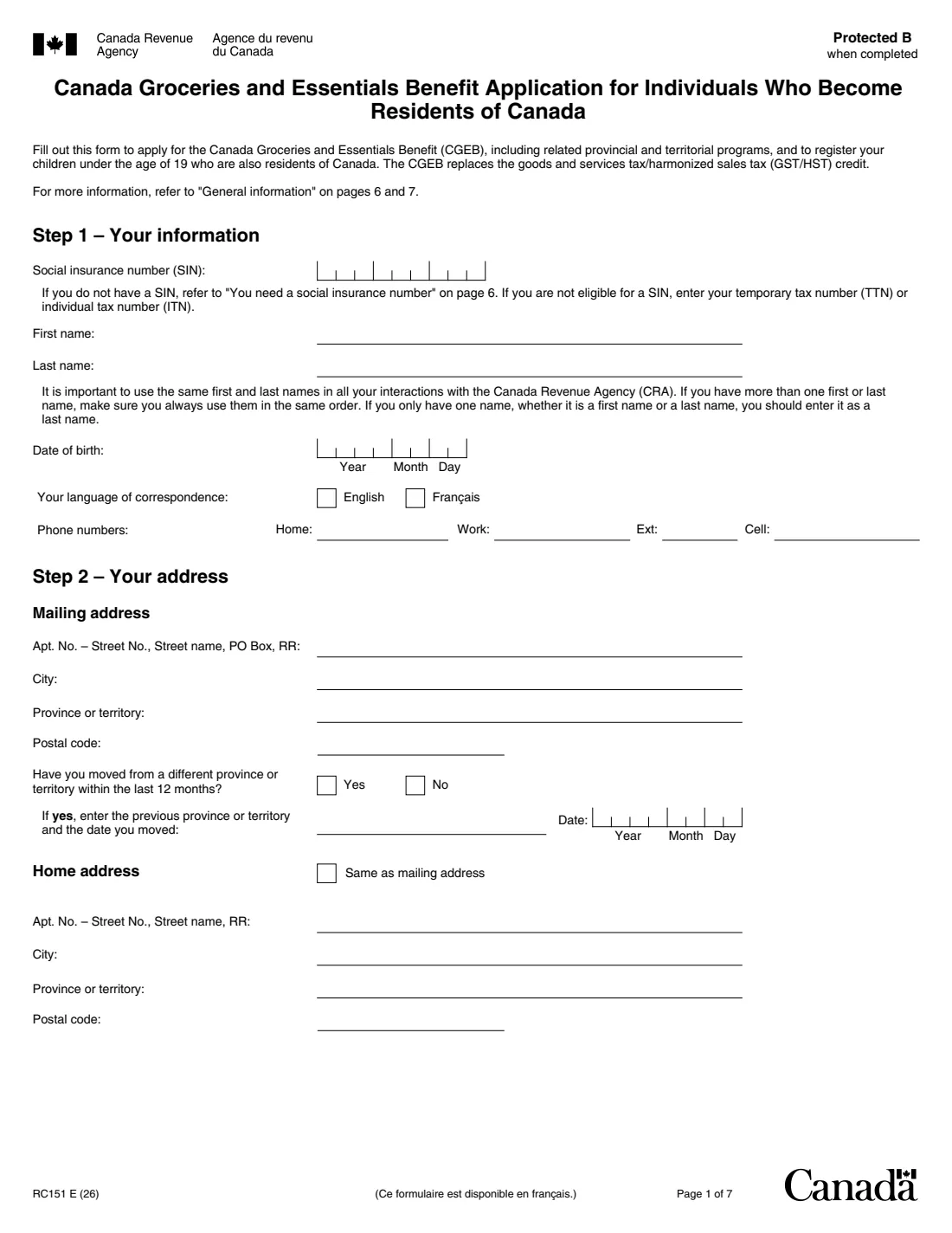
Give your SIN (or TTN or ITN), your name exactly as you'll use it with the CRA, date of birth, language of correspondence and phone numbers. Then your mailing address, whether you moved from another province or territory in the last 12 months, and your home address if it's different.
2 Step 3 – Marital status
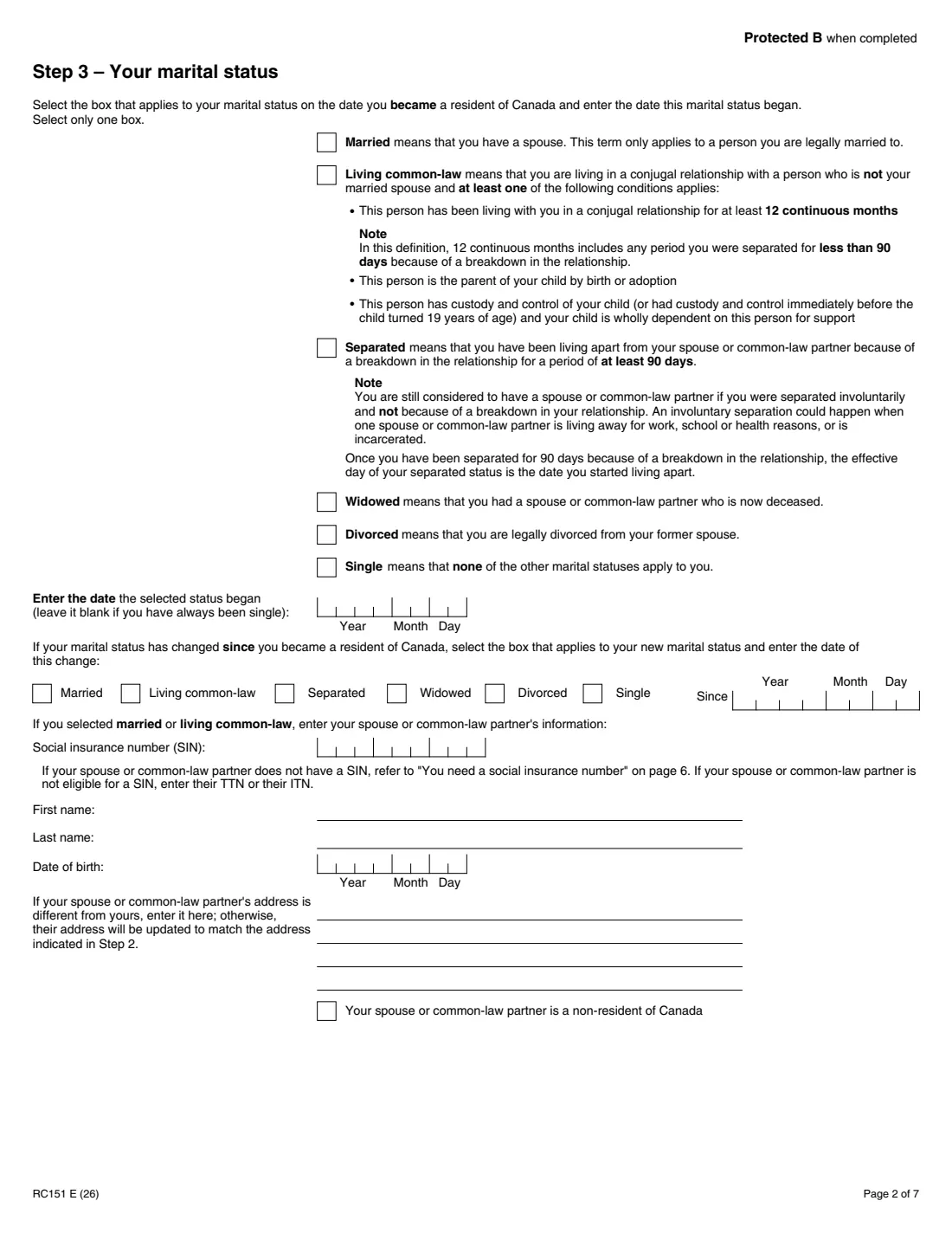
Tick your marital status on the date you became a resident of Canada and the date it began (blank if you've always been single). If it has changed since, tick the new status and the date. If you're married or living common-law, give your partner's SIN, name, date of birth, address if different, and whether they're a non-resident. The form explains that a non-resident partner doesn't stop you applying, but the CRA calculates the benefit as if you were single.
3 Step 4 – Residency status
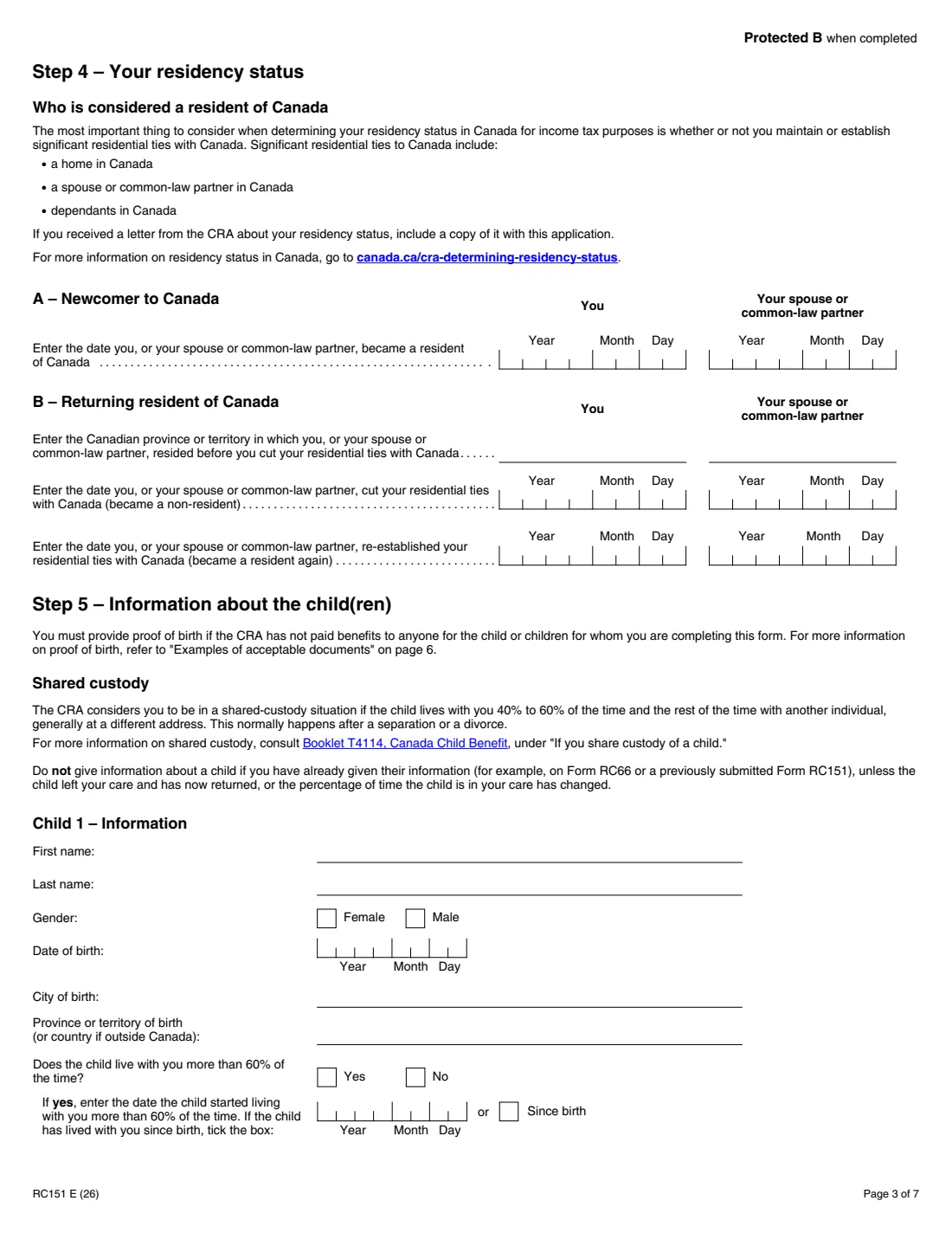
Newcomers enter the date they, and their spouse or common-law partner, became residents. Returning residents enter the province or territory they lived in before, the date they cut their residential ties, and the date they re-established them. If you received a letter from the CRA about your residency status, include a copy.
4 Step 5 – Children
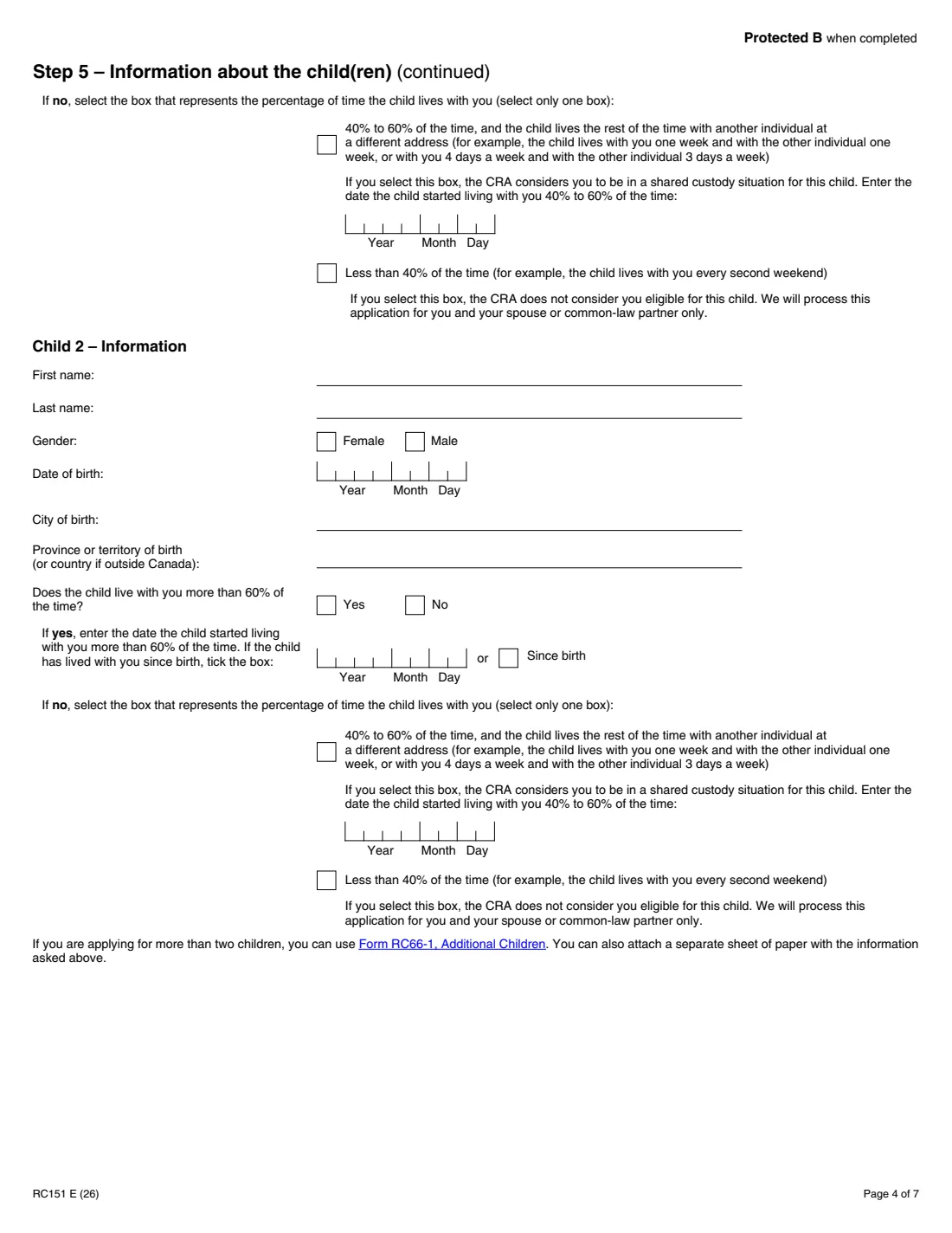
For each child under 19, give their name, gender, date of birth, city and province (or country) of birth, and how much of the time they live with you: more than 60% (since birth or since a date), 40% to 60% (shared custody), or less than 40%. Don't repeat a child you've already registered on Form RC66 or an earlier RC151 unless the child returned to your care or your share of their time changed.
5 Step 6 – Income
Enter income from all sources not reported on a Canadian return, in Canadian dollars: from January 1 of the year you became a resident to the date you did (A), the year before (B), and, only if you became a resident between January 1 and May 31, two years before (C). Enter 0 if you had no income. FileIt fills in the years from your Step 4 date.
6 Step 7 – Signature
Certify that the information is correct and complete, sign and date. Mail the form and any documents to the tax centre for your area listed on page 7 of the form.
Common mistakes to avoid
- Using different name orders on this form and later CRA dealings; the form asks you to keep them the same.
- Leaving out income earned outside Canada, or not converting it to Canadian dollars at the Bank of Canada rate.
- Filling in section C when you became a resident after May 31.
- Forgetting proof of birth for a child the CRA hasn't paid benefits for, or a translation of documents not in English or French.
- Not filing a return for the year you arrived, which stops the quarterly payments.
- Mailing the form to the wrong tax centre.
After you fill it out
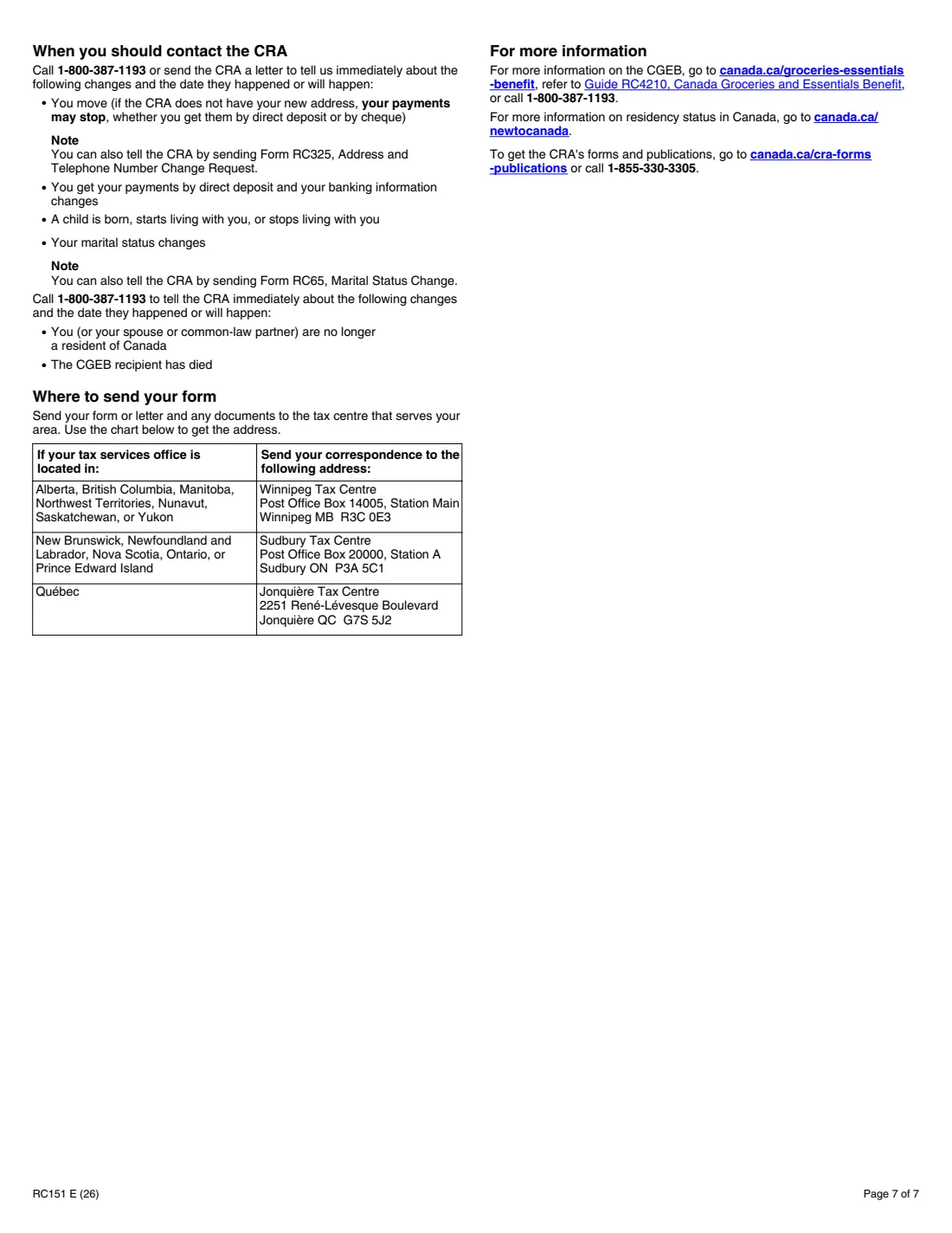
Print the completed PDF from your FileIt vault, sign Step 7 and mail it with any supporting documents to the tax centre for your area: Winnipeg (Alberta, British Columbia, Manitoba, Northwest Territories, Nunavut, Saskatchewan, Yukon), Sudbury (New Brunswick, Newfoundland and Labrador, Nova Scotia, Ontario, Prince Edward Island) or Jonquière (Quebec). The full addresses are on page 7. FileIt doesn't send anything for you.
The CRA sends you a notice saying how much you'll get and how it was calculated. Keep it in the same vault folder as your copy of the application.
Tell the CRA about changes: a move (you can use Form RC325), a change in marital status (Form RC65), a child born, starting or stopping living with you, or new direct deposit details. The form gives 1-800-387-1193 for these.
Fill out Form RC151 online with FileIt
- Pick the person. Choose someone from People and FileIt fills in their name, date of birth, address and other details it already knows.
- Answer plain-language questions. One part of the form at a time, with the official help text beside each question — 78 fields in all. Your answers save as you go.
- Check the live preview. Watch your answers land on the real Canada Revenue Agency (CRA) form, and let FileIt do any worksheet arithmetic.
- Generate the official PDF. FileIt prints your answers into the agency’s own PDF and files it in that person’s folder in your vault.
FileIt fills the form — it never files or submits anything for you. Deliver the finished form to whoever asked for it, the way the form’s instructions say.
Start Form RC151 now — it’s freeForm RC151: frequently asked questions
What is the Canada Groceries and Essentials Benefit?
According to the RC151, the CGEB (formerly the GST/HST credit) is a tax-free quarterly payment that helps low- and modest-income individuals and families with the cost of groceries and other day-to-day essentials. It may also include payments from provincial and territorial programs, such as the Ontario sales tax credit.
Is RC151 the same as the old GST/HST credit application for newcomers?
Yes. The 2026 edition renames it for the Canada Groceries and Essentials Benefit, which the form says replaces the GST/HST credit.
Do I need a social insurance number to apply?
You and your spouse or common-law partner need a SIN. If Service Canada won't give you one, you can still apply by attaching a letter explaining why and a clear photocopy of an identity document such as a passport or an IRCC document.
Where do I mail Form RC151?
To the tax centre that serves your area: Winnipeg, Sudbury or Jonquière, depending on your province or territory. The addresses are on page 7 of the form.
Can I register my children on the RC151?
Yes. Step 5 registers children under 19 who are also residents of Canada, two on the form itself. For more, use Form RC66-1, Additional Children, or attach a separate sheet.
Can I fill out Form RC151 online?
Yes. FileIt guides you through all seven steps, prints your answers into the CRA's official fillable RC151 PDF and saves it in your vault, free on every plan. You then print, sign and mail it.
Official sources
- Blank form (PDF), published by Canada Revenue Agency (CRA): https://www.canada.ca/content/dam/cra-arc/formspubs/pbg/rc151/rc151-fill-26e.pdf
- Official instructions and guidance: https://www.canada.ca/en/revenue-agency/services/forms-publications/forms/rc151.html
- Edition shown on this page: RC151 E (26) (checked 2026-09-28).
FileIt is not affiliated with or endorsed by Canada Revenue Agency (CRA) or any government. This page explains the form in general terms and is not legal, tax or immigration advice. Always read the official instructions, and check that you are using the edition the recipient accepts. Page last reviewed 2026-09-28.