What is RC1 business number request?
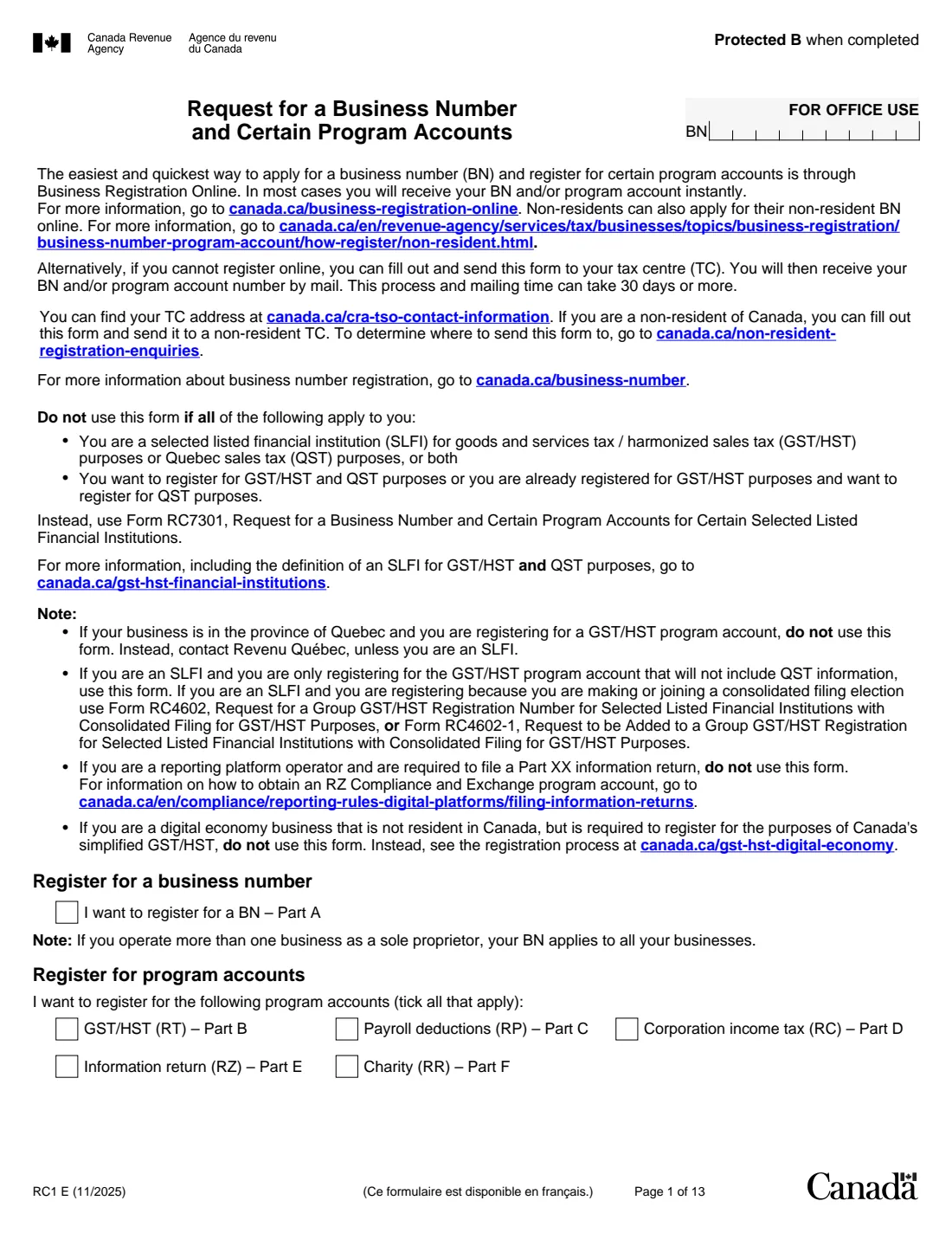
A business number (BN) is the nine-digit number the Canada Revenue Agency uses for a business, and each kind of account it needs sits under it: RT for GST/HST, RP for payroll deductions, RC for corporation income tax, RZ for information returns and RR for charities. RC1 requests the BN and any of these accounts in one form.
The CRA says Business Registration Online is the easiest and quickest way, usually giving you a number instantly, and that the paper form sent to your tax centre can take 30 days or more. RC1 is there when you can't register online. Part A (your business) and Part G (certification) are for everyone; Parts B to F are for each account you want.
FileIt asks only the parts you switch on, ticks the matching accounts on page 1, wraps your business activity onto the form's lines, and prints everything into the CRA's official 13-page RC1 PDF. Names with accents print correctly. The finished form is saved in your vault, ready to print and sign. FileIt never submits it.
- Who fills it
- Sole proprietors, partnerships, corporations, trusts and other organizations
- Given to
- Your CRA tax centre (a non-resident tax centre for non-residents)
- Accounts
- BN, plus GST/HST (RT), payroll (RP), corporation tax (RC), information returns (RZ), charity (RR)
- Pages
- 13
- Edition
- RC1 E (11/2025)
- Faster option
- Business Registration Online, per the CRA
Who needs to fill out RC1 business number request?
- A new sole proprietor who must or wants to register for GST/HST.
- A business hiring its first employees and needing a payroll account.
- A corporation incorporated in a province that doesn't share registration with the CRA.
- Organizations needing an information return or charity program account.
When to use RC1 business number request
- When you can't register through Business Registration Online.
- When your revenues from taxable supplies pass the $30,000 small supplier threshold ($50,000 for a public service body).
- Before your first payroll payment to employees.
- Not for a Quebec business registering for GST/HST (Revenu Québec), or SLFIs registering for both GST/HST and QST (Form RC7301).
What you need before you start
- The ownership type and, if incorporated, your certificate details.
- Each owner's, partner's or director's name, SIN, title and telephone numbers.
- The legal and operating names, physical and mailing addresses, and records address.
- A description of your main business activity and products or services.
- For GST/HST: your revenues, fiscal year-end, effective date and reporting period choice.
- For payroll: payment type, pay frequency, number of employees, total salaries and first pay date.
What’s on RC1 business number request
The 2025 edition has 13 pages. FileIt asks for it in 13 parts:
- What you are registering forBusiness owner or authorized person
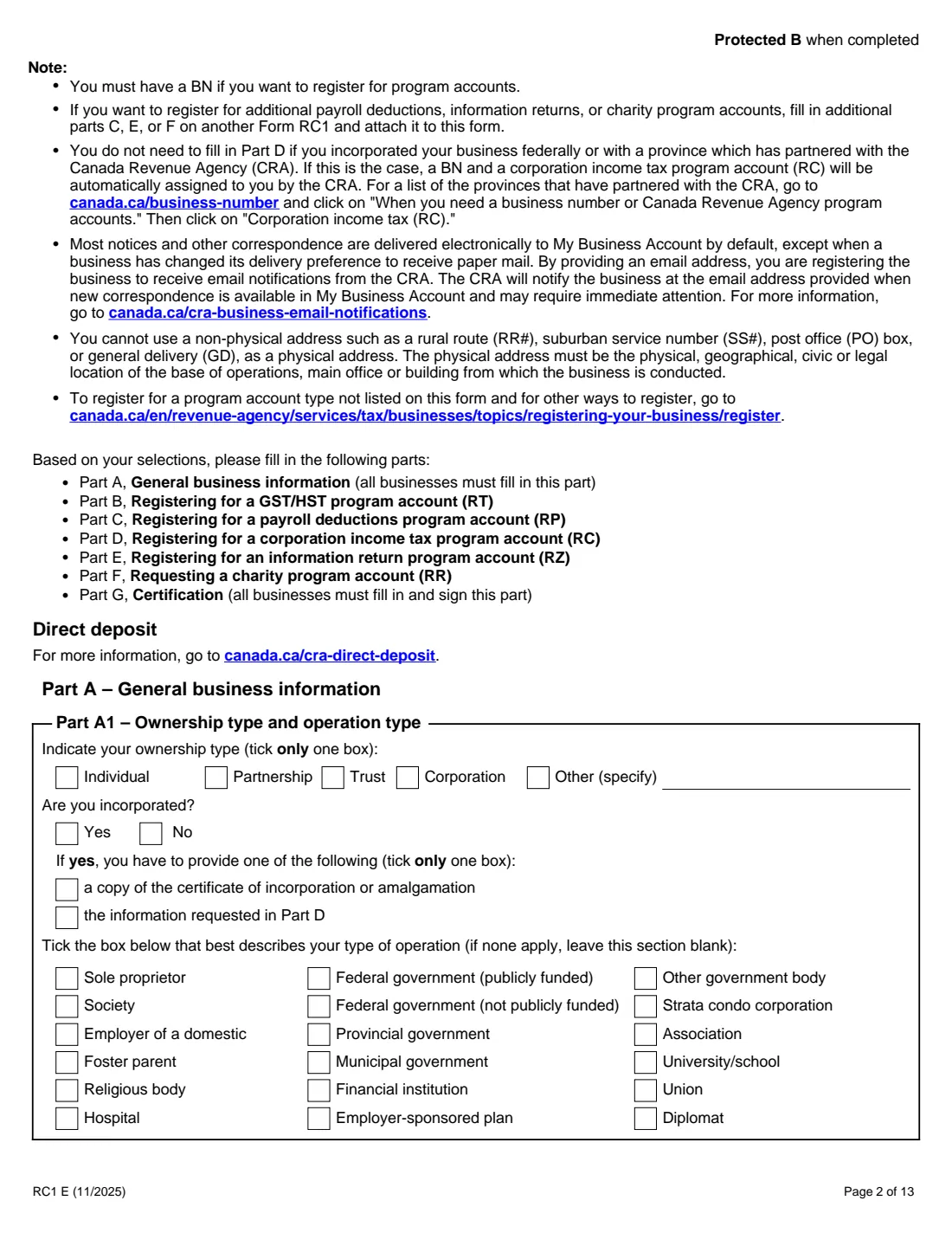
- Part A1: Ownership and operation typeBusiness owner or authorized person
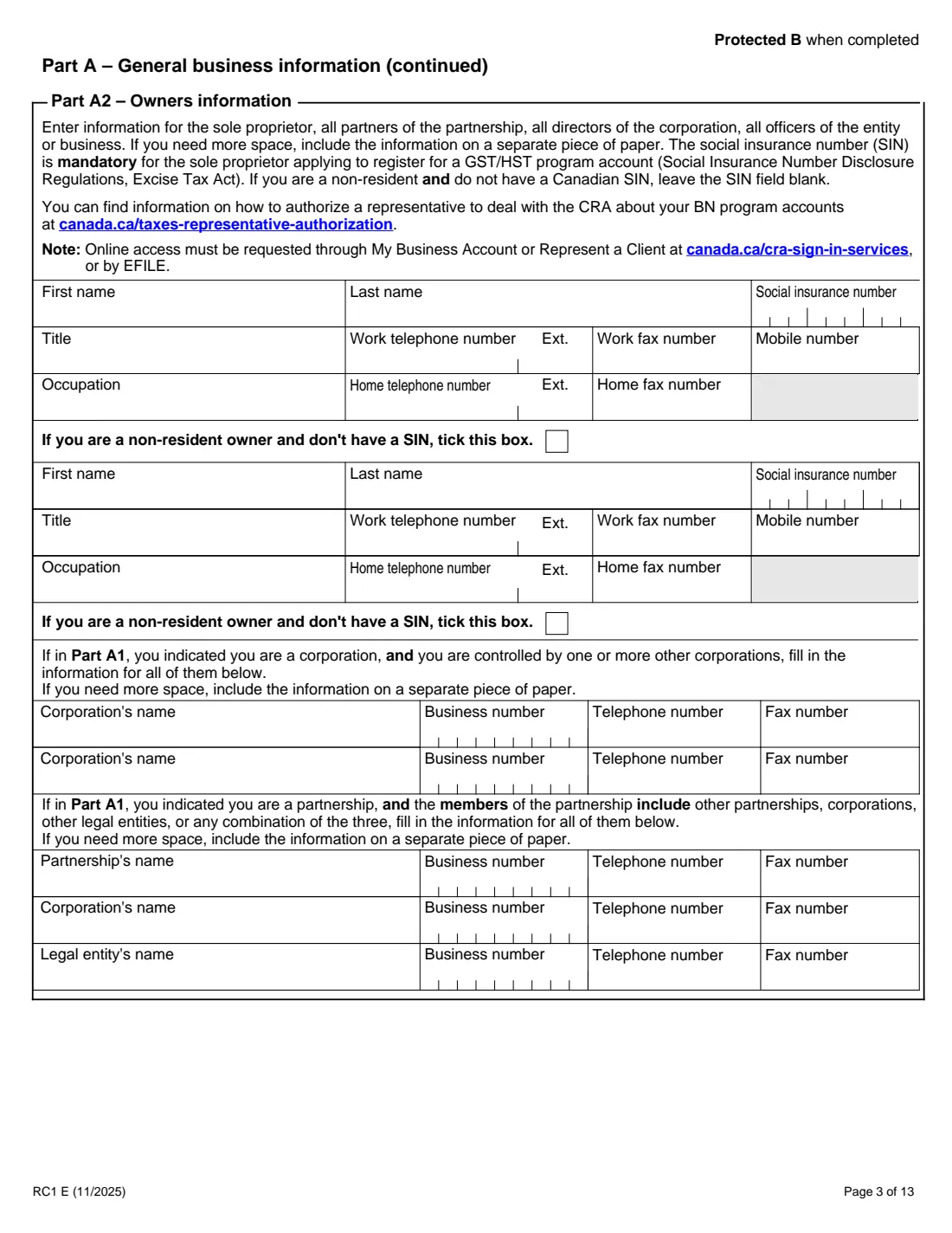
- Part A2: OwnersBusiness owner or authorized person
- Part A2: Controlling corporations or partnership membersBusiness owner or authorized person
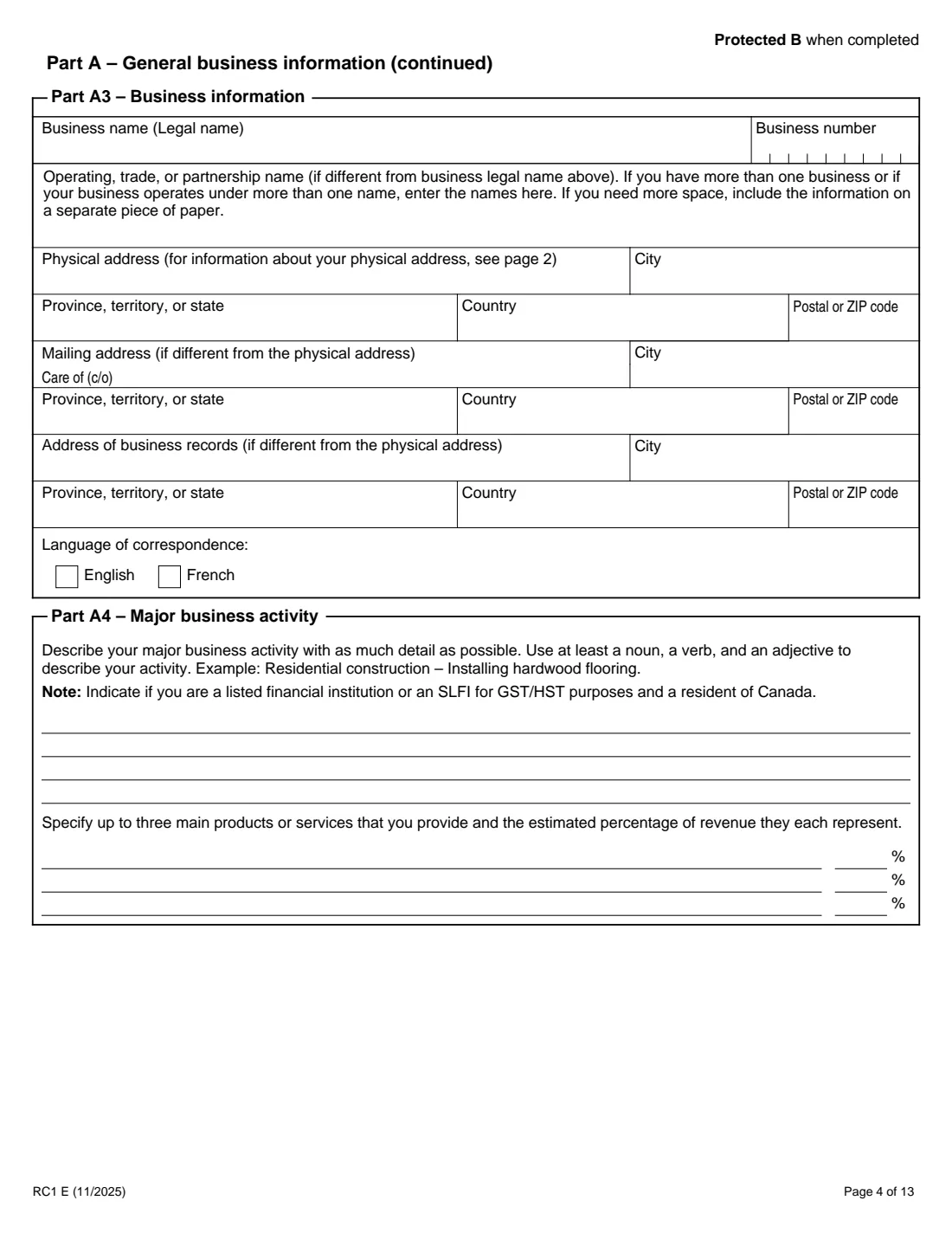
- Part A3: Business informationBusiness owner or authorized person
- Part A4: Major business activityBusiness owner or authorized person
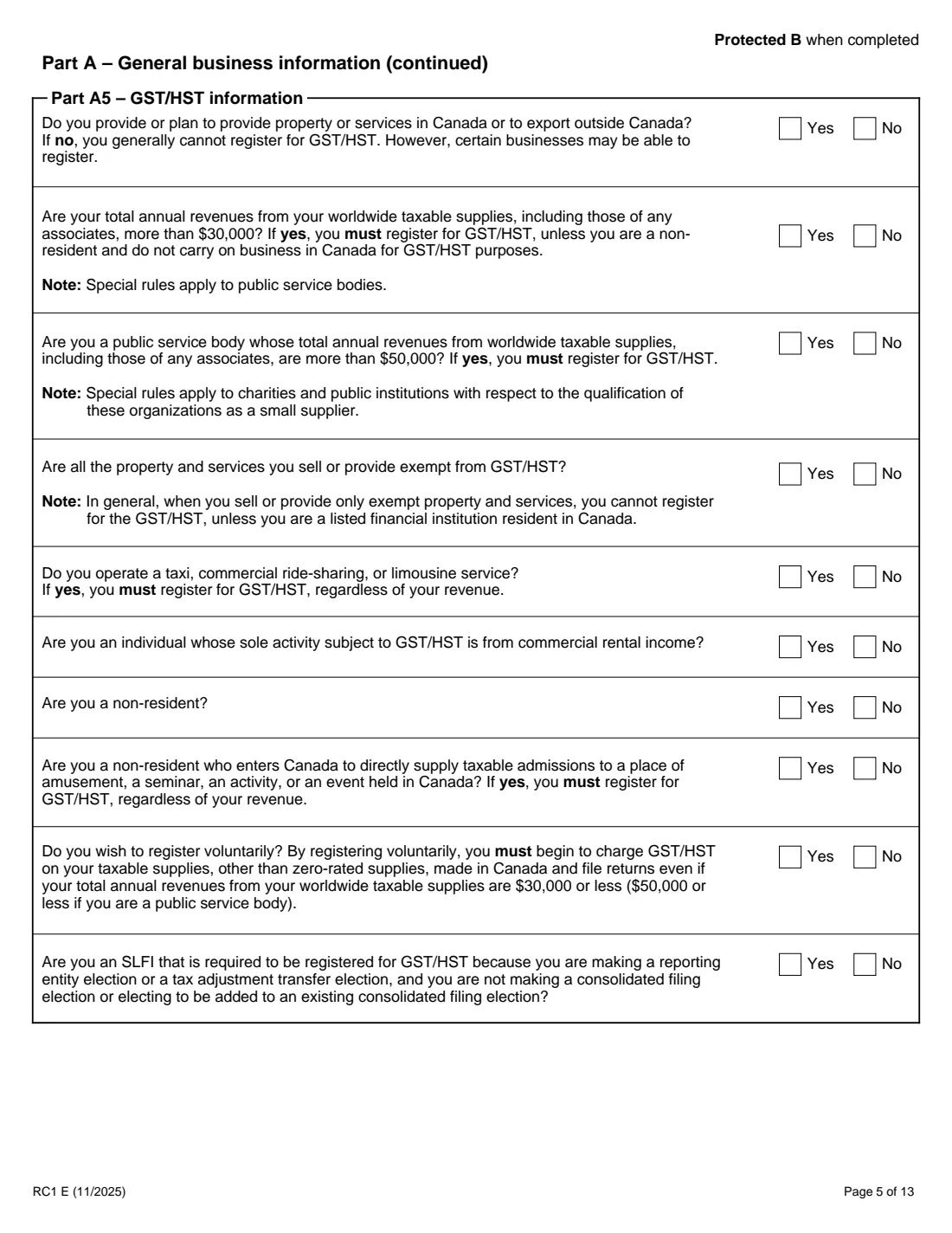
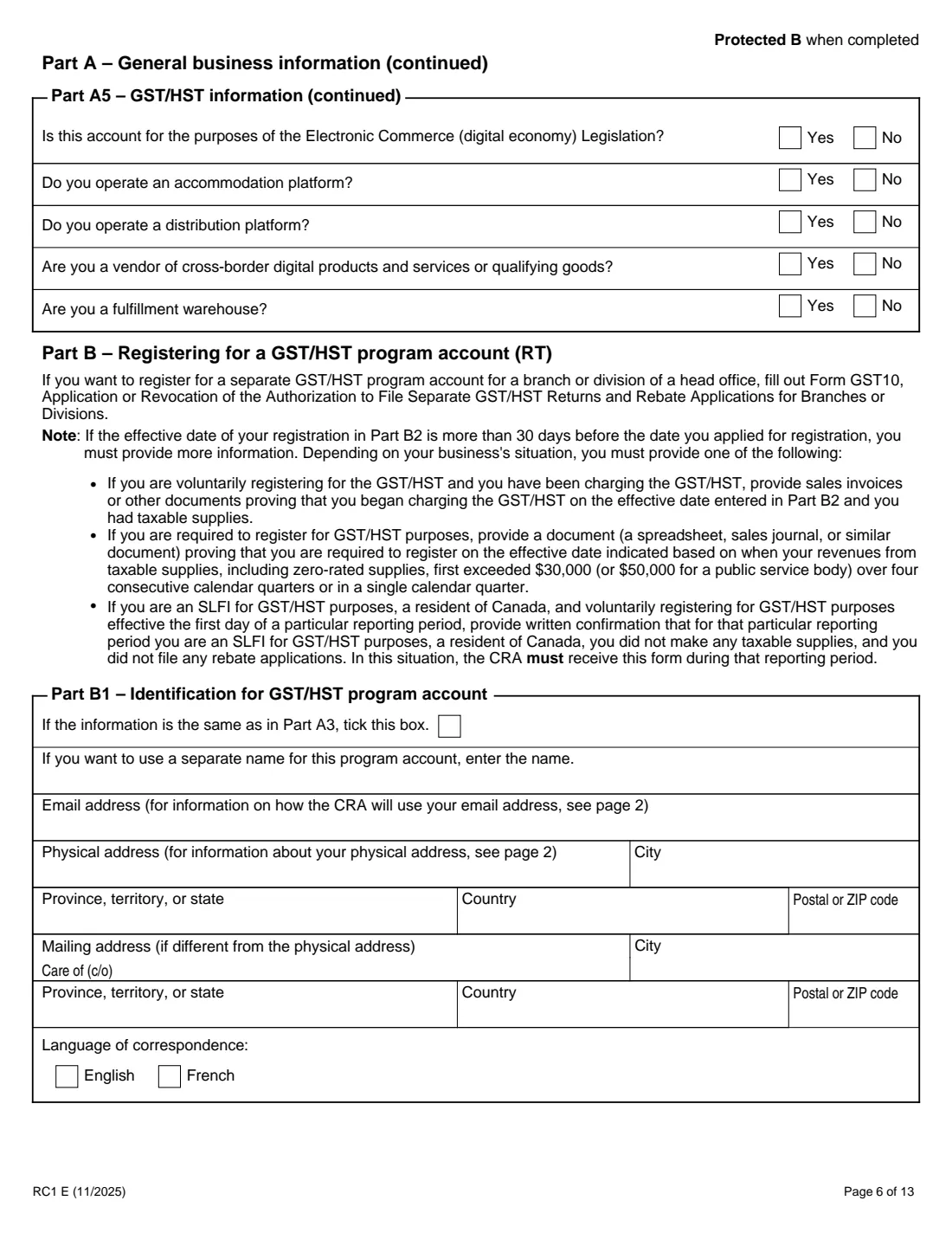
- Part A5: GST/HST informationBusiness owner or authorized person
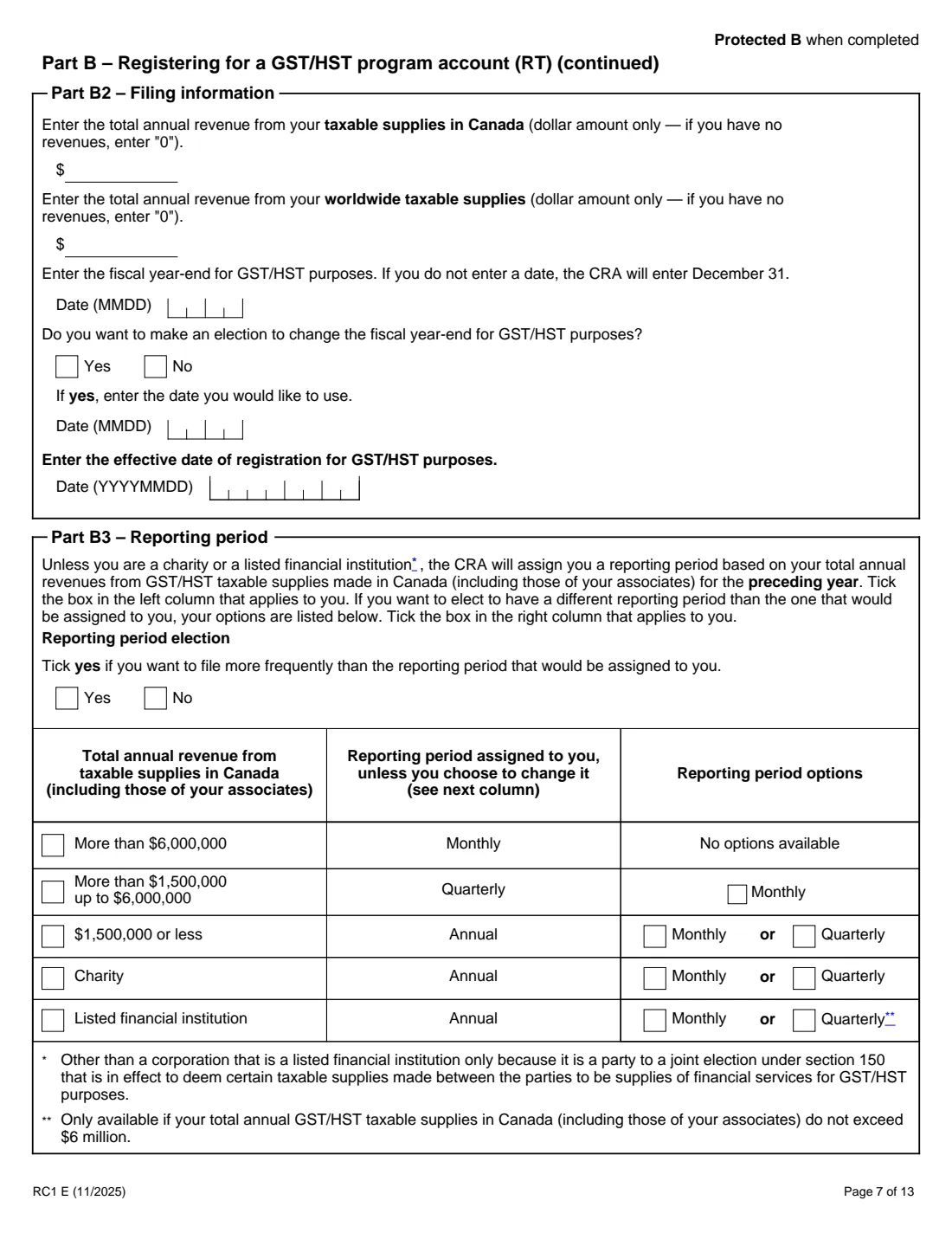
- Part B: GST/HST program account (RT)Business owner or authorized person
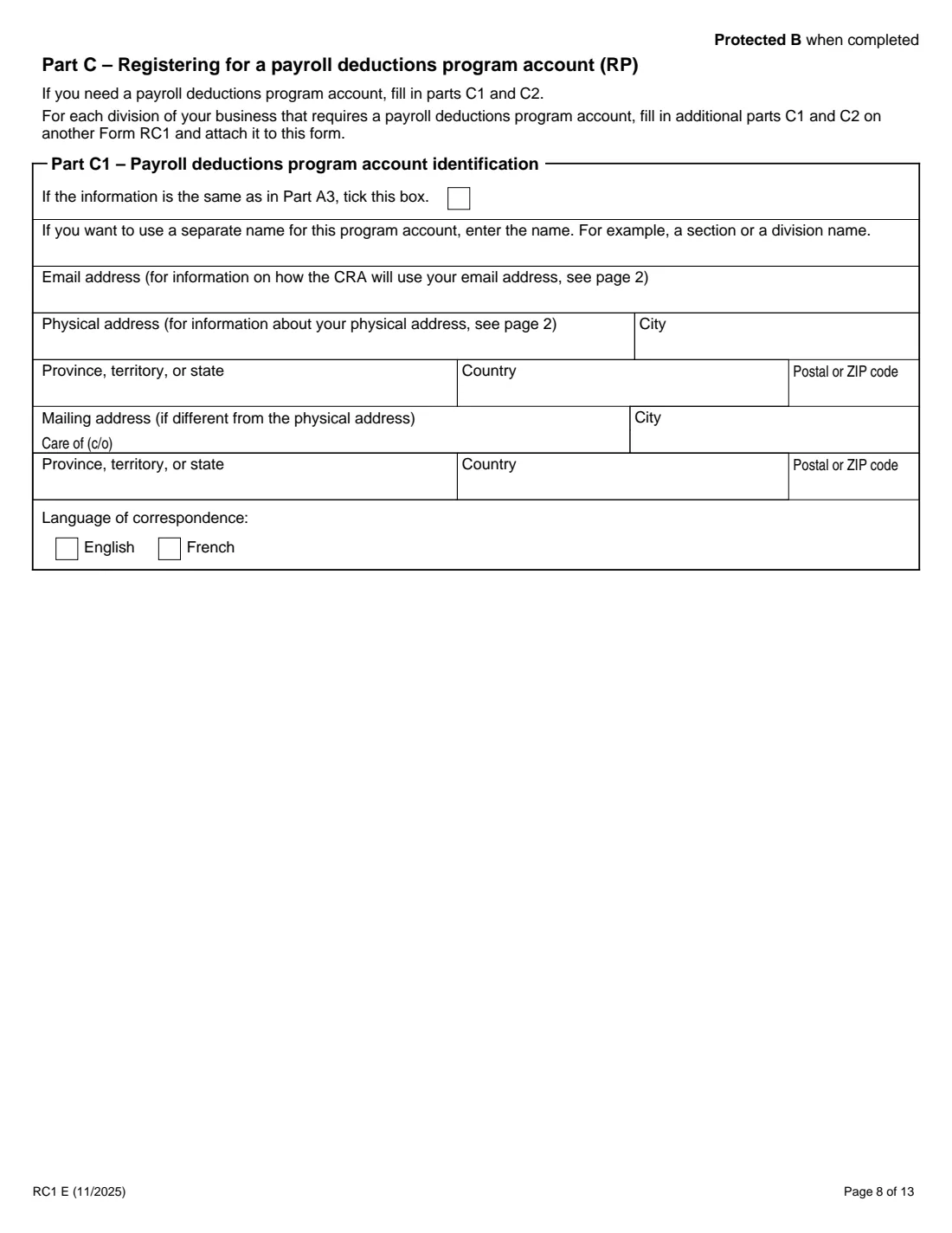
- Part C: Payroll deductions program account (RP)Business owner or authorized person
- Part D: Corporation income tax program account (RC)Business owner or authorized person
- Part E: Information return program account (RZ)Business owner or authorized person
- Part F: Charity program account (RR)Business owner or authorized person
- Part G: CertificationBusiness owner or authorized person
How to fill out RC1 business number request, step by step
1 Page 1: What you are registering for
A business number, and the program accounts you want. FileIt ticks each account for the parts you switch on.
2 Part A: General business information
Ownership and operation type, owners, any controlling corporations or partnership members, names and addresses, your major business activity, and the GST/HST questions that show whether you must, may or cannot register.
3 Part B: GST/HST (RT)
The account's name and addresses (or same as Part A3), revenues, fiscal year-end, effective date of registration, and your reporting period, with the option to file more often.
4 Part C: Payroll deductions (RP)
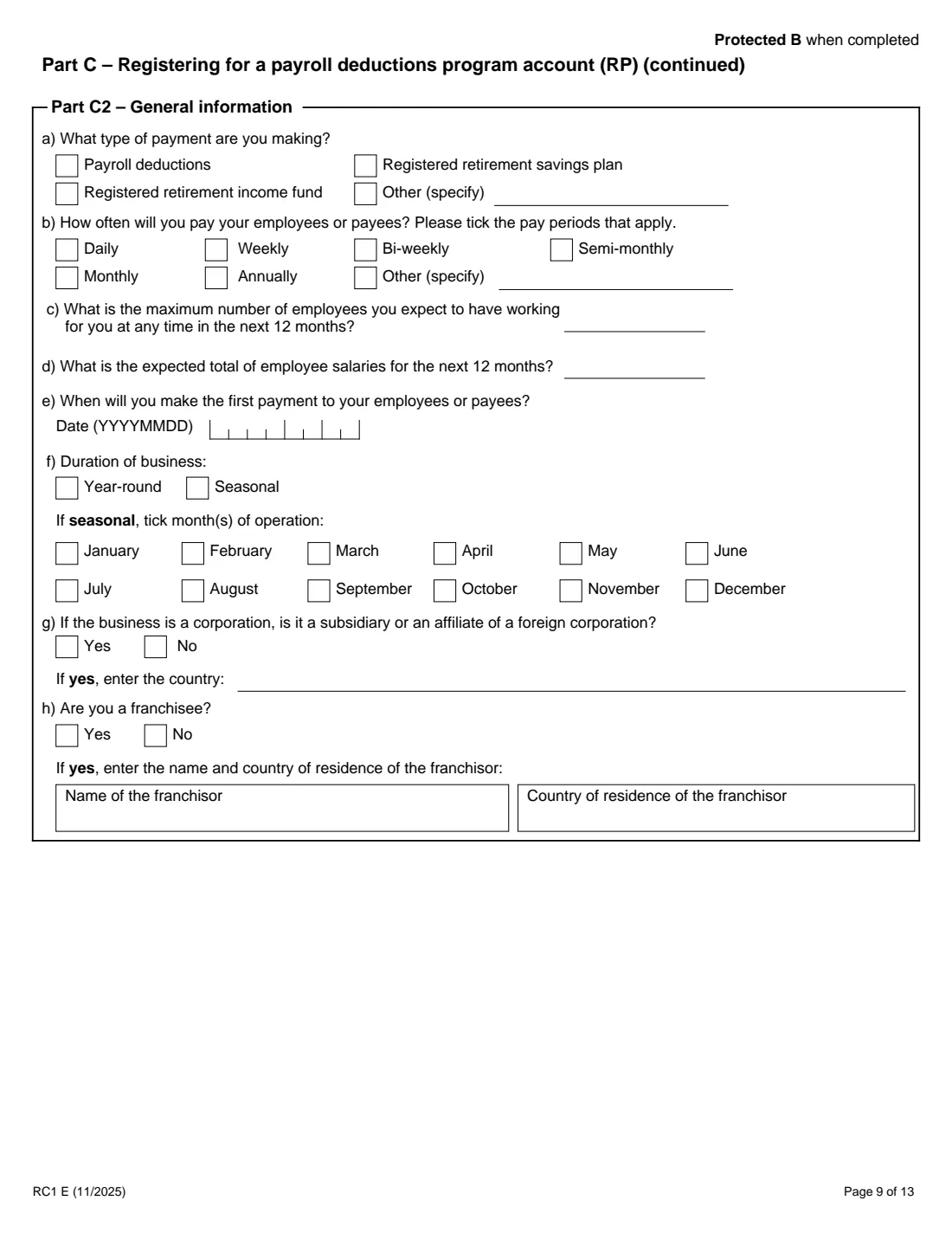
The account's identification, then the type of payment, pay frequency, maximum employees, expected salaries, first payment date, seasonal months, foreign parent and franchise details.
5 Parts D, E and F
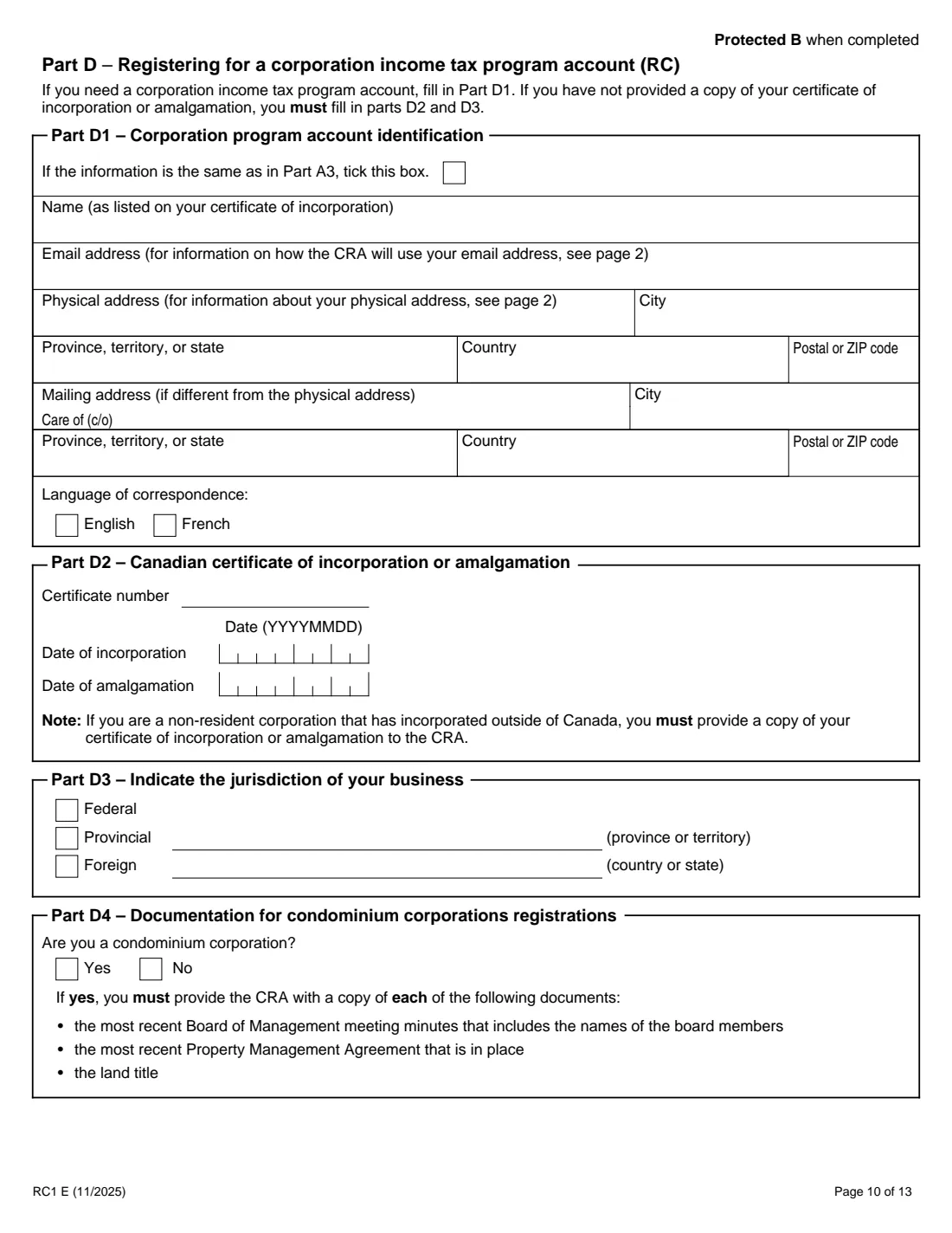
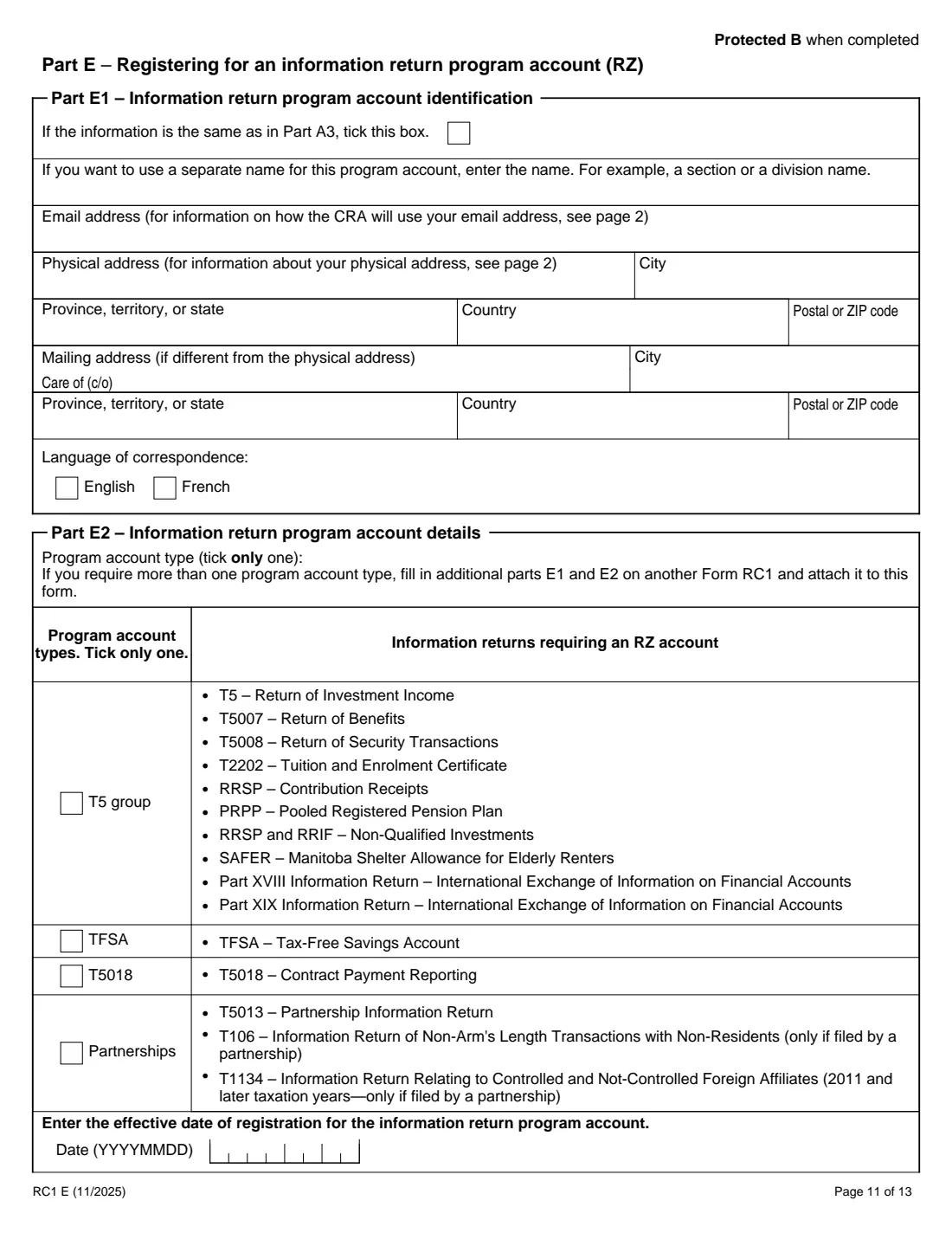
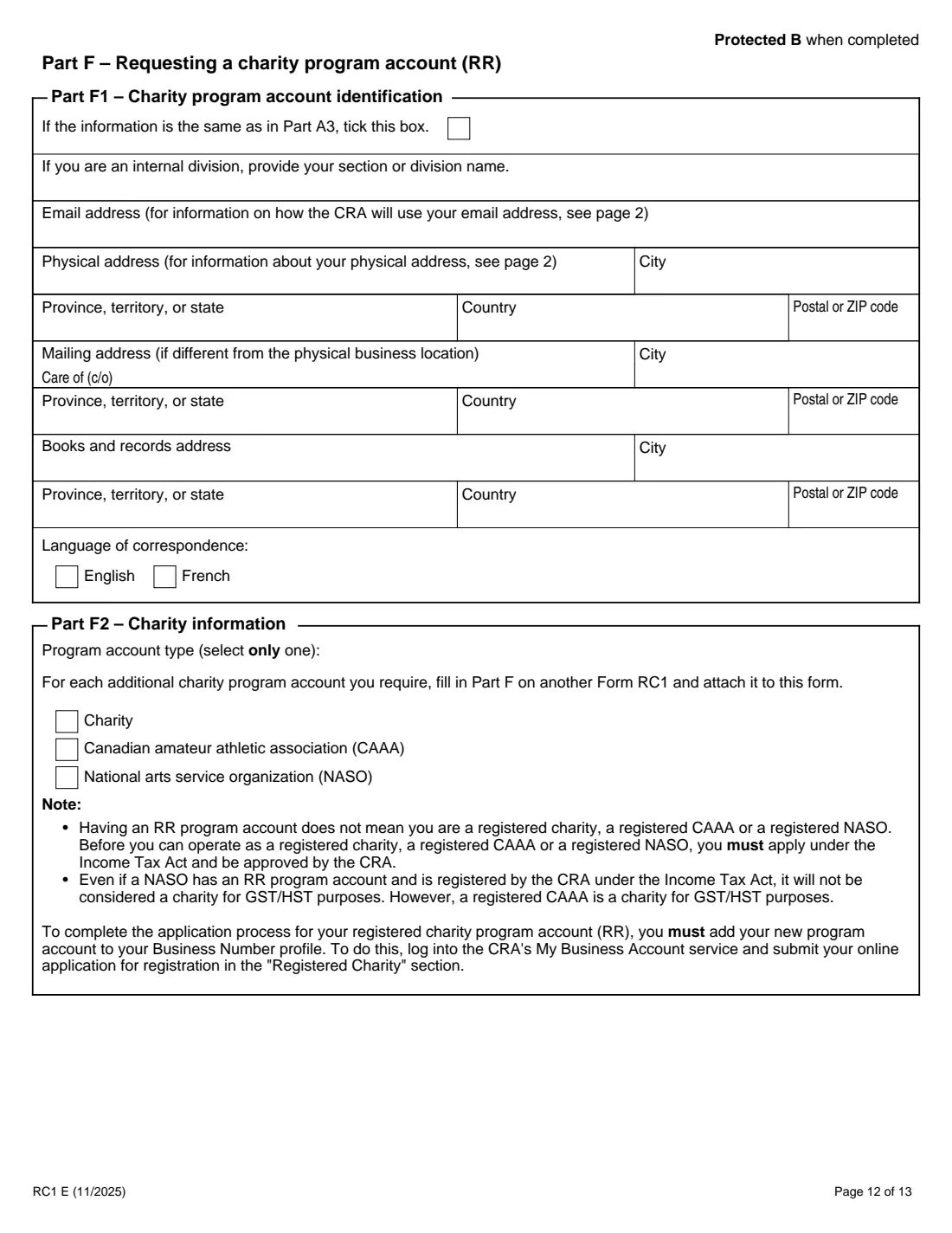
Corporation income tax (certificate, dates and jurisdiction, condominium question), information returns (one account type and effective date), and a charity program account (charity, CAAA or NASO).
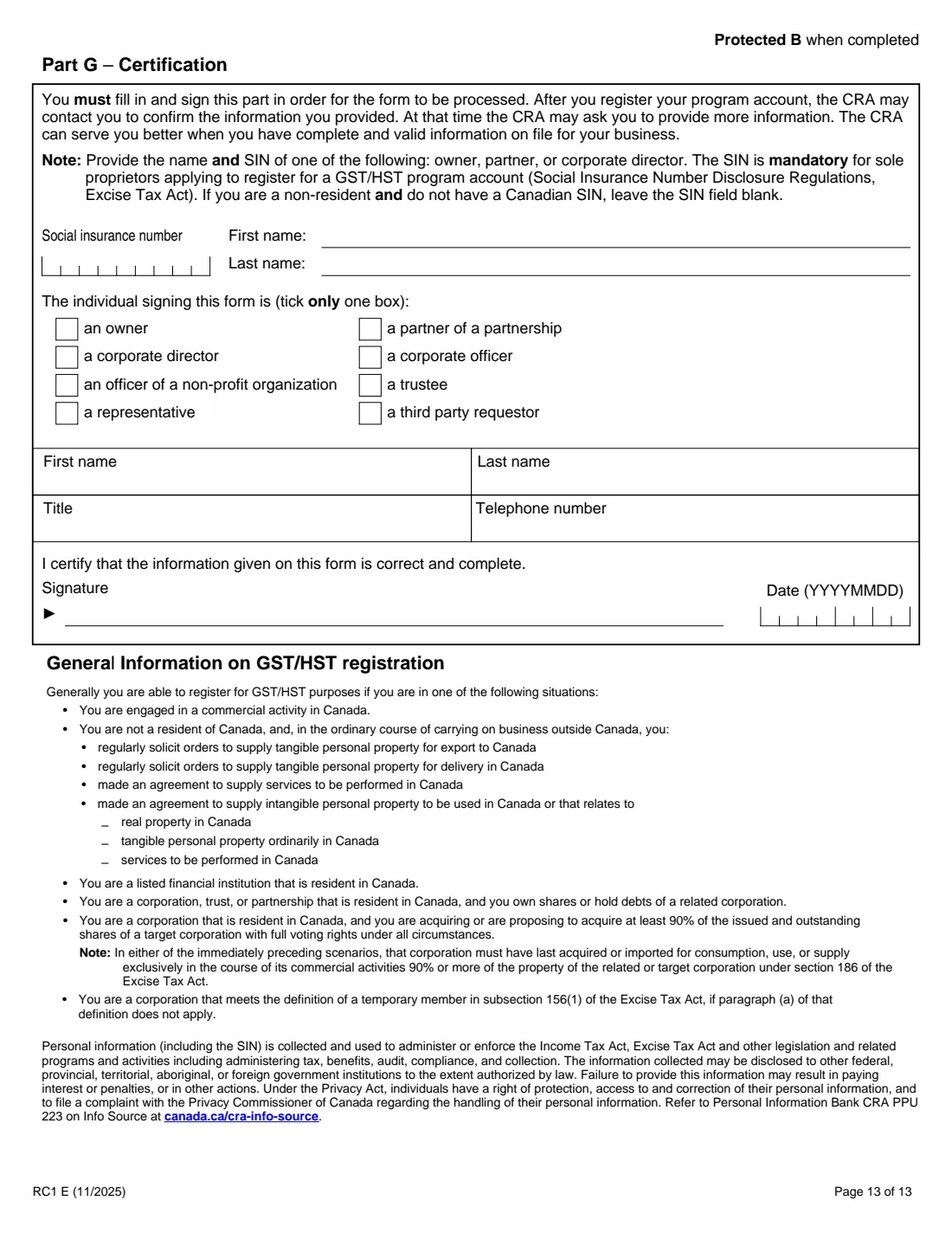
6 Part G: Certification
The name and SIN of an owner, partner or director, who is signing and in what role, their title and telephone number, and the signature and date.
Common mistakes to avoid
- Using a PO box, rural route or general delivery as the physical address.
- Leaving out the SIN of a sole proprietor registering for GST/HST.
- Filling in Part D when the corporation was incorporated federally or in a partnering province, where the CRA assigns the account automatically.
- Choosing an effective GST/HST date more than 30 days back without the supporting documents the form asks for.
- Treating an RR account as charity registration; you still apply for registered status separately.
After you fill it out
Print the PDF and sign Part G by hand.
Send it to your tax centre (a non-resident tax centre if you are a non-resident), with any documents your answers call for. FileIt does not send it.
Keep the saved copy in your vault; your BN and account numbers arrive by mail.
Fill out RC1 business number request online with FileIt
- Pick the person. Choose someone from People and FileIt fills in their name, date of birth, address and other details it already knows.
- Answer plain-language questions. One part of the form at a time, with the official help text beside each question — 234 fields in all. Your answers save as you go.
- Check the live preview. Watch your answers land on the real Canada Revenue Agency (CRA) form, and let FileIt do any worksheet arithmetic.
- Generate the official PDF. FileIt prints your answers into the agency’s own PDF and files it in that person’s folder in your vault.
FileIt fills the form — it never files or submits anything for you. Deliver the finished form to whoever asked for it, the way the form’s instructions say.
Start RC1 business number request now — it’s freeRC1 business number request: frequently asked questions
Is there a faster way?
The CRA says Business Registration Online is the easiest and quickest, usually giving you a BN or account instantly. The paper form can take 30 days or more.
Do I need a BN for each business?
The form notes that if you run more than one business as a sole proprietor, your BN applies to all of them.
Do I have to register for GST/HST?
Part A5 says you generally must if your worldwide taxable supplies are more than $30,000 ($50,000 for a public service body), and taxi and ride-sharing operators must register regardless of revenue. Smaller businesses may register voluntarily.
Will I get mail from the CRA by email?
The form says most notices go to My Business Account, and the email address you give is used to tell you when new correspondence is there.
Does an RR account make us a registered charity?
No. The form says you must still apply under the Income Tax Act and be approved, through the Registered Charity section of My Business Account.
Can I fill out RC1 with FileIt?
Yes. FileIt prints your answers into the CRA's official PDF and saves it in your vault. You print, sign and send it. FileIt never submits it.
Official sources
- Blank form (PDF), published by Canada Revenue Agency (CRA): https://www.canada.ca/content/dam/cra-arc/formspubs/pbg/rc1/rc1-fill-11-25e.pdf
- Official instructions and guidance: https://www.canada.ca/en/revenue-agency/services/forms-publications/forms/rc1.html
- Edition shown on this page: RC1 E (11/2025) (checked 2026-10-19).
FileIt is not affiliated with or endorsed by Canada Revenue Agency (CRA) or any government. This page explains the form in general terms and is not legal, tax or immigration advice. Always read the official instructions, and check that you are using the edition the recipient accepts. Page last reviewed 2026-10-19.