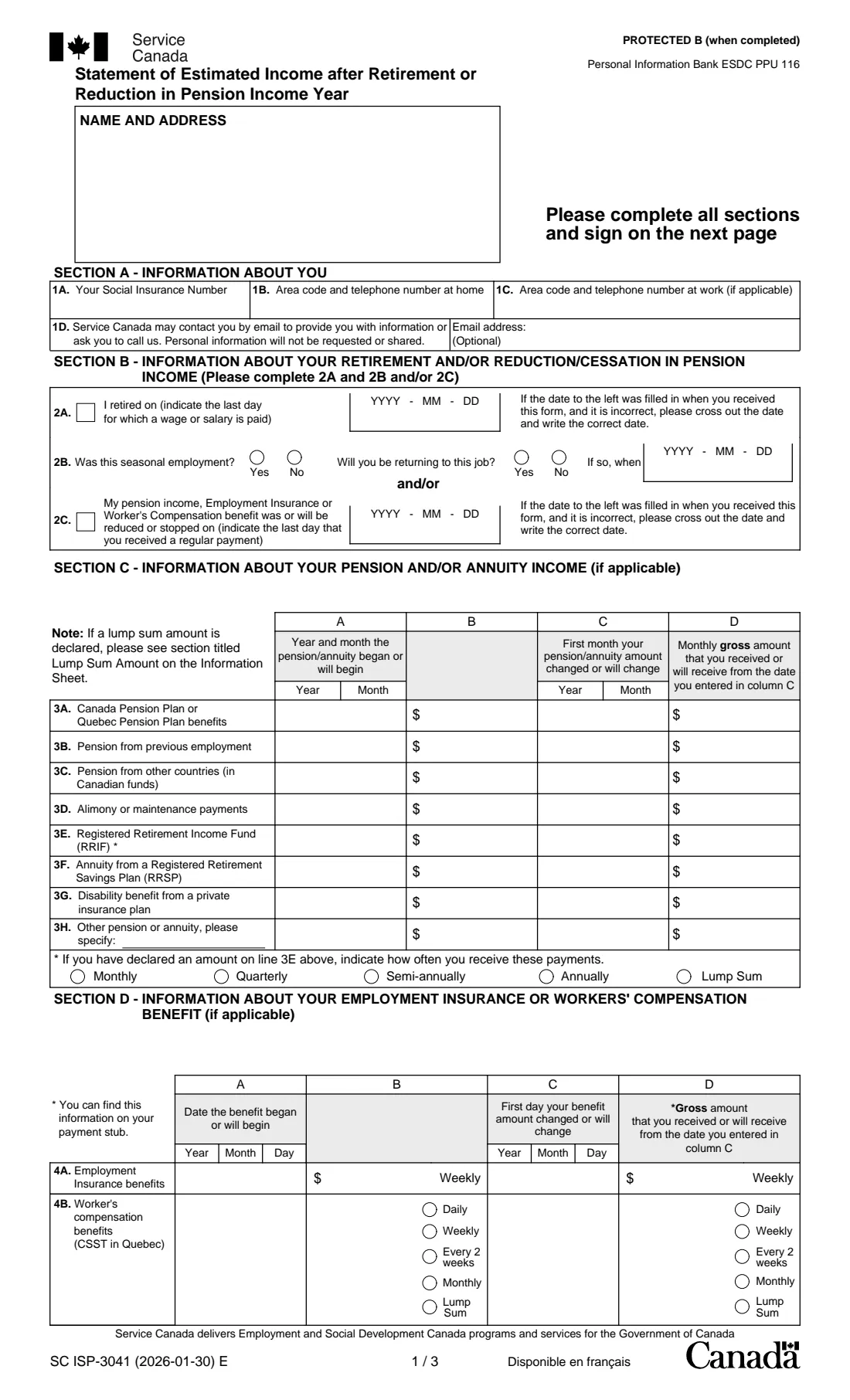
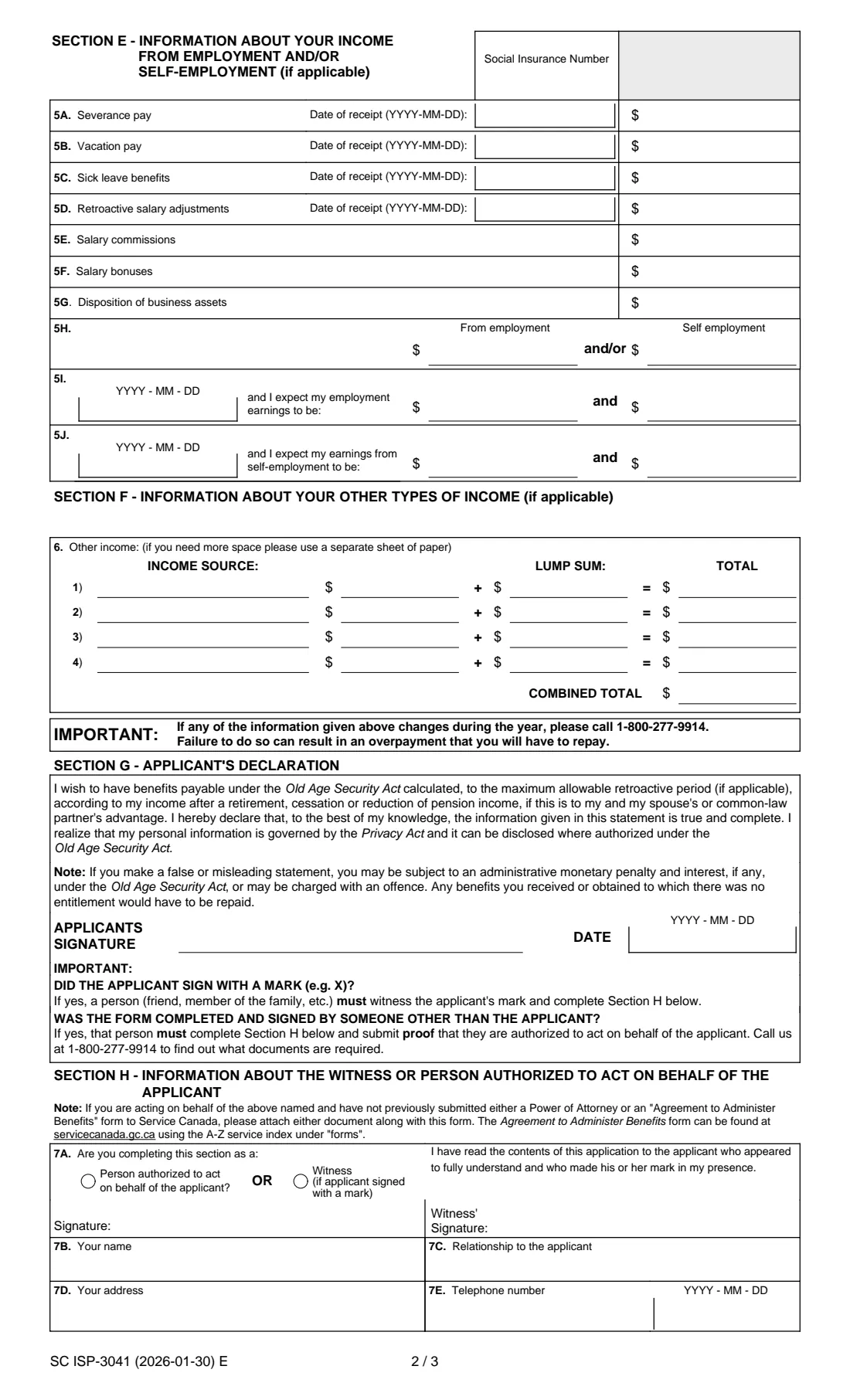
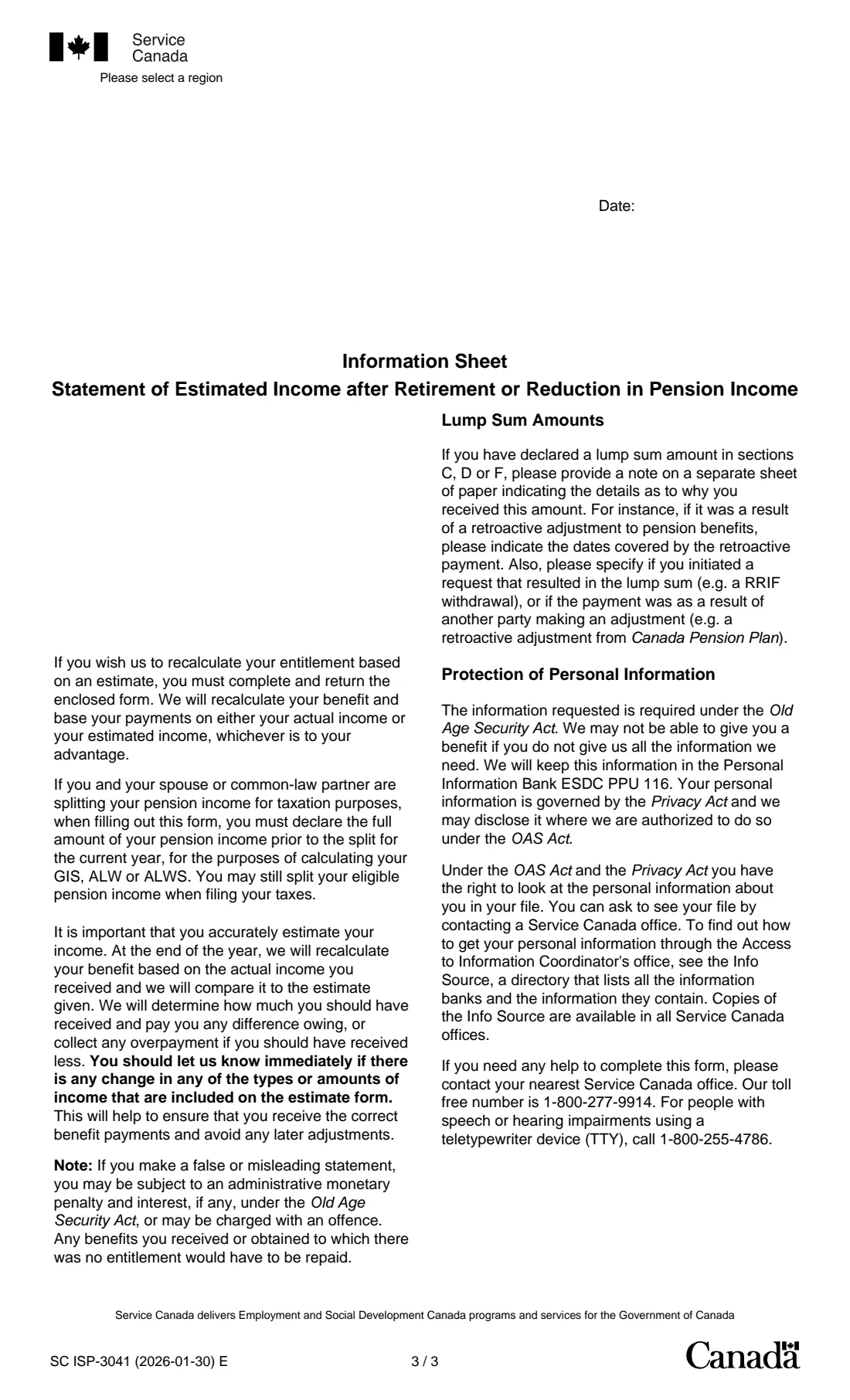
What is ISP-3041 estimated income (GIS)?
The Guaranteed Income Supplement (GIS), the Allowance and the Allowance for the Survivor are normally based on last year's income. The form's information sheet explains that if you have since retired, closed your business, or your pension income stopped or dropped, it may be to your advantage to use an estimate of this year's income instead. ISP-3041 is that estimate.
You say when you retired or when a payment was reduced or stopped, then list this year's pensions and annuities, Employment Insurance or workers' compensation, employment and self-employment earnings, and other income. Service Canada bases your payments on your actual or your estimated income, whichever is to your advantage, and at the end of the year compares the estimate with what you really received.
FileIt walks you through each section, prints your answers into Service Canada's official PDF with the year's wording restored, and adds up the other-income lines for you. The completed statement is saved in your vault for you to print and sign. FileIt never submits it.
- Who fills it
- People receiving the GIS, the Allowance or the Allowance for the Survivor
- Given to
- Service Canada
- Covers
- One calendar year of estimated income
- Pages
- 3 legal-size pages (the statement and an information sheet)
- Edition
- SC ISP-3041 (2026-01-30) E
- Signatures
- The applicant, by hand; a witness only for a signature by mark
Who needs to fill out ISP-3041 estimated income (GIS)?
- GIS recipients who retired this year and earn much less than last year.
- People whose pension, annuity, Employment Insurance or workers' compensation was reduced or stopped.
- Recipients of the Allowance or the Allowance for the Survivor in the same situation.
- A person authorized to act for the applicant, or a witness to a signature by mark.
When to use ISP-3041 estimated income (GIS)
- After you stop working for a wage or salary, or close a business, during the year.
- After a pension or benefit payment is reduced or ends.
- When Service Canada sends you this statement with a letter about your benefit.
- Again, if your estimated income changes during the year: the form asks you to call 1-800-277-9914.
What you need before you start
- Your Social Insurance Number, name, address and telephone numbers.
- The last day you were paid a wage or salary, or the last regular payment of a reduced pension or benefit.
- Each pension or annuity's start month and monthly gross amount, and any change.
- Employment Insurance or workers' compensation amounts from your payment stubs.
- This year's employment and self-employment earnings, severance, vacation pay and similar amounts.
- Any other income for the year, such as interest or rental income.
What’s on ISP-3041 estimated income (GIS)
The 2026 edition has 3 pages. FileIt asks for it in 8 parts:
- The year, and Section A: About youApplicant
- Section B: Your retirement or reduced pension incomeApplicant
- Section C: Pension and annuity income (if applicable)Applicant
- Section D: Employment Insurance or workers' compensation (if applicable)Applicant
- Section E: Employment and self-employment income (if applicable)Applicant
- Section F: Other income (if applicable)Applicant
- Section G: Your declarationApplicant
- Section H: Witness or person acting for the applicantWitness or person authorized to act
How to fill out ISP-3041 estimated income (GIS), step by step
1 Year and Section A
The year of the estimate, your name and address, Social Insurance Number, telephone numbers and an optional email address.
2 Section B: What changed
2A if you retired, with your last paid day and whether it was seasonal work you will return to; 2C if a pension, Employment Insurance or workers' compensation payment was reduced or stopped, with the last regular payment.
3 Section C: Pensions and annuities
For CPP or QPP, employer pensions, foreign pensions, support payments, RRIF, RRSP annuities, private disability benefits and others: when each began, the monthly gross amount in January, and any change with its new amount. RRIF payments also need their frequency.
4 Section D: EI and workers' compensation
When the benefit began, the gross amount in January, and any change, with how often workers' compensation is paid.
5 Sections E and F: Earnings and other income
Severance, vacation pay, sick leave, retroactive pay, commissions, bonuses and business asset sales; this year's total earnings, or earnings before and after retiring; and up to four other income sources with any lump sums. FileIt totals the lines.
6 Sections G and H: Signing
You sign and date the declaration. Section H is for a witness when you sign with a mark, or for someone authorized to act for you.
Common mistakes to avoid
- Including Old Age Security or GIS payments as income in Section F.
- Declaring a lump sum without the explanatory note the information sheet asks for.
- Reporting pension income after splitting it for tax; the form asks for the full amount before the split.
- Forgetting to report a change during the year, which can lead to an overpayment.
- Leaving a change month in column C without the new amount in column D.
After you fill it out
Print the statement and sign Section G by hand.
Return it to Service Canada as its letter or the form's covering page explains. FileIt does not send it.
Keep the saved copy in your vault; call Service Canada if your income changes during the year.
Fill out ISP-3041 estimated income (GIS) online with FileIt
- Pick the person. Choose someone from People and FileIt fills in their name, date of birth, address and other details it already knows.
- Answer plain-language questions. One part of the form at a time, with the official help text beside each question — 103 fields in all. Your answers save as you go.
- Check the live preview. Watch your answers land on the real Service Canada, for Employment and Social Development Canada (ESDC) form, and let FileIt do any worksheet arithmetic.
- Generate the official PDF. FileIt prints your answers into the agency’s own PDF and files it in that person’s folder in your vault.
FileIt fills the form — it never files or submits anything for you. Deliver the finished form to whoever asked for it, the way the form’s instructions say.
Start ISP-3041 estimated income (GIS) now — it’s freeISP-3041 estimated income (GIS): frequently asked questions
Why would I estimate my income?
Your benefits are normally based on last year's income. If your income dropped after retiring or a pension reduction, the information sheet says an estimate of this year's income may be to your advantage.
Will Service Canada check my estimate?
Yes. The form says that at the end of the year it recalculates your benefit on your actual income, pays any difference owed to you, or collects any overpayment.
Do I include my OAS and GIS?
No. Section F says not to include your Old Age Security or Guaranteed Income Supplement payments.
What about pension income I split with my spouse?
The information sheet asks you to declare the full amount of your pension income before the split, for this form.
Someone else is helping me. Can they sign?
A person authorized to act for you completes Section H and attaches a power of attorney or Agreement to Administer Benefits form if Service Canada doesn't already have one.
Can I fill out ISP-3041 with FileIt?
Yes. FileIt prints your answers into the official PDF and saves it in your vault. You print, sign and return it. FileIt never submits it.
Official sources
- Blank form (PDF), published by Service Canada, for Employment and Social Development Canada (ESDC): https://catalogue.servicecanada.gc.ca/apps/EForms/pdf/en/ISP-3041.pdf
- Official instructions and guidance: https://catalogue.servicecanada.gc.ca/content/EForms/en/Detail.html?Form=ISP3041
- Edition shown on this page: SC ISP-3041 (2026-01-30) E (checked 2026-10-19).
FileIt is not affiliated with or endorsed by Service Canada, for Employment and Social Development Canada (ESDC) or any government. This page explains the form in general terms and is not legal, tax or immigration advice. Always read the official instructions, and check that you are using the edition the recipient accepts. Page last reviewed 2026-10-19.