What is ISP-1680 CPP disability insurer consent?
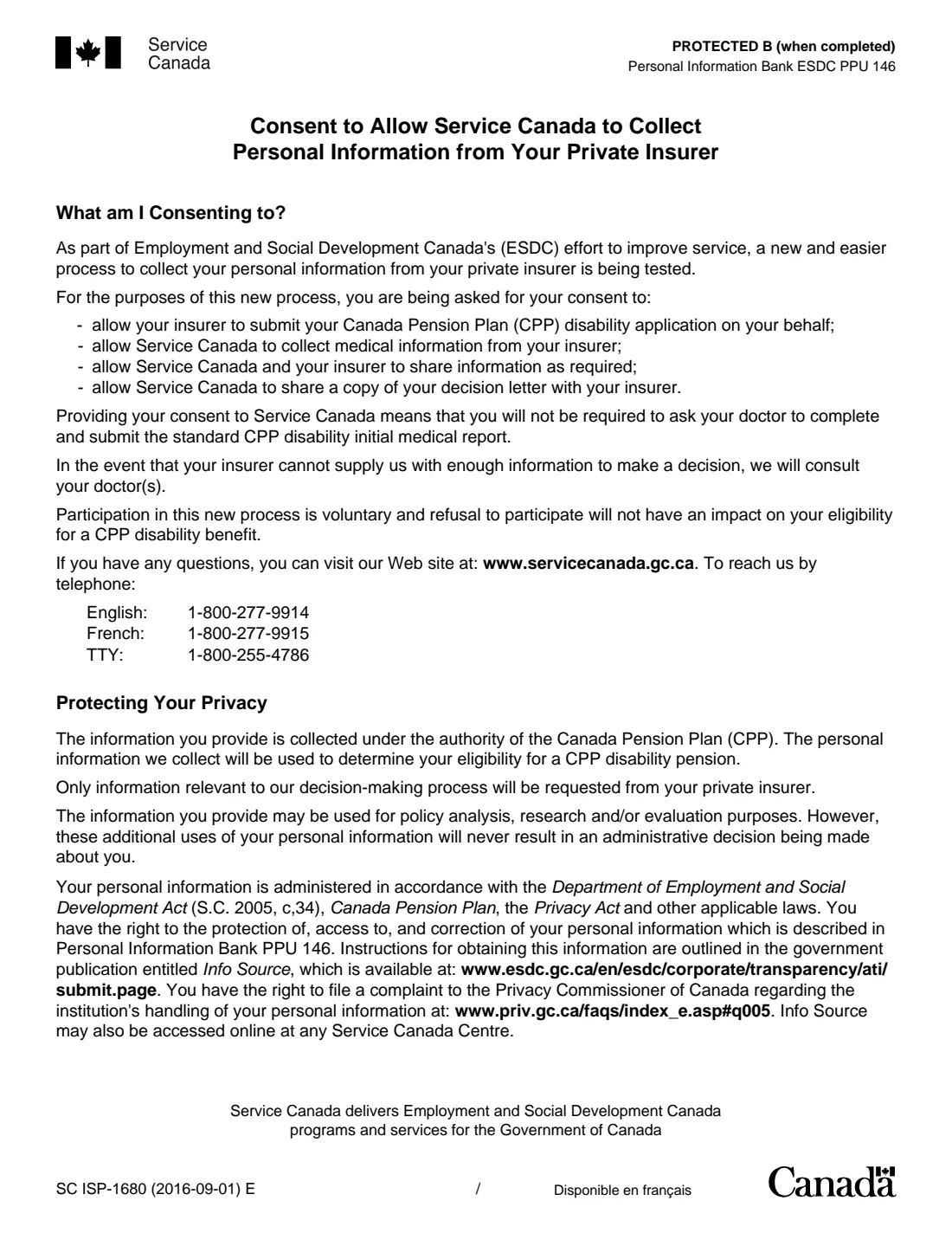
If you have long-term disability coverage through a private insurer and are applying for a Canada Pension Plan (CPP) disability benefit, Service Canada may offer a process in which your insurer submits the application for you and shares your medical information. ISP-1680 records whether you agree.
If you consent, your insurer may submit your CPP disability application, Service Canada may collect your medical information from the insurer and share your decision letter with it, and you won't need to ask your doctor for the standard initial medical report. If you refuse, your doctor sends that report (SC ISP-2519) when you apply. The form says taking part is voluntary and refusing doesn't affect your eligibility.
FileIt prints your name, Social Insurance Number and choice into Service Canada's official two-page PDF and saves it in your vault, ready to print and sign. The insurer's contact section can be filled in too if your insurer gave you the details. FileIt never sends the form anywhere.
- Who fills it
- A CPP disability applicant with a private disability insurer; the insurer adds its contact details
- Given to
- Service Canada
- Choice
- Give consent, or refuse
- Pages
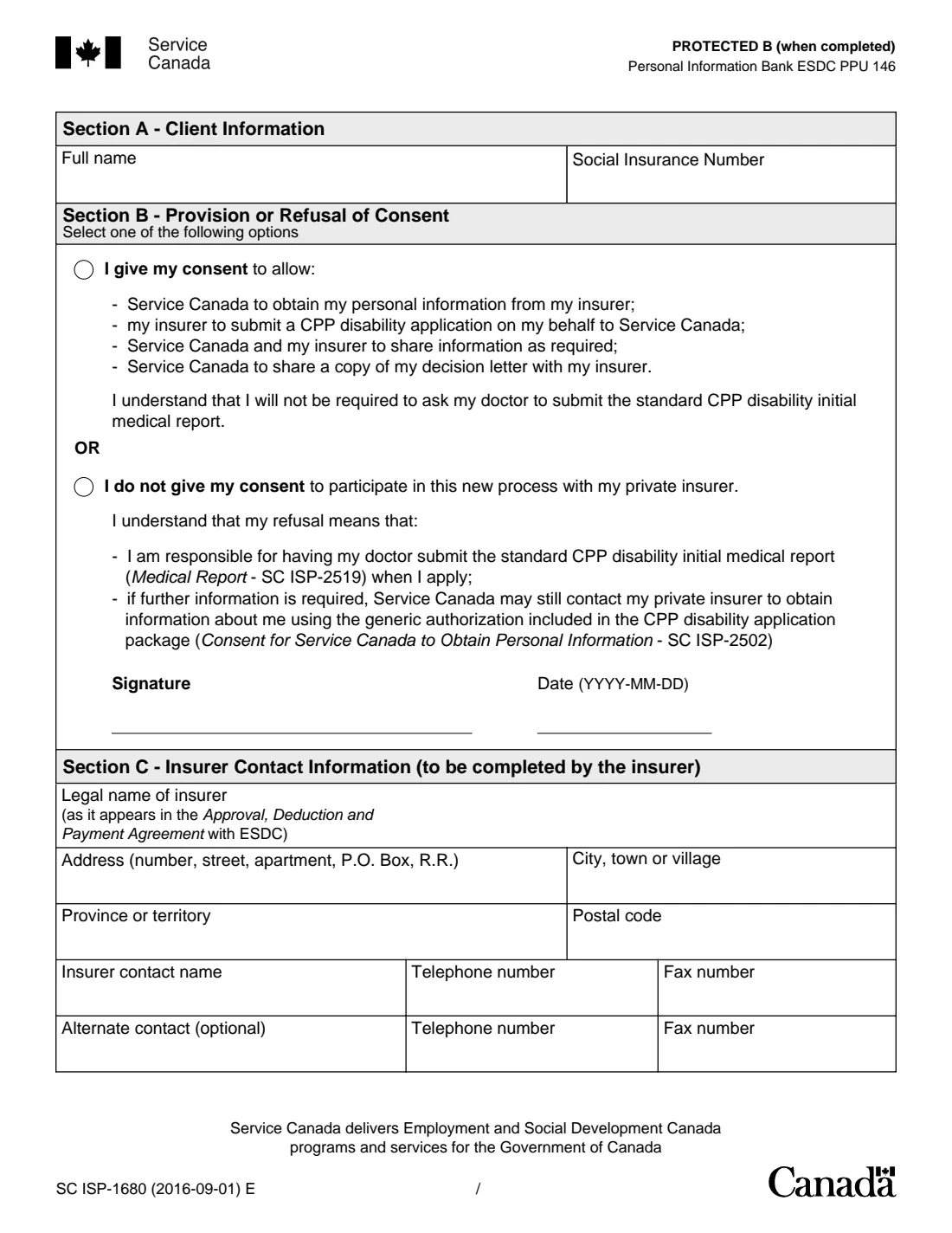
- 2 (page 1 explains the process)
- Edition
- SC ISP-1680 (2016-09-01) E
- Signature
- The applicant, by hand
Who needs to fill out ISP-1680 CPP disability insurer consent?
- People applying for a CPP disability benefit who also receive long-term disability benefits from a private insurer.
- Applicants whose insurer has asked them to agree to the insurer-assisted process.
- Anyone who wants to put on record that they decline that process.
- Insurers completing Section C with their contact details.
When to use ISP-1680 CPP disability insurer consent
- When you apply for CPP disability and your private insurer works with Service Canada on applications.
- When your insurer or Service Canada sends you this consent to sign.
- To refuse the process, so your doctor's medical report is used instead.
- Not as a general medical consent: the CPP disability package has its own consent form, ISP-2502.
What you need before you start
- Your full name and Social Insurance Number.
- Your decision: consent or refusal.
- The date you sign.
- Optionally, your insurer's legal name, address, contact person, telephone and fax numbers.
What’s on ISP-1680 CPP disability insurer consent
The 2016 edition has 2 pages. FileIt asks for it in 2 parts:
- Sections A and B: You and your choiceApplicant
- Section C: The insurer's contact detailsPrivate insurer
How to fill out ISP-1680 CPP disability insurer consent, step by step
1 Section A: Client information
Your full name and Social Insurance Number.
2 Section B: Your choice
Tick that you give consent, which lets your insurer submit your application and share information with Service Canada, or that you do not, in which case your doctor submits the standard medical report. Then sign and date.
3 Section C: Insurer contact information
Completed by the insurer: its legal name as in its agreement with ESDC, address, a contact name with telephone and fax numbers, and an optional alternate contact.
Common mistakes to avoid
- Ticking both choices, or neither.
- Leaving out the Social Insurance Number.
- Forgetting to sign the printed form.
- Filling in Section C with guesses instead of the insurer's own details.
After you fill it out
Print the PDF and sign it by hand.
Give it to your insurer or send it to Service Canada as you were asked. FileIt does not send it.
Keep the saved copy with your CPP disability papers in your vault.
Fill out ISP-1680 CPP disability insurer consent online with FileIt
- Pick the person. Choose someone from People and FileIt fills in their name, date of birth, address and other details it already knows.
- Answer plain-language questions. One part of the form at a time, with the official help text beside each question — 15 fields in all. Your answers save as you go.
- Check the live preview. Watch your answers land on the real Service Canada, for Employment and Social Development Canada (ESDC) form, and let FileIt do any worksheet arithmetic.
- Generate the official PDF. FileIt prints your answers into the agency’s own PDF and files it in that person’s folder in your vault.
FileIt fills the form — it never files or submits anything for you. Deliver the finished form to whoever asked for it, the way the form’s instructions say.
Start ISP-1680 CPP disability insurer consent now — it’s freeISP-1680 CPP disability insurer consent: frequently asked questions
Do I have to take part?
No. The form says participation is voluntary and that refusing will not affect your eligibility for a CPP disability benefit.
What changes if I consent?
Your insurer may submit your CPP disability application for you and share your medical information with Service Canada, and you won't need your doctor to send the standard initial medical report.
What happens if I refuse?
Your doctor submits the standard medical report (SC ISP-2519) when you apply, and Service Canada may still contact your insurer using the general consent in the application package (SC ISP-2502).
Will Service Canada share its decision with my insurer?
With your consent, yes: the form says Service Canada may share a copy of your decision letter with your insurer.
Who fills in Section C?
The insurer. You can fill it in with FileIt if your insurer gave you the details.
Can I fill out ISP-1680 with FileIt?
Yes. FileIt prints your answers into the official PDF and saves it in your vault. You print, sign and send it. FileIt never submits it.
Official sources
- Blank form (PDF), published by Service Canada, for Employment and Social Development Canada (ESDC): https://catalogue.servicecanada.gc.ca/apps/EForms/pdf/en/ISP-1680.pdf
- Official instructions and guidance: https://catalogue.servicecanada.gc.ca/content/EForms/en/Detail.html?Form=ISP1680
- Edition shown on this page: SC ISP-1680 (2016-09-01) E (checked 2026-10-19).
FileIt is not affiliated with or endorsed by Service Canada, for Employment and Social Development Canada (ESDC) or any government. This page explains the form in general terms and is not legal, tax or immigration advice. Always read the official instructions, and check that you are using the edition the recipient accepts. Page last reviewed 2026-10-19.