What is IMM 1283 Financial Evaluation?
Some family sponsorships come with an income test. IRCC's page for the form says that unless you are sponsoring a spouse, common-law or conjugal partner (with no family members, or with dependent children who have no children of their own) or a child who has no children of their own, you must show an annual income at least equal to the minimum necessary income for everyone you are or will be responsible for. IMM 1283 is where you show it. Quebec residents don't complete it.
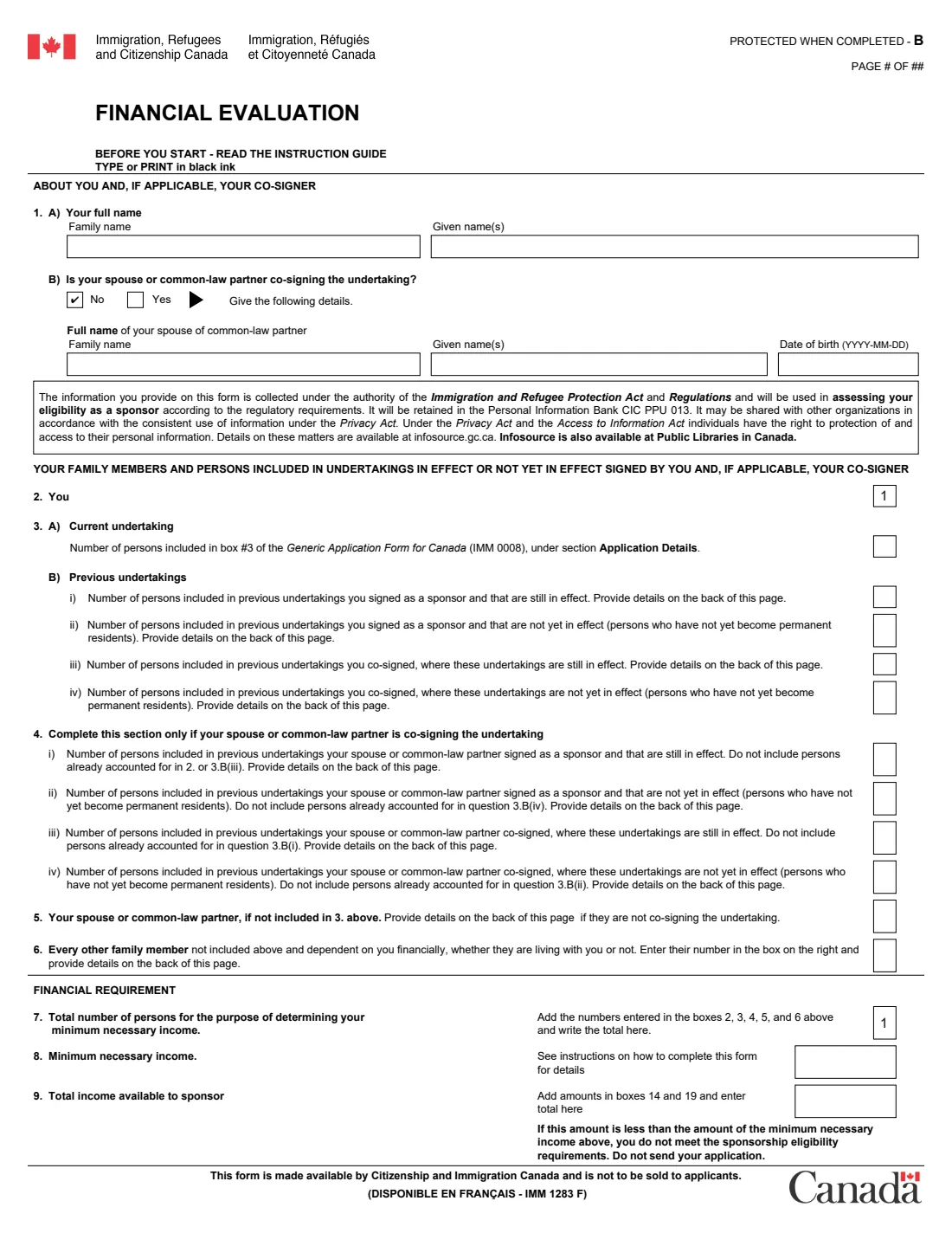
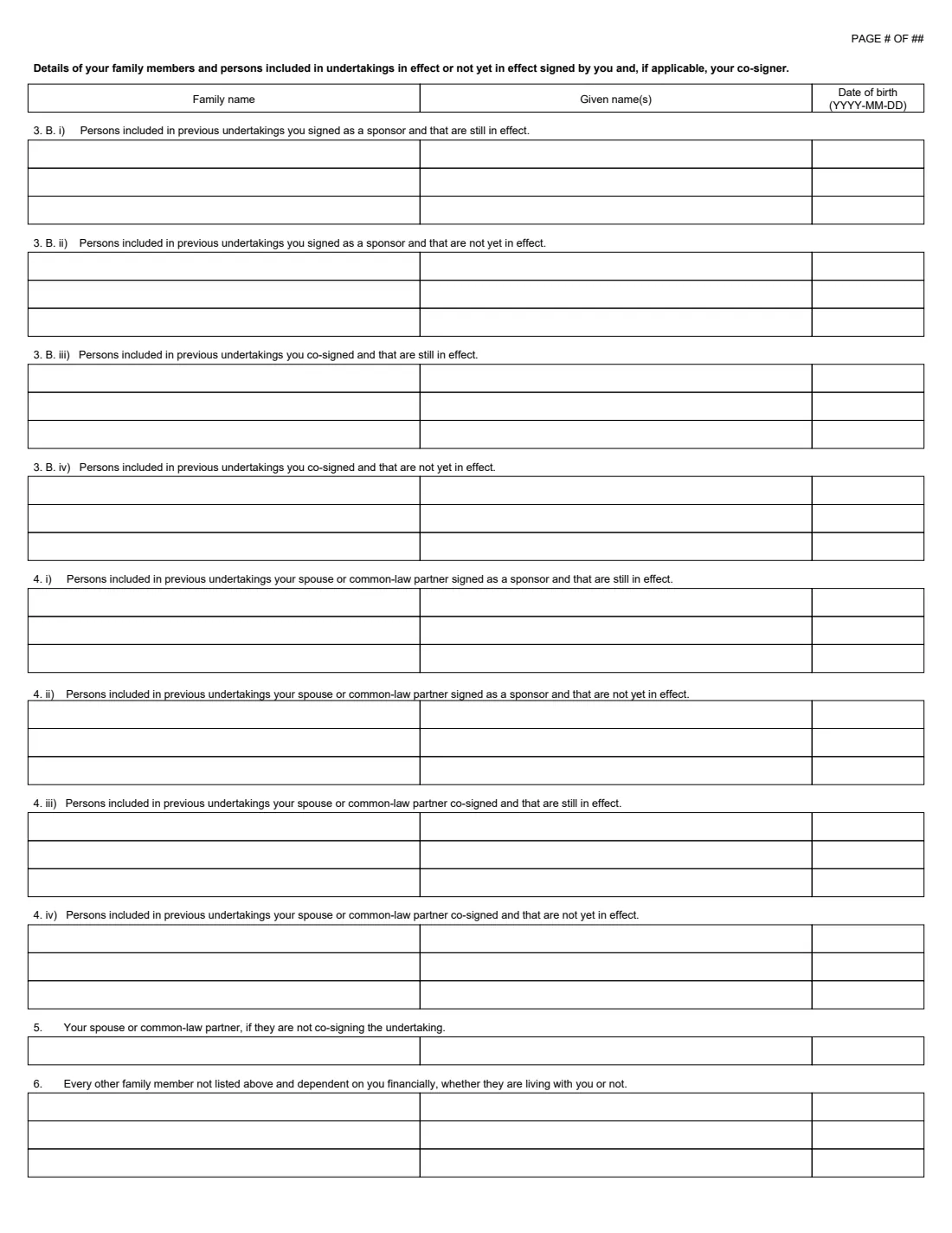
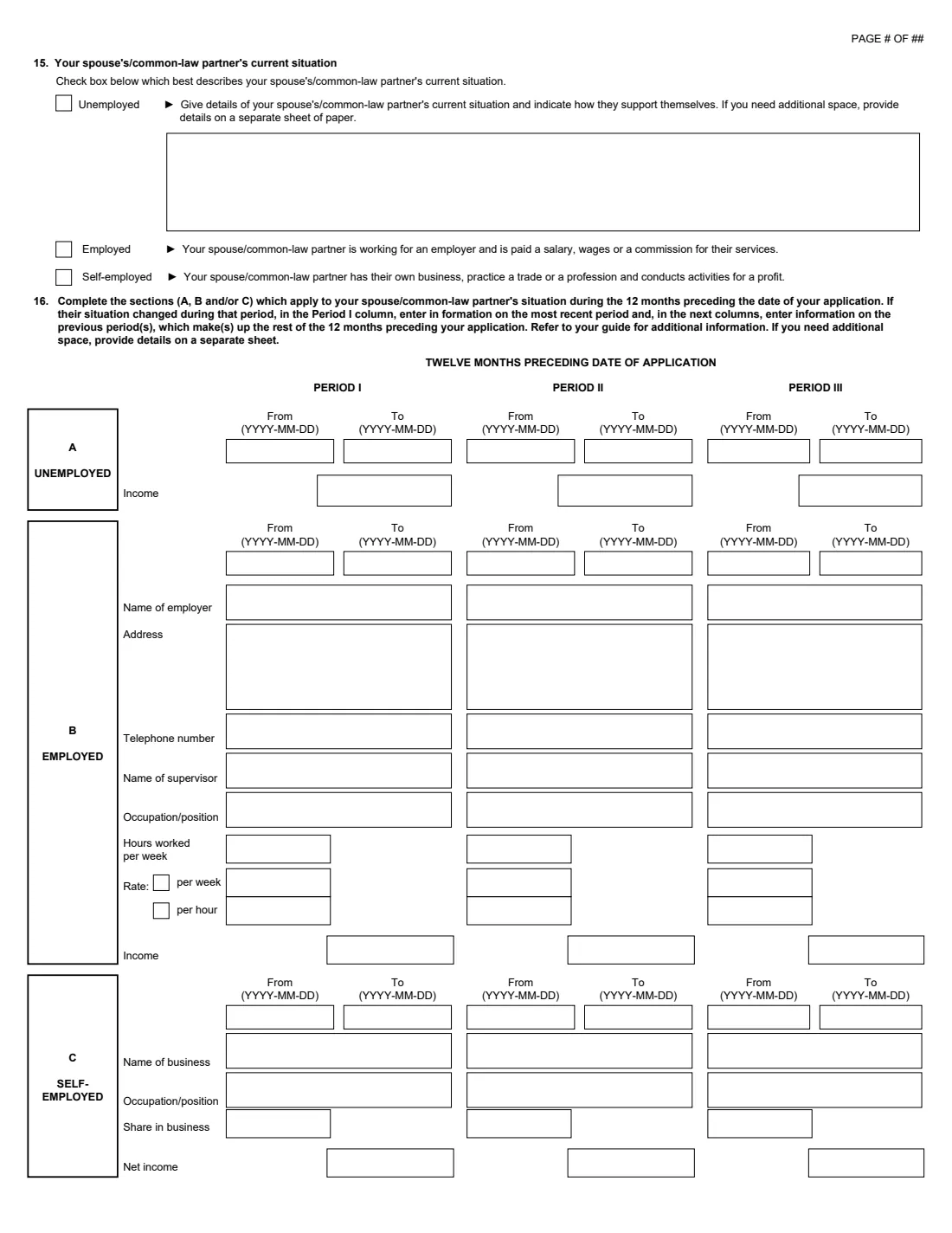
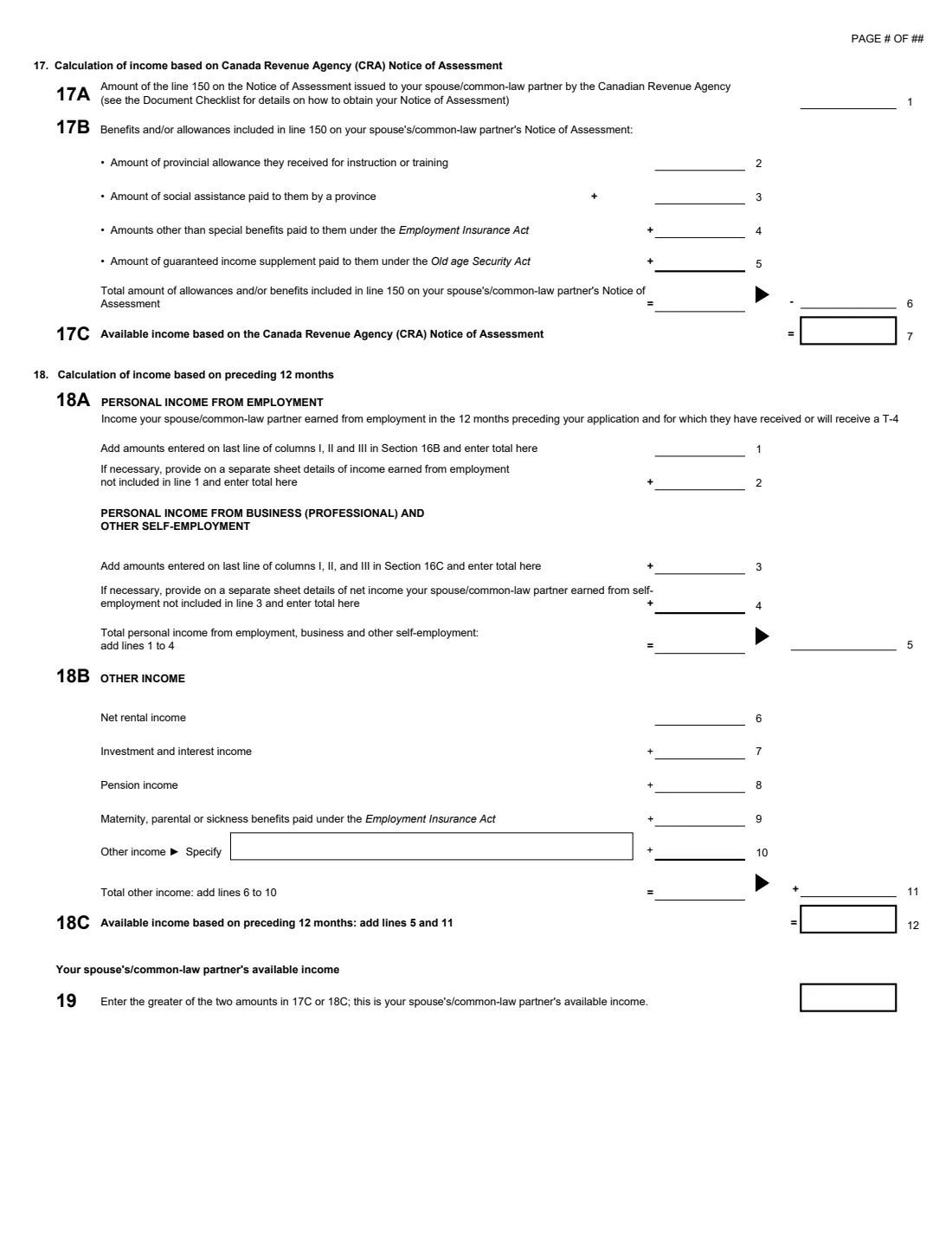
Page 1 counts the people: you, the persons in this application, everyone in earlier undertakings you or your co-signer signed or co-signed that are still in effect or not yet in effect, your spouse or partner, and other family members who depend on you. That total, set against IRCC's low income cut-off table, gives the minimum necessary income. The following pages work out your available income two ways, from line 150 of your CRA Notice of Assessment and from the last 12 months of work and other income, and take the greater. A co-signing spouse or partner does the same on pages 5 and 6.
FileIt asks the questions in order, lists the persons on the back of page 1, adds up every line and box, and prints the result into IRCC's official PDF for your application package. FileIt doesn't submit anything to IRCC.
- Who fills it
- Sponsors who have to meet the minimum necessary income, and their co-signers
- Not needed for
- Quebec residents, and most spouse, partner and dependent child sponsorships
- Income period
- The 12 months before your application, or your latest Notice of Assessment
- Minimum income
- IRCC's low income cut-off table by family size (2025: $30,526 for 1 person, $38,002 for 2)
- Pages
- 7 (pages 5 and 6 are for a co-signer)
- Edition
- IMM 1283 (06-2020) E
Who needs to fill out IMM 1283 Financial Evaluation?
- Canadian citizens and permanent residents sponsoring relatives for whom IRCC requires the minimum necessary income.
- Sponsors of a dependent child who has children of their own.
- A spouse or common-law partner co-signing the undertaking to help meet the income requirement.
When to use IMM 1283 Financial Evaluation
- When you put together a sponsorship application that has an income requirement.
- With your latest CRA Notice of Assessment, or with pay stubs and statements for the 12 months before your application.
What you need before you start
- The number of persons in this application (box 3 of the IMM 0008) and in any earlier undertakings that are still in effect or not yet in effect, with their names and dates of birth.
- The names and dates of birth of other family members who depend on you.
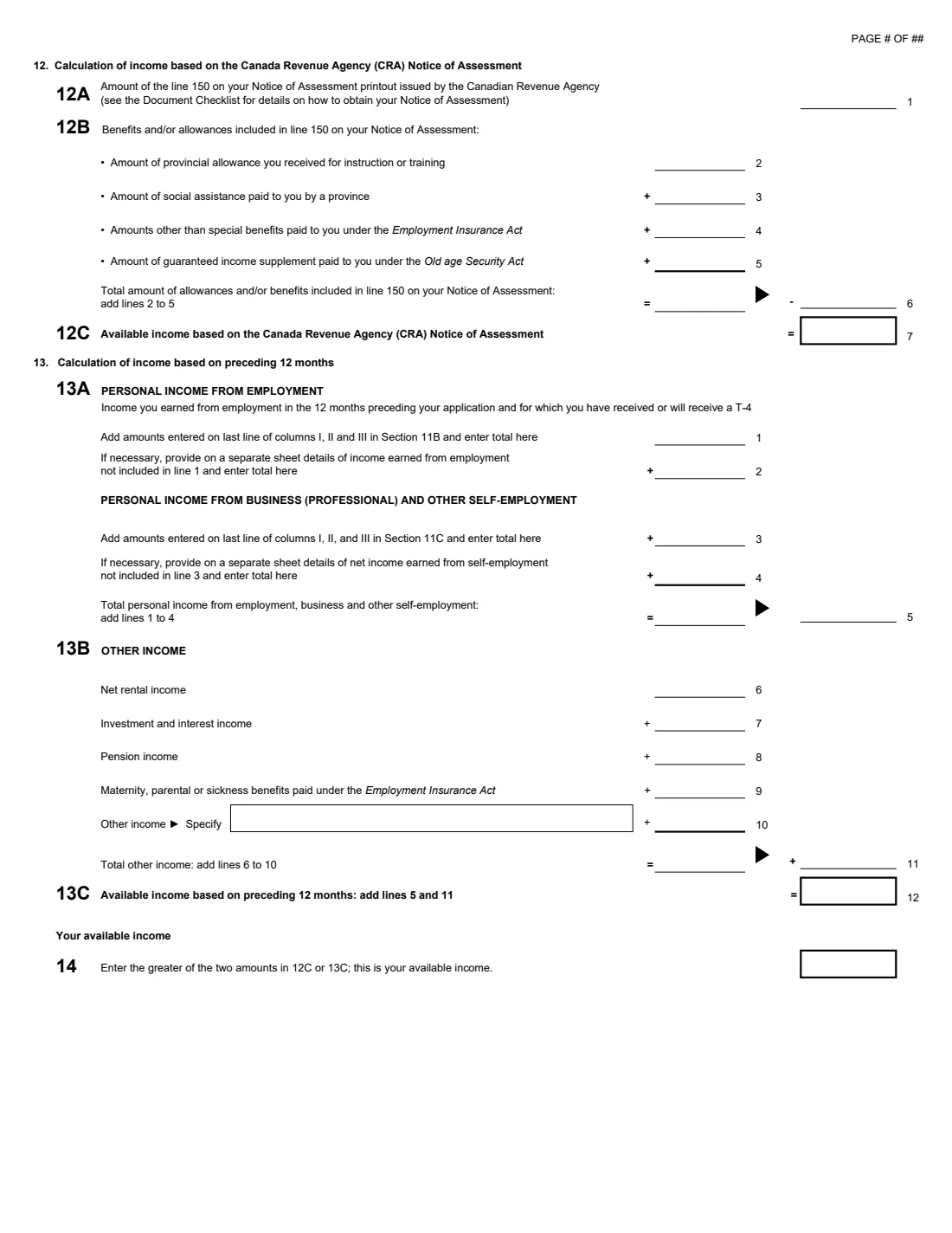
- Your Notice of Assessment for the most recent tax year: the line 150 total income and the allowances and benefits included in it.
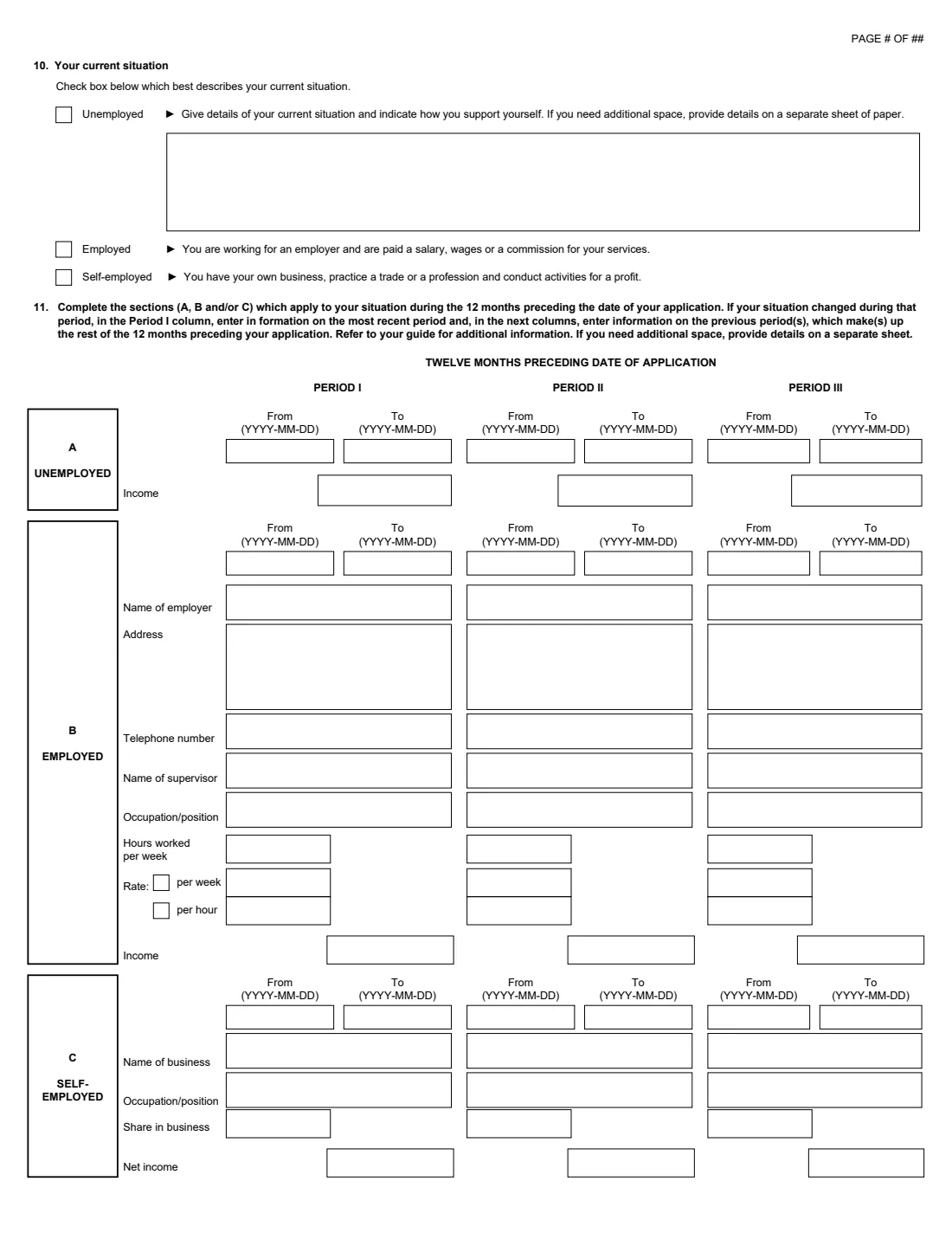
- For the last 12 months: dates, employers, addresses, supervisors, hours, rates and income for each job, and net income from any business.
- The same for your co-signing spouse or partner, if you have one.
What’s on IMM 1283 Financial Evaluation
The 2020 edition has 7 pages. FileIt asks for it in 5 parts:
- About you and the persons you are responsible forSponsor
- Details of persons in earlier undertakings and other family membersSponsor
- Your current situation and the last 12 months (questions 10 and 11)Sponsor
- Your available income (questions 12 to 14)Sponsor
- Your co-signing spouse or common-law partnerCo-signer
How to fill out IMM 1283 Financial Evaluation, step by step
1 Questions 1 to 7: who counts
Your name, and your co-signer's if your spouse or partner is co-signing. Then the counts: you (always 1), this application, earlier undertakings you signed or co-signed, your co-signer's earlier undertakings, your spouse or partner, and other dependent family members. FileIt adds them up in box 7.
2 Question 8: minimum necessary income
Look up the number from box 7 in IRCC's low income cut-off table and enter the amount.
3 Questions 10 and 11: your situation
Say whether you are unemployed, employed or self-employed now, and fill in the periods of the last 12 months, with Period I the most recent. Each period has its dates and income, and for jobs the employer, address, phone, supervisor, occupation, hours and rate.
4 Questions 12 to 14: your available income
Start from line 150 of your Notice of Assessment and take off training allowances, provincial social assistance, regular EI benefits and the Guaranteed Income Supplement. Separately, add up the last 12 months from employment, self-employment and other income. FileIt enters the greater of the two in box 14.
5 Questions 15 to 19 and box 9
A co-signer repeats questions 10 to 14 for themselves, ending in box 19. Box 9 on page 1 is box 14 plus box 19, and it has to be at least the minimum necessary income in box 8.
Common mistakes to avoid
- Using a co-signer when sponsoring a spouse or partner. IRCC's page says you can't have one in that case.
- Forgetting people in earlier undertakings that are still in effect. They count toward the minimum income.
- Counting social assistance or regular EI benefits as available income. Question 12B takes them off.
- Listing periods out of order. Period I is the most recent part of the last 12 months.
After you fill it out
Check that box 9 is at least box 8. The form says that if it is less, you don't meet the requirement and shouldn't send your application.
Add the PDF to your sponsorship application package with your Notice of Assessment or other proof of income.
Keep a copy in your FileIt vault.
Fill out IMM 1283 Financial Evaluation online with FileIt
- Pick the person. Choose someone from People and FileIt fills in their name, date of birth, address and other details it already knows.
- Answer plain-language questions. One part of the form at a time, with the official help text beside each question — 282 fields in all. Your answers save as you go.
- Check the live preview. Watch your answers land on the real Immigration, Refugees and Citizenship Canada (IRCC) form, and let FileIt do any worksheet arithmetic.
- Generate the official PDF. FileIt prints your answers into the agency’s own PDF and files it in that person’s folder in your vault.
FileIt fills the form — it never files or submits anything for you. Deliver the finished form to whoever asked for it, the way the form’s instructions say.
Start IMM 1283 Financial Evaluation now — it’s freeIMM 1283 Financial Evaluation: frequently asked questions
Do I need IMM 1283 to sponsor my spouse?
Usually not. IRCC's page says the income test applies when you sponsor someone other than a spouse, common-law or conjugal partner (with no family members, or with dependent children who have no children of their own) or a child who has no children of their own.
What is the minimum necessary income?
It comes from IRCC's low income cut-off table for the number of persons in box 7. For 2025 the page lists $30,526 for one person, $38,002 for two and $46,720 for three, plus $8,224 for each person over seven.
Can my spouse co-sign?
A spouse or common-law partner can co-sign to help meet the income requirement, except when you are sponsoring a spouse or partner. They complete questions 1B and 15 to 19 and are equally responsible for the undertaking.
Do Quebec residents use this form?
No. IRCC's page says Quebec residents don't need to complete it and should check Quebec's own financial capacity requirements.
Can I fill out IMM 1283 with FileIt?
Yes. FileIt totals the persons and both income methods for you and your co-signer and fills IRCC's official PDF. You add it to your application yourself.
Official sources
- Blank form (PDF), published by Immigration, Refugees and Citizenship Canada (IRCC): https://www.canada.ca/content/dam/ircc/documents/pdf/english/kits/forms/imm1283/01-06-2020/imm1283e.pdf
- Official instructions and guidance: https://www.canada.ca/en/immigration-refugees-citizenship/services/application/application-forms-guides/imm1283.html
- Edition shown on this page: IMM 1283 (06-2020) E (checked 2026-10-25).
FileIt is not affiliated with or endorsed by Immigration, Refugees and Citizenship Canada (IRCC) or any government. This page explains the form in general terms and is not legal, tax or immigration advice. Always read the official instructions, and check that you are using the edition the recipient accepts. Page last reviewed 2026-10-25.