What is Form 11022 Statement of Live Birth?
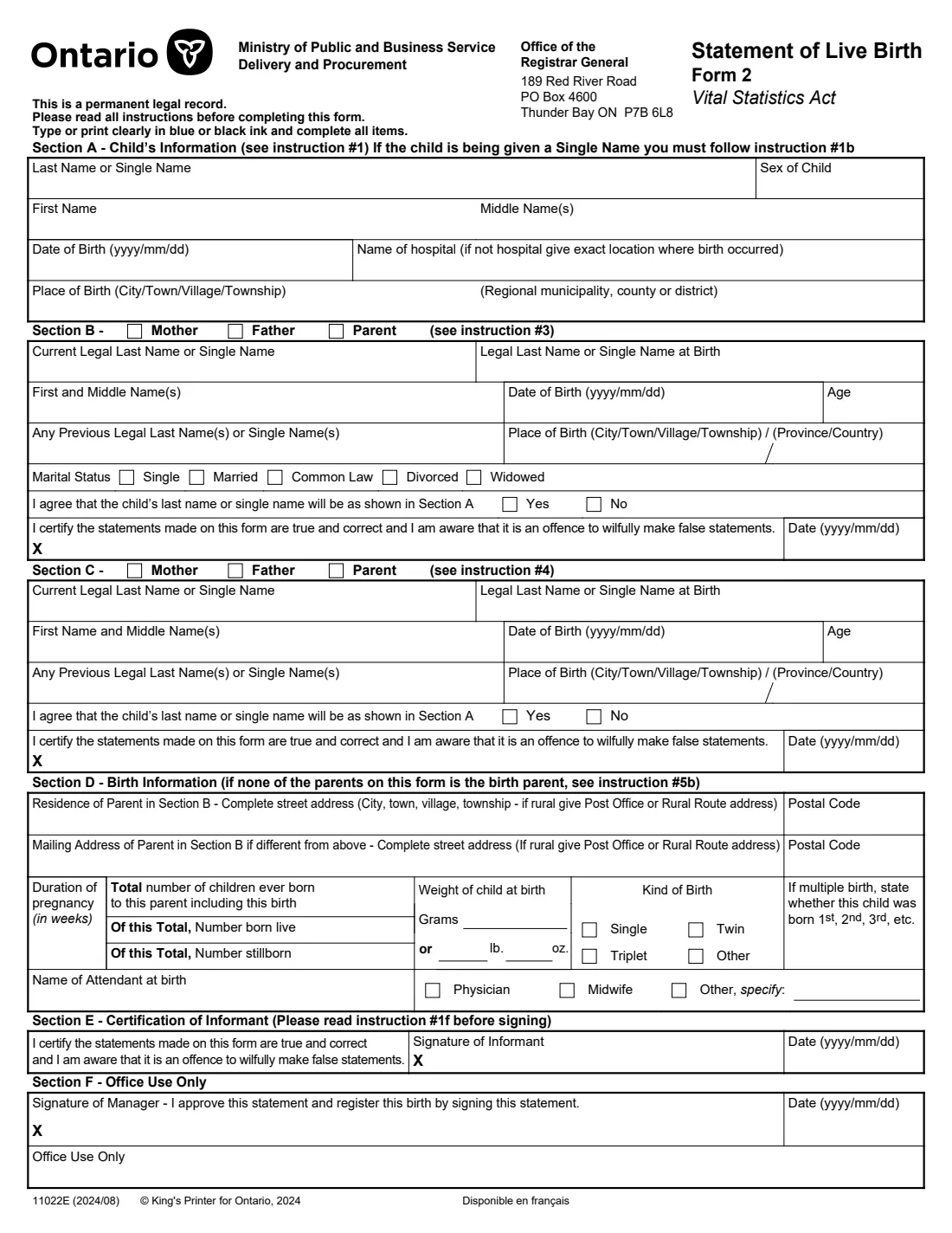
Form 11022, the Statement of Live Birth (Form 2), is how parents register the birth of a child born in Ontario by mail. It records the child's names, sex, date and place of birth, the details of each parent certifying the birth (names, names at birth, dates and places of birth, and whether they agree to the child's last name), and statistical information about the birth: pregnancy length, weight, kind of birth and who attended it.
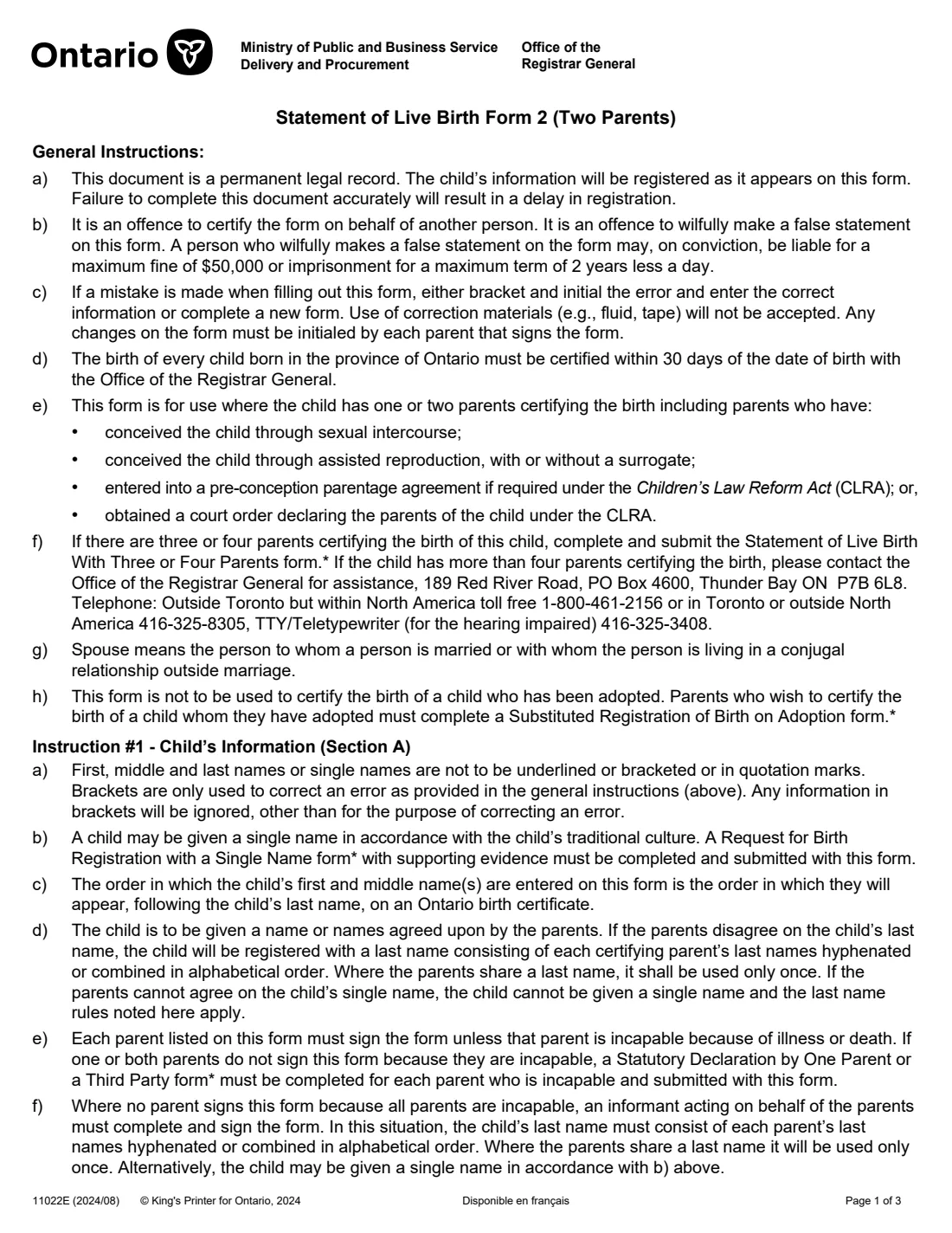
The form's instructions say every birth in Ontario must be certified with the Office of the Registrar General within 30 days. Ontario also offers the online 5-in-1 newborn bundle, which registers the birth and lets you apply for the birth certificate, SIN and child benefits at the same time; if you register by mail with this form, you apply for those documents separately. Ontario says registering a birth is free within 12 months of the birth.
FileIt guides you through each section in plain English, works out each parent's age at the birth, hides the questions that don't apply (for example when the Section B parent is not the birth parent), and prints dates as yyyy/mm/dd the way the form asks. Your answers are printed into ServiceOntario's own PDF and saved in the child's folder in your FileIt vault. Each parent signs by hand and you mail it yourself; FileIt never submits it.
- Who fills it
- The parent(s) certifying the birth (one or two)
- Given to
- Office of the Registrar General, Thunder Bay (by mail)
- Deadline
- Certify the birth within 30 days of the date of birth
- Fee
- Birth registration is free within 12 months (ServiceOntario); certificates are ordered separately
- Signatures
- Each parent listed, or an informant if no parent can sign
- Edition
- 11022E (2024/08)
Who needs to fill out Form 11022 Statement of Live Birth?
- Parents of a child born in Ontario who register the birth on paper rather than through the online newborn bundle.
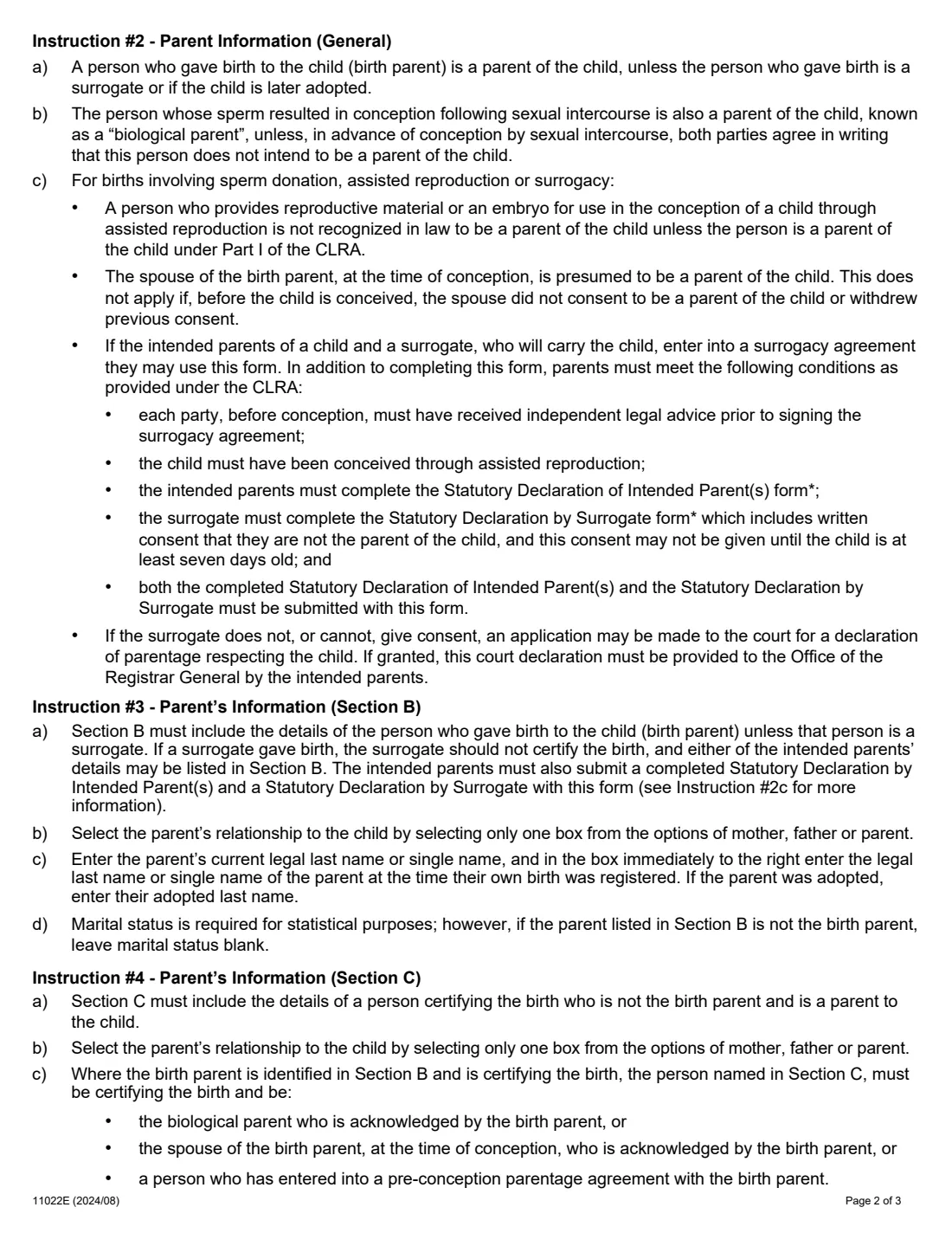
- One or two parents certifying the birth, including children conceived through assisted reproduction, with or without a surrogate, or under a pre-conception parentage agreement or court order.
- An informant acting for the parents, only when no parent can sign because of illness or death.
- Not for an adopted child (use the Substituted Registration of Birth on Adoption form) or for three or four parents (use the Statement of Live Birth With Three or Four Parents form).
When to use Form 11022 Statement of Live Birth
- Right after the birth: the form says the birth must be certified within 30 days.
- When you prefer or need a paper registration instead of the online 5-in-1 newborn bundle.
- Once per child.
What you need before you start
- The child's names in the order they should appear on the birth certificate, sex, date of birth and the hospital or exact place of birth.
- For each parent: current legal last name, last name at birth, first and middle names, date and place of birth, and any previous legal last names.
- The birth parent's home address and postal code, and a mailing address if different.
- Pregnancy length in weeks, the total number of children born to the birth parent (live and stillborn), and the baby's weight in grams or pounds and ounces.
- The name of the doctor, midwife or other attendant at the birth.
- For a single name, a surrogacy, or a parent who can't sign: the extra forms the instructions list (Request for Birth Registration with a Single Name, Statutory Declarations by Intended Parent(s) and by Surrogate, Statutory Declaration by One Parent or a Third Party).
What’s on Form 11022 Statement of Live Birth
The 2024 edition has 4 pages. FileIt asks for it in 5 parts, and it is signed by Parent (section b) and Parent (section c) and Informant:
- Section A: Child's informationParent (section b)
- Section B: ParentParent (section b)
- Section C: Second parentParent (section c)
- Section D: Birth informationParent (section b)
- Section E: InformantInformant
How to fill out Form 11022 Statement of Live Birth, step by step
1 Section A: Child's information
Last name (or single name), sex, first and middle names, date of birth (yyyy/mm/dd), the hospital's name or exact place of birth, the city, town, village or township, and the regional municipality, county or district. No underlining, brackets or quotation marks: brackets are only for correcting an error.
2 Section B: Parent
The birth parent (unless a surrogate gave birth, when either intended parent goes here). Tick mother, father or parent, then the current and birth last names, first and middle names, date of birth, previous last names and place of birth. FileIt works out the age at the child's birth. Marital status is for statistics and is left blank when this parent is not the birth parent. Then say whether you agree to the child's last name in Section A, and sign and date.
3 Section C: Second parent
The same details for a second parent certifying the birth: the biological parent or the birth parent's spouse at conception acknowledged by the birth parent, or someone with a pre-conception parentage agreement. They also sign and date.
4 Section D: Birth information
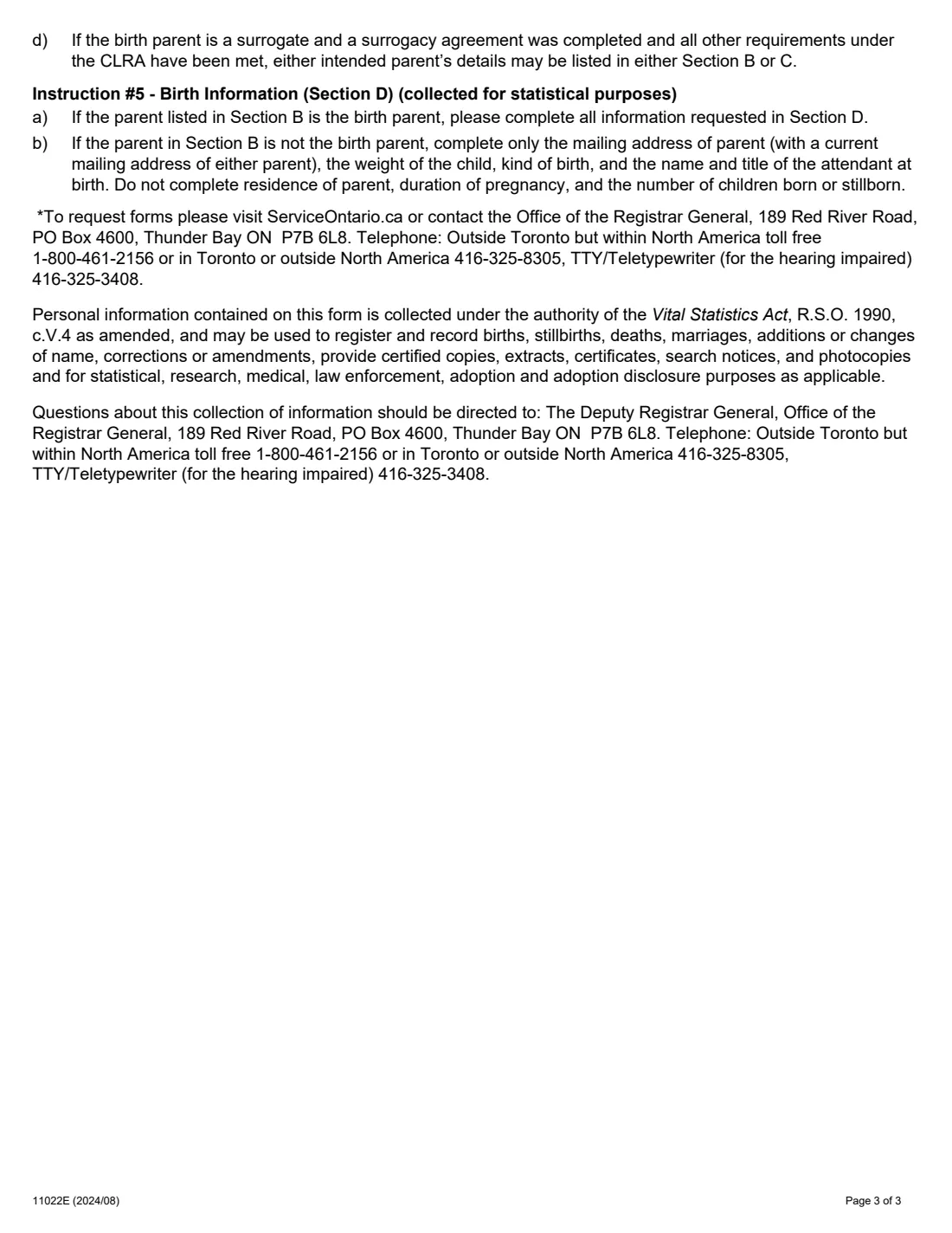
Collected for statistics: the birth parent's residence and mailing address with postal codes, the pregnancy length in weeks, the total children born to that parent with how many were born live and stillborn, the weight, the kind of birth (single, twin, triplet or other) and, for a multiple birth, whether this child was born 1st, 2nd and so on, and the attendant's name and title. If the Section B parent is not the birth parent, only the mailing address, weight, kind of birth and attendant are given.
5 Section E: Informant
Only when no parent can sign because all are incapable. The informant certifies the statements and signs and dates.
6 Section F: Office use only
Left blank. The Registrar General's office approves and registers the birth here.
Common mistakes to avoid
- Missing the 30-day window for certifying the birth.
- Using correction fluid or tape. The instructions say a mistake must be bracketed and initialled by each parent who signs, or a new form completed.
- Putting names in brackets, quotation marks or underlined.
- Using this form for an adopted child, or for three or four parents.
- Leaving out a parent's signature. Each parent listed must sign unless incapable, and then a statutory declaration is needed.
- Forgetting the extra forms for a single name or a surrogacy.
After you fill it out
Print the PDF FileIt produces. Each parent signs by hand next to the printed X in their section (or the informant in Section E).
Mail it to the Office of the Registrar General, 189 Red River Road, PO Box 4600, Thunder Bay ON P7B 6L8, with any extra forms that apply. FileIt never submits it.
A paper registration doesn't order the birth certificate or SIN for you; ServiceOntario says to apply for the child's documents separately. Keep the completed form in the child's folder in your FileIt vault, and add the birth certificate there when it arrives.
Fill out Form 11022 Statement of Live Birth online with FileIt
- Pick the person. Choose someone from People and FileIt fills in their name, date of birth, address and other details it already knows.
- Answer plain-language questions. One part of the form at a time, with the official help text beside each question — 50 fields in all. Your answers save as you go.
- Check the live preview. Watch your answers land on the real Office of the Registrar General (ServiceOntario) form, and let FileIt do any worksheet arithmetic.
- Generate the official PDF. FileIt prints your answers into the agency’s own PDF and files it in that person’s folder in your vault. Sign it, or send it for e-signature.
FileIt fills the form — it never files or submits anything for you. Deliver the finished form to whoever asked for it, the way the form’s instructions say.
Start Form 11022 Statement of Live Birth now — it’s freeForm 11022 Statement of Live Birth: frequently asked questions
How long do I have to register a birth in Ontario?
The form's instructions say the birth of every child born in Ontario must be certified within 30 days. ServiceOntario says registration is free within 12 months of the birth, and online registration is possible within that time if you're eligible.
Is it better to register online?
Ontario says the online 5-in-1 newborn bundle is quicker and lets you apply for the birth certificate, SIN, child benefits and an education savings referral in one go. This paper form is still accepted; with it you apply for the documents separately.
Does registering the birth get me a birth certificate?
Not with the paper form. Registration records the birth; the birth certificate is a separate application.
What if the parents disagree on the child's last name?
According to the instructions, the child is registered with a last name made of each certifying parent's last names, hyphenated or combined in alphabetical order; a shared last name is used only once.
Can a single parent use Form 2?
Yes. It is for one or two parents certifying the birth. Leave Section C out if there is only one.
Can I fill in the Statement of Live Birth online?
Yes, with FileIt. It prints your answers into ServiceOntario's official PDF; you then print it, each parent signs, and you mail it yourself. FileIt doesn't submit it.
Official sources
- Blank form (PDF), published by Office of the Registrar General (ServiceOntario): https://forms.mgcs.gov.on.ca/dataset/446dc731-a0d3-4474-a529-8e30b957cb82/resource/00da6fcd-44d0-4741-b88c-f5ed06802ae6/download/11022e.pdf
- Official instructions and guidance: https://www.ontario.ca/page/register-birth-new-baby
- Edition shown on this page: 11022E (2024/08) (checked 2026-09-28).
FileIt is not affiliated with or endorsed by Office of the Registrar General (ServiceOntario) or any government. This page explains the form in general terms and is not legal, tax or immigration advice. Always read the official instructions, and check that you are using the edition the recipient accepts. Page last reviewed 2026-09-28.