What is Super contributions splitting application?
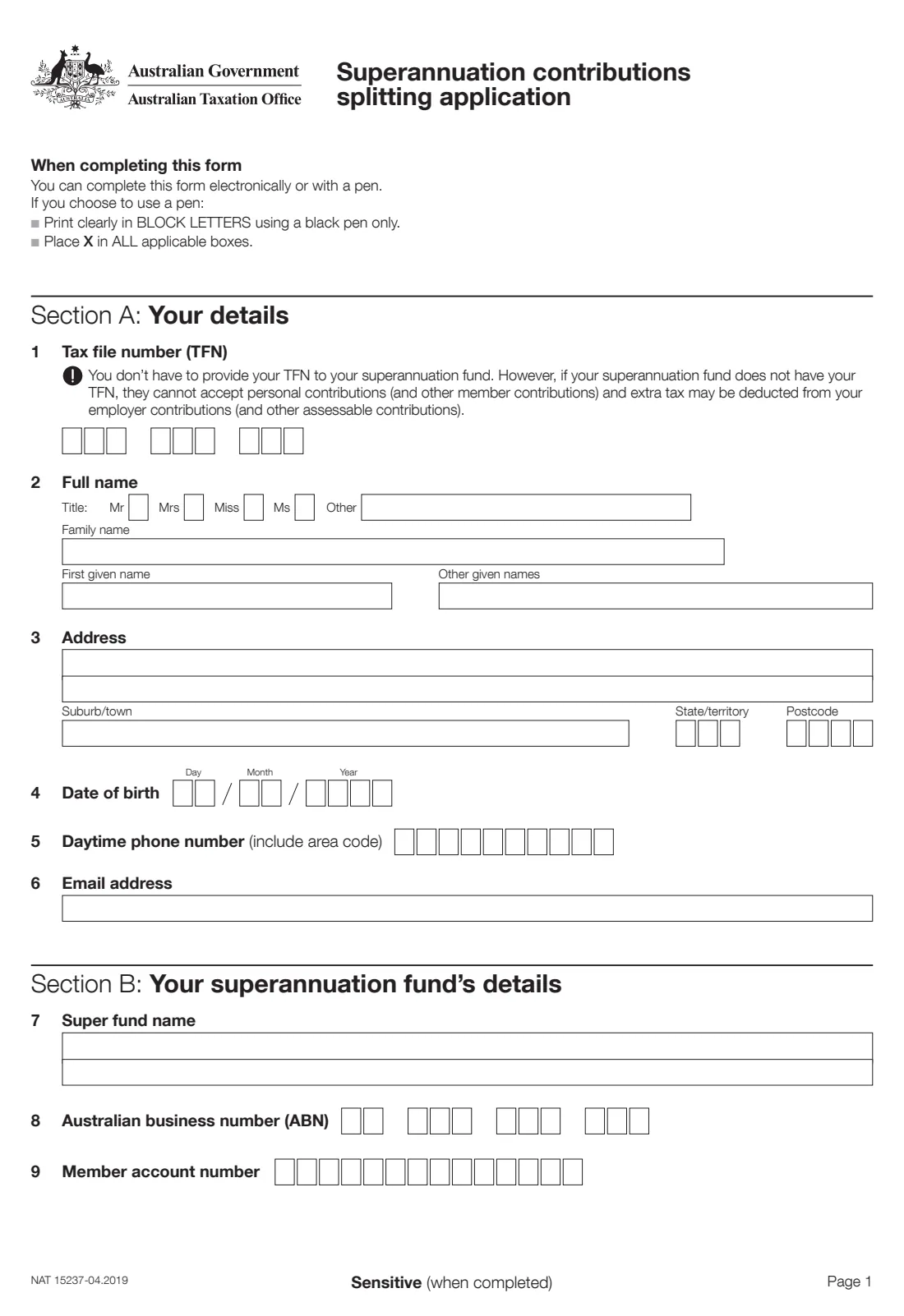
The Superannuation contributions splitting application, NAT 15237, asks your super fund to split — transfer — some of the contributions made for you in a financial year to your spouse's super account. Couples use it to even out their super balances, for example when one partner has taken time out of paid work.
You give your details and your fund's, your spouse's details and their fund's, then the amount or percentage to split for the financial year. You both sign: you make the request in Section F, and your spouse declares in Section G that they are under their preservation age, or between it and 65 and not retired. The form goes to your super fund, not the ATO.
FileIt walks you through the current edition (NAT 15237-04.2019) and prints your answers into the ATO's own PDF — including dollar amounts right-aligned in the form's boxes. It pre-fills your details from your People records, checks both TFNs and ABNs, the financial year, the 85% limit and your spouse's age, and saves the completed form in your FileIt vault. You can print it to sign by hand or send it for e-signature to both of you, then send it to your fund yourself.
- Who fills it
- The member (applicant), with their spouse's details and declaration
- Given to
- The applicant's super fund — not the ATO
- When
- For contributions of the current or the previous financial year
- Signatures
- The applicant (Section F) and the spouse (Section G)
- Limit
- Taxed splittable contributions: no more than 85% of the contributions, and within your concessional contributions cap
- Edition
- NAT 15237-04.2019
Who needs to fill out Super contributions splitting application?
- Couples who want to boost the super of a spouse with a lower balance, such as a partner caring for children or working part-time.
- Members whose employer contributions (including salary sacrifice) are well above their spouse's and who want to share them.
- People who have claimed a tax deduction for personal contributions and want to split part of them to their spouse.
- Public sector fund members who want to split untaxed employer contributions.
- Spouses who need to understand what they're declaring in Section G before signing.
When to use Super contributions splitting application
- For contributions of the current financial year or the previous one — the form doesn't accept contributions made before the beginning of last financial year.
- After you've given your fund a Notice of intent to claim or vary a deduction for personal super contributions, if you want to split deductible personal contributions — that notice must come first.
- While your spouse is under their preservation age, or between it and 65 and not retired.
- After checking with your super fund that it offers contributions splitting.
What you need before you start
- Your and your spouse's tax file numbers, full names, addresses, dates of birth, phone numbers and email addresses.
- Your super fund's name, ABN and your member account number.
- Your spouse's super fund name, ABN, unique superannuation identifier (USI), member account number, address, phone number and email.
- The financial year (ending 30 June) whose contributions you're splitting.
- The dollar amount or percentage of taxed splittable contributions, untaxed splittable employer contributions, or both, to split.
- Your concessional contributions for the year and your cap, so the split stays within the limits.
What’s on Super contributions splitting application
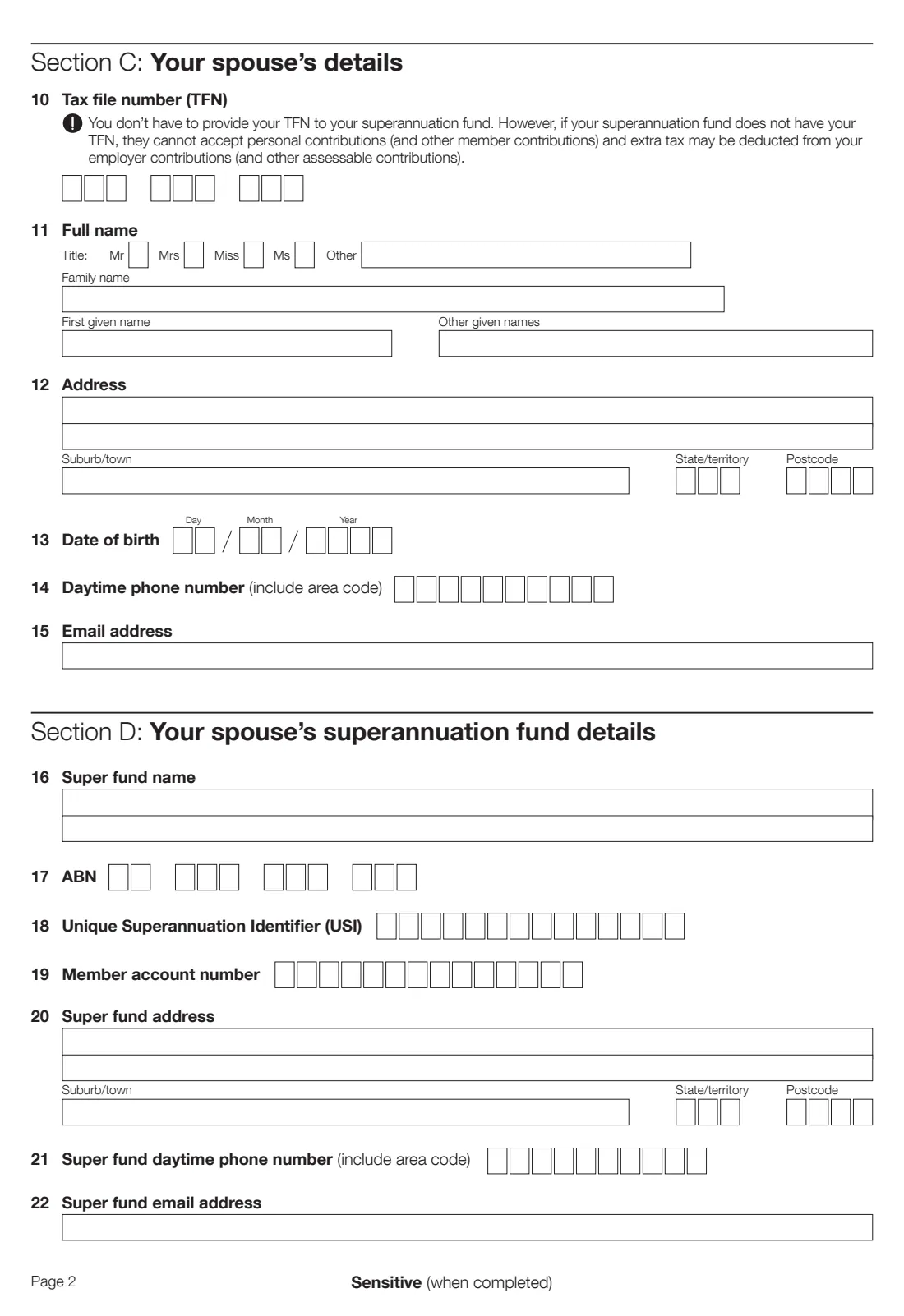
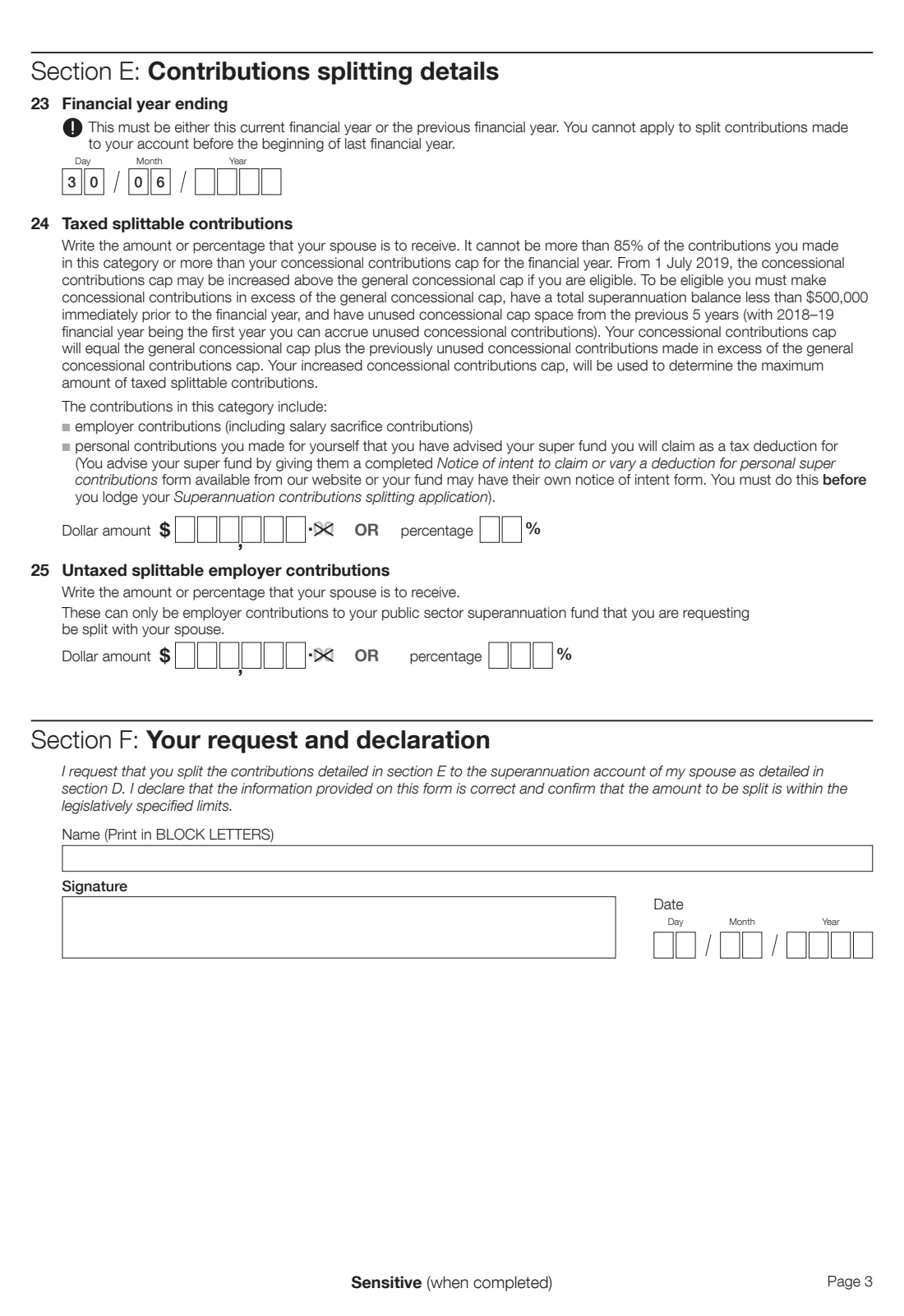
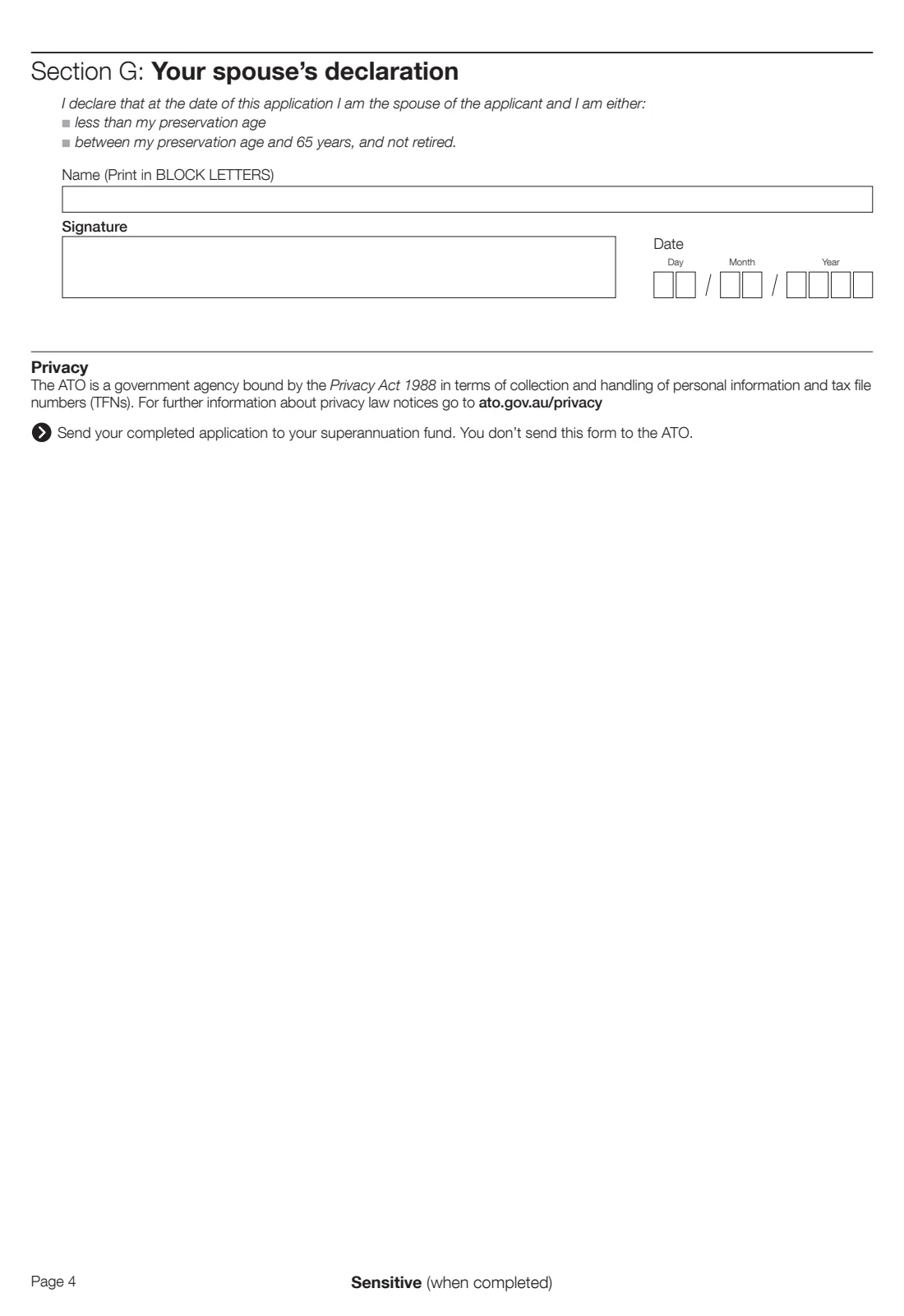
The 2019 edition has 4 pages. FileIt asks for it in 7 parts, and it is signed by Applicant (member) and Spouse:
- Section A: Your detailsApplicant (member)
- Section B: Your superannuation fund's detailsApplicant (member)
- Section C: Your spouse's detailsApplicant (member)
- Section D: Your spouse's superannuation fund detailsApplicant (member)
- Section E: Contributions splitting detailsApplicant (member)
- Section F: Your request and declarationApplicant (member)
- Section G: Your spouse's declarationSpouse
How to fill out Super contributions splitting application, step by step
1 Section A: Your details
Your TFN, name, address, date of birth, daytime phone number and email. You don't have to give your TFN, but without it your fund can't accept personal contributions and extra tax may be deducted from employer contributions.
2 Section B: Your superannuation fund's details
The fund holding the contributions you want to split: its name, ABN and your member account number. This is also the fund you send the form to.
3 Section C: Your spouse's details
Your spouse's TFN, name, address, date of birth, phone number and email. FileIt doesn't pre-fill your spouse from your own record, so check these against their documents.
4 Section D: Your spouse's superannuation fund details
The fund and account receiving the split: fund name, ABN, USI, your spouse's member account number, and the fund's address, phone number and email. Your spouse can find these on their member statement or the fund's website.
5 Section E: Contributions splitting details
Enter the financial year ending 30 June — the current or previous financial year only. Then, for taxed splittable contributions (employer contributions including salary sacrifice, and personal contributions you've notified your fund you'll claim as a deduction), write a dollar amount OR a percentage. It can't be more than 85% of those contributions or more than your concessional contributions cap, which may be higher if you're eligible to carry forward unused cap amounts.
Untaxed splittable employer contributions only apply to public sector funds. Again, give an amount or a percentage. FileIt stops you giving both for the same line.
6 Section F: Your request and declaration
You request the split and declare the information is correct and the amount is within the legislated limits. Print your name, sign and date.
7 Section G: Your spouse's declaration
Your spouse declares that at the date of the application they are your spouse and are either under their preservation age, or between their preservation age and 65 and not retired. They print their name, sign and date.
Common mistakes to avoid
- Applying for the wrong year — only the current or previous financial year is accepted.
- Writing both a dollar amount and a percentage on the same line — choose one.
- Asking for more than 85% of taxed splittable contributions, or more than your concessional contributions cap.
- Lodging the split before giving your fund a Notice of intent to claim a deduction for personal contributions you want included.
- Using this form when your spouse is 65 or older, or retired after reaching preservation age.
- Getting your spouse's USI or member account number wrong, so the fund can't credit the split.
- Sending the form to the ATO instead of your own super fund.
After you fill it out
Both of you sign: you in Section F and your spouse in Section G. You can print the form and sign by hand, or use FileIt's e-signature to send it to each of you in turn — check that your fund accepts electronically signed forms.
Send the completed application to your super fund, as the form instructs; you don't send it to the ATO, and FileIt doesn't send it anywhere for you. Your fund processes the split if it offers contributions splitting and the request meets the rules.
Keep a copy in your FileIt vault alongside any Notice of intent to claim a deduction, and check both super statements to confirm the split has been made. You can apply again each year for that year's contributions.
Fill out Super contributions splitting application online with FileIt
- Pick the person. Choose someone from People and FileIt fills in their name, date of birth, address and other details it already knows.
- Answer plain-language questions. One part of the form at a time, with the official help text beside each question — 53 fields in all. Your answers save as you go.
- Check the live preview. Watch your answers land on the real Australian Taxation Office (ATO) form, and let FileIt do any worksheet arithmetic.
- Generate the official PDF. FileIt prints your answers into the agency’s own PDF and files it in that person’s folder in your vault. Sign it, or send it for e-signature.
FileIt fills the form — it never files or submits anything for you. Deliver the finished form to whoever asked for it, the way the form’s instructions say.
Start Super contributions splitting application now — it’s freeSuper contributions splitting application: frequently asked questions
What is super contributions splitting?
It lets you ask your super fund to transfer part of the contributions made for you in a financial year into your spouse's super account. NAT 15237 is the ATO form many funds use for the request.
How much super can I split to my spouse?
For taxed splittable contributions, no more than 85% of the contributions in that category, and no more than your concessional contributions cap for the year. Untaxed splittable employer contributions from a public sector fund can also be split.
Which financial year can I split?
The form says the financial year must be either the current financial year or the previous one. You can't apply to split contributions made before the beginning of last financial year.
Where do I send the contributions splitting application?
To your own super fund — the fund named in Section B. The form says you don't send it to the ATO.
Can I fill in NAT 15237 online?
Yes. FileIt lets you fill in the official NAT 15237 PDF online for free, checks the key rules, and saves the completed form to your vault. You and your spouse then sign it and you send it to your fund. Some funds also have their own online splitting forms.
Does my spouse need to sign?
Yes. In Section G your spouse declares they are your spouse and are either under their preservation age, or between their preservation age and 65 and not retired.
Can I split personal contributions?
Only personal contributions you've told your fund you'll claim as a tax deduction, by giving them a Notice of intent to claim or vary a deduction for personal super contributions before you lodge the splitting application.
Does every super fund offer contributions splitting?
Not necessarily — it's up to each fund. Check with your fund before you apply, and ask whether it wants this ATO form or its own version.
Official sources
- Blank form (PDF), published by Australian Taxation Office (ATO): https://www.ato.gov.au/api/public/content/126f44f7-58f0-4c6f-bde9-6f5c5cf6bfc0_c47a9e99_a996_46b3_9df3_87f3ef55fa73_pdf
- Official instructions and guidance: https://www.ato.gov.au/forms-and-instructions/superannuation-contributions-splitting
- Edition shown on this page: NAT 15237-04.2019 (checked 2026-09-26).
FileIt is not affiliated with or endorsed by Australian Taxation Office (ATO) or any government. This page explains the form in general terms and is not legal, tax or immigration advice. Always read the official instructions, and check that you are using the edition the recipient accepts. Page last reviewed 2026-09-26.