What is Stop child support deductions from wages (CS1652)?
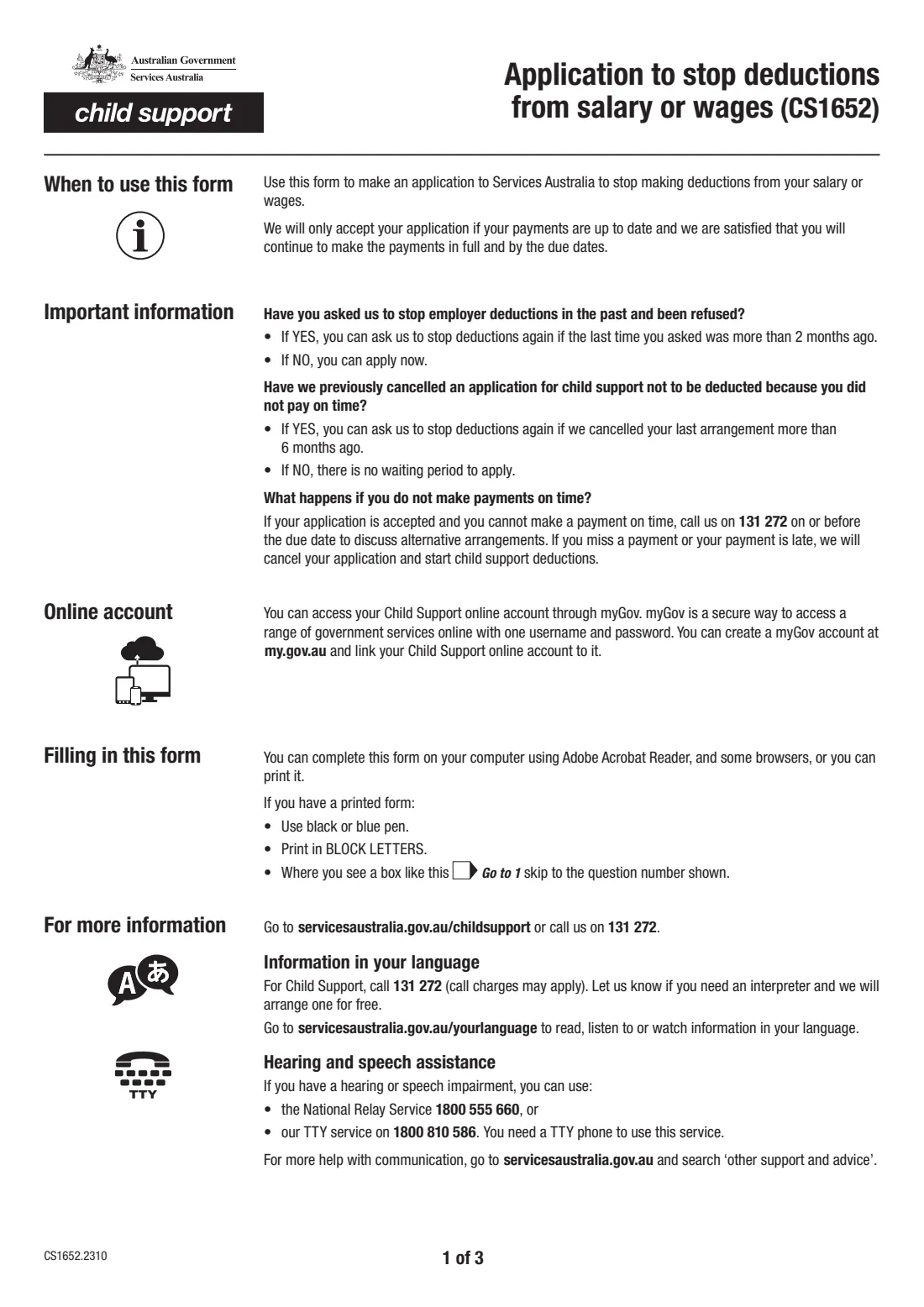
When child support is deducted from your salary or wages, your employer takes the payments out of your pay and sends them to Services Australia. Form CS1652, Application to stop deductions from salary or wages, is how you ask Services Australia to stop those employer deductions so you can make the payments yourself.
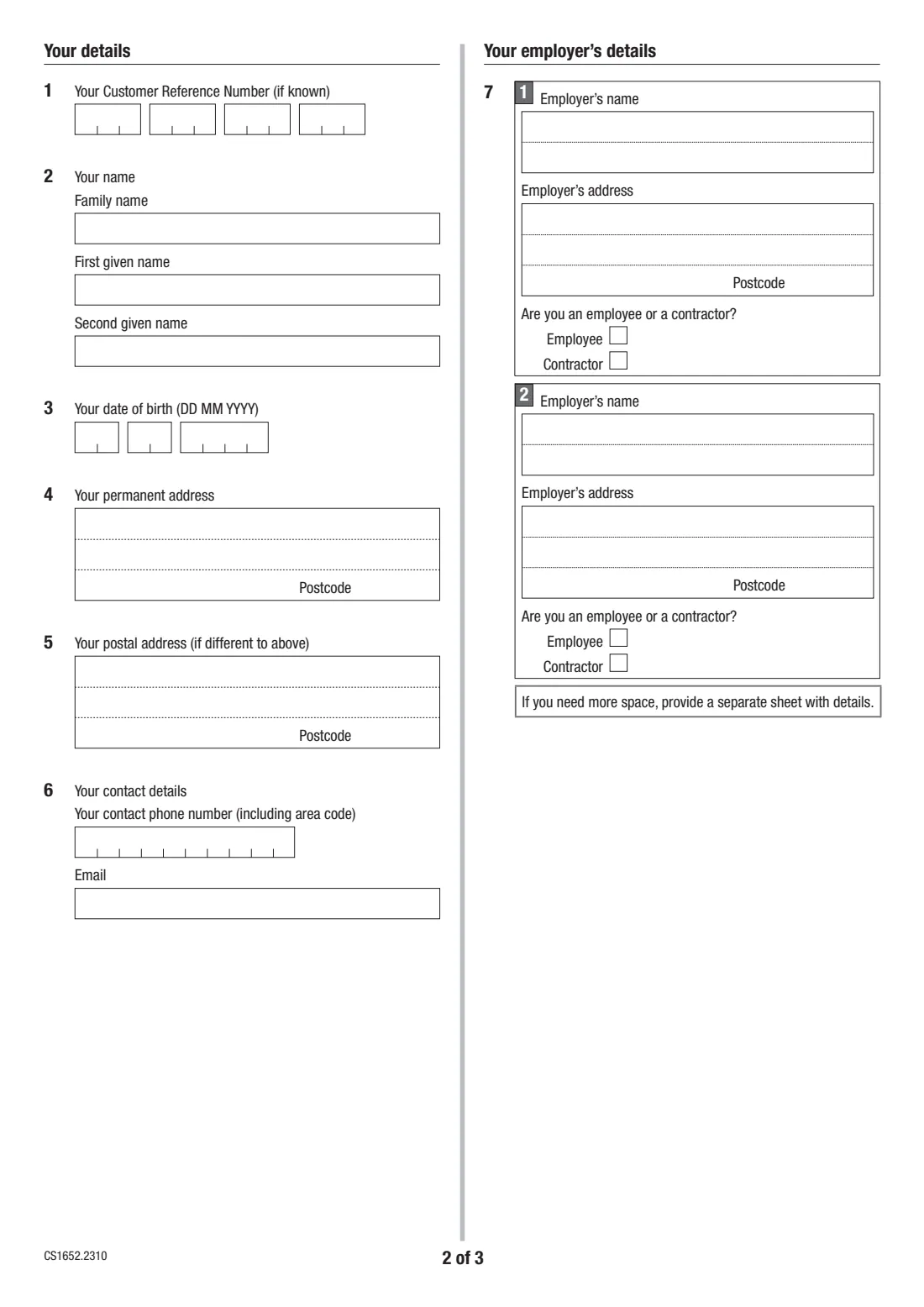
The form is short: your details, your contact details, the employer (or two) currently making deductions and whether you're an employee or contractor for each, then a signed declaration. Services Australia only accepts the application if your payments are up to date and it's satisfied you'll keep paying in full and by the due dates.
FileIt walks you through the current edition (CS1652.2310) and prints your answers into Services Australia's own PDF. It can pre-fill your name, date of birth and employer, checks your dates and phone number, and saves the finished form to your FileIt vault. You sign it and return it to Child Support yourself — FileIt never sends it anywhere.
- Who fills it
- The parent whose salary or wages have child support deducted
- Given to
- Services Australia (Child Support) — online, by post or by fax
- Accepted when
- Your payments are up to date and Services Australia is satisfied you'll keep paying in full and on time
- Signatures
- You, with the date
- Edition
- CS1652.2310
- Pages
- 3 (notes, questions, declaration)
Who needs to fill out Stop child support deductions from wages (CS1652)?
- Paying parents who have child support deducted from their salary or wages by an employer.
- Contractors whose payer deducts child support from their payments.
- Parents with more than one employer making deductions — the form takes two, and a separate sheet for more.
When to use Stop child support deductions from wages (CS1652)
- When you want to pay Child Support directly instead of through employer deductions.
- If you asked before and were refused: you can ask again once more than 2 months have passed since you last asked.
- If Services Australia previously cancelled an arrangement because you didn't pay on time: you can ask again once more than 6 months have passed since it was cancelled.
- If you've never asked before, or were never refused, there's no waiting period.
What you need before you start
- Your Child Support Customer Reference Number (CRN), if you know it.
- Your full name, date of birth, permanent address and postal address if different.
- A contact phone number and email address.
- Each employer's name and address, and whether you're their employee or a contractor.
- Your child support payments up to date.
What’s on Stop child support deductions from wages (CS1652)
The 2023 edition has 3 pages. FileIt asks for it in 4 parts, and it is signed by Paying parent:
- Your details (questions 1-6)Paying parent
- Your employer (question 7)Paying parent
- A second employer (question 7)Paying parent
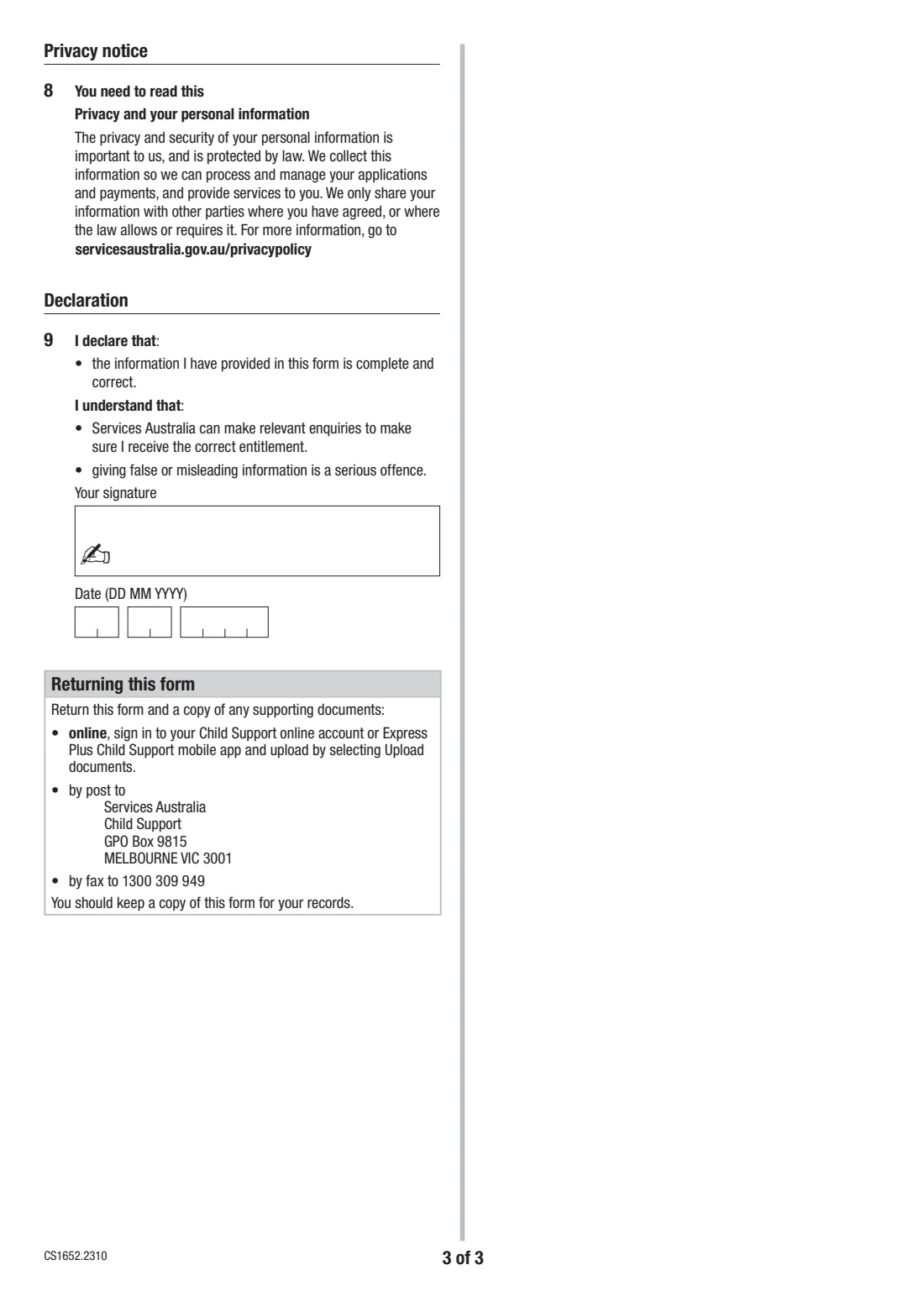
- Declaration (question 9)Paying parent
How to fill out Stop child support deductions from wages (CS1652), step by step
1 Your details (questions 1–6)
Give your CRN if known, your name, date of birth, permanent address and postal address if it's different, and a phone number and email. FileIt pre-fills your name, date of birth and email from your People record.
2 Your employer's details (question 7)
Give the name and address of the employer deducting child support, and tick whether you're an employee or a contractor. There's room for a second employer; if you need more space, attach a separate sheet.
3 Declaration (question 9)
You declare that the information is complete and correct, and acknowledge that Services Australia can make enquiries and that giving false or misleading information is a serious offence. Sign and date it.
Common mistakes to avoid
- Applying while payments are behind — the application is only accepted if your payments are up to date.
- Asking again within 2 months of being refused, or within 6 months of an arrangement being cancelled for late payment.
- Leaving out an employer that is also deducting child support.
- Forgetting to sign and date the declaration.
After you fill it out
Sign and date the declaration — print it and sign by hand, or send it for e-signature from FileIt.
Return it with a copy of any supporting documents: online, by signing in to your Child Support online account (or the Express Plus Child Support app) and choosing Upload documents; by post to Services Australia, Child Support, GPO Box 9815, MELBOURNE VIC 3001; or by fax to 1300 309 949. Keep a copy for your records.
If your application is accepted and you can't make a payment on time, call Child Support on 131 272 on or before the due date. If you miss a payment or pay late, Services Australia cancels the arrangement and starts child support deductions again.
Fill out Stop child support deductions from wages (CS1652) online with FileIt
- Pick the person. Choose someone from People and FileIt fills in their name, date of birth, address and other details it already knows.
- Answer plain-language questions. One part of the form at a time, with the official help text beside each question — 35 fields in all. Your answers save as you go.
- Check the live preview. Watch your answers land on the real Services Australia (Child Support) form, and let FileIt do any worksheet arithmetic.
- Generate the official PDF. FileIt prints your answers into the agency’s own PDF and files it in that person’s folder in your vault. Sign it, or send it for e-signature.
FileIt fills the form — it never files or submits anything for you. Deliver the finished form to whoever asked for it, the way the form’s instructions say.
Start Stop child support deductions from wages (CS1652) now — it’s freeStop child support deductions from wages (CS1652): frequently asked questions
What is form CS1652 for?
It asks Services Australia (Child Support) to stop deducting child support from your salary or wages through your employer, so you can pay Child Support directly.
Will Services Australia always agree?
No. The form says they only accept the application if your payments are up to date and they're satisfied you'll continue to make the payments in full and by the due dates.
I was refused before. Can I apply again?
Yes, if the last time you asked was more than 2 months ago. If Services Australia cancelled an earlier arrangement because you didn't pay on time, you can ask again once it was cancelled more than 6 months ago.
What happens if I miss a payment after it's approved?
Call 131 272 on or before the due date to discuss alternative arrangements. If you miss a payment or pay late, Services Australia cancels your application and starts child support deductions again.
Can I fill in the CS1652 online?
Yes. FileIt fills in the official CS1652 PDF from guided questions and saves it to your vault. You sign it and return it to Child Support yourself — online, by post or by fax.
Where do I send it?
Upload it through your Child Support online account or the Express Plus Child Support app (Upload documents), post it to Services Australia, Child Support, GPO Box 9815, Melbourne VIC 3001, or fax it to 1300 309 949.
Official sources
- Blank form (PDF), published by Services Australia (Child Support): https://www.servicesaustralia.gov.au/sites/default/files/2023-11/cs1652-2310en-f.pdf
- Official instructions and guidance: https://www.servicesaustralia.gov.au/cs1652
- Edition shown on this page: CS1652.2310 (checked 2026-09-28).
FileIt is not affiliated with or endorsed by Services Australia (Child Support) or any government. This page explains the form in general terms and is not legal, tax or immigration advice. Always read the official instructions, and check that you are using the edition the recipient accepts. Page last reviewed 2026-09-28.