What is End a child support assessment (CS1671)?
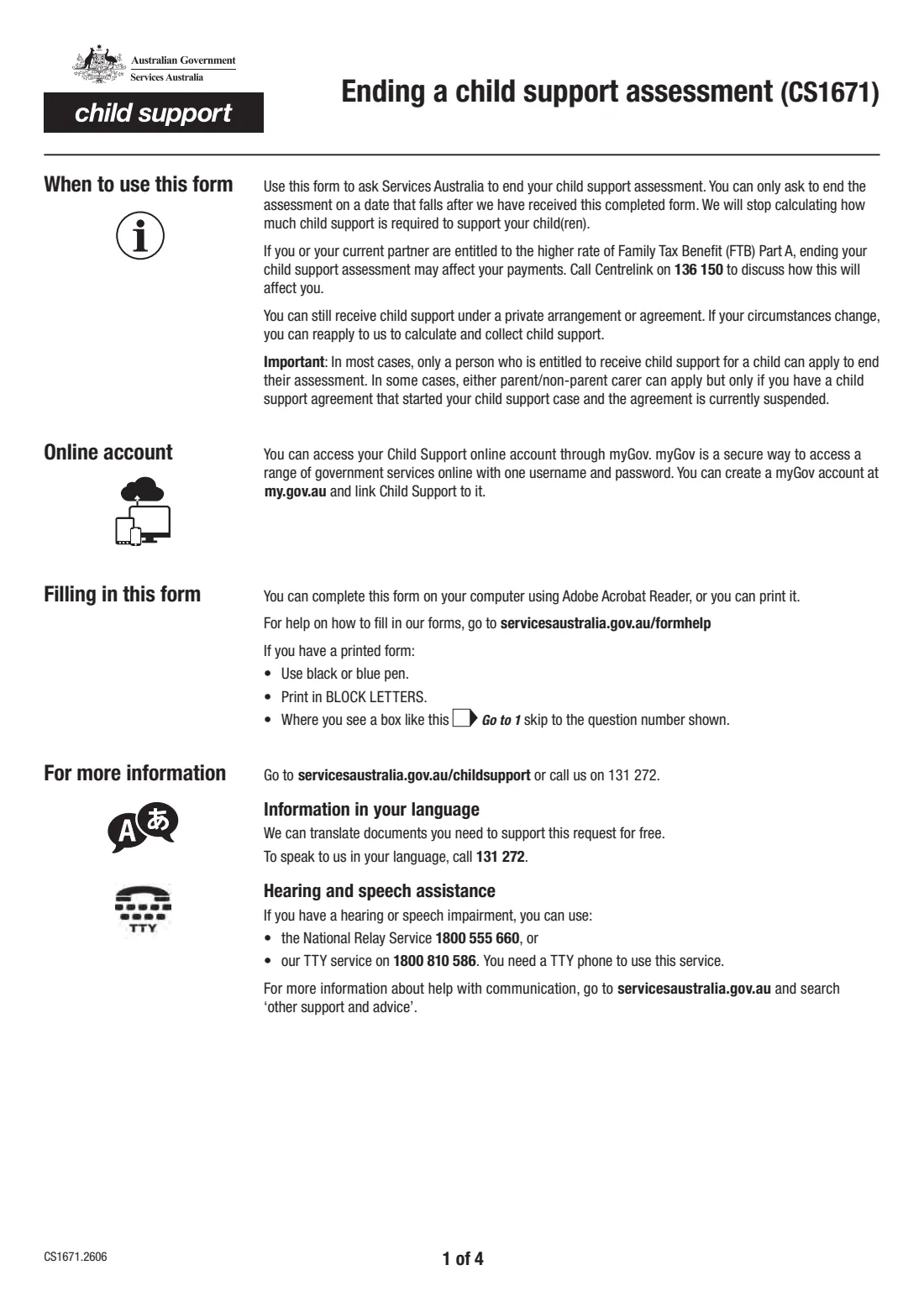
Form CS1671, Ending a child support assessment, asks Services Australia (Child Support) to end your child support assessment. Once it ends, Services Australia stops calculating how much child support is needed for the children you name. You can only ask for it to end on a date after Services Australia receives the completed form.
In most cases only the person entitled to receive child support can apply. Either parent or non-parent carer can apply only if a child support agreement started the case and that agreement is currently suspended. You can still receive child support under a private arrangement or agreement, and you can reapply if your circumstances change. If you or your partner get the higher rate of Family Tax Benefit Part A, ending the assessment may affect it — the form says to call Centrelink on 136 150 first.
FileIt walks you through the June 2026 edition (CS1671.2606) and prints your answers into Services Australia's own PDF — including your reasons, laid out across the form's ruled lines. It checks that the end date is in the future, shows the follow-up questions about outstanding payments only when they apply, and saves the finished form to your FileIt vault. You sign it and return it yourself.
- Who fills it
- Usually the person entitled to receive child support
- Given to
- Services Australia (Child Support) — online, by post or by fax
- End date
- Must fall after Services Australia receives the completed form
- Signatures
- You, with the date
- Edition
- CS1671.2606 (June 2026)
- Pages
- 4
Who needs to fill out End a child support assessment (CS1671)?
- Parents or carers receiving child support who no longer want Services Australia to assess it — for example because they've agreed on a private arrangement.
- Either parent or non-parent carer, where a child support agreement started the case and is currently suspended.
- Receiving parents who want to end the assessment but still have Child Support collect payments that are outstanding.
When to use End a child support assessment (CS1671)
- When you want Services Australia to stop calculating child support for one or more children.
- Before the date you want it to end: the end date must be after Services Australia receives the form.
- After checking with Centrelink (136 150) if you or your partner get the higher rate of Family Tax Benefit Part A.
What you need before you start
- Your Child Support Customer Reference Number (CRN), if known, and your contact details.
- The other party's name, date of birth, address, phone number and email.
- Each child's name and date of birth (the form takes three; attach a sheet for more).
- Your reasons for wanting to end the assessment.
- The date you want the assessment to end.
- Whether you want Child Support to collect any outstanding payments — all of them, or a set amount.
What’s on End a child support assessment (CS1671)
The 2026 edition has 4 pages. FileIt asks for it in 7 parts, and it is signed by Applicant:
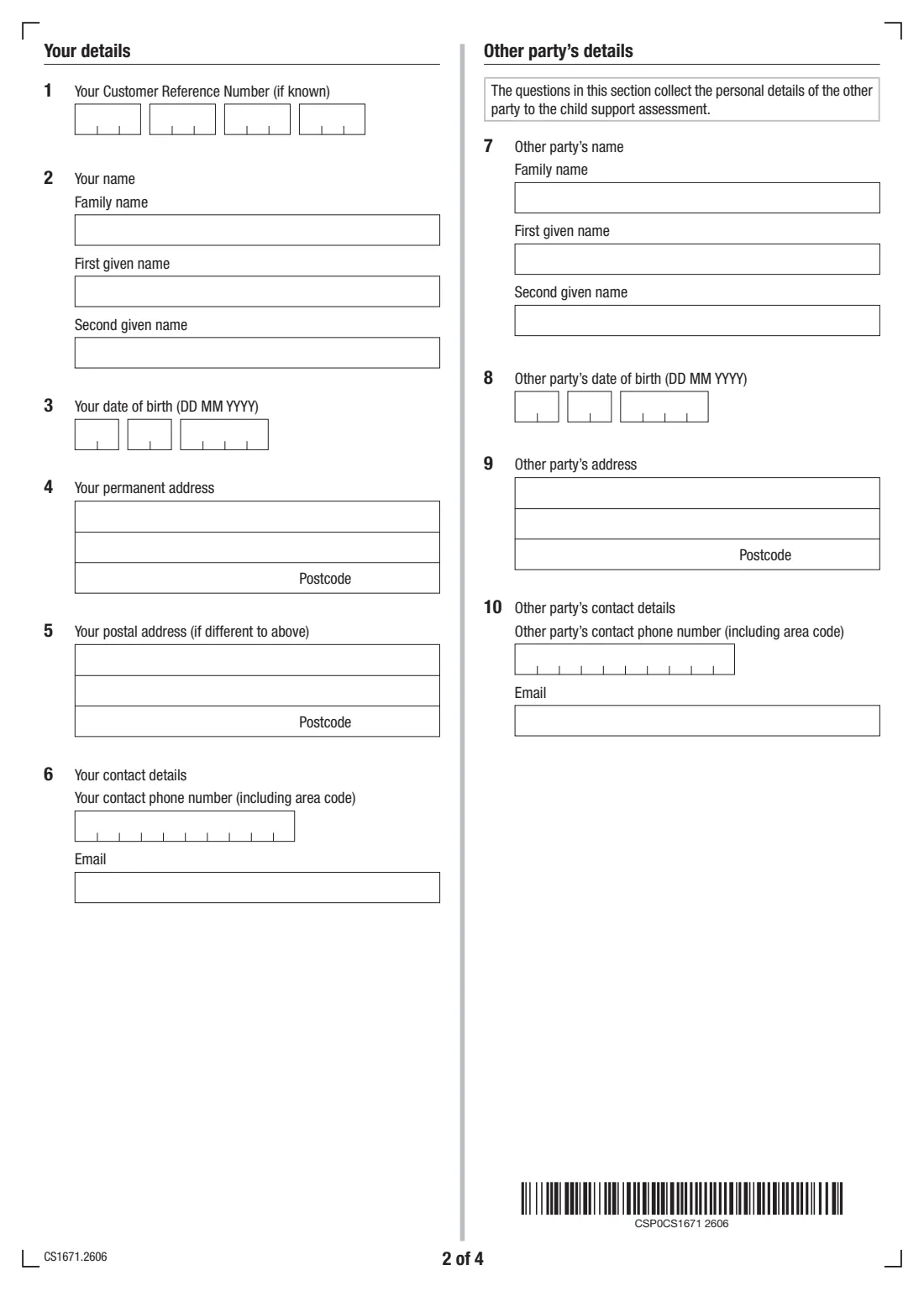
- Your details (questions 1-6)Applicant
- Other party's details (questions 7-10)Applicant
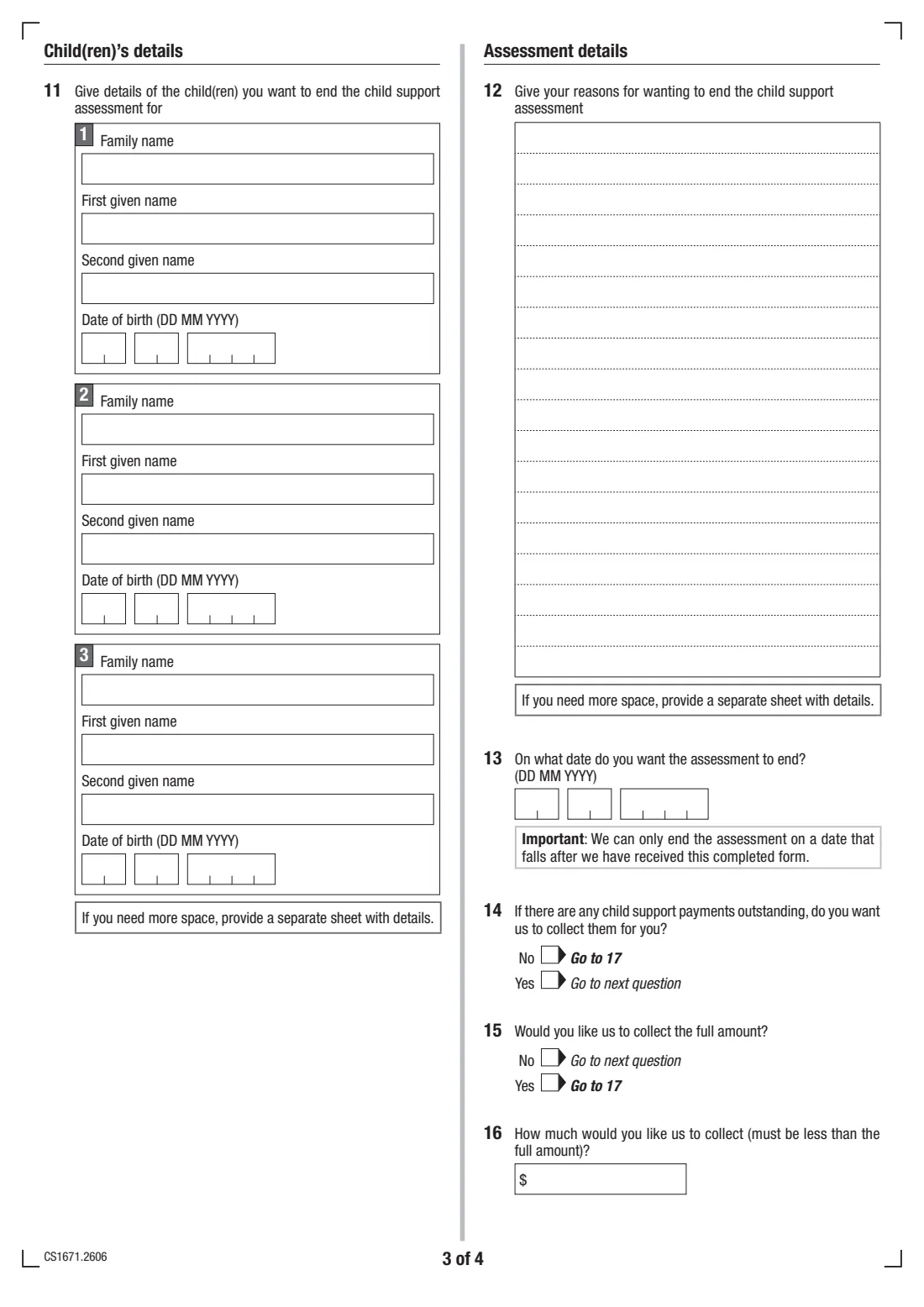
- Child 1 (question 11)Applicant
- Child 2 (question 11)Applicant
- Child 3 (question 11)Applicant
- Assessment details (questions 12-16)Applicant
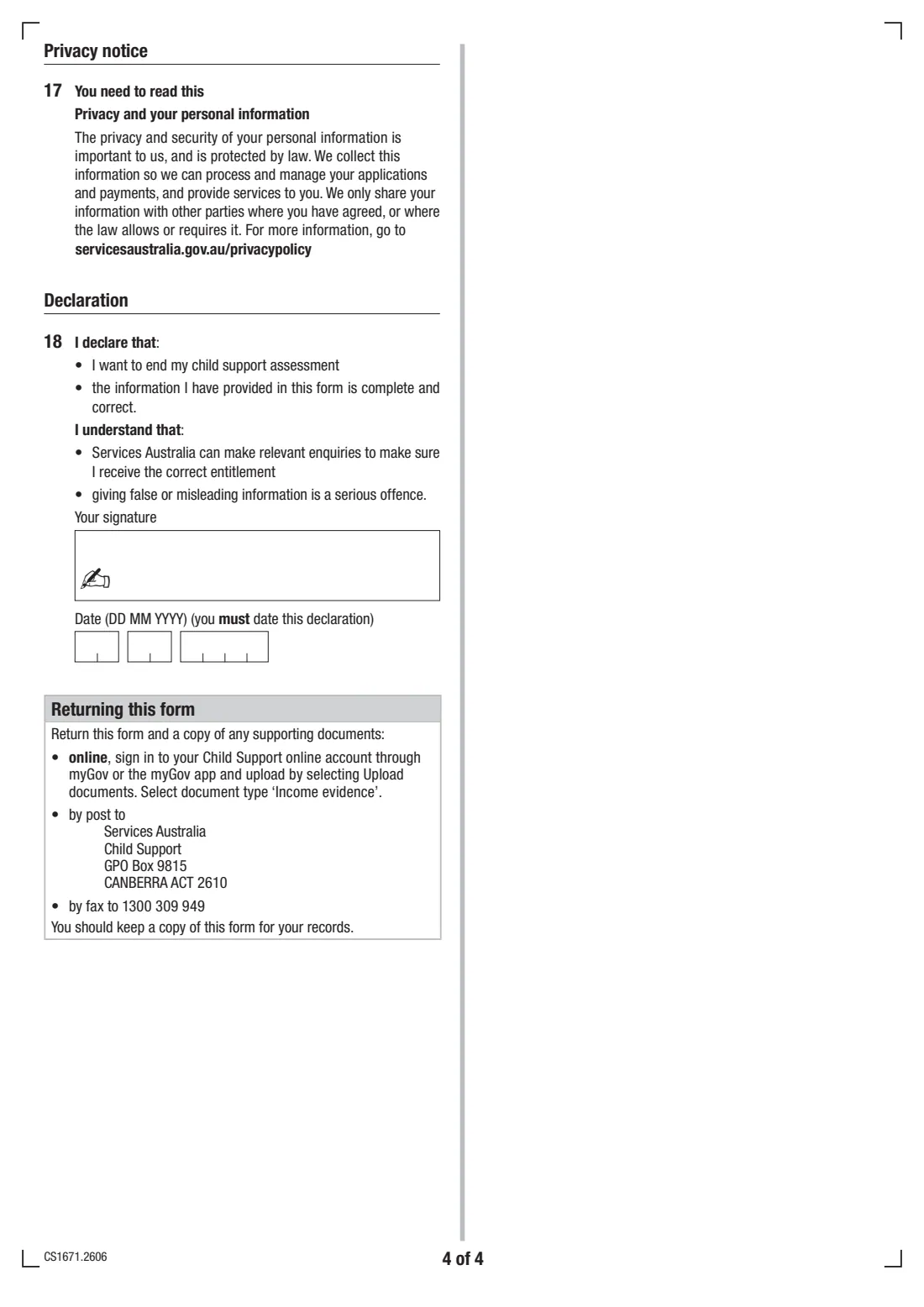
- Declaration (question 18)Applicant
How to fill out End a child support assessment (CS1671), step by step
1 Your details (questions 1–6)
Your CRN if known, name, date of birth, permanent and postal addresses, phone number and email.
2 Other party's details (questions 7–10)
The name, date of birth, address and contact details of the other party to the child support assessment.
3 Children (question 11)
Name and date of birth for each child you want to end the assessment for. There's room for three; attach a separate sheet for more.
4 Assessment details (questions 12–16)
Give your reasons and the date you want the assessment to end — a date after Services Australia receives the form. Then say whether you want Child Support to collect any outstanding payments; if yes, whether to collect the full amount or a smaller amount you specify.
5 Declaration (question 18)
You declare that you want to end your child support assessment and that the information is complete and correct. Sign and date it — the form says you must date it.
Common mistakes to avoid
- Choosing an end date that has already passed or falls before Services Australia receives the form.
- Applying when you're not the person entitled to receive child support (unless a suspended agreement started the case).
- Not checking the effect on Family Tax Benefit Part A before ending the assessment.
- At question 16, asking for an amount that isn't less than the full amount outstanding.
- Forgetting to sign and date the declaration.
After you fill it out
Sign and date the declaration — print it and sign by hand, or send it for e-signature from FileIt.
Return it with a copy of any supporting documents: online, by signing in to your Child Support online account through myGov or the myGov app and choosing Upload documents (document type 'Income evidence'); by post to Services Australia, Child Support, GPO Box 9815, CANBERRA ACT 2610; or by fax to 1300 309 949. Keep a copy for your records.
A copy stays in your FileIt vault. If your circumstances change later, you can apply to Services Australia again to calculate and collect child support.
Fill out End a child support assessment (CS1671) online with FileIt
- Pick the person. Choose someone from People and FileIt fills in their name, date of birth, address and other details it already knows.
- Answer plain-language questions. One part of the form at a time, with the official help text beside each question — 65 fields in all. Your answers save as you go.
- Check the live preview. Watch your answers land on the real Services Australia (Child Support) form, and let FileIt do any worksheet arithmetic.
- Generate the official PDF. FileIt prints your answers into the agency’s own PDF and files it in that person’s folder in your vault. Sign it, or send it for e-signature.
FileIt fills the form — it never files or submits anything for you. Deliver the finished form to whoever asked for it, the way the form’s instructions say.
Start End a child support assessment (CS1671) now — it’s freeEnd a child support assessment (CS1671): frequently asked questions
What does form CS1671 do?
It asks Services Australia to end your child support assessment, so they stop calculating how much child support is required for the children you name.
Who can apply to end a child support assessment?
In most cases only the person entitled to receive child support for a child. Either parent or non-parent carer can apply only if a child support agreement started the case and the agreement is currently suspended.
Can the assessment end straight away?
Only on a date after Services Australia has received the completed form, so pick a date in the future.
Can I still get child support after ending the assessment?
Yes, under a private arrangement or agreement. If your circumstances change, you can reapply to have Services Australia calculate and collect child support.
Will it affect my Family Tax Benefit?
It may, if you or your current partner get the higher rate of Family Tax Benefit Part A. The form says to call Centrelink on 136 150 to discuss it.
What happens to child support that's still owed?
Question 14 asks whether you want Child Support to collect any outstanding payments for you, and question 15 whether to collect the full amount or a smaller amount you name.
Where do I send it?
Upload it through your Child Support online account via myGov (document type 'Income evidence'), post it to Services Australia, Child Support, GPO Box 9815, Canberra ACT 2610, or fax it to 1300 309 949.
Official sources
- Blank form (PDF), published by Services Australia (Child Support): https://www.servicesaustralia.gov.au/sites/default/files/2026-06/cs1671-2606en-f.pdf
- Official instructions and guidance: https://www.servicesaustralia.gov.au/cs1671
- Edition shown on this page: CS1671.2606 (checked 2026-09-28).
FileIt is not affiliated with or endorsed by Services Australia (Child Support) or any government. This page explains the form in general terms and is not legal, tax or immigration advice. Always read the official instructions, and check that you are using the edition the recipient accepts. Page last reviewed 2026-09-28.