
What is Form 1424 — refund request?
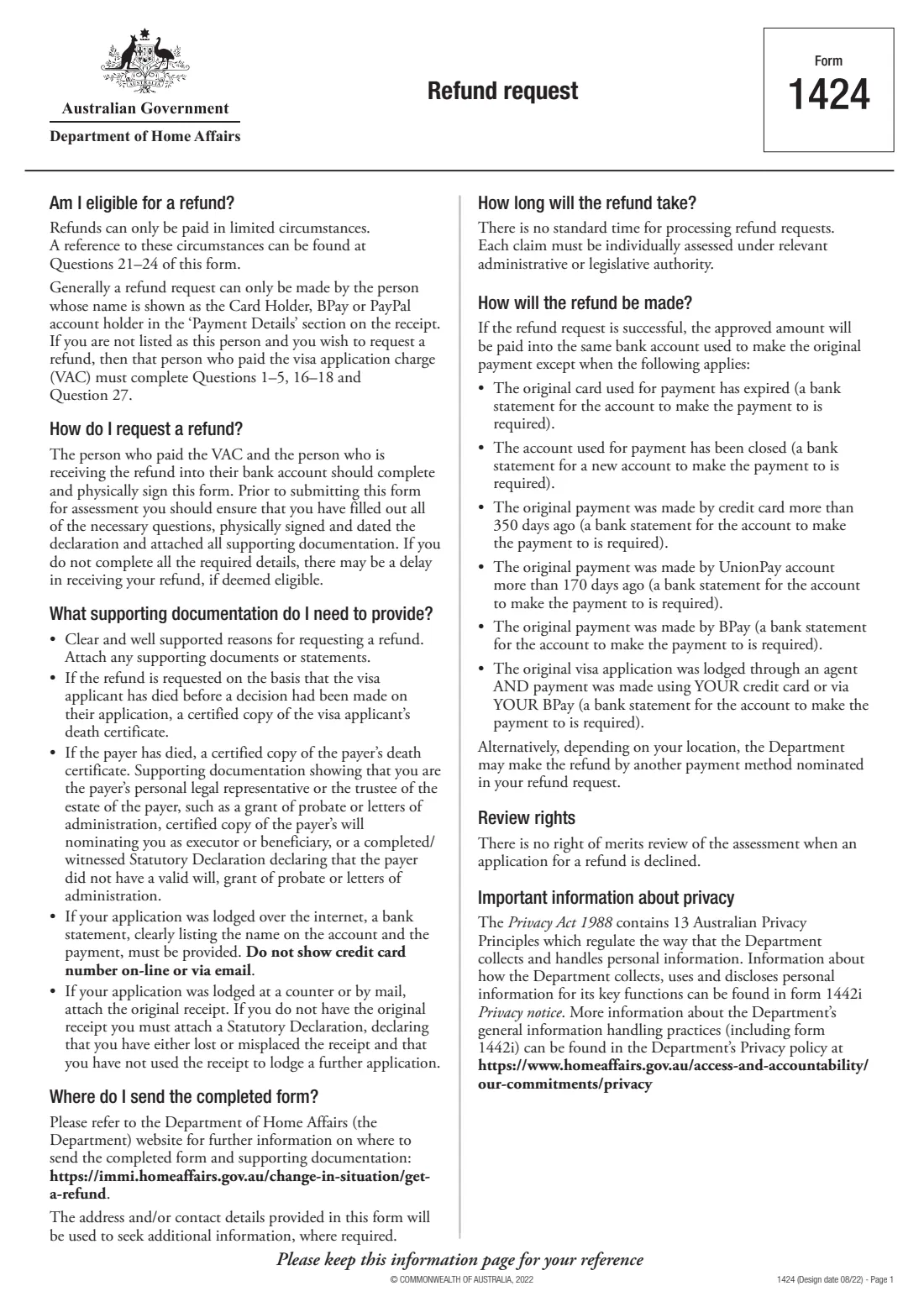
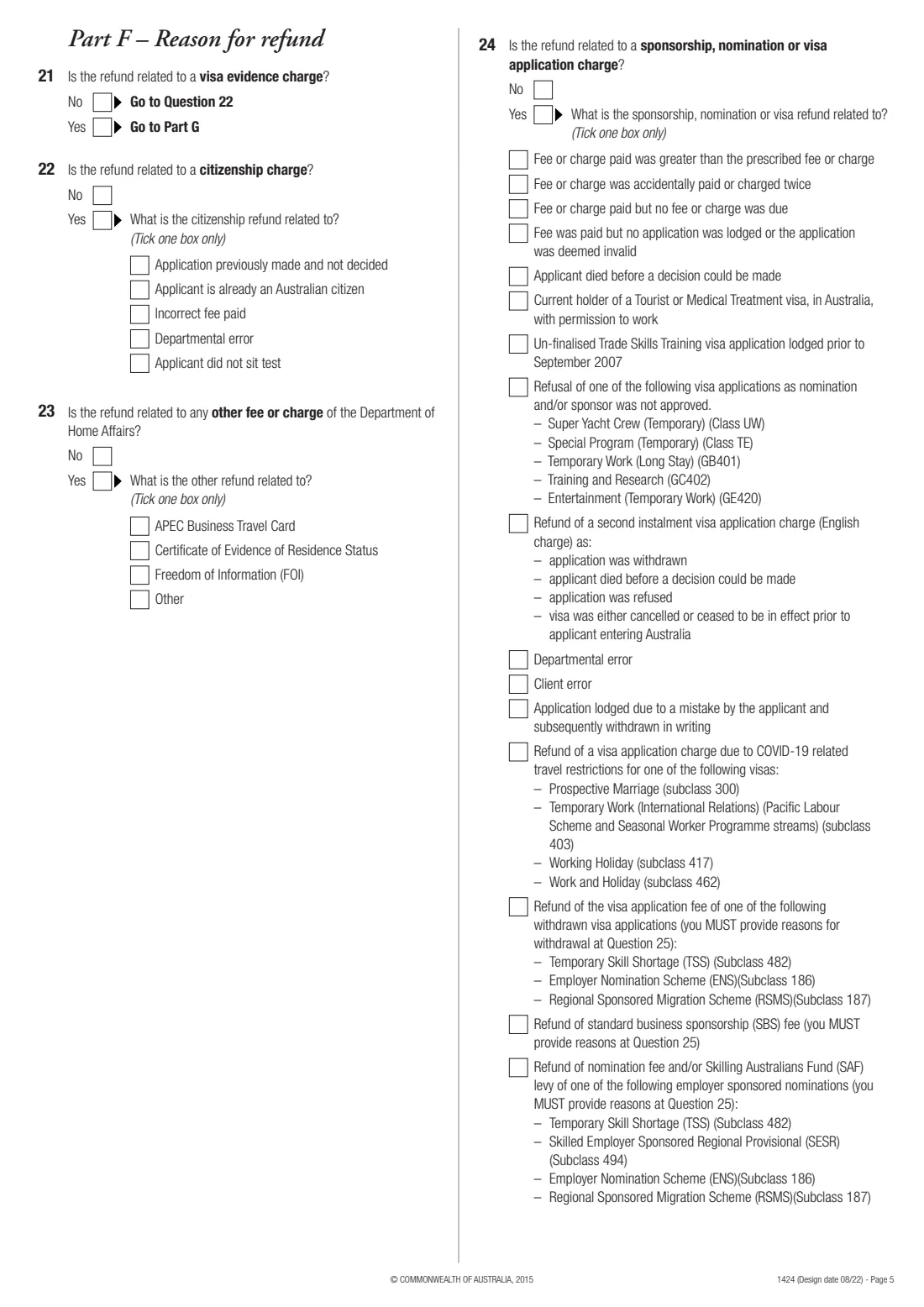
Form 1424, Refund request, is how you ask the Department of Home Affairs to refund a charge you paid — a visa application charge (VAC), a visa evidence charge, a citizenship charge, a sponsorship or nomination fee, the Skilling Australians Fund levy, or another Department fee. The form is clear that refunds can only be paid in limited circumstances, and it lists them at questions 21 to 24: for example a fee charged twice, a fee paid when none was due, an application lodged by mistake and withdrawn in writing, or an applicant who died before a decision.
Generally the request must come from the person shown as the card holder, BPay or PayPal account holder on the receipt. If someone else is to receive the refund — or if the payer has died — an authorised person gives their details too. You give a clear, well-supported reason, the bank account for the refund, and attach the evidence the checklist asks for. There is no standard processing time and no right of merits review if a refund is declined.
FileIt guides you through Form 1424 — following the form's 'go to' routing — and prints your answers into the Department's own PDF, with your reason wrapped onto the ruled lines and the BSB in its boxes. It saves the finished form to your vault. The form asks for physical signatures, so you print and sign it by hand; FileIt never submits anything.
- Who fills it
- The person who paid the charge, or an authorised person
- Covers
- Visa application, visa evidence, citizenship, sponsorship and nomination charges, and other Department fees
- Signatures
- Physical signatures at questions 18, 19 and 27 as they apply
- Processing time
- The form says there is no standard time
- Review
- No right of merits review if declined
- Edition
- Design date 08/22
Who needs to fill out Form 1424 — refund request?
- People who paid a Home Affairs charge twice, paid more than the prescribed amount, or paid when no charge was due.
- Families where a visa applicant died before a decision was made.
- Employers seeking a refund of a nomination fee, sponsorship fee or Skilling Australians Fund levy in the circumstances listed at question 24.
- Citizenship applicants in the listed cases, such as an application previously made and not decided, or an applicant who is already an Australian citizen.
- The legal personal representative of a payer who has died.
When to use Form 1424 — refund request
- When one of the circumstances at questions 21 to 24 applies to your payment.
- Not simply because you withdrew an application — withdrawing doesn't automatically entitle you to a refund.
- Where to send it: the form points to the Department's 'get a refund' page for where to send the completed form and documents.
What you need before you start
- The payer's name, date of birth, address, phone numbers and email.
- The application's TRN, request ID, application ID, file number or client ID, the visa subclass, the date of application and the applicant's name and date of birth.
- The receipt number, date, amount and currency.
- Bank account details for the refund: account name, bank and branch, and either the BSB and account number or, for an overseas account, the country, IBAN/SWIFT, currency, branch code and account number.
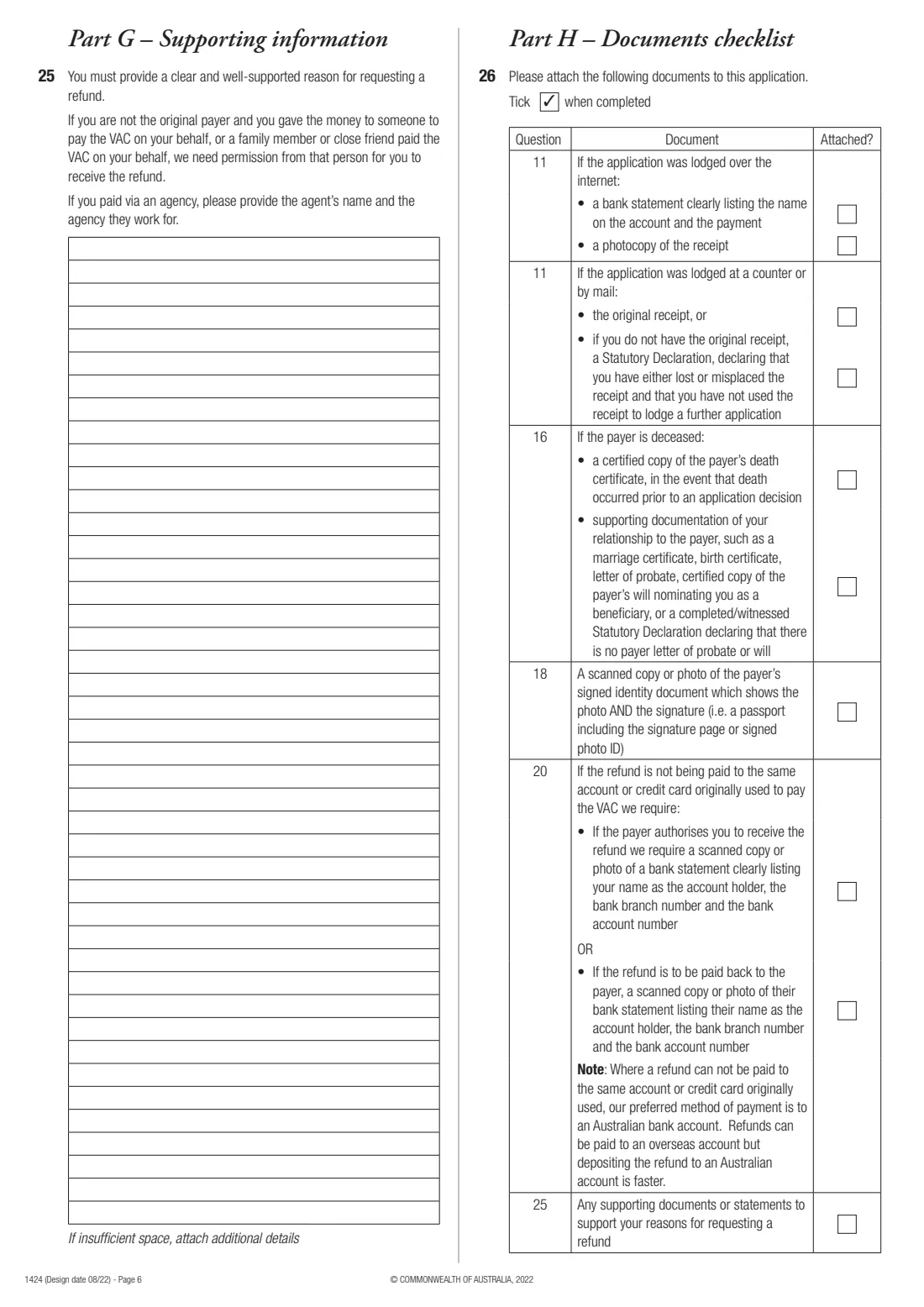
- Evidence: a bank statement listing the name on the account and the payment (online lodgement) or the original receipt (paper lodgement), a copy of the payer's signed identity document, and documents supporting your reason.
- If the payer has died: a certified copy of the death certificate and proof you're their legal personal representative.
What’s on Form 1424 — refund request
The 2022 edition has 7 pages. FileIt asks for it in 10 parts:
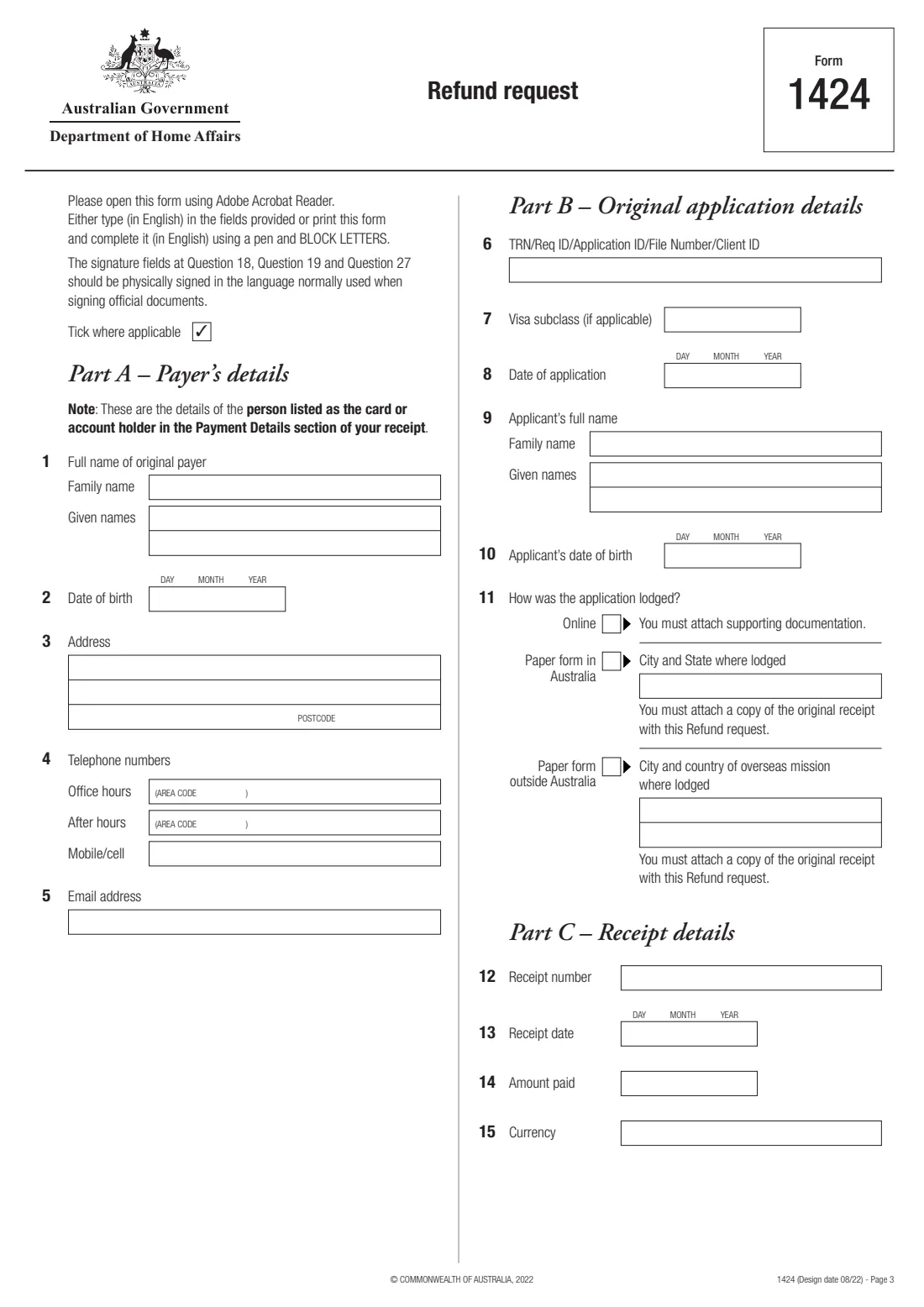
- Part A — Payer's details (questions 1–5)Person requesting the refund
- Part B — Original application details (questions 6–11)Person requesting the refund
- Part C — Receipt details (questions 12–15)Person requesting the refund
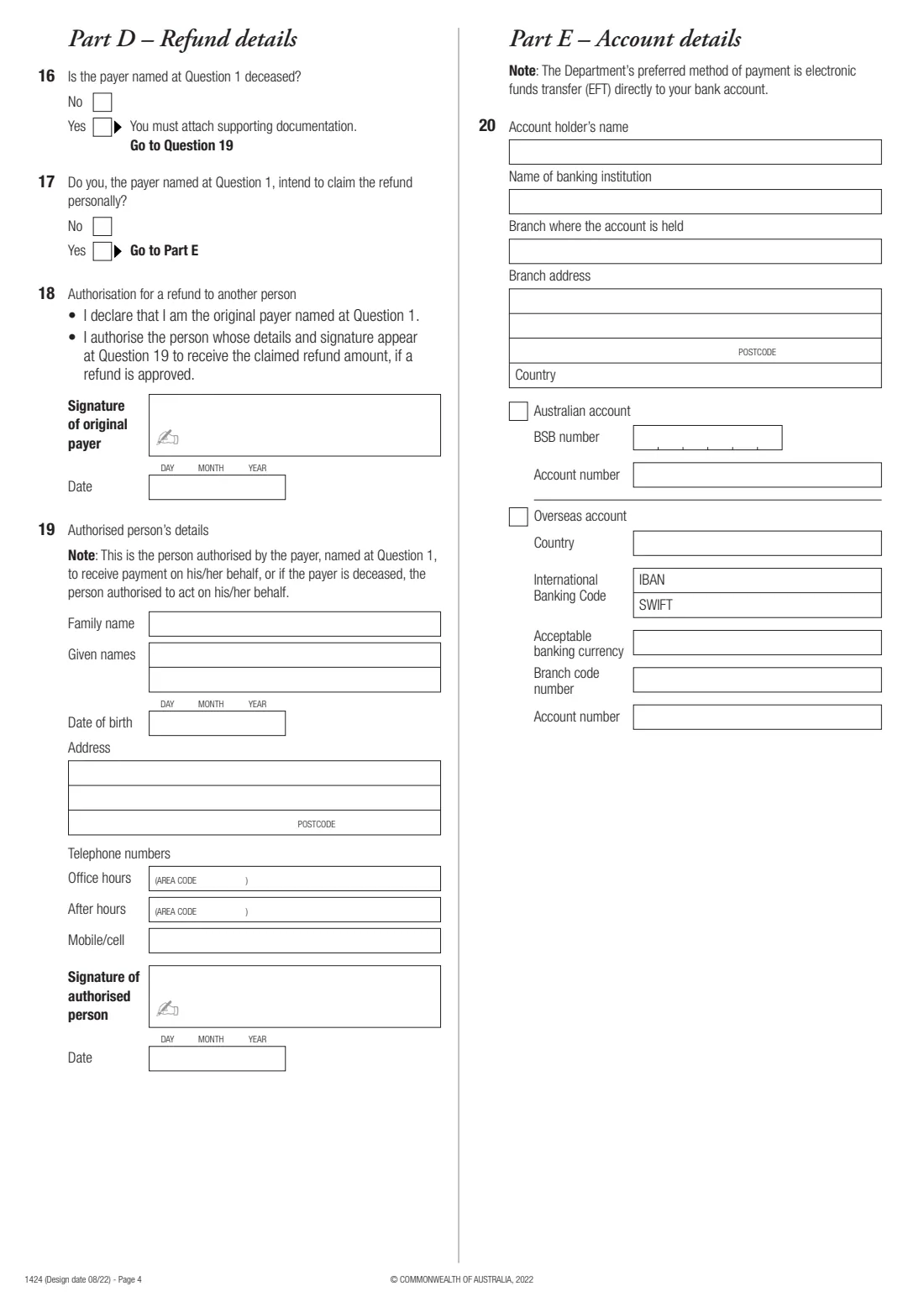
- Part D — Refund details (questions 16–18)Person requesting the refund
- Question 19 — Authorised person's detailsPerson requesting the refund
- Part E — Account details (question 20)Person requesting the refund
- Part F — Reason for refund (questions 21–24)Person requesting the refund
- Part G — Supporting information (question 25)Person requesting the refund
- Part H — Documents checklist (question 26)Person requesting the refund
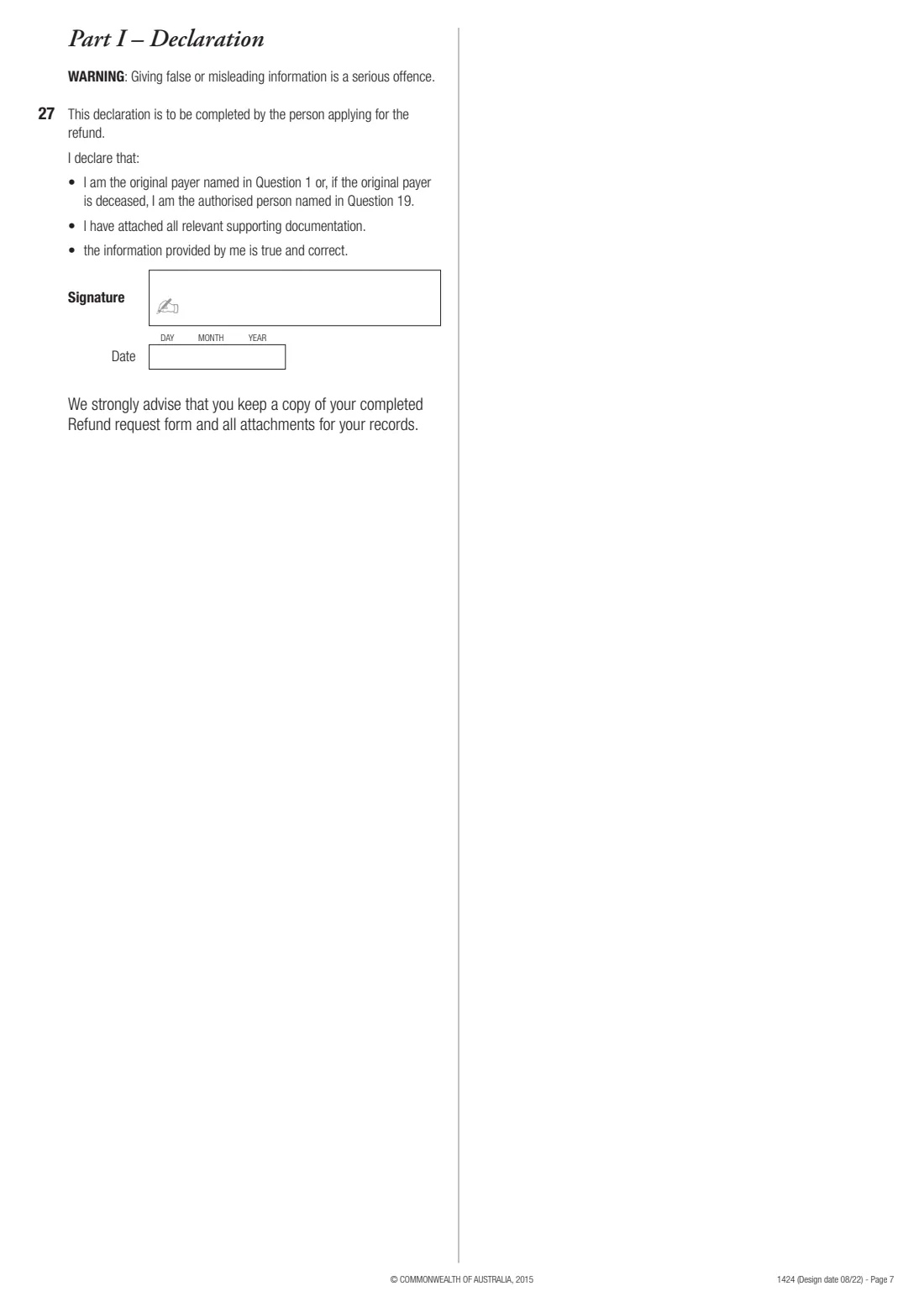
- Part I — Declaration (question 27)Person requesting the refund
How to fill out Form 1424 — refund request, step by step
1 Parts A to C — Payer, application and receipt (questions 1 to 15)
Give the payer's details as on the receipt, the original application's reference, subclass, date and how it was lodged (online, or on paper in or outside Australia), and the receipt number, date, amount and currency.
2 Part D — Refund details (questions 16 to 19)
Say whether the payer has died and whether they're claiming the refund personally. If not, the payer signs the authorisation at question 18 and the authorised person gives their details and signs at question 19.
3 Part E — Account details (question 20)
The account for the refund, Australian or overseas. The form says EFT to your bank account is the preferred method, and that a refund is generally paid into the account used for the original payment unless one of the listed exceptions applies.
4 Part F — Reason for refund (questions 21 to 24)
Tick whether the refund relates to a visa evidence charge, a citizenship charge, another Department fee or charge, or a sponsorship, nomination or visa application charge, and which of the listed circumstances applies.
5 Parts G to I — Reason, checklist and declaration (questions 25 to 27)
Give a clear, well-supported reason, tick each document you're attaching, and sign the declaration physically.
Common mistakes to avoid
- Requesting a refund when none of the circumstances at questions 21 to 24 applies.
- The wrong person completing the form — generally it must be the card or account holder on the receipt, or someone they authorise at question 18.
- Leaving out the bank statement or original receipt the checklist asks for.
- Showing a full credit card number on documents sent online or by email — the form says not to.
- Signing electronically — the form says the signature fields should be physically signed.
After you fill it out
Print the form and sign it by hand at question 27 (and at questions 18 and 19 where they apply).
Attach the documents you ticked at question 26, and send the form as the Department's 'get a refund' page directs.
Keep a copy, as the form strongly advises. FileIt keeps the completed PDF in your vault with your receipts and visa documents.
Fill out Form 1424 — refund request online with FileIt
- Pick the person. Choose someone from People and FileIt fills in their name, date of birth, address and other details it already knows.
- Answer plain-language questions. One part of the form at a time, with the official help text beside each question — 121 fields in all. Your answers save as you go.
- Check the live preview. Watch your answers land on the real Department of Home Affairs form, and let FileIt do any worksheet arithmetic.
- Generate the official PDF. FileIt prints your answers into the agency’s own PDF and files it in that person’s folder in your vault.
FileIt fills the form — it never files or submits anything for you. Deliver the finished form to whoever asked for it, the way the form’s instructions say.
Start Form 1424 — refund request now — it’s freeForm 1424 — refund request: frequently asked questions
Can I get my visa application charge back?
Only in limited circumstances, which the form lists at questions 21 to 24 — for example if the charge was paid twice, paid when no charge was due, or the applicant died before a decision. Withdrawing an application doesn't automatically entitle you to a refund.
Who can request the refund?
Generally the person shown as the card holder, BPay or PayPal account holder in the Payment Details section of the receipt. They can authorise another person to receive it, and if the payer has died, their authorised representative can request it.
How long does a refund take?
The form says there is no standard time for processing refund requests, because each claim must be individually assessed.
Where is the refund paid?
Generally into the account used for the original payment. The form lists exceptions — such as an expired card, a closed account, or a BPay payment — where you provide a bank statement for the account to pay instead.
Can I sign Form 1424 electronically?
The form says the signature fields should be physically signed, so FileIt prints the form ready for you to sign by hand.
Official sources
- Blank form (PDF), published by Department of Home Affairs: https://immi.homeaffairs.gov.au/form-listing/forms/1424.pdf
- Official instructions and guidance: https://immi.homeaffairs.gov.au/change-in-situation/get-a-refund
- Edition shown on this page: Design date 08/22 (checked 2026-10-01).
FileIt is not affiliated with or endorsed by Department of Home Affairs or any government. This page explains the form in general terms and is not legal, tax or immigration advice. Always read the official instructions, and check that you are using the edition the recipient accepts. Page last reviewed 2026-10-01.