What is Form 1195 — Identity declaration?
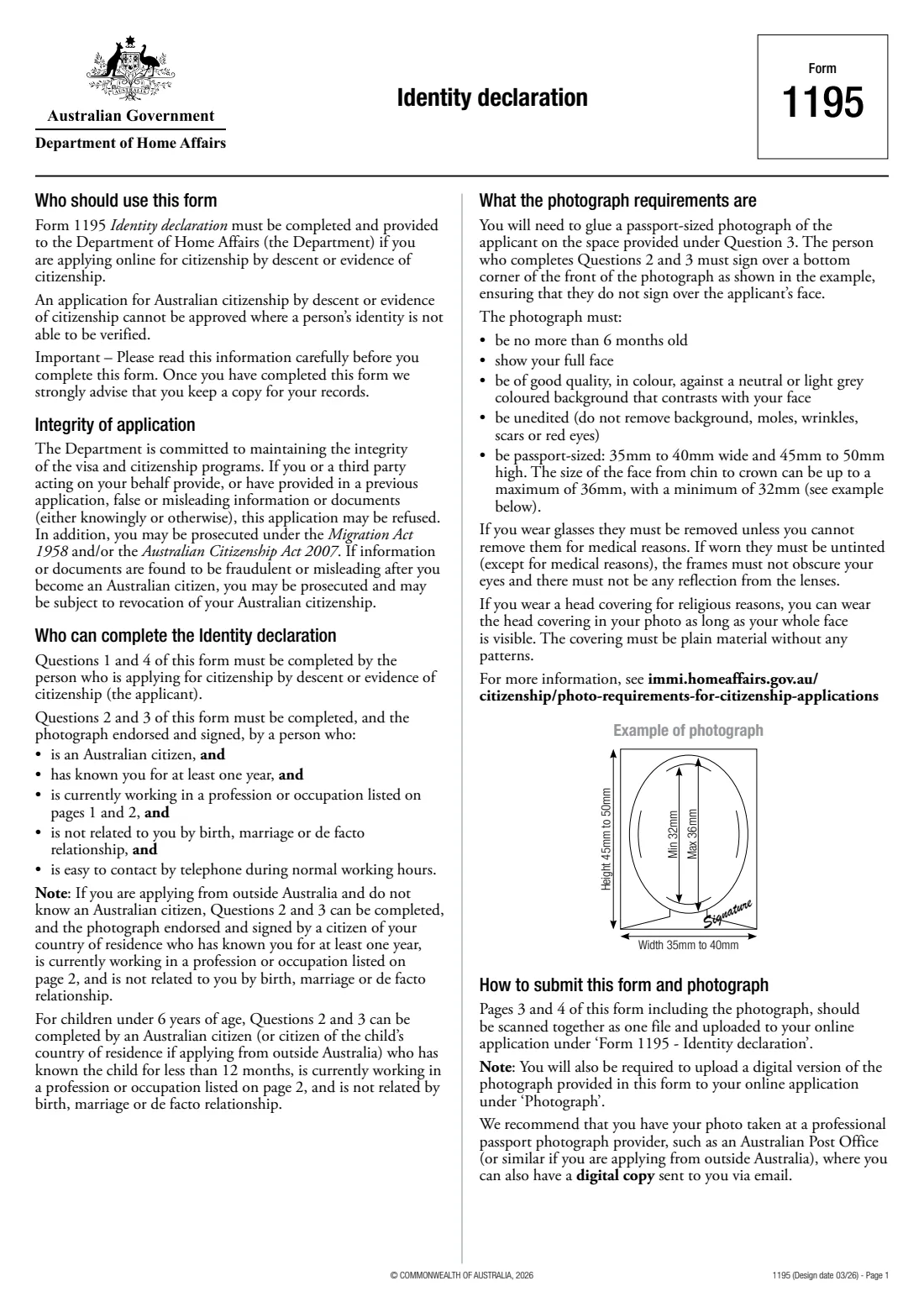
Form 1195, Identity declaration, must be completed and provided to the Department of Home Affairs if you are applying online for Australian citizenship by descent or for evidence of Australian citizenship. The form says such an application cannot be approved where a person's identity cannot be verified.
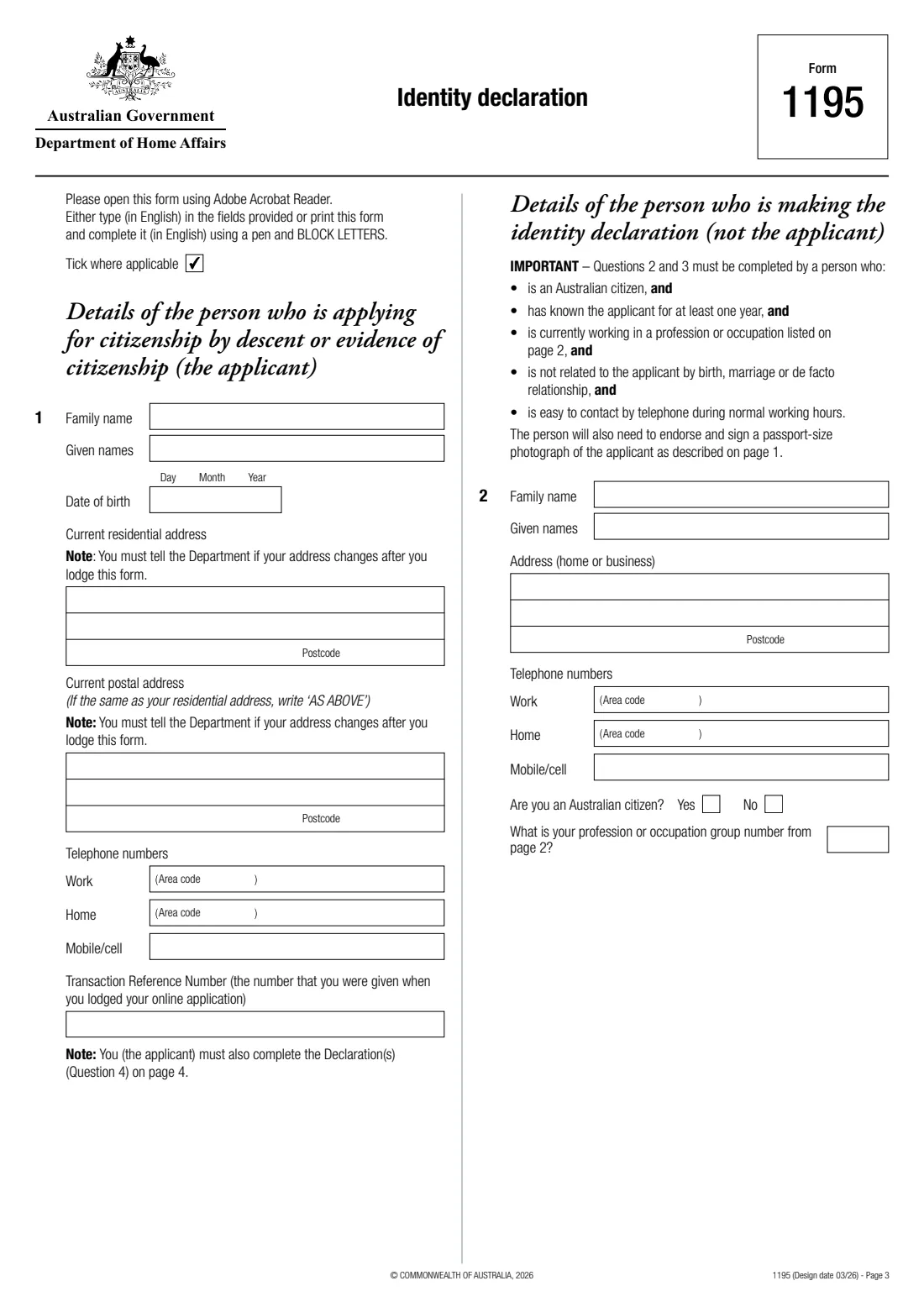
Two people complete it. You, the applicant, fill in question 1 (your name, date of birth, addresses, phone numbers and your online application's Transaction Reference Number) and sign the declaration at question 4 — or, if you are under 16, your responsible parent signs it. A second person who meets strict conditions completes questions 2 and 3: they give their own details and occupation, state how long they have known you, vouch for your identity and sign your passport-sized photograph.
FileIt guides both of you through the March 2026 edition (Design date 03/26) and prints the answers into the Department's own PDF, with names such as O'Brien-Müller or Wiśniewska-Łukasiński printed correctly and your name repeated in question 3 for you. It checks the one-year rule and who signs the declaration, and saves the finished form in your vault. You then glue on the photo, sign, scan pages 3 and 4 and upload them to your online application yourself — FileIt never submits anything.
- Who fills it
- The applicant (questions 1 and 4) and a person who has known them for at least a year (questions 2 and 3)
- Given to
- Department of Home Affairs — pages 3 and 4, with the photo, scanned and uploaded to the online application
- When
- With an online application for citizenship by descent or evidence of citizenship
- Signatures
- The person making the declaration (and over the photo), and the applicant or their responsible parent
- Photo
- Passport-sized, 35–40 mm wide by 45–50 mm high, no more than 6 months old, in colour
- Edition
- Design date 03/26
Who needs to fill out Form 1195 — Identity declaration?
- People applying online for Australian citizenship by descent — born overseas to an Australian citizen parent.
- People applying online for evidence of Australian citizenship, such as a citizenship certificate.
- Parents applying for a child, who sign the responsible parent declaration when the child is under 16.
- The professional who has known the applicant and agrees to vouch for their identity.
When to use Form 1195 — Identity declaration
- After you've lodged your online application and have its Transaction Reference Number.
- Once you have a recent passport-sized photo and a suitable person to complete questions 2 and 3.
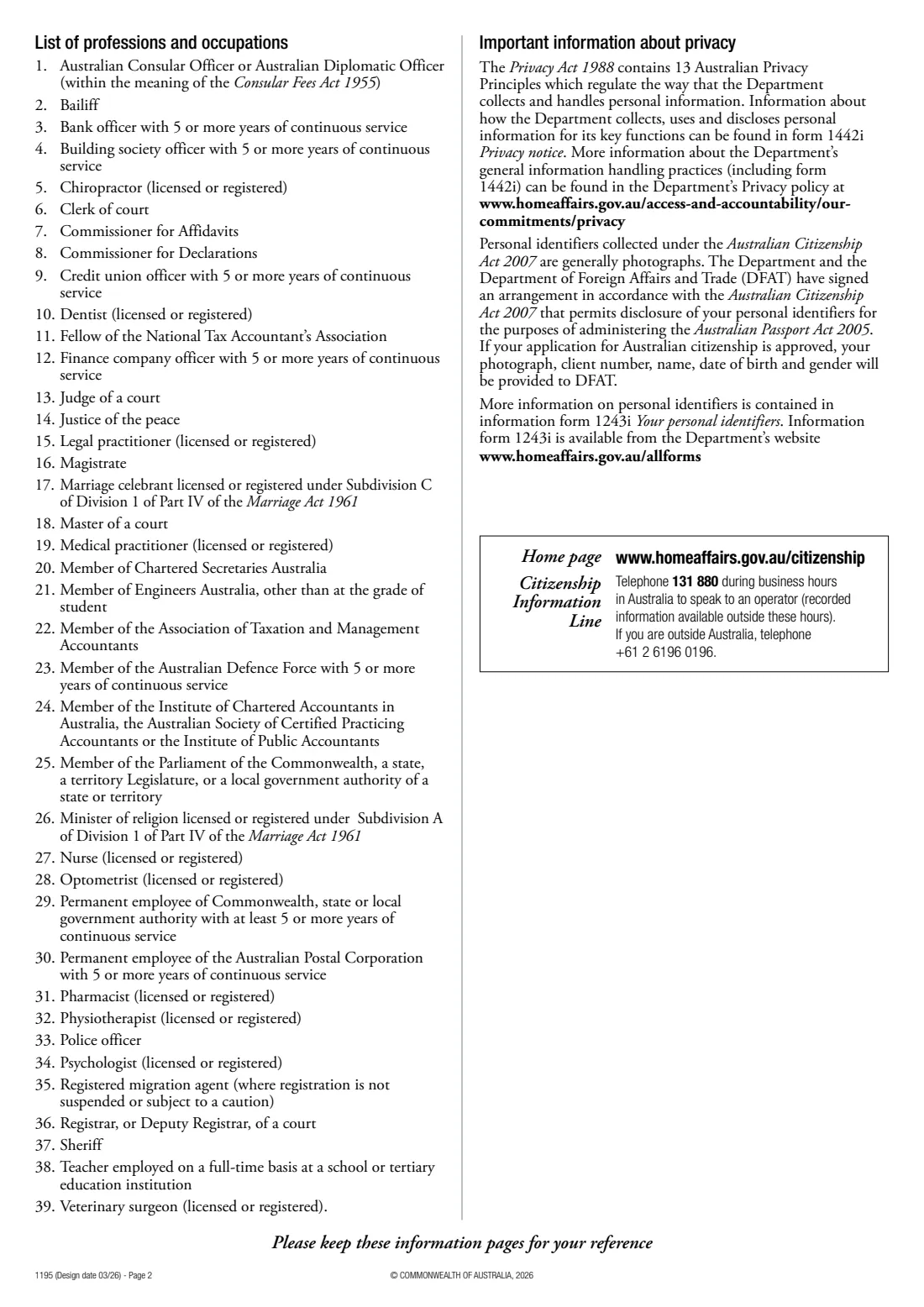
- The person making the declaration must be an Australian citizen, have known you for at least one year, currently work in one of the 39 professions or occupations listed on page 2, not be related to you by birth, marriage or de facto relationship, and be easy to contact by phone during normal working hours.
- If you apply from outside Australia and don't know an Australian citizen, a citizen of your country of residence who meets the other conditions can complete questions 2 and 3. For a child under 6, the person may have known the child for less than 12 months.
What you need before you start
- Your full name, date of birth, residential and postal addresses and phone numbers.
- The Transaction Reference Number you received when you lodged your online application.
- A passport-sized colour photo taken within the last 6 months, showing your full face against a plain, light background.
- A person from the list of professions and occupations (for example a doctor, nurse, teacher, pharmacist, police officer, legal practitioner or justice of the peace) who has known you for at least a year.
- Their name, address, phone numbers and occupation group number from page 2.
What’s on Form 1195 — Identity declaration
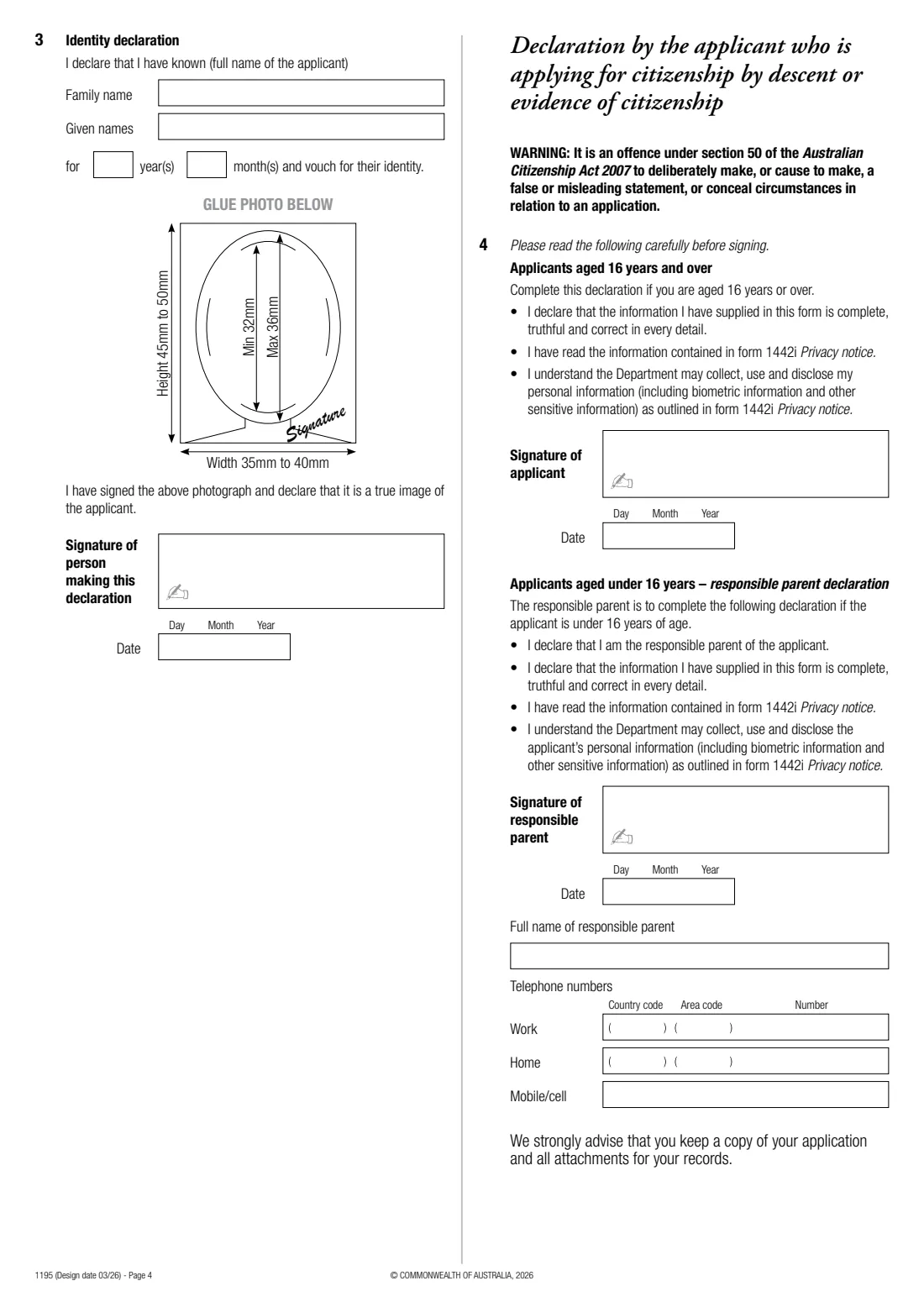
The 2026 edition has 4 pages. FileIt asks for it in 4 parts, and it is signed by Person making the identity declaration and Applicant:
- 1. The applicant (the person applying for citizenship)Applicant
- 2. The person making the identity declarationPerson making the identity declaration
- 3. Identity declarationPerson making the identity declaration
- 4. Declaration by the applicantApplicant
How to fill out Form 1195 — Identity declaration, step by step
1 Question 1: the applicant
Enter your family and given names, date of birth, current residential address and postal address (write AS ABOVE if it's the same), work, home and mobile numbers, and the Transaction Reference Number of your online application. You must tell the Department if your address changes after you lodge the form.
2 Question 2: the person making the declaration
The person vouching for you gives their name, home or business address and phone numbers, says whether they are an Australian citizen, and enters their profession or occupation group number from the list of 39 on page 2.
3 Question 3: the identity declaration
The person declares they have known you — your name is repeated here — for a number of years and months and vouches for your identity. They sign over a bottom corner of the front of your photo, without covering your face, then sign and date the declaration.
4 Question 4: your declaration
If you are 16 or over, you sign and date the declaration that the information is complete, truthful and correct. If you are under 16, your responsible parent signs instead and gives their full name and phone numbers. It is an offence under section 50 of the Australian Citizenship Act 2007 to make a false or misleading statement.
Common mistakes to avoid
- Choosing someone related to you by birth, marriage or a de facto relationship.
- Choosing someone who has known you for less than a year (unless the applicant is a child under 6).
- Choosing someone whose occupation isn't on the list, or who isn't currently working in it.
- The person signing across your face on the photo instead of a bottom corner.
- Using a photo older than 6 months, edited, or with tinted glasses.
- Uploading only one page — pages 3 and 4, including the photo, go together as one file.
After you fill it out
Print the completed form, glue your photo in the space under question 3, and have the person making the declaration sign over the photo and sign their declaration. Sign your own declaration (or have your responsible parent sign it).
Scan pages 3 and 4, including the photograph, together as one file and upload it to your online application under 'Form 1195 - Identity declaration'. The form says you'll also need to upload a digital version of the photo under 'Photograph'.
Keep a copy of the form and attachments. FileIt keeps the completed PDF in your vault with your other identity documents.
Fill out Form 1195 — Identity declaration online with FileIt
- Pick the person. Choose someone from People and FileIt fills in their name, date of birth, address and other details it already knows.
- Answer plain-language questions. One part of the form at a time, with the official help text beside each question — 46 fields in all. Your answers save as you go.
- Check the live preview. Watch your answers land on the real Department of Home Affairs form, and let FileIt do any worksheet arithmetic.
- Generate the official PDF. FileIt prints your answers into the agency’s own PDF and files it in that person’s folder in your vault. Sign it, or send it for e-signature.
FileIt fills the form — it never files or submits anything for you. Deliver the finished form to whoever asked for it, the way the form’s instructions say.
Start Form 1195 — Identity declaration now — it’s freeForm 1195 — Identity declaration: frequently asked questions
What is Form 1195 used for?
It confirms your identity for an online application for Australian citizenship by descent or evidence of Australian citizenship. The application cannot be approved if your identity can't be verified.
Who can sign Form 1195 for me?
An Australian citizen who has known you for at least one year, currently works in one of the professions or occupations listed on page 2 of the form, is not related to you by birth, marriage or de facto relationship, and is easy to contact by phone during normal working hours.
What if I live overseas and don't know an Australian citizen?
Questions 2 and 3 can be completed, and your photo endorsed, by a citizen of your country of residence who has known you for at least one year, works in a listed profession or occupation and isn't related to you.
What are the photo requirements?
No more than 6 months old, in colour, showing your full face against a neutral or light grey background, unedited, and 35–40 mm wide by 45–50 mm high, with the face 32–36 mm from chin to crown.
Who signs for a child?
If the applicant is under 16, the responsible parent completes the responsible parent declaration at question 4 with their name and phone numbers.
How do I submit Form 1195?
Scan pages 3 and 4, including the photograph, as one file and upload it to your online application under 'Form 1195 - Identity declaration'. FileIt prepares the form but doesn't submit it.
Official sources
- Blank form (PDF), published by Department of Home Affairs: https://immi.homeaffairs.gov.au/form-listing/forms/1195.pdf
- Official instructions and guidance: https://immi.homeaffairs.gov.au/citizenship/photo-requirements-for-citizenship-applications
- Edition shown on this page: Design date 03/26 (checked 2026-09-28).
FileIt is not affiliated with or endorsed by Department of Home Affairs or any government. This page explains the form in general terms and is not legal, tax or immigration advice. Always read the official instructions, and check that you are using the edition the recipient accepts. Page last reviewed 2026-09-28.