What is the vulnerability disclosure report form template?
When someone finds a security flaw in your product, the worst outcome is that they can't work out how to tell you. A vulnerability disclosure report form gives them an obvious place to send it — and gives your team a report you can act on, with the affected asset, the type of flaw, numbered steps to reproduce and a description of the impact.
Reports sent to a general support address often lack the detail needed to reproduce them, and sometimes sit unread. This template asks the questions a security engineer would ask anyway: "Steps to reproduce", "What could an attacker do with this?", whether the reporter accessed anyone else's data, and what their disclosure plans are. Reporters can stay anonymous, and a short good-faith statement sets expectations on both sides.
It runs on FileIt's Forms app: link it from your security page or security.txt file, and every report becomes a PDF in your vault with screenshots or proof-of-concept files attached.
- Best for
- Software companies, SaaS providers, agencies and any organisation with a public website
- Filled in by
- Security researchers, customers or anyone who spots a flaw
- Time to complete
- About 10 minutes, depending on the report
- Includes
- Optional anonymity, vulnerability type picker, severity, data-access question, evidence upload, disclosure plans
Who uses a vulnerability disclosure report form?
- Linking from a security page or security.txt as your public reporting channel
- Giving customers a better route than the general support queue for security issues
- Collecting findings from an informal or invite-only bug bounty
- Recording reports for a hardware or IoT product
- An agency taking vulnerability reports on behalf of client websites
- Keeping a dated record of every report and when it arrived
Questions on this vulnerability disclosure report form
21 questions over 3 pages · includes file upload, conditional questions, multiple pages, consent checkbox.
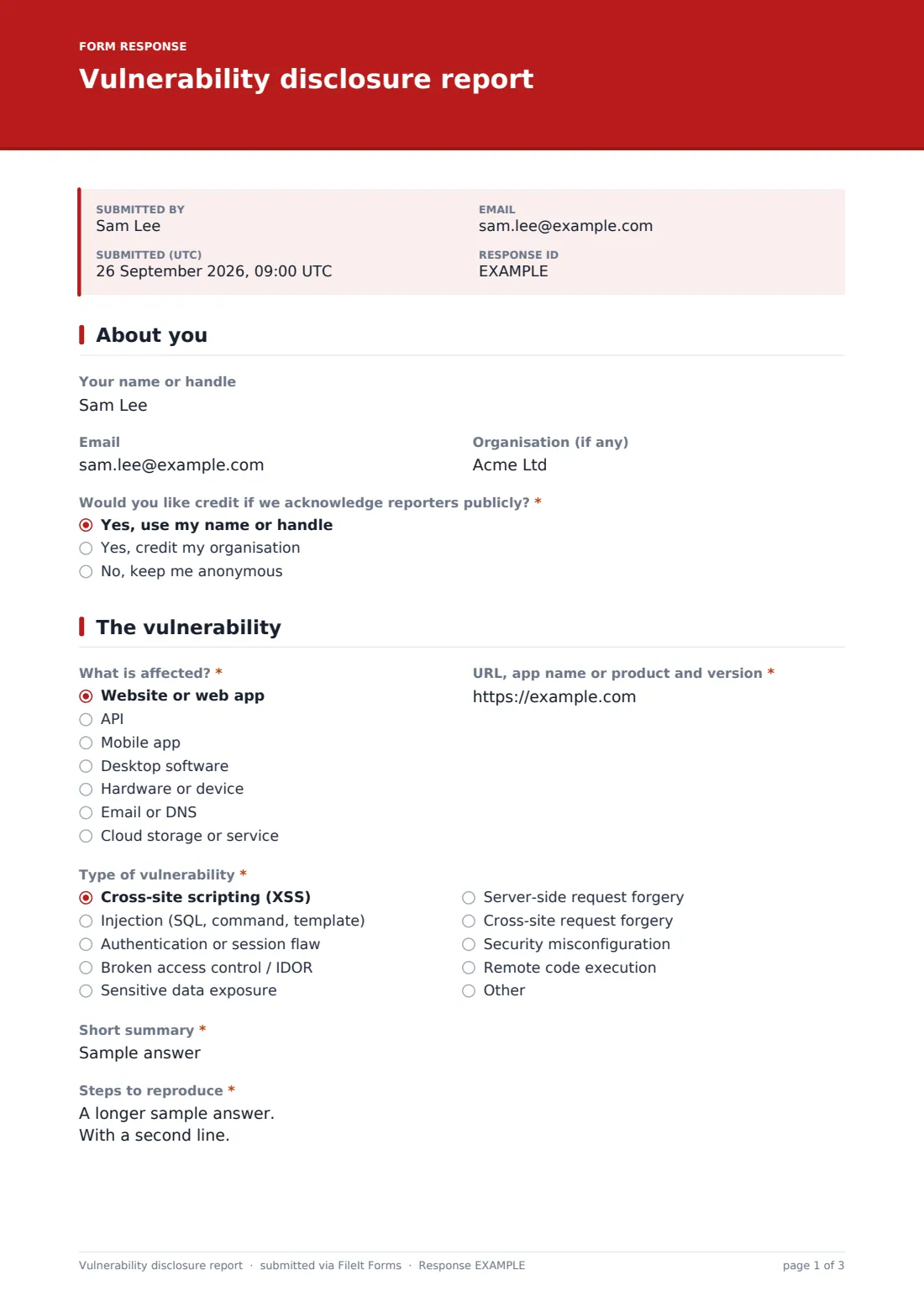
1 About you
- Your name or handle
- Organisation (if any)
- Would you like credit if we acknowledge reporters publicly?* Yes, use my name or handle · Yes, credit my organisation · No, keep me anonymous
2 The vulnerability
- What is affected?* Website or web app · API · Mobile app · Desktop software · Hardware or device · Email or DNS · Cloud storage or service
- URL, app name or product and version*
- Type of vulnerability* Cross-site scripting (XSS) · Injection (SQL, command, template) · Authentication or session flaw · Broken access control / IDOR · Sensitive data exposure · Server-side request forgery · Cross-site request forgery · Security misconfiguration · Remote code execution · Other
- Short summary*
- Steps to reproduce*
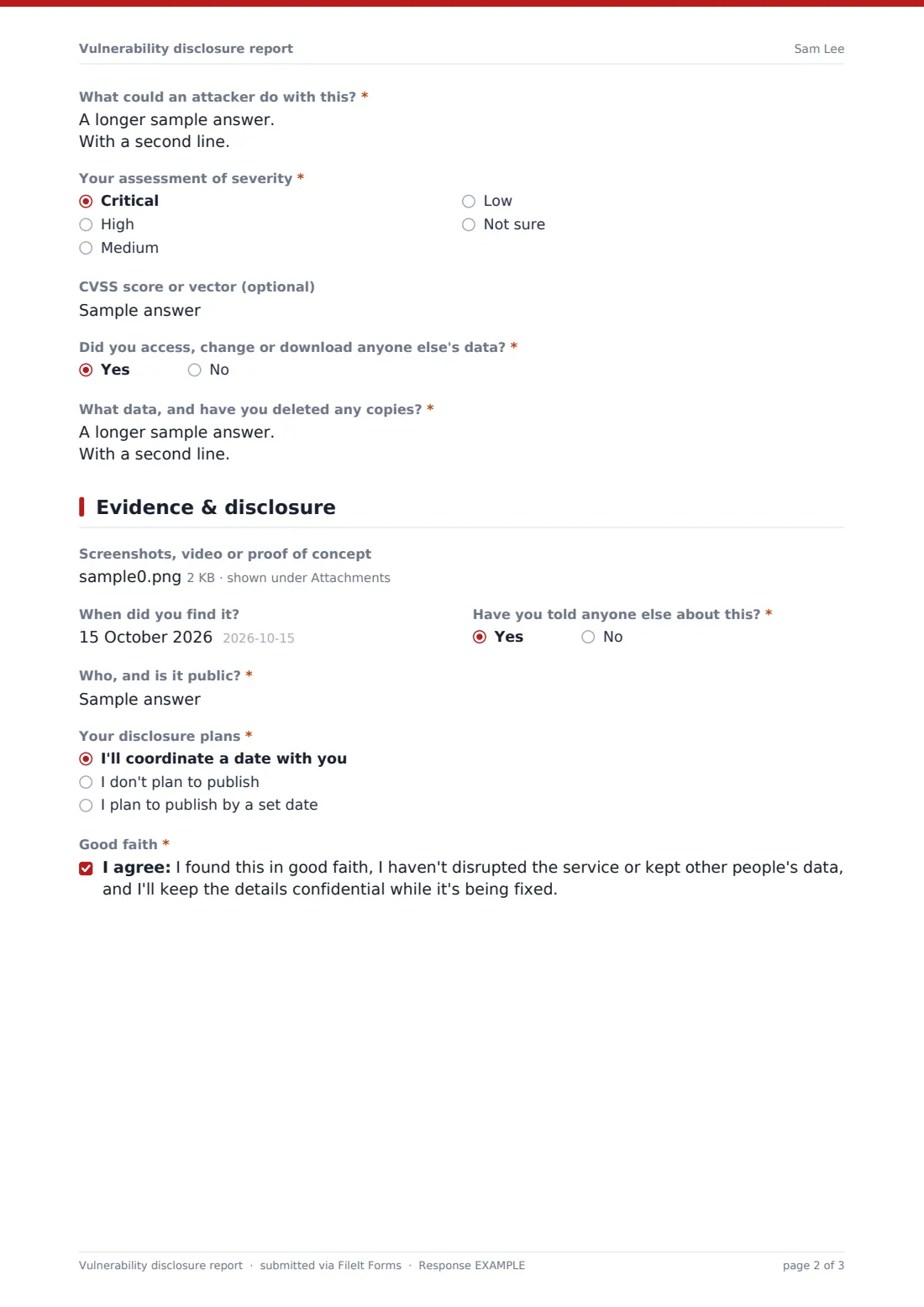
- What could an attacker do with this?*
- Your assessment of severity* Critical · High · Medium · Low · Not sure
- CVSS score or vector (optional)
- Did you access, change or download anyone else's data?*
- What data, and have you deleted any copies?* asked only when it applies
3 Evidence & disclosure
- Screenshots, video or proof of concept
- When did you find it?
- Have you told anyone else about this?*
- Who, and is it public?* asked only when it applies
- Your disclosure plans* I'll coordinate a date with you · I don't plan to publish · I plan to publish by a set date
- Planned publication date* asked only when it applies
- Good faith*
The vulnerability disclosure report form, page by page
1 About you
Name or handle, email and organisation are all optional, with a note that you can't follow up without a contact. A required question asks whether the reporter would like credit if you acknowledge reporters publicly — by name, by organisation, or not at all.
2 The vulnerability
The reporter picks what's affected — website, API, mobile app, desktop software, hardware, email or DNS, cloud service, or other — and gives the URL, app name or version. "Type of vulnerability" covers XSS, injection, authentication flaws, broken access control, data exposure, SSRF, CSRF, misconfiguration and remote code execution. A short summary, numbered "Steps to reproduce" and the impact follow, plus the reporter's severity and an optional CVSS score. If they accessed, changed or downloaded anyone else's data, they're asked what and whether copies are deleted.
3 Evidence & disclosure
Up to five screenshots, videos or proof-of-concept files can be attached. The reporter says when they found it, whether they've told anyone else, and their disclosure plans — coordinate a date, no plans to publish, or a set publication date, which they're asked to give. A good-faith statement is the last required tick.
Make the template yours
- Edit the cover text to state your own scope and safe-harbour wording
- Send reports straight to your security mailbox with the notification settings
- Remove the credit question if you don't publish acknowledgements
- Add a dropdown of your products or domains to the affected-asset question
- File reports into a restricted vault folder only your security team uses
- Change the accent colour and cover text to match your security page
Tips for a better vulnerability disclosure report form
- Acknowledge every report quickly, even before you've reproduced it
- Publish what's in and out of scope next to the link to the form
- Ask reporters to use test accounts and never real customer data
- Keep the reporter updated while you fix the issue
- Agree a disclosure date together where you can
- Restrict who can see the vault folder — reports may describe live weaknesses
Every response becomes a PDF in your vault
Each report is filed as a PDF in the vault folder you choose, with screenshots and proof-of-concept files kept as attachments, and you're notified by email. If the reporter gave an email address, they receive a copy of their own report.
The Responses table lets your team search reports by asset or type and export them to CSV — handy for tracking reports from receipt through to a fix.
- Start from this template. It opens in the FileIt Forms designer — change any question, add pages, set the rules for when questions appear.
- Share it. Turn on a public link, or send it to people by email, each with their own link. They don’t need a FileIt account.
- Get the answers as PDFs. Each response is saved as a PDF in the vault folder you choose, with uploaded files attached — and listed in a Responses table you can export to CSV.
Vulnerability disclosure report form: frequently asked questions
Is the vulnerability disclosure template free?
Yes. It's included in FileIt's Forms app on every plan, including the free plan.
Can reporters stay anonymous?
Yes. Name and email are optional. Collecting identity is switched off, so nothing is asked before the form starts.
Does this form create a legal safe harbour?
No. The form collects reports. Any safe-harbour or scope wording is your own policy, which you can add to the cover text.
Can researchers attach proof-of-concept files?
Yes. Up to five images, PDFs or text files can be uploaded with each report.
Who sees the reports?
They're filed in your FileIt vault, in the folder you choose, and emailed to the addresses in your notification settings.
Where should I link the form?
Most organisations link it from a security or trust page and from the contact line of their security.txt file.