What is the transit rider survey form template?
General satisfaction questions about public transport tend to get general answers. Anchoring the survey to a rider's most recent trip, with the route, date and time, gives you feedback you can match to a particular line, time of day and service pattern.
This template starts with that trip: how they travelled, the route or stations, when, why, and how they paid. It then asks them to rate eleven parts of the service, from punctuality and how often services run to crowding, cleanliness, feeling safe on board and at the stop, and ease of getting on and off. A delay question asks how long and whether they were told.
Further pages cover value for money, fare clarity, where riders get travel information and how good real-time information is, plus an optional access-needs follow-up. It ends with an overall rating, a recommendation score and up to three improvements. Each response is saved as a PDF in your FileIt vault.
- Best for
- Transit agencies, bus and rail operators, community transport and campus shuttles
- Filled in by
- Riders, shortly after a trip
- Time to complete
- About 5 minutes
- Includes
- Trip details, 11-row service rating grid, delay follow-ups, fares and information, access follow-up, overall rating and top-three improvements
Who uses a transit rider survey form?
- A QR code on board or at stops for on-the-spot feedback
- A periodic rider satisfaction survey sent to card or app users
- Checking the effect of a timetable or route change
- Collecting feedback on a new or trial service
- Understanding barriers faced by disabled riders
- A campus or employer shuttle service survey
Questions on this transit rider survey form
24 questions over 4 pages · includes conditional questions, multiple pages, ratings.
1 Your trip
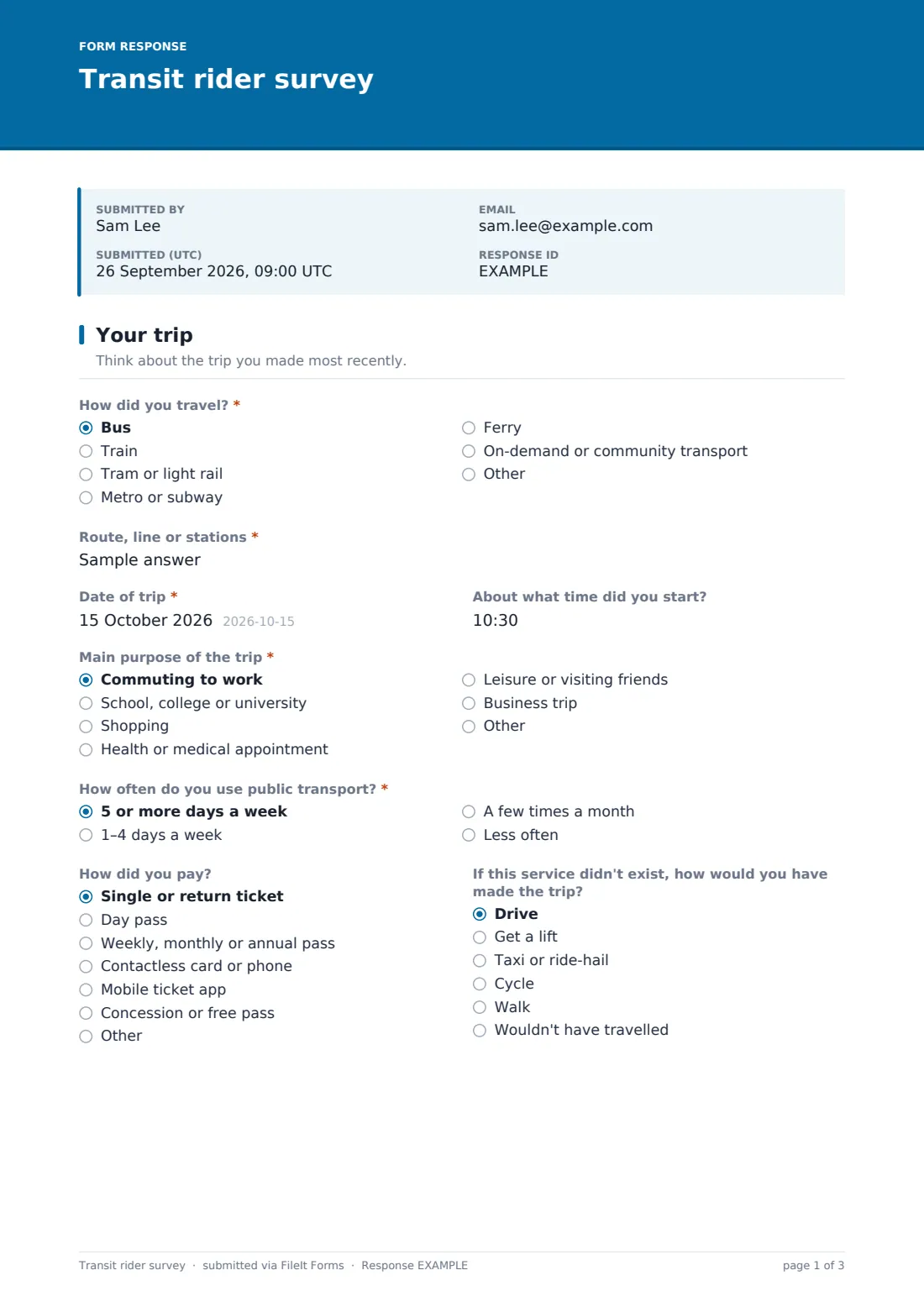
- How did you travel?* Bus · Train · Tram or light rail · Metro or subway · Ferry · On-demand or community transport
- Route, line or stations*
- Date of trip*
- About what time did you start?
- Main purpose of the trip* Commuting to work · School, college or university · Shopping · Health or medical appointment · Leisure or visiting friends · Business trip
- How often do you use public transport?* 5 or more days a week · 1–4 days a week · A few times a month · Less often
- How did you pay? Single or return ticket · Day pass · Weekly, monthly or annual pass · Contactless card or phone · Mobile ticket app · Concession or free pass · Other
- If this service didn't exist, how would you have made the trip? Drive · Get a lift · Taxi or ride-hail · Cycle · Walk · Wouldn't have travelled
2 Rating the service
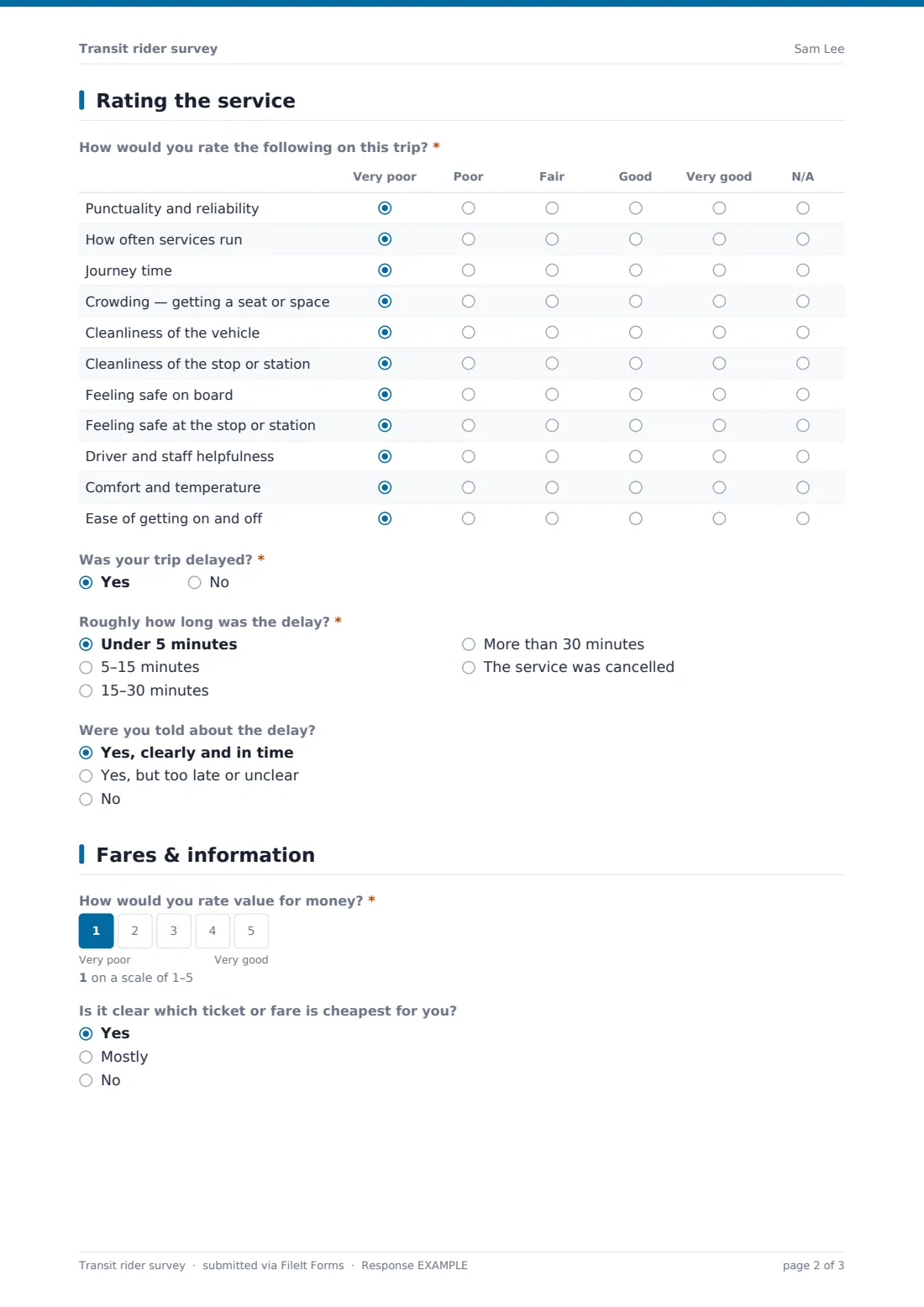
- How would you rate the following on this trip?* Very poor · Poor · Fair · Good · Very good · N/A
- Was your trip delayed?*
- Roughly how long was the delay?* asked only when it applies Under 5 minutes · 5–15 minutes · 15–30 minutes · More than 30 minutes · The service was cancelled
- Were you told about the delay? asked only when it applies Yes, clearly and in time · Yes, but too late or unclear · No
3 Fares & information
- How would you rate value for money?*
- Is it clear which ticket or fare is cheapest for you? Yes · Mostly · No
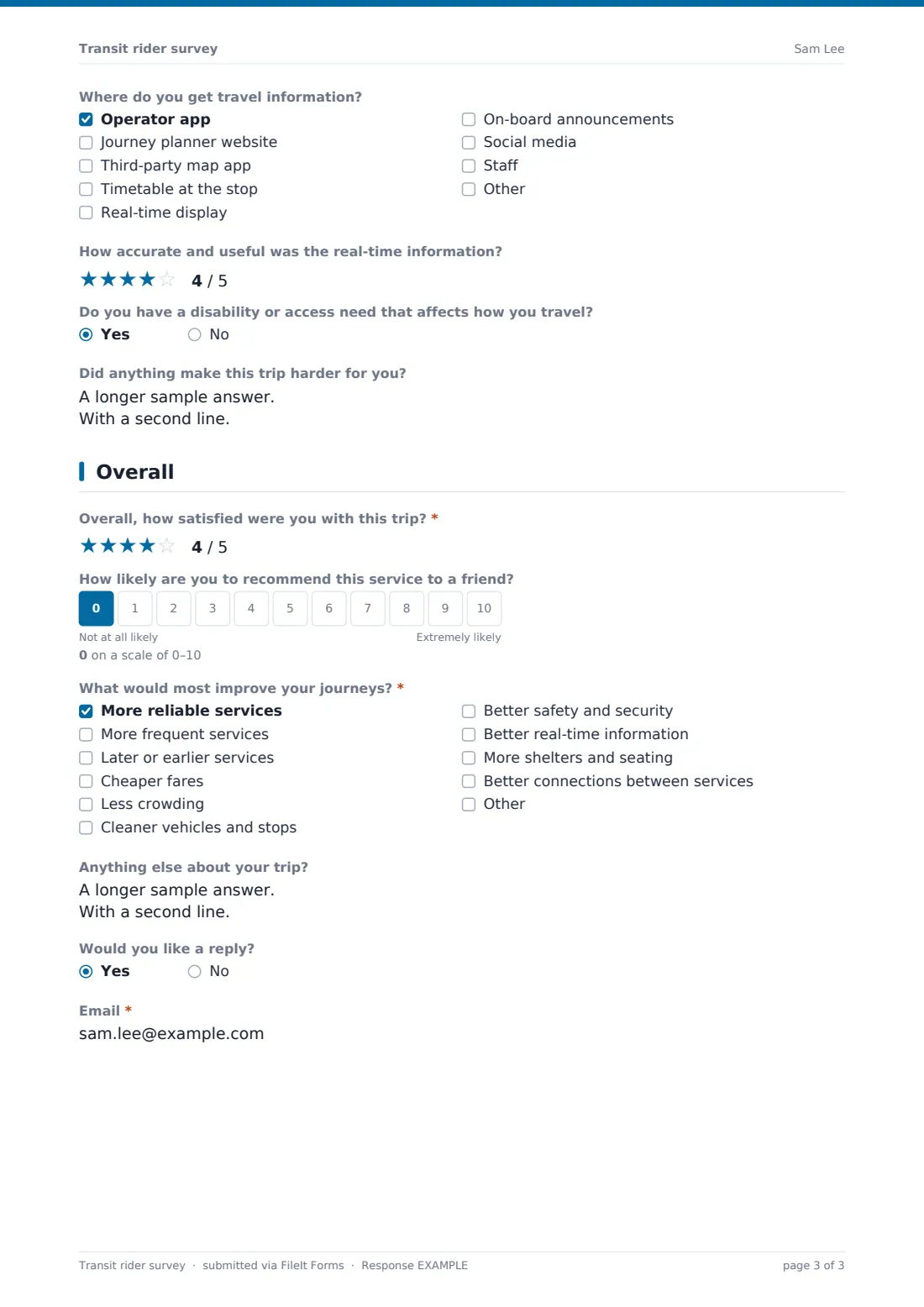
- Where do you get travel information? Operator app · Journey planner website · Third-party map app · Timetable at the stop · Real-time display · On-board announcements · Social media · Staff
- How accurate and useful was the real-time information?
- Do you have a disability or access need that affects how you travel?
- Did anything make this trip harder for you? asked only when it applies
4 Overall
- Overall, how satisfied were you with this trip?*
- How likely are you to recommend this service to a friend?
- What would most improve your journeys?* More reliable services · More frequent services · Later or earlier services · Cheaper fares · Less crowding · Cleaner vehicles and stops · Better safety and security · Better real-time information · More shelters and seating · Better connections between services
- Anything else about your trip?
- Would you like a reply?
- Email* asked only when it applies
The transit rider survey form, page by page
1 Your trip
Riders choose how they travelled (bus, train, tram or light rail, metro, ferry, on-demand transport or other), then give the route, line or stations and the date of the trip. Start time is optional. They choose the main purpose of the trip, how often they use public transport, and how they paid, from single tickets and passes to contactless, a ticket app or a concession pass. A final question asks how they'd have made the trip without the service.
2 Rating the service
A grid rates punctuality, how often services run, journey time, crowding, cleanliness of the vehicle and the stop, feeling safe on board and at the stop, driver and staff helpfulness, comfort and temperature, and ease of getting on and off, from very poor to very good or N/A.
Riders say whether the trip was delayed. If it was, they give the length of the delay, from under 5 minutes to more than 30 or cancelled, and whether they were told about it clearly and in time.
3 Fares & information
A required 1–5 scale rates value for money, and riders say whether it's clear which fare is cheapest for them. They tick where they get travel information, such as the operator app, a journey planner, a map app, real-time displays or announcements, and rate the real-time information out of five stars. An optional question asks about access needs; riders who answer yes can describe anything that made the trip harder.
4 Overall
Riders give an overall star rating for the trip, an optional 0–10 recommendation score, and up to three things that would most improve their journeys, from reliability and frequency to fares, shelters and connections. There's space for other comments and an optional email for a reply.
Make the template yours
- Change the route question to a dropdown of your lines
- Remove modes you don't operate
- Add your own fare products to the ticket list
- Add a question about a specific station or a new feature such as on-board Wi-Fi
- Make a short version with just the trip, delay and overall questions for on-board QR codes
- Send rider complaints to a separate complaint form so the survey stays a survey
Tips for a better transit rider survey form
- Ask about the most recent trip, not travel in general — memories of a specific journey are more accurate
- Collect feedback at different times of day so off-peak riders are represented
- Look at delay answers together with your own performance data for that route and time
- Offer the survey in the languages your riders speak
- Don't rely only on the app — post the link at stops for occasional riders
- Share what you've changed in response, on board and online
Every response becomes a PDF in your vault
Each response is saved as a PDF in your FileIt vault, in the folder you choose. Riders who ask for a reply leave an email, and you can filter for them in the Responses table.
Exporting to a CSV gives one row per trip with route, date and every rating in its own column, ready to group by line or time of day in a spreadsheet.
- Start from this template. It opens in the FileIt Forms designer — change any question, add pages, set the rules for when questions appear.
- Share it. Turn on a public link, or send it to people by email, each with their own link. They don’t need a FileIt account.
- Get the answers as PDFs. Each response is saved as a PDF in the vault folder you choose, with uploaded files attached — and listed in a Responses table you can export to CSV.
Transit rider survey form: frequently asked questions
Is this template free?
Yes. It's included in the FileIt Forms app on every account, including the free plan, and you can edit, add or remove any question.
Do respondents need a FileIt account?
No. Anyone with the form's link can respond without signing up or signing in.
Is it anonymous?
Yes, unless a rider asks for a reply and leaves an email.
Can riders fill it in on their phone on board?
Yes. The form works on phones, and you can put a QR code that links to it on vehicles and at stops.
Is this a complaints form?
No. It's a satisfaction survey. If a rider needs a formal answer to a complaint, link them to your complaints process as well.
Can we compare routes?
Yes. Export responses to a CSV and group them by the route question. A dropdown of your lines keeps the answers consistent.
Can one rider answer about several trips?
Yes. The template allows more than one response, so riders can report different trips.
Does the form connect to our scheduling or AVL system?
No. Responses are saved in FileIt and can be exported, but the form doesn't connect to other transit systems.