What is the recurring payment authorization form template?
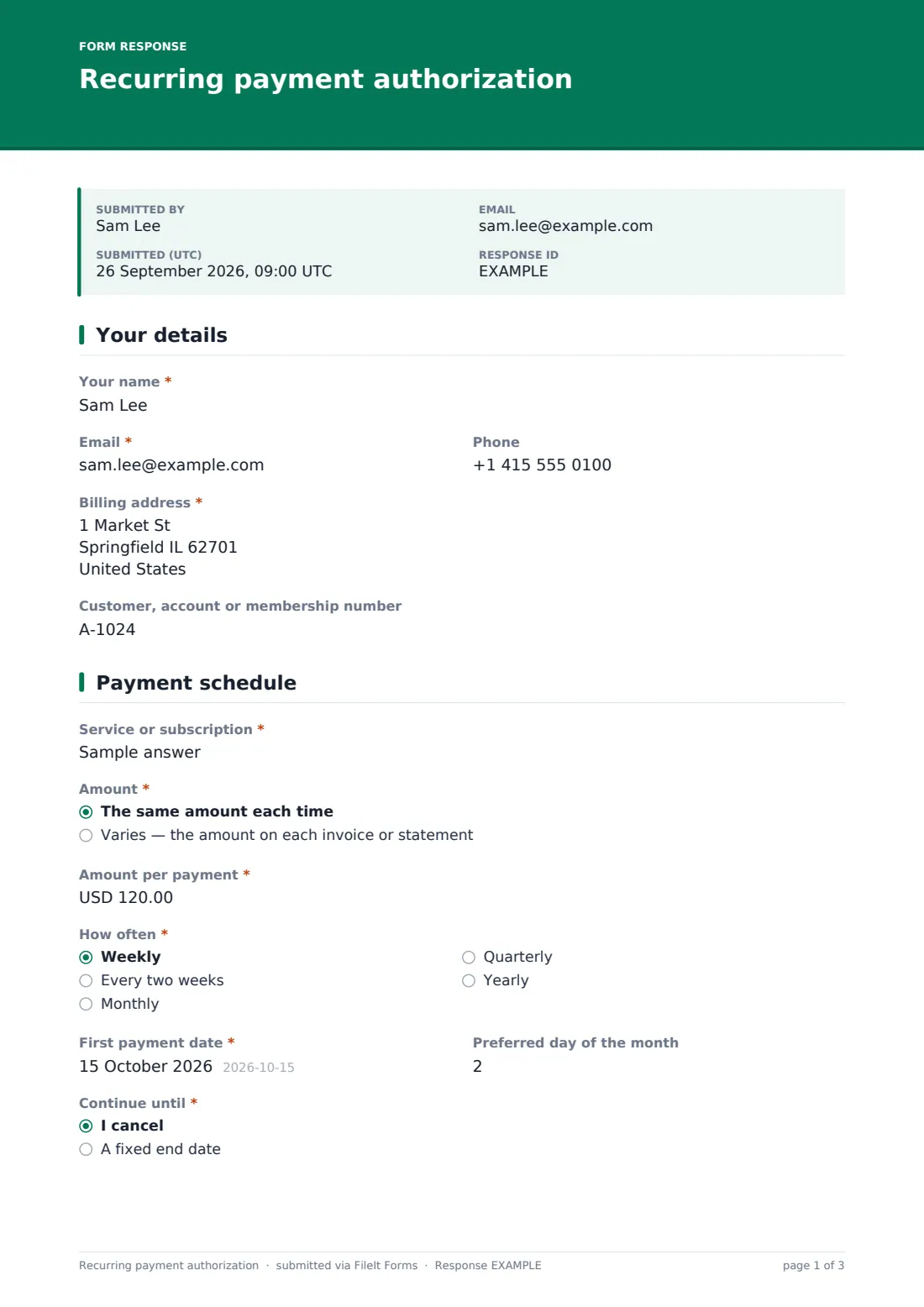
Taking regular payments by bank debit is cheaper and more reliable than chasing invoices, but you need the customer's clear, signed authority first. This recurring payment authorization form sets out exactly what the customer agrees to: the service, the amount, how often, and until when.
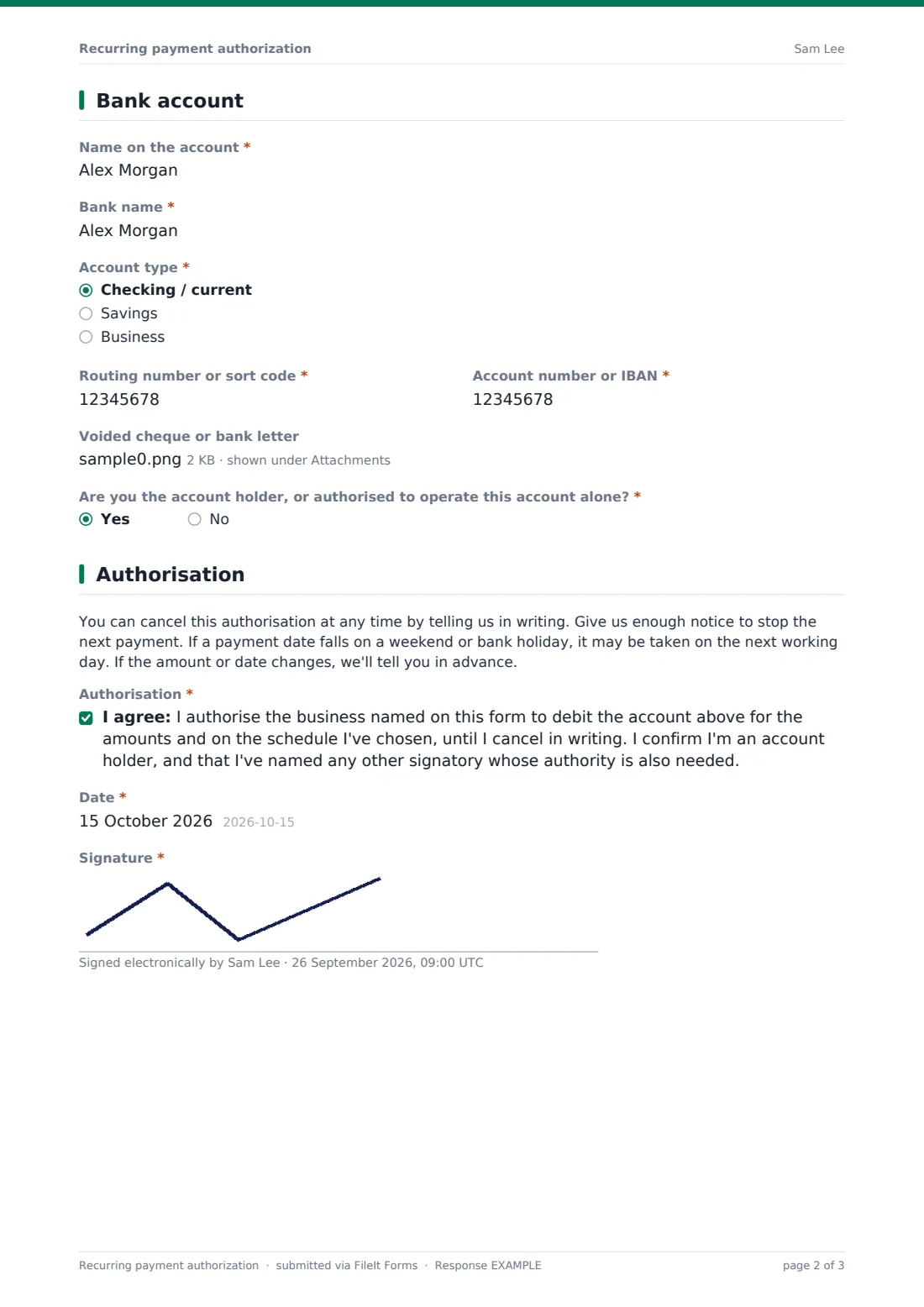
Customers choose a fixed amount or a variable one taken from each invoice, with an optional cap. They pick the frequency, first payment date, preferred day of the month, and whether it runs until they cancel or to an end date. The bank page asks for the account details, with an optional voided cheque or bank letter, and checks the customer is authorised to operate the account.
Plain-English terms explain how to cancel, and the customer signs. The signed authorisation is saved as a PDF in your vault, where you can find it if a payment is ever questioned.
- Best for
- Service businesses, clubs, landlords and subscription providers
- Filled in by
- Customers paying you regularly
- Time to complete
- About 4–5 minutes
- Includes
- Fixed or variable amount, schedule, bank details, joint account check, signature
Who uses a recurring payment authorization form?
- A cleaning company sets up monthly payments for regular visits
- A gym or club collects membership fees every month
- An accountant takes a fixed monthly fee for bookkeeping
- A landlord collects rent on a set day each month
- A software reseller bills a variable monthly usage amount with a cap
- A school or nursery collects fees by instalments until the end of term
Questions on this recurring payment authorization form
26 questions over 4 pages · includes signature, file upload, conditional questions, multiple pages, consent checkbox.
1 Your details
- Your name*
- Email*
- Phone
- Billing address*
- Customer, account or membership number
2 Payment schedule
- Service or subscription*
- Amount* The same amount each time · Varies — the amount on each invoice or statement
- Amount per payment* asked only when it applies
- Maximum per payment (optional) asked only when it applies
- How often* Weekly · Every two weeks · Monthly · Quarterly · Yearly
- First payment date*
- Preferred day of the month
- Continue until* I cancel · A fixed end date
- Last payment date* asked only when it applies
3 Bank account
- Name on the account*
- Bank name*
- Account type* Checking / current · Savings · Business
- Routing number or sort code*
- Account number or IBAN*
- Voided cheque or bank letter
- Are you the account holder, or authorised to operate this account alone?*
- Other account holder or signatory* asked only when it applies
- Their email* asked only when it applies
4 Authorisation
- Authorisation*
- Date*
- Signature*
The recurring payment authorization form, page by page
1 Your details
The customer's name, email, phone and billing address, plus a customer, account or membership number.
2 Payment schedule
The service or subscription, and whether the amount is fixed or varies with each invoice. Fixed asks for the amount per payment; variable offers an optional maximum. Then how often (weekly to yearly), the first payment date, preferred day of the month, and whether it continues until cancelled or to a fixed end date.
3 Bank account
The name on the account, bank, account type, routing number or sort code, and account number or IBAN, with format checks on both. A voided cheque or bank letter can be attached. If the customer can't operate the account alone, a note explains that every required signatory must authorise it, and the other account holder's name and email are asked for so you can get their confirmation before the first payment.
4 Authorisation
Short terms explain cancellation in writing, weekend and holiday dates, and advance notice of changes. The customer ticks the authorisation, dates it and signs.
Make the template yours
- Put your business's legal name in the cover text and authorisation so the customer knows who will debit them
- Replace the terms paragraph with the wording your bank or payment provider requires
- Remove the frequencies you don't offer
- Change the currency on the amount fields
- Send personal email invitations to existing customers instead of sharing a public link
- File authorisations into a restricted vault folder
Tips for a better recurring payment authorization form
- Check with your bank or payment provider what authorisation wording and notice they require
- Confirm the first payment date and amount to the customer in writing before taking it
- Tell customers before a variable amount goes above what they'd expect
- Keep signed authorisations for as long as the arrangement runs, and beyond
- Act on cancellations promptly and confirm them in writing
Every response becomes a PDF in your vault
The signed authorisation becomes a PDF, saved in the vault folder you choose. You're emailed immediately, and the customer gets a copy of what they agreed to.
You then set up the payment schedule with your bank or payment provider. The Responses table lists every authorisation with its amount, frequency and start date, and exports to CSV.
- Start from this template. It opens in the FileIt Forms designer — change any question, add pages, set the rules for when questions appear.
- Share it. Turn on a public link, or send it to people by email, each with their own link. They don’t need a FileIt account.
- Get the answers as PDFs. Each response is saved as a PDF in the vault folder you choose, with uploaded files attached — and listed in a Responses table you can export to CSV.
Recurring payment authorization form: frequently asked questions
Is this recurring payment authorization template free?
Yes. It's one of the ready-made templates in the Forms app on every FileIt account, including the free plan. Use it as it is or change any question in the designer.
Does FileIt collect the payments?
No. FileIt records the customer's signed authority. You set up and collect the payments through your own bank or payment provider.
Is this a direct debit mandate or an ACH authorization?
It's a general authorisation form. Banks and schemes have their own rules and required wording, so check with your provider and adjust the terms and authorisation text to match.
Can the amount change each month?
Yes. Choosing 'Varies' records that the amount follows each invoice or statement, with an optional maximum the customer sets.
Do customers need a FileIt account to sign the authorization?
No. Share the form by public link or send personal email invitations, and anyone can fill it in and submit it without creating an account.
How are the bank details protected?
Answers are encrypted at rest in FileIt, as every form response is. Only share the completed PDF with people who need it to set up the payments.