What is the landlord notice of entry form template?
Tenants have a right to quiet enjoyment of their home, and landlords sometimes need to get in — for repairs, inspections, safety checks or viewings. Written notice keeps that relationship on a good footing. It tells the tenant exactly when, why and who, gives them a way to ask for another time, and gives the landlord a dated record that notice was given.
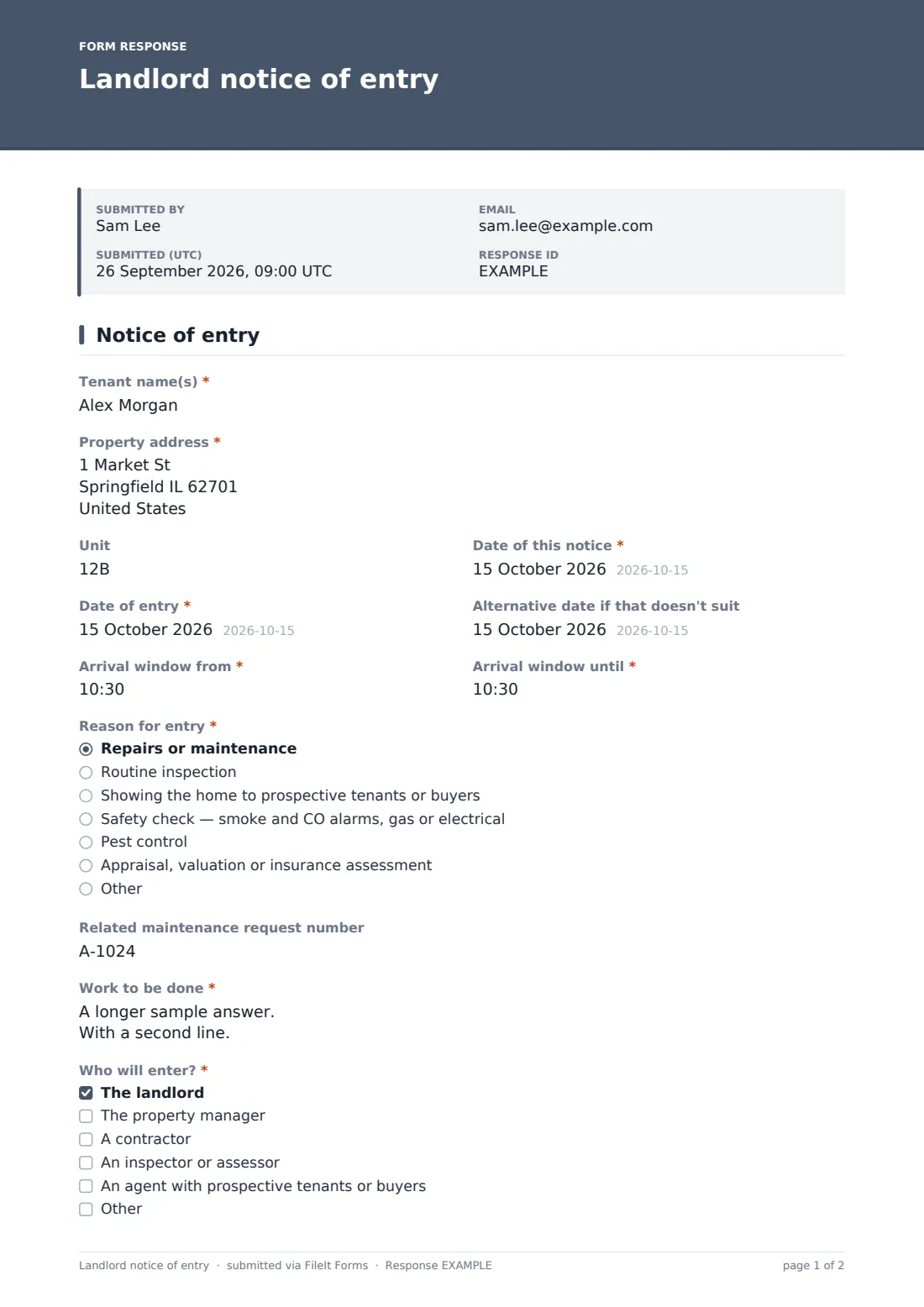
This template is filled in by the landlord or manager. It records the "Tenant name(s)", property address and unit, the date of the notice, the "Date of entry" with an optional alternative date, and a two-part arrival window. "Reason for entry" covers repairs, routine inspections, viewings, safety checks for smoke and CO alarms, gas or electrics, pest control and valuations, with an Other option.
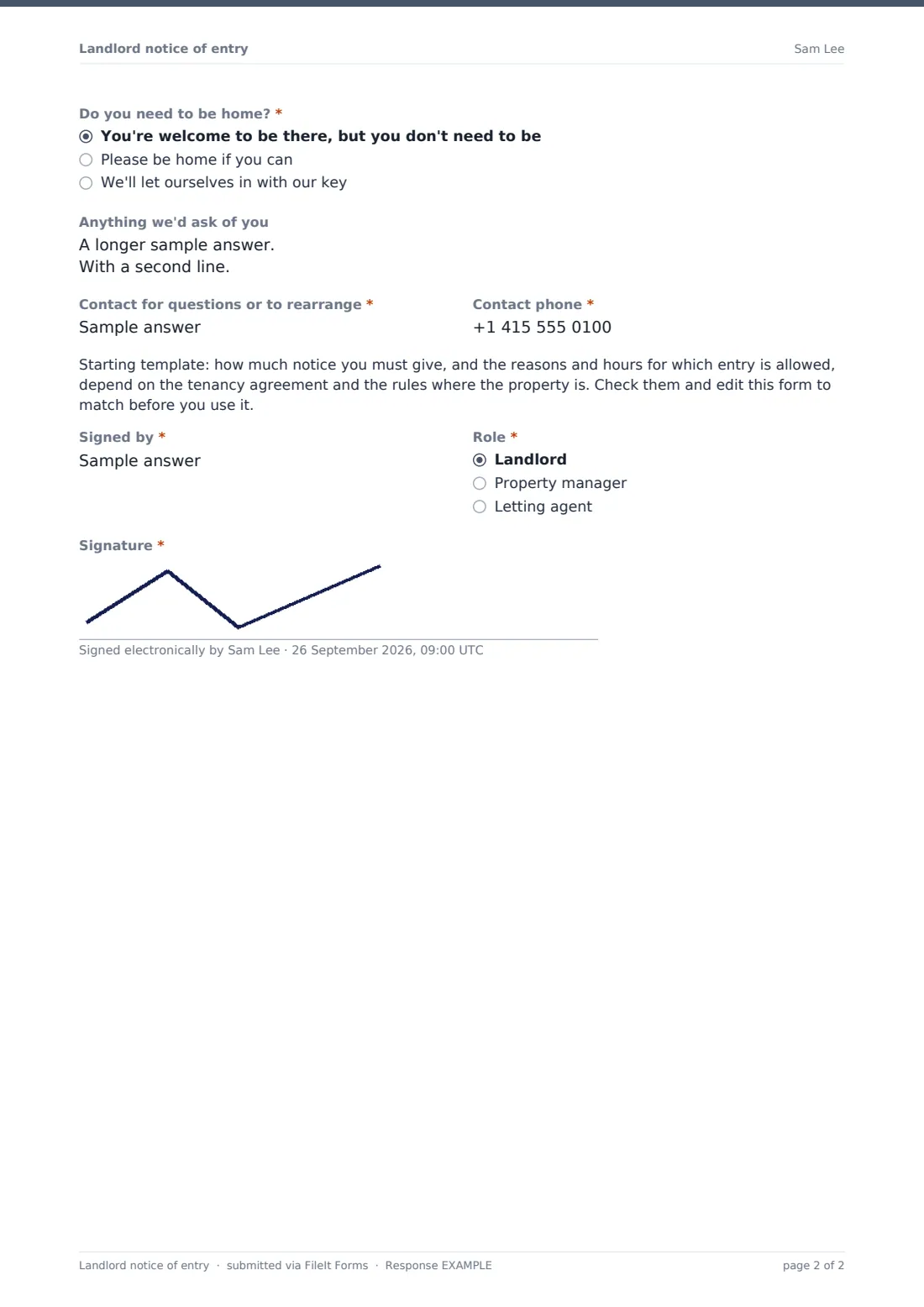
Choosing repairs reveals "Related maintenance request number" and a required description of the work, so the tenant can link the visit to the problem they reported. "Who will enter?" can name a contractor. The notice says whether the tenant needs to be home, lists anything you'd ask of them, and gives a contact to rearrange. It's signed by the landlord, manager or agent and filed as a PDF in your FileIt vault, ready to send or print for the tenant.
- Best for
- Landlords, property managers and letting agents
- Filled in by
- The landlord or manager, for each planned entry
- Time to complete
- About 2 minutes
- Includes
- Date and arrival window, reason with repair follow-ups, who will enter, presence and instructions, contact, signature
Who uses a landlord notice of entry form?
- Booking a contractor in to fix a reported leak
- Routine inspections across a portfolio
- Annual smoke and CO alarm checks or gas safety visits
- Viewings with prospective tenants near the end of a lease
- Pest control treatments in a multi-unit building
- Keeping a log of every entry notice for each unit
Questions on this landlord notice of entry form
20 questions · includes signature, conditional questions.
1 Notice of entry
- Tenant name(s)*
- Property address*
- Unit
- Date of this notice*
- Date of entry*
- Alternative date if that doesn't suit
- Arrival window from*
- Arrival window until*
- Reason for entry* Repairs or maintenance · Routine inspection · Showing the home to prospective tenants or buyers · Safety check — smoke and CO alarms, gas or electrical · Pest control · Appraisal, valuation or insurance assessment
- Related maintenance request number asked only when it applies
- Work to be done* asked only when it applies
- Who will enter?* The landlord · The property manager · A contractor · An inspector or assessor · An agent with prospective tenants or buyers
- Contractor's company or name asked only when it applies
- Do you need to be home?* You're welcome to be there, but you don't need to be · Please be home if you can · We'll let ourselves in with our key
- Anything we'd ask of you
- Contact for questions or to rearrange*
- Contact phone*
- Signed by*
- Role* Landlord · Property manager · Letting agent
- Signature*
The landlord notice of entry form, page by page
1 Notice of entry
Tenant names, property address and the notice date are required, with an optional unit. "Date of entry" and the "Arrival window from" and "Arrival window until" times are required; an alternative date is optional. "Reason for entry" with repairs selected adds the maintenance request number and "Work to be done". "Who will enter?" lets you tick more than one, and ticking a contractor asks for their name. "Do you need to be home?" has three plain answers. Optional instructions, a required contact name and phone, a starting-template note about local rules, then "Signed by", role and signature finish the notice.
Make the template yours
- Set the notice period and permitted hours in the template note once you've checked your local rules
- Turn the property into a dropdown of your units
- Add your regular contractors as options
- Replace the reasons with the visits you schedule most
- File notices into a vault folder per property
- Share one private link with everyone on your team who arranges visits, so all notices land in the same log
Tips for a better landlord notice of entry form
- Give more notice than the minimum when you can — tenants notice the courtesy
- Keep arrival windows short and stick to them
- Link repairs to the tenant's request number so they know their report was acted on
- Deliver the notice the way your tenancy agreement requires, and note how you sent it
- Offer an alternative date up front to avoid back-and-forth
Every response becomes a PDF in your vault
The notice is filed as a signed PDF in your vault and you're emailed a link. Download or print it and deliver it to the tenant; FileIt doesn't send it to them for you.
The Responses table becomes a log of every notice. Search by tenant, unit or reason, and export to CSV when you need a history of entries for a property.
- Start from this template. It opens in the FileIt Forms designer — change any question, add pages, set the rules for when questions appear.
- Share it. Turn on a public link, or send it to people by email, each with their own link. They don’t need a FileIt account.
- Get the answers as PDFs. Each response is saved as a PDF in the vault folder you choose, with uploaded files attached — and listed in a Responses table you can export to CSV.
Landlord notice of entry form: frequently asked questions
Is this notice of entry template free?
Yes. It's one of the ready-made templates in FileIt's Forms app, available on the free plan.
Does FileIt deliver the notice to the tenant?
No. The landlord fills in the form and the signed PDF is filed in the vault. You deliver it to the tenant yourself.
How much notice do I have to give?
It depends on your tenancy agreement and local rules. The template has a note reminding you to check them and edit the form to match.
Can I link the visit to a repair request?
Yes. Choosing repairs as the reason asks for the related maintenance request number and a description of the work.
Can several people be named as entering?
Yes. Tick any combination of landlord, manager, contractor, inspector or agent, plus Other.
Why is the copy email turned off?
The person filling in this form is the landlord, so the respondent copy is off by default. Turn it on in Settings if you'd like it.