
What is the name change worksheet form template?
Changing your name after marriage, divorce or for any other reason means telling a surprising number of organisations, and each one wants proof. This worksheet sets out the change itself, the document that makes it official, and a set of grids for official records, financial accounts and everyday accounts, each marked Not needed, To do, Applied or Done.
It's a planning tool, not an application, and the cover says so. A note reminds you that how a name change is made legal depends on where you live. For a child's name change it asks whether everyone with parental responsibility agrees. If travel is booked in the next six months, it explains that tickets must match the passport you travel on.
Saved as a PDF in your FileIt vault, it sits next to the marriage certificate, deed poll or court order it relates to.
- Best for
- Individuals and families, and advisers helping clients through a name change
- Filled in by
- The person changing their name, or a parent for a child
- Time to complete
- About 10 minutes to start, then updated as you go
- Includes
- Current and new name, former names, reason, child consent, jurisdiction, method, documents held, certified copies, official records, financial and everyday accounts, travel check
Who uses a name change worksheet form?
- Taking a spouse's surname after a wedding
- Going back to a former name after a divorce
- Changing name by deed poll for personal reasons
- Updating records after a gender transition
- Changing a child's surname with both parents' agreement
Questions on this name change worksheet form
21 questions over 4 pages · includes file upload, conditional questions, multiple pages, ratings.
1 Old and new name
- Current legal name*
- New name*
- Other names you've used
- Date of birth
- Why are you changing your name?* Marriage or civil partnership · Divorce or dissolution · Gender transition · Personal preference · A child's name change
- Does everyone with parental responsibility agree?* asked only when it applies Yes, everyone agrees · Not yet asked · No, a court order may be needed
2 Making it legal
- Country, state or province*
- How will the change be made official?* Marriage or civil partnership certificate · Divorce decree or dissolution order · Deed poll or statutory declaration · Court order · Not sure yet
- Date of the change document, if you have it
- When you plan to start using the new name
- Documents you already have Birth certificate · Marriage or civil partnership certificate · Divorce decree · Deed poll or court order · Current passport · Driving licence
- Certified copies of the change document to order
- Copy of the change document
3 IDs & official records
- Official records Not needed · To do · Applied · Done
- Is any travel booked in the next six months?*
- Reference numbers and notes
4 Money, work & everyday
- Financial accounts Not needed · To do · Applied · Done
- Work and everyday accounts Not needed · To do · Applied · Done
- Anywhere else to tell
- Notes
The name change worksheet form, page by page
1 Old and new name
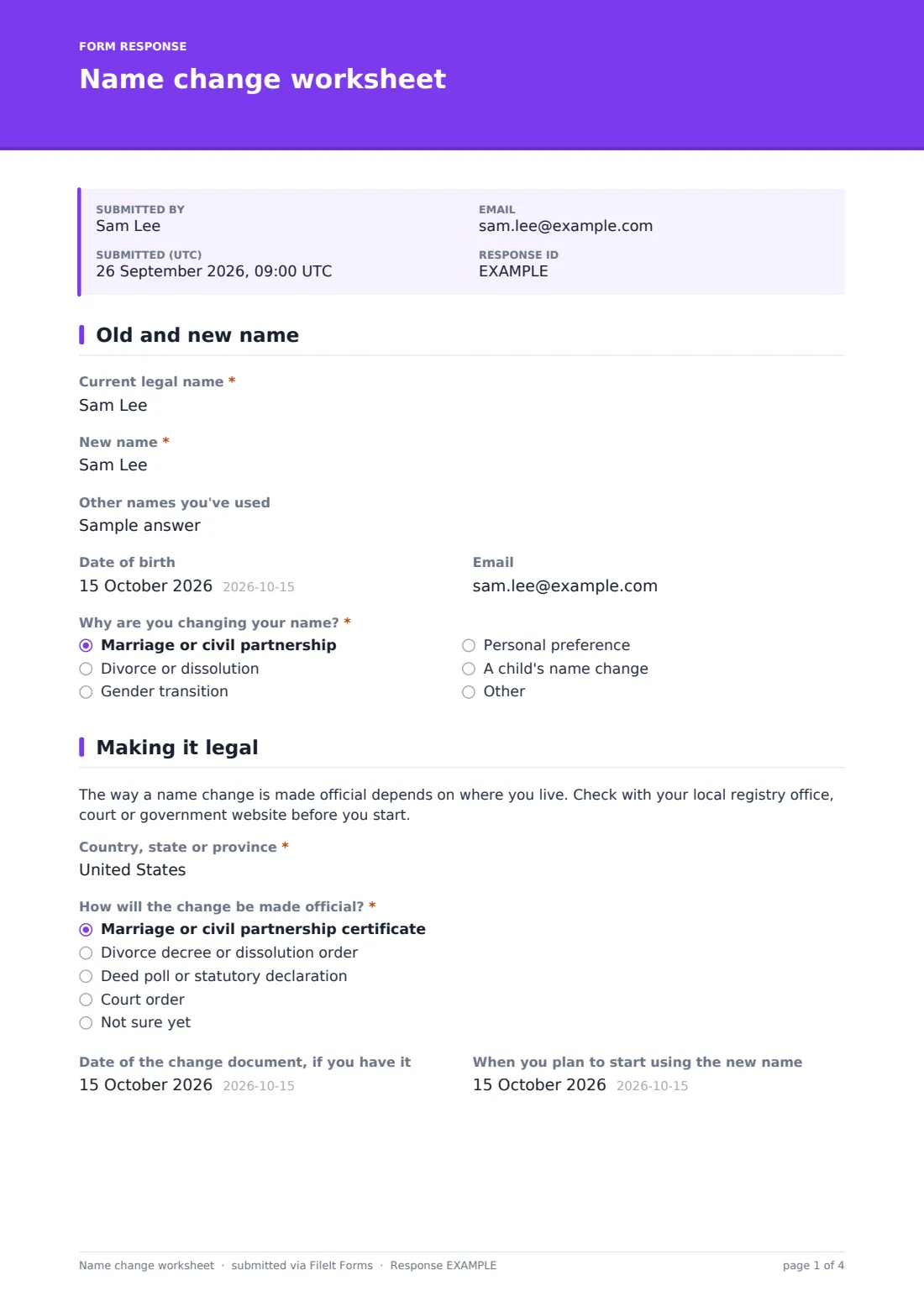
"Current legal name" and "New name", "Other names you've used", date of birth and email. "Why are you changing your name?" covers marriage, divorce, gender transition, personal preference, a child's name change or another reason. For a child, it asks "Does everyone with parental responsibility agree?".
2 Making it legal
A note explains that the process depends on where you live. You give the "Country, state or province" and choose "How will the change be made official?": a marriage or partnership certificate, a divorce decree, a deed poll or statutory declaration, a court order, or not sure yet. You can add the date of the document, when you'll start using the name, which documents you already have, how many certified copies to order and a copy of the change document.
3 IDs & official records
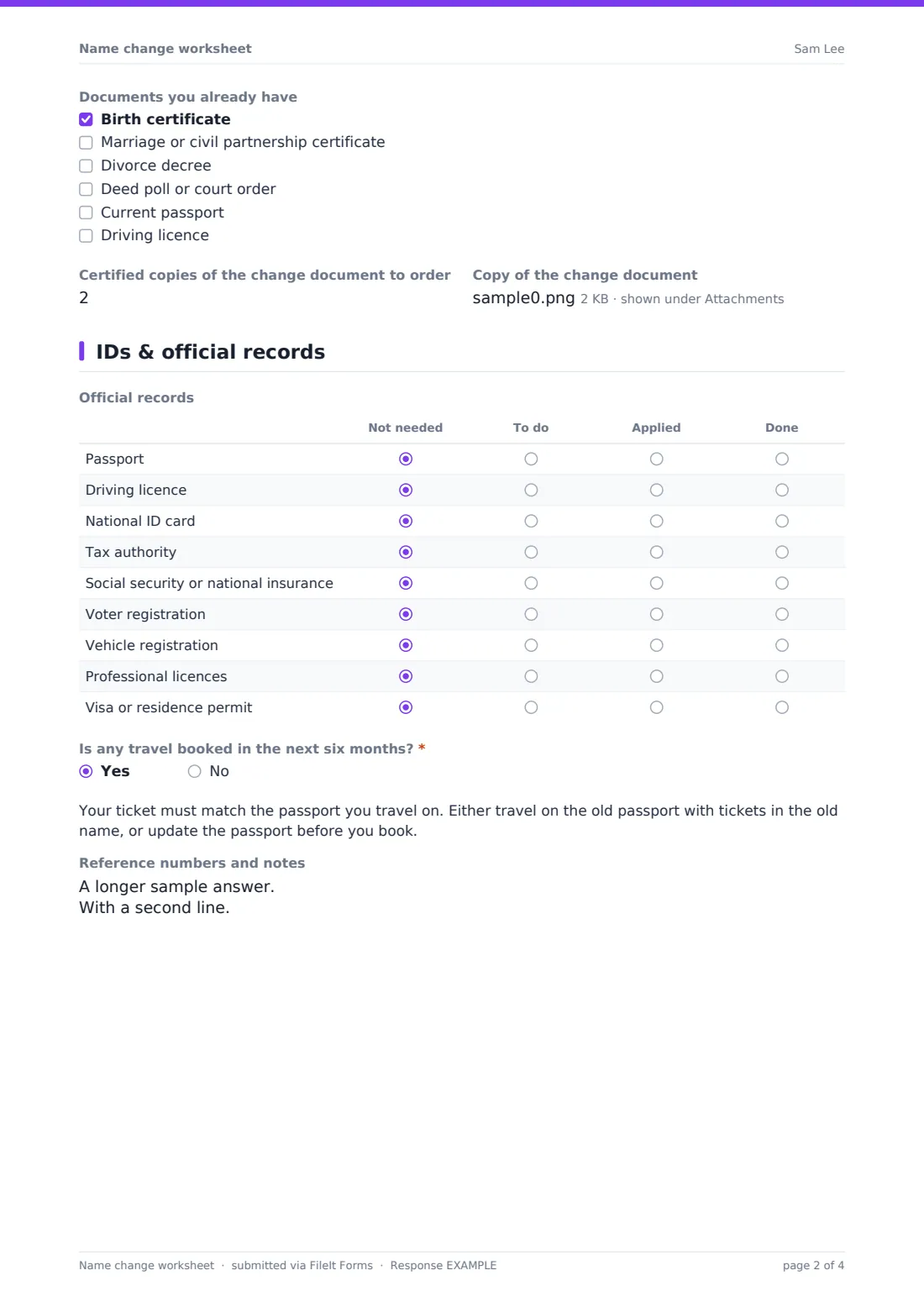
A grid tracks the passport, driving licence, national ID, tax authority, social security or national insurance, voter registration, vehicle registration, professional licences and any visa or residence permit. "Is any travel booked in the next six months?" shows a note about matching tickets to the passport. A box holds reference numbers.
4 Money, work & everyday
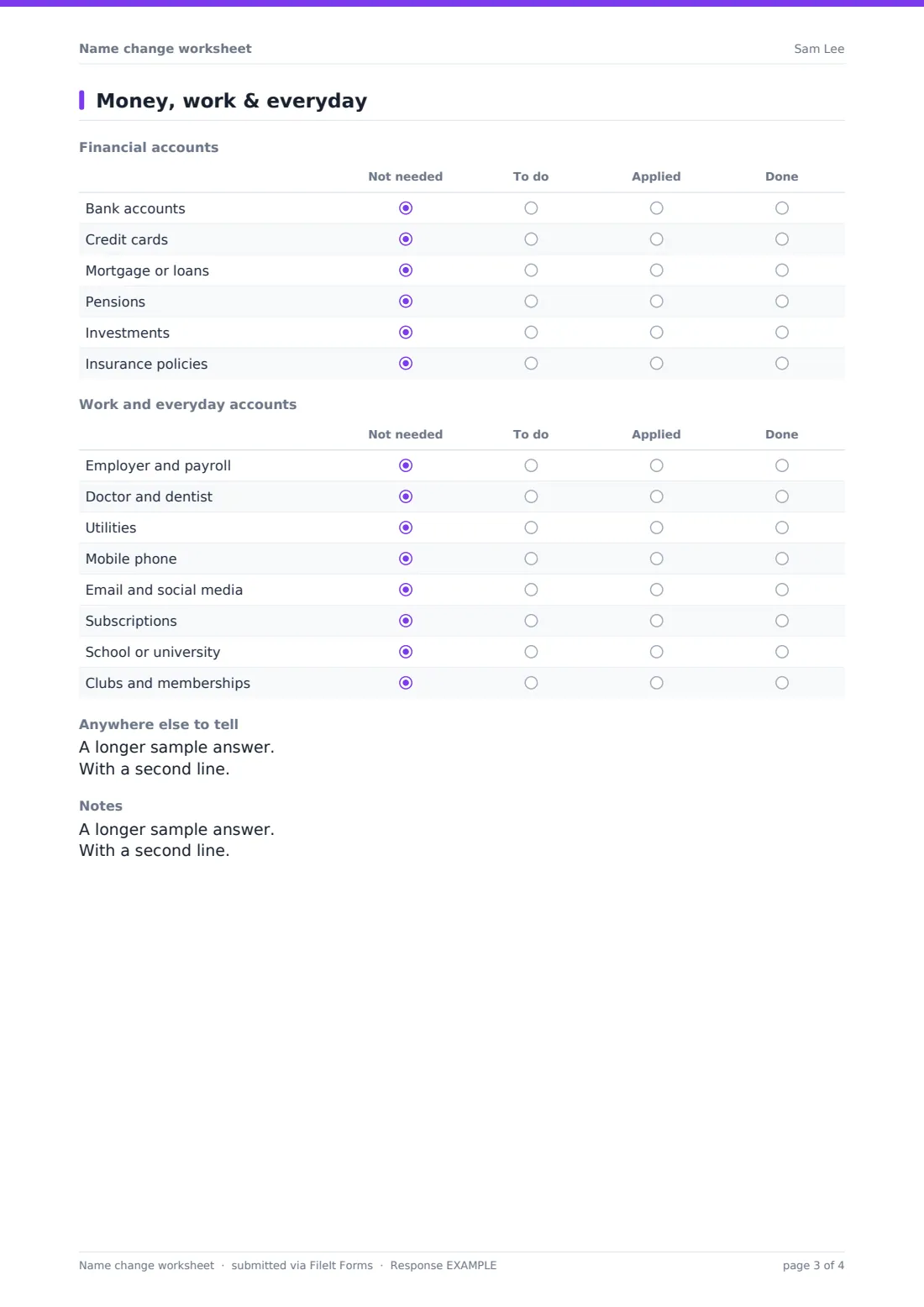
Two more grids track bank accounts, cards, loans, pensions, investments and insurance, then the employer, doctor and dentist, utilities, phone, email and social media, subscriptions, school or university, and clubs. "Anywhere else to tell" and a notes box catch the rest.
Make the template yours
- Add rows for organisations specific to your country, such as a health card or residence registration
- Rename the grid columns if you'd rather track Sent and Confirmed
- File responses under the family member's name in your vault
- Remove the child question if the worksheet is only for adults
- Add a question for the new email address or signature you'll use
Tips for a better name change worksheet form
- Order a few certified copies of the change document at the start; many organisations want to see one
- Do the passport and driving licence first, since others often ask for photo ID in the new name
- Check travel bookings before you change your passport
- Fill in a new copy as you go, so the latest PDF shows where you're up to
- Keep the original certificate or deed with the worksheet in your vault
Every response becomes a PDF in your vault
Each worksheet is saved as a PDF in the vault folder you choose. If you've set a family member, it's filed under their name with their other documents.
Because it's a form, you can fill in a fresh copy whenever you've made progress, and compare versions in the Responses table.
- Start from this template. It opens in the FileIt Forms designer — change any question, add pages, set the rules for when questions appear.
- Share it. Turn on a public link, or send it to people by email, each with their own link. They don’t need a FileIt account.
- Get the answers as PDFs. Each response is saved as a PDF in the vault folder you choose, with uploaded files attached — and listed in a Responses table you can export to CSV.
Name change worksheet form: frequently asked questions
Is this name change worksheet free?
Yes. It's one of the starter templates in the Forms app, included on every FileIt account, and you can edit any question.
Is this an official name change application?
No. It's a planning worksheet. The legal change is made through the document your country or state requires, such as a marriage certificate, deed poll or court order.
Can I use it for my child?
Yes. Choose "A child's name change" as the reason and it asks whether everyone with parental responsibility agrees.
Does it tell organisations about my new name?
No. It's your checklist. You contact each organisation yourself.
Does FileIt remind me about my new passport's expiry?
The worksheet doesn't. Upload the new passport to your FileIt vault and its expiry date is tracked with reminders like any other document.