What is the dive trip booking form template?
A dive centre can't put someone on a boat without knowing their certification, how much they've dived lately and what kit they need. Collect that at the counter on the morning of the trip and the boat leaves late. This dive trip booking form gathers it in advance.
Divers give their details, dive dates and what they want to book, then their certification agency, level and number, logged dives and deepest dive. "When was your last dive?" matters most here: choosing more than 12 months ago brings up a short note and the option to add a refresher dive, or to talk about it first. The second page covers rental equipment with sizes, the diver medical questionnaire, insurance and a signed agreement to the centre's terms.
Bookings arrive as PDFs in FileIt with the certification card photo attached, so the dive team can check everything and assign boats before anyone walks in.
- Best for
- Dive centres, dive resorts, liveaboard operators and dive clubs
- Filled in by
- The certified diver
- Time to complete
- About 5 to 8 minutes
- Includes
- Certification upload, a refresher prompt after a long break, rental sizes, the medical statement and a signature
Who uses a dive trip booking form?
- A resort dive centre taking bookings from hotel guests before they arrive
- A liveaboard operator checking certification and experience for advanced itineraries
- A dive club organising a weekend trip for members
- Spotting rusty divers early and offering a refresher
- Preparing rental kit in the right sizes the night before
- Keeping a signed record of each diver's medical statement
Questions on this dive trip booking form
30 questions over 2 pages · includes signature, file upload, conditional questions, multiple pages, consent checkbox.
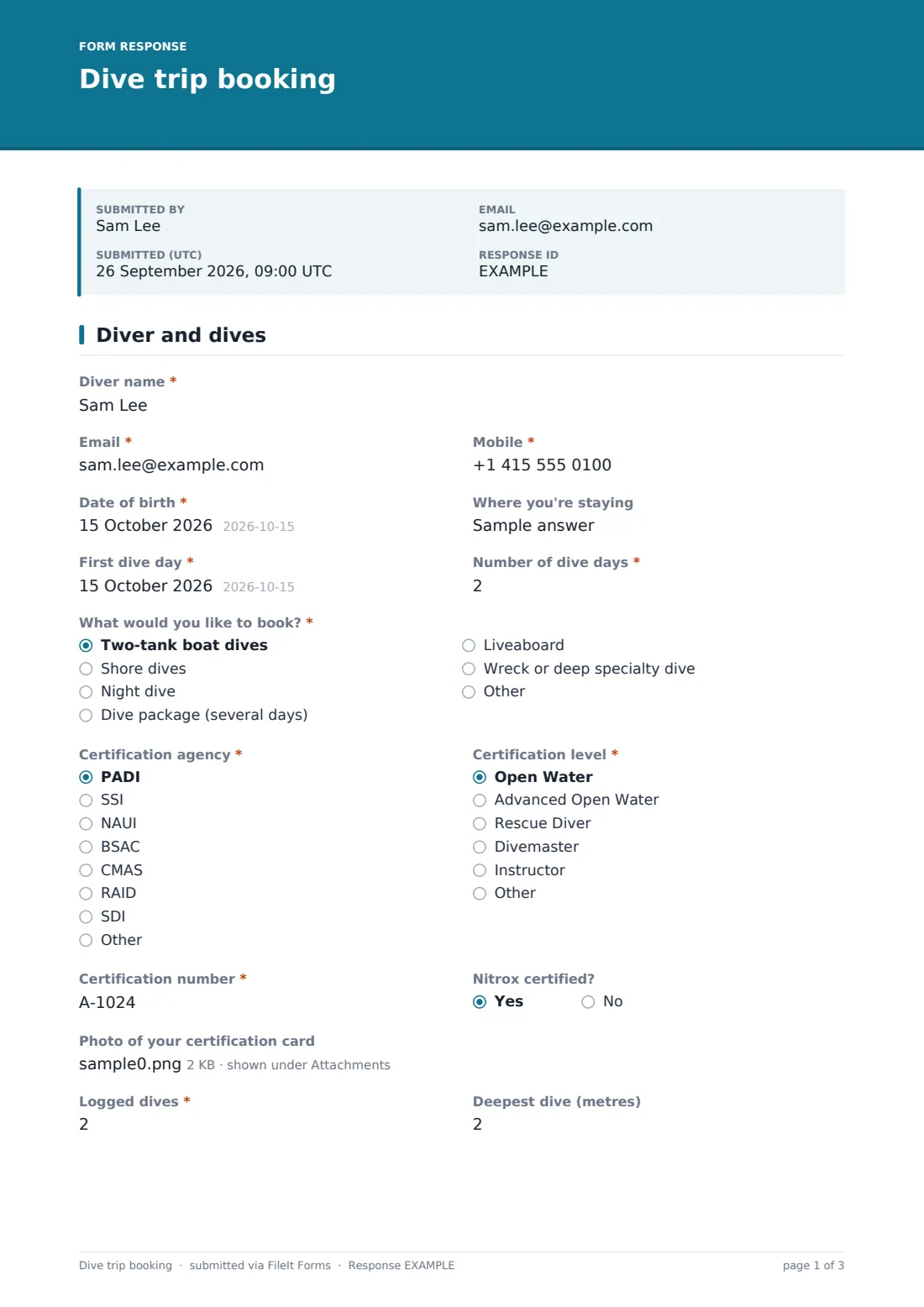
1 Diver and dives
- Diver name*
- Email*
- Mobile*
- Date of birth*
- Where you're staying
- First dive day*
- Number of dive days*
- What would you like to book?* Two-tank boat dives · Shore dives · Night dive · Dive package (several days) · Liveaboard · Wreck or deep specialty dive
- Certification agency* PADI · SSI · NAUI · BSAC · CMAS · RAID · SDI · Other
- Certification level* Open Water · Advanced Open Water · Rescue Diver · Divemaster · Instructor · Other
- Certification number*
- Nitrox certified?
- Photo of your certification card
- Logged dives*
- Deepest dive (metres)
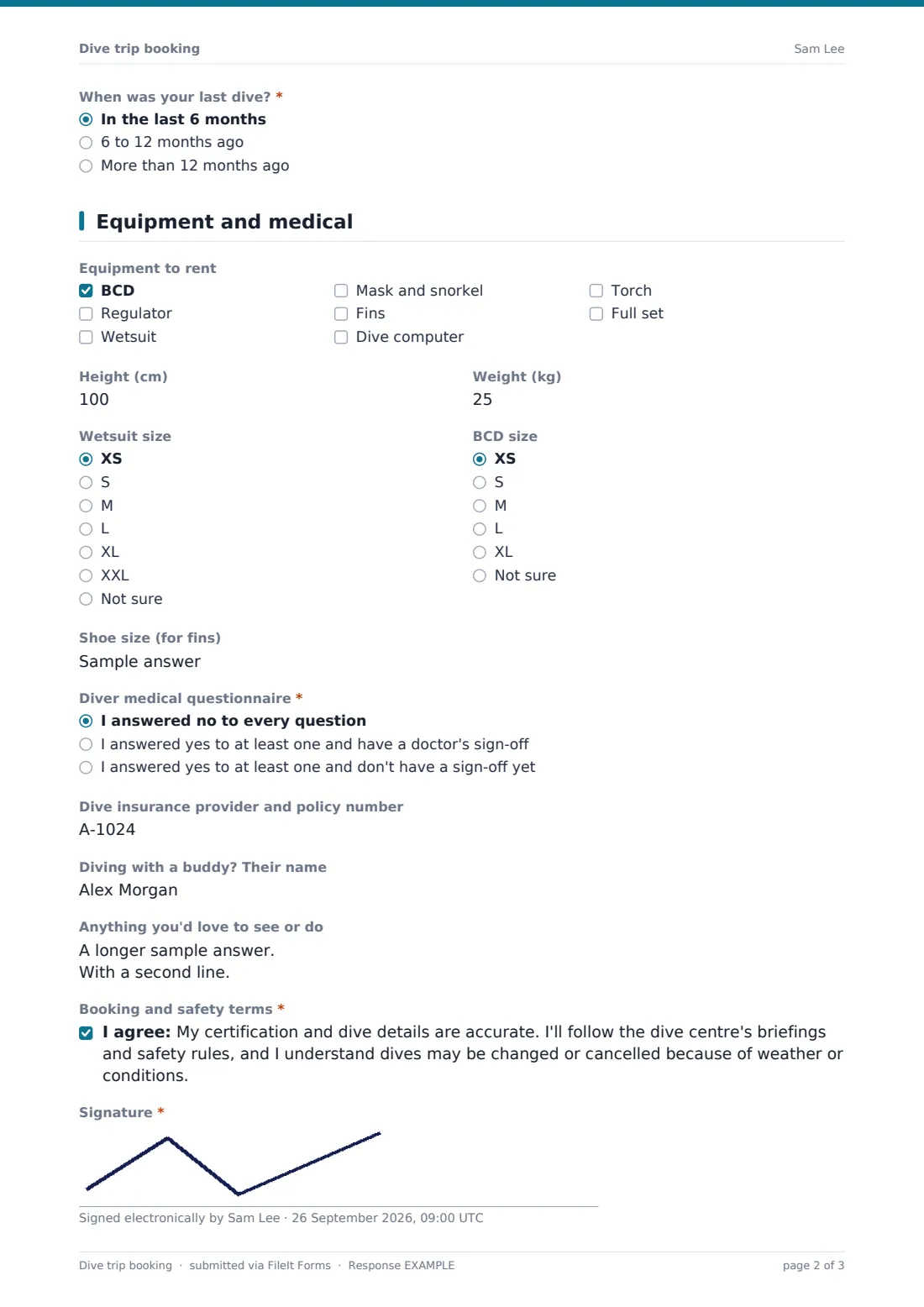
- When was your last dive?* In the last 6 months · 6 to 12 months ago · More than 12 months ago
- Add a refresher dive?* asked only when it applies Yes, please book one · I'd like to talk about it first · No thanks
2 Equipment and medical
- Equipment to rent BCD · Regulator · Wetsuit · Mask and snorkel · Fins · Dive computer · Torch · Full set
- Height (cm) asked only when it applies
- Weight (kg) asked only when it applies
- Wetsuit size asked only when it applies XS · S · M · L · XL · XXL · Not sure
- BCD size asked only when it applies XS · S · M · L · XL · Not sure
- Shoe size (for fins) asked only when it applies
- Diver medical questionnaire* I answered no to every question · I answered yes to at least one and have a doctor's sign-off · I answered yes to at least one and don't have a sign-off yet
- Doctor's sign-off* asked only when it applies
- Dive insurance provider and policy number
- Diving with a buddy? Their name
- Anything you'd love to see or do
- Booking and safety terms*
- Signature*
The dive trip booking form, page by page
1 Diver and dives
The diver enters their name, email, mobile, date of birth and where they're staying, then the first dive day, number of dive days and what they'd like to book: two-tank boat dives, shore dives, a night dive, a dive package, a liveaboard or a wreck or deep specialty dive. Certification follows: agency (PADI, SSI, NAUI, BSAC, CMAS, RAID, SDI or other), level, certification number, whether they're nitrox certified and a photo of the card. They add logged dives and deepest dive.
"When was your last dive?" offers in the last 6 months, 6 to 12 months ago, or more than 12 months ago. The last choice shows a short note about refreshers and "Add a refresher dive?", where the diver can book one, ask to talk first or decline.
2 Equipment and medical
Ticking any equipment to rent (BCD, regulator, wetsuit, mask and snorkel, fins, computer, torch or a full set) shows height, weight, wetsuit size, BCD size and shoe size for fins. The diver medical questionnaire question asks the diver to confirm they answered no to every question, answered yes and have a doctor's sign-off (which opens an upload), or answered yes without a sign-off yet, which shows a note asking them to get in touch. Dive insurance, a buddy's name and anything they'd love to see come next, then the booking and safety terms and a signature.
Make the template yours
- Change the booking options to your own trips and dive sites
- Switch the depth, height and weight units to feet and pounds if your divers use them
- Edit the refresher note to describe the refresher you offer
- Add a nitrox or specialty course option if you teach courses
- Send notifications to the dive shop's shared inbox
- File bookings into a vault folder per week or per boat
Tips for a better dive trip booking form
- Ask divers to upload their card. It saves checking it at the counter
- Look at logged dives and last dive together. Fifty dives five years ago is not the same as fifty this year
- Confirm rental sizes the evening before so kit is ready on the boat
- Follow up on anyone who hasn't got a medical sign-off well before their first dive
- Keep the signed PDFs. They show what each diver told you before they dived
Every response becomes a PDF in your vault
Each booking is saved as a signed PDF in your FileIt vault, with the certification card and any doctor's sign-off attached, and the shop gets an email for each new one. The diver gets a copy.
Use the Responses table to see all divers for a date, check who needs a refresher or rental kit and export a list for the boat crew.
- Start from this template. It opens in the FileIt Forms designer — change any question, add pages, set the rules for when questions appear.
- Share it. Turn on a public link, or send it to people by email, each with their own link. They don’t need a FileIt account.
- Get the answers as PDFs. Each response is saved as a PDF in the vault folder you choose, with uploaded files attached — and listed in a Responses table you can export to CSV.
Dive trip booking form: frequently asked questions
Is this dive booking form free?
Yes. It's included with the Forms app on every FileIt account, including the free plan.
Does it replace the diver medical questionnaire?
No. It records the diver's answer to the medical questionnaire your centre uses and lets them upload a doctor's sign-off. Keep using the official questionnaire.
When does the refresher option appear?
When the diver answers "More than 12 months ago" to "When was your last dive?".
Can divers upload their certification card?
Yes, as a photo or PDF, up to two files.
Does it take payment?
No. It records the booking. Take deposits or payment through your usual system.
When are the rental size questions shown?
Only when the diver ticks at least one item under "Equipment to rent".