What is the bullying incident report form template?
Bullying often goes unreported because the person being hurt doesn't know who to tell, or worries that telling will make it worse. A simple, private form helps. A student can fill it in from their phone at home. A friend who saw something can pass it on without standing at the staff room door. A parent can write down what their child told them at bedtime.
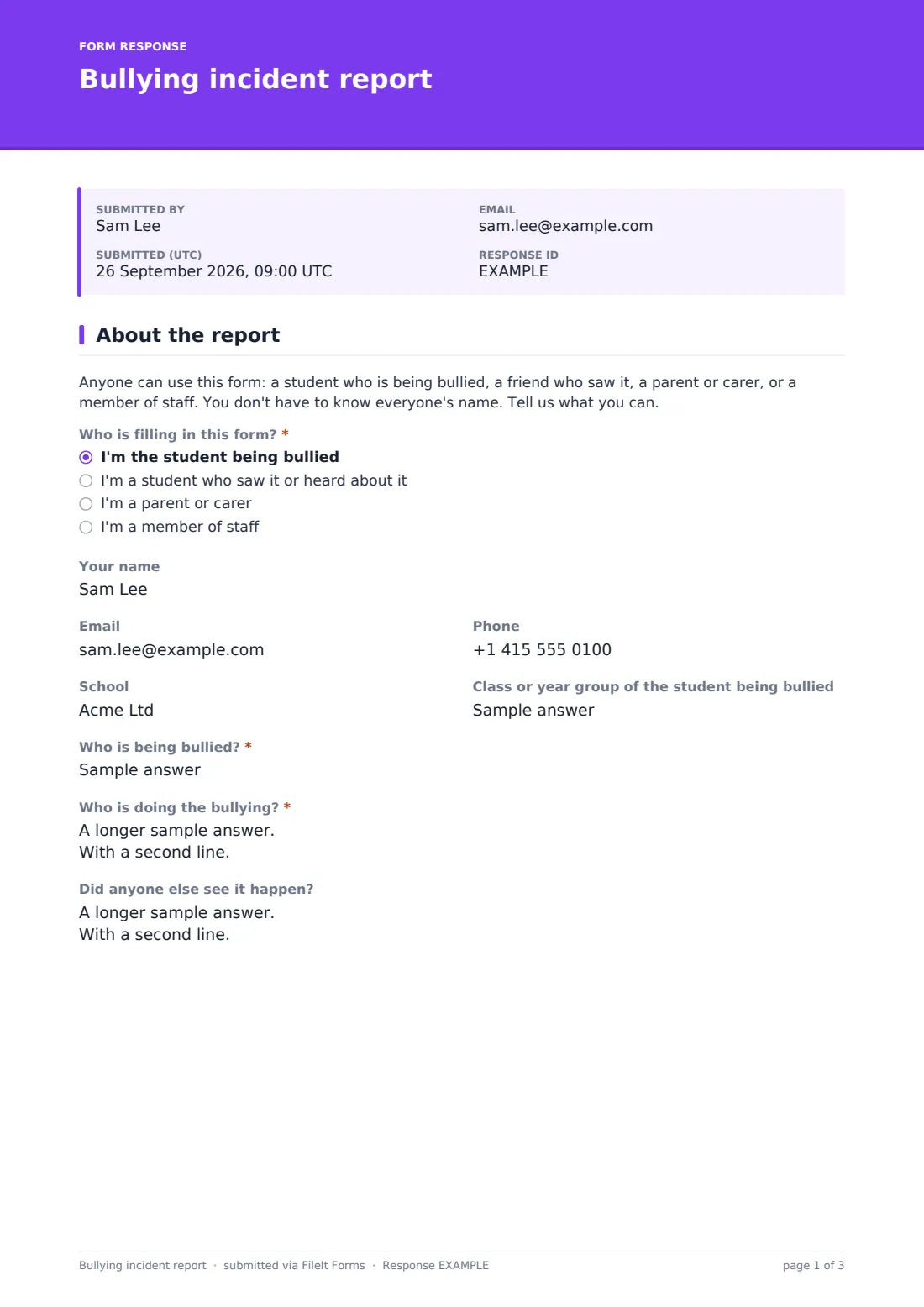
This template is written for all of those people. It opens by asking "Who is filling in this form?" and lets the reporter stay anonymous if they choose. It then asks the questions a pastoral lead needs: who is being bullied, who is doing it, who saw it, what kind of bullying it is, where and how often it happens, and what the student being bullied would like to happen next.
Choosing "Online or on a phone" as the place it happened opens an upload for screenshots, so evidence from group chats and games arrives with the report. Every report is saved as a PDF in the FileIt vault folder you choose, so the school has a dated record it can build on.
- Best for
- Schools, colleges, youth clubs and after-school programmes
- Filled in by
- Students, witnesses, parents or carers, and staff
- Time to complete
- About 5 minutes
- Includes
- Anonymous option, screenshot upload for online bullying, a "feel safe at school right now?" check
Who uses a bullying incident report form?
- A link on the school website or student portal where students can report bullying privately
- A parent passing on what their child described about the bus home
- A student reporting a group chat that has turned nasty, with screenshots attached
- A lunchtime supervisor writing up something seen on the playground
- A youth club or sports club that wants one clear way to raise concerns
Questions on this bullying incident report form
23 questions over 2 pages · includes file upload, conditional questions, multiple pages.
1 About the report
- Who is filling in this form?* I'm the student being bullied · I'm a student who saw it or heard about it · I'm a parent or carer · I'm a member of staff
- Your name
- Phone
- School
- Class or year group of the student being bullied
- Who is being bullied?*
- Who is doing the bullying?*
- Did anyone else see it happen?
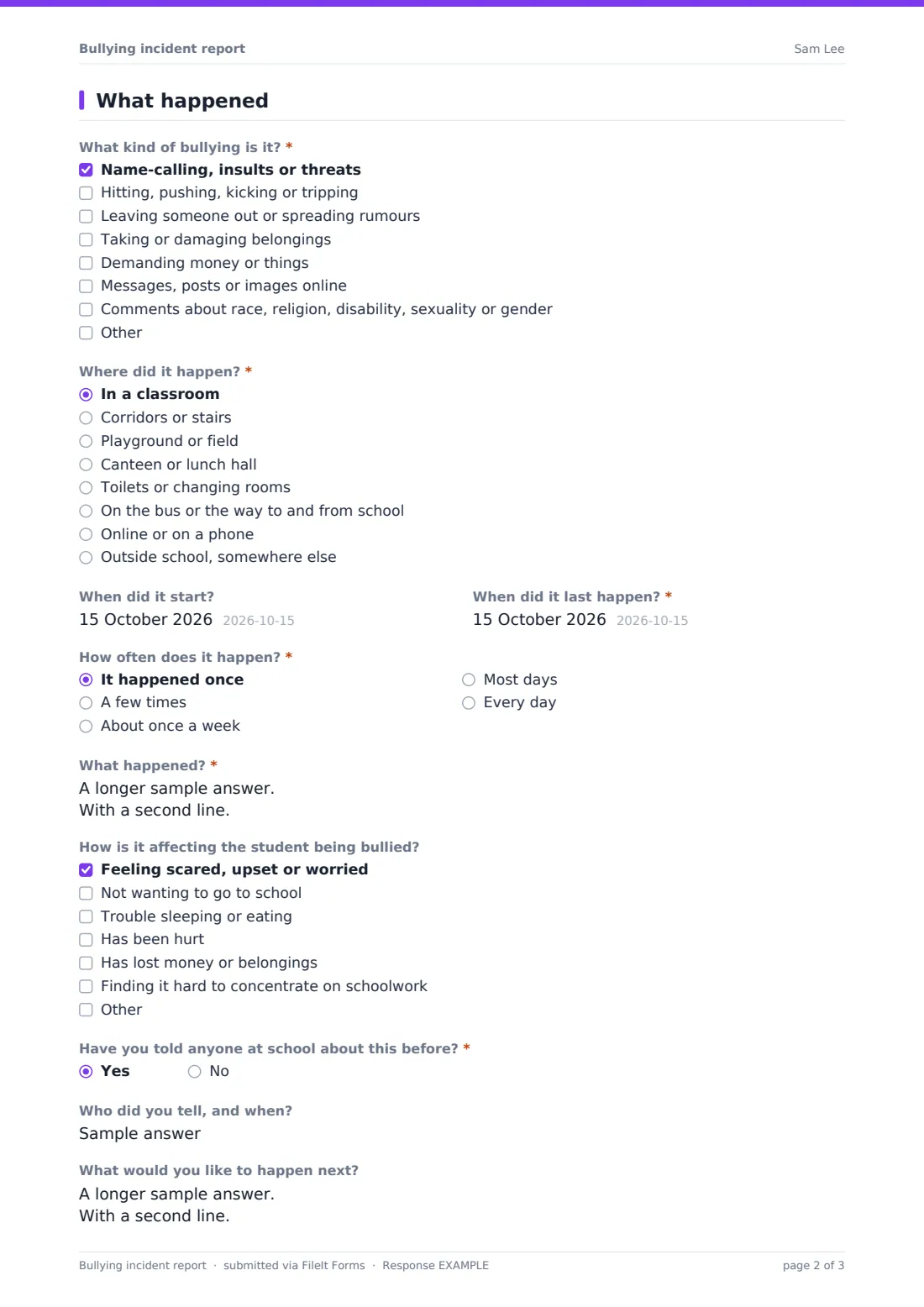
2 What happened
- What kind of bullying is it?* Name-calling, insults or threats · Hitting, pushing, kicking or tripping · Leaving someone out or spreading rumours · Taking or damaging belongings · Demanding money or things · Messages, posts or images online · Comments about race, religion, disability, sexuality or gender
- Where did it happen?* In a classroom · Corridors or stairs · Playground or field · Canteen or lunch hall · Toilets or changing rooms · On the bus or the way to and from school · Online or on a phone · Outside school, somewhere else
- Which app, game or website? asked only when it applies
- Screenshots of the messages or posts asked only when it applies
- When did it start?
- When did it last happen?*
- How often does it happen?* It happened once · A few times · About once a week · Most days · Every day
- What happened?*
- How is it affecting the student being bullied? Feeling scared, upset or worried · Not wanting to go to school · Trouble sleeping or eating · Has been hurt · Has lost money or belongings · Finding it hard to concentrate on schoolwork
- Have you told anyone at school about this before?*
- Who did you tell, and when? asked only when it applies
- What would you like to happen next?
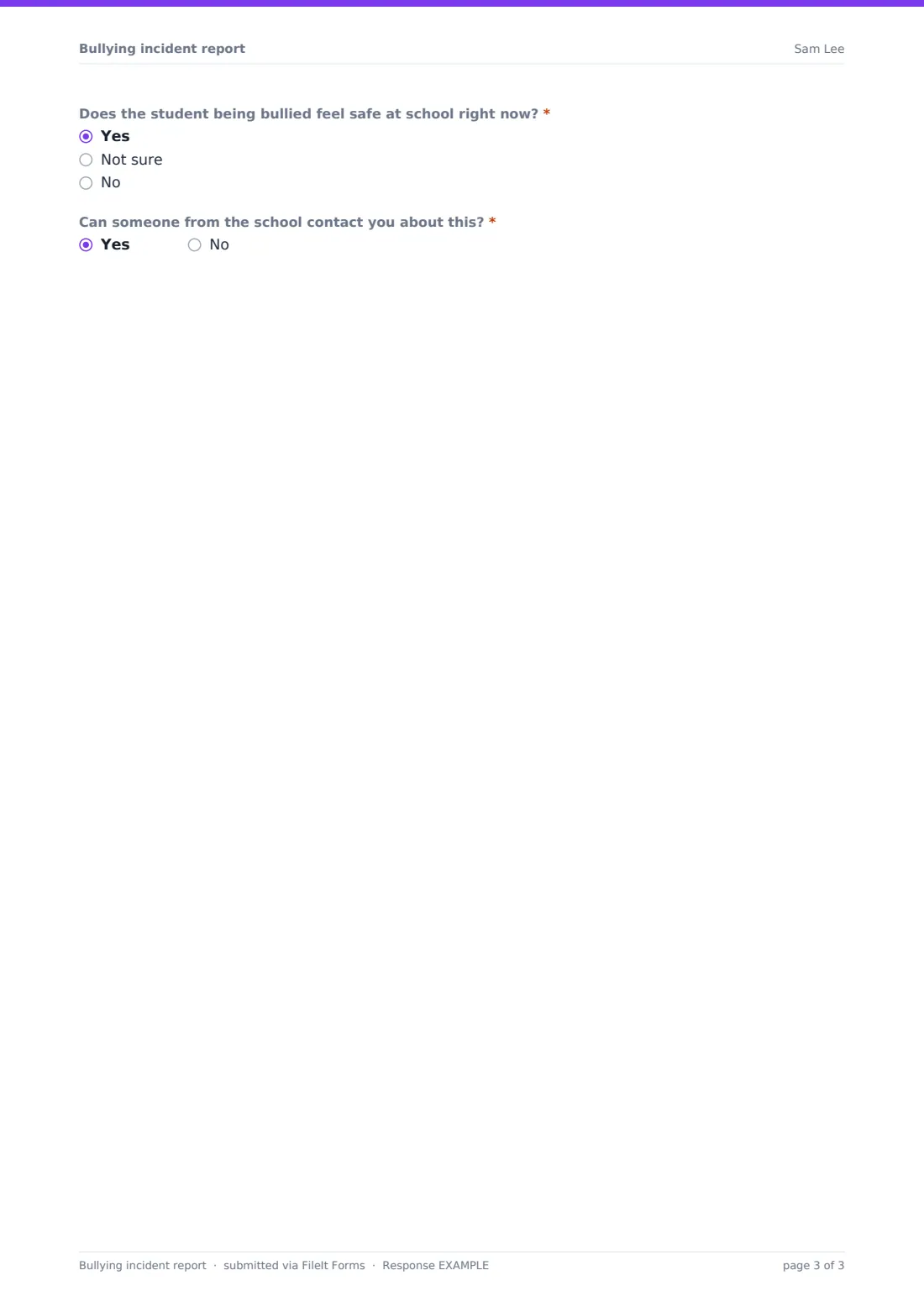
- Does the student being bullied feel safe at school right now?* Yes · Not sure · No
- Can someone from the school contact you about this?*
The bullying incident report form, page by page
1 About the report
A short note explains that anyone can use the form and doesn't need to know every name. The required question "Who is filling in this form?" separates the student being bullied, a student who saw it, a parent or carer, and staff. "Your name" is optional, and the help text says plainly that leaving it blank means the school can't reply. Email, phone, school and the class or year group follow. Then come the required "Who is being bullied?" ("If it's you, just write 'me'") and "Who is doing the bullying?", which accepts a description when names aren't known, and an optional "Did anyone else see it happen?"
2 What happened
"What kind of bullying is it?" is a checklist that covers name-calling and threats, physical bullying, leaving someone out or spreading rumours, taking or damaging belongings, demanding money, online messages and prejudice-based comments, with an Other box. "Where did it happen?" lists the classroom, corridors, playground, canteen, toilets, the journey to school, outside school, and "Online or on a phone". That last choice asks which app, game or website and opens a screenshot upload of up to eight images. Dates, "How often does it happen?" and the required "What happened?" account come next, then how it is affecting the student and whether they've told anyone before. The form ends with "What would you like to happen next?", a required "Does the student being bullied feel safe at school right now?" and permission to make contact. Answering No to feeling safe shows a note asking the reporter to talk to a trusted adult today.
Make the template yours
- Rename the places in the "Where did it happen?" list to match your site, such as the name of a building or field
- Add your anti-bullying lead's name to the opening note so students know who reads the reports
- Set the notification address to the pastoral team's shared inbox rather than one person's
- Remove the anonymous option by making "Your name" required, if your policy needs a named reporter
- Add a question for the student's form tutor or house if that's how your pastoral team is organised
Tips for a better bullying incident report form
- Link the form from places students already look, such as the planner, the student portal or a QR code poster in the toilets and changing rooms
- Tell students what happens after they report, and how soon, so they don't feel ignored
- Read reports at least daily, and check the "feel safe at school right now?" answer first
- Treat this form as one way in, alongside talking to a trusted adult, never a replacement for it
- Keep screenshots with the report rather than asking students to forward harmful images
- Restrict the vault folder to the staff who handle bullying reports
Every response becomes a PDF in your vault
Each report becomes a PDF titled with the date and filed in the vault folder you've chosen, with any screenshots kept alongside it as attachments. The form owner gets an email straight away, and you can add up to ten more notification addresses, such as the designated safeguarding lead.
In the Responses table, staff can see every report in date order and search for a name that comes up again. The CSV export helps when the team wants to look at where and when bullying is happening across the school, for example whether the bus or the lunch hall comes up most.
- Start from this template. It opens in the FileIt Forms designer — change any question, add pages, set the rules for when questions appear.
- Share it. Turn on a public link, or send it to people by email, each with their own link. They don’t need a FileIt account.
- Get the answers as PDFs. Each response is saved as a PDF in the vault folder you choose, with uploaded files attached — and listed in a Responses table you can export to CSV.
Bullying incident report form: frequently asked questions
Can students report bullying anonymously?
Yes. "Your name", email and phone are all optional, and the form tells the student that the school can't reply without a way to contact them. Make the name required in the designer if your policy needs it.
How do screenshots of online bullying get attached?
When "Online or on a phone" is picked as the place it happened, an upload appears for up to eight images or PDFs. They're filed with the report's PDF in your vault.
Does the form alert anyone if a student feels unsafe?
The owner and any notification addresses get an email for every report. The form itself also shows a note asking the student to speak to an adult that day, because a form isn't watched in real time.
Do students need a FileIt account?
No. Anyone with the link can fill it in on a phone, tablet or computer.
Can we change the list of bullying types?
Yes. Every list, label and question can be edited in the Forms designer to match the wording in your anti-bullying policy.
Is this template free?
Yes. It's one of the starter templates in the FileIt Forms app, included on every account, including the free plan.