What is a withdrawal of consent form?
Consent you give is usually consent you can take back: to your photos on a school website, to marketing messages, to taking part in a study, to sharing your data with partners. Telling someone in passing rarely works; a dated, signed withdrawal that names exactly what you agreed to leaves no room for misunderstanding.
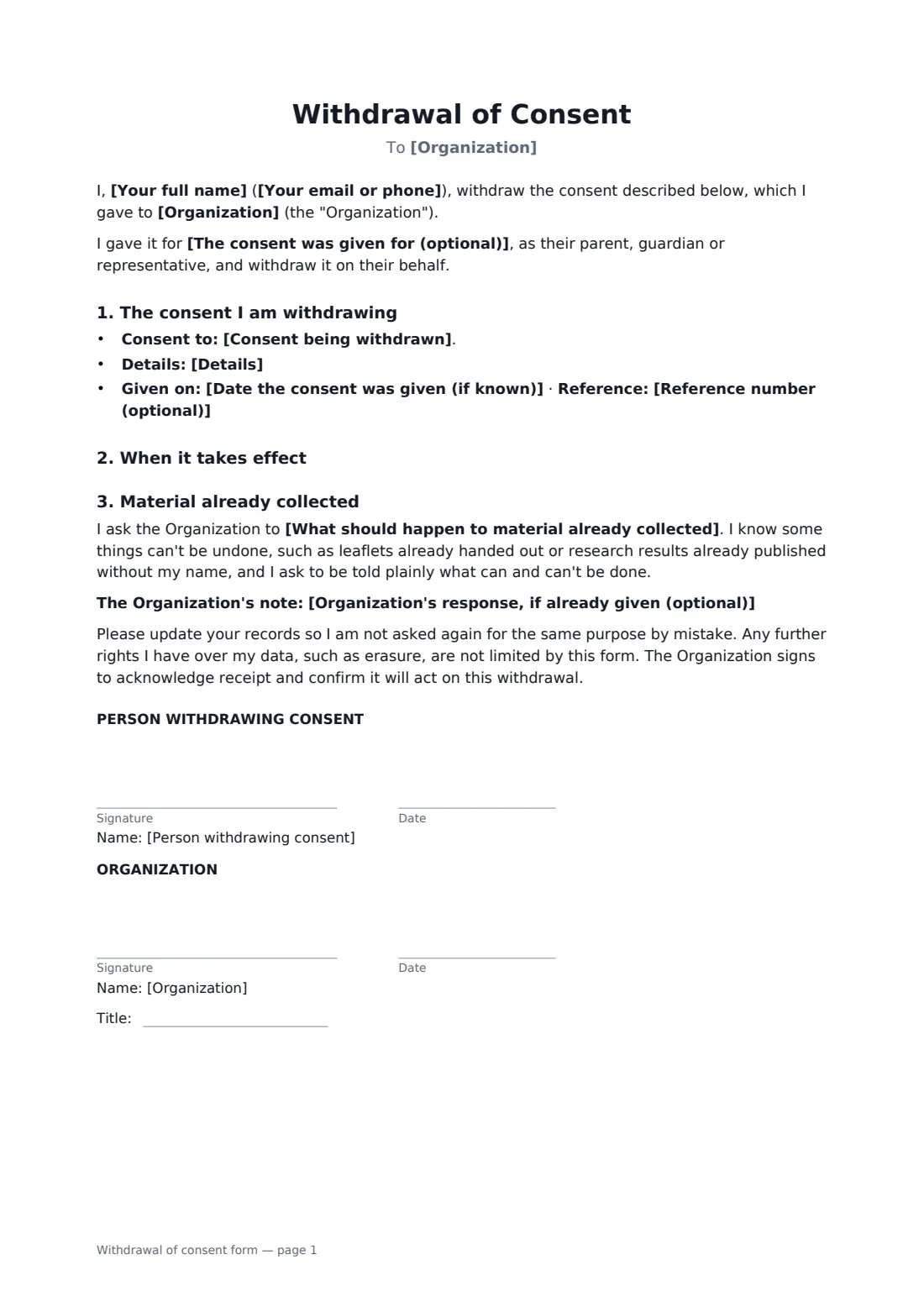
This one-page form names the organization and the consent you gave, with any date and reference number, and says whether the withdrawal takes effect immediately or from a date you choose. You say what you'd like done with material already collected — removed where reasonably possible, simply not used again, deleted entirely, or kept as originally agreed, which is common in research. The form accepts honestly that some things can't be undone, such as leaflets already handed out, and has room to note what the organization has already said it can do. A parent can withdraw a consent given for their child. The organization signs to acknowledge receipt.
- Best for
- Photo and video releases, marketing consent, research studies, data sharing
- Signed by
- The person withdrawing (or their parent), and the organization
- You set
- The consent, date given, effective date, what happens to existing material
- Length
- 1 page
When to use a withdrawal of consent form
- A parent withdrawing consent for their child's photos on a school's social media
- A participant leaving a research study or focus group panel
- A customer withdrawing consent to marketing calls and texts
- A model or interviewee withdrawing a release for future use
- Stopping a company sharing your data with its partners
What you fill in
12 blanks, then the name and email of each person who signs: person withdrawing consent, organization.
1 About you
- Your full name*
- Your email or phone*
- The consent was given for (optional)
2 The consent
- Organization*
- Consent being withdrawn* use of photos, video or recordings · marketing emails, calls or messages · taking part in a research study · sharing my personal data with others · a medical or care treatment or procedure · something else, described below
- Details*
- Date the consent was given (if known)
- Reference number (optional)
3 Effect
- Withdrawal takes effect* immediately · from the date below
- Effective date
- What should happen to material already collected* stop new use, and remove or delete it where reasonably possible · stop new use only; anything already published or printed can stay · delete all data and samples collected under this consent · stop collecting more; data already collected may be kept and used as originally agreed
- Organization's response, if already given (optional)
4 Who signs
- Person withdrawing consent signature and date · The person who gave the consent, or the parent or guardian who gave it for a child.
- Organization signature and date, job title
What the withdrawal of consent form covers
- The consent I am withdrawing
- When it takes effect
- Material already collected
Using the withdrawal of consent form, step by step
1 Say what you agreed to
Choose the kind of consent and describe it — which form, which event, which purposes. Add the date you gave it and any reference number if you have them.
2 Choose when it ends
Pick immediately, or a date in the future, for example the end of a school term.
3 Say what should happen to existing material
Choose removal where possible, no further use, full deletion, or keeping what's already collected. If the organization has already told you what it can and can't do, note it in the form.
4 Send it to the organization
Add someone at the organization as a signer. Their signature confirms they've received it and will act on it, and you keep the signed copy in your FileIt vault.
Tips before you send it
- Be specific. "All photos from the 2026 sports day" is easier to act on than "my photos".
- Withdrawing consent doesn't make past use unlawful. It stops future use.
- For research, ask what happens to data already collected before you choose; anonymised results often can't be taken out.
- If you want your data erased as well, the personal data deletion request form covers that.
- Keep the organization's signed acknowledgement in case the material turns up again.
Sign it online in minutes
- Fill in the blanks. Names, dates and amounts go straight into the agreement — the preview shows exactly where.
- Name who signs. Tick “This is me” for your own part. FileIt builds the PDF with every signature, date box on the right line, and you can check or move anything before sending.
- Send it. Each signer gets a secure link and signs from any device — no account needed. The signed PDF, with an audit trail and a Certificate of Completion, is filed in your vault and emailed to everyone.
Withdrawal of consent form: frequently asked questions
Can I withdraw consent I've already signed?
In most cases, yes. Data protection laws such as the GDPR say consent must be as easy to withdraw as to give. Some agreements, such as a paid model release or a contract, may limit withdrawal, so check what you signed.
Will they have to delete everything?
Not necessarily. Withdrawal stops future use. Material already published or printed may stay, and research data already analysed often can't be removed. The form asks the organization to say plainly what it can and can't do.
Can I withdraw consent for my child?
Yes. Enter your child's name in the "given for" field, and the form records that you withdraw it on their behalf as parent or guardian.
What if the organization doesn't sign?
In most cases a withdrawal takes effect once the organization receives it; their signature simply acknowledges it. FileIt's audit trail shows when the form was sent and viewed.
Do they need a FileIt account to sign?
No. They open the link in the email, review the form and sign. Both of you get the signed PDF.