What is a personal data deletion request?
Privacy laws such as the GDPR, the UK GDPR and California's CCPA give people the right to ask an organization to delete their personal data, and the organization has to answer within a deadline, explain anything it keeps, and be able to show it did what it said. Small businesses, clubs, schools and charities often have no process for this, and requests arrive by email, phone or in person.
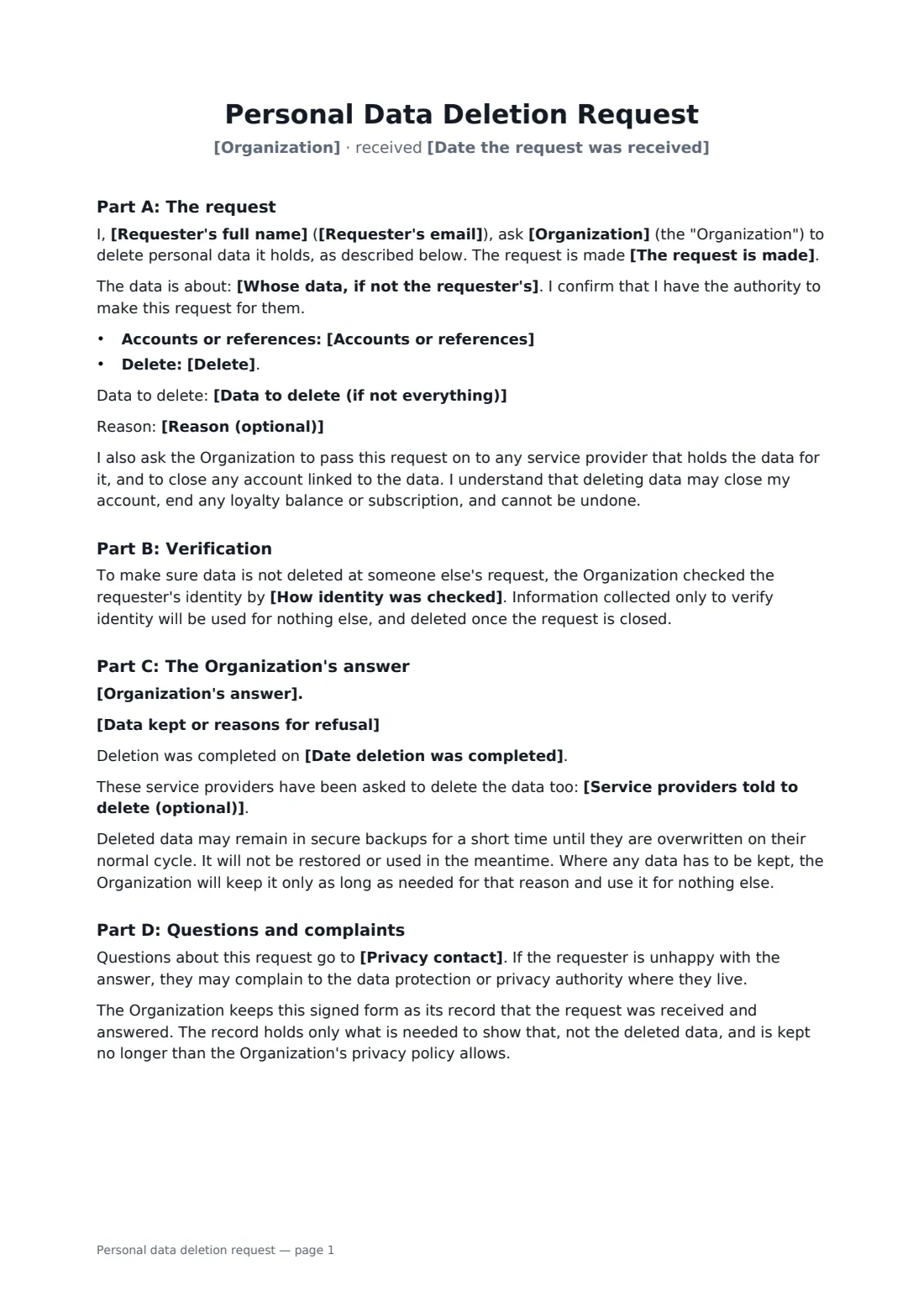
This form brings it together. Part A records the request: who is asking, whether for themselves, a child or as a representative, the accounts concerned, and whether everything or only some data should go. Part B records how you checked identity, so you don't delete someone's account on a stranger's say-so. Part C is your answer: an acknowledgement with a due date, deletion in full, deletion with exceptions, or a refusal with reasons, plus the date it was done and which service providers were told. It also explains backups and where to complain. Both sides sign, and the signed copy is your record.
- Best for
- Businesses, clubs, schools, charities and clinics answering erasure requests
- Signed by
- The person making the request, and the organization
- You set
- Accounts, scope, identity check, your answer, data kept and why, completion date
- Length
- About 2 pages
When to use a personal data deletion request
- A customer asking an online shop to close their account and erase their data
- A former member asking a club or gym to delete their records
- A parent asking a school or activity provider to erase a child's photos and details
- An app user requesting deletion under the CCPA or GDPR
- Confirming in writing that a deletion has been completed
What you fill in
17 blanks, then the name and email of each person who signs: person making the request, organization.
1 The request
- Organization*
- Requester's full name*
- Requester's email*
- The request is made* by the person themselves · by a parent or guardian for a child · by an authorised representative
- Whose data, if not the requester's
- Date the request was received*
2 The data
- Accounts or references*
- Delete* all personal data about me · only the data listed below
- Data to delete (if not everything)
- Reason (optional)
3 Verification
- How identity was checked*
4 The organization's answer
- Organization's answer* The request is acknowledged and will be answered within the time below · The data has been deleted in full · The data has been deleted, except as set out below · The request has been refused, for the reasons below
- Answer due by
- Data kept or reasons for refusal
- Date deletion was completed
- Service providers told to delete (optional)
- Privacy contact*
5 Who signs
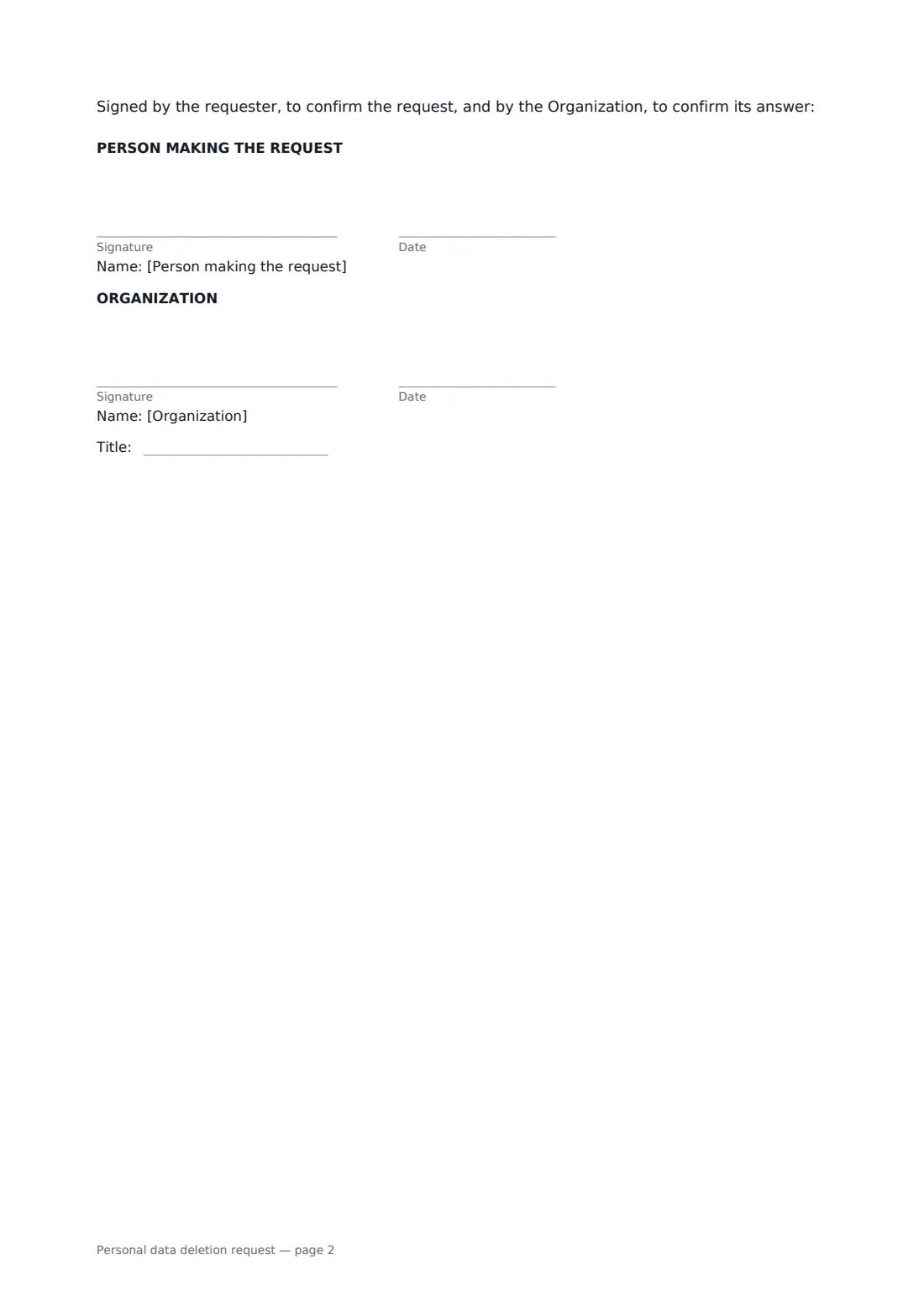
- Person making the request signature and date
- Organization signature and date, job title · Someone who handles privacy requests for the organization, such as the privacy or data protection lead.
What the personal data deletion request covers
- Part A: The request
- Part B: Verification
- Part C: The Organization's answer
- Part D: Questions and complaints
Using the personal data deletion request, step by step
1 Record the request
Enter who is asking and how to reach them, whether they act for themselves or someone else, the accounts or references concerned, and whether all their data or only some should be deleted.
2 Note the identity check
Say how you confirmed it's really them, such as a code sent to the account email. The form says verification details are used for nothing else.
3 Give your answer
Choose your answer. If you're only acknowledging for now, set the due date. If you keep anything, such as invoices for tax records or an email suppression list, say what and why.
4 Sign and send
Add the requester as a signer and send it. They sign to confirm the request; you sign to confirm your answer. The signed PDF is filed in your vault as your record.
Tips before you send it
- Note the date you received the request; the legal deadline usually runs from then. Under the GDPR it's generally one month, and under the CCPA 45 days, with extensions in some cases.
- Don't ask for more ID than you need. A code to the account email is often enough.
- Tell your service providers — email platforms, payment processors, CRMs — to delete their copies too.
- Keeping a short record that a request was handled is normal. Keeping the deleted data isn't.
- Not every request must be granted; the law allows some exceptions. Explain any refusal clearly.
Sign it online in minutes
- Fill in the blanks. Names, dates and amounts go straight into the agreement — the preview shows exactly where.
- Name who signs. Tick “This is me” for your own part. FileIt builds the PDF with every signature, date box on the right line, and you can check or move anything before sending.
- Send it. Each signer gets a secure link and signs from any device — no account needed. The signed PDF, with an audit trail and a Certificate of Completion, is filed in your vault and emailed to everyone.
Personal data deletion request: frequently asked questions
Do we have to delete data whenever someone asks?
Not always. The right to erasure has exceptions, for example data you must keep for tax or legal reasons, or to defend a claim. The form lets you delete with exceptions or refuse, with your reasons written down.
How long do we have to respond?
It depends on the law. The GDPR and UK GDPR generally allow one month, extendable for complex requests, and the CCPA allows 45 days. The form lets you acknowledge first and set a due date.
What about backups?
The form explains that deleted data may stay in secure backups until they are overwritten on their normal cycle, and won't be restored or used in the meantime — a common and accepted approach.
Can someone make a request for their child?
Yes. Choose the parent or guardian option and enter the child's name. The requester confirms they have authority to act.
Is this form legally required?
No particular form is required; requests can be made in any way. A signed form simply gives you and the requester a clear record of what was asked and what you did.