What is a signage fabrication and installation agreement?
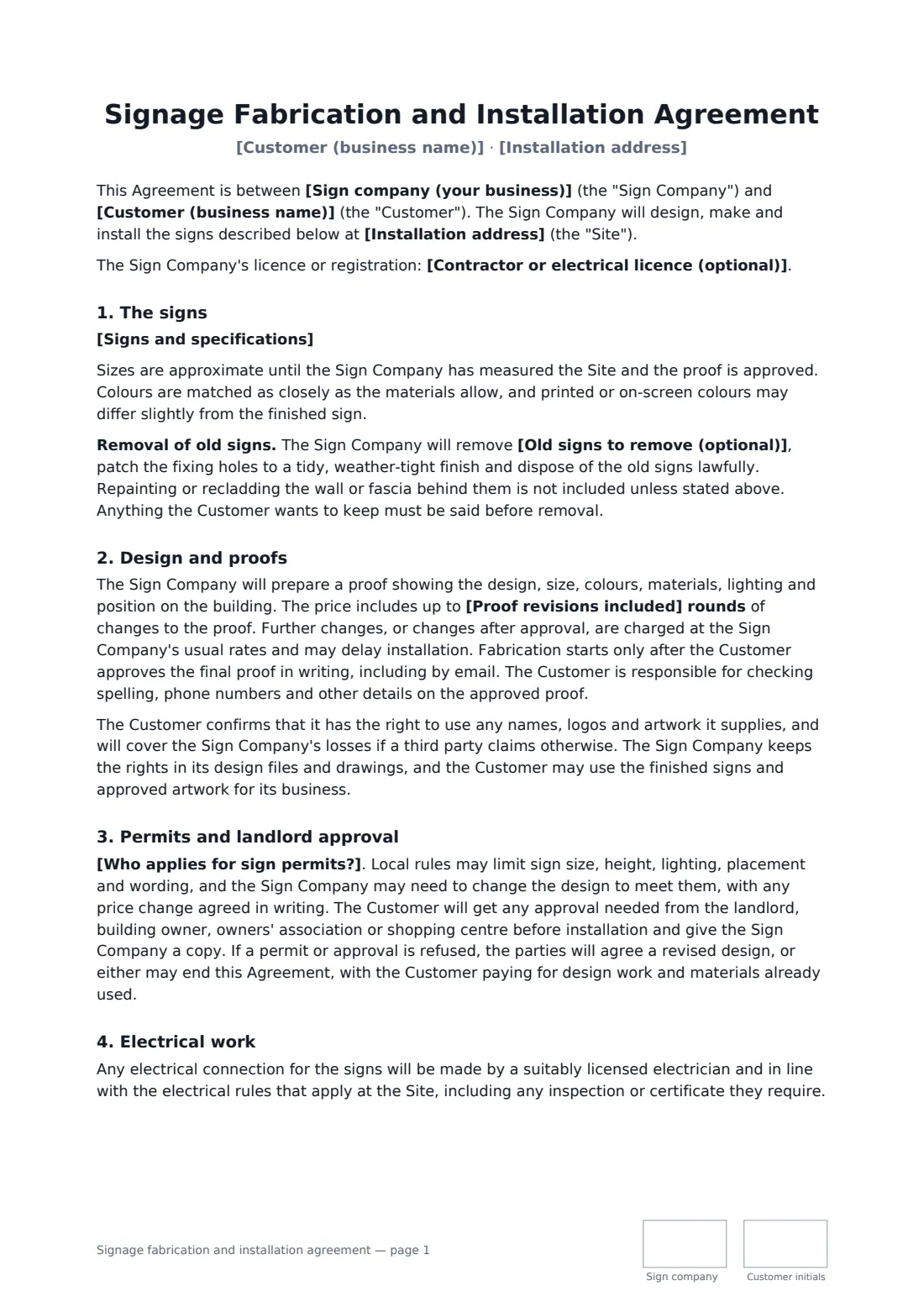
A signage agreement sets out exactly what a sign company will design, make and install, and who handles the parts that usually cause delays: proof approval, sign permits, the landlord's consent and the electrical connection for illuminated signs.
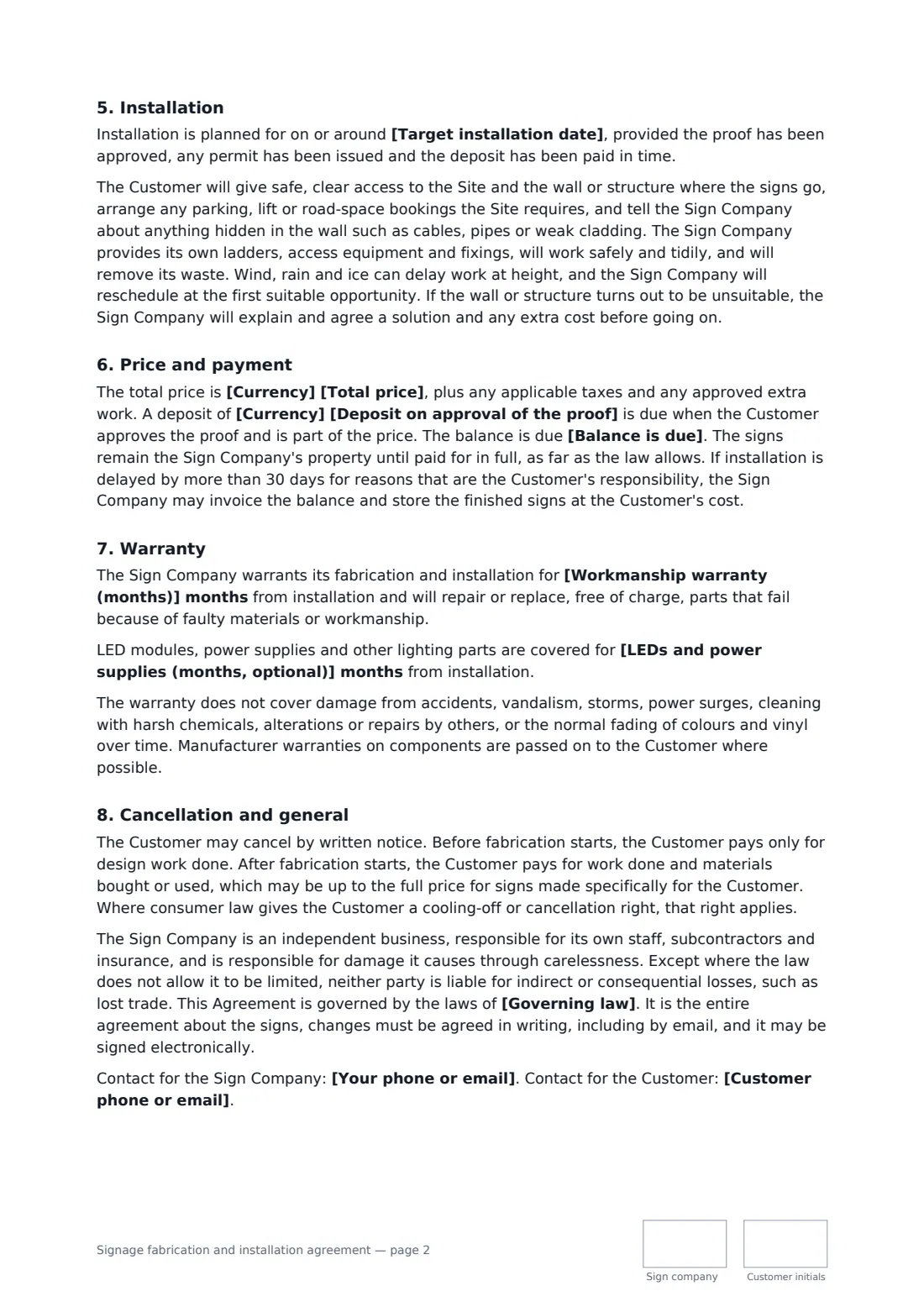
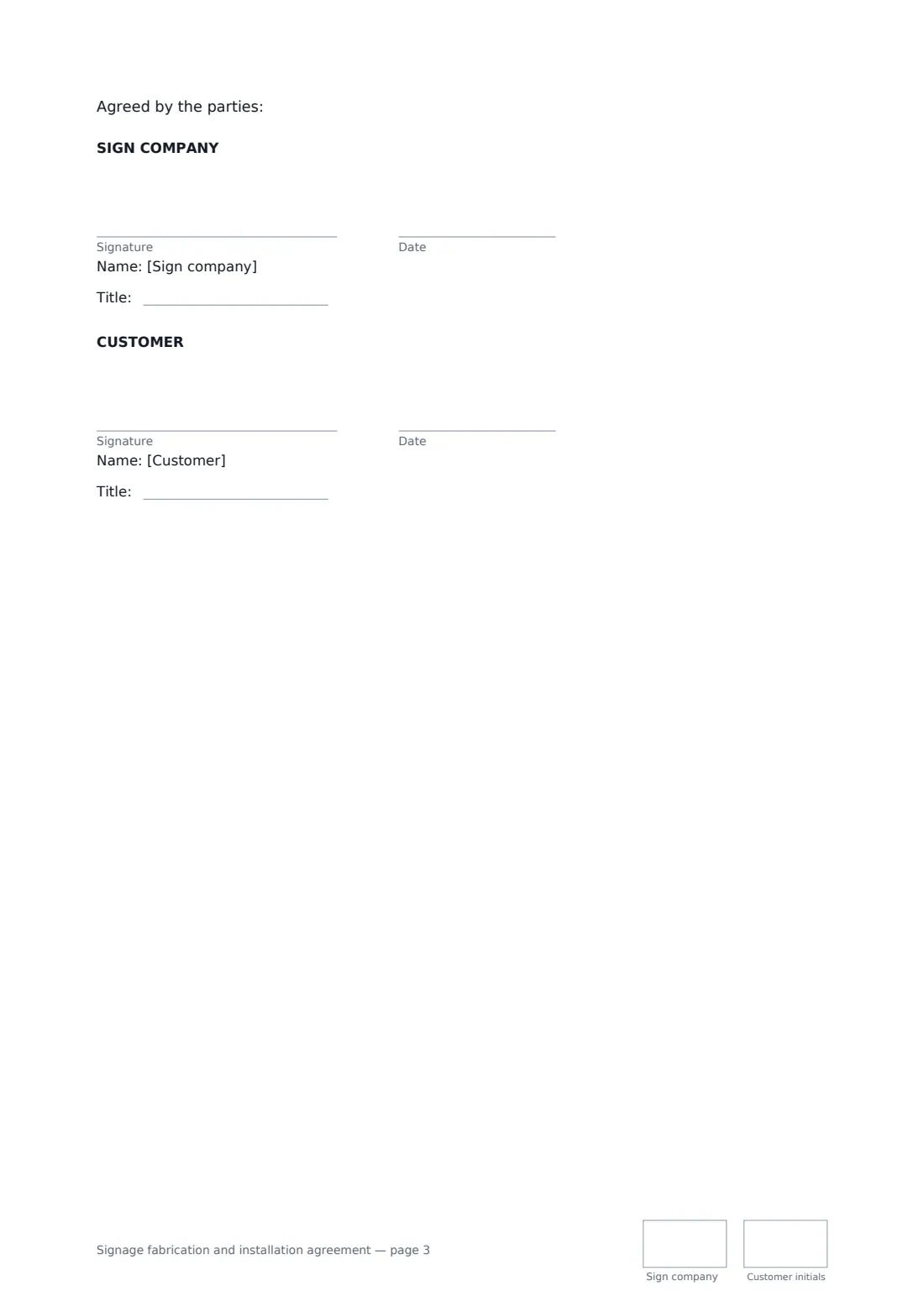
This template covers the sign specifications, removal of old signs, proof rounds and sign-off before fabrication, artwork rights, who applies for and pays for permits, landlord or shopping-centre approval, licensed electrical work, site access and installation, the deposit and balance, title until payment, a workmanship warranty with an optional separate period for LEDs and power supplies, and cancellation once fabrication has started. FileIt places the signature, date, job-title and initials boxes for both parties.
- Best for
- Sign makers, sign installers and businesses ordering storefront, pylon or illuminated signs
- Signed by
- The sign company and the customer
- Permits
- Choose: the sign company applies, the customer applies, or none expected
- Length
- About 3 pages, initialled on every page
When to use a signage fabrication and installation agreement
- Illuminated channel letters for a new shop or restaurant
- A pylon or monument sign for an office park or petrol station
- Replacing an old lightbox and window vinyl after a rebrand
- Projecting and fascia signs for a café in a leased unit
- Wayfinding and wall signs for a clinic or office fit-out
What you fill in
20 blanks, then the name and email of each person who signs: sign company, customer.
1 The parties
- Sign company (your business)*
- Your phone or email*
- Contractor or electrical licence (optional)
- Customer (business name)*
- Customer phone or email*
2 The signs
- Installation address*
- Signs and specifications*
- Old signs to remove (optional)
- Are the signs illuminated?* Yes, the signs are illuminated · No, the signs are not illuminated
- Who provides power to the sign location? The Customer, using its own licensed electrician · The Sign Company, as part of the price
3 Design and approvals
- Proof revisions included*
- Who applies for sign permits?* The Sign Company applies, and the Customer pays the permit fees · The Sign Company applies, and permit fees are included in the price · The Customer applies and pays the permit fees · No permit is expected to be needed
4 Price and schedule
- Currency*
- Total price*
- Deposit on approval of the proof*
- Balance is due* on completion of installation · within 7 days of installation · within 14 days of installation · within 30 days of installation
- Target installation date
5 Warranty and terms
- Workmanship warranty (months)*
- LEDs and power supplies (months, optional)
- Governing law*
6 Who signs
- Sign company signature and date, job title, initials on every page · The sign business designing, making and installing the signs.
- Customer signature and date, job title, initials on every page · The business ordering the signs, signed by someone authorised to commit it.
What the signage fabrication and installation agreement covers
- The signs
- Design and proofs
- Permits and landlord approval
- Electrical work
- Installation
- Price and payment
- Warranty
- Cancellation and general
Using the signage fabrication and installation agreement, step by step
1 Describe the signs
Enter the installation address and the specifications — wording, sizes, materials, colours, lighting and mounting — and list any old signs you will take down.
2 Settle approvals and power
Set how many proof revisions are included, choose who applies for sign permits and pays the fees, and say whether the signs are illuminated and who brings power to the sign position.
3 Price, date and warranty
Enter the total price, the deposit due when the proof is approved, when the balance is due, a target installation date if you have one, and the warranty periods.
4 Send for signature
Add the customer as a signer and send. Both parties sign, give their job title and initial each page.
Tips before you send it
- Check local sign rules early: size, height, lighting and placement are often limited, and a permit can take time.
- Ask the customer for the landlord's written consent before you order materials — the template makes that the customer's job.
- Have the customer check spelling and phone numbers on the final proof; the template puts that responsibility on them.
- Some places limit deposits for construction-type work. Check before setting a large deposit.
Sign it online in minutes
- Fill in the blanks. Names, dates and amounts go straight into the agreement — the preview shows exactly where.
- Name who signs. Tick “This is me” for your own part. FileIt builds the PDF with every signature, date and initials box on the right line, and you can check or move anything before sending.
- Send it. Each signer gets a secure link and signs from any device — no account needed. The signed PDF, with an audit trail and a Certificate of Completion, is filed in your vault and emailed to everyone.
Signage fabrication and installation agreement: frequently asked questions
Who gets the sign permit?
You choose. The sign company can apply with the customer paying the fees, apply with the fees included in the price, or the customer can apply. If a permit or approval is refused, the parties agree a revised design or either can end the agreement, with the customer paying for design work and materials already used.
Does it cover electrical work for illuminated signs?
Yes. It requires connections to be made by a suitably licensed electrician in line with local electrical rules, and lets you say whether the customer's electrician or the sign company provides power to the sign position.
What happens if the customer cancels after fabrication starts?
Before fabrication, the customer pays only for design work done. After it starts, they pay for work done and materials bought or used, which may be up to the full price for signs made specifically for them.
Is it valid if signed online?
In most countries, including the US (ESIGN Act and UETA), the UK, the EU (eIDAS) and Canada, an electronic signature is generally valid for an ordinary services contract like this one. FileIt keeps an audit trail and a Certificate of Completion with the signed PDF as evidence of who signed and when.
Can I change the wording?
You fill in the blanks and choose the options on the setup page; optional clauses appear only when you fill them in. If you need different clauses, draft your own document and upload it to FileIt eSignature instead — you can still place the signature boxes in the editor.
Is this template free?
Yes. The template is free to use with the eSignature app in FileIt. The person you send it to doesn't need a FileIt account to sign.