What is a sauna and cold plunge waiver?
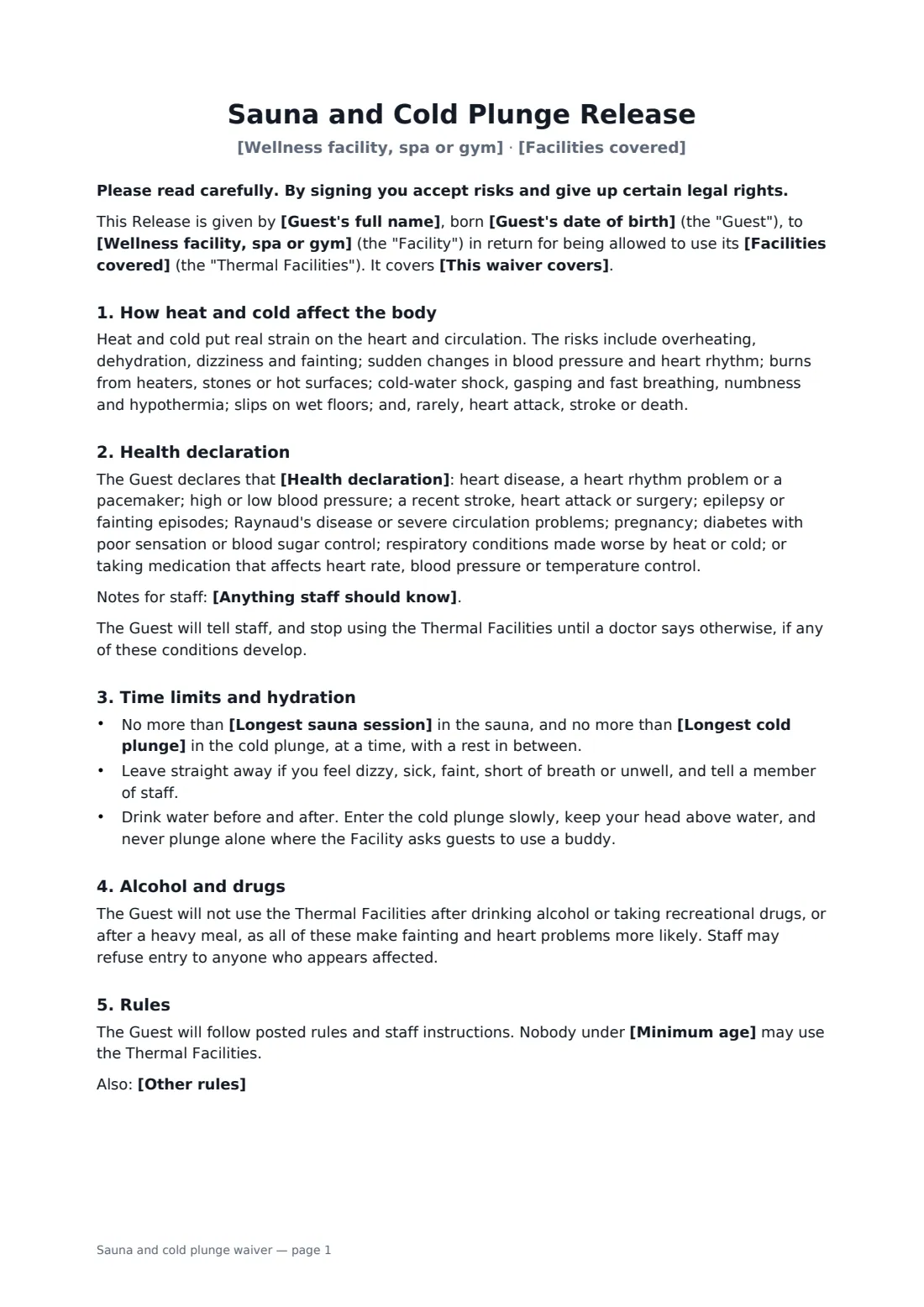
Contrast therapy studios, bathhouses and gyms with an ice bath have one thing in common: guests are deliberately pushing their bodies hot and cold. For most people that's fine. For someone with a heart condition, uncontrolled blood pressure or a few drinks inside them, it can be dangerous. A waiver built for these facilities asks the right questions and sets clear limits.
This template names your facility and the thermal areas it covers — Finnish or infrared sauna, steam room, cold plunge, ice bath. The guest declares that none of a listed set of conditions applies to them, or that a doctor has cleared them, and can add notes for staff. You set the longest sauna session and cold plunge, a minimum age and any extra rules, such as showering first or no oils on the stones. The guest agrees to drink water, leave at the first sign of feeling unwell, never enter after alcohol or a heavy meal, and follow staff instructions. The release goes as far as the law allows.
- Best for
- Contrast therapy studios, bathhouses, spas, gyms and recovery centres
- Signed by
- The guest and the facility
- Includes
- Health declaration, time limits, minimum age, hydration and alcohol rules
- Length
- 2 pages
When to use a sauna and cold plunge waiver
- First visit to a contrast therapy or ice bath studio
- Gym members using the sauna and cold plunge after training
- Day-spa guests booking a thermal suite
- Sports clubs offering ice baths for recovery
- Members re-signing each year with an updated health declaration
What you fill in
13 blanks, then the name and email of each person who signs: guest, facility.
1 The facility
- Wellness facility, spa or gym*
- Facilities covered*
- This waiver covers* a single visit on the date signed · all visits for 12 months from signing · all visits while the guest is a member
- Minimum age*
2 The guest
- Guest's full name*
- Guest's date of birth*
- Health declaration* none of the following conditions applies to them · one or more of the following conditions applies to them, and a doctor has said they may use these facilities
- Anything staff should know
- Emergency contact (name and phone)*
3 Limits and rules
- Longest sauna session*
- Longest cold plunge*
- Other rules
- Governing law*
4 Who signs
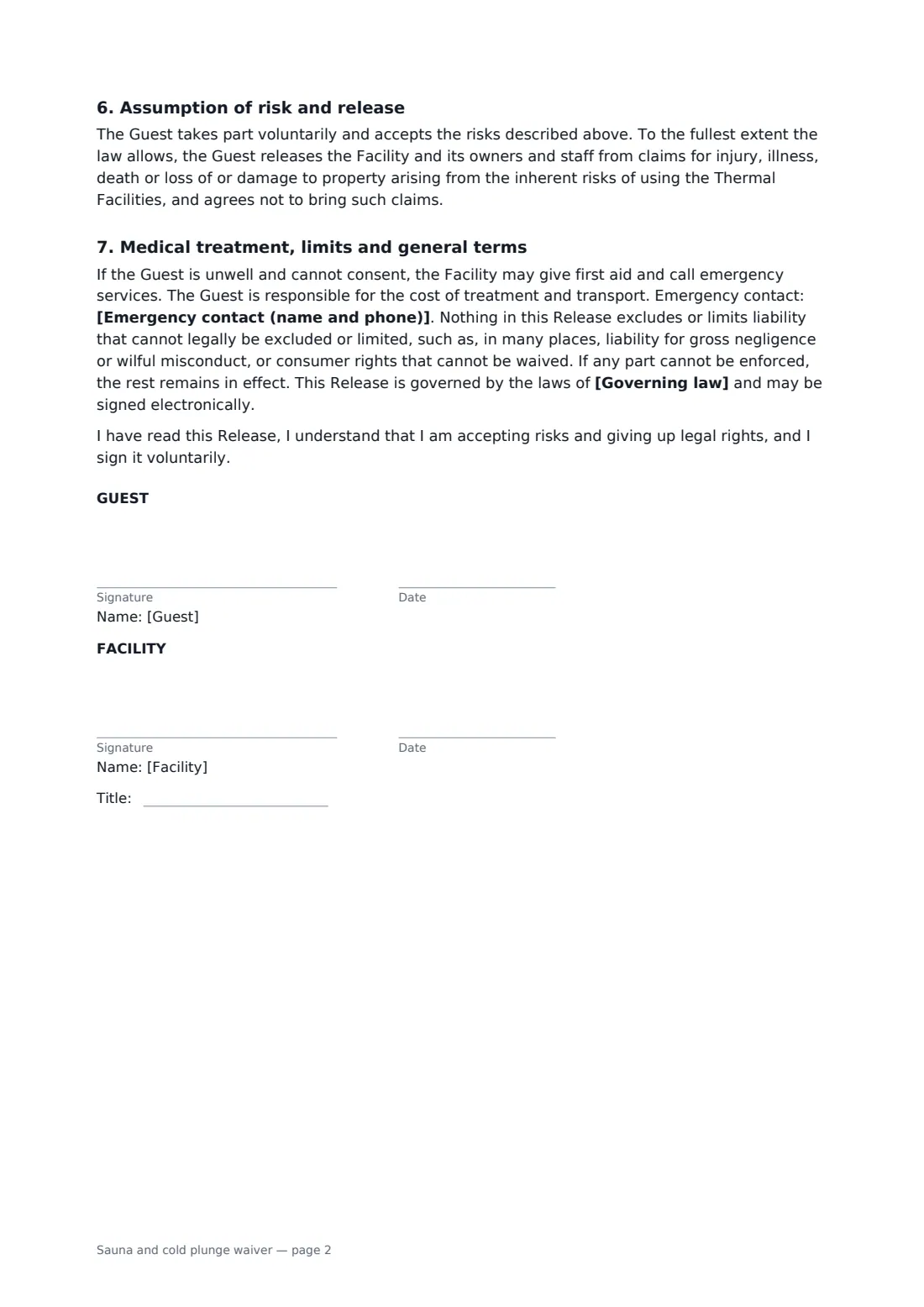
- Guest signature and date · The adult guest using the sauna and cold plunge.
- Facility signature and date, job title
What the sauna and cold plunge waiver covers
- How heat and cold affect the body
- Health declaration
- Time limits and hydration
- Alcohol and drugs
- Rules
- Assumption of risk and release
- Medical treatment, limits and general terms
Using the sauna and cold plunge waiver, step by step
1 List your thermal facilities
Your facility fills in. Describe what the waiver covers — sauna, steam room, cold plunge, ice bath — and how long it lasts.
2 Set the limits
Enter the longest sauna session and cold plunge, a minimum age, and any extra house rules.
3 Guests complete the health declaration
Send the link at booking. Guests choose whether any listed condition applies and add notes for staff, then sign.
4 Countersign and keep on file
You countersign, and the signed waiver is filed in your FileIt vault where staff can check it before the first session.
Tips before you send it
- Post the time limits beside the sauna and plunge as well; people lose track of time in the heat.
- Train staff to spot guests who look unwell and to act on it, whatever the form says.
- If a guest declares a condition with a doctor's clearance, consider asking for it in writing.
- Re-collect the health declaration each year, or whenever a guest tells you something has changed.
Sign it online in minutes
- Fill in the blanks. Names, dates and amounts go straight into the agreement — the preview shows exactly where.
- Name who signs. Tick “This is me” for your own part. FileIt builds the PDF with every signature, date box on the right line, and you can check or move anything before sending.
- Send it. Each signer gets a secure link and signs from any device — no account needed. The signed PDF, with an audit trail and a Certificate of Completion, is filed in your vault and emailed to everyone.
Sauna and cold plunge waiver: frequently asked questions
What health conditions does it ask about?
Heart disease or rhythm problems, high or low blood pressure, a recent stroke, heart attack or surgery, epilepsy or fainting, Raynaud's or circulation problems, pregnancy, poorly controlled diabetes, respiratory conditions, and medication that affects heart rate, blood pressure or temperature control.
Can someone with one of those conditions still use the facilities?
The guest can declare that a doctor has said they may. Whether you accept that, or ask for written clearance, is up to you.
Can I change the time limits?
Yes. Both limits are fill-in fields with defaults of 15 minutes in the sauna and 3 minutes in the cold plunge.
Do guests need a FileIt account?
No. They sign from the link on any phone or computer. The signed PDF includes an audit trail and a Certificate of Completion.