What is a race participation waiver?
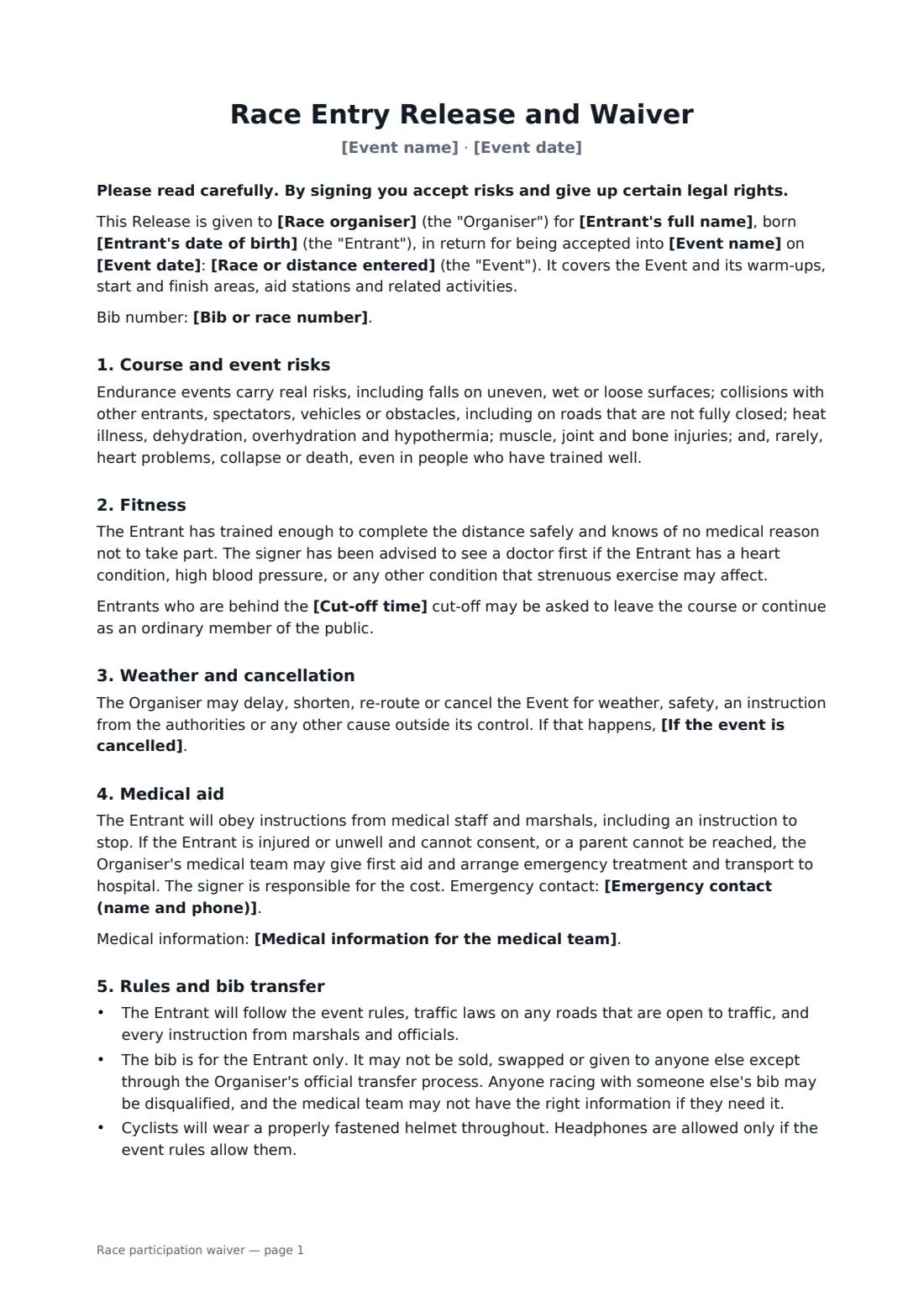
Race organisers need every entrant to accept the same terms: that roads may be open, that heat and cold are real, that medical staff can pull them off the course, and that the bib with their emergency details belongs to them alone. This waiver puts those points in one page and a half of plain English, ready to send with each confirmation.
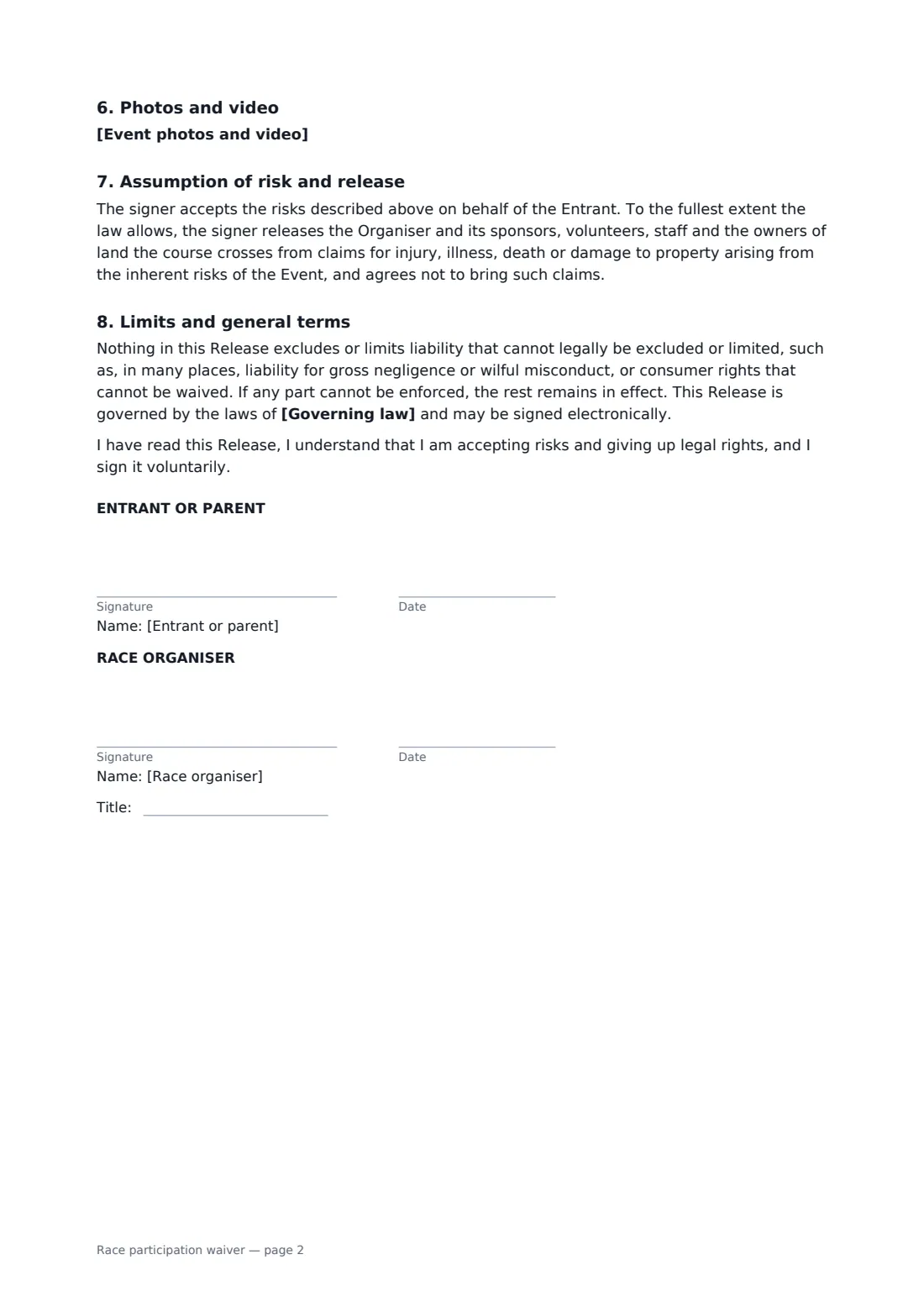
You name the event, the date and the race or distance, add an optional cut-off time, and choose what happens to entry fees if the event is cancelled or shortened. Entrants confirm they've trained for the distance, agree to obey marshals and medical staff, agree not to sell or swap their bib except through your official transfer process, and choose how their photos may be used. Cyclists agree to wear a helmet. Adults sign for themselves; a parent can sign for a junior entrant. The release extends to sponsors, volunteers and landowners on the course, as far as the law allows.
- Best for
- Road races, trail runs, charity fun runs, cycling sportives, triathlons
- Signed by
- The entrant or a parent, and the organiser
- Includes
- Cancellation and refund line, bib transfer rule, photo consent
- Length
- 2 pages
When to use a race participation waiver
- A community 5K or 10K with open-road sections
- A charity fun run where juniors take part with parents
- A cycling sportive with feed stations and marshals
- A trail race across private land with landowners' permission
- A small triathlon where entrants sign before collecting bibs
What you fill in
15 blanks, then the name and email of each person who signs: entrant or parent, race organiser.
1 The event
- Race organiser*
- Event name*
- Event date*
- Race or distance entered*
- Cut-off time
- If the event is cancelled* entry fees are refunded or deferred only as the organiser's published entry terms say · entry fees are not refunded, but entrants may defer to the next event · entry fees are refunded in full, less any processing fee
2 The entrant
- Entrant's full name*
- Entrant's date of birth*
- Who signs* The entrant (18 or over) · A parent or guardian of an entrant under 18
- Parent or guardian's name
- Bib or race number
- Medical information for the medical team
- Emergency contact (name and phone)*
- Event photos and video* The organiser may use photos and video of the entrant taken at the event to report on and promote its events. · The entrant may appear in event photos, but the organiser will not use their image in advertising.
3 The event
- Governing law*
4 Who signs
- Entrant or parent signature and date · The adult entrant, or a parent or legal guardian signing for an entrant under 18.
- Race organiser signature and date, job title
What the race participation waiver covers
- Course and event risks
- Fitness
- Weather and cancellation
- Medical aid
- Rules and bib transfer
- Photos and video
- Assumption of risk and release
- Limits and general terms
Using the race participation waiver, step by step
1 Enter the event
Your organisation fills in. Add the event name, date, the race or distance and any cut-off time.
2 Choose the cancellation line
Pick how entry fees are handled if the event is cancelled — your published terms, deferral, or a refund less processing.
3 Send to each entrant
Entrants add their date of birth, emergency contact, optional medical notes and bib number, and choose how their photos may be used.
4 Countersign in bulk
Countersign as signed waivers come in. Each one is filed in your FileIt vault, so you can look it up by name on race day.
Tips before you send it
- Keep your published entry terms consistent with the cancellation line you choose here.
- Run the bib transfer process through one channel so the medical team always has the right name.
- Brief marshals that the waiver lets medical staff stop an entrant — and that they should.
- Check whether your event permit or insurer requires particular waiver wording.
Sign it online in minutes
- Fill in the blanks. Names, dates and amounts go straight into the agreement — the preview shows exactly where.
- Name who signs. Tick “This is me” for your own part. FileIt builds the PDF with every signature, date box on the right line, and you can check or move anything before sending.
- Send it. Each signer gets a secure link and signs from any device — no account needed. The signed PDF, with an audit trail and a Certificate of Completion, is filed in your vault and emailed to everyone.
Race participation waiver: frequently asked questions
Why include a bib transfer rule?
A runner with someone else's bib can be disqualified and, more importantly, the medical team may act on the wrong medical details. The form allows transfers only through your official process.
Can juniors enter?
Yes. Choose the parent option. The parent signs, and the form explains how parent-signed releases work in many places.
What if we have to cancel because of weather?
The form lets you delay, shorten, re-route or cancel for weather or safety, and applies the refund line you chose.
Can entrants refuse photo use?
They can choose to appear in event photos without their image being used in advertising.
Do entrants need a FileIt account?
No. They sign from the email link on any device. Each signed PDF has an audit trail and a Certificate of Completion.