What is a equipment operator authorization?
Before someone drives a forklift or works from a scissor lift, workplace safety rules in many places expect the employer to train them, check their competence on the actual equipment in the actual workplace, and keep a record. After an accident, an inspector or insurer is likely to ask for that record.
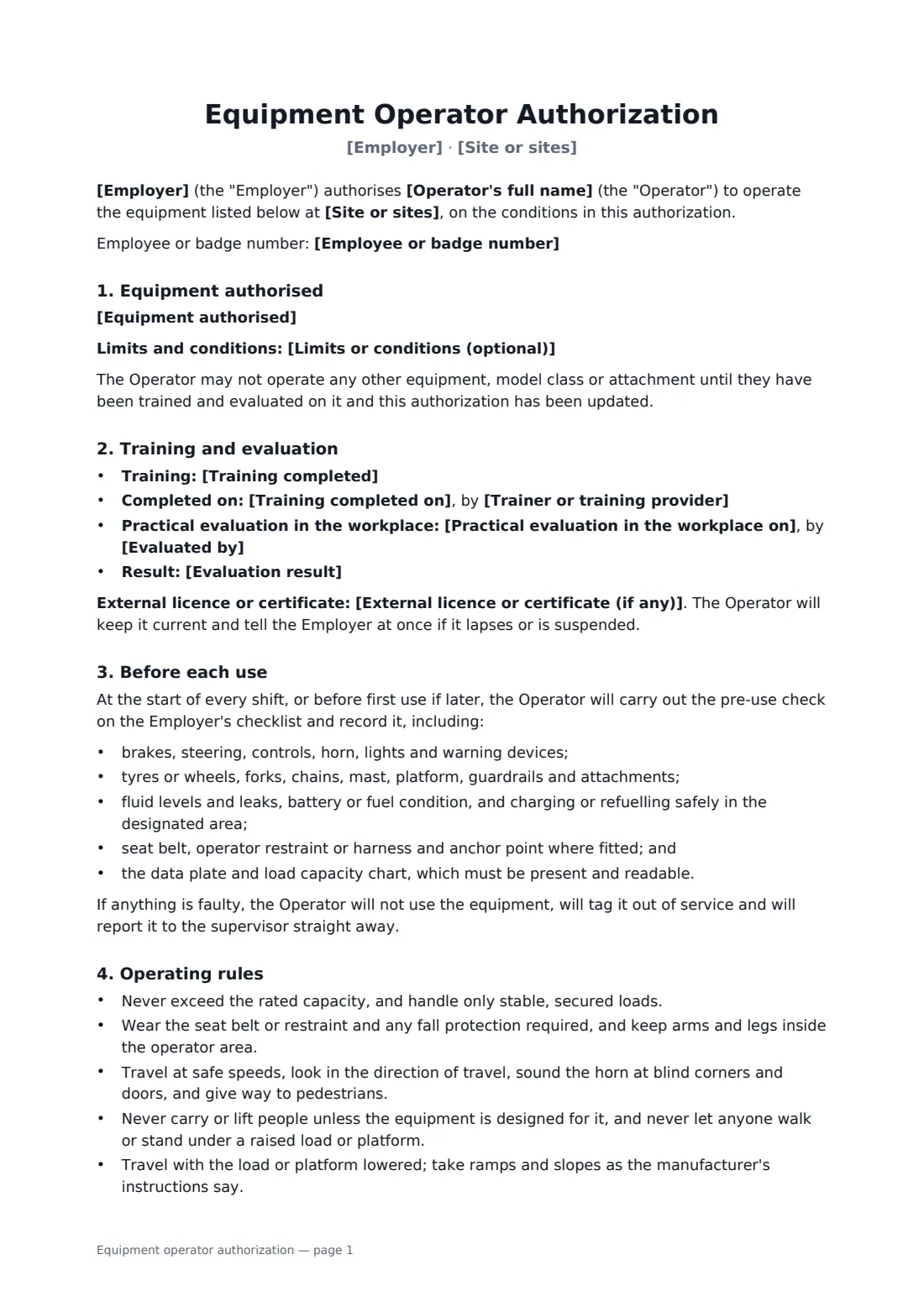
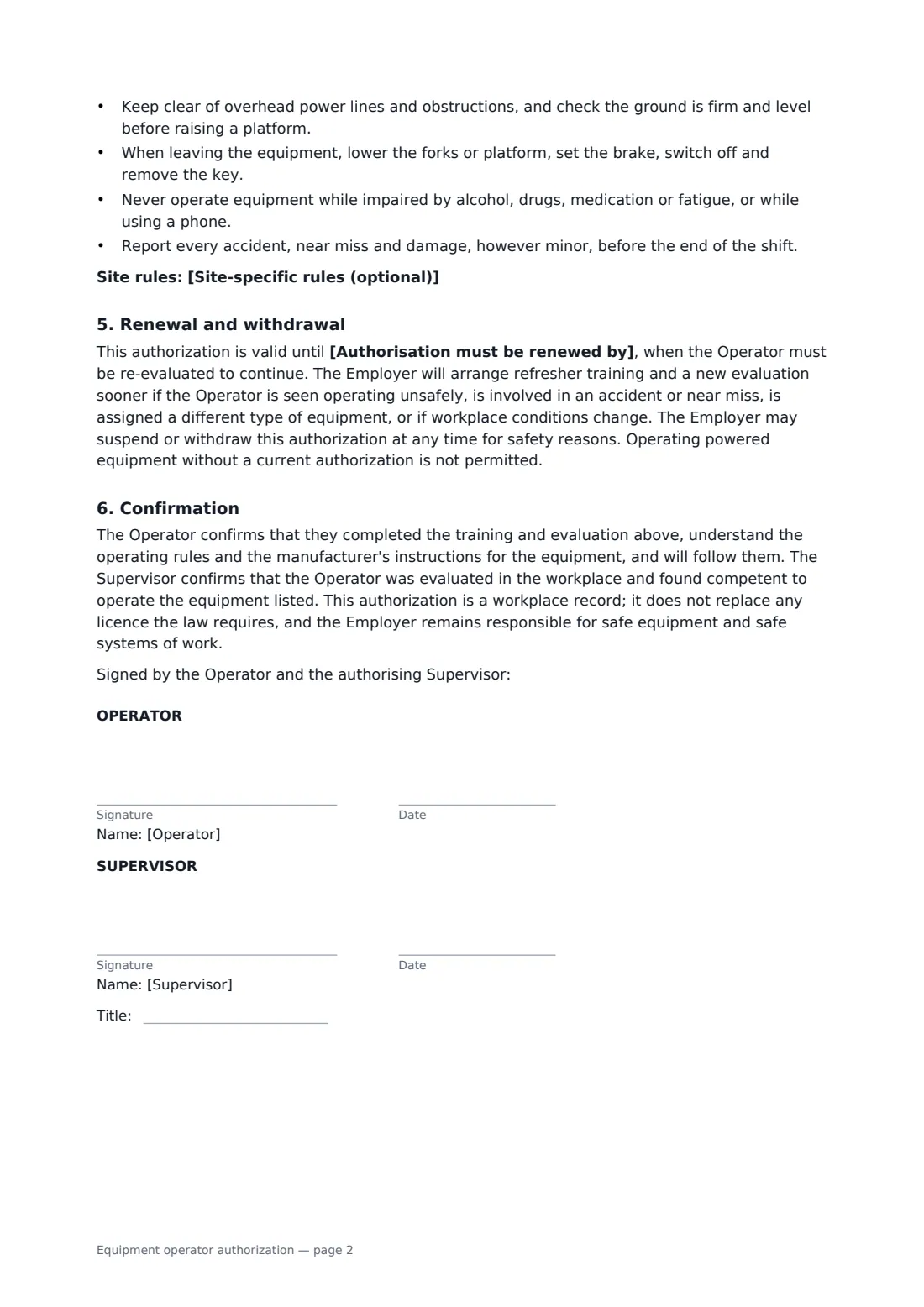
This authorization lists the exact equipment types, classes and attachments the operator may use, and any limits; the training, trainer and completion date; the practical evaluation in the workplace, who did it and the result; any external licence or certificate; the pre-use checks to do every shift; operating rules on capacity, restraints, speed, pedestrians, carrying people, power lines and parking; site-specific rules; and the date by which the operator must be re-evaluated, with triggers for earlier refresher training. The operator and the evaluating supervisor both sign.
- Best for
- Warehouses, factories, construction sites, retail stockrooms, farms
- Signed by
- The operator and the authorising supervisor
- Equipment
- Forklifts, reach trucks, pallet jacks, scissor and boom lifts, other powered equipment
- Length
- 2 pages
When to use a equipment operator authorization
- Authorising a new warehouse worker after forklift training
- Adding a reach truck to an existing operator's authorization
- Re-evaluating operators when the renewal date comes round
- Recording refresher training after a near miss
- Authorising maintenance staff to use a scissor lift
What you fill in
15 blanks, then the name and email of each person who signs: operator, supervisor.
1 The operator
- Employer*
- Site or sites*
- Operator's full name*
- Employee or badge number
2 Equipment
- Equipment authorised*
- Limits or conditions (optional)
3 Training and evaluation
- Training completed*
- Training completed on*
- Trainer or training provider*
- Practical evaluation in the workplace on*
- Evaluated by*
- Evaluation result* Competent — authorised without conditions · Competent — authorised with the limits above
- External licence or certificate (if any)
4 Renewal
- Authorisation must be renewed by*
- Site-specific rules (optional)
5 Who signs
- Operator signature and date · The worker being authorised to operate the equipment.
- Supervisor signature and date, job title · The supervisor or trainer who evaluated the operator and can authorise them for the employer.
What the equipment operator authorization covers
- Equipment authorised
- Training and evaluation
- Before each use
- Operating rules
- Renewal and withdrawal
- Confirmation
Using the equipment operator authorization, step by step
1 Identify the operator
Enter the employer, the site and the operator's name and badge number.
2 List the equipment
Name each type and class of equipment and any attachments, as specifically as you can, and any limits such as indoor use only.
3 Record training and evaluation
Enter the training, the trainer and date, the practical evaluation date, who evaluated and the result, and any external licence.
4 Set the renewal date
Choose the date by which the operator must be re-evaluated, and add any site rules.
5 Sign and track
Both sign online. Add the renewal date to FileIt so you get a reminder before the authorization runs out.
Tips before you send it
- Evaluate operators on the equipment and in the conditions they'll actually use. Classroom training alone isn't enough.
- Re-evaluate after any accident, near miss or unsafe operation, not just at the renewal date.
- Some places require a government licence or accredited certificate for certain equipment. Check, and record it.
- Keep the completed pre-use checklists. They show the equipment was checked before each shift.
Sign it online in minutes
- Fill in the blanks. Names, dates and amounts go straight into the agreement — the preview shows exactly where.
- Name who signs. Tick “This is me” for your own part. FileIt builds the PDF with every signature, date box on the right line, and you can check or move anything before sending.
- Send it. Each signer gets a secure link and signs from any device — no account needed. The signed PDF, with an audit trail and a Certificate of Completion, is filed in your vault and emailed to everyone.
Equipment operator authorization: frequently asked questions
Is this a forklift licence?
No. It is the employer's own written authorization and training record. If the law where you work requires a government licence or accredited certificate, record it in the form; this doesn't replace it.
How often must operators be re-evaluated?
You set the renewal date. Rules on the maximum interval differ by country and equipment type, so check what applies to you. The form also requires earlier refreshers after accidents, unsafe operation or a change of equipment.
Can one form cover several machines?
Yes. List each type and class the operator has been trained and evaluated on. They may not use anything not listed.
Can the authorization be withdrawn?
Yes. The employer may suspend or withdraw it at any time for safety reasons.