What is a penetration test authorization?
Testing someone else's systems without clear permission can look exactly like an attack. A penetration test authorization, sometimes called a permission-to-test letter or rules of engagement, is the signed record that the client asked for the test, owns or controls the systems in scope, and agreed how far the tester may go. Testers keep it on hand during the engagement for the moment someone asks who authorised all that traffic.
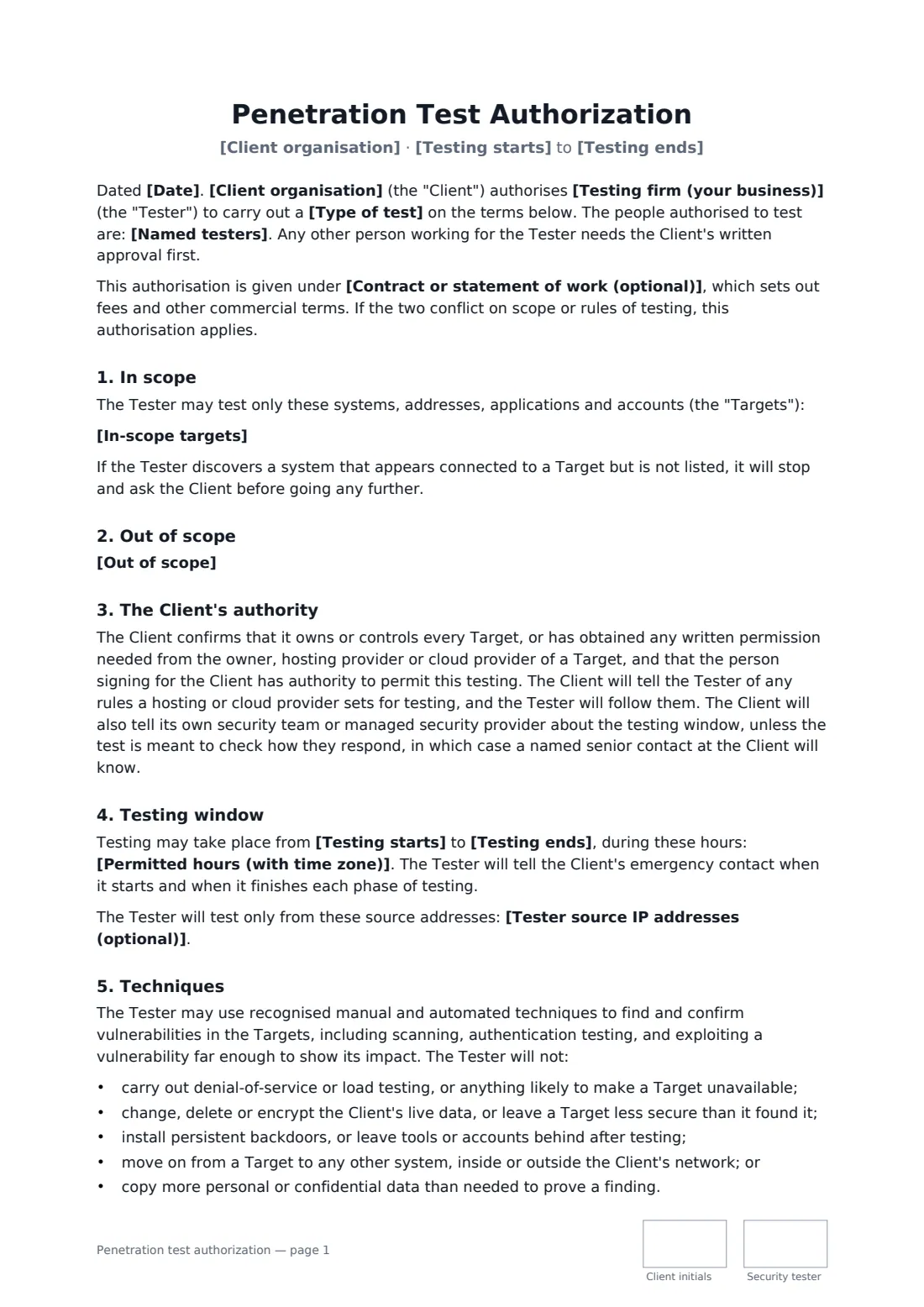
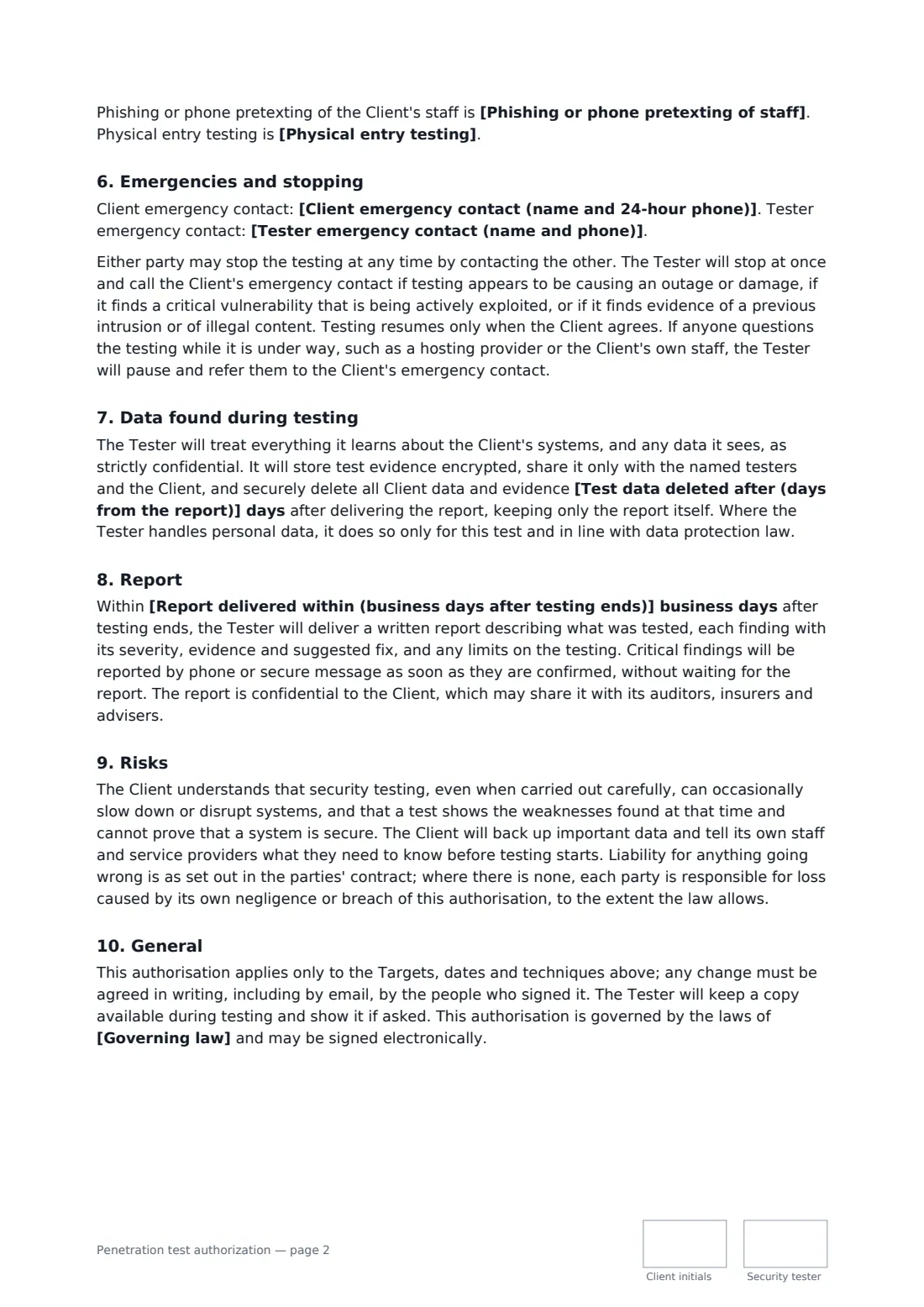
This template names the testing firm and the individual testers, lists the in-scope targets and everything out of scope, and records the client's confirmation that it has authority over every target, including any permission needed from hosting or cloud providers. It sets the testing window and hours, optional source IP addresses, and the techniques allowed, with a firm list of what the tester will not do, such as denial of service or changing live data. Phishing and physical entry are switched off unless you turn them on. It also covers emergency contacts, a stop rule for outages or signs of an earlier breach, encrypted handling and deletion of test data, the report timeline, and the risks the client accepts.
- Best for
- Penetration testers, security consultancies and in-house red teams
- Signed by
- An authorised client signatory and the testing firm
- Off by default
- Phishing, phone pretexting and physical entry
- Length
- About 3 pages, initialled on every page
When to use a penetration test authorization
- An annual external network and web application test for compliance
- Testing a new customer portal before launch
- A grey-box API test using accounts the client supplies
- A phishing simulation added to an existing test, with the client's approval
- A retest after the client has fixed critical findings
What you fill in
19 blanks, then the name and email of each person who signs: client, security tester.
1 The parties
- Date*
- Client organisation*
- Testing firm (your business)*
- Named testers*
- Contract or statement of work (optional)
2 Scope
- Type of test*
- In-scope targets*
- Out of scope*
- Tester source IP addresses (optional)
3 Window
- Testing starts*
- Testing ends*
- Permitted hours (with time zone)*
4 Techniques
- Phishing or phone pretexting of staff* not permitted · permitted, as described in the statement of work
- Physical entry testing* not permitted · permitted, at the sites and times in the statement of work
5 Contacts and reporting
- Client emergency contact (name and 24-hour phone)*
- Tester emergency contact (name and phone)*
- Report delivered within (business days after testing ends)*
- Test data deleted after (days from the report)*
- Governing law*
6 Who signs
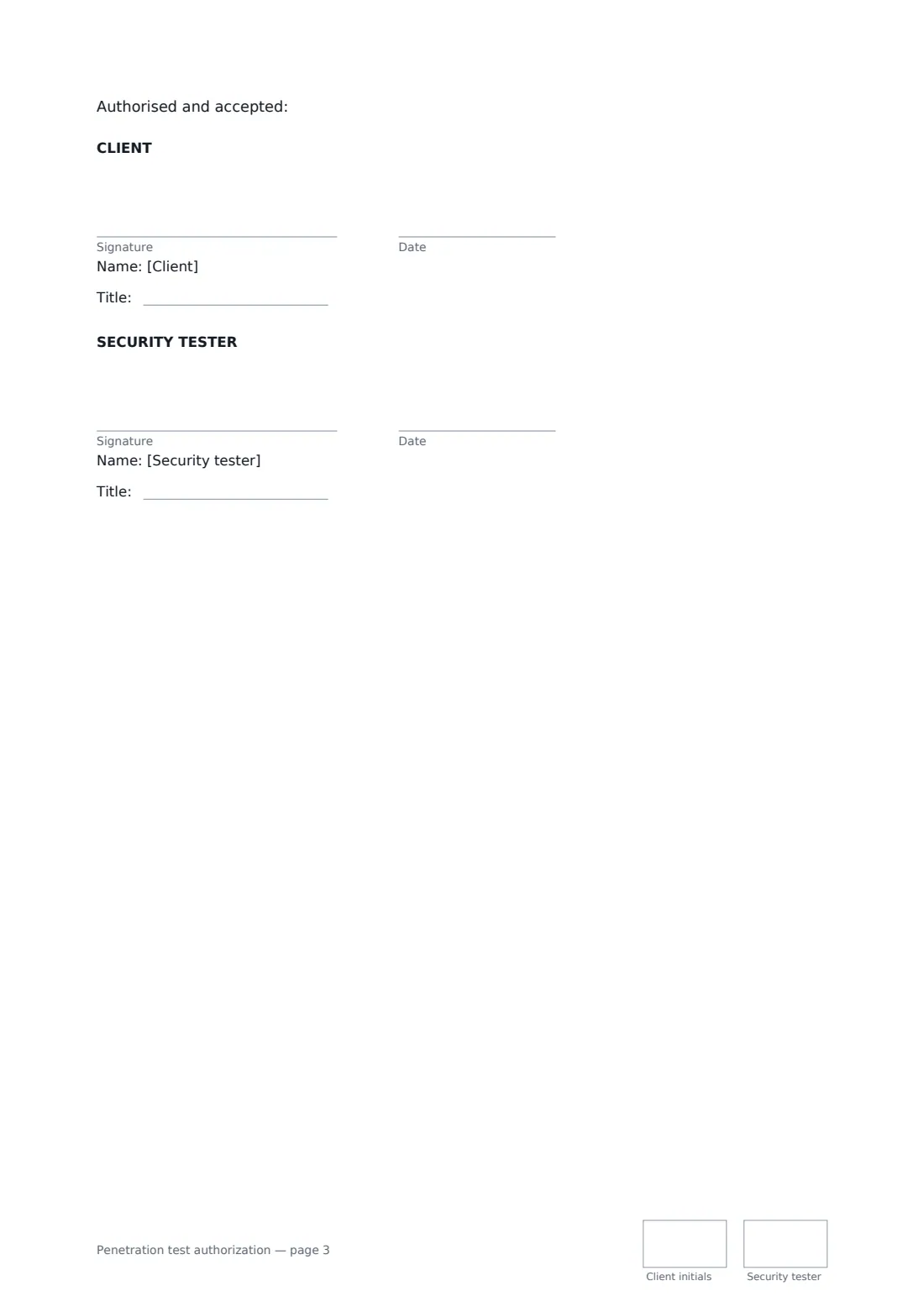
- Client signature and date, job title, initials on every page · Someone with authority to permit testing of the systems, such as the IT director or a company officer.
- Security tester signature and date, job title, initials on every page · The security firm or consultant carrying out the test.
What the penetration test authorization covers
- In scope
- Out of scope
- The Client's authority
- Testing window
- Techniques
- Emergencies and stopping
- Data found during testing
- Report
- Risks
- General
Using the penetration test authorization, step by step
1 Name who is testing
Your firm is pre-filled. Add the client organisation, every named tester, and the contract or statement of work that holds the commercial terms, if there is one.
2 Define the scope
Describe the type of test, list in-scope addresses, URLs and accounts, and adjust the pre-filled out-of-scope wording to name anything sensitive.
3 Set the window and techniques
Enter the start and end dates and permitted hours with a time zone, your source IPs if fixed, and whether phishing or physical testing is allowed.
4 Add contacts and send
Enter a 24-hour client emergency contact and your own, the report and data deletion periods, and the governing law. Send it to someone with authority to approve testing.
Tips before you send it
- Make sure the person who signs really can authorise testing of every target. A manager who uses a system doesn't necessarily control it.
- Cloud and hosting providers often publish their own testing rules. Read them before testing anything you don't host yourself.
- Keep the signed PDF where you can reach it quickly during the test. Being able to show it to a hosting provider or the client's staff can save a lot of trouble.
- Any change of scope during the test should go back to the signatories in writing. The authorization covers only what it lists.
Sign it online in minutes
- Fill in the blanks. Names, dates and amounts go straight into the agreement — the preview shows exactly where.
- Name who signs. Tick “This is me” for your own part. FileIt builds the PDF with every signature, date and initials box on the right line, and you can check or move anything before sending.
- Send it. Each signer gets a secure link and signs from any device — no account needed. The signed PDF, with an audit trail and a Certificate of Completion, is filed in your vault and emailed to everyone.
Penetration test authorization: frequently asked questions
Does this replace a services contract?
No. It records permission and the rules of the test. Fees, liability and other commercial terms usually sit in a separate contract or statement of work, which you can reference. If the two conflict on scope or testing rules, this authorization applies.
What if the tester finds systems that aren't listed?
The tester stops and asks the client before going any further. Anything not listed as in scope is out of scope, including systems belonging to customers, suppliers and hosting providers.
When must testing stop?
Either side can stop it at any time. The tester must stop and call the client's emergency contact if testing seems to be causing an outage or damage, or if it finds a critical vulnerability being actively exploited, evidence of an earlier intrusion, or illegal content.
What happens to data the tester sees?
It is treated as strictly confidential, stored encrypted, shared only with the named testers and the client, and deleted after the period you set, keeping only the report.
Can it be signed electronically?
Yes. An electronic signature is generally valid for an authorization like this in the US, UK, EU and Canada, and FileIt adds an audit trail and Certificate of Completion showing who signed and when.