What is a payroll services agreement?
Payroll goes wrong at the hand-offs: hours sent a day late, a new starter's tax form missing, a filing that nobody was sure was included. A payroll services agreement fixes the responsibilities in writing. The provider calculates and files; the employer stays the employer, decides pay, sends accurate data on time and checks the preview before it goes out.
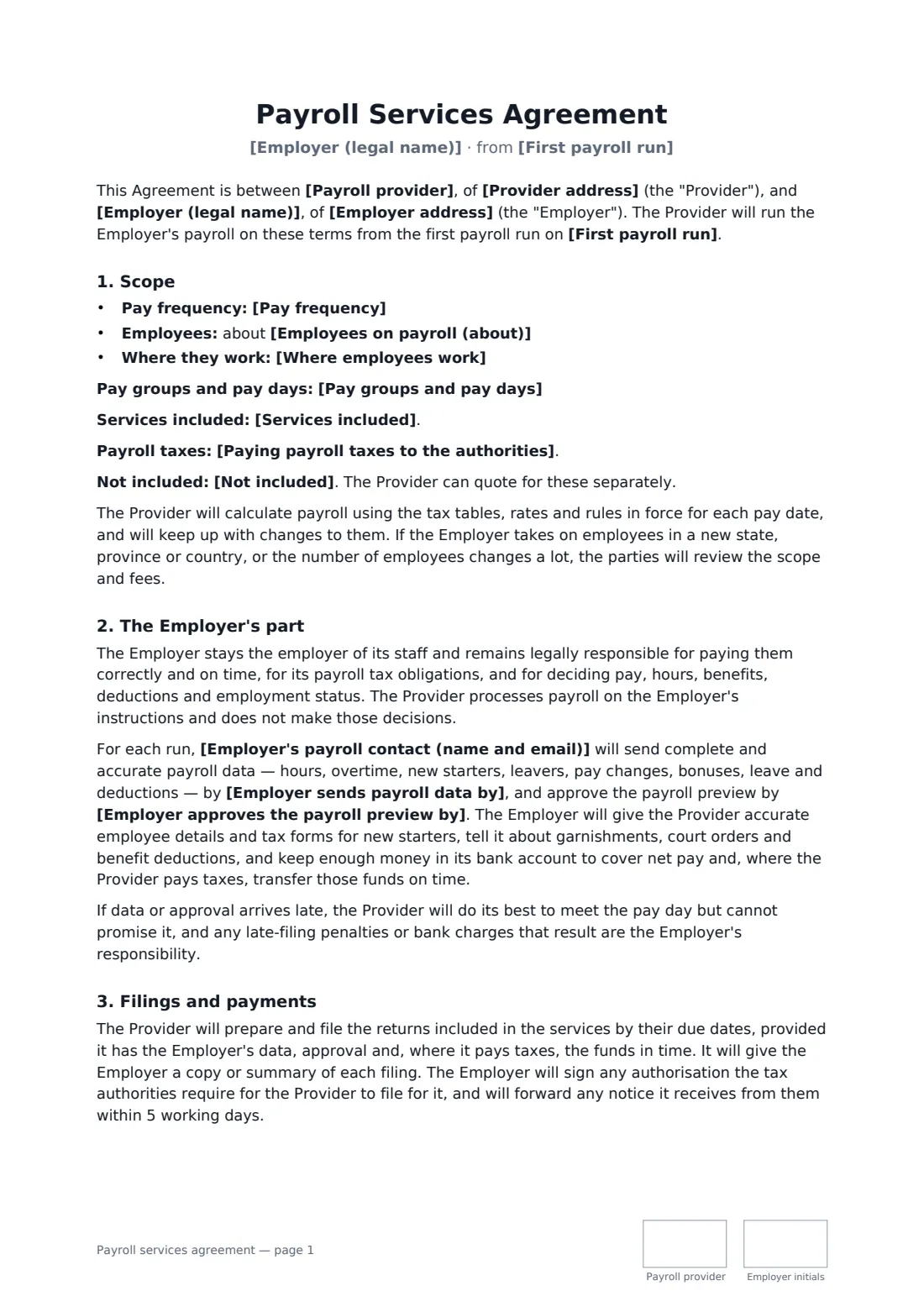
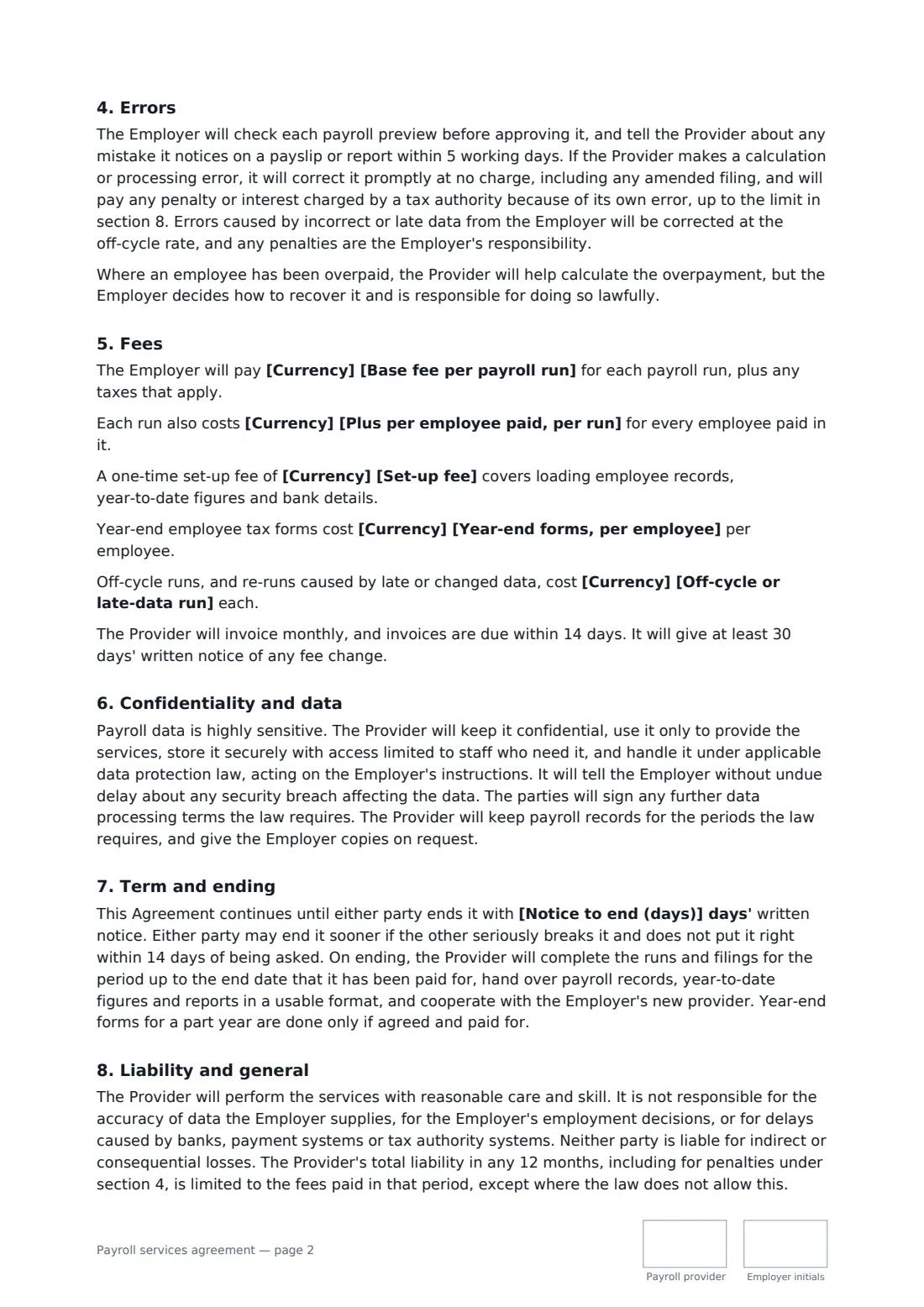
This template covers the pay frequency and pay groups, the number of employees and where they work, the services included and excluded, whether the employer or the provider pays payroll taxes (with a separate tax account if the provider does), data and approval deadlines before each pay day, late data, filings and tax notices, how errors are fixed and who pays penalties, employee overpayments, a base fee per run plus per-employee, set-up, year-end and off-cycle fees, confidentiality and breach notice, ending with a clean handover to a new provider, and a liability cap.
- Best for
- Payroll bureaus, bookkeepers and accountants offering payroll
- Signed by
- The payroll provider and the employer, both with job titles
- Fees
- Per payroll run, plus optional per-employee, set-up, year-end and off-cycle fees
- Length
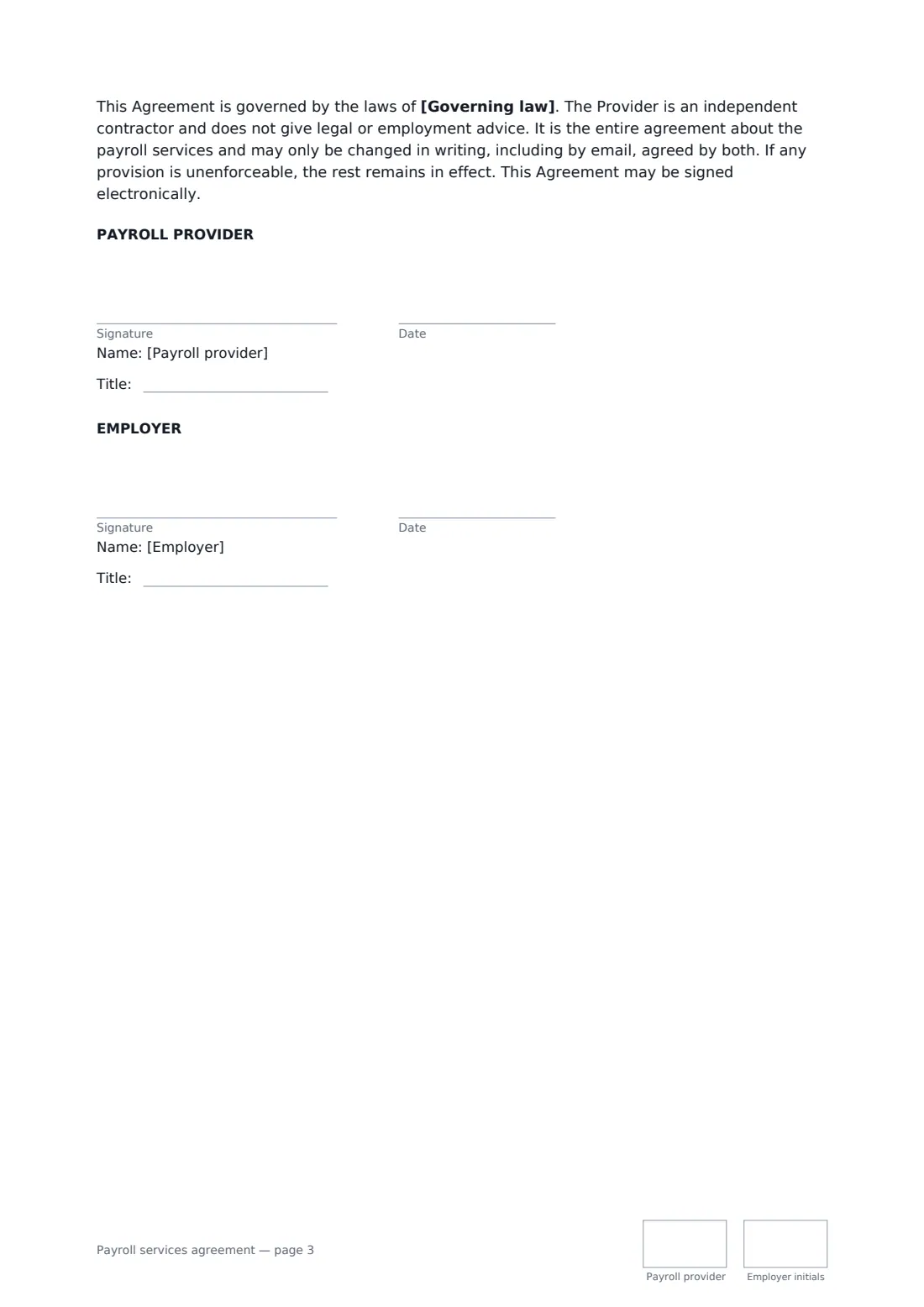
- About 3 pages, initialled on every page
When to use a payroll services agreement
- A bookkeeper taking over biweekly payroll for a 15-person restaurant
- An accounting firm running monthly payroll for a small agency
- A payroll bureau onboarding a contractor with weekly and monthly staff
- A provider paying payroll taxes from funds the employer transfers
- Moving an employer from spreadsheets to an outsourced payroll
What you fill in
23 blanks, then the name and email of each person who signs: payroll provider, employer.
1 The parties
- Payroll provider*
- Provider address
- Employer (legal name)*
- Employer address
- Employer's payroll contact (name and email)*
- First payroll run*
2 Scope
- Pay frequency* weekly · every two weeks · twice a month · monthly · more than one frequency, as listed below
- Pay groups and pay days
- Employees on payroll (about)*
- Where employees work*
- Services included*
- Paying payroll taxes to the authorities* The Provider calculates and reports the amounts, and the Employer pays them · The Provider pays them from funds the Employer transfers to it before each due date
- Not included
3 Employer's part
- Employer sends payroll data by*
- Employer approves the payroll preview by*
4 Fees
- Currency*
- Base fee per payroll run*
- Plus per employee paid, per run
- Set-up fee
- Year-end forms, per employee
- Off-cycle or late-data run
5 Term
- Notice to end (days)*
- Governing law*
6 Who signs
- Payroll provider signature and date, job title, initials on every page · The payroll bureau, bookkeeper or accountant running payroll.
- Employer signature and date, job title, initials on every page · An owner or officer authorised to sign for the employer.
What the payroll services agreement covers
- Scope
- The Employer's part
- Filings and payments
- Errors
- Fees
- Confidentiality and data
- Term and ending
- Liability and general
Using the payroll services agreement, step by step
1 Describe the payroll
Choose the pay frequency and list pay groups if there's more than one, enter the number of employees and where they work, and adjust the list of services included and excluded.
2 Choose who pays the taxes
Pick whether the employer pays payroll taxes itself from your reports, or transfers funds for you to pay before each due date.
3 Set the deadlines
Name the employer's payroll contact and set when data arrives and when the preview must be approved before each pay day.
4 Fees and send
Enter the base fee per run, any per-employee, set-up, year-end and off-cycle fees, and the notice to end. Add the employer's signer and send.
Tips before you send it
- Be clear in the scope about every return and form you file. "Payroll taxes" means different filings in different places.
- Make the preview approval a hard step. It's the employer's last chance to catch a wrong rate or a missing leaver.
- If you pay taxes for clients, check whether your state or country licenses or bonds payroll providers who hold client funds.
- Ask for year-to-date figures and prior filings at set-up — mid-year takeovers depend on them.
Sign it online in minutes
- Fill in the blanks. Names, dates and amounts go straight into the agreement — the preview shows exactly where.
- Name who signs. Tick “This is me” for your own part. FileIt builds the PDF with every signature, date and initials box on the right line, and you can check or move anything before sending.
- Send it. Each signer gets a secure link and signs from any device — no account needed. The signed PDF, with an audit trail and a Certificate of Completion, is filed in your vault and emailed to everyone.
Payroll services agreement: frequently asked questions
Who is responsible if a payroll tax return is late?
It depends on the cause. If the provider makes an error, it corrects it and pays any resulting penalty or interest up to the liability cap. If the employer's data, approval or funds were late, the penalty is the employer's responsibility.
Does the provider become the employer?
No. The template makes clear the employer remains legally responsible for its staff, their pay and its tax obligations. The provider processes payroll on the employer's instructions and doesn't give employment advice.
What happens when the employer switches provider?
Either side gives the notice you set. The provider completes paid-for runs up to the end date, hands over records, year-to-date figures and reports in a usable format, and cooperates with the new provider.
Is a payroll services contract signed online valid?
In most countries, including the US (ESIGN Act and UETA), the UK, the EU (eIDAS) and Canada, an electronic signature is generally valid for an ordinary commercial contract like this one. Tax authorities may have their own forms for authorising a provider to file. FileIt keeps an audit trail and a Certificate of Completion with the signed PDF.
Can I change the wording?
You fill in the blanks and choose the options on the setup page; optional clauses appear only when you fill them in. If you need different clauses, draft your own document and upload it to FileIt eSignature instead — you can still place the signature boxes in the editor.
Is this template free?
Yes. The template is free to use with the eSignature app in FileIt. Your client doesn't need a FileIt account to sign.