What is a patient email and text consent?
Appointment reminders by text and results by email save time for practices and patients. But ordinary email and SMS aren't fully secure, and patients have different views on what they want sent that way. Many practices ask patients to choose their preferences and accept the risks in writing.
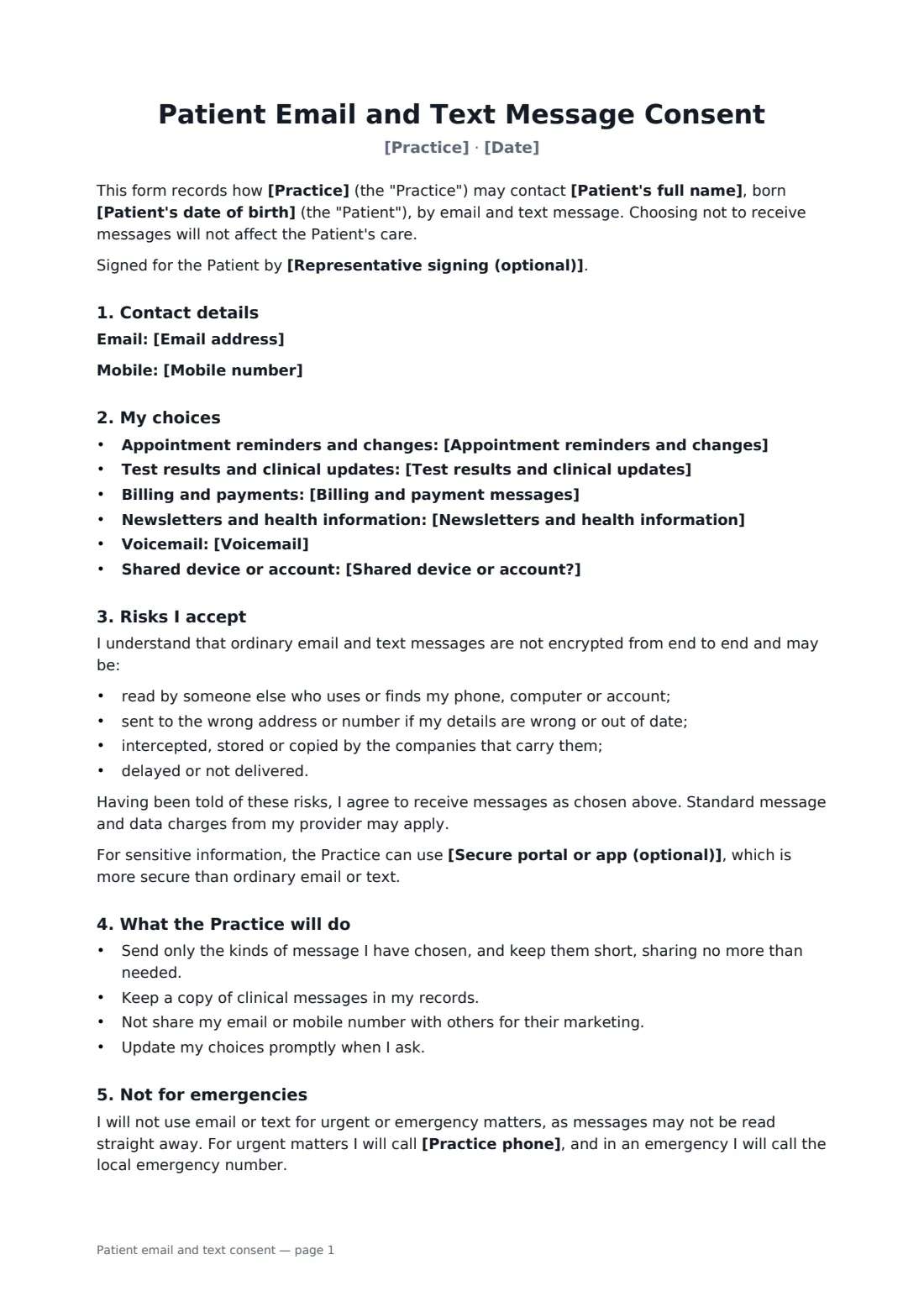
This form records the patient's email and mobile number and their choice for each kind of message: appointment reminders, test results and clinical updates, billing, and newsletters, plus whether you may leave voicemail and how detailed it can be. For results, the safest default is a message asking them to call or log in. If the patient shares a phone or email account, the form limits messages to reminders and requests to call. It explains the risks of unencrypted messages, points to your secure portal if you have one, sets out what the practice will do, warns that messages aren't for emergencies, and explains how to change preferences.
- Best for
- GP and medical practices, dental surgeries, therapy, physiotherapy and other clinics
- Signed by
- The patient (or representative) and the practice
- Patient chooses
- Reminders, results, billing, newsletters, voicemail
- Length
- About 2 pages
When to use a patient email and text consent
- New patient registration
- Introducing SMS appointment reminders
- Patients who want test results by email
- Updating contact preferences for a family
- Recording a patient's choice not to be texted
What you fill in
15 blanks, then the name and email of each person who signs: patient, practice.
1 The practice
- Practice*
- Practice phone*
- Secure portal or app (optional)
2 The patient
- Patient's full name*
- Patient's date of birth*
- Email address
- Mobile number
3 The patient's choices
- Appointment reminders and changes* by text and email · by text only · by email only · not by text or email
- Test results and clinical updates* a message asking me to call or log in, with no details · by email, with the details · by text, with the details · not by text or email
- Billing and payment messages* by email · by text · by text and email · not by text or email
- Newsletters and health information* no · yes, by email · yes, by text · yes, by text and email
- Voicemail* the practice may leave a message with its name and a call-back number only · the practice may leave a detailed message · please do not leave voicemail
- Shared device or account?* no — the email and phone above are mine alone · yes — others can see this email or phone
- Representative signing (optional)
- Date*
4 Who signs
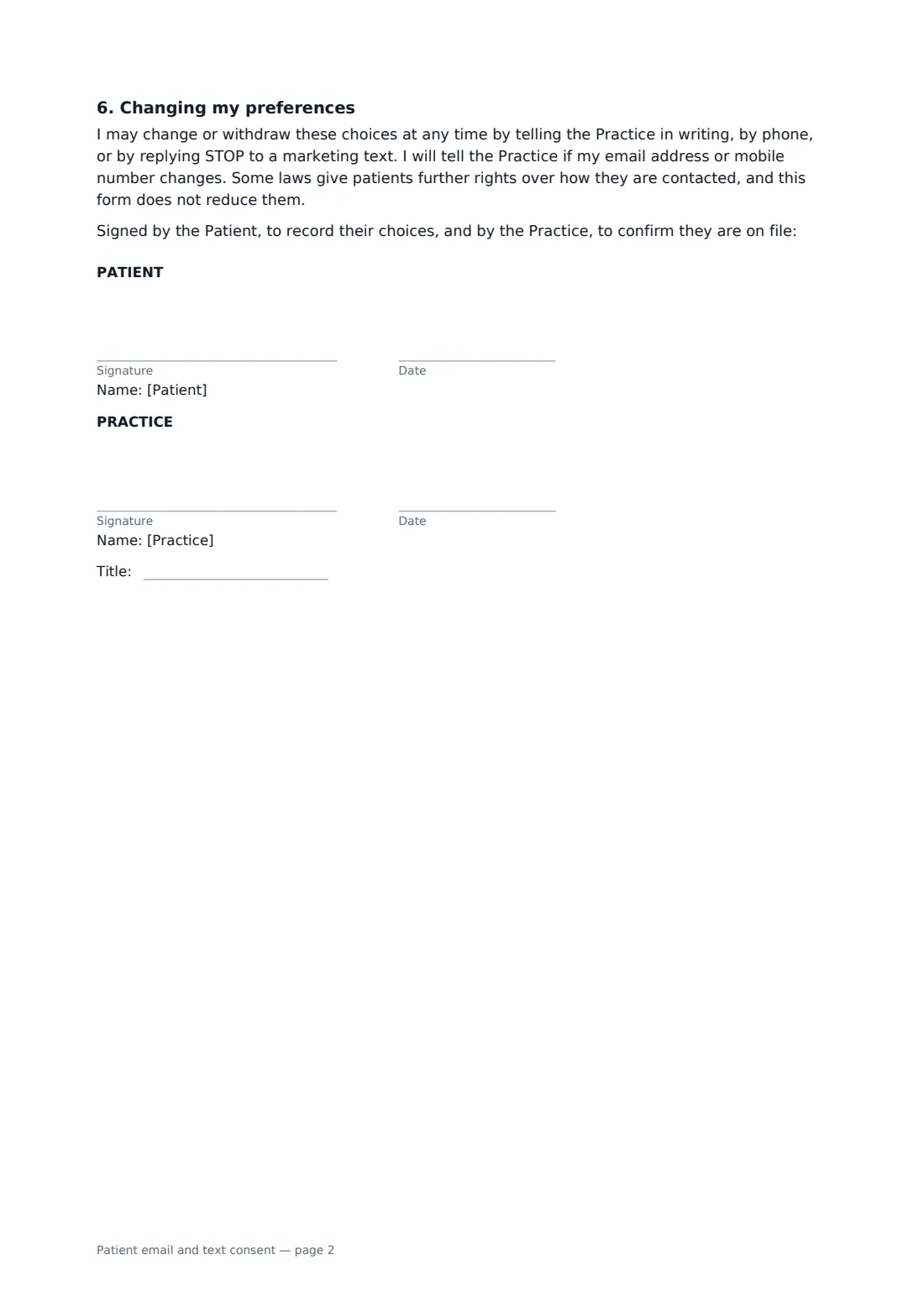
- Patient signature and date · The patient, or a parent, guardian or representative signing for them.
- Practice signature and date, job title
What the patient email and text consent covers
- Contact details
- My choices
- Risks I accept
- What the Practice will do
- Not for emergencies
- Changing my preferences
Using the patient email and text consent, step by step
1 Practice details
Your practice name fills in. Add your phone number for urgent matters and your secure portal if you have one.
2 Contact details
Enter the patient's email and mobile, or leave either empty if they don't want that channel.
3 Patient chooses
For each message type, the patient picks text, email, both or neither, plus voicemail and whether their device is shared.
4 Sign and file
The patient signs, you countersign, and the preferences go on their record.
Tips before you send it
- Use the "call or log in" option for results unless the patient specifically wants details sent.
- Check contact details at every visit; wrong numbers are the most common privacy slip.
- Keep marketing separate from care messages, and honour STOP replies.
- Health privacy laws such as HIPAA in the US, the GDPR in Europe and others set their own rules on electronic messaging. Check what applies to you.
- Never send results by text to a phone the patient has told you is shared.
Sign it online in minutes
- Fill in the blanks. Names, dates and amounts go straight into the agreement — the preview shows exactly where.
- Name who signs. Tick “This is me” for your own part. FileIt builds the PDF with every signature, date box on the right line, and you can check or move anything before sending.
- Send it. Each signer gets a secure link and signs from any device — no account needed. The signed PDF, with an audit trail and a Certificate of Completion, is filed in your vault and emailed to everyone.
Patient email and text consent: frequently asked questions
Is it safe to send test results by email?
Ordinary email isn't encrypted end to end, so there is some risk. The form lets the patient choose details by email or text, or just a message asking them to call or log in, and records that they understand the risks.
What if the patient shares a phone?
If they say others can see their email or phone, the form limits messages to appointment reminders and requests to call, whatever else they choose.
Can patients change their minds?
Yes, at any time, in writing, by phone, or by replying STOP to a marketing text.
Can patients use email for urgent problems?
No. The form says email and text are not for urgent or emergency matters, gives your phone number and tells them to call emergency services in an emergency.
Does this replace our privacy notice?
No. It records one patient's contact preferences and consent to the risks. Your privacy notice still explains how you use data generally.