What is a lost property claim form?
Hotels, venues, gyms, airports and transport operators collect lost property every day. When someone comes to claim an item, the business needs to be reasonably sure it belongs to them, and it needs a record that it was handed over — or shipped — in case the true owner turns up later or the claimant says something was missing.
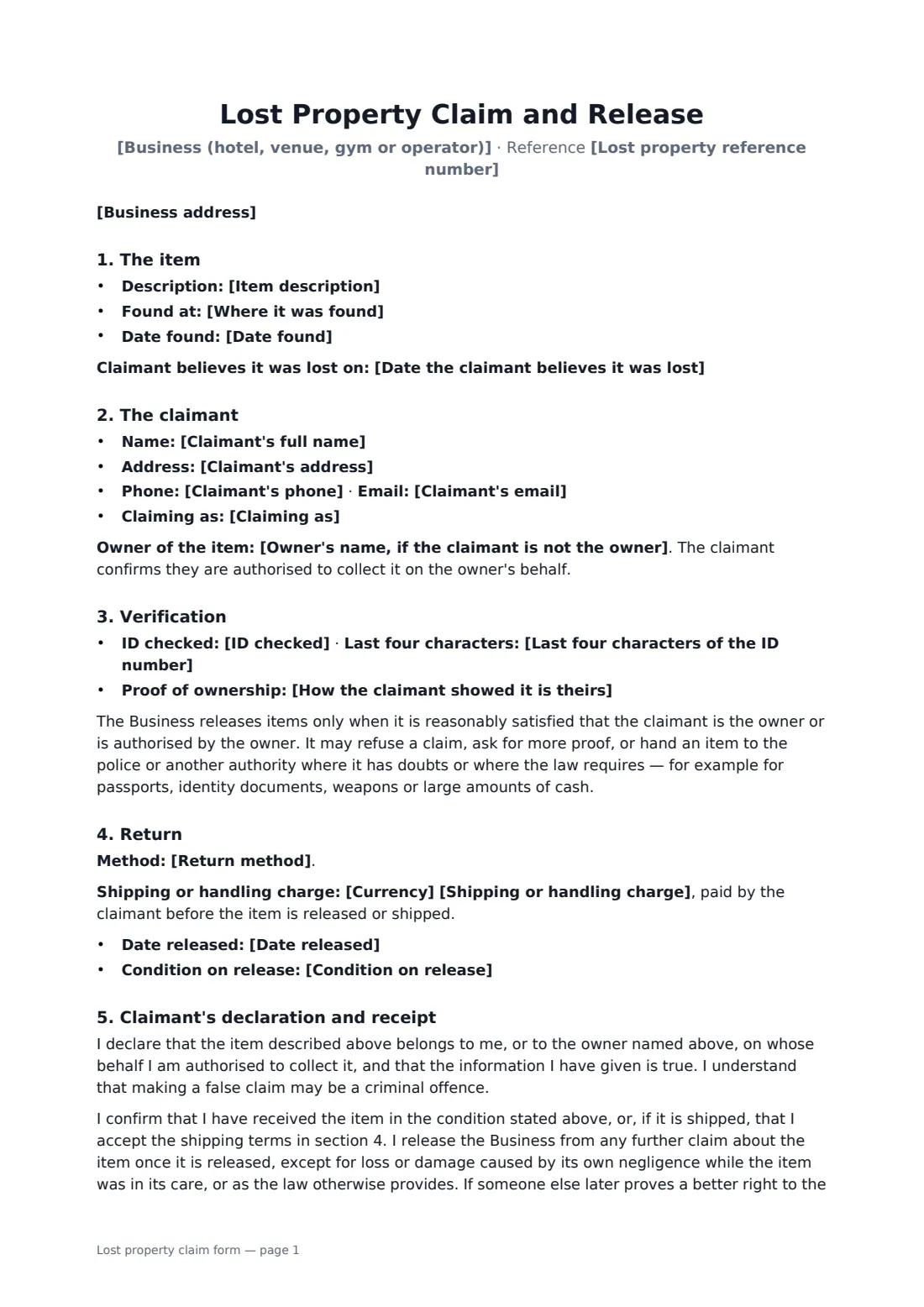
This template records the item, where and when it was found and a lost-property reference, the claimant's details and whether they are the owner, an authorised person or a parent or guardian. It notes the ID checked (only the last four characters of the number) and how ownership was shown. It covers collection in person or shipping at the claimant's cost and risk, any handling charge, condition on release, the claimant's declaration that the claim is true, a release of the business once the item is handed over, and when items go to the police instead.
- Best for
- Hotels, venues, gyms, schools, transport operators and event organisers
- Signed by
- The claimant, and the staff member who releases the item (with job title)
- ID recorded
- Type of ID and only the last four characters of its number
- Length
- About 2 pages
When to use a lost property claim form
- A hotel returns a phone left in a guest room
- A concert venue releases a wallet to its owner after checking ID
- A gym ships a forgotten watch to a member who moved away
- A parent collects a child's jacket and tablet from a school or club
- A coach company hands a bag to a friend the owner has authorised
What you fill in
23 blanks, then the name and email of each person who signs: claimant, business.
1 The business
- Business (hotel, venue, gym or operator)*
- Business address
2 The item
- Lost property reference number
- Item description*
- Where it was found*
- Date found*
- Date the claimant believes it was lost
3 The claimant
- Claimant's full name*
- Claimant's address
- Claimant's phone
- Claimant's email
- Claiming as* the owner of the item · a person authorised by the owner · the parent or guardian of the owner
- Owner's name, if the claimant is not the owner
4 Verification
- ID checked* passport · driving licence · national identity card · other photo ID · not checked — item shipped
- Last four characters of the ID number
- How the claimant showed it is theirs*
5 Return
- Return method* Collected in person · Shipped to the claimant at the claimant's cost and risk
- Shipping address
- Carrier and tracking number
- Currency*
- Shipping or handling charge
- Date released*
- Condition on release*
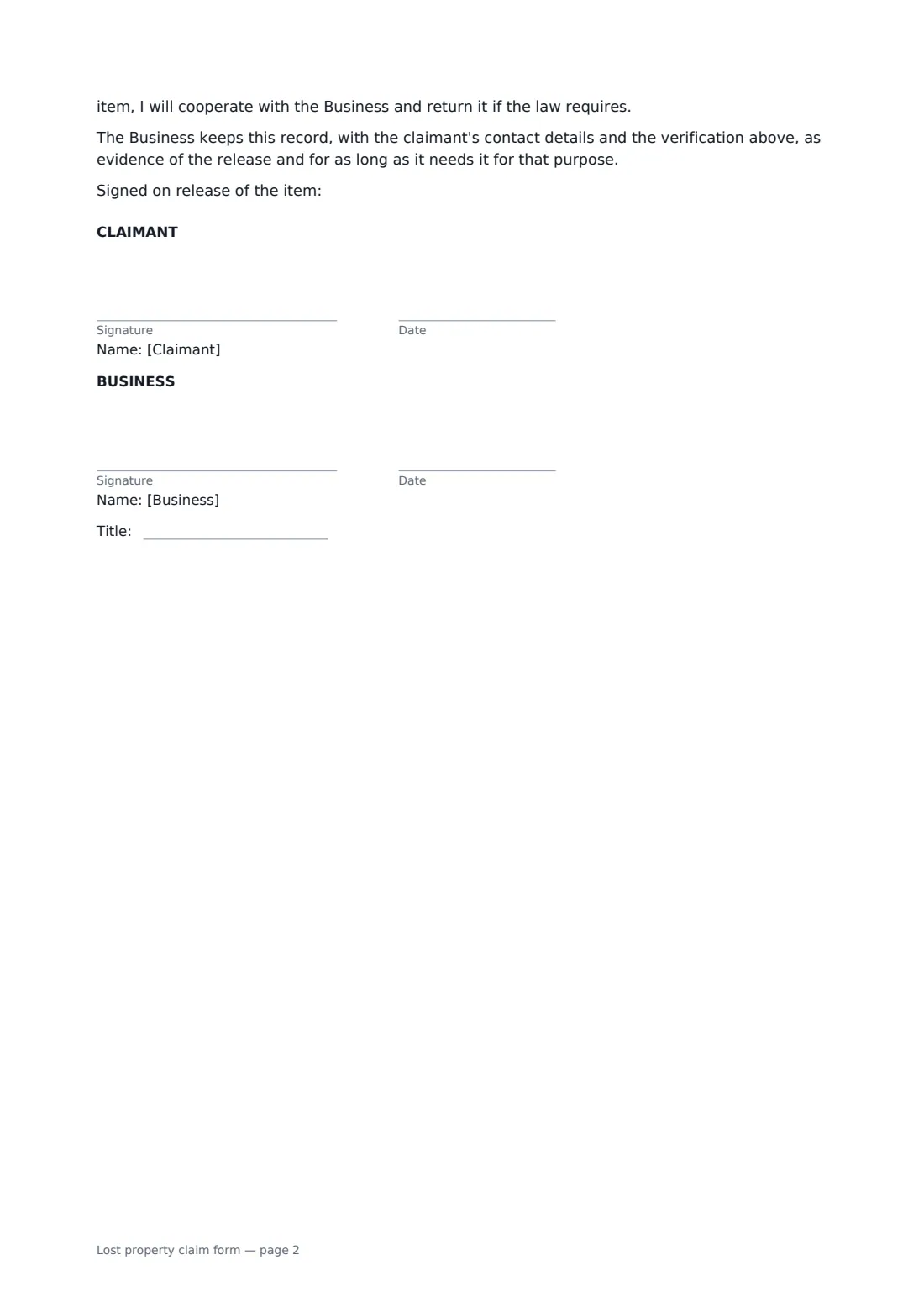
6 Who signs
- Claimant signature and date · The person claiming the item — the owner or someone the owner has authorised.
- Business signature and date, job title · The staff member who checks the claim and releases the item.
What the lost property claim form covers
- The item
- The claimant
- Verification
- Return
- Claimant's declaration and receipt
Using the lost property claim form, step by step
1 Describe the item
Enter the reference, the item as logged, where and when it was found. Keep back details only the owner would know until the claimant describes them.
2 Record the claimant
Enter their contact details, choose whether they are the owner or acting for the owner, and name the owner if not.
3 Verify ownership
Record the ID type and last four characters, and how ownership was shown — contents described, phone unlocked, receipt or serial number.
4 Return and sign
Choose collection or shipping, add any charge and the condition on release. The claimant signs the receipt and staff countersign.
Tips before you send it
- Ask the claimant to describe the item before you show it — it's the simplest proof of ownership.
- Hand passports, ID documents, weapons and large amounts of cash to the authorities where the law requires.
- Take payment for shipping before the item goes out.
- Keep the signed form with your lost property log for the period your policy sets.
Sign it online in minutes
- Fill in the blanks. Names, dates and amounts go straight into the agreement — the preview shows exactly where.
- Name who signs. Tick “This is me” for your own part. FileIt builds the PDF with every signature, date box on the right line, and you can check or move anything before sending.
- Send it. Each signer gets a secure link and signs from any device — no account needed. The signed PDF, with an audit trail and a Certificate of Completion, is filed in your vault and emailed to everyone.
Lost property claim form: frequently asked questions
How do I know the claimant really owns the item?
Ask for photo ID and something only the owner would know or have — a description of the contents, unlocking a phone, a receipt or serial number. The form records both the ID checked and the proof given.
What if someone else later claims the same item?
The claimant's declaration says the item is theirs, and that they will cooperate and return it if someone else proves a better right to it and the law requires.
Who is responsible if a shipped item is lost?
Once handed to the carrier, the item travels at the claimant's risk; the claimant can ask for insurance at their own cost.
Is a document signed electronically legally binding?
In most countries, including the US (ESIGN Act and UETA), the UK, the EU (eIDAS) and Canada, an electronic signature is generally valid for an ordinary agreement like this one. FileIt keeps an audit trail and a Certificate of Completion with the signed PDF as evidence of who signed and when.
Is this template free?
Yes. The template is free to use with the eSignature app in FileIt. The claimant doesn't need a FileIt account to sign.