What is a keyholder responsibility agreement?
Shops, cafes, gyms, offices and clinics all rely on a handful of trusted staff to open up in the morning and lock up at night. Those keyholders carry more than a bunch of keys: they know the alarm code, they are the name the alarm company rings, and a lost key can mean changing every lock in the building. A short signed agreement makes the arrangement clear on both sides.
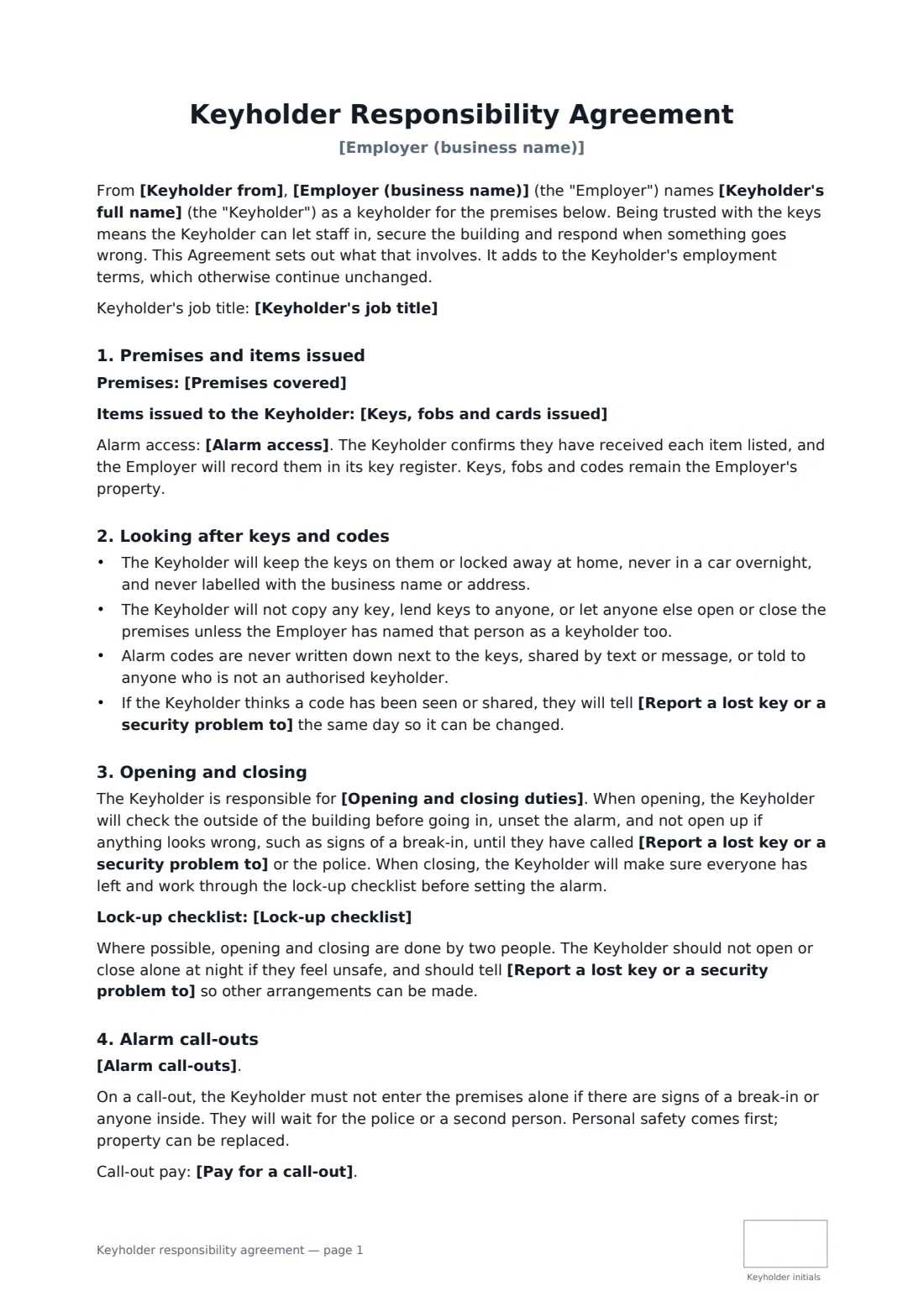
This template lists the premises and every key, fob and card issued, and records whether the alarm code is personal or shared without ever printing it. It covers keeping keys safe and uncopied, opening and closing duties and an optional lock-up checklist, whether the keyholder is on the alarm call-out list and how quickly they aim to attend, call-out pay, reporting a lost key within a set number of hours, and handing everything back when they leave the role. It puts personal safety first: nobody goes into a building alone after a break-in.
- Best for
- Retail, hospitality, gyms, offices and clinics that give staff their own keys
- Signed by
- The keyholder and the employer
- Choices
- Personal or shared alarm code, opening and/or closing, call-out rota or none
- Length
- About 2 pages, initialled by the keyholder on every page
When to use a keyholder responsibility agreement
- Promoting a supervisor who will now open the store on weekdays
- Adding a staff member to the alarm company's call-out list
- Issuing a second set of keys to cover the manager's holiday
- Re-issuing keys after the locks were changed
- Keeping a signed record for each person on the key register
What you fill in
15 blanks, then the name and email of each person who signs: employer, keyholder.
1 The parties
- Employer (business name)*
- Keyholder's full name*
- Keyholder's job title
- Keyholder from*
2 Premises and keys
- Premises covered*
- Keys, fobs and cards issued*
- Alarm access* a personal alarm code issued to the Keyholder alone · a shared keyholder alarm code · no alarm code — the premises have no alarm or it is set by fob
3 Duties
- Opening and closing duties* opening and closing, as shown on the rota · opening only, as shown on the rota · closing only, as shown on the rota · cover when the usual keyholder is absent
- Lock-up checklist
4 Call-outs
- Alarm call-outs* The Keyholder is on the call-out list on a rota · The Keyholder is on the call-out list at all times · The Keyholder is not on the call-out list
- Aim to reach the premises within (minutes)
- Pay for a call-out
5 Other terms
- Report a lost key or a security problem to*
- Report a lost key within (hours)*
- Return everything within (days) of leaving the role*
6 Who signs
- Employer signature and date, job title, initials on every page · The owner or a manager responsible for the premises.
- Keyholder signature and date, initials on every page · The employee who will hold the keys and codes.
What the keyholder responsibility agreement covers
- Premises and items issued
- Looking after keys and codes
- Opening and closing
- Alarm call-outs
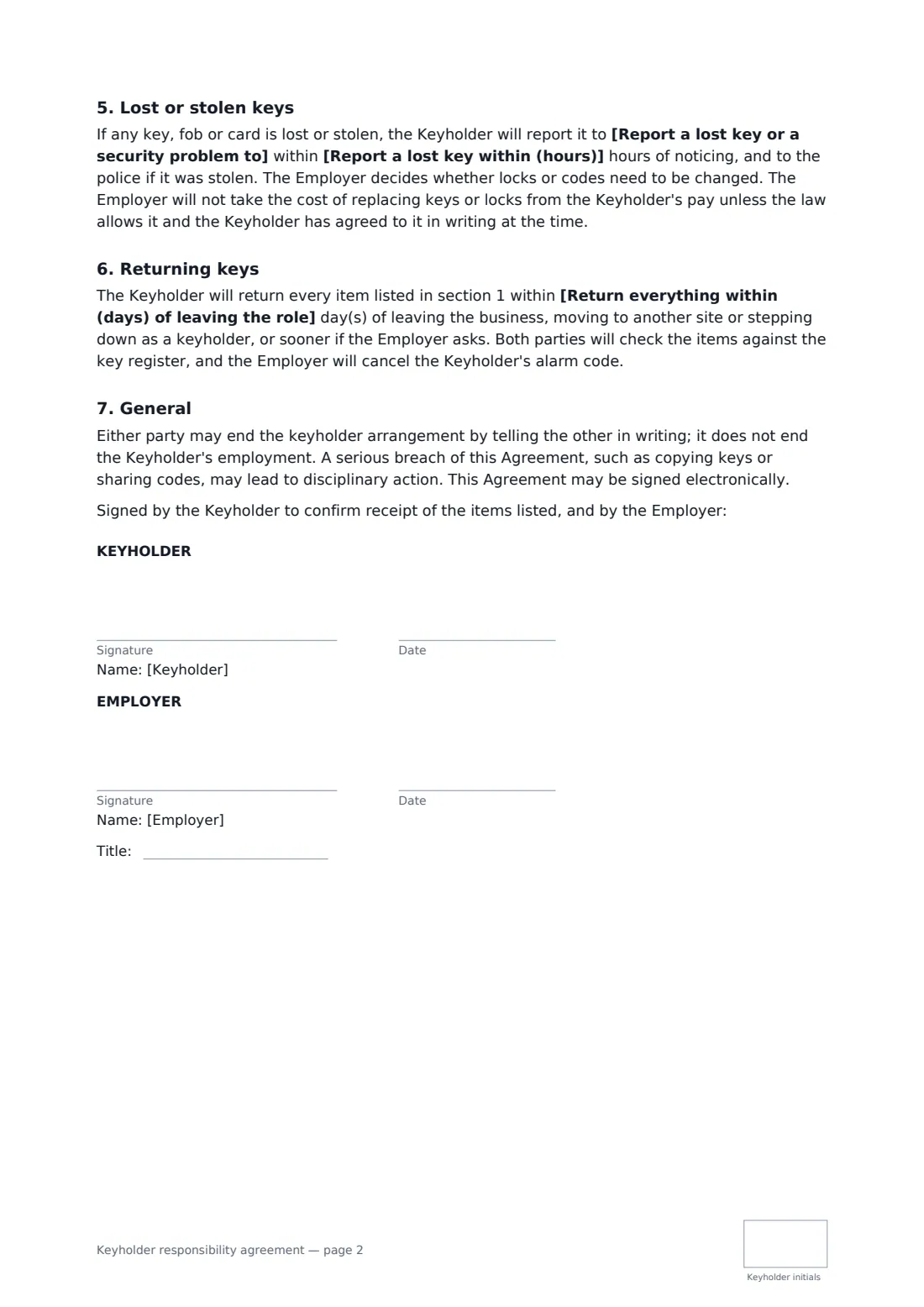
- Lost or stolen keys
- Returning keys
- General
Using the keyholder responsibility agreement, step by step
1 Describe the premises and the keys
Enter the building or unit covered and list each key, fob or access card with any number on it. That list is what gets checked off when the keys come back.
2 Choose how the alarm works
Pick a personal code, a shared keyholder code or no code. The code itself never goes in the document.
3 Set the duties
Choose opening, closing, both or cover only, and paste in your lock-up checklist if you want it printed. Leave it empty to point to the checklist kept on site.
4 Agree call-outs
Say whether the keyholder is on the call-out list on a rota, all the time or not at all, how fast they aim to attend and how call-out time is paid.
5 Sign at handover
Send it to the keyholder to sign when they collect the keys. The signed copy sits in your vault as the record of what they hold.
Tips before you send it
- Give each keyholder their own alarm code where your system allows it. The alarm log then shows who set and unset it.
- Number your keys and keep the key register up to date, so a missing key is spotted quickly.
- Pay attention to lone working at night. The template says no one should open or close alone if they feel unsafe.
- Cancel the alarm code on the day someone stops being a keyholder, not when you next remember.
Sign it online in minutes
- Fill in the blanks. Names, dates and amounts go straight into the agreement — the preview shows exactly where.
- Name who signs. Tick “This is me” for your own part. FileIt builds the PDF with every signature, date and initials box on the right line, and you can check or move anything before sending.
- Send it. Each signer gets a secure link and signs from any device — no account needed. The signed PDF, with an audit trail and a Certificate of Completion, is filed in your vault and emailed to everyone.
Keyholder responsibility agreement: frequently asked questions
Should the alarm code be written in the agreement?
No. The template records only the type of access (personal code, shared code or fob). Give the code itself in person and never alongside the keys.
Can I charge a keyholder for a lost key?
The template says the cost of replacing keys or locks will not be taken from pay unless the law allows it and the keyholder agrees in writing at the time. Rules on deductions from wages differ between countries and states.
Is time spent on an alarm call-out paid?
Often it has to be, because it is time worked. Use the call-out pay field to record what you pay, and check your local working-time and minimum-wage rules.
What if the keyholder leaves?
They return everything on the list within the number of days you set, both of you check it against the key register, and their alarm code is cancelled.
Can the keyholder sign electronically?
Yes. An electronic signature is generally valid for workplace documents like this in the US, UK, EU and Canada, and FileIt keeps an audit trail with the signed PDF.