What is a holiday lighting installation agreement?
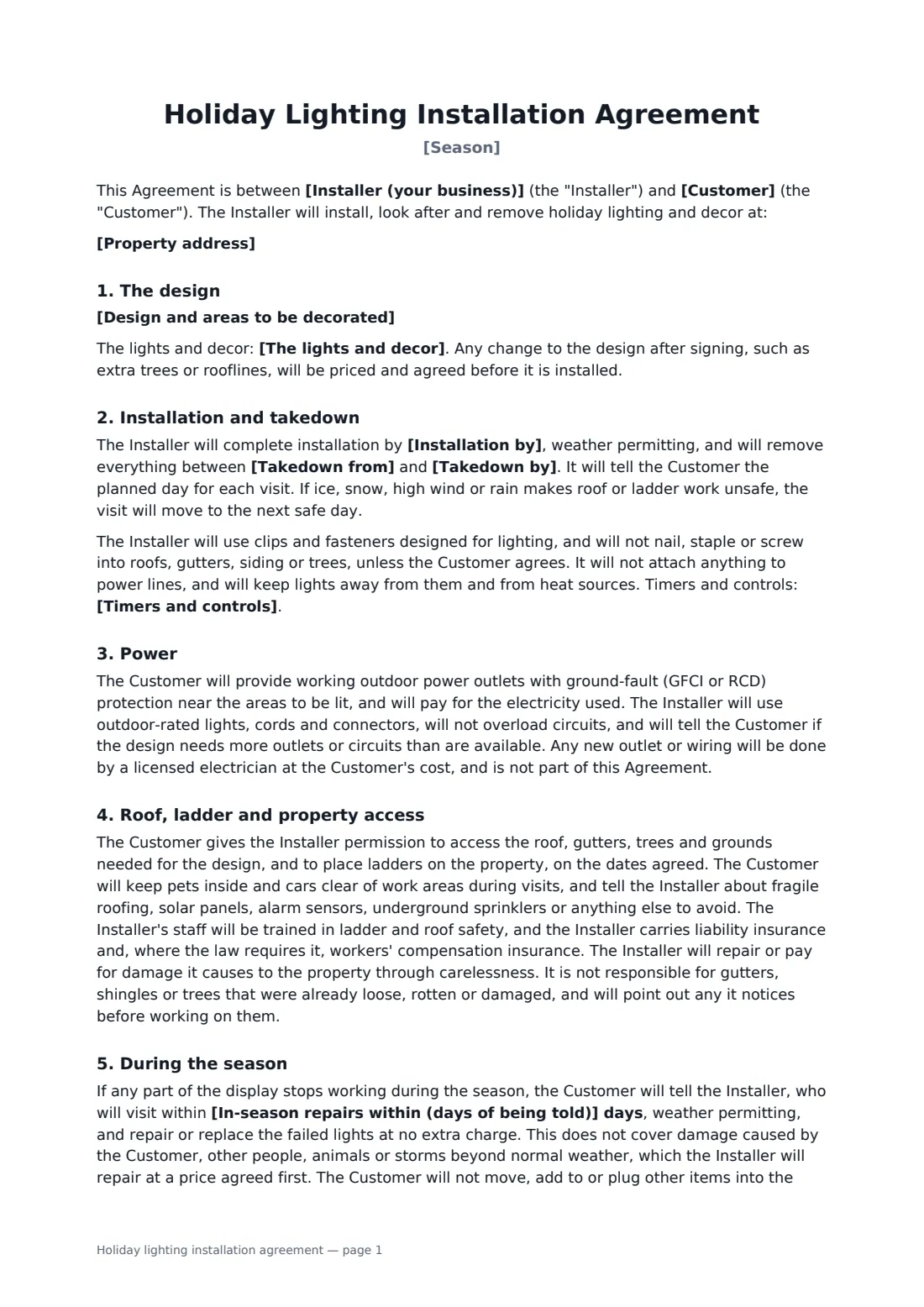
Holiday lighting is a short, busy season of ladder work. Every customer wants their lights up first and down promptly in January, and any bulb that fails in the middle of December needs fixing. A holiday lighting agreement sets the dates, says who owns the lights, and answers the questions that come up on the roof: which outlets to use, whether anything gets nailed in, and who pays if a gutter comes loose.
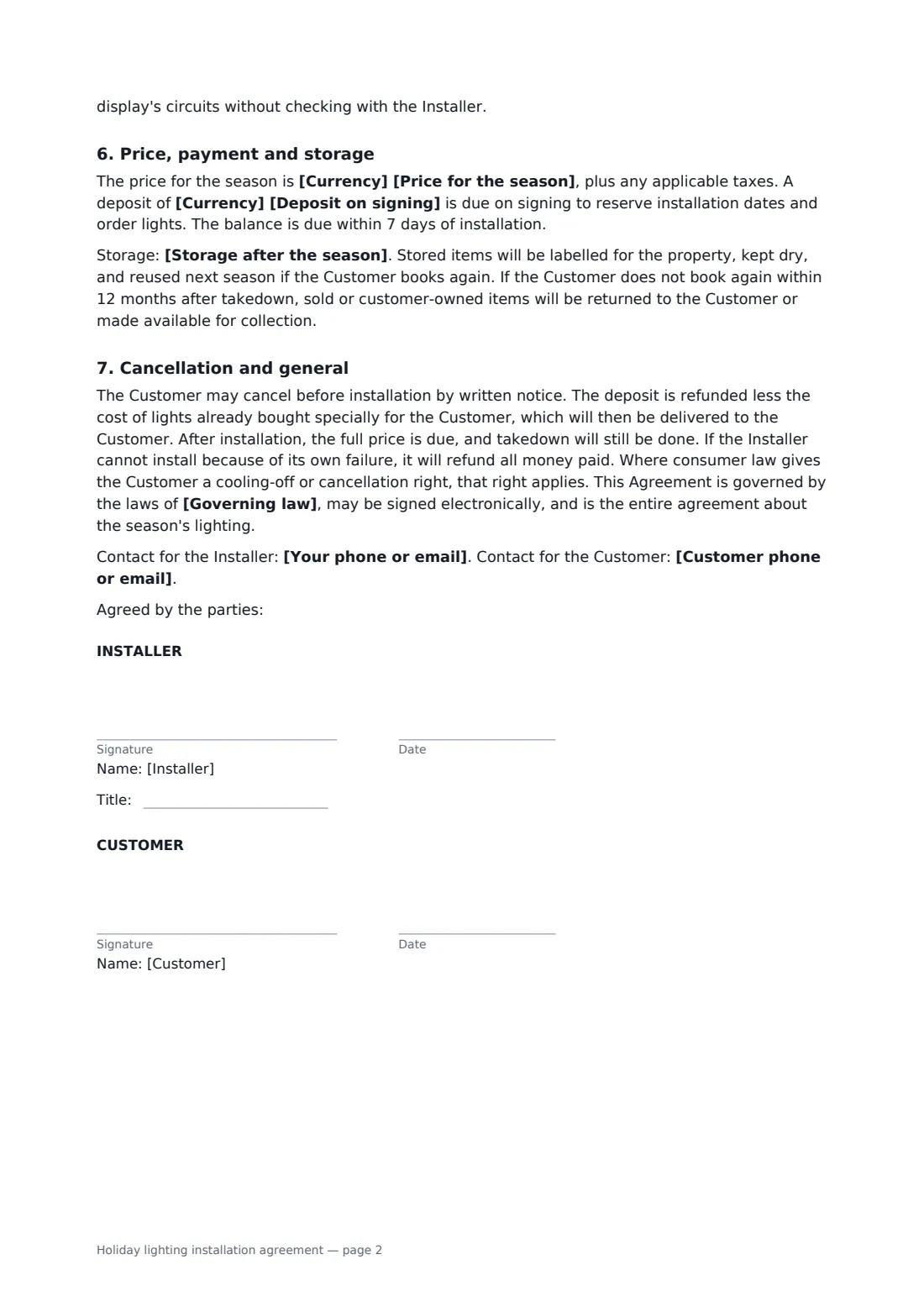
This template describes the design area by area, and records whether the lights are rented, sold to the customer or the customer's own. It sets install-by and takedown dates, with weather delays, and rules out nails and staples unless the customer agrees. The customer provides protected outdoor outlets and pays for electricity. The template covers roof, ladder and property access, the installer's insurance, damage through carelessness and pre-existing damage, and repairs within a set number of days during the season. It also covers the season price and deposit, storage until next year, and cancellation before and after installation.
- Best for
- Holiday lighting companies, landscapers and handymen
- Signed by
- The installer and the customer
- Covers
- Design, install, in-season repairs, takedown and storage
- Length
- About 2 pages
When to use a holiday lighting installation agreement
- Roofline lights and wrapped trees on a family home
- Storefront and parking lot tree lighting for a shopping strip
- Hanging a homeowner's own lights and decorations
- Lit wreaths and garland for a restaurant patio
- Office building entrance decor with rented lights
What you fill in
18 blanks, then the name and email of each person who signs: installer, customer.
1 The parties
- Installer (your business)*
- Your phone or email*
- Customer*
- Customer phone or email*
- Property address*
2 The design
- Season*
- Design and areas to be decorated*
- The lights and decor* rented: supplied by the Installer and remaining its property · sold: supplied by the Installer and owned by the Customer once paid · customer-owned: the Customer's own lights, which the Installer will check and hang
3 Dates
- Installation by*
- Takedown from*
- Takedown by*
- Timers and controls*
4 Price
- Currency*
- Price for the season*
- Deposit on signing*
- Storage after the season* the Installer stores the lights and decor until next season, included in the price · the Customer keeps the lights and decor after takedown · not applicable: rented lights go back to the Installer
- In-season repairs within (days of being told)*
- Governing law*
5 Who signs
- Installer signature and date, job title · The holiday lighting company or contractor.
- Customer signature and date · The homeowner, business or property manager.
What the holiday lighting installation agreement covers
- The design
- Installation and takedown
- Power
- Roof, ladder and property access
- During the season
- Price, payment and storage
- Cancellation and general
Using the holiday lighting installation agreement, step by step
1 Describe the design
List each area to be lit, with bulb types and lengths, and choose rented, sold or customer-owned lights.
2 Set the dates
Enter the install-by date, the takedown window and how timers will be set.
3 Price and storage
Enter the season price and deposit, choose how storage works and how quickly you'll fix failures during the season.
4 Send
Add the governing law and send it to the customer.
Tips before you send it
- Walk the property with the customer before quoting and note any loose gutters or shingles. The template excludes gutters, shingles and trees that were already loose or damaged, and has you point out any you notice.
- Check outlets for ground-fault protection on the first visit. Tell the customer early if they need an electrician.
- Label stored lights by address and roofline. Next season's install will be much faster.
- Book takedown dates when you sign. January fills up fast.
Sign it online in minutes
- Fill in the blanks. Names, dates and amounts go straight into the agreement — the preview shows exactly where.
- Name who signs. Tick “This is me” for your own part. FileIt builds the PDF with every signature, date box on the right line, and you can check or move anything before sending.
- Send it. Each signer gets a secure link and signs from any device — no account needed. The signed PDF, with an audit trail and a Certificate of Completion, is filed in your vault and emailed to everyone.
Holiday lighting installation agreement: frequently asked questions
Who owns the lights?
You choose: rented lights stay the installer's property, sold lights belong to the customer once paid, or the installer hangs the customer's own lights after testing them.
What if lights stop working in December?
The installer visits within the days you set and repairs or replaces failed lights at no extra charge, unless the damage was caused by the customer, other people, animals or storms.
Will the installer nail into the roof?
No. The template uses lighting clips and rules out nails, staples and screws in roofs, gutters, siding or trees unless the customer agrees.
Can the customer cancel?
Yes, before installation, with the deposit refunded less any lights bought specially, which are then delivered to them. After installation the full price is due.
Is the template free?
Yes. It's free with FileIt eSignature, and the customer signs from the email link without an account.