What is a health and safety policy acknowledgement?
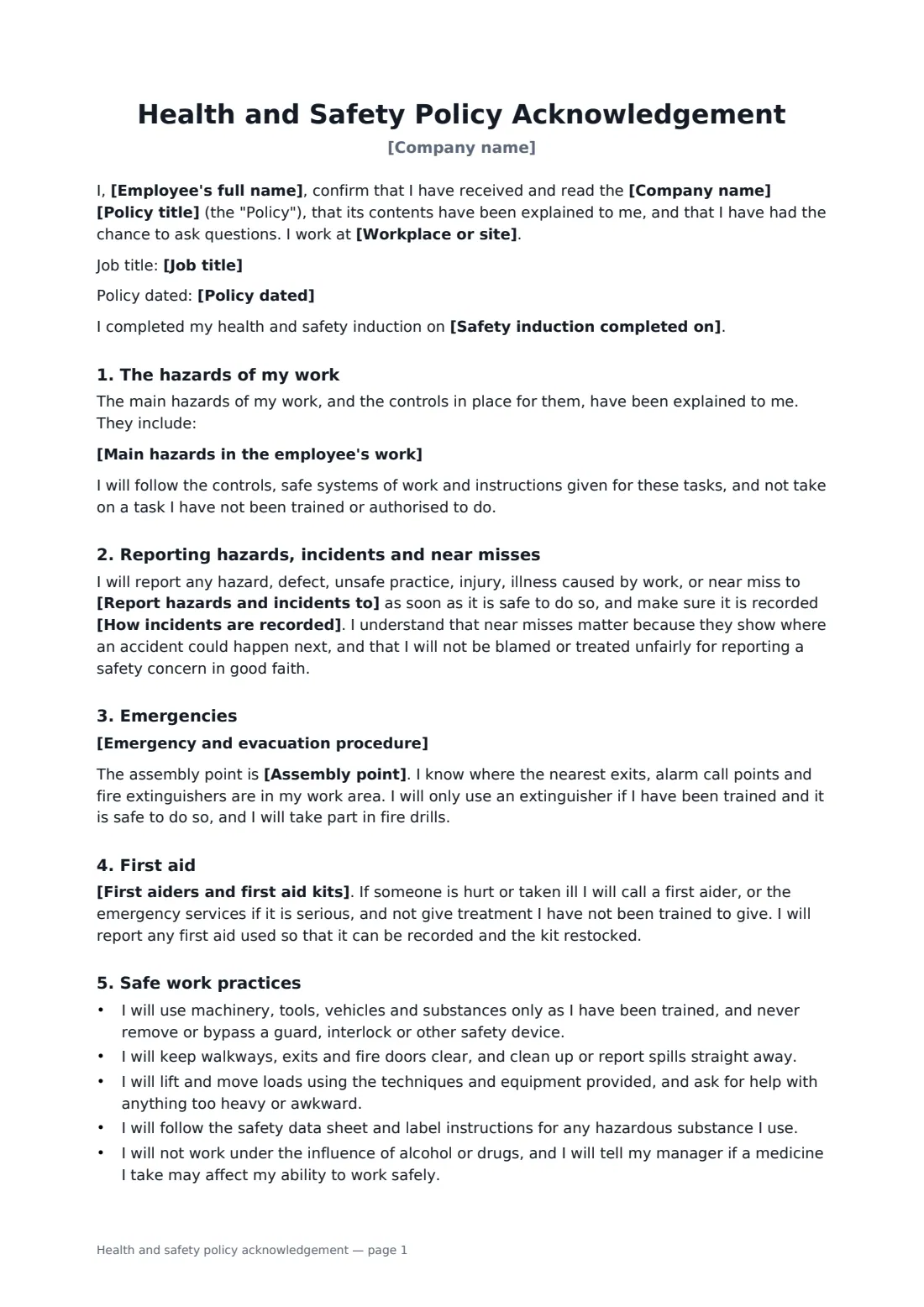
Handing someone a safety policy is not the same as making sure they understand it. This acknowledgement turns the policy into a short, personal record: the hazards of this employee's work, who they report to, where to go when the alarm sounds, where the first aid kit is, and what protective equipment they must wear.
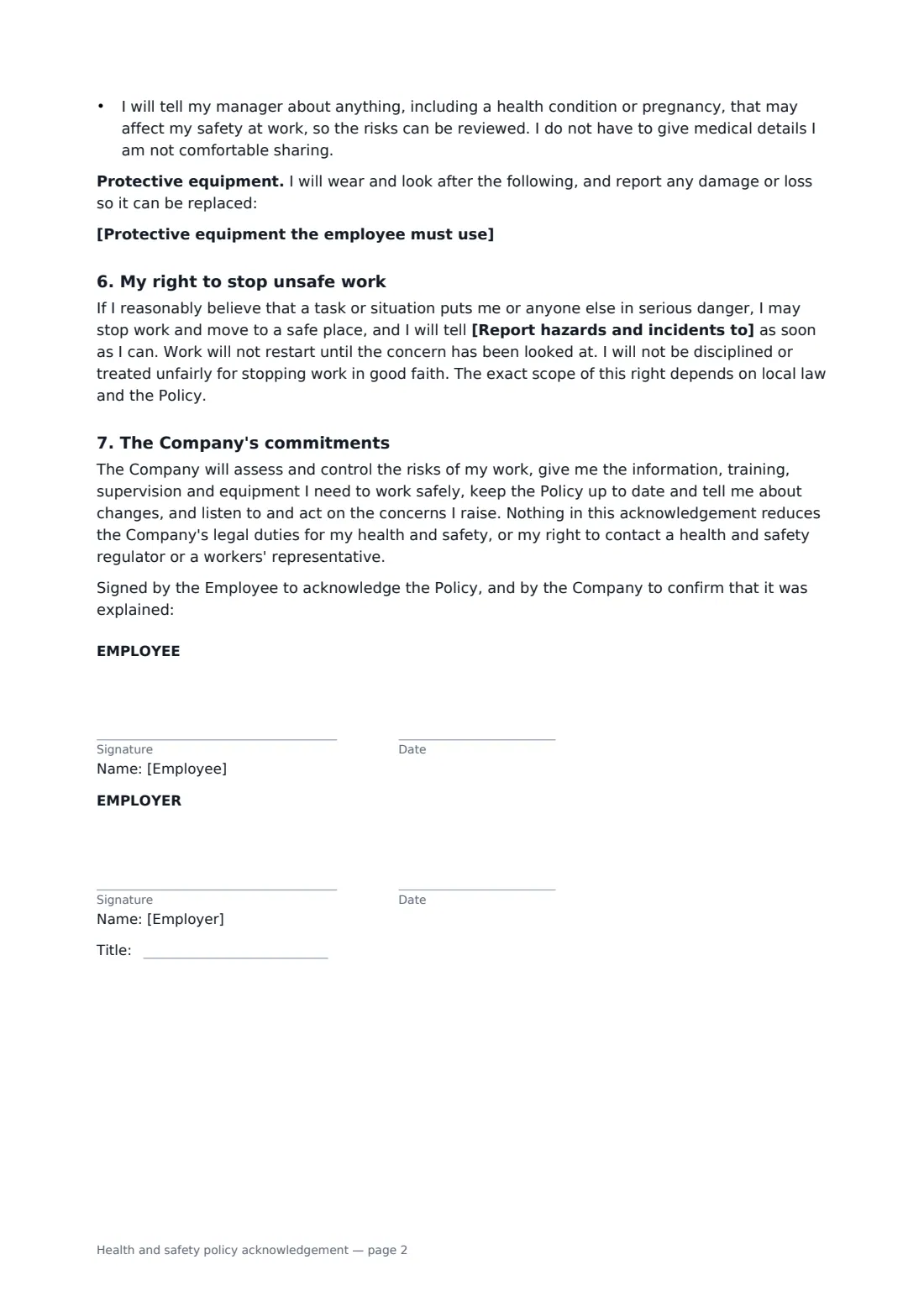
You fill in the workplace, the main hazards from the role's risk assessment, the person who receives safety reports and how incidents are recorded, the evacuation steps and assembly point, first aid arrangements, any PPE and the induction date. The employee confirms they will report hazards, injuries and near misses, follow safe work practices and protect themselves and others. The form also records their right to stop work they reasonably believe is seriously dangerous without being treated unfairly, and the company's own commitments, without reducing its legal duties.
- Best for
- New starters, policy updates, site transfers, annual refreshers
- Signed by
- The employee, and a manager or safety lead
- Covers
- Hazards, reporting, emergencies, first aid, safe work, PPE, right to stop work
- Length
- 2 pages
When to use a health and safety policy acknowledgement
- Part of the safety induction for a new warehouse, kitchen or workshop employee
- Re-acknowledgement after the health and safety policy is revised
- An employee moving to a site with different hazards and an assembly point
- Annual sign-off alongside refresher training
- Office staff, with hazards like display screen work and lone evenings
What you fill in
14 blanks, then the name and email of each person who signs: employee, employer.
1 Details
- Company name*
- Employee's full name*
- Job title
- Workplace or site*
- Policy title*
- Policy dated
2 Hazards and reporting
- Main hazards in the employee's work*
- Report hazards and incidents to*
- How incidents are recorded*
3 Emergencies
- Emergency and evacuation procedure*
- Assembly point*
4 First aid
- First aiders and first aid kits*
5 Safe work
- Protective equipment the employee must use
- Safety induction completed on
6 Who signs
- Employee signature and date
- Employer signature and date, job title · The manager, supervisor or health and safety lead recording the acknowledgement.
What the health and safety policy acknowledgement covers
- The hazards of my work
- Reporting hazards, incidents and near misses
- Emergencies
- First aid
- Safe work practices
- My right to stop unsafe work
- The Company's commitments
Using the health and safety policy acknowledgement, step by step
1 Employee and workplace
Your company name fills in from your account. Add the employee, job title, site, policy title and date.
2 Hazards and reporting
List the main hazards from the role's risk assessment, one per line, and say who receives safety reports and where incidents are logged.
3 Emergencies and first aid
Edit the evacuation steps to match your emergency plan, name the assembly point, and say where first aiders and kits are found.
4 PPE, induction and signing
Add any protective equipment and the induction date, then send. The employee signs and you countersign; the signed copy is filed in your FileIt vault.
Tips before you send it
- Walk the employee to the exits, assembly point and first aid kit before they sign, not after.
- Base the hazards on the actual risk assessment, so the form matches what the employee does.
- Ask employees to re-sign when the policy, site or role changes.
- Check local law for how the right to refuse or stop unsafe work is defined where you operate.
Sign it online in minutes
- Fill in the blanks. Names, dates and amounts go straight into the agreement — the preview shows exactly where.
- Name who signs. Tick “This is me” for your own part. FileIt builds the PDF with every signature, date box on the right line, and you can check or move anything before sending.
- Send it. Each signer gets a secure link and signs from any device — no account needed. The signed PDF, with an audit trail and a Certificate of Completion, is filed in your vault and emailed to everyone.
Health and safety policy acknowledgement: frequently asked questions
Does signing make the employee responsible for safety instead of the employer?
No. The form says the company keeps its legal duties for the employee's health and safety. The employee's signature records that they were told about the policy and agree to follow it.
What does the right to stop work clause say?
If the employee reasonably believes a task puts someone in serious danger, they may stop, move to a safe place and report it, without being disciplined for acting in good faith. Its exact scope depends on local law and your policy.
Do I have to list PPE?
No. The PPE section only appears when you fill it in.
Can I use it for a short site induction for visitors?
This form is written for employees. For contractors and visitors on a site, the site safety induction acknowledgement is a closer fit.