What is a estate sale services agreement?
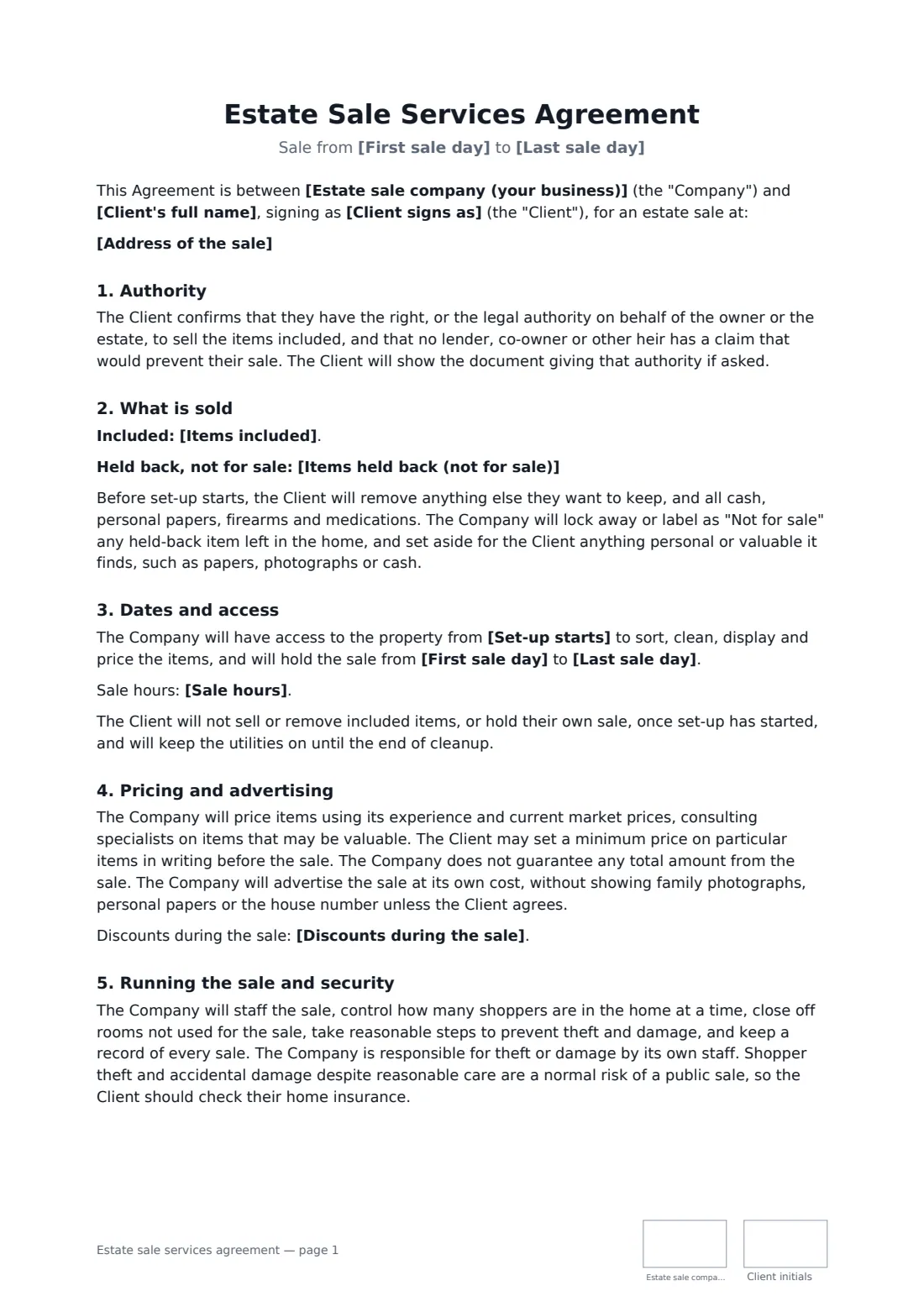
An estate sale often happens at a hard moment: after a death, a move into care, or a big downsize. The family hands the keys to a company who will sort, price and sell decades of belongings to strangers over a weekend. The questions that matter are emotional as well as financial — will grandmother's photos be safe, who decides what the dining table is worth, what happens to everything that doesn't sell, and how will we know what was actually taken in?
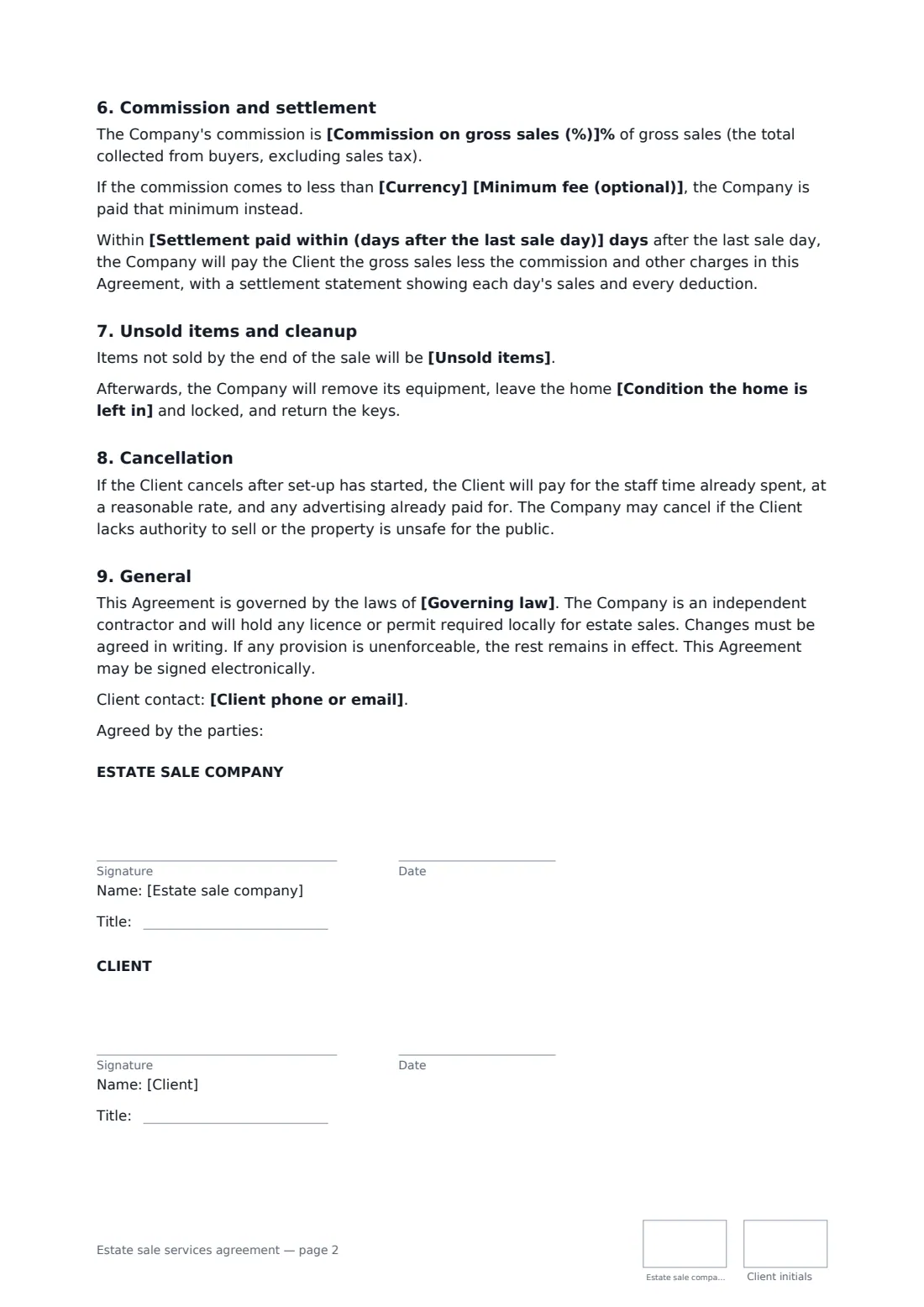
This agreement gives clear answers. The client confirms their authority to sell (as owner, executor, trustee or attorney), lists what's included and what's held back, and agrees to remove valuables and personal papers first. The company sets prices and advertises at its own cost, runs and secures the sale, and sets aside anything personal it finds. It is paid a commission on gross sales, with an optional minimum, and pays the client within a set number of days with a written settlement statement. Unsold items are donated, left, cleared for a fee or sold to a buyer-out, and the home is left broom clean and locked.
- Best for
- Estate sale, tag sale and downsizing companies
- Signed by
- The company and the owner, executor, trustee or attorney
- Paid by
- Commission on gross sales, with an optional minimum fee
- Length
- About 3 pages, initialled on every page
When to use a estate sale services agreement
- An executor clearing a parent's home before it is sold
- A couple downsizing into a smaller apartment
- A family emptying a house after a move into assisted living
- A trustee liquidating household contents held in a trust
- A relocation sale when a family moves overseas
What you fill in
20 blanks, then the name and email of each person who signs: estate sale company, client.
1 The parties
- Estate sale company (your business)*
- Client's full name*
- Client signs as* the owner of the contents · executor or personal representative of the estate · trustee · agent under a power of attorney
- Client phone or email*
2 The sale
- Address of the sale*
- Items included*
- Items held back (not for sale)
3 Dates
- Set-up starts*
- First sale day*
- Last sale day*
- Sale hours
4 Money
- Currency*
- Commission on gross sales (%)*
- Minimum fee (optional)
- Discounts during the sale
- Settlement paid within (days after the last sale day)*
5 After the sale
- Unsold items* donated to charity, with the receipt given to the Client · left in the home for the Client · cleared by the Company for the fee below · sold to a buyer-out or dealer for the best offer, with the money added to gross sales
- Clear-out fee
- Condition the home is left in* broom clean · as it was after the sale, without cleaning
6 Other terms
- Governing law*
7 Who signs
- Estate sale company signature and date, job title, initials on every page · The business that runs the sale.
- Client signature and date, job title, initials on every page · The owner of the contents, or the executor, trustee or family member with authority to sell them. Use the title box for their capacity, such as Executor.
What the estate sale services agreement covers
- Authority
- What is sold
- Dates and access
- Pricing and advertising
- Running the sale and security
- Commission and settlement
- Unsold items and cleanup
- Cancellation
- General
Using the estate sale services agreement, step by step
1 Parties and authority
Enter the client and choose the capacity they sign in — owner, executor, trustee or attorney. The client confirms they have the right to sell and will show the paperwork if asked.
2 What's in and what's out
Edit the description of what's included and list anything held back. The agreement asks the client to remove valuables, papers and medications before set-up.
3 Dates and money
Set the set-up date, the sale days and hours, your commission, any minimum fee and your usual discount schedule, and how many days after the sale you'll settle.
4 After the sale
Choose what happens to unsold items and how the home is left, add the governing law and send. You and the client both sign and initial each page.
Tips before you send it
- Walk the house with the client and photograph the held-back items before set-up. It prevents painful arguments later.
- Agree minimum prices in writing for the few things the family cares about most.
- Ask an executor for a copy of their letters of administration, or a trustee for the trust page that gives them authority — it protects your company too.
- Send the settlement statement as a PDF and keep it with the signed agreement in FileIt, so the whole story is in one place.
Sign it online in minutes
- Fill in the blanks. Names, dates and amounts go straight into the agreement — the preview shows exactly where.
- Name who signs. Tick “This is me” for your own part. FileIt builds the PDF with every signature, date and initials box on the right line, and you can check or move anything before sending.
- Send it. Each signer gets a secure link and signs from any device — no account needed. The signed PDF, with an audit trail and a Certificate of Completion, is filed in your vault and emailed to everyone.
Estate sale services agreement: frequently asked questions
Who can sign an estate sale agreement?
The owner of the contents, or someone with legal authority to sell them — usually the executor or personal representative, a trustee, or an attorney under a power of attorney. The agreement asks the signer to confirm that authority and to show the document if asked.
How is the estate sale company paid?
By a percentage commission on gross sales, deducted before the client is paid. You can add a minimum fee that applies if the sale is small. Settlement comes with a statement showing each day's sales and every deduction.
What happens to items that don't sell?
You choose in the agreement: donated to charity with the receipt passed to the client, left in the home, cleared by the company for a set fee, or sold to a buyer-out with the money added to the sale total.
Can an estate sale contract be signed electronically?
In general, yes. An ordinary service contract like this can be e-signed under the US ESIGN Act and UETA, in the UK, under the EU's eIDAS regulation and in Canada. FileIt keeps the audit trail and a Certificate of Completion with the signed PDF, which helps when several family members want a copy.
Is this template free?
Yes. It's free to use with the FileIt eSignature app, and the client signs from a link without signing up.