What is a demo equipment loan agreement?
Letting a customer try equipment before buying is one of the best ways to close a sale, and one of the easiest ways to lose a demo unit. A demo equipment loan agreement records exactly what was lent, for how long, who is responsible if it's dropped or stolen, and that the customer has no obligation to buy.
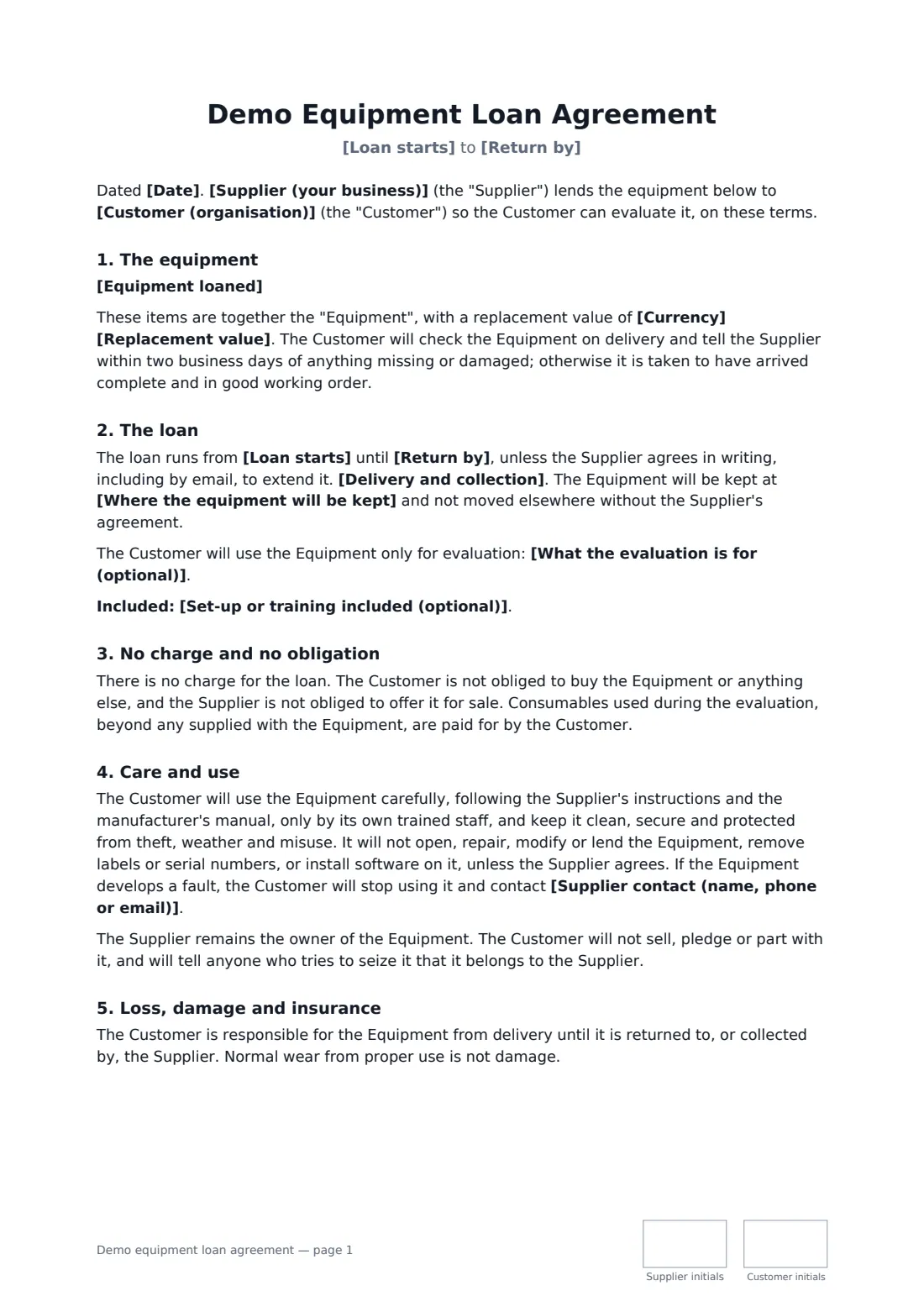
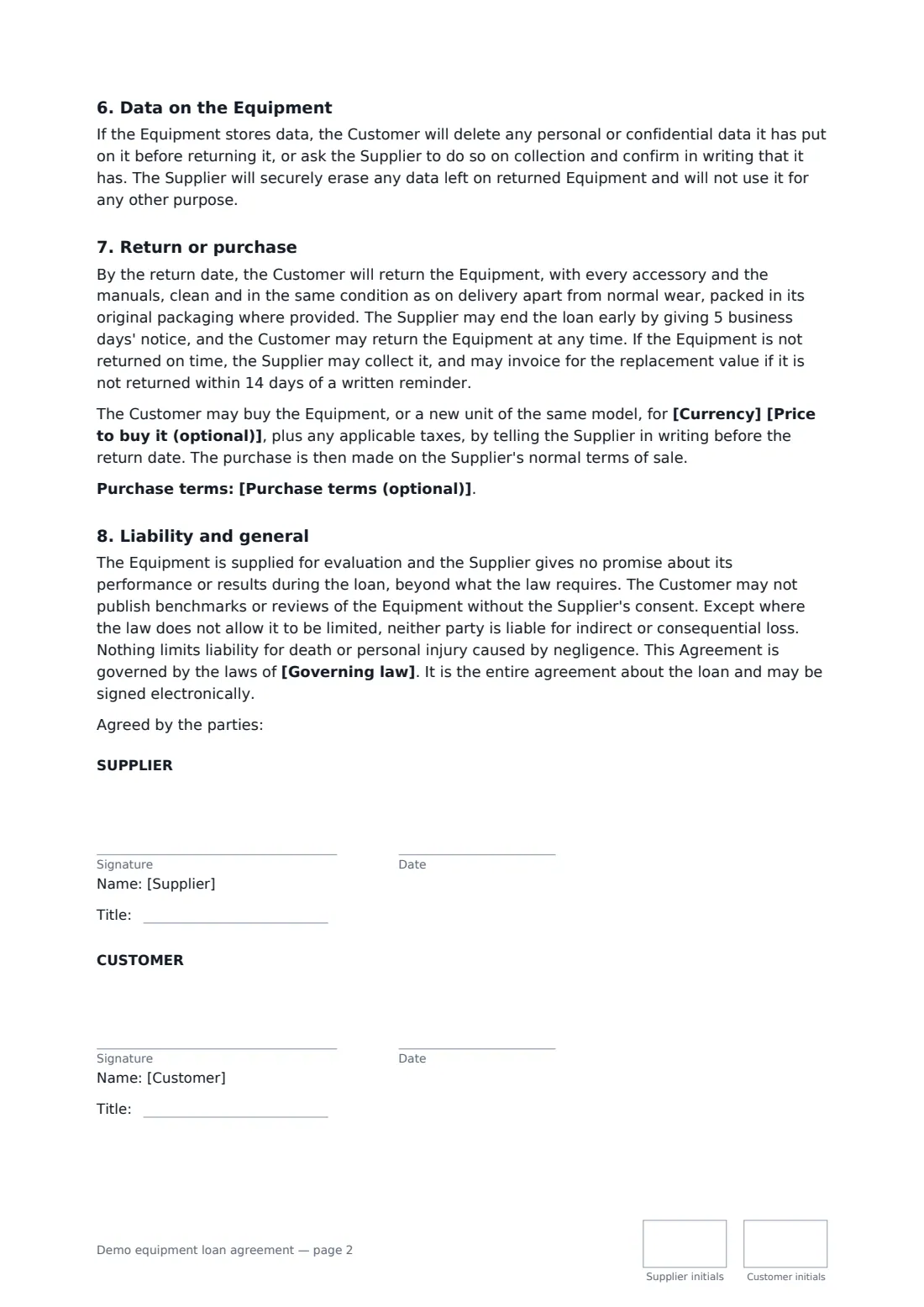
This template lists the equipment with serial numbers and accessories, sets a replacement value, and requires the customer to report missing or damaged items within two business days of delivery. It fixes the loan dates, where the equipment will be kept, who handles delivery and collection, and any set-up or training included. The customer agrees to careful use by trained staff and no repairs or modifications. You choose whether the customer insures the equipment or your insurance covers it with a capped contribution. It also covers wiping data before return, return condition, late return, a no-benchmarks rule, and an optional price for buying the unit.
- Best for
- Equipment suppliers, distributors and sales teams lending demo units
- Signed by
- The supplier and the customer, with job titles
- Cost to customer
- Free loan, liable for loss or damage
- Length
- About 2 pages, initialled on every page
When to use a demo equipment loan agreement
- A dental supplier lending an intraoral scanner to a clinic for two weeks
- A lab equipment distributor sending a demo analyser to a university
- An AV company lending a conference room system to a prospective client
- A manufacturer letting a farm trial a sensor kit through a growing season
- A medical device rep leaving a demo unit at a hospital department
What you fill in
18 blanks, then the name and email of each person who signs: supplier, customer.
1 The parties
- Date*
- Supplier (your business)*
- Supplier contact (name, phone or email)*
- Customer (organisation)*
- Where the equipment will be kept*
2 The equipment
- Equipment loaned*
- Currency*
- Replacement value*
- What the evaluation is for (optional)
3 The loan
- Loan starts*
- Return by*
- Delivery and collection* The Supplier delivers and collects, at its own cost · The Customer collects and returns, at its own cost
- Set-up or training included (optional)
- Insurance while on loan* The Customer insures it · The Supplier's insurance covers it
- Customer pays up to (if the Supplier insures)
4 Buying it
- Price to buy it (optional)
- Purchase terms (optional)
- Governing law*
5 Who signs
- Supplier signature and date, job title, initials on every page · The business lending the equipment.
- Customer signature and date, job title, initials on every page · The organisation trying the equipment out.
What the demo equipment loan agreement covers
- The equipment
- The loan
- No charge and no obligation
- Care and use
- Loss, damage and insurance
- Data on the Equipment
- Return or purchase
- Liability and general
Using the demo equipment loan agreement, step by step
1 List the equipment
Enter each item with its model, serial number and accessories, the replacement value, and what the evaluation is meant to show.
2 Set the loan
Choose the start and return dates, where the equipment will be kept, who delivers and collects, and any installation or training you include.
3 Decide on insurance
Choose whether the customer insures the equipment or your policy covers it, and if yours, the most the customer pays towards a loss.
4 Add a purchase price and send
Optionally enter the price to buy the unit and any purchase terms, add the governing law, and send to the customer to sign.
Tips before you send it
- Photograph the equipment and its serial plate before it ships. With the two-day check on delivery, it settles most condition disputes.
- Put a reminder in your calendar a few days before the return date. Following up early is the easiest way to turn a demo into an order.
- If the unit stores patient, customer or employee data, agree who wipes it before it comes back. The template makes the customer delete it or ask you to.
- Check that your own insurance covers equipment at customer sites if you choose that option. Many policies don't by default.
Sign it online in minutes
- Fill in the blanks. Names, dates and amounts go straight into the agreement — the preview shows exactly where.
- Name who signs. Tick “This is me” for your own part. FileIt builds the PDF with every signature, date and initials box on the right line, and you can check or move anything before sending.
- Send it. Each signer gets a secure link and signs from any device — no account needed. The signed PDF, with an audit trail and a Certificate of Completion, is filed in your vault and emailed to everyone.
Demo equipment loan agreement: frequently asked questions
Does the customer have to buy the equipment?
No. The loan is free and there is no obligation to buy. If you add a purchase price, the customer can choose to buy before the return date on your normal terms of sale.
Who pays if the equipment is damaged?
The customer is responsible from delivery until return. If the customer insures it, it pays for repair or the replacement value. If your insurance covers it, the customer pays up to the cap you set, unless you caused the loss.
What if the equipment isn't returned on time?
The supplier may collect it, and may invoice the replacement value if it still isn't returned within 14 days of a written reminder.
Can the customer publish test results?
Not without the supplier's consent. The template rules out publishing benchmarks or reviews of the equipment from the evaluation.
Can I send it for e-signature?
Yes. It's free to use with FileIt eSignature. The customer signs from the email link without an account, and FileIt keeps an audit trail and Certificate of Completion.