What is a commercial printing agreement?
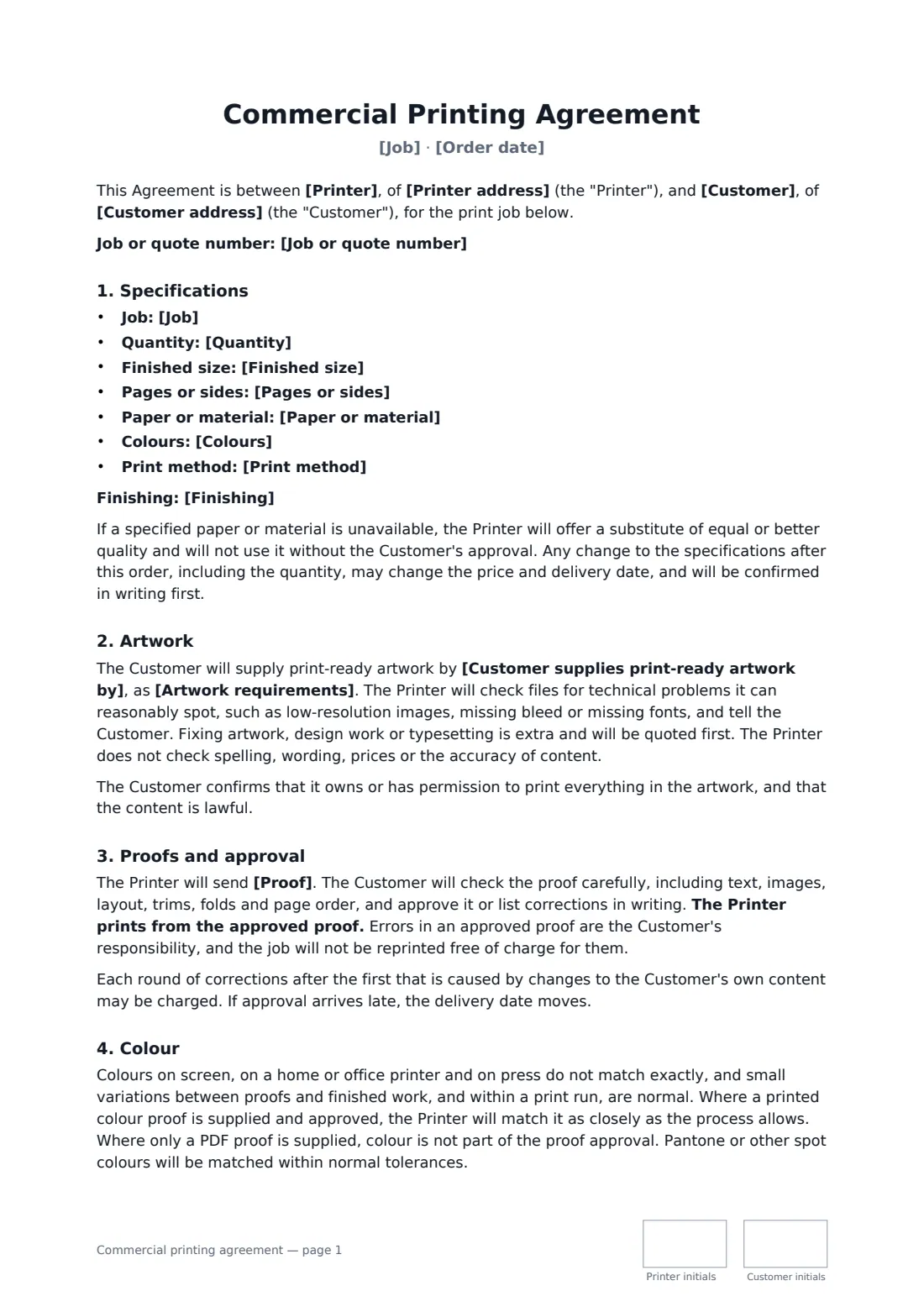
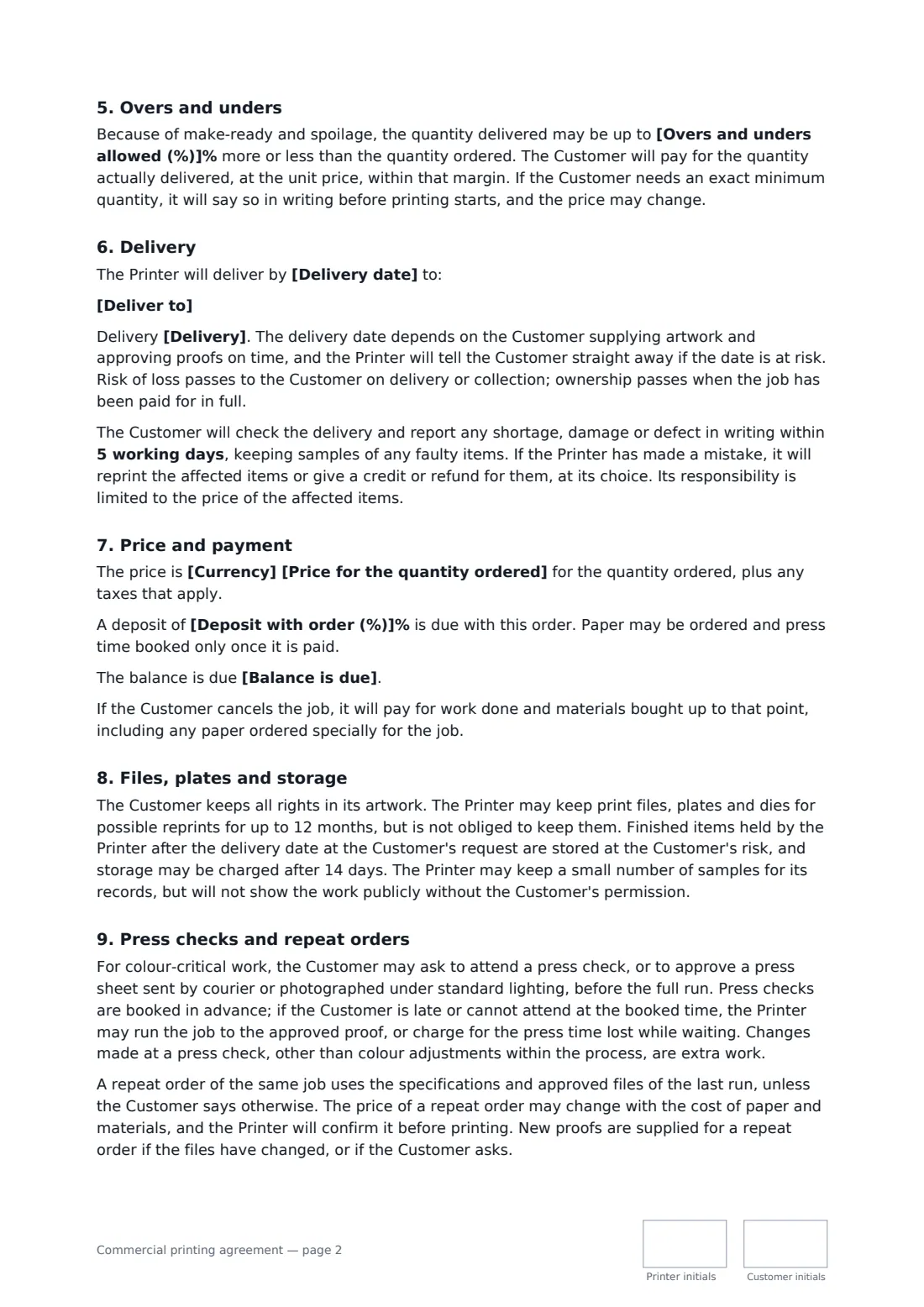
Most print disputes come down to three things: a typo nobody caught on the proof, a colour that looked different on screen, and a delivery that was a few hundred copies short of the order. A commercial printing agreement deals with each one in advance. The customer approves a proof and the printer prints from it; colour expectations depend on the type of proof; and the quantity delivered may vary within a stated percentage, paid for at the unit price.
This template records the job specifications — quantity, finished size, pages, paper, colours, finishing and print method — paper substitutes, the artwork deadline and file requirements, what the printer checks and what it doesn't, PDF, printed colour or sample proofs, correction rounds, colour tolerances, overs and unders, the delivery date and address, delivery cost, risk and ownership, a 5-day window to report faults, the price, deposit and balance, cancellation, file and plate storage and samples.
- Best for
- Print shops, commercial and digital printers, sign and large-format printers
- Signed by
- The printer and the customer, both with job titles
- Quantity
- Overs and unders within the percentage you set
- Length
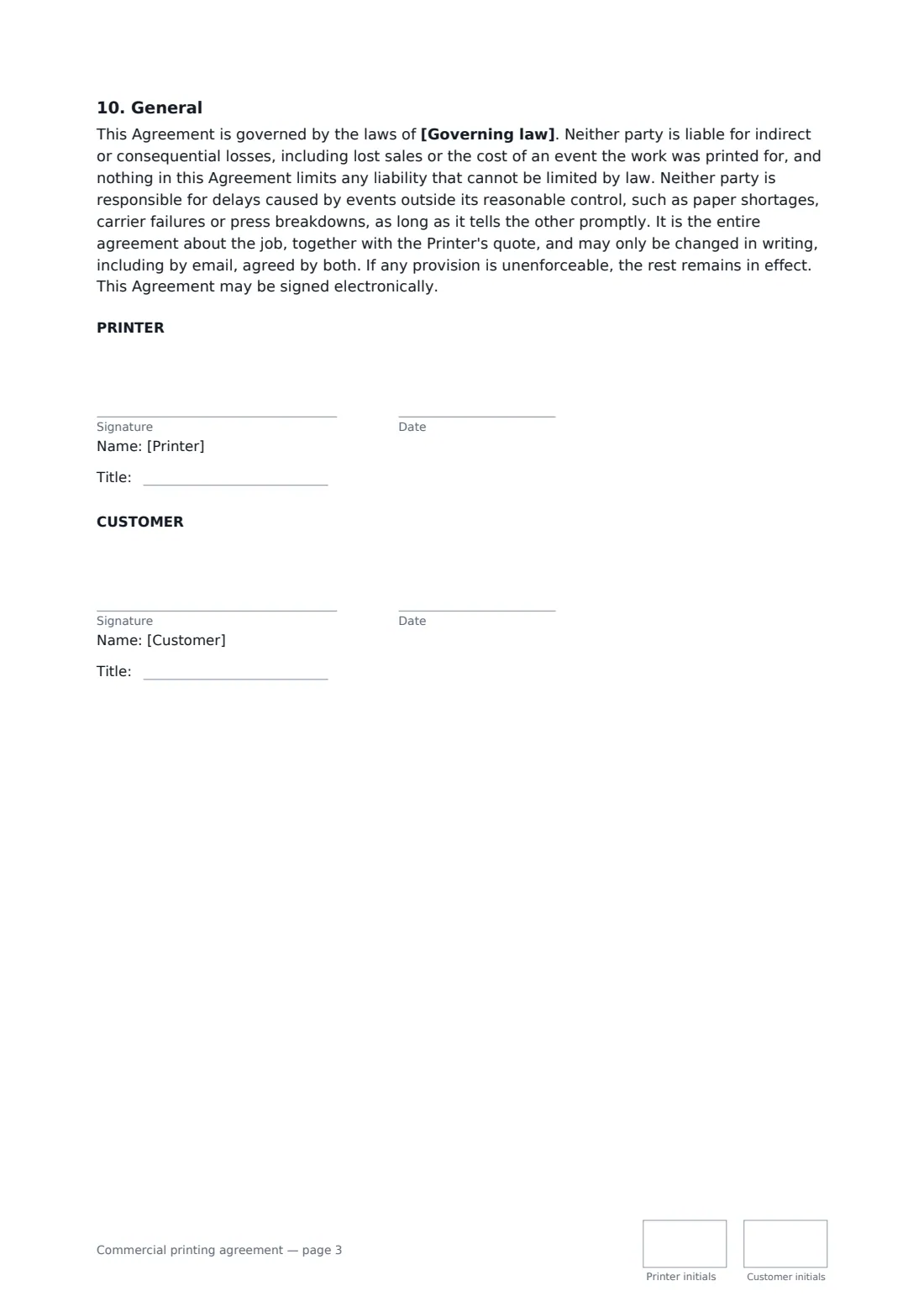
- About 3 pages, initialled on every page
When to use a commercial printing agreement
- A 32-page product catalogue run on offset litho
- Event programmes and posters with a hard delivery date
- Packaging sleeves with a Pantone brand colour
- Large-format banners for a trade show stand
- A repeat order of brochures with a printed colour proof
What you fill in
26 blanks, then the name and email of each person who signs: printer, customer.
1 The parties
- Printer*
- Printer address
- Customer*
- Customer address
- Order date*
2 The job
- Job or quote number
- Job*
- Quantity*
- Finished size*
- Pages or sides*
- Paper or material*
- Colours*
- Finishing
- Print method* the method the Printer judges best for the job · offset litho · digital · large format · screen printing
3 Artwork and proofs
- Customer supplies print-ready artwork by*
- Artwork requirements*
- Proof* a PDF proof by email · a PDF proof and a printed colour proof · a PDF proof and a printed sample of the finished item
4 Quantity
- Overs and unders allowed (%)*
5 Delivery
- Delivery date*
- Deliver to*
- Delivery* is included in the price · is charged at cost on top of the price · is not included — the Customer collects from the Printer
6 Price
- Currency*
- Price for the quantity ordered*
- Deposit with order (%)
- Balance is due* before dispatch · on delivery · within 14 days of delivery · within 30 days of delivery
- Governing law*
7 Who signs
- Printer signature and date, job title, initials on every page · The print shop or printing company.
- Customer signature and date, job title, initials on every page
What the commercial printing agreement covers
- Specifications
- Artwork
- Proofs and approval
- Colour
- Overs and unders
- Delivery
- Price and payment
- Files, plates and storage
- Press checks and repeat orders
- General
Using the commercial printing agreement, step by step
1 Enter the specifications
Add the job name and quote number, the quantity, finished size, pages, paper, colours, finishing and print method — or leave the method to you.
2 Set artwork and proofs
Enter when print-ready files are due, adjust the file requirements, and choose a PDF proof, a printed colour proof or a printed sample.
3 Quantity and delivery
Set the overs-and-unders percentage, the delivery date and address, and whether delivery is included, charged at cost or collected.
4 Price and send
Enter the price, the deposit percentage and when the balance is due. Add the customer's signer and send.
Tips before you send it
- If colour really matters, offer a printed colour proof — under the template, a PDF proof doesn't approve colour.
- Agree the overs-and-unders margin before printing. Customers who need an exact minimum should say so in writing.
- Book press time only once the deposit is in, especially when you're ordering special paper.
- Keep samples of any items the customer reports as faulty. You'll need them to decide on a reprint.
Sign it online in minutes
- Fill in the blanks. Names, dates and amounts go straight into the agreement — the preview shows exactly where.
- Name who signs. Tick “This is me” for your own part. FileIt builds the PDF with every signature, date and initials box on the right line, and you can check or move anything before sending.
- Send it. Each signer gets a secure link and signs from any device — no account needed. The signed PDF, with an audit trail and a Certificate of Completion, is filed in your vault and emailed to everyone.
Commercial printing agreement: frequently asked questions
Who pays if there's a typo in the printed job?
If the typo was in the approved proof, the customer does — the printer prints from the approved proof and doesn't check spelling or content. If the printer introduced the mistake, it reprints, credits or refunds the affected items.
What are overs and unders?
Printing rarely produces an exact count because of set-up and spoilage. The template lets the delivered quantity vary by the percentage you set, and the customer pays for what is actually delivered at the unit price.
Will the colours match my screen?
Not exactly — screens, office printers and presses all show colour differently, and small variations are normal. With an approved printed colour proof, the printer matches it as closely as the process allows.
Is a printing contract signed online valid?
In most countries, including the US (ESIGN Act and UETA), the UK, the EU (eIDAS) and Canada, an electronic signature is generally valid for an ordinary commercial contract like this one. FileIt keeps an audit trail and a Certificate of Completion with the signed PDF as evidence of who signed and when.
Can I change the wording?
You fill in the blanks and choose the options on the setup page; optional clauses appear only when you fill them in. If you need different clauses, draft your own document and upload it to FileIt eSignature instead — you can still place the signature boxes in the editor.
Is this template free?
Yes. The template is free to use with the eSignature app in FileIt. Your customer doesn't need a FileIt account to sign.