What is a biometric data consent?
Fingerprint time clocks, face-recognition door readers and palm scanners are cheap and convenient, but the data they collect is permanent: you can change a password, not a fingerprint. Several laws now treat biometric data as especially sensitive and expect written notice and consent before it is collected, along with a published retention schedule and a promise not to sell it.
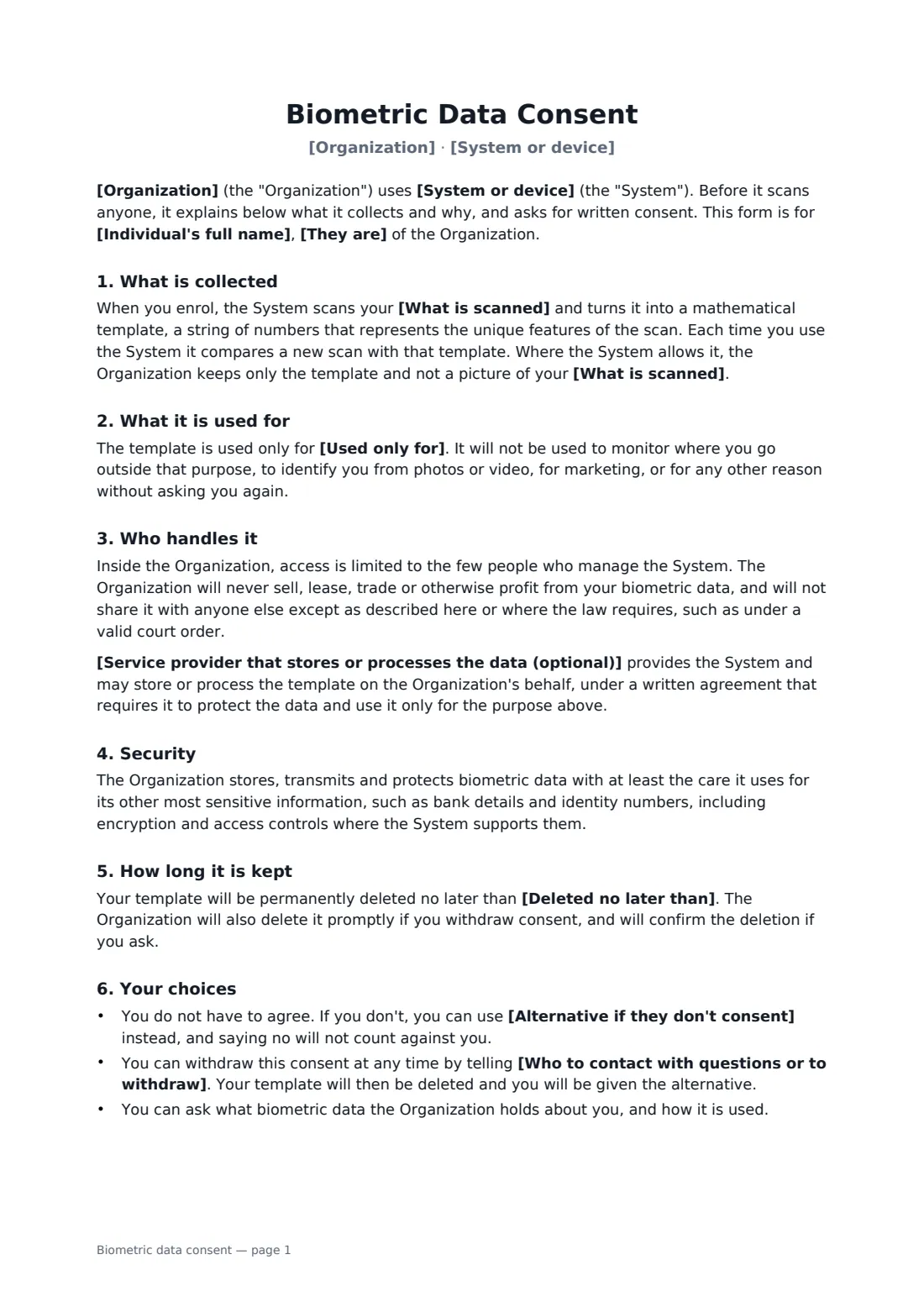
This form covers those points in plain language. You name the system, what it scans and the single purpose it is used for — time recording, building access, or unlocking devices. It explains that the system stores a mathematical template rather than an image where it can, who can access it, any service provider that hosts it, how it is protected and the latest date it will be deleted. It also gives the person a real choice: an alternative such as a PIN or swipe card if they say no, and a way to withdraw later and have their template deleted.
- Best for
- Fingerprint and face-scan time clocks, door entry, gyms and member clubs, secure rooms and devices
- Signed by
- The person being enrolled, and the organization
- You set
- System, what's scanned, purpose, provider, deletion deadline, alternative, contact
- Length
- About 2 pages
When to use a biometric data consent
- Enrolling new staff on a fingerprint or face-scan time clock
- Face or fingerprint door entry at an office, warehouse or apartment building
- Gyms and clubs that let members in with a fingerprint
- Fingerprint unlock on shared company tablets or secure lockers
- Refreshing consent when you switch biometric system or provider
What you fill in
10 blanks, then the name and email of each person who signs: individual, organization.
1 The parties
- Organization*
- Individual's full name*
- They are* an employee · a contractor · a member · a resident or tenant · a student · a visitor
2 The system
- System or device*
- What is scanned* fingerprint · face · fingerprint and face · hand geometry · iris
- Used only for* recording start and finish times for payroll · opening doors and controlling access to the building · recording time and controlling building access · unlocking company devices or secure areas
3 Storage and sharing
- Service provider that stores or processes the data (optional)
- Deleted no later than*
4 Choices
- Alternative if they don't consent*
- Who to contact with questions or to withdraw*
5 Who signs
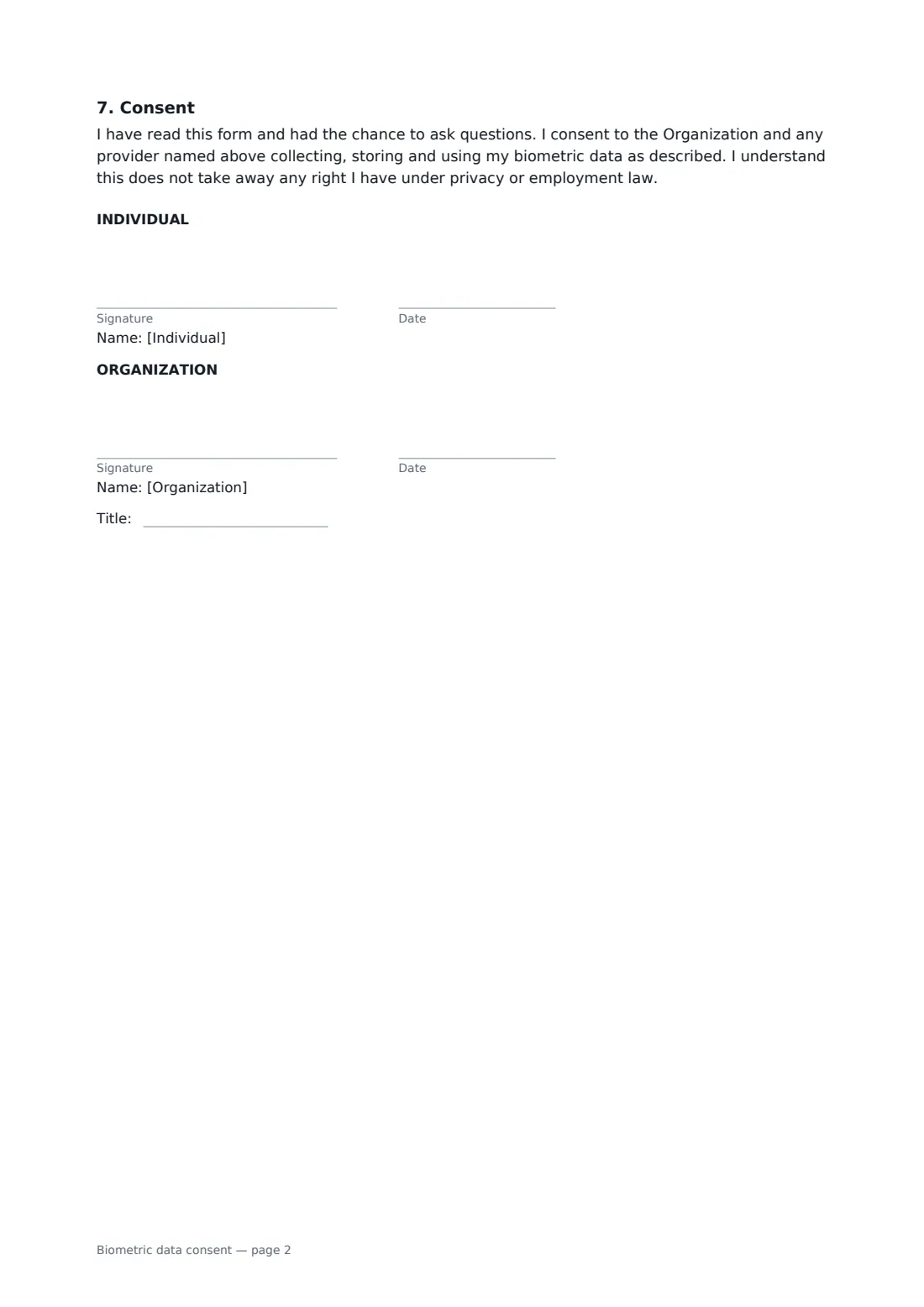
- Individual signature and date · The person whose fingerprint or face will be scanned.
- Organization signature and date, job title
What the biometric data consent covers
- What is collected
- What it is used for
- Who handles it
- Security
- How long it is kept
- Your choices
- Consent
Using the biometric data consent, step by step
1 Name the system and its purpose
Describe the device and where it is, choose what it scans, and pick the one purpose it is used for. The form promises that the data is used for that purpose only, never sold, and never used to identify people from photos or video.
2 Say who handles the data
If a vendor hosts or processes the templates, name them. The form says they work under a written agreement and may use the data only for your purpose.
3 Set the deletion deadline
A sensible default is pre-filled: 30 days after the person leaves, or sooner once the purpose is met. Check any legal maximum where you operate and use the shorter one.
4 Offer an alternative and send
Enter the alternative for people who say no, and who to contact to withdraw. Add the person as a signer; they sign on their phone without a FileIt account.
Tips before you send it
- Get the signed form before the first scan, not after enrolment.
- Illinois (BIPA), Texas and Washington have specific biometric laws, and the GDPR and UK GDPR treat biometric data used for identification as special category data. Check what applies where you operate — some require a public retention policy too.
- Ask your vendor whether the device stores templates or images, and where. The answer should match what the form says.
- Actually delete templates on schedule, and keep a record that you did.
- Pair it with your data protection or monitoring policy; this form covers only the biometric system.
Sign it online in minutes
- Fill in the blanks. Names, dates and amounts go straight into the agreement — the preview shows exactly where.
- Name who signs. Tick “This is me” for your own part. FileIt builds the PDF with every signature, date box on the right line, and you can check or move anything before sending.
- Send it. Each signer gets a secure link and signs from any device — no account needed. The signed PDF, with an audit trail and a Certificate of Completion, is filed in your vault and emailed to everyone.
Biometric data consent: frequently asked questions
Do I need written consent for a fingerprint time clock?
In some places, yes — Illinois' Biometric Information Privacy Act is the best-known example — and in others data protection law expects a clear notice and a lawful basis. A signed form is a simple way to show the person was told and agreed. Check the rules where your staff work.
What if an employee refuses?
The form offers the alternative you name, such as a PIN or swipe card, and says that refusing won't count against them. Many regulators expect an alternative where consent is the legal basis, because consent from an employee who has no real choice may not count.
Can the person change their mind later?
Yes. The form tells them who to contact to withdraw, and promises their template will be deleted and the alternative offered.
Is this a biometric retention policy?
It states the deletion deadline for this person, which is part of one. Some laws also expect a written policy available to the public; you can base it on the same wording.
Can it be signed electronically?
Yes. Electronic signatures are generally valid for documents like this in the US, UK, EU and Canada. FileIt keeps an audit trail and a Certificate of Completion with each signed copy.