What is a aPI access agreement?
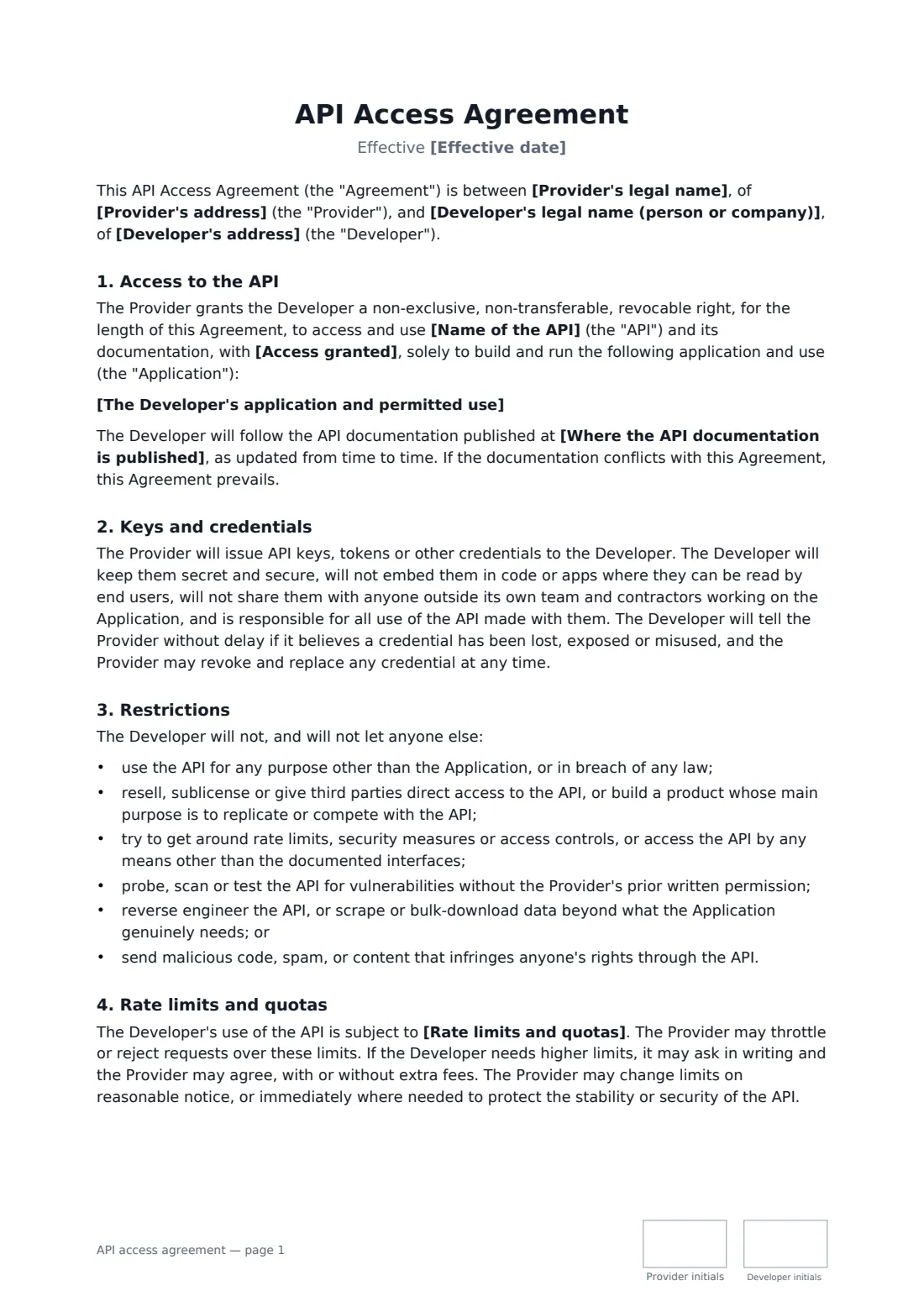
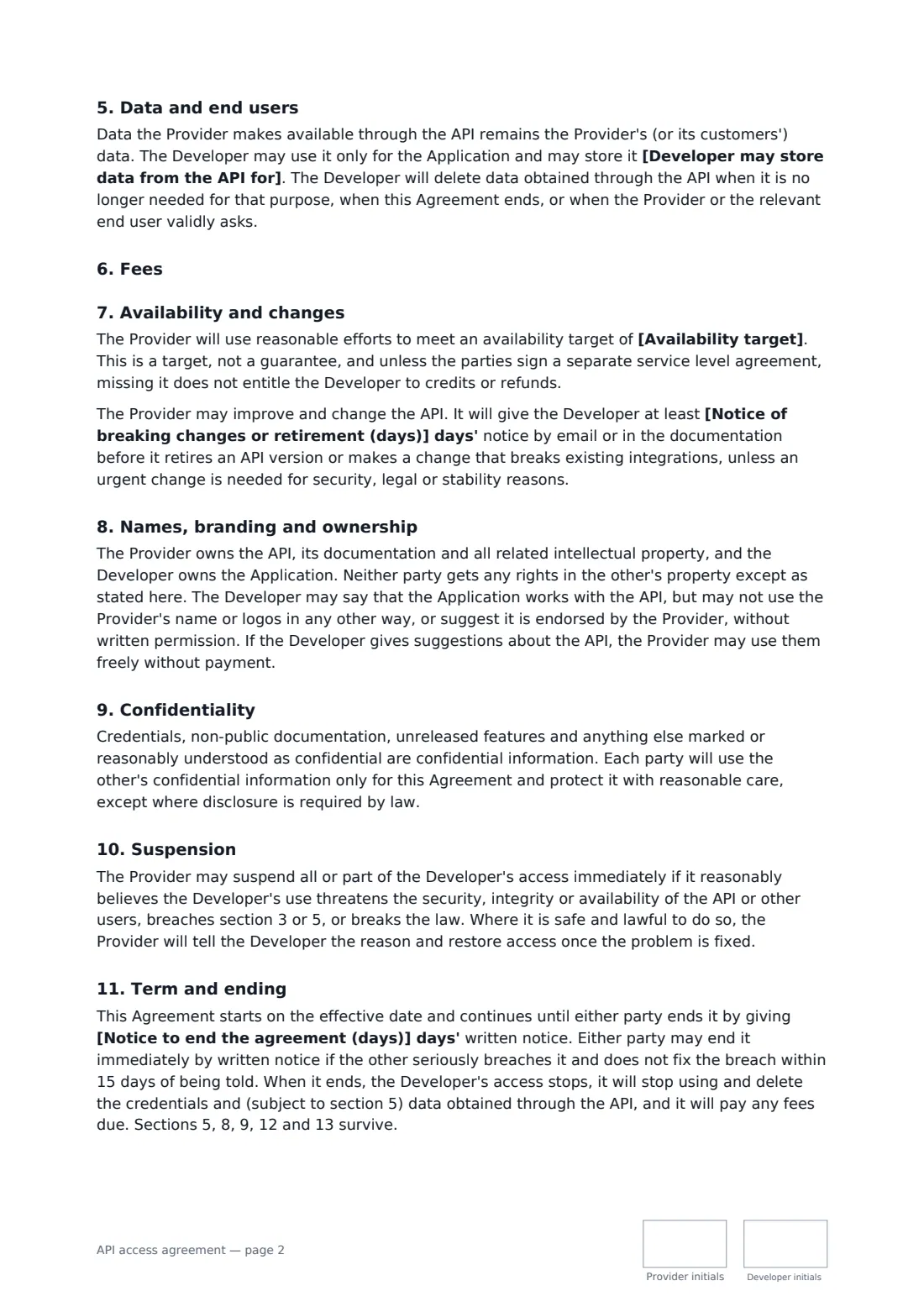
An API access agreement is the contract a platform signs with a developer or partner business before handing over API keys. It says what the developer may build, how hard it may call the API, what it may do with the data that comes back, what it pays, and when the platform may change, suspend or switch off access.
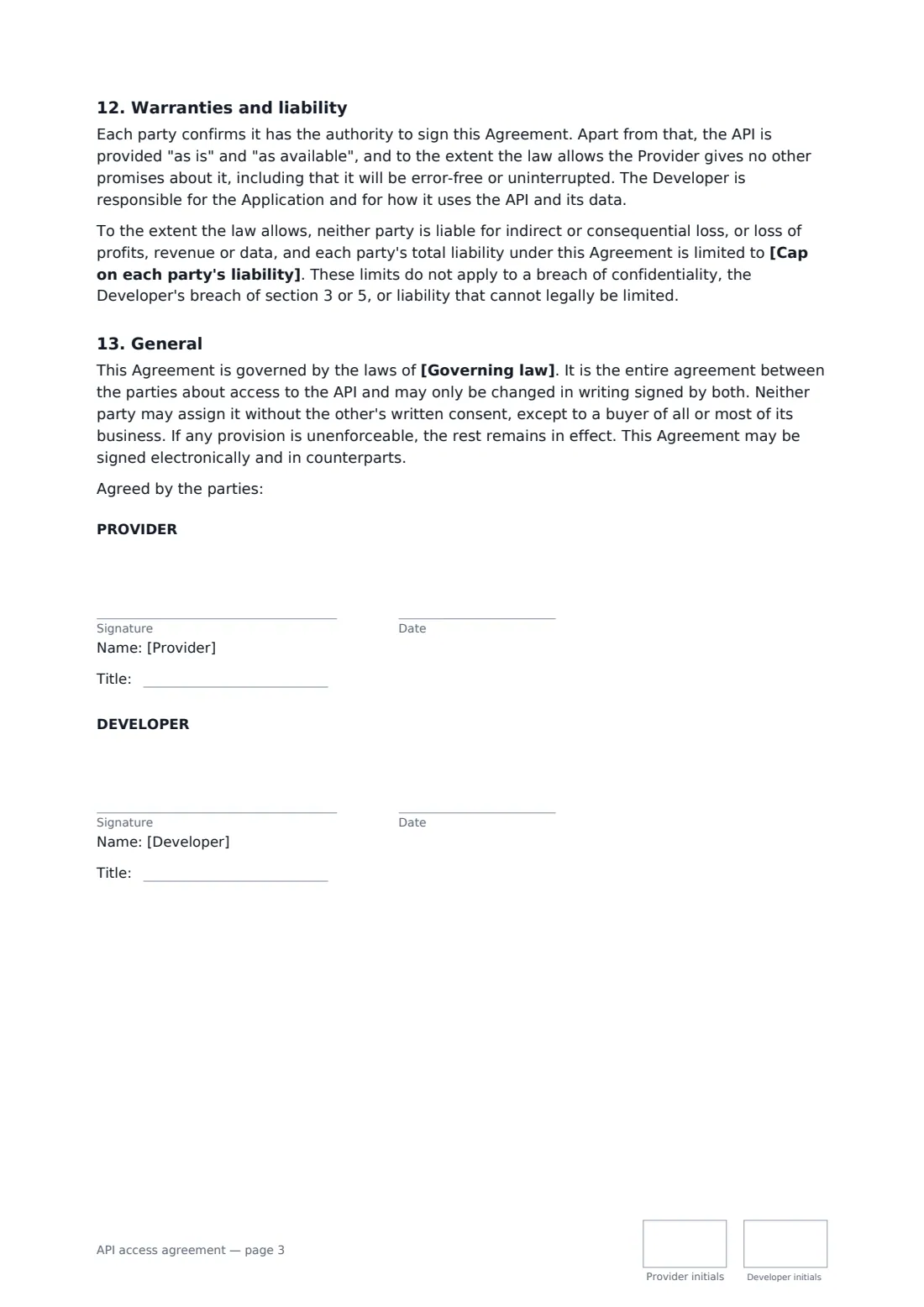
This template grants a revocable, non-exclusive right to use a named API for one described application, with sandbox, production or staged access. It covers keeping credentials secret, a list of restrictions (no reselling, no getting around rate limits, no unauthorised security testing, no bulk scraping), rate limits by number or by reference to your documentation, how long data may be stored, a personal-data clause that prints when the API handles personal data, three fee options (free, fixed monthly or usage-based), an optional availability target, notice before breaking changes, branding and ownership, confidentiality, suspension, ending the agreement, a liability cap you set, and the governing law.
- Best for
- SaaS platforms, data providers and fintech or logistics APIs onboarding partners and developers
- Signed by
- The API provider and the developer, each with a job title
- Fees
- Free, a fixed monthly fee, or usage-based pricing you describe
- Length
- 3 pages, initialled on every page
When to use a aPI access agreement
- Giving a partner company production access to your REST or GraphQL API
- Letting an independent developer build an integration or plug-in on your platform
- Opening a paid data feed to a business customer with usage-based pricing
- Moving a pilot integration from sandbox to live access
- Putting an informal key-sharing arrangement on a written footing
What you fill in
22 blanks, then the name and email of each person who signs: provider, developer.
1 The parties
- Effective date*
- Provider's legal name*
- Provider's address
- Developer's legal name (person or company)*
- Developer's address
2 The API and its use
- Name of the API*
- Where the API documentation is published
- The Developer's application and permitted use*
- Access granted* test (sandbox) and live (production) access · test (sandbox) access only, with live access on written approval · live (production) access only
- Rate limits and quotas*
3 Data
- Personal data through the API* The API returns or receives personal data · The API does not involve personal data
- Developer may store data from the API for*
4 Fees
- Fees* No fees · A fixed monthly fee · Usage-based fees
- Currency
- Monthly fee
- Usage-based pricing
- Invoices payable within (days)
5 Availability and changes
- Availability target
- Notice of breaking changes or retirement (days)*
6 Term and other terms
- Cap on each party's liability*
- Notice to end the agreement (days)*
- Governing law*
7 Who signs
- Provider signature and date, job title, initials on every page · An authorised person at the company that runs the API.
- Developer signature and date, job title, initials on every page · The developer, or an authorised person at the business building on the API.
What the aPI access agreement covers
- Access to the API
- Keys and credentials
- Restrictions
- Rate limits and quotas
- Data and end users
- Fees
- Availability and changes
- Names, branding and ownership
- Confidentiality
- Suspension
- Term and ending
- Warranties and liability
- General
Using the aPI access agreement, step by step
1 Name the API and the use
Give the API's name (with its version, if that matters), where its documentation lives, and a one- or two-sentence description of the developer's application. Access is limited to that use, so be specific.
2 Set access and limits
Choose sandbox and production, sandbox only (with live access on written approval) or production only. Enter rate limits and quotas, or keep the default that points to your documentation.
3 Decide data handling
Say whether the API involves personal data — if it does, the privacy and security duties print automatically — and how long the developer may keep data it receives.
4 Fees, availability and change notice
Pick free, fixed monthly or usage-based fees, add an availability target if you offer one, and set how many days' notice you give before retiring a version or making a breaking change.
5 Liability, notice and send
Set the liability cap (for a free API, a fixed amount), the notice period to end, and the governing law. Send it to the developer; the signed copy is filed in your vault.
Tips before you send it
- Keep the permitted use narrow. It is what lets you act if an integration starts being used for something else.
- If the API returns personal data, data protection law may require a separate data processing agreement. The template says that agreement prevails on its subject.
- An availability target here is a target, not a service credit scheme. If you promise credits, sign a separate service level agreement.
- Revoke and replace keys you suspect have leaked — the template lets the provider do that at any time.
Sign it online in minutes
- Fill in the blanks. Names, dates and amounts go straight into the agreement — the preview shows exactly where.
- Name who signs. Tick “This is me” for your own part. FileIt builds the PDF with every signature, date and initials box on the right line, and you can check or move anything before sending.
- Send it. Each signer gets a secure link and signs from any device — no account needed. The signed PDF, with an audit trail and a Certificate of Completion, is filed in your vault and emailed to everyone.
API access agreement: frequently asked questions
Is this the same as API terms of use on a developer portal?
It covers similar ground, but as a signed contract with one named developer or business. Use it for partners, paid access or anyone getting more than self-serve access, where you want agreed limits, fees and notice periods.
Can the provider change the API?
Yes. The provider may improve and change the API, but must give the notice period you choose before retiring a version or making a breaking change, except for urgent security, legal or stability fixes.
When can access be suspended?
Immediately, if the provider reasonably believes the developer's use threatens the API's security or stability, breaks the restrictions or data rules, or breaks the law. The provider explains why where it is safe and lawful to do so, and restores access once the problem is fixed. Paid access can also be suspended after notice if an undisputed invoice is more than 15 days overdue.
Can an API access agreement be signed electronically?
In most countries, including the US (ESIGN Act and UETA), the UK, the EU (eIDAS) and Canada, an electronic signature is generally valid for an ordinary commercial contract like this one. FileIt keeps an audit trail and a Certificate of Completion with the signed PDF as evidence of who signed and when.
Is this template free?
Yes. The template is free to use with the eSignature app in FileIt, and the people you send it to don't need a FileIt account to sign.