What is a animation services agreement?
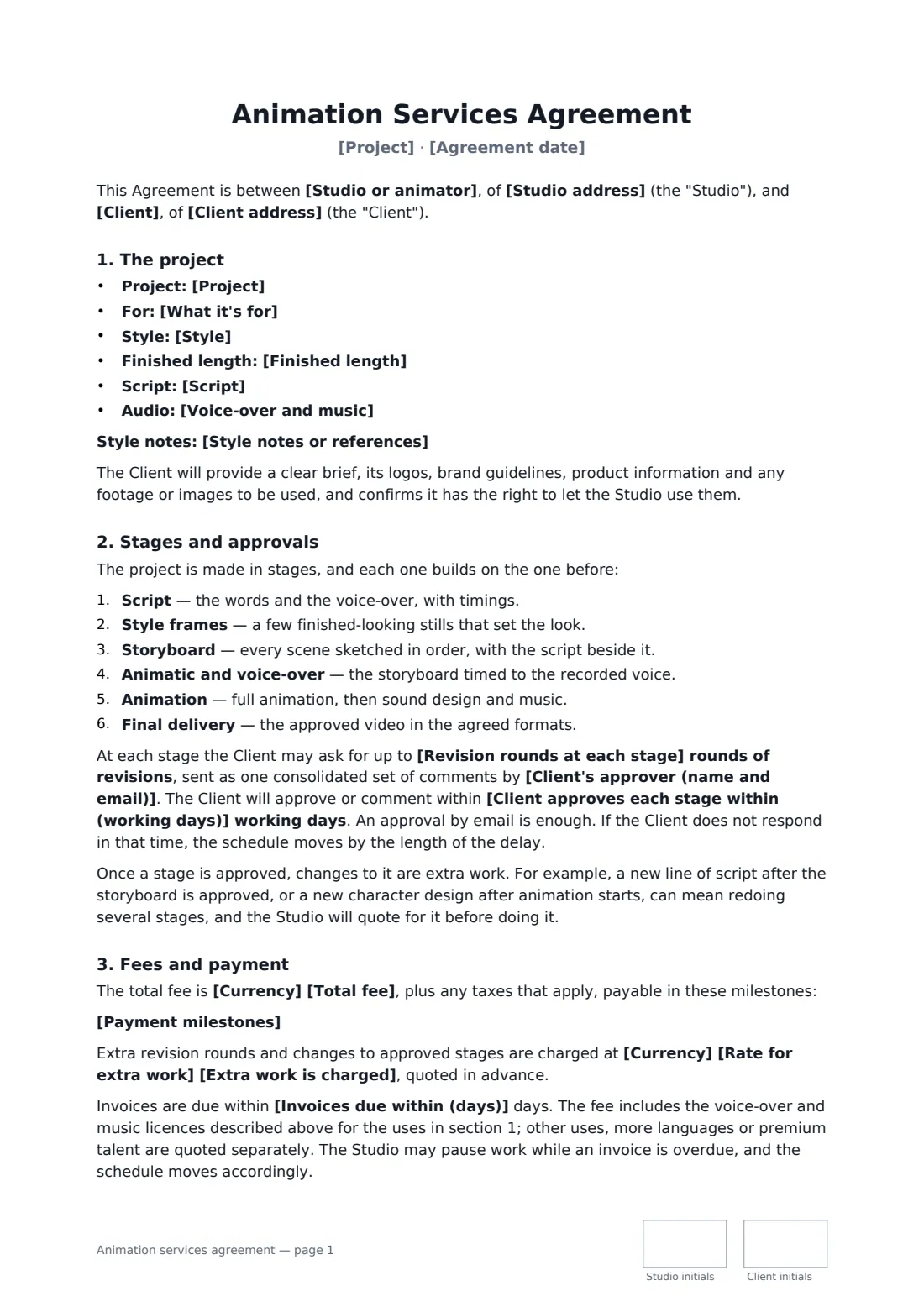
Animation is built in layers. A new line of script after the storyboard is signed off can mean redrawing scenes, re-recording the voice and re-timing the edit. An animation services agreement makes the stages and approvals explicit, limits revision rounds at each one, and spells out that changes to an approved stage are extra work — which is what keeps an explainer video on budget.
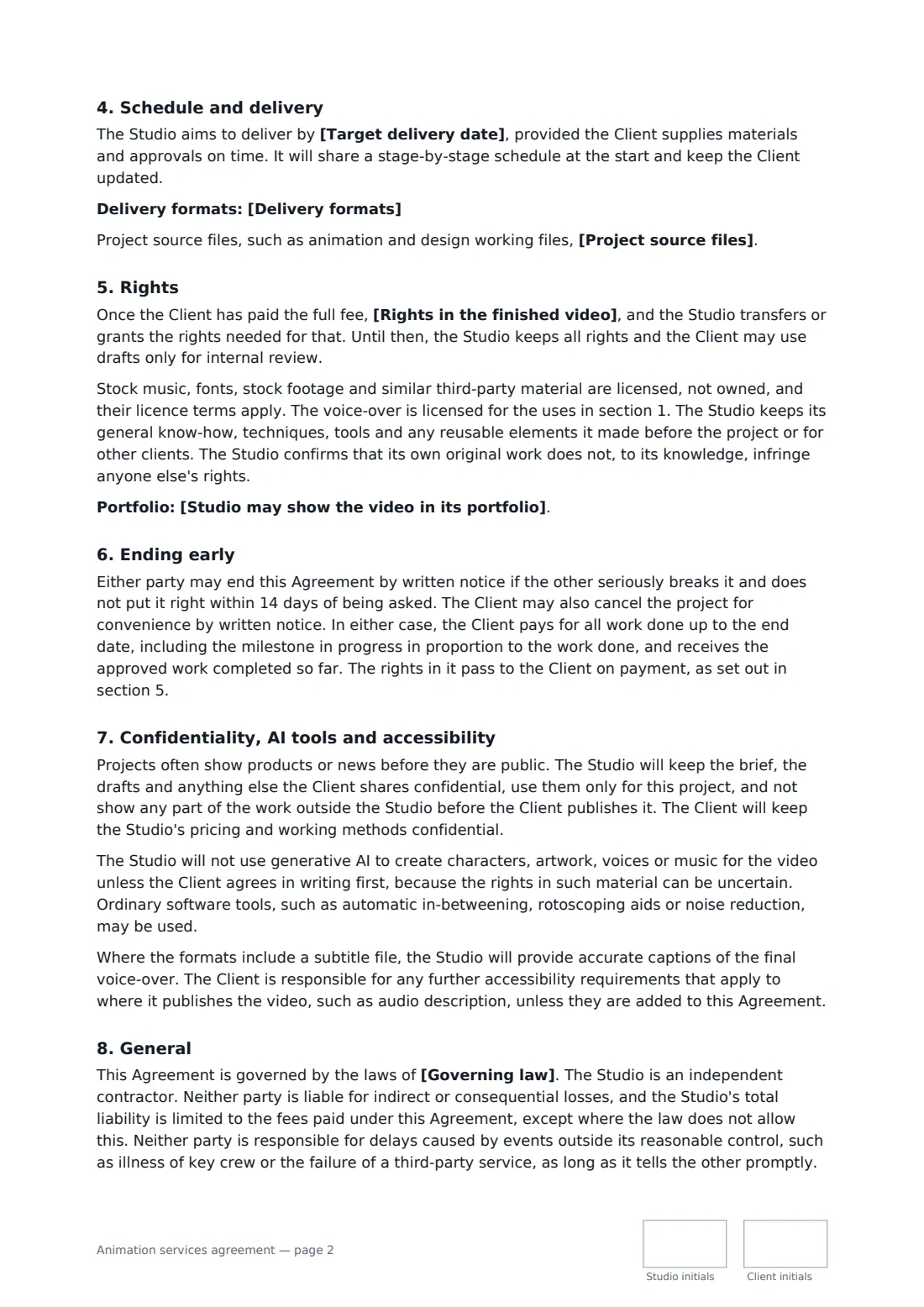
This template covers the project, its purpose and style (2D, character, 3D, whiteboard, stop motion or mixed), finished length, who writes the script, voice-over and music, a six-stage process with a single client approver, revision rounds and an approval window, the total fee in milestones, an optional rate for extra work, what the music and voice licences cover, a target delivery date and formats, source files, ownership or a licence on full payment, stock and third-party material, the studio's reusable know-how, portfolio use, cancellation and a liability cap.
- Best for
- Animation studios, motion designers and freelance animators
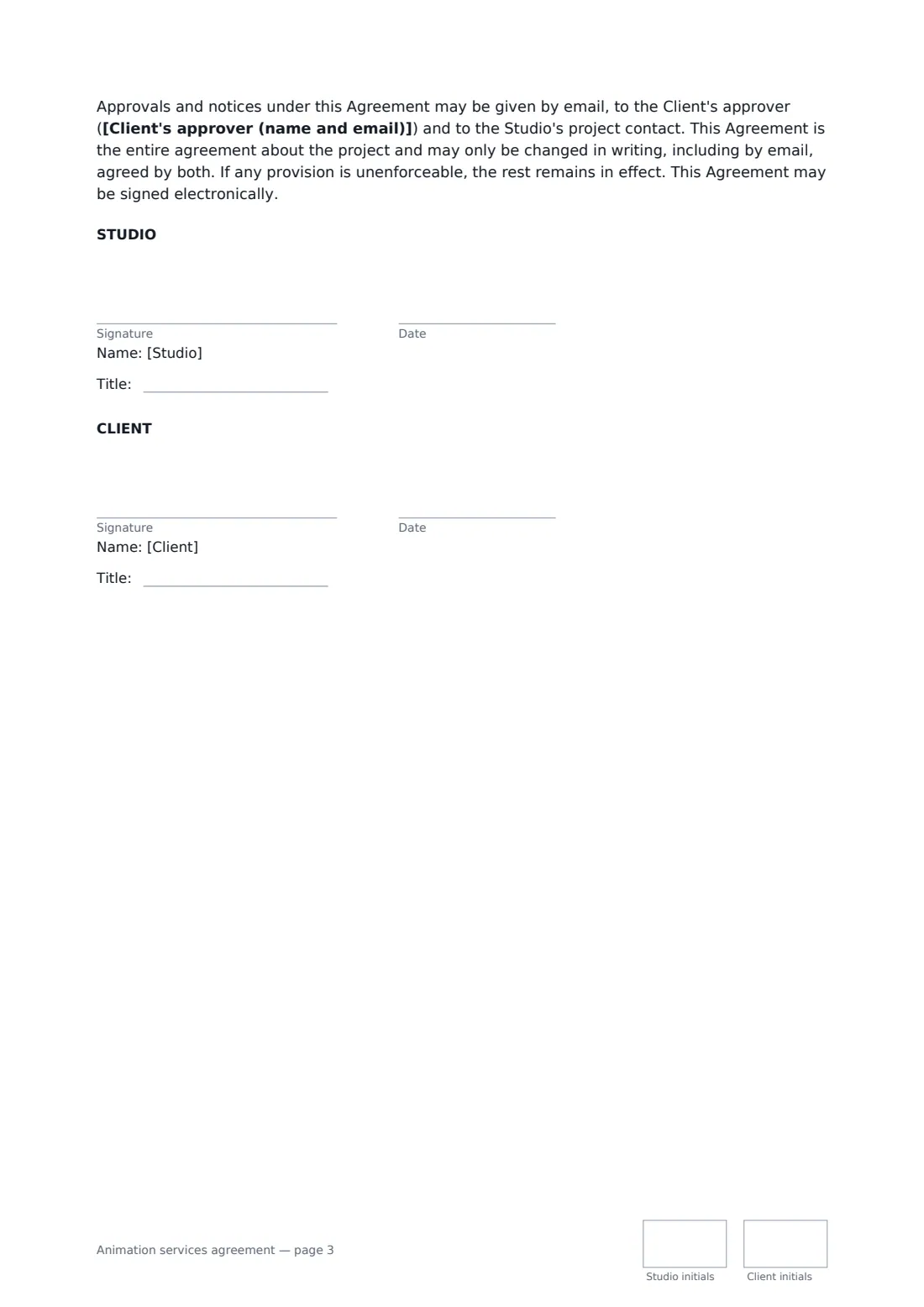
- Signed by
- The studio and the client, both with job titles
- Payment
- Milestones you set — by default 40 / 30 / 30
- Length
- About 3 pages, initialled on every page
When to use a animation services agreement
- A 90-second explainer video for a software launch
- Animated social ads in square and vertical cuts
- A character-led series opener for a YouTube channel
- Whiteboard animation for staff training
- Motion graphics for trade show screens
What you fill in
27 blanks, then the name and email of each person who signs: studio, client.
1 The parties
- Studio or animator*
- Studio address
- Client*
- Client address
- Client's approver (name and email)*
- Agreement date*
2 The project
- Project*
- What it's for*
- Style* 2D motion graphics · 2D character animation · 3D animation · whiteboard animation · stop motion · a mix of live action and animation
- Style notes or references
- Finished length*
- Script* written by the Studio from the Client's brief · supplied by the Client
- Voice-over and music*
3 Approvals
- Revision rounds at each stage*
- Client approves each stage within (working days)*
4 Fees
- Currency*
- Total fee*
- Payment milestones*
- Rate for extra work
- Extra work is charged per hour · per day
- Invoices due within (days)*
5 Delivery
- Target delivery date*
- Delivery formats*
6 Rights
- Project source files* are kept by the Studio and not delivered · are delivered with the final files · can be bought for an extra fee agreed in writing
- Rights in the finished video* the Client owns the finished video · the Studio keeps ownership and gives the Client a permanent, worldwide licence to use the finished video for any purpose
- Studio may show the video in its portfolio* Yes, after the Client has published it · Only with the Client's written permission
- Governing law*
7 Who signs
- Studio signature and date, job title, initials on every page · The animation studio or freelance animator.
- Client signature and date, job title, initials on every page
What the animation services agreement covers
- The project
- Stages and approvals
- Fees and payment
- Schedule and delivery
- Rights
- Ending early
- Confidentiality, AI tools and accessibility
- General
Using the animation services agreement, step by step
1 Describe the project
Name the project and what it's for, choose the style and add any references, set the finished length and say who writes the script. Edit the voice-over and music line.
2 Set approvals
Name the one person at the client who approves each stage, the revision rounds included per stage and how many working days they have to respond.
3 Fees and delivery
Enter the total fee and edit the milestones, add a rate for extra work, set the target delivery date and list the formats and aspect ratios you'll hand over.
4 Rights and send
Choose whether source files are kept, delivered or sold separately, whether the client owns the video or gets a licence, and how you may show it in your reel. Add the client and send.
Tips before you send it
- Insist on one approver. Comments from five people in five emails are the fastest way to blow a schedule.
- Show style frames before the storyboard — it's much cheaper to change the look on three stills than on ninety seconds of animation.
- Check stock music licences cover paid advertising if the video will run as an ad.
- Decide early whether the client gets source files. It changes the price of the job.
Sign it online in minutes
- Fill in the blanks. Names, dates and amounts go straight into the agreement — the preview shows exactly where.
- Name who signs. Tick “This is me” for your own part. FileIt builds the PDF with every signature, date and initials box on the right line, and you can check or move anything before sending.
- Send it. Each signer gets a secure link and signs from any device — no account needed. The signed PDF, with an audit trail and a Certificate of Completion, is filed in your vault and emailed to everyone.
Animation services agreement: frequently asked questions
How many revisions does the client get?
The number of rounds you set, at every stage. Comments come as one consolidated set from the named approver. Further rounds, and any change to a stage already approved, are quoted and charged as extra work.
Who owns the finished animation?
You choose: the client owns the finished video, or the studio keeps ownership and grants a permanent, worldwide licence. Either way the rights pass only once the full fee is paid, and stock music and fonts stay under their own licences.
Does the client get the project files?
Only if you choose that. The default keeps source files with the studio; you can deliver them with the final files or offer them for an extra fee.
Is an animation contract signed online valid?
In most countries, including the US (ESIGN Act and UETA), the UK, the EU (eIDAS) and Canada, an electronic signature is generally valid for an ordinary commercial contract like this one. FileIt keeps an audit trail and a Certificate of Completion with the signed PDF as evidence of who signed and when.
Can I change the wording?
You fill in the blanks and choose the options on the setup page; optional clauses appear only when you fill them in. If you need different clauses, draft your own document and upload it to FileIt eSignature instead — you can still place the signature boxes in the editor.
Is this template free?
Yes. The template is free to use with the eSignature app in FileIt. Your client doesn't need a FileIt account to sign.