What is CF-1E domestic employer registration (COIDA)?
The CF-1E is the Compensation Fund's Application for the Private Domestic Worker Employer Registration under the Compensation for Occupational Injuries and Diseases Act 130 of 1993 (COIDA). It is the registration form for private households: the person who employs a domestic worker, gardener, nanny or carer at home.
Domestic workers in private households have been covered by COIDA since a 2020 Constitutional Court judgment, so a household that employs one registers with the Compensation Fund much as a business does. The CF-1E asks for your details, your spouse's or partner's, the worker's, the worker's earnings and the value of food, lodging and other benefits, the duties the worker does, and banking details that are used only for refunds.
FileIt takes you through the five pages question by question and prints your answers on the official PDF, one letter per box where the form has boxes. It checks South African ID numbers, adds up the total earnings and right-aligns the amounts. The finished form is saved in your FileIt vault and can be sent for e-signature. You then hand it in yourself, because FileIt never submits it to the Compensation Fund.
- Who fills it
- A private household that employs a domestic worker
- Given to
- The Compensation Fund, Department of Employment and Labour
- Law
- Compensation for Occupational Injuries and Diseases Act 130 of 1993 (COIDA)
- Pages
- 5: employer, spouse or partner, employee, earnings and duties, banking and declaration
- Goes with
- Copies of your ID, proof of address, the worker's ID or permit, and the employment contract if there is one
- Signature
- The employer signs the declaration and gives name, date and capacity
- Edition
- CF-1E as published by the Department (no edition date printed)
Who needs to fill out CF-1E domestic employer registration (COIDA)?
- A household that employs a domestic worker, housekeeper, nanny, gardener or carer for an elderly relative.
- A family registering a live-in (stay-in) worker or one who lives elsewhere.
- A household that is already registered with the UIF for its domestic worker and now registers for COIDA too.
- Employers who are foreign nationals: the form takes a passport or work permit number instead of an SA ID number.
When to use CF-1E domestic employer registration (COIDA)
- When you employ a domestic worker and have not yet registered with the Compensation Fund.
- Together with, or after, registering the worker with the Unemployment Insurance Fund (UI-8 and UI-19).
- When the Compensation Fund asks you to register before it can deal with a domestic worker's injury claim.
What you need before you start
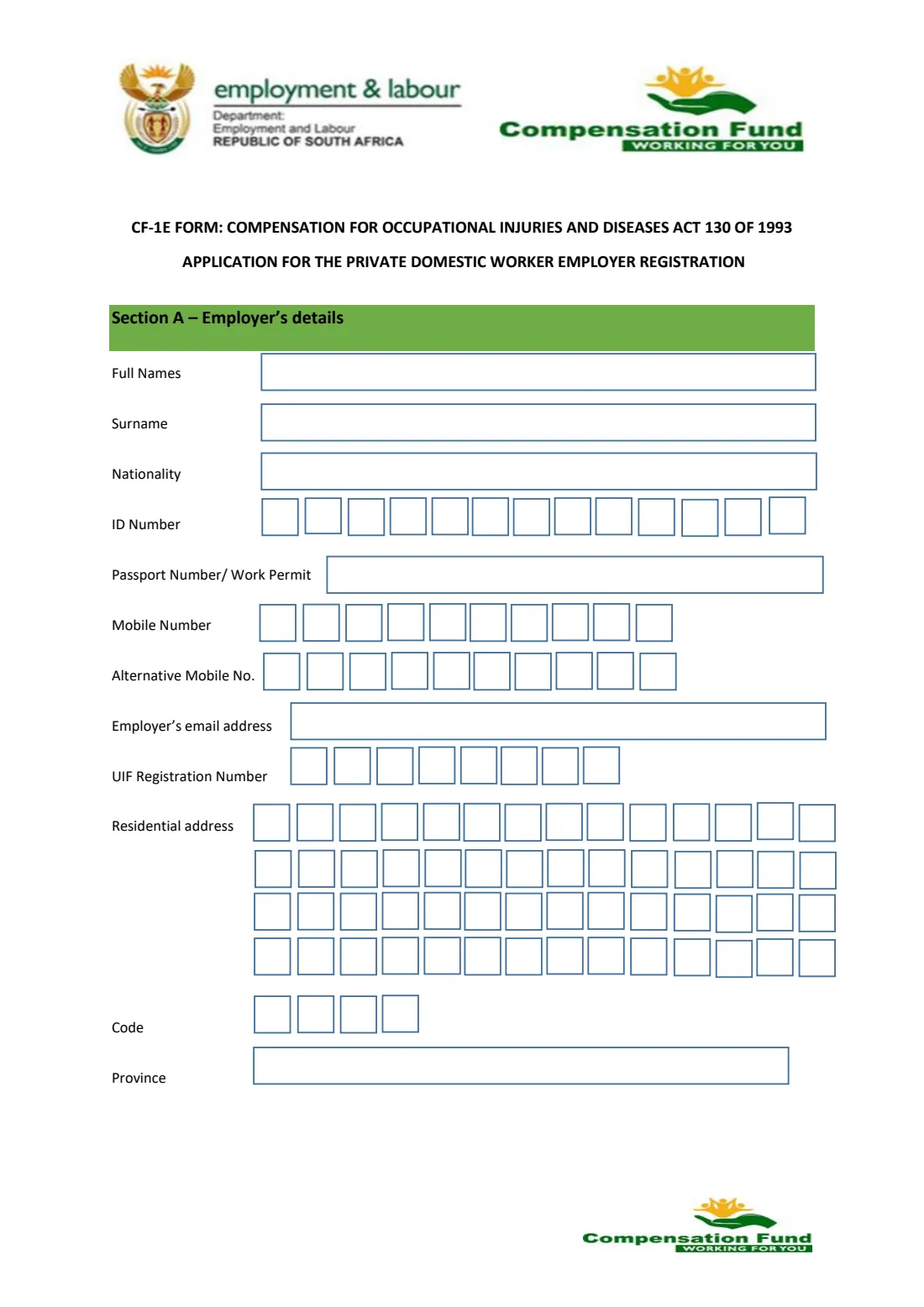
- Your full names, surname, nationality, and SA ID number or passport / work permit number.
- Your mobile number, an alternative number, email address and UIF registration number if you have one.
- Your residential address (4 lines of 14 boxes), postal code and province.
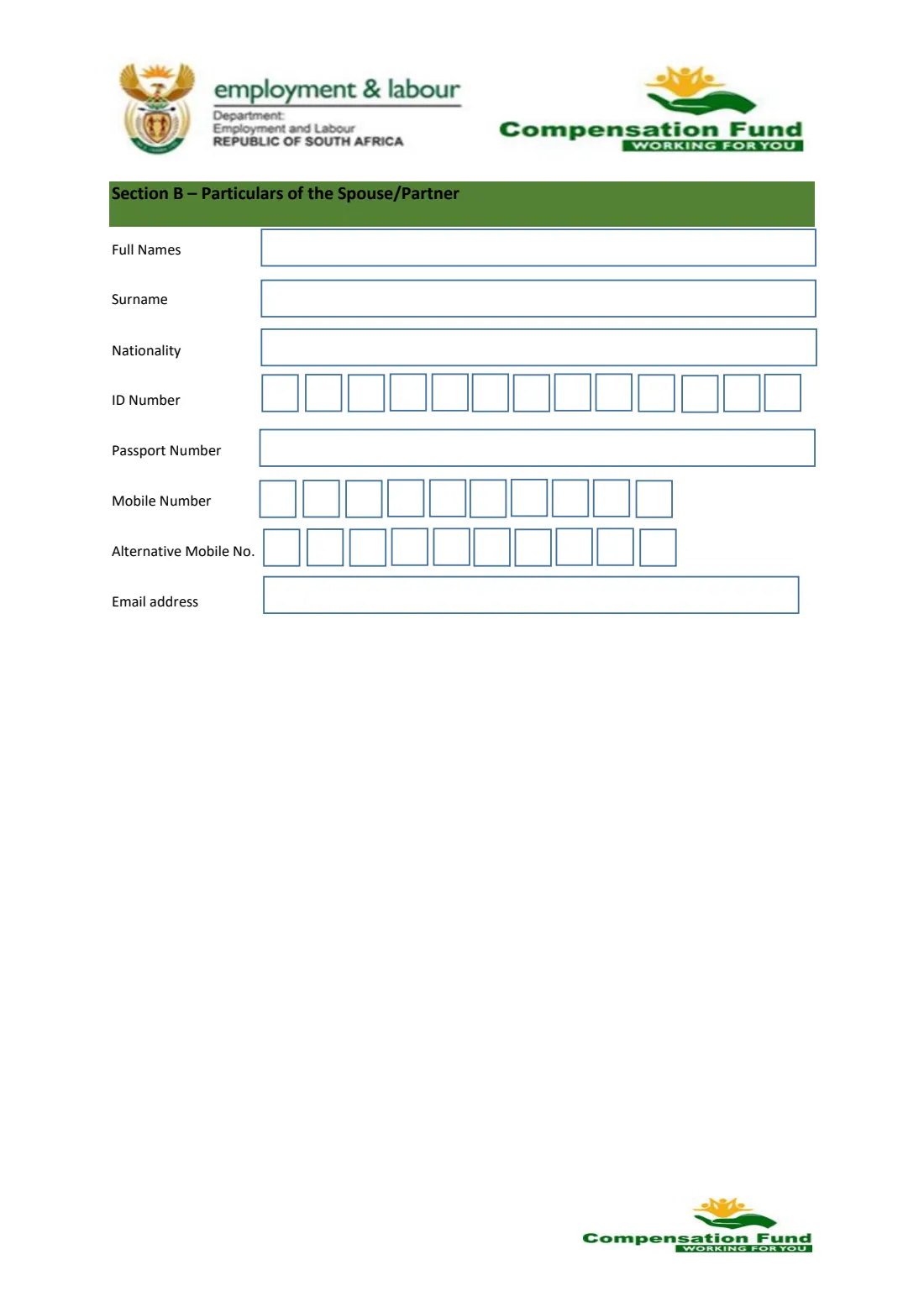
- The same details for your spouse or partner, if you have one.
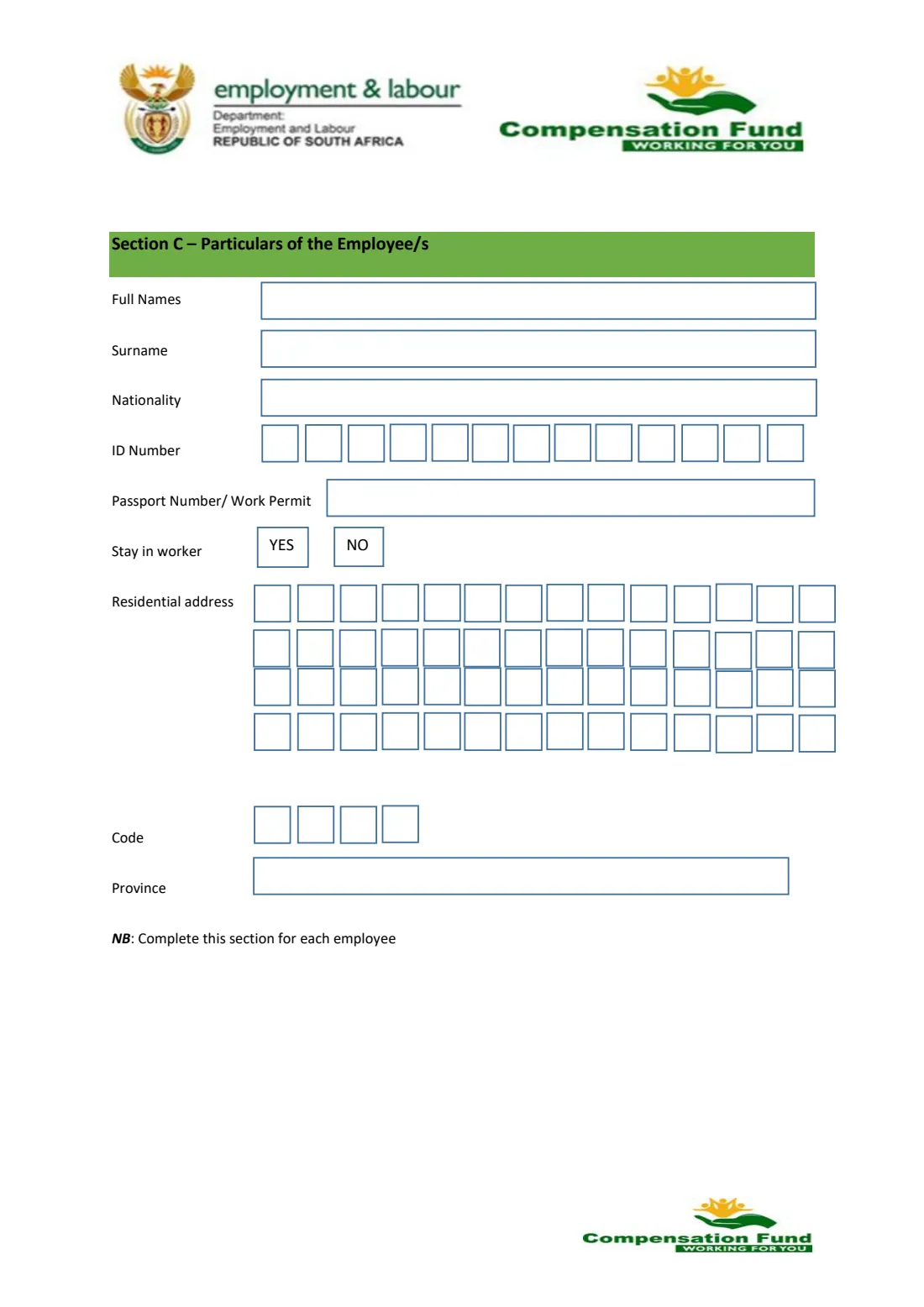
- The worker's names, nationality, ID or passport / work permit number, whether they stay in, and their address.
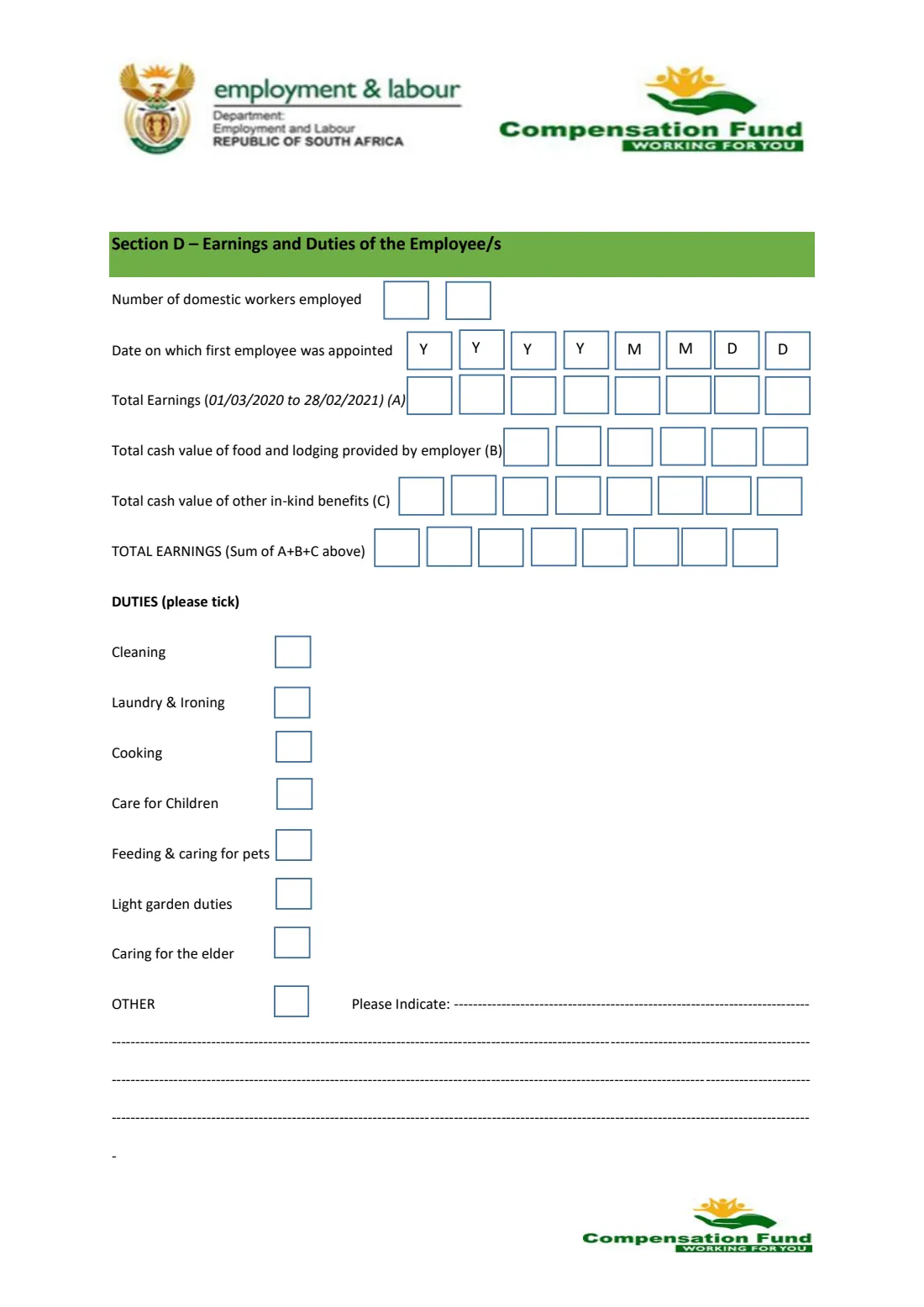
- The number of domestic workers you employ and the date the first one was appointed.
- The worker's earnings in whole rands, the cash value of food and lodging you provide, and of any other benefits in kind.
- Bank account holder, bank name, branch code, account type and account number, used only for refunds.
- Copies of your ID, proof of address, the worker's ID or permit, and the employment contract if available.
What’s on CF-1E domestic employer registration (COIDA)
The 2026 edition has 5 pages. FileIt asks for it in 5 parts, and it is signed by Employer:
- Section A — Employer's detailsEmployer
- Section B — Particulars of the spouse / partnerEmployer
- Section C — Particulars of the employeeEmployer
- Section D — Earnings and duties of the employee(s)Employer
- Sections E and F — Banking details, documents and declarationEmployer
How to fill out CF-1E domestic employer registration (COIDA), step by step
1 Section A — Employer's details
Your full names, surname and nationality, then your 13-digit ID number or, if you don't have one, your passport or work permit number. Give a mobile number, an alternative one and your email address, and your UIF registration number if the UIF has already registered you. The residential address goes one letter per box on four lines of 14 boxes, followed by the four-digit postal code and the province.
2 Section B — Spouse or partner
Names, surname, nationality, ID or passport number, mobile numbers and email address of your spouse or partner. FileIt lets you switch this section off if it doesn't apply.
3 Section C — The employee
The worker's names, surname, nationality, ID number or passport / work permit number, whether they are a stay-in worker, and their residential address, postal code and province. The form says to complete this section for each employee and has room for one, so for a second worker you print page 3 again.
4 Section D — Earnings and duties
The number of domestic workers you employ and the date the first one was appointed, in the YYYY MM DD boxes. Then the total earnings for the period printed on the form (A), the cash value of food and lodging you provide (B) and of other benefits in kind (C). FileIt adds them up for the total earnings line. Tick the duties the worker does (cleaning, laundry and ironing, cooking, care for children, pets, light garden duties, caring for the elderly) and describe any others.
5 Section E — Banking details
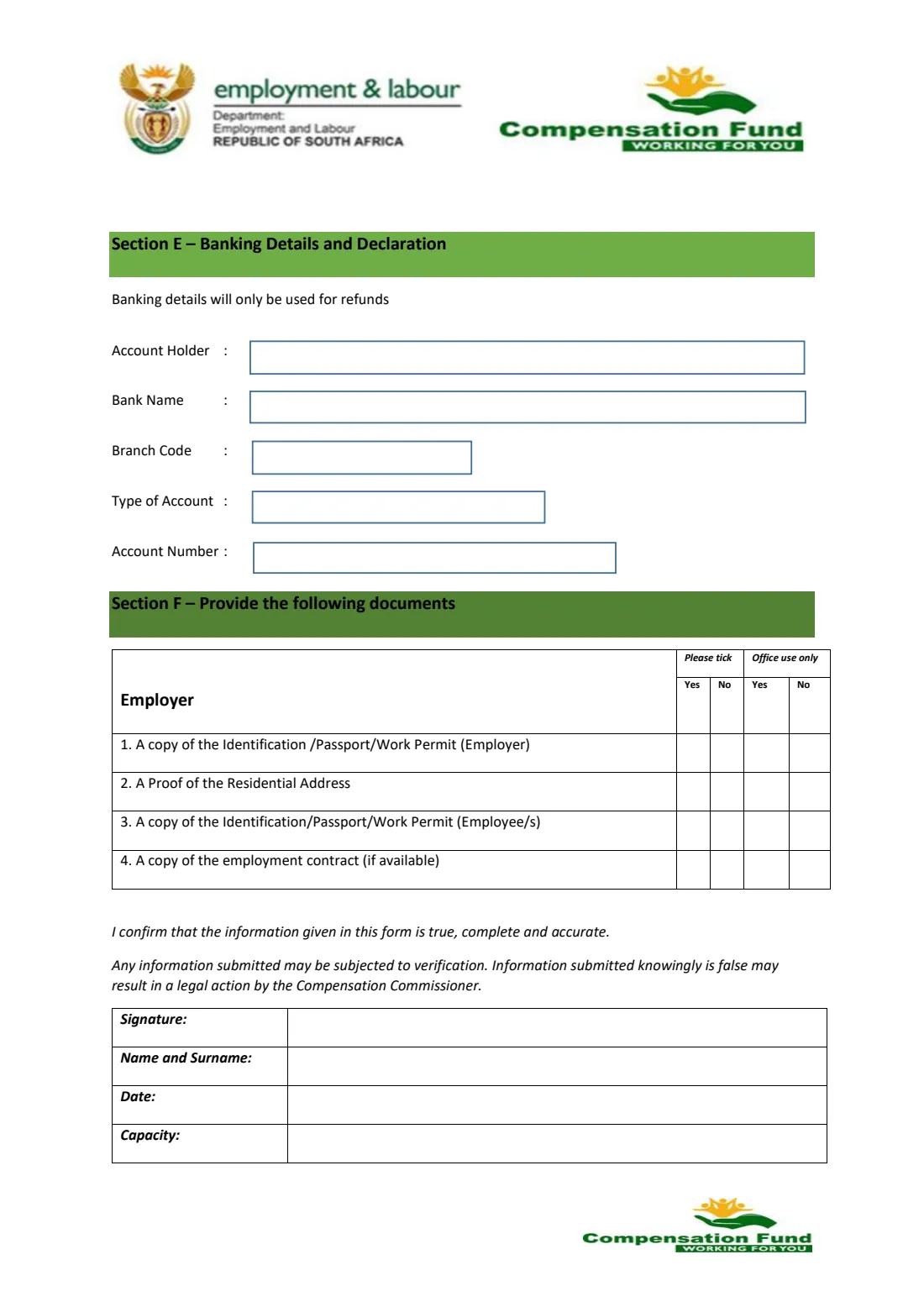
The form says banking details will only be used for refunds: account holder, bank name, branch code, type of account and account number.
6 Section F and declaration
Tick Yes or No for each document you provide: your ID, passport or work permit, proof of your residential address, the worker's ID, passport or work permit, and the employment contract if available. Then confirm the information is true, complete and accurate, and sign with your name and surname, the date and the capacity in which you sign.
Common mistakes to avoid
- Writing the address in full sentences instead of one letter per box: each line has only 14 boxes.
- Leaving out the ID number and the passport number. One of them is needed for you and for the worker.
- Forgetting the value of food and lodging for a stay-in worker.
- Entering amounts with cents. The boxes take whole rands.
- Not attaching the copies listed in Section F.
- Not signing the declaration.
After you fill it out
Print the CF-1E from your FileIt vault, or send it for e-signature first, and sign the declaration.
Attach the documents you ticked in Section F and give the form to the Compensation Fund through the channel the Department of Employment and Labour lists for registrations.
Keep a copy in your vault with the date you sent it, and note the registration number the Compensation Fund gives you.
Fill out CF-1E domestic employer registration (COIDA) online with FileIt
- Pick the person. Choose someone from People and FileIt fills in their name, date of birth, address and other details it already knows.
- Answer plain-language questions. One part of the form at a time, with the official help text beside each question — 63 fields in all. Your answers save as you go.
- Check the live preview. Watch your answers land on the real Compensation Fund, Department of Employment and Labour form, and let FileIt do any worksheet arithmetic.
- Generate the official PDF. FileIt prints your answers into the agency’s own PDF and files it in that person’s folder in your vault. Sign it, or send it for e-signature.
FileIt fills the form — it never files or submits anything for you. Deliver the finished form to whoever asked for it, the way the form’s instructions say.
Start CF-1E domestic employer registration (COIDA) now — it’s freeCF-1E domestic employer registration (COIDA): frequently asked questions
Do I need to register my domestic worker with the Compensation Fund?
Domestic workers in private households are covered by COIDA, and the CF-1E is the Compensation Fund's registration form for their employers. If you're not sure whether you are already registered, ask the Compensation Fund.
Is the CF-1E the same as UIF registration?
No. UIF registration (the UI-8, with a UI-19 for the employees) covers unemployment insurance. The CF-1E registers you with the Compensation Fund for injuries and diseases at work. The CF-1E asks for your UIF registration number if you have one.
I employ two domestic workers. How do I list both?
Section C has room for one employee and the form says to complete it for each employee. FileIt fills it for the first worker; print page 3 again for the second. Section D asks for the number of workers and their total earnings.
Which period do the earnings cover?
The current form prints the period 01/03/2020 to 28/02/2021 next to total earnings (A). FileIt prints the form as published. If you're unsure what to enter, ask the Compensation Fund.
Why does the form ask for my bank details?
The form states that banking details will only be used for refunds.
Can I fill in the CF-1E online with FileIt?
Yes. FileIt guides you through each section and prints your answers on the official PDF, saved in your vault. You can send it for e-signature and then hand it in yourself.
Official sources
- Blank form (PDF), published by Compensation Fund, Department of Employment and Labour: https://www.labour.gov.za/DocumentCenter/Forms/Compensation%20for%20Occupational%20Injuries%20and%20Deseases/CF%201E%20Application%20form%20for%20Domestic%20Workers%20.pdf
- Official instructions and guidance: https://www.labour.gov.za/DocumentCenter/Pages/Forms.aspx
- Edition shown on this page: CF-1E (no edition date printed; Department's file of October 2026) (checked 2026-10-25).
FileIt is not affiliated with or endorsed by Compensation Fund, Department of Employment and Labour or any government. This page explains the form in general terms and is not legal, tax or immigration advice. Always read the official instructions, and check that you are using the edition the recipient accepts. Page last reviewed 2026-10-25.