What is VA Form 20-0996?
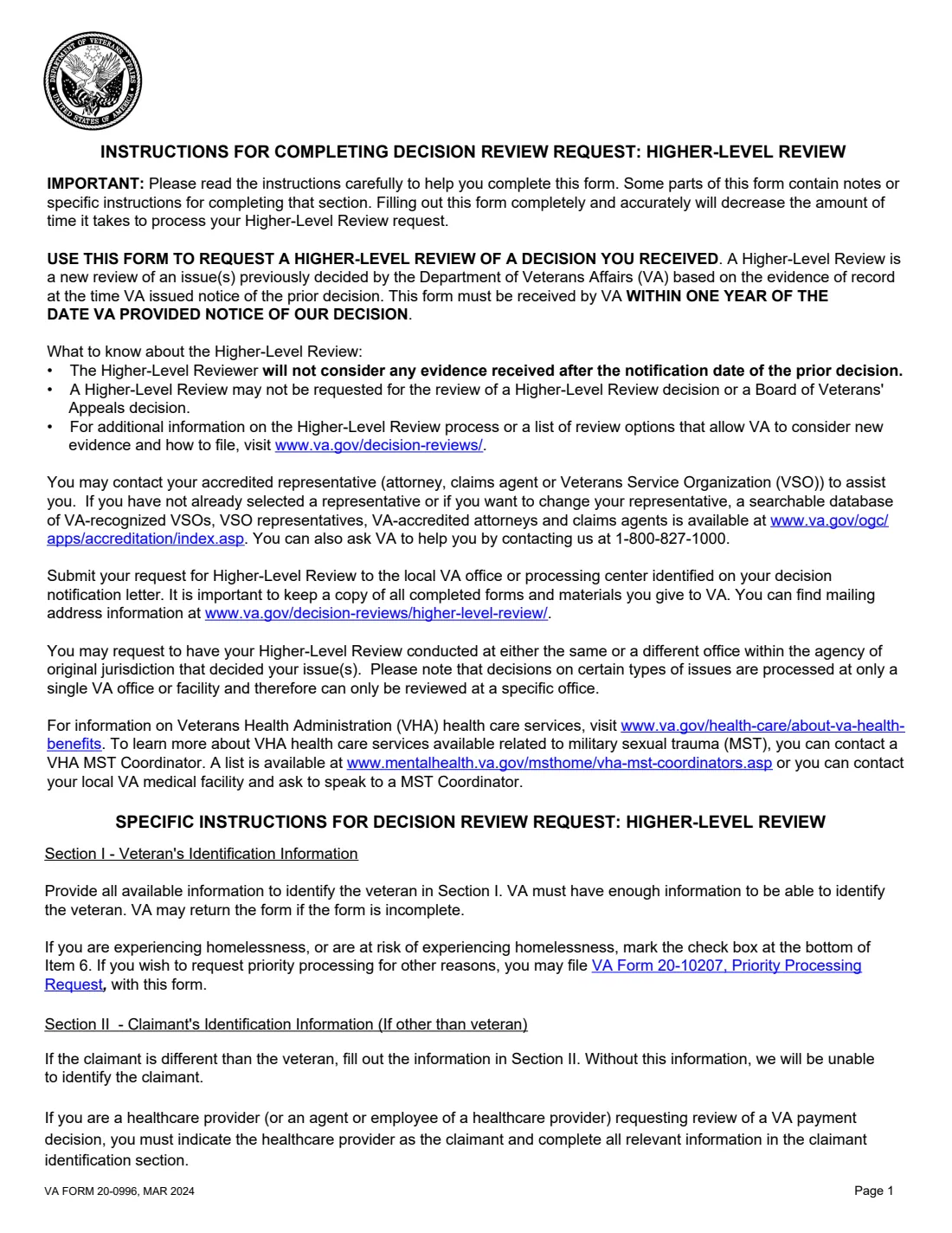
VA Form 20-0996 requests a Higher-Level Review: a new review of one or more issues VA has already decided, by a senior reviewer, based on the evidence of record when VA issued its decision. The instructions say VA must receive the form within one year of the date on the decision notice, and that a Higher-Level Review can't be requested for a Higher-Level Review decision or a Board decision.
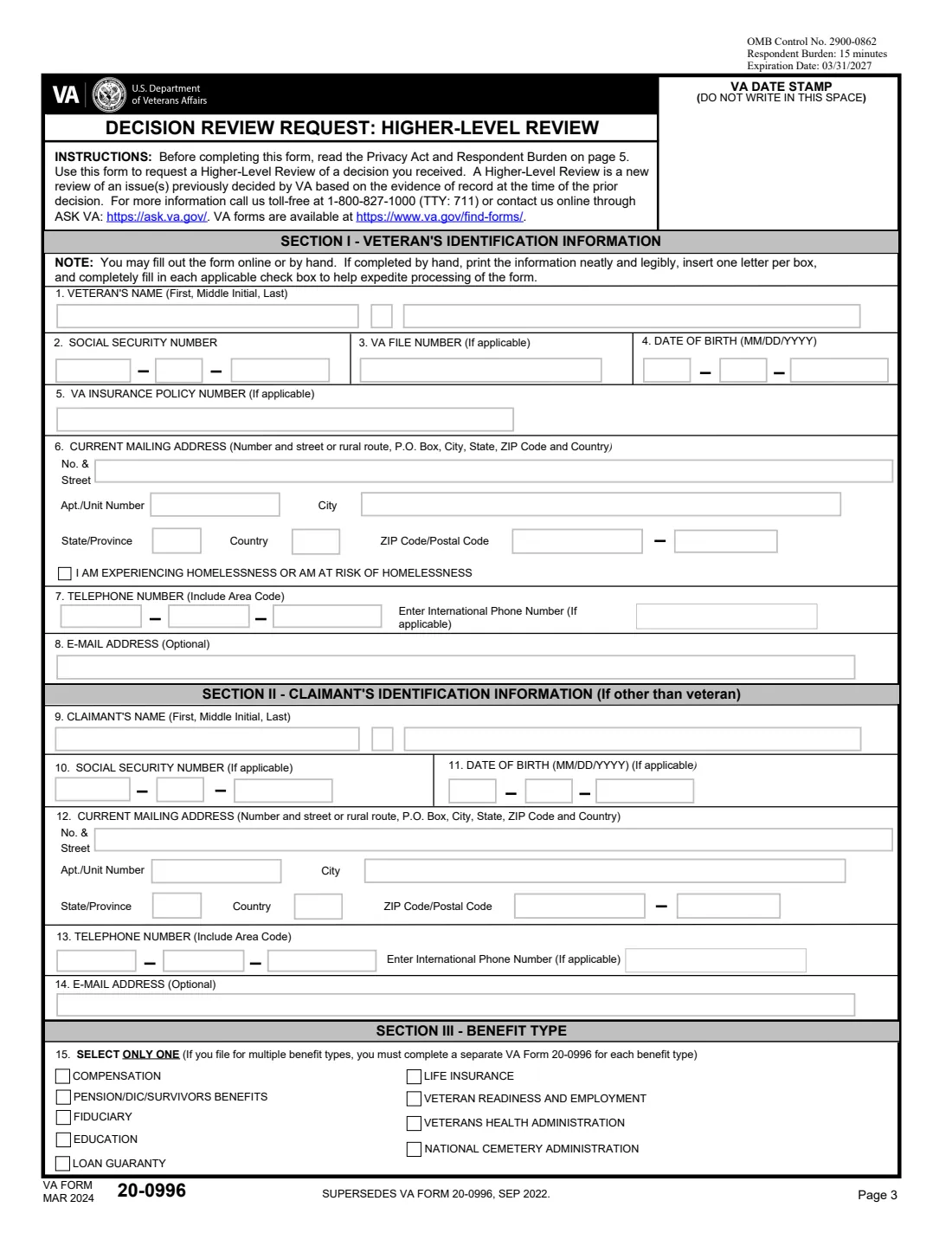
The form covers the veteran's identification, the claimant's details if someone other than the veteran is asking, the benefit type (one per form), an optional informal conference with the reviewer, the issues and decision dates, and the signature of the veteran, claimant or authorized representative.
FileIt fills the form section by section, pre-fills the veteran's name, date of birth and email from your vault, and prints names and addresses one letter per box on VA's own PDF (MAR 2024 edition). It saves the result to the person's vault folder, and you can sign it by hand or send it for eSignature in FileIt. You send it to VA yourself; FileIt never submits it.
- Who fills it
- The veteran, a claimant such as a survivor or healthcare provider, or a VA-accredited representative.
- Deadline
- VA must receive it within one year of the date VA gave notice of the decision (from the instructions).
- Evidence
- The reviewer won't consider evidence received after the date of the decision being reviewed.
- Send to
- The VA office or processing center named on your decision notice; addresses are at va.gov/decision-reviews/higher-level-review.
- Pages
- 5: two pages of instructions, then three pages of form.
- Edition
- VA Form 20-0996, MAR 2024 (OMB No. 2900-0862, expires 03/31/2027)
Who needs to fill out VA Form 20-0996?
- Veterans who think VA made an error of fact or law in a decision and have no new evidence to add.
- Survivors and other claimants disagreeing with a decision on benefits based on a veteran's service.
- Healthcare providers asking for review of a VA payment decision, who are listed as the claimant.
- Claimants opting into the modernized review system from a Statement of the Case within 60 days.
When to use VA Form 20-0996
- After a VA decision you disagree with, when the evidence VA had should have led to a different result.
- Within one year of the decision notice date.
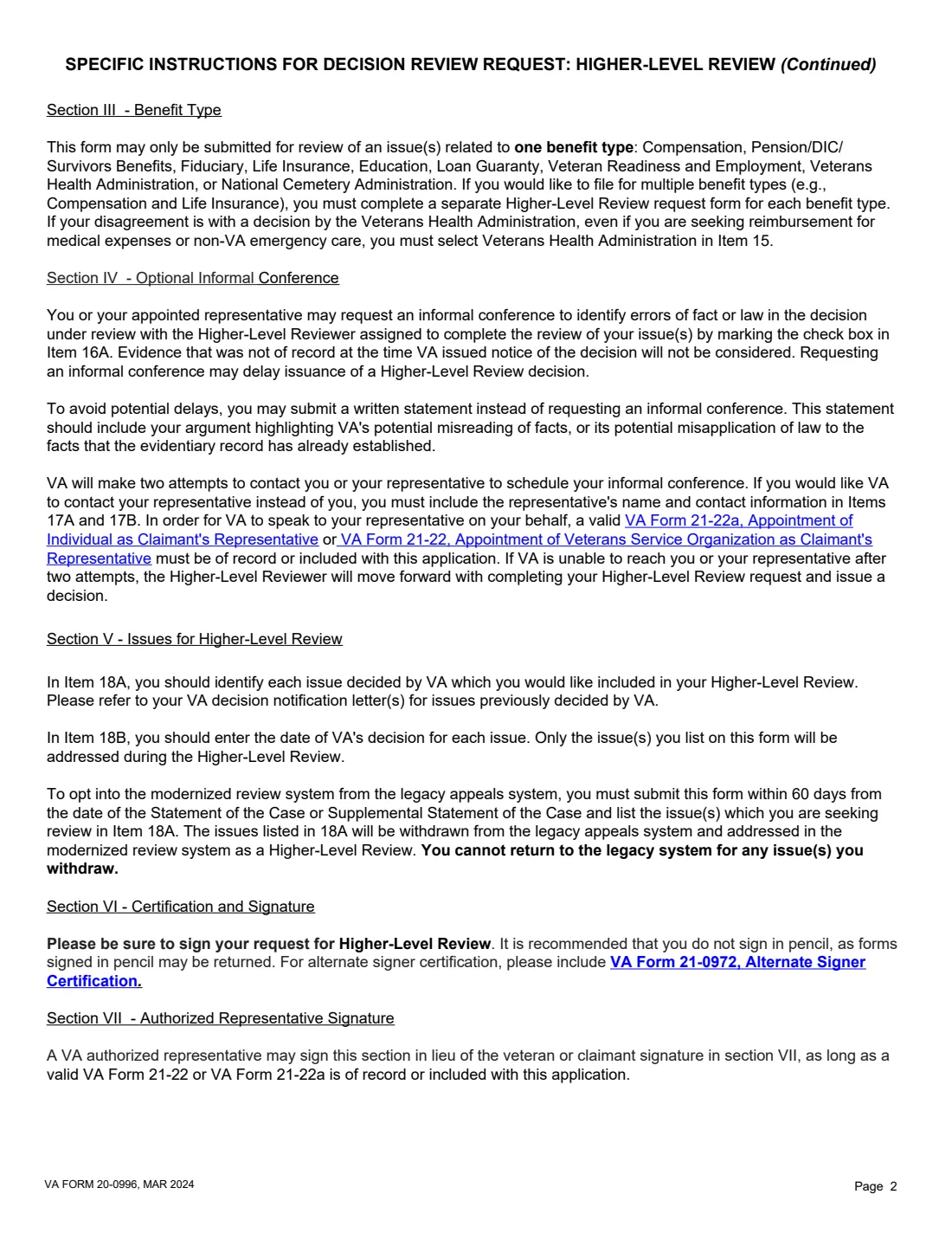
- Once per benefit type: the form says to file a separate 20-0996 for each benefit type, such as compensation and life insurance.
What you need before you start
- Your decision notification letter, with each issue's wording and the letter's date.
- The veteran's Social Security number, date of birth and, if you have them, VA file number and VA insurance policy number.
- A current mailing address, phone number and optional email address, for the veteran and for any other claimant.
- Your representative's name, phone number and email, if you want VA to contact them about an informal conference.
- A valid VA Form 21-22 or 21-22a on record, if a representative will sign or speak for you.
What’s on VA Form 20-0996
The 2024 edition has 5 pages. FileIt asks for it in 7 parts, and it is signed by Veteran or claimant:
- Section I: Veteran's identification informationVeteran or claimant
- Section II: Claimant's identification information (if other than the veteran)Veteran or claimant
- Section III: Benefit typeVeteran or claimant
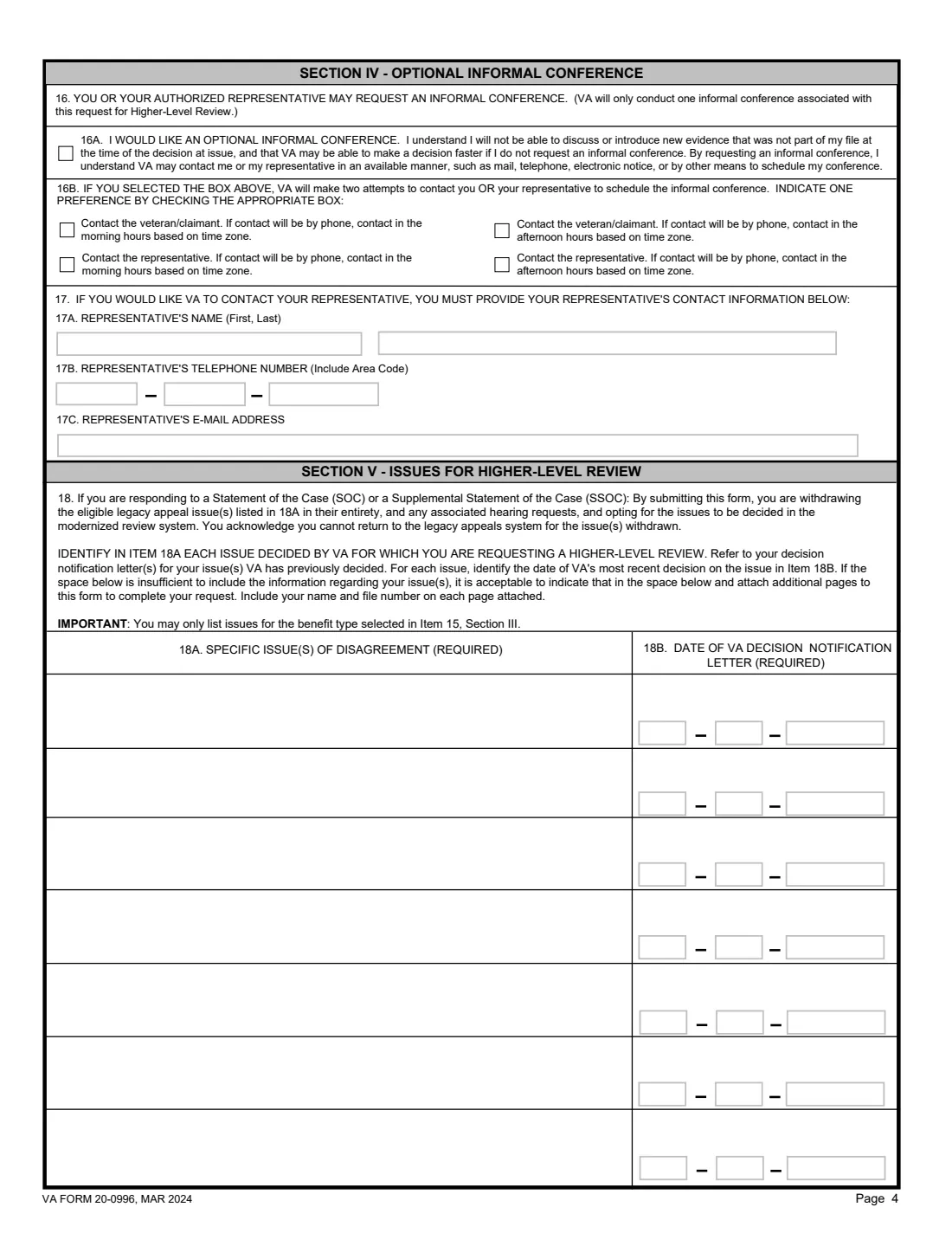
- Section IV: Optional informal conferenceVeteran or claimant
- Section V: Issues for Higher-Level ReviewVeteran or claimant
- Section VI: Certification and signatureVeteran or claimant
- Section VII: Authorized representative signatureVeteran or claimant
How to fill out VA Form 20-0996, step by step
1 Section I: Veteran
Name, Social Security number, VA file number, date of birth, VA insurance policy number, mailing address, phone, email, and a box if you are experiencing or at risk of homelessness. Names and addresses go one letter per box in capitals.
2 Section II: Claimant
Only if the person asking for the review isn't the veteran: their name, SSN, date of birth, address, phone and email. In FileIt this is a part you switch on.
3 Section III: Benefit type
One of compensation, pension/DIC/survivors benefits, fiduciary, education, loan guaranty, life insurance, Veteran Readiness and Employment, Veterans Health Administration, or National Cemetery Administration.
4 Section IV: Informal conference
Optional. Tick 16A to ask for a call with the reviewer to point out errors, then say whether VA should contact you or your representative, mornings or afternoons. VA makes two attempts to reach you. To have VA contact your representative, give their details in item 17.
5 Section V: Issues
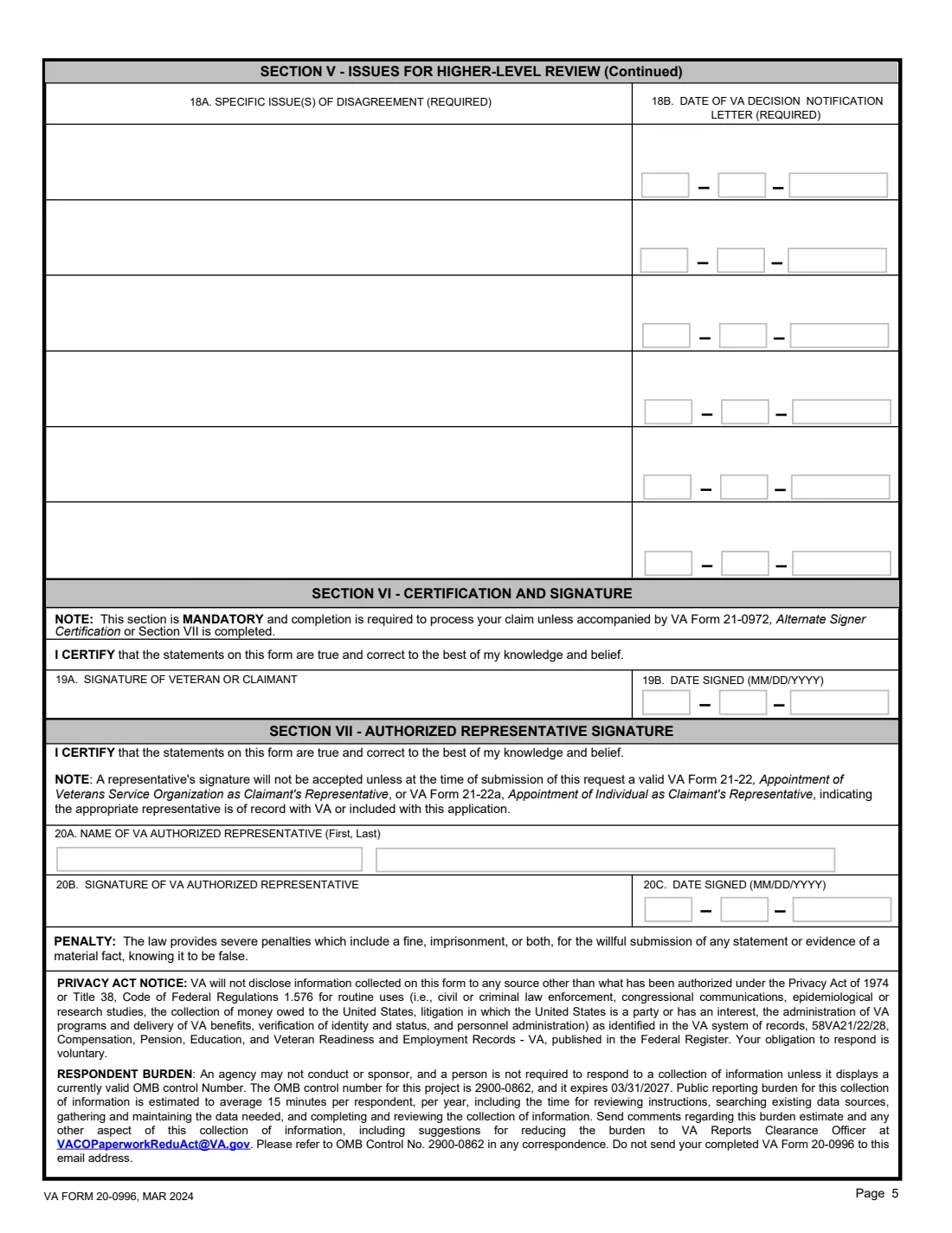
Up to 13 rows across two pages: each issue as described in your decision letter and the date of that letter. Only issues for the benefit type in item 15.
6 Sections VI and VII: Signatures
The veteran or claimant signs item 19A. An authorized representative may sign Section VII instead, if a 21-22 or 21-22a is on record. VA advises not signing in pencil.
Common mistakes to avoid
- Listing issues from two benefit types on one form.
- Sending new evidence. A Higher-Level Review looks only at the evidence of record at the time of the decision; a Supplemental Claim is the route for new evidence.
- Asking VA to contact your representative without giving their name and phone number in item 17.
- Leaving out the date of the decision letter for an issue.
- Requesting a Higher-Level Review of a Higher-Level Review decision or a Board decision, which the instructions rule out.
After you fill it out
Sign the form by hand or through FileIt eSignature, and send it to the VA office or processing center named on your decision letter.
If you asked for an informal conference, watch for VA's calls at the times you chose.
Keep the filed PDF and your decision letter together in your vault for when VA's new decision arrives.
Fill out VA Form 20-0996 online with FileIt
- Pick the person. Choose someone from People and FileIt fills in their name, date of birth, address and other details it already knows.
- Answer plain-language questions. One part of the form at a time, with the official help text beside each question — 68 fields in all. Your answers save as you go.
- Check the live preview. Watch your answers land on the real U.S. Department of Veterans Affairs (VBA) form, and let FileIt do any worksheet arithmetic.
- Generate the official PDF. FileIt prints your answers into the agency’s own PDF and files it in that person’s folder in your vault. Sign it, or send it for e-signature.
FileIt fills the form — it never files or submits anything for you. Deliver the finished form to whoever asked for it, the way the form’s instructions say.
Start VA Form 20-0996 now — it’s freeVA Form 20-0996: frequently asked questions
What is an informal conference?
A conversation with the Higher-Level Reviewer where you or your representative point out errors of fact or law in the decision. The form says you can't introduce new evidence there, and the instructions note it may delay the decision. You can send a written statement instead.
Can I add new evidence with a Higher-Level Review?
No. The instructions say the reviewer won't consider evidence received after the date VA notified you of the decision. For new and relevant evidence, VA points to a Supplemental Claim on VA Form 20-0995.
How many issues can I list?
The form has room for 13. The instructions say you may attach more pages if needed, with your name and file number on each.
Can a different VA office do the review?
The instructions say you may ask for the same or a different office, though some issue types are handled at only one office.
Who can sign the form?
The veteran or claimant in Section VI, an alternate signer with VA Form 21-0972, or a VA-authorized representative in Section VII if a 21-22 or 21-22a is on record or attached.
Official sources
- Blank form (PDF), published by U.S. Department of Veterans Affairs (VBA): https://www.vba.va.gov/pubs/forms/VBA-20-0996-ARE.pdf
- Official instructions and guidance: https://www.va.gov/find-forms/about-form-20-0996/
- Edition shown on this page: VA Form 20-0996, MAR 2024 (OMB No. 2900-0862, expires 03/31/2027) (checked 2026-10-19).
FileIt is not affiliated with or endorsed by U.S. Department of Veterans Affairs (VBA) or any government. This page explains the form in general terms and is not legal, tax or immigration advice. Always read the official instructions, and check that you are using the edition the recipient accepts. Page last reviewed 2026-10-19.