What is Form REV184b?
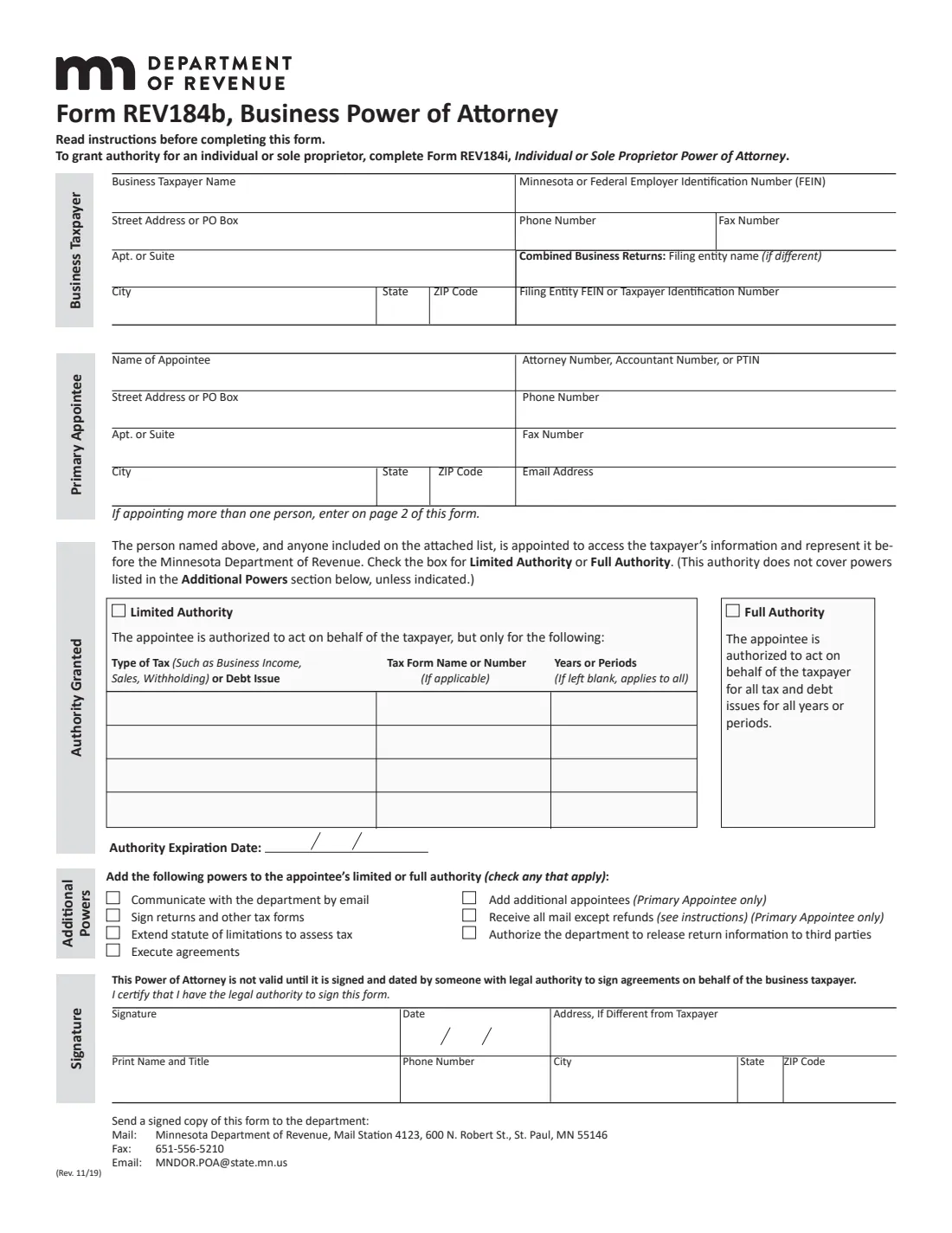
Form REV184b lets a business appoint someone to access its account information and represent it before the Minnesota Department of Revenue. You choose limited authority, for the tax types or debt issues, form names and years you list, or full authority for all the business's tax and debt issues.
The authority doesn't include the Additional Powers unless you tick them: communicating by email, signing returns, extending the statute of limitations, executing agreements, adding appointees, receiving all mail except refunds, and authorizing release of return information to third parties. You can set an expiration date; without one the power of attorney lasts until it's removed.
FileIt prints everything onto the department's own PDF (Rev. 11/19), lists up to five more appointees on page 2, checks the form's rules, saves the finished form in your vault folder and can send it for signature.
- Who uses it
- Businesses. Individuals and sole proprietors use Form REV184i.
- Who signs
- Someone with legal authority to sign agreements on behalf of the business.
- Appointees
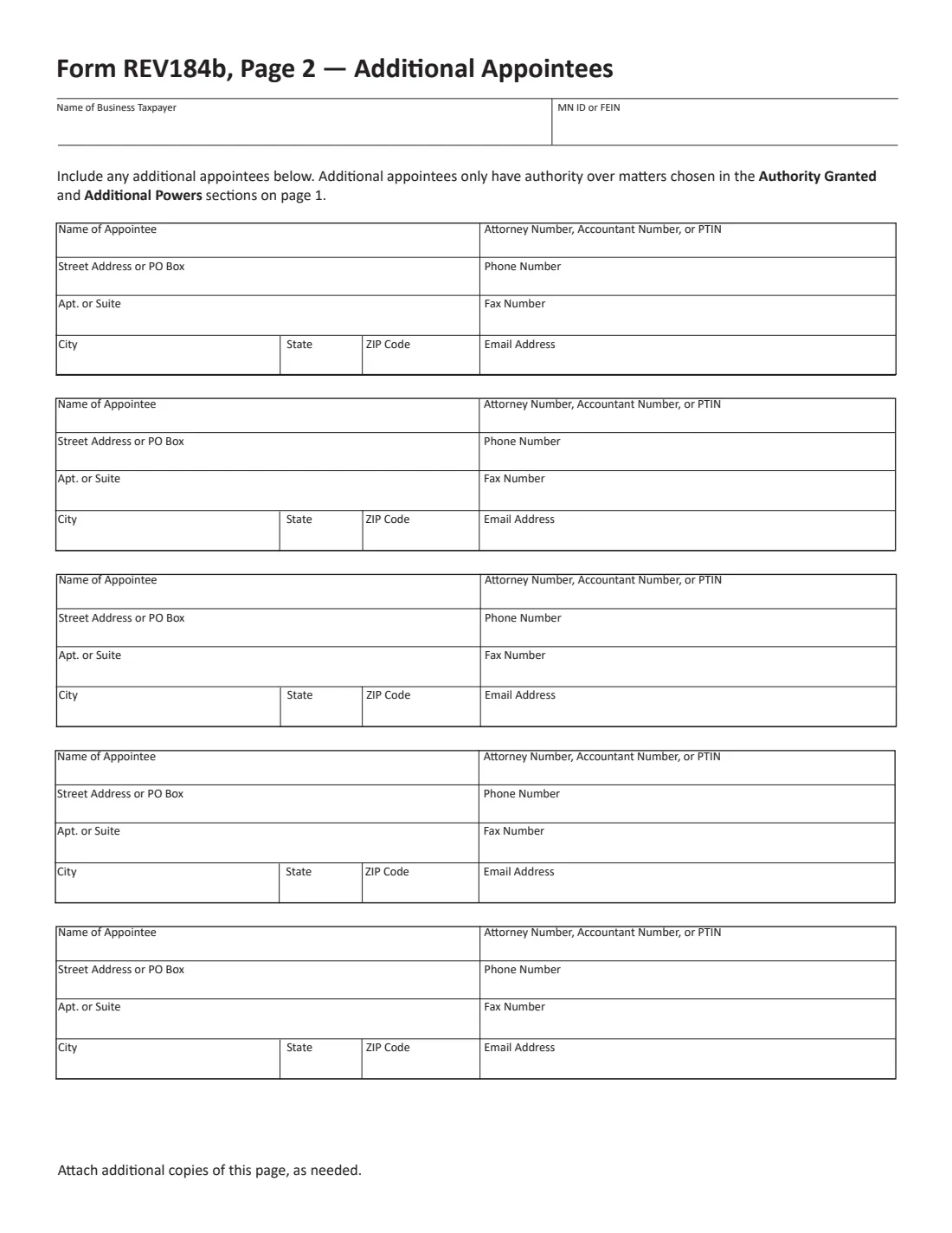
- One primary appointee on page 1 and five more on page 2; attach copies of page 2 for more.
- How to send it
- One way only: mail, fax to 651-556-5210 or email to [email protected].
- Edition
- Form REV184b (Rev. 11/19)
Who needs to fill out Form REV184b?
- Corporations, partnerships and LLCs that want a CPA, attorney or preparer to deal with the Minnesota Department of Revenue.
- Businesses in a combined return, naming the entity responsible for filing.
- Owners who want their bookkeeper or payroll provider to handle sales or withholding tax questions.
When to use Form REV184b
- Before your representative contacts the department about a business tax notice, audit or debt.
- When you change accountants or preparers.
- When you want the department's mail to go to your representative.
What you need before you start
- The business's name, address, phone, fax and FEIN or Minnesota tax ID.
- For combined business returns, the filing entity's name and ID, if different.
- Each appointee's name, address, phone, fax, email and attorney number, accountant number or PTIN.
- For limited authority, the tax types or debt issues, form names and years or periods.
What’s on Form REV184b
The 2019 edition has 4 pages. FileIt asks for it in 10 parts, and it is signed by Taxpayer:
- Business taxpayerTaxpayer
- Primary appointeeTaxpayer
- Additional appointee 1 (page 2)Taxpayer
- Additional appointee 2 (page 2)Taxpayer
- Additional appointee 3 (page 2)Taxpayer
- Additional appointee 4 (page 2)Taxpayer
- Additional appointee 5 (page 2)Taxpayer
- Authority grantedTaxpayer
- Additional powersTaxpayer
- SignatureTaxpayer
How to fill out Form REV184b, step by step
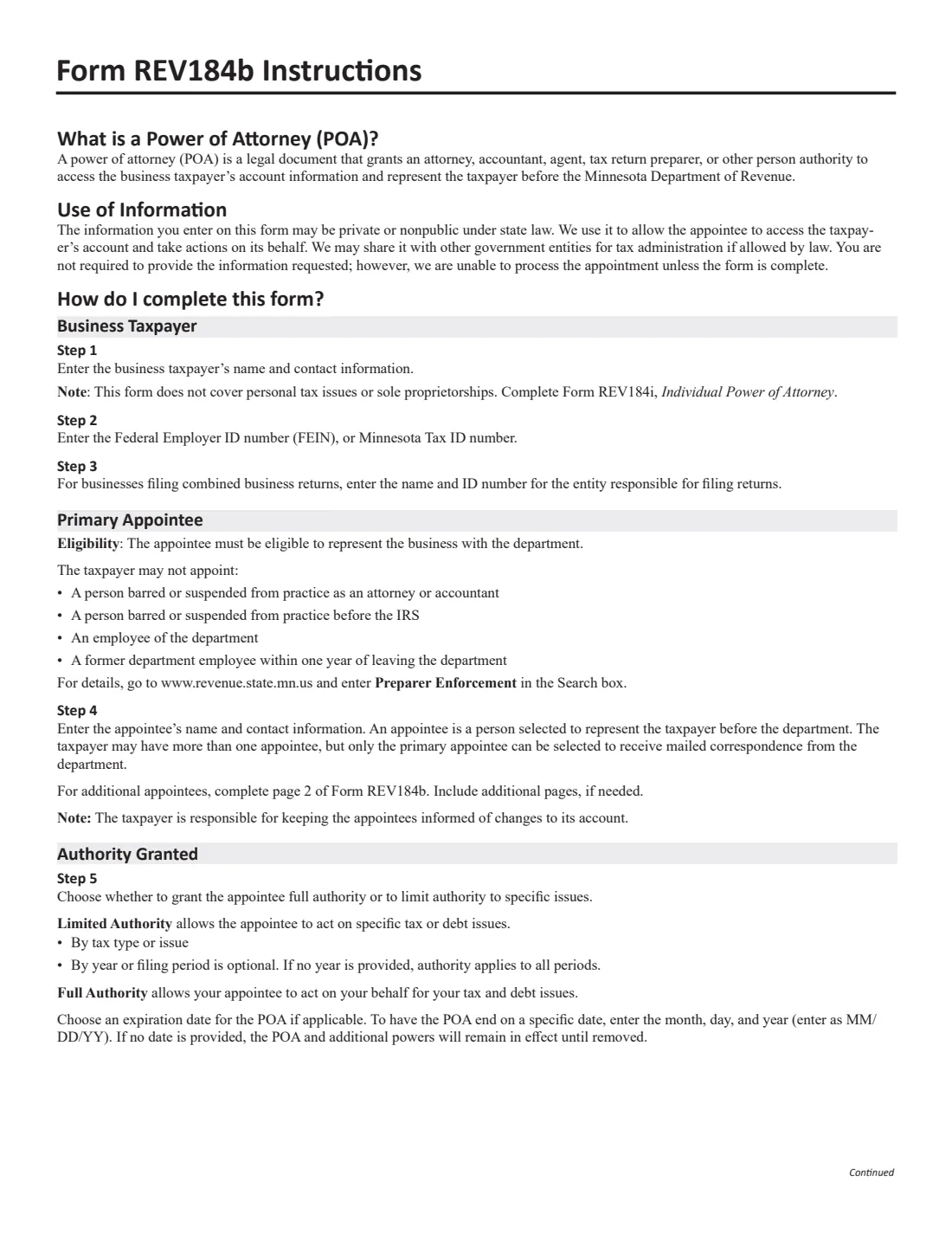
1 Business taxpayer
Name, contact details and FEIN or Minnesota tax ID, plus the filing entity for combined returns.
2 Primary appointee
The person who will represent the business. Only the primary appointee can be chosen to receive mail.
3 Authority granted
Tick limited authority and list tax types or debt issues, form names and years, or tick full authority. Add an expiration date if you want one.
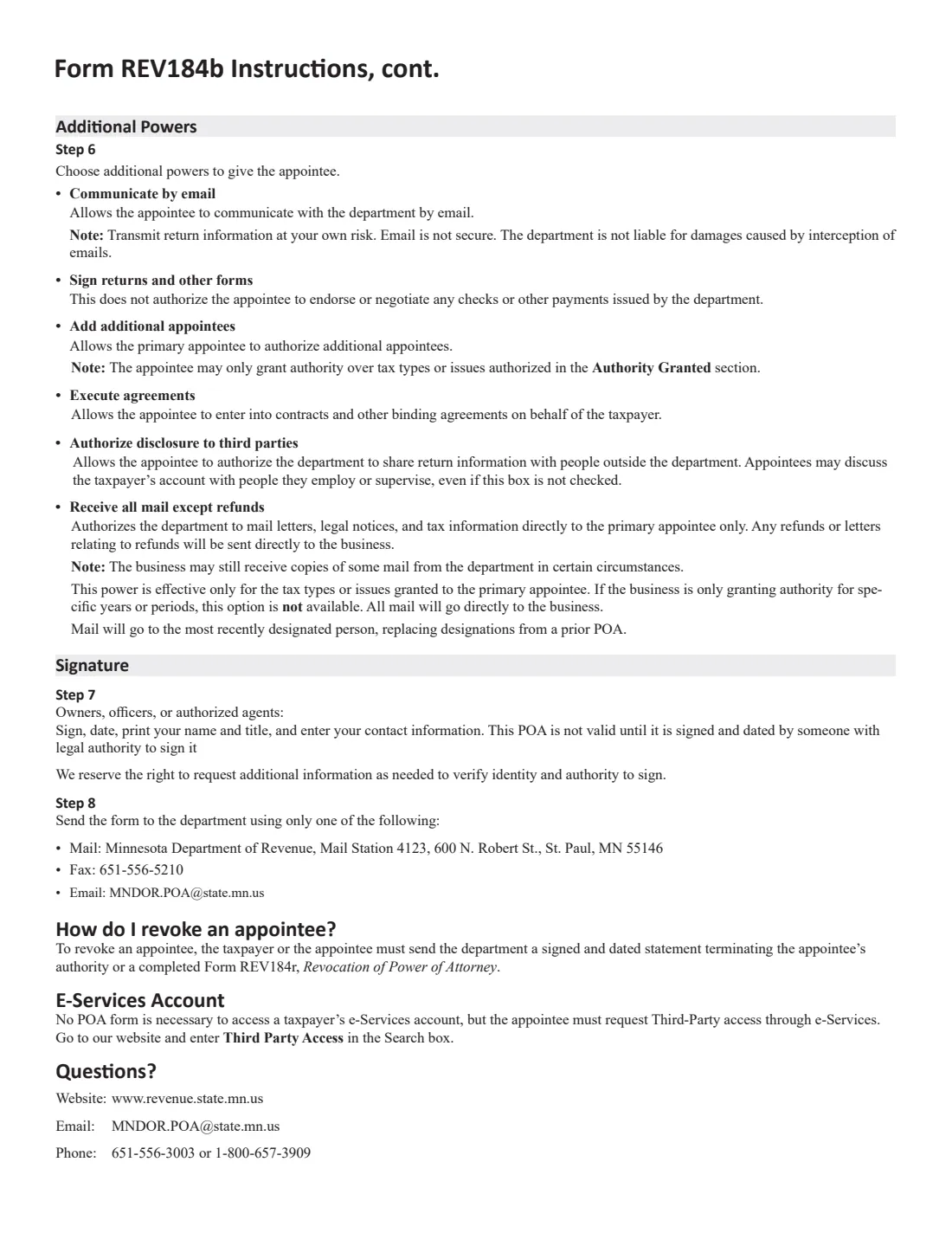
4 Additional powers
Tick any extra powers: email, signing returns, extending the statute of limitations, agreements, more appointees, all mail except refunds, release to third parties.
5 Signature
An authorized person signs, prints their name and title, and dates it.
6 Page 2
Additional appointees, each with full contact details.
Common mistakes to avoid
- Using REV184b for a sole proprietorship or personal taxes: those use REV184i.
- Ticking 'receive all mail' when the authority covers only specific years or periods: that option isn't available then.
- Leaving out the signer's title, or having it signed by someone without authority to sign agreements for the business.
- Sending it more than one way. Use mail, fax or email, not several.
After you fill it out
Have an authorized person sign and date page 1, on paper or through FileIt's e-signature request.
Send it by one method only: Minnesota Department of Revenue, Mail Station 4123, 600 N. Robert St., St. Paul, MN 55146; fax 651-556-5210; or email [email protected].
Keep your appointees informed of changes to the business's account. FileIt keeps the PDF in your vault folder.
Fill out Form REV184b online with FileIt
- Pick the person. Choose someone from People and FileIt fills in their name, date of birth, address and other details it already knows.
- Answer plain-language questions. One part of the form at a time, with the official help text beside each question — 99 fields in all. Your answers save as you go.
- Check the live preview. Watch your answers land on the real Minnesota Department of Revenue form, and let FileIt do any worksheet arithmetic.
- Generate the official PDF. FileIt prints your answers into the agency’s own PDF and files it in that person’s folder in your vault. Sign it, or send it for e-signature.
FileIt fills the form — it never files or submits anything for you. Deliver the finished form to whoever asked for it, the way the form’s instructions say.
Start Form REV184b now — it’s freeForm REV184b: frequently asked questions
Can one form cover me and my business?
No. The individual (REV184i) and the business (REV184b) are separate forms; file both to authorize the same person for each.
How do I revoke an appointee?
Send the department a signed and dated statement ending the appointee's authority, or Form REV184r, Revocation of Power of Attorney.
Does the appointee need this form for e-Services?
No POA is needed for e-Services access, but the appointee must request third-party access through e-Services.
What if I leave the years blank?
With limited authority, a blank years or periods box means the authority applies to all periods for that tax type.
Official sources
- Blank form (PDF), published by Minnesota Department of Revenue: https://www.revenue.state.mn.us/sites/default/files/2019-11/rev184_b.pdf
- Official instructions and guidance: https://www.revenue.state.mn.us/sites/default/files/2019-11/rev184_b.pdf
- Edition shown on this page: Form REV184b (Rev. 11/19) (checked 2026-10-25).
FileIt is not affiliated with or endorsed by Minnesota Department of Revenue or any government. This page explains the form in general terms and is not legal, tax or immigration advice. Always read the official instructions, and check that you are using the edition the recipient accepts. Page last reviewed 2026-10-25.